Blogs
|
Written by Chris Osborn In today's Q&A, we discuss the questions you should be asking before you consider implementing off-the-shelf content and provide suggestions to help you make the right choice. Access 7,000+ Employee Training Resources BizLibrary offers 7,000+ training videos in various business training topics, with new courses added every day. Got Content? In this eBook we discuss how to decide what’s right for your employees and organization, how to incorporate off-the-shelf learning resources into an effective employee learning strategy, and how to find the right off-the-shelf solution for your organization.. BizLibrary's Mobile Learning App meets the needs of today's digital learners. Employees no longer wait for training departments to push learning content to them. Employees are used to pulling information to themselves, when they need it, on their own terms and conditions, and on their own devices. Video Transcription Hi, Chris Osborn, VP of Marketing with BizLibrary with today's Q&A. It comes from Phil, he's a training manager at a financial services organization. He wanted to know a little bit more about the key questions to ask as he looks for an off-the-shelf learning conten t provider. Well, Phil is starting in a perfect place. He wants to ask the right questions, and that's exactly where any organization looking to deliver great content to employees should start. Content is king. You have to deliver great learning content to your employees if you expect behaviors to change, knowledge to increase, skill to grow, or most important: performance to improve. The challenge is whether your organization can build enough content to meet the growing and complex learning needs of your employees in today's market. So the first question to ask: can we build all of the content we need ? Can we build content in key competency areas like leadership, management, supervisory skills, communication, sales, customer service, compliance, health and safety, or IT and desktop computing? The most common answer for organizations is no, but really why would you even want to? Focus your energy on content development in areas that are really critical to your subject matter expertise or unique to your own organization. The next question you need to ask is how much content exists in this collection we're looking at? Quantity matters! You want to make sure you have a deep, broad selection of topics and courses within those topics to meet the learning styles and preferences of all your employees. Next, what is the quality of the collection? Are the courses current? How often are new courses added? Next, you want to ask about the format of the courses. How are the courses going to be delivered to your employees? Remember, most of your employees are likely already using mobile devices to access information they need to perform their job, so can you find a collection that they can access on mobile devices ? You would be surprised at how many content collections on the market are not mobile optimized. Last, but not least, do you need an LMS or technology platform along with the content? If so, look for a content partner that can deliver both a content collection and high quality LMS platform in one, all-inclusive solution. Okay, is there such a solution out there? Well, as a matter of fact, there is, and it's right here at BizLibrary! We offer the largest collection of content anyplace on the market, and it includes 7200 mobile-optimized video courses ready for you right now. Oh, and it comes with one of the top learning management systems on the entire market! Just click on the button to get a free trial started and gain immediate access to 7 courses right now and check it out for yourself!
Chris Osborn
.
Blog
.
<span class='date ' tip=''><i class='icon-time'></i> Jul 14, 2015 01:37pm</span>
|
|
by Jennie Ruby
"My 8th grade English teacher taught me this little gem many years ago" says Laura Witte:
"Never use a preposition to end a sentence with!"
Witte also gives us this one:
"Off of sounds like you're stuttering. (Just off will suffice.)"
Both of these are about that perennial problem of ending a sentence with an UNNECESSARY preposition, which so many people misremember as "never end a sentence with a preposition under any circumstances." The true test is whether you can delete the unneeded preposition, and both of Witte's examples beautifully illustrate that concept. If you delete with and of, the sentences retain their meaning. Contrast those with instances where the ending preposition is actually part of the verb, completing and changing its meaning:
I didn't need the receipt, so I threw it out.
Here, if you delete out, you change the meaning. So just keep the preposition at the end. Years ago, teachers would have us revise the order of a sentence this way in order to avoid ending with a perfectly fine, necessary preposition:
That is not the ladder you are supposed to go up.
That is not the ladder up which you are supposed to go.
If you find yourself in this sort of mess, a better answer is to recast the sentence as
That is not the ladder you are supposed to use.
Here are some more memory aids for spelling, along with warm memories of the teachers who gave them to us.
Krista Wolter writes: Seeing the posts from others reminded me of one from high school. Our chemistry teacher taught us "there is a rat in separate." He took points off your lab work if you spelled separate wrong. I still think of him when I type that word.
Sherrie L. Trechel says, "I am a fan of a memory aid a friend told me about long ago for loose vs. lose":
"You can't lose your nose."
And I really related to Elaine Study's experience described here, when she remembered that
"There are 3 e's buried in cemetery."
Elaine said "I will never forget a few years ago I was watching the TV show 'JAG' with my husband and the scene location printed on the screen was "___________ Cemetary.
"I was so outraged at the misspelling on a national TV show that I kept chanting at the screen, "There are 3 e's buried in cemetery! There are 3 e's buried in cemetery! My husband's response was, "I didn't know that."'
And that reminded me of one of my own tricks--how to remember the difference between stationery and stationary.
"Stationery is about envelopes." (e)
"When you are stationary, you are standing still." (a)
Send me more if you've got them..
***
If you love Jennie's articles, you'll love her classes. Check out some of Jennie's mini courses.
Icon Logic Blogs
.
Blog
.
<span class='date ' tip=''><i class='icon-time'></i> Jul 14, 2015 01:37pm</span>
|
|
by Lori Smith
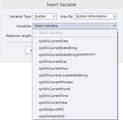
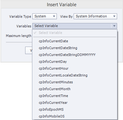
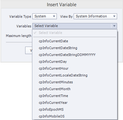
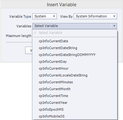
Adobe Captivate has provided System Variables for years. In fact, there are more than 70 Captivate System Variables in Captivate version 8. Unfortunately, many developers don't use System Variables because they either don't know about them or don't know how to use them.This week I'm beginning a series of articles that will take you through Captivate's System Variables, one group at a time. First up, Date variables, which are a subset of the System Information variables (variables that pull their information from the learner's computer when a Captivate lesson runs). The table below lists the different date variables available in Captivate. For this example, let's say that today's date is Sunday, November 17, 2002. If you need to build your own date string that showed only the month and the year (11/2002), you could simply insert a text caption like this: If I were to use the System Variable cpInfoCurrentDay in a text caption, the learner would see the word "Sunday" on the slide if it's Sunday, "Friday" if it's Friday, and so on. But what if I want the learner to see the current day of the week in a specific format ("Sun" for Sunday; "Fri" for Friday, etc.)? Because there isn't a System Variable for that, I need to step in and create a user variable along with a little Advanced Action.First I created a user variable called myDayOfTheWeek. (You can create a user variable via Project > Variables.) Then I created an Advanced Action named DayOfTheWeek.In the image below, notice that I used the provided cpInfoCurrentDay System Variable in the If area of the Action and compared it to 1 using the is equal to comparison. I used the myDayOfTheWeek user variable in the Actions area (shown above). My Advanced Action contains seven Decision Blocks, one for each day of the week (some of the Decision Blocks are shown in the image above where you see blue word "Sunday").Here's the recipe I used when I created each of those Decision Blocks. I used the myDayOfTheWeek user variable in a text caption and that was that. As far as I'm concerned, the most interesting date variable iscpInfoCurrentLocaleDateString. For my computer, it displays November 17, 2002. But for my friend's computer, the same lesson displays Sunday November 17, 2002. Curious as to why, I accessed my computer's time and date setting (Control Panel > Clock, Language, and Region > Change date, time, or number formats). My settings looked like this: I changed my Long date to this: ... and my Captivate lesson displayed the date as Sunday, November 17, 2002.See also: Adobe Captivate's System Time Variables
***
Looking to learn Adobe Captivate? We offer several Captivate classes. Feel free to contact us to learn other ways to meet your training requirements.
Icon Logic Blogs
.
Blog
.
<span class='date ' tip=''><i class='icon-time'></i> Jul 14, 2015 01:37pm</span>
|
|
View and download the webinar slides. View the webinar recording. Try out BizLibrary's Online Library! BizLibrary provides 7,000+ training videos and eLearning courses in various business training topics, with new courses added every day. Got Content? How to Use Off-the-Shelf Content to Build Strong Employee Learning Programs In this eBook we’ll discuss how to incorporate off-the-shelf learning content into your employee learning program. BizLibrary's Mobile Learning App meets the needs of today's digital learners. Employees no longer wait for training departments to push learning content to them. Employees are used to pulling information to themselves, when they need it, on their own terms and conditions, and on their own devices.
Chris Osborn
.
Blog
.
<span class='date ' tip=''><i class='icon-time'></i> Jul 14, 2015 01:37pm</span>
|
|
OMD research: viewers switch devices regularly while the TV is on (Image credit: Nathan Daniels)
6 Reasons Why Responsive Design Makes sense as the Future of #eLearning and #mLearning http://t.co/14qp7Oi0Bc
— RJ Jacquez (@rjacquez) March 5, 2015
How many devices do you own?
For me, the answer is a whole lot, perhaps too many.
I have two iPads, two iPhones, a Samsung Galaxy Tab 10″, a Nexus 7, a Moto X, an old Motorola Xoom, three Kindles, a touch-enabled Windows 8 laptop, two Apple MacBook Pro laptops, an iMac and a Windows 8 PC.
What about you, how many devices do you own?
If you answered more than one, we are not alone here. According to Cisco, by the end of 2014, the number of mobile-connected devices exceeded the number of people on earth, and by 2017, there will be nearly 1.4 mobile devices per capita.
What’s your time to screen in the morning? In other words, how long does it take from the time you open your eyes in the morning to the time you reach for one of your devices?
How would you describe your daily use of mobile devices? If you are like me, you probably start with your smallest device and work your way up slowly until you get to your PC. Also, if you are like me, you probably find yourself doing more and more work on your mobile devices and less and less on your PC.
How many times do you pick up your smartphone throughout the day?
Here’s another one.
How many times do you reach for your smartphone even when you are in front of a fully capable Mac or PC computer?
A Tecmark Survey finds the average user picks up their smartphone 221 times a day? How close are you to this number?
How many times do you find yourself switching between devices, especially at home when watching television?
Another survey found that People change the device they are using an average of 21 times an hour when they are at home, according to findings from OMD UK’s Future of Britain research project.
To say that Mobile has been a game-changer in our lives is an understatement. Today more and more of us live our lives across multiple screens.
According to Google, 90% of users use multiple screens sequentially to accomplish a task over time.
So what does this have to do with Learning Design?
The answer is simple, we live in a multi-device, multi-screen world and we need to embrace it and design learning with this reality in mind! In other words, simply designing e-Learning for a desktop computer is no longer a viable option!
One positive change I have noticed in the past two years, is that we have gone from asking ‘why should I care about Mobile Learning?’ to ‘how should I design Mobile Learning?’ and that is great news.
Here’s another powerful truth that will make you think twice about your current learning design strategy. Today you don’t get to decide which devices Learners use to access your learning!
So How Should We Design Mobile Learning?
When you consider the new multi-device, multi-screen world we live in and the idea that we no longer get to control which devices learners want to use to access our learning, the answer to this question becomes quite obvious. We need to design learning that is intelligent, flexible and fluid to work everywhere and on any device, content that is device-agnostic if you will.
Here’s what I wrote about this in my previous post:
This is how we should view the future of learning design and consumption, we should focus on designing learning that is flexible and fluid across multiple screens; intelligent learning, that always points learners to a single URL, and avoid at all cause the need for installing different native apps for different mobile operating systems, in order for learners to access the learning.
via 10 Things Adobe gets Right about Mobile Learning with Captivate 8 [Review] | The mLearning Revolution Blog.
This is why I’m excited about Responsive Web Design (RWD) and why I believe it makes perfect sense as the future of Learning Design in the 21st century because it takes all of these trends into consideration.
This is also why I encourage you to choose your Learning Design tools wisely and lean towards those with support for Responsive Learning Design, for example, the new Adobe Captivate 8.
Here are some more reasons why Responsive Web Design makes sense in Learning Design:
1. The Web. No Apps. No Downloads.
The first reason why Responsive Web Design makes sense for designing future learning is that it’s web-based, which means that your learning will be accessible via a single URL. For your Learners, it means they won’t need a mobile app to consume the learning. This is especially important when you consider if you choose to distribute learning through a native mobile app, learners will need to have an app per mobile OS, i.e Apple iOS, Android, Windows Phone, etc.
2. One Learning. Multiple Devices.
When you adopt e-Learning and m-Learning Design tools that support Responsive Web Design, you don’t have to worry about building and maintaining multiple projects, each targeting different devices with different resolutions and screen sizes. With tools that support Responsive Learning projects, you simply build and maintain a single project, publish it and that’s it. Learners will access your learning in the same way they have in the past, through a web browser, and by using the device of their choice.
3. Responsive Web Design is LMS friendly
Another advantage of continuing to design learning around web technologies is that your mobile learning is Learning Management System (LMS) friendly, which means that you don’t have to switch LMS vendors in order to create learning modules that will be accessible anytime, anywhere and from any device.
4. Simple Publishing
By embracing Responsive Web Design, you don’t have to worry about specific publishing options for different learners, using different browsers, technology, devices, mobile OSes and screen sizes.
Take for example Articulate Storyline 2 which does not support Responsive Design and Adobe Captivate 8, which does. In Captivate 8, when you create Learning based on the new Responsive Project option, you simply select File > Publish, give it a name and click Publish. That’s all there is to it. The learning can now be viewed on any device, desktop computers and laptops, Tablets, and Smartphones. Just the way it should be.
In Captivate 8, when you create Learning based on the new Responsive Project option, you simply select File > Publish, give it a name and click Publish. That’s all there is to it. The learning can now be viewed on any device, desktop computers and laptops, Tablets, and Smartphones. Just the way it should be.
In Articulate Storyline, things are not so simple.
Case in point, here’s an excerpt from a Storyline web page, explaining what you need to keep in mind whenever you target different scenarios, like whether the learner has a device that support Flash, or a browser that supports for HTML5 or their proprietary mobile app, the Articulate Mobile Player:
Step 3: Choose HTML5 and/or Mobile Publishing Options
If learners will view content on a device that doesn’t support Flash, use the following options to make your course viewable in HTML5, the Articulate Mobile Player app, or both.
Include HTML5 output: This prepares your course so that it’s viewable as HTML5 content. Bear in mind that not all web browsers handle HTML5 content equally. See this article for supported HTML5 browsers.
Use Articulate Mobile Player for iOS or Android: This prepares your course so learners have the best viewing experience on iPads and Android tablets, using Articulate’s free mobile player app.
via Publishing a Course for Web - E-Learning Heroes.
As I said in my previous post, Articulate and Adobe approach mobile learning design very differently and while I applaud both companies for taking different routes, in my humble opinion, I feel that Adobe is winning in the space of Mobile Learning by embracing Responsive Web Design.
5. Happier Learners
I mentioned above that as Learning Designers we cannot control what devices our Learners will use to access our learning and that we need to design with this truth in mind. When you design learning that is intelligent and fluid regardless of the device and the size of the screen, the result is happy learners.
6. Responsive Web Design is future-proof
7 years ago we were blindsided by the speed with which the mobile revolution took over, and while we don’t know exactly what the future of computing holds for us, one thing is for sure, we will continue to see more and more mobile smartphones, tablets, touch-enabled computers, oh and the wearables are coming, too. The number of different screen sizes between all of these devices will continue to increase and the only way to future-proof our learning design is by designing fluid content that can scale intelligently across all of these screens!
The number of different screen sizes between all of these devices will continue to increase, and the only way to future-proof our learning design is by designing fluid content that can scale intelligently across all of these screens!
Conclusion
For a long time, I have thought that the e-Learning and m-Learning tools that support Responsive Web Design principles would win big in this space and was always disappointed that with every new version, vendors would come out of their software, no one was implementing RWD. Fast forward 3 years later and here we are now living in exciting times, where software vendors are now taking mLearning design very seriously.
I am especially excited about Adobe Captivate 8 and I encourage you to download a trial and give the new Responsive Project features a try, it is really well done. When I first tried it, I realized this is the version of Captivate that I have been waiting for a long time.
Over to you
Where are you right now in terms of adopting a more holistic, multi-screen, multi-device learning design strategy, and what are your thoughts on Responsive Learning Design?
Please chime in below and share this post.
6 Reasons Why Responsive Design Makes sense as the Future of e-Learning and m-Learning Design was first posted on March 4, 2015 at 11:00 am.©2014 "The mLearning Revolution Blog". Use of this feed is for personal non-commercial use only. If you are not reading this article in your feed reader, then the site is guilty of copyright infringement. Please contact me at rjjacquez@gmail.com
RJ Jacquez
.
Blog
.
<span class='date ' tip=''><i class='icon-time'></i> Jul 14, 2015 01:36pm</span>
|
|
by Jen Weaver
Ah, the Kingdom of the Netherlands. Today let's explore some common cultural facts about the Dutch and their expectations when it comes to training and development. Test your Knowledge of Dutch Culture
True or False? Another name for the Netherlands is Holland.
True or False? The Netherlands ranks among the top 12 trading nations in the world.
True or False? The Netherlands is part of NATO.
Quick Tips for Training & Development in the Netherlands1:
Guard your words carefully. The Dutch highly value honesty and will take your statements at face value. Avoid exaggeration or misinformation as well. Make sure every point is substantiated by real data.
While Dutch is the official language of the Netherlands, English is also widely understood. Find out from your in-country contacts if translation of your training materials is preferred.
Outside information is often perceived as risky and viewed with caution. Greater importance is given to facts over emotion. Subjective arguments are not accepted as valid reasoning for decision-making.
Decision-making is slow and involved, but resolutions are final.
While it's difficult as a perceived outsider to form relationships with the Dutch, you'll find friendship and mutual respect go a long way in gaining buy-in from your students and local contacts.
The Dutch favor hierarchy with clearly defined roles and structure.
Compliments and accolades are paid to the group as a whole, not to individual participants. In the same way, individuals are not singled-out for mistakes-rather, issues are attributed to a faulty system or failed oversight. If you must address an individual's achievements or shortcomings directly, do so in private.
Consistent with their structured culture, punctuality is of great importance to the Dutch. Planning is a key component of daily life, and time must be used efficiently. In fact, people who arrive late may be assumed to be incompetent or untrustworthy since they are apparently unable to manage their time.
Spontaneity is not a virtue.
Dutch communication is straightforward and professional, with preference given to efficiency over pleasantries.
In some industries, employees with higher rank may dress more casually than lower-level staff. Executives may dress in jeans and a button-up shirt while support staff are in suits.
Knowledge Answers from Above:
False. Holland, which includes Amsterdam, Rotterdam, and the Hague, is only a part of the Netherlands.
True.
True. It's also part of the European Community.
References:
1Morrison, Terri, & Conaway, Wayne A. (2006). Kiss, bow, or shake hands (2nd ed.). Avon: Adams Media.
***
Developing international training and development materials? Contact Jen at Carmazzi Global Solutions. And if you love Jen's articles, check out her new Localization mini courses.
Icon Logic Blogs
.
Blog
.
<span class='date ' tip=''><i class='icon-time'></i> Jul 14, 2015 01:36pm</span>
|
|
This week's interesting finds from across the web. Curated by Jessica Petry @JessLPetry HOW TO HANG ON TO YOUR HIGH POTENTIALS via hbr.org The war for talent shows no signs of letting up, even in sectors experiencing modest growth. According to a global study, only 15% of companies in North America and Asia believe that they have enough qualified successors for key positions. One important finding highlighed in the article and research was that the effective management of the next generation of leaders always encompasses three sets of activities. The first involves the establishment of clear strategic priorities, which shape the way companies groom high-potential leaders. The second involves the careful selection of high-potential candidates—and communicating who they are to others in the organization. This can be touchy. And the third comprises the management of talent itself—how high potentials are developed, rewarded, and retained. Why you should be interested? Succession Planning. This is a top priority at most of our organizations as more and more employees are approaching retirement. In a matter of just a few years we went from worrying if we were going actually keep our jobs - to facing the fact that our employees skills need some fine tuning if we want to remain competitive and successful organizations. This article poses great questions to get you thinking about your high potentials and the strategic value to your organization. It also outlines a helpful framework that you can adapt and apply in your own organization. KEVIN SPACEY'S TOP 3 TIPS FOR BETTER STORYTELLING. YES, THAT KEVIN SPACEY via cmo.com Kevin Spacey was a keynote speaker at "Content Marketing World" a conference with more than 2,500 attendees."Isn’t good storytelling just luck and a guessing game?" he asked. "No. Good content marketing is not a crap shoot—it has always been about the story.". Why you should be interested? Better yet, why the heck are you including an article about content marketing? Ever heard the phrase "you're not in training, you're in marketing." Chris Osborn , BizLibrary's VP of Marketing, shared this take-away with me after a conference he attended a few years ago. It's crazy how similar learning and development and marketing are. You need to get someone from point A to point B. Whether that's encouraging an employee to improve performance or enticing a consumer to try your product. Not that different. The strategies are pretty similar. To get employees engaged with our learning and development initiatives we should apply some of the best practices shared by Spacey. Everyone loves a great story! I hope you get inspired by this article and the three key elements that make better stories. THE EDUCATOR WITH A GROWTH MINDSET: A STAFF WORKSHOP via Jackie Gerstein Ed.D This link - not really an article - includes activities and resources from a teacher and staff workshop on growth mindsets. Why you should be interested? In addition to a lot of education-focused resources. There are some really forward-thinking ideas for the actual structure of a learning event/activity. The workshop consisted of pre and post work, social learning, video, and more. I'm sure you'll start thinking about how you can incorporate some of these elements into your own workshops. Stay curious and keep learning. Jessica Petry is a Senior Marketing Specialist at BizLibrary. LinkedIn Twitter About.me Scoop.it Try out BizLibrary's Online Library! BizLibrary provides 7,000+ training videos and eLearning courses in various business training topics, with new courses added every day. Got Content? How to Use Off-the-Shelf Content to Build Strong Employee Learning Programs In this eBook we’ll discuss how to incorporate off-the-shelf learning content into your employee learning program. BizLibrary's Mobile Learning App meets the needs of today's digital learners. Employees no longer wait for training departments to push learning content to them. Employees are used to pulling information to themselves, when they need it, on their own terms and conditions, and on their own devices.
Chris Osborn
.
Blog
.
<span class='date ' tip=''><i class='icon-time'></i> Jul 14, 2015 01:36pm</span>
|
|
As part of the eLearning Tour, Christopher von Koschembahr demonstrated a podcast where he conducted an interview. The interviewer was a female voice asking questions. She would ask a question and then he would respond. What was interesting is that the interviewer was produced using Text to Speech. You can listen to the result at the 12:23 mark of the first video on the eLearning Tour page. The effect was interesting. For short bursts of text, the computer generated voice was okay. Thus, it works well with the interview structure. Of course, you quickly know that he's written the questions. Still it works for me. In general, I think the response during the session was positive. Based on the comments during the session, a few questions came up: Does Text to Speech work for longer form content? Captivate 4 contains built in Text to Speech. Are people using that much? For what kinds of content? I did a couple of tests with a few of the free Text to Speech services that I found to see what something that's a big longer would sound like. I tried YAKiToMe!, Feed2Podcast, SpokenText, and ReadTheWords. None of them produced something that I could listen to for any length of time. My conclusion - Text to Speech works for short bursts, not for longer amounts of content. I'd be curious what anyone is doing out there with Text to Speech beyond the example that Chris discussed. Anyone using it in their Captivate courses? How? How much text do you use? eLearning Technology
Browse eLearning Content
Tony Karrer
.
Blog
.
<span class='date ' tip=''><i class='icon-time'></i> Jul 14, 2015 01:36pm</span>
|
|
by Jennie Ruby
This week I bring you more spelling and word usage aids. Aimee Bosse brings us three that are more about word usage than just spelling. These pairs of words are easily confused, so a memory aid is the best way to keep them straight, short of looking them up every time you use them.
Torturous (pertaining to torture) versus tortuous (indirect, not straightforward)--think of the extra R in torturous for Really painful.Discreet (showing prudence) versus discrete (separate, distinct)--you separate the e's with the t.Premier (head of state or first in rank) versus premiere (first public showing)--not sure of an easy way to remember, for me an extra e makes it look more fancy [you have to really dress up to go to the premiere--JR].
Lisa J Stumpf gives us another version of the desert versus dessert distinction:
You want more dessert so use more letters--two s's.
And one more, just on spelling, brought to us by Marsha Kuhn:
My seventh grade teacher told us that the "villain lives in the villa."
Grammar Pet Peeves: Word Crimes
While sending in these memory aids, several of you wrote in to tell me about Weird Al's video "Word Crimes." I totally love it! Thank you! Check it out if you have not seen it before.
And in the spirit of Word Crimes, this week I'd like to hear from you about your grammar pet peeves-you know you have them! Aimee Bosse starts us off with these:
Residence versus residents: this should be a no-brainer! Someone living in my college dorm actually wrote a sign asking "residence" to be considerate of others.
Feel free to post your grammar pet peeves below as comments.
***
If you love Jennie's articles, you'll love her classes. Check out some of Jennie's mini courses.
Icon Logic Blogs
.
Blog
.
<span class='date ' tip=''><i class='icon-time'></i> Jul 14, 2015 01:35pm</span>
|
|
One of the coolest things about working for BizLibrary is unlimited Learning! Each month BizLibrary Employees share their favorite courses. This month features employees from Bizlibrary's Content, Marketing and Sales Teams. October Pix from Left to Right: Sarah Coleman, Content Coordinator Be S.A.F.E. (Not Sorry) Preventing Violence in the Workplace Violence does not just occur in darkened alleyways; it is also a very real part of the workplace setting. Approximately two million assaults and threats of violence occur in the workplace each and every year. This video provides factual information with small vignettes that explains how serious the situation is and different forms of workplace violence. The video is easy to watch and does an excellent job explaining the different ideas. The vignettes provide a more "human touch" to a topic that many may not have thought of before watching this video. View the video preview below: Debbie Williams, Vice President of Operations Persuasive Presentation Skills: Go For the Goal (Part 1) Most of us at one point in our lives need to be able to stand up in front of a group and deliver a presentation. Our newest producer partner, Mary Sandro of ProEdge Skills, created this video series to share her expertise in this area. Mary presents her tips in a fun, quick and energetic way. It all starts with setting a presentation goal…watch this 4 minute video and you are on your way to obtaining "persuasive presentation skills." There are three follow-up videos in this series. View the video preview below: Chris Osborn, Vice President of Marketing @chrisosbornstl Impedership Leadership is such a critical part of business success, but so many people just get it flat out wrong. This video really does a great job of explaining some of the most common things "impeders" do that get in the way of motivating team. What’s great about the video is just how often we’ve seen these very behaviors! View the video preview below: Dirk Engel, Account Executive Creating Great Customer Conversation According to the White House Office of Consumer Affairs, It’s 6-7 times more costly to attract a new customer than it is to retain an existing customer. Now more than ever, it’s important to ensure that every conversation that we have is a great one; not only with prospective customers, but existing customers as well. Creating Great Customer Conversations is a excellent course that provides you with a step-by-step guide on how to make the most out of every customer contact. Whether you are an entry level employee or in management, it’s a great course to utilize when brushing up on your customer service skills! View the video preview below: Try these courses and more! BizLibrary provides 7,000+ training videos and eLearning courses in various business training topics, with new courses added every day. Got Content? How to Use Off-the-Shelf Content to Build Strong Employee Learning Programs In this eBook we’ll discuss how to incorporate off-the-shelf learning content into your employee learning program. BizLibrary's Mobile Learning App meets the needs of today's digital learners. Employees no longer wait for training departments to push learning content to them. Employees are used to pulling information to themselves, when they need it, on their own terms and conditions, and on their own devices.
Chris Osborn
.
Blog
.
<span class='date ' tip=''><i class='icon-time'></i> Jul 14, 2015 01:35pm</span>
|