Blogs
|
by Jen Weaver
As cold weather looms in the United States, our friends in New Zealand are preparing for the summer season. Let's take a warm excursion to the Southern Hemisphere to explore some common cultural facts about New Zealanders and their expectations when it comes to training and development.
New Zealand Trivia:
True or False? New Zealand was the first country to grant women the right to vote.
True or False? New Zealanders refer to themselves as "Kiwis."
Tips for Training & Development in New Zealand1:
Truth is based on objective facts; emotions and hype are not deemed appropriate in business presentations. Stick to the facts when developing your training materials.
Business interactions are more formal until credibility and rapport are established.
Despite their proximity, do not confuse Aussie culture with that of the Kiwis. They are entirely different people groups.
The Maori tribespeople are the earliest known inhabitants of New Zealand, and Maori is still one of the official languages. But with English being the other official language, most Maoris speak English fluently.
Kiwi executives value individual achievement and are internally motivated. As such, many experience anxiety regarding professional growth or pending deadlines.
Expertise is greatly valued, so be sure to communicate your corporate and personal achievements to demonstrate aptitude in the subject matter you're training.
Tardiness is a serious faux pas; even social events start on time.
A first-name basis is common in New Zealand business interactions, but wait to refer to your counterparts by their first names until invited to do so-or at least until they set an obvious informal tone in your interactions.
Trivia Answer from Above:
True. In 1893.
True, and the kiwi--the flightless bird, not the fruit--has become a national emblem.
References:1Morrison, Terri, & Conaway, Wayne A. (2006). Kiss, bow, or shake hands (2nd ed.). Avon: Adams Media.
Developing international training and development materials? Contact Jen at Carmazzi Global Solutions. And if you love Jen's articles, check out her new Localization mini courses.
Icon Logic Blogs
.
Blog
.
<span class='date ' tip=''><i class='icon-time'></i> Jul 14, 2015 01:38pm</span>
|
|
Should learning organizations make a financial investment in new forms of learning? A fantastic comment by Bill Brantley on my post Metalearning: Before you start defining metalearning, you need definitions for: formal learning informal learning social learning collaborative learning personal learning that are more than just marketing buzzwords. What is the difference between these five concepts? What are the strengths and weaknesses with each? How does one know when they are practicing one form or another? Before you start shutting down training departments, hiring Chief Learning Officers, and coining an umbrella term for different learning methods, you need to establish what you are actually talking about and why it is preferred over other methods. And you need to back this up with some empirical data. I would love to have a discussion with him because I think he's missing the point about the importance of metalearning and metacognition and their implications on learning organizations. Important Challenge That said, he's expressing a really important challenge. Before a learning organization recommends to make a financial investment in any of these methods, they really want to know: What is it? What will it cost and what's the expected return? When you look at various training methods such as classroom instruction, virtual classroom, courseware, online reference, performance support tools, they all have fairly well understood size, shape, characteristics. There's enough body of knowledge, history and expectation that you can safely propose financial investment by a learning organization in these methods. Yes, your budget is being cut, but it's way safer to propose on-going financial investment in a tried and true method than it is to propose shifting budget to new methods. In Corporate Training, I suggested what might happen if you shifted budget right now without having a solid backup as wonderfully explained by Dilbert: If we want to really change where learning organizations spend time and dollars, the key ingredient is to help get more concrete about these terms and to be concrete about financial investment proposals. Not a Short Answer I wish there were a set of business cases that we could point to that would exemplify what a VP Learning/CLO should be presenting to their executive team. Why not? It's partly that these kinds of solutions are highly fragmented. Look at the breadth of Examples of eLearning 2.0. Add to it all the investment that could go along with Tool Set and Work Literacy. What should a VP Learning / CLO present to the executive team? Related: The Paradox of Informal Learning (Form of Informal?) Informal Learning is Too Important to Leave to Chance More on the Form of Informal Formalizing and Investing in Informal Learning Numbers Behind Informal and Formal Learning Internet Time Blog: ROI is toast. Use EVA instead. ROI and Metrics in eLearning eLearning Technology
Browse eLearning Content
Tony Karrer
.
Blog
.
<span class='date ' tip=''><i class='icon-time'></i> Jul 14, 2015 01:38pm</span>
|
|
Image courtesy of: Michael Cahill
Being a ubiquitous device in mobile learning, a smartphone has done almost all of the unthinkable, especially in helping learners master a foreign language. A 2012 survey done by the University of Colorado, revealed that 14% of instructors and 60% of foreign students use mobile phones for language-learning purposes. However, students are taking these nifty devices for granted, the same survey confirmed, they still need guidance on how to leverage their resources for learning a new mode of verbal communication.
That said, here are effective ways in which the use of smartphones can help learners master a new language:
1. Voice Recognition Technology
With the latest advancement in mobile technology, smart devices are now equipped with special features that can be used during learning sessions. According to Phys.org, Apple’s iPhone line leads this trend, even the budget-friendly iPhone 5C. Its page on O2 suggests that the handset comes with Siri, a valuable voice recognition software in speech learning. The tool is a semi-immersive learning system, where students can practice speech proficiency including pronunciation and phrasing. Siri can also do simple translations, making it easier to bridge the communication gap.
2. Smarphone Widgets
Last November 25, Camelia Nunez, a Spanish instructor from the University of Waterloo, launched a facility that would aid students in mastering a certain mode of verbal communication. As an educator, she noticed that the best way for students to acquire a new language is by engaging them into a meaningful conversation. Nunez’s concept was simple: she devised a smartphone learning portal where students can exchange messages. The resulting product was dubbed as Milao (Greek word for "to communicate"), which will be used by university curriculums for beginner’s courses.
Nunez argues that Milao uses artificial intelligence, which is combined with a technology called "natural language processing," generating text samples that would correspond to human speech. As of the moment, Milao is conducting a beta test at the University of Waterloo. The team also hopes to venture into other languages, starting with English next year.
3. Smartphone case for language-challenged students
In virtual learning, there is a wrong notion that educational technologies are not applicable for students with disabilities. Fortunately, this is about to be changed, as mobile devices come with accessories with advanced assistive technologies. A good example is the iTok, an iPhone case that speech therapists use to introduce letter and sounds to children with verbal communication disorders.
iTôk It is an iPhone accessory to help speech therapists introduce letters and sounds to children with speech disorders.
Clipped into the iPhone, iTok designer Yanin Alexa Kramsky notes that the case is proposed as a simple learning tool, which gets rid of paper records through digital archiving. To use iTok, children need to blow a series of mouthpieces, each one representing specific sounds and letters. The iPhone then proceeds to recording the airflow patterns, which will project an animation indicating the correct use of each sound.
4. Smartphone Applications
Compared to tablets, smartphones have a greater market penetration when it comes to speech learning and translator applications. According to Rare Job Daily News, mobile software developers are taking advantage of this trend, releasing their own tools to facilitate learning. Perhaps the most popular tool is the Google Translate, which has the ability of translating a spoken phrase in a certain language.
Another popular company is Rosetta Stone, a language learning institution that released their own mobile tool. The iOS and Android-capable app provides students with activities to practice basic German, Italian, French, and Spanish.
Rosetta Stone on Smartphones
Indeed, mobile phones have gone a long way in language learning, with the first attempts dating back to 2001 that exploited the use of SMS or text messaging. In your opinion, what does the future hold for this nifty device in language learning?
About the Author:
Allie Cooper is an online college student from the University of London. She’s always on the loop with the latest trends in mobile learning, which she can use to make her short course in the university more productive. If you have suggestions, you can reach her via Twitter: @AllieCooper_18 and Google+.
4 Ways Smartphones are helping People Learn a new Language was first posted on November 11, 2014 at 6:54 am.©2014 "The mLearning Revolution Blog". Use of this feed is for personal non-commercial use only. If you are not reading this article in your feed reader, then the site is guilty of copyright infringement. Please contact me at rjjacquez@gmail.com
RJ Jacquez
.
Blog
.
<span class='date ' tip=''><i class='icon-time'></i> Jul 14, 2015 01:38pm</span>
|
|
This week's interesting finds from across the web. Curated by Jessica Petry @JessLPetry THE JOB SKILLS GAP YOU HAVEN'T CONSIDERED via fastcompany.com Ninety percent of all jobs in the next year will require information and communication technology skills , according to research by Capgemni. Yet more than half the companies polled lacked social media skills. That's despite a McKinsey report that projects social media adding up to $1.3 trillion in our economy. Just hiring Millennials isn't the answer. Why you should be interested? Many of our organizations have social media policies that clearly outline what not to do in social media. Many organizations block "evil social media sites" all together. $1.3 trillion - I'd say that's pretty impactful. Instead of banning, block and censoring, let's consider...how can we teach employees to use social media as an advantage? How can we use social media to our advantage in learning and development? BizLibrary has added some great social media courses to the BizLibrary Collection . The short videos range from foundational knowledge on different sites like LinkedIn, Facebook and Twitter to more advanced courses on measuring impact and creating campaigns. Here's a sample of an introductory course on LinkedIn: THE BEST LEADERS ARE INSATIABLE LEARNERS via hbr.org In these head-spinning times, the challenge for leaders is not to out-hustle, out-muscle, or out-maneuver the competition. It is to out-think the competition in ways big and small, to develop a unique point of view about the future and get there before anyone else does. The best leaders aren't just the boldest thinkers; they are the most insatiable learners. Why you should be interested? According to numerous industry reports, leadership development continues to be the area where most organizations are investing their training and development dollars. Why? Because leadership development has the biggest and most immediate impact. This article is full of great and inspiring quotes that you can share with your employees. Some of my favorite include: "It's what you learn after you know it all that counts." Proverb "When you're a kid, every day is full of firsts, full of new experiences. As you get older, your firsts become fewer and fewer. If you want to stay young, you have to work to keep trying new things." Roy Spence, author of The 10 Essential Hugs of Life. "Are you learning, as an organization and as an individual, as fast as the world is changing?" Bill Taylor FORGET THE BUS! DEVELOP TALENT TO CREATE A FAST, NIMBLE FLEET via @JesseLynStoner Organizations need people who know what they’re doing, where they’re going, and have the skills to get there. We call that "talent." According to the article the best way to infuse your organization with talent is to develop it internally. Why you should be interested? As learning and development professionals we know that developing our employees is critical to the success of our organization. The article outlines clear benefits and helps create a pretty powerful visual analogy that you can use when presenting the business case for your employee learning and development in initiatives. A gas guzzling bus vs. a fast nimble fleet of vehicles... Stay curious and keep learning. Jessica Petry is a Senior Marketing Specialist at BizLibrary. LinkedIn Twitter About.me Scoop.it Try out BizLibrary's Online Library! BizLibrary provides 7,000+ training videos and eLearning courses in various business training topics, with new courses added every day. Got Content? How to Use Off-the-Shelf Content to Build Strong Employee Learning Programs In this eBook we’ll discuss how to incorporate off-the-shelf learning content into your employee learning program. BizLibrary's Mobile Learning App meets the needs of today's digital learners. Employees no longer wait for training departments to push learning content to them. Employees are used to pulling information to themselves, when they need it, on their own terms and conditions, and on their own devices.
Chris Osborn
.
Blog
.
<span class='date ' tip=''><i class='icon-time'></i> Jul 14, 2015 01:38pm</span>
|
|
by Kevin Siegel
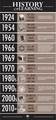
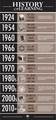
I've been creating eLearning since the early 1990s. Back then, eLearning (or E-Learning, pick your style) was known as CBT (Computer Based Training).My first attempts at creating software video training was with a program called CameraMan. That program was ahead of its time, allowing you to capture your mouse actions, add captions and audio, and then publish into a video format that could be viewed on most computers. It was awesome software for the times but crashed a lot and had very few options. It was pretty much a record-pray-publish kind of tool.When TechSmith released Camtasia I gave CameraMan the heave-ho and began producing slicker content in half the time. Then RoboDemo came out (RoboDemo later became Adobe Captivate) and I was quick to add that to my toolbox.Today you have plenty of options when it comes to developing eLearning, including Camtasia, Captivate, Storyline, and two Presenters (one from Adobe, the other from Articulate).While developing content for my Getting Started with eLearning mini course, I became curious about the origins of eLearning. As I mentioned above, I began developing eLearning 20 years ago. Surely that makes me one of the more senior eLearning developers around. It turns out I'm am just a young pup when it comes to eLearning. In fact, at a recent conference I met a person who said she started developing eLearning 30 years ago. 30 years ago? Wait, wouldn't that be the 1980s? Sure computers were around in the 80s... I was an early Mac adopter and I remember PCs with early versions of Windows (heck, I used DOS and floppy disks when they were still floppy). Those early computers struggled to do just about anything beyond word processing. How could anyone have developed eLearning on those early systems?At the same conference, I met another person who said he was creating eLearning in the late 1970s. And that got me thinking... just how far back does eLearning go? And who was the first person or company to provide eLearning?It turns out that eLearning really got going in 1953 when the University of Houston offered televised college credit classes. A few years later, the first adaptive teaching system (named SAKI) went into commercial production. Basically, with this system, the course got more challenging as learners improved.When I was creating eLearning in the 1990s, the eLearning content I published consisted of video files that were huge. The files wouldn't fit on a floppy disk and computer hard drives weren't very big. Thankfully, DVDs were available (expensive, but available). The content I published was burned to a DVD, and then I hired a DVD replicating service to mass produce my content.With the ever-growing popularity and power of the Internet and cloud computing, the need for DVDs went the way of the dinosaur. While many people think the Internet got started in the late 1990s, it came along far earlier. In 1969 the U.S. Department of Defense commissioned the Advanced Research Projects Agency Network (ARPANET), which became the Internet as we know it today.In the 1970s, a company started delivering live training over corporate networks in what they dubbed "virtual classrooms." And in the 1980s, the first CBTs were rolled out. In my discussion with the conference attendees I mentioned earlier, they revealed that those first CBTs were little more than teaching machines. And while they were limited in scope, they were nevertheless CBTs.What's your earliest memory of eLearning? What tools did you use back then? And when did you first notice eLearning replacing the term CBT? Feel free to post your experience below as a comment.
***If you'd like to learn more about eLearning, come hang out in my next eLearning basics mini course. And if you'd like to learn more about the history of eLearning, the infographic below is a great place to start.
Source: Roberta Gogos, Social Media & Content Marketing Consultant.
Icon Logic Blogs
.
Blog
.
<span class='date ' tip=''><i class='icon-time'></i> Jul 14, 2015 01:38pm</span>
|
|
View and download the webinar slides. View the webinar recording.
Chris Osborn
.
Blog
.
<span class='date ' tip=''><i class='icon-time'></i> Jul 14, 2015 01:38pm</span>
|
|
As you may have noticed, I have been mostly inactive online for the better part of the year (on a bit of a sabbatical from Tech if you will) and now I’m slowly coming back, more excited than before, motivated, inspired and ready for the new year!
Looking back, perhaps I should have done this right after leaving Adobe.
I’m feeling refreshed and ready for round two with new ideas for my blog, books, courses on mLearning, presentations, and excited to take on a new projects for organizations looking to mobilize their learning.
Technology moves fast and waits for no one and right now I’m in catch-up mode, reading up everything I missed and reviewing product updates, and here are 9 things I’m really excited about:
1. Storyline 2.0 and the new Android Support and Sliders - I’m now working on a review of Storyline 2.0 and there’s a lot to be excited about, especially the new Android support and Sliders, which I personally believe is one of the ways to re-imagine eLearning on Desktop into thumb-friendly mLearning on any device. Kudos to Articulate!
2. Techsmith’s new AppShow, Mac and Windows mobile features, including TechSmith Fuse - I see that my friends over at TechSmith have been busy embracing the mobile revolution by adding features that make it easy to develop mLearning. The idea that you can use Camtasia on a Mac to record your iPhone and then add mobile gestures to the recording is very exciting to me and should be to you, too. They also have a mobile App called Fuse, that can allow you to record video on the go and then import it into Camtasia to supplement your projects. This is exactly the type of innovation we need these days from Tools vendors. Kudos to TechSmith!
3. Captivate’s new Responsive Workflows - I’m also excited to see that Adobe has been listening to us bloggers about adding truly important functionality into Captivate for mobile learning and while I’ve only started testing Captivate 8’s responsive workflows, I see a lot of potential. Kudos to Adobe!
4. Mobile Learning in General - The Mobile revolution waits for no one and much has evolved in the past few months, Apple has bigger phones, that once again challenge everything we knew about designing for 4.7″ screens, the onslaught of new Android phones continue and we need to constantly adjust how we address all of these new mobile devices in our learning design.
5. Skype Translator - Microsoft has been busy working on some exciting technology for Skype. Turns out that an upcoming version of Skype will translate the spoken language between two people, all on the fly while they chat. This is amazing and it opens up a whole lot of possibilities for the future of education, colaboration and learning in general. If you haven’t seen it, take a few minutes to watch this video: Kudos to Microsoft and the Skype team!
6. Wearable Technology - As Samsung would say, this is the next big thing after mobile and I’m excited about it. Having said that, I’m still not convinced an iWatch-like device is supposed to be a simple replacement or even an extension of today’s mobile smartphones, I think there’s more to it, but I do think what we see today from Apple and Samsung are a good start, to at least start thinking and brainstorming about it. I think what Google is doing with their Glass project is a more accurate view into the future of wearable tech, so I’m excited about that, too.
7. Amazon Echo - When I first heard about this new product from Amazon I thought it was a crazy idea but not anymore, I think Amazon is on to something. I recently received my new Amazon FireTV stick, which allows me to connect it to any of my TVs and stream most anything from Amazon, including Prime video. That’s pretty cool. Echo to me is an illustration that voice recognition is an exciting technological advancement and a better way to communicate with our devices, through natural speech recognition. I don’t have one right now but will eventually buy one. Kudos to Amazon and the Echo team!
8. ProProfs - I came across this company that is doing big things in Learning and it made me wonder whether the future of Learning Design apps will be web-based vs. the traditional desktop based apps we use today. I plan on posting a review but in case you haven’t looked at it, I recommend you check them out. They have a number of products online, but the one that caught my eye as innovative is Quizzes. What I find unique about ProProfs is that they are ‘democratizing‘ the creation of Quizzes by allowing anyone to create assessments in a few minutes and by knowing little about the subject. Say you are tasked with creating a Quiz for HR on ‘new hire training’ and you don’t know where to start. Just type ‘New Hire Training’ into the search box and just like that ProProfs returns 11,181 quizzes on the topic and you can reuse any question in any of them for developing your own quiz. Now that is amazing in my mind, and it challenges everything we know about creating learning today. According to their web site, there have over 100,000 quizzes and assessments that users can reuse. Kudos to ProProfs!
9. Mindfulness - I watched this fascinating piece on 60 minutes by Anderson Cooper on Mindfulness, which is the idea of being present in the now through meditation and I started practicing it and recommend it to anyone, who is involved in technology especially mobile technology with all the distractions it comes with. Here’s a short video: http://bit.ly/rjacquezMindfulness
What are you excited about?
These are the things that I’m excited about, how about you?
What Can I do to Help?
As I prepare for an awesome 2015, I’ve been thinking a lot about where to focus my time, especially here on my blog, but why not ask you. What can I do to help you with your eLearning and Mobile Learning projects? What is it that you are struggling with and what type of topics can I write about to help you? Equally as important, what topics are not of interest to you that I should not spend time blogging about? It would mean a lot to me if you share your honest feedback with me. Either leave a public comment below or write to me directly via the simple form on my About Page.
Thank You for your time reading my blog and here’s to an amazingly productive 2015!
Back from a year-long Sabbatical from Tech: 9 Things I’m excited about was first posted on December 18, 2014 at 9:35 am.©2014 "The mLearning Revolution Blog". Use of this feed is for personal non-commercial use only. If you are not reading this article in your feed reader, then the site is guilty of copyright infringement. Please contact me at rjjacquez@gmail.com
RJ Jacquez
.
Blog
.
<span class='date ' tip=''><i class='icon-time'></i> Jul 14, 2015 01:38pm</span>
|
|
by Willam Van Weelden
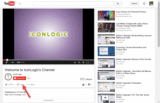
Last week, Kevin taught you how to embed YouTube videos in your eLearning projects. This week I'm going to keep with the YouTube theme and show you how you can embed YouTube content into your RoboHelp project.
Go to YouTube and locate the video you'd like to use.
Click the Share button below the video.
Go to the Embed tab and copy the embed code.
In RoboHelp, open a topic and switch to HTML mode.
Paste the embed code in the topic.
In the src attribute, type http: in front of the url.
Save your topic and generate your output.
See also: Embedding Captivate HTML5 output in a RoboHelp project.
***
Looking to learn RoboHelp? We offer a live, two-day online RoboHelp class once a month. Feel free to contact us to learn other ways to meet your RoboHelp training requirements.
Icon Logic Blogs
.
Blog
.
<span class='date ' tip=''><i class='icon-time'></i> Jul 14, 2015 01:38pm</span>
|
|
View and download the webinar slides. View the webinar recording. Additional Resources, Information and Inspiration: "...if employees' relationship with their managers is fractured, then no amount of perks will persuade the employees to perform at top levels. Employee engagement is a direct reflection of how employees feel about their relationship with the boss." Source: Self-determination Theory And Facilitation Of Intrinsic Motivation, Social Development And Well-being, American Psychologist Association From Bud to Boss: Secrets to Successful Transition to Remarkable Leadership by Kevin Eikenberry and Guy Harris A Succession Plan for First Time Managers, Maria Plakhotnik and Tonette S. Rocco, T&D Magazine, December 2011 Why Good Managers are So Rare, Harvard Business Review When a Millenial Moves from Buddy to Boss, American Management Association Drive by Daniel Pink 7 HR Law Training Topics for New Managers (and Experienced Ones Too!) In this eBook we’ll discuss: The main legal pitfalls that new managers need to avoid and what their legal responsibilities are as a manager The challenges faced by new managers The risk and costs associated with not training managers on employment law Legal responsibilities of managers. Try out BizLibrary's Online Library! BizLibrary provides 7,000+ training videos and eLearning courses in various business training topics, with new courses added every day. Got Content? How to Use Off-the-Shelf Content to Build Strong Employee Learning Programs In this eBook we’ll discuss how to incorporate off-the-shelf learning content into your employee learning program. BizLibrary's Mobile Learning App meets the needs of today's digital learners. Employees no longer wait for training departments to push learning content to them. Employees are used to pulling information to themselves, when they need it, on their own terms and conditions, and on their own devices.
Chris Osborn
.
Blog
.
<span class='date ' tip=''><i class='icon-time'></i> Jul 14, 2015 01:38pm</span>
|
|
image credit: table xi
Three years ago when I began focusing on mobile learning, I looked at the most popular rapid eLearning development tools and I was convinced there was very little chance they could re-invent themselves into decent mobile learning design tools. However today after several iterations to their products, most vendors have made great strides in reimagining they products, and I’m not so sure I believe that anymore.
There were simply too many things going against these tools back then, for example the fact that Adobe Flash is not supported on mobile devices, the myriad of mobile devices coming out with different screen sizes and operating systems, and perhaps most importantly the fact that most eLearning tools are based on a ‘fixed sized’ slide paradigm, etc. All of these I thought would make it extremely difficult for vendors to overcome. Thankfully I was wrong and today we see these companies embrace the mobile revolution, and with each update, they are overcoming these limitations and enabling their users to design learning that is more suitable for consumption on multiple screens, so kudos to them!
There’s much more work ahead but they are definitely off to a great start.
Looking at the two biggest players in this space, Articulate and Adobe, it’s worth noting that both companies have taken different approaches to mLearning design.
Articulate’s mobile learning strategy is mostly via their native app, called Articulate Mobile Player, which was initially only available on the iPad and in their latest versions of Storyline and Studio, is now also available on Android, too.
Adobe with Captivate 8 has chosen to go the Responsive Web Design route in order to enable users to create learning for multiple devices. I’m still in the early testing stages, but from what I’ve seen, I think there’s potential.
My Question to You
There are multiple advantages and disadvantages two both approaches, which approach do you think is better, Articulate’s native app approach, or Adobe’s Responsive Design and why?
If you were a long-term investor, where would you put your money and why? Cast in your vote below and leave a comment sharing the why for your answer.
Note: There is a poll embedded within this post, please visit the site to participate in this post's poll.
What is the future of #mLearning Design? Storyline’s native app vs. Captivate’s Responsive Design [Poll] was first posted on December 22, 2014 at 10:21 am.©2014 "The mLearning Revolution Blog". Use of this feed is for personal non-commercial use only. If you are not reading this article in your feed reader, then the site is guilty of copyright infringement. Please contact me at rjjacquez@gmail.com
RJ Jacquez
.
Blog
.
<span class='date ' tip=''><i class='icon-time'></i> Jul 14, 2015 01:37pm</span>
|