Blogs
|
by Kevin Siegel
I received an interesting email from a fellow Captivate developer who was in a bit of a pickle. The developer had imported a 60-slide PowerPoint presentation into Captivate and then added audio to each of the Filmstrip slides.
Just as he was about to Publish his finished project, he was told to use a different PowerPoint presentation. Mind you, it wasn't just that the imported presentation had changed and he needed to update it in Captivate. In that case, all he would have had to do is click the presentation's red "not in synch" icon on the library and the new PowerPoint content would have come into the Captivate project. In this instance, he was given a completely different presentation (the same audio was going to be used, but each slide visual was going to change).
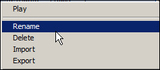
Since the developer had already invested time importing the 60 audio files (files he was going to use on the replacement slides), he contacted me hoping he wasn't going to have to start over from scratch.The bottom line is he didn't have to start over again and was able to reuse all of the imported audio files. Here's what I instructed him to do:First, visit the Library and rename the audio files so the name of each audio file matches the slide where it was used. (To rename a Library item, right-click the item and choose Rename.)In the image below, notice that I've renamed my audio files so the names match the slide that's currently using them (slide1Audio, slide2Audio, etc.).Next, delete all of the imported PowerPoint slides. Because Captivate projects must have at least one slide, if your project only contains PowerPoint slides, insert a blank slide first (via Insert > New Slide From). Then delete all of the slides except the blank one.The above step can seem extreme and nerve-wracking because you're deleting all of those awesome slides. But keep in mind you'll be replacing the deleted slides with new slides in just a moment.Check out the Library. Even though you deleted the slides, the audio files are still in the Library. Notice the Use Count shows a bunch of zeros because none of the audio files are being used.Import the new PowerPoint slides into the Captivate project (via File > Import > PowerPoint Slides).Delete the blank slide you added earlier and, as a final step, drag the unused audio files from the Library onto their corresponding Filmstrip slides.
***
Looking for instructor-led training on Adobe Captivate? Check out our live, online, instructor-led Captivate classes.
Icon Logic Blogs
.
Blog
.
<span class='date ' tip=''><i class='icon-time'></i> Jul 14, 2015 01:40pm</span>
|
|
View and download the webinar slides. View the webinar recording.
Chris Osborn
.
Blog
.
<span class='date ' tip=''><i class='icon-time'></i> Jul 14, 2015 01:40pm</span>
|
|
The last few online webinars I've attended there's been an interesting issue. Many of the participants are Twitter users who are becoming used to chatting via twitter. So, both the webinar tool (Elluminate, WebEx, Adobe Connect, etc.) have a chat stream happening and there's one going on via twitter. There's some good information via Speaking Pro Central on twitter from a speaker's perspective including these great posts: How Twitter Can Enhance Your Presentation Speakers - Be Aware, Twitter is Coming 8 things I learnt about using twitter as a participation tool Presenting to the Twitter Backchannel Twitter Conference Ideas How to Present While People are Twittering How Speakers Can Manage Twitter- and Live to Talk About it Audience on the Stage Should speakers ban twitter at their talks? Presentation Mastery: Twitter as a Presentation Resource There are lots of good suggestions in these, but they don't really address the issue of how to present when the audience may be splitting their chat between the webinar tool and twitter. In the meeting that I ran, I suggested that we would prefer that everyone uses the chat inside the webinar tool. Advantages of the Webinar Tool No switching applications Everyone (not just twitter users) can see the chat Avoids annoying people on twitter who don't want to see a flood of chat messages Advantages of Twitter Viral effect - may draw additional people into the webinar Possibly engage with people who are not in the webinar Accessible outside the webinar tool (searchable, etc.) Comfort with the tool Easy ability to follow or at least find out more about people who are interesting during the chat I was planning to put in the advantages of both, but I can only think of the glaring disadvantage - you have to jump around a lot to see what's happening in both places. You likely will have some people cut off from parts of the conversation. Twitter Chat Annoying? Actually, before I go any farther, I've got to ask: Doesn't anyone else find the use of Twitter as a true Chat Channel a bit annoying? I expect twitter users to have a few updates and I certainly like when they tweet while they are listening to a presentation. You often get some interesting nuggets. But I don't like it when they start truly chatting because it turns into noise very quickly with messages that have no context. Yes, you can go through the effort of filtering them out for a while, but that's annoying to have to do as well. The annoyance level is not enough for me to say - don't use it for chat. And I guess I'm going to have to come up with better strategies to handle this kind of bursty usage. Short Term Right Answer? So, what do you do when you are holding a webinar that has chat and where many of the users are twitter users as well? For right now, I've been asking people to chat using the webinar tool. And most twitter users are fine with that as the mode of operation. Of course, they may tweet something that they believe people outside of the session would find interesting. But I'm not sure if this is the right answer. Thoughts? Long Term Right Answers Has anyone else noticed that webinar software vendors seemed to have stagnated their feature sets? I've predicted for a couple of years that they would provide a 2.5D environment to give more presence to meetings. Nothing. Pretty much they are all looking alike. Well, Mr. Webinar vendor, here's your chance to jump out in front of your competitors. Webinar vendors should help us address this by providing outbound and inbound to twitter. For outbound, we should be able to choose any or all of our messages or any links we see or anything like that during the presentation to be able to be pushed out into Twitter. These will be associated with a hashtag for the event. On the inbound side, the webinar chat should monitor the hashtag on twitter and pulls in any chats from outside right into the stream and associates it with the webinar participant or as an "outside" twitter person. Basically, this uses twitter as an extended channel for the chat, but keeps a single view in the tool of the conversation. Which brings us to the other aspect of this - profiles in webinar tools. I recently complained that even after all these years, tools like Elluminate and WebEx still didn't provide the ability to have people put their pictures and other information on their profiles so you could find out more about the users. Come to find out they do, BUT its buried. One of the big advantages of Twitter as a chat channel is that it extends seamlessly out to the rest of the social grid so that you can find out who this person is, likely see their blog, their LinkedIn profile, etc. Why are profiles so buried in these webinar tools? Yes, it takes a little bit to get set up, but with OpenId you could probably make this very easy for users. Obviously to make the twitter thing work, users would have to provide their twitter credentials, so having this kind of profile information becomes more important. Webinar Vendors should make it easier for us to go from your tool to find out more information about the participants including after the event and possibly link up with them via twitter, linkedin or other sites. Heck, if you want to get fancy, you could probably take the online profiles of the webinar participants and show us all sorts of interesting things based on common elements of their profiles such as pages commonly linked via social bookmarking, common other groups/communities, etc. Think outside the walls of your tool - the folks in that session exist beyond the webinar. Oh, and Webinar Vendors, you might want to look at Ping.fm as a model for helping entrants to update their status that they are attending the webinar at the start. The hashtag and title might be there automatically. Helps all of us get the viral aspects going. Not sure if any of the vendors will read any of this and I'm not sure if there's a lot we can do in the short run to work around the functional deficiencies of these tools. Again, I'd love thoughts on this. eLearning Technology
Browse eLearning Content
Tony Karrer
.
Blog
.
<span class='date ' tip=''><i class='icon-time'></i> Jul 14, 2015 01:40pm</span>
|
|
by Megan Pitkin
I have a quick story to tell, but first I need to introduce the following acronyms: EMR, EHR, and HITECH. Each acronym deals with the healthcare industry. EMR stands for Electronic MedicalRecord--a digital version of a patient's paper chart. An EMR can contain the complete medical and treatment history for a patient. EMRs and Electronic Health Records (EHRs) are part of the Health Information Technology for Economic and Clinical Health (HITECH) Act, enacted as part of the American Recovery and Reinvestment Act of 2009. The act is designed to promote the adoption and meaningful use of health information technology.According to MedicalRecords.com, "The government wants to shift the health industry into the digital age and has provided reimbursement incentives and an electronic medical records deadline for those who adopt electronic medical records. However, as with all government benefits, this electronic medical records mandate comes with strings attached. For those who do not meet the electronic medical records deadline for implementation, the government has laid out a series of penalties."For physicians who either have not adopted certified EHR / EMR systems or cannot demonstrate 'meaningful use' by the EMR deadline in 2015, Medicare reimbursements will be reduced."To comply with the HITECH requirements, healthcare organizations are turning to EMR software. There are several vendors who create EMR software including McKesson, Cerner, eClinicalWorks, AllScripts, and Epic.Healthcare organizations have an urgent need to get their trainers trained on the use of their selected EMR software. Those trainers will then need to go back and teach colleagues how to lead EMR classes. That's where my story begins.I'm a professional nurse. In fact, 10 years ago I was a graduate nurse caring for inmates in a jail. When I documented something in patient charts, I used pen and paper, similar to just about everyone else in the healthcare industry.What I couldn't imagine from my jail-house office was a decade later I would be successfully training a room full of surgeons on a new way to chart.My journey into the classroom was as exciting as it was unexpected. One day I was a bedside nurse holding pressure on a post-angiogram patient, then I was on a plane bound for EMR training (having been told by my boss that my organization was going to convert to an EMR system... and soon).I learned how to use the EMR software during a very intense training program and returned to work full of knowledge. It wasn't long before my boss dropped a bombshell... now that I knew the EMR software, I would be responsible for training our entire staff of internal trainers on a specific segment of the EMR software. Those trainers, in turn, would train the staff.Great, just great. I knew how to use the EMR software, but I had zero experience as a trainer. How was I going to teach professional trainers how to teach? Did I mention I had no functional class outline or materials beyond multiple giant binders with vague scripts that couldn't possibly support a positive learning experience or provide realistic patient scenarios? To top it off, my first class was expected to be held very soon.Do you think that I panicked? Absolutely! With little guidance or support, I meddled through and built a train the trainer class. During that initial development time, 15-hour days became the norm as I prepared for the class.You can imagine how nervous I was as that first class began. The class was labelled a success. The training objectives were met. However, while my evaluations were good, I wasn't convinced the learners had gained enough knowledge to do their jobs confidently.Eventually I scrapped the software vendor's suggested training format and lesson plans. I developed my own materials with visually appealing presentation files and clinically-accurate workflows. Last but not least, I revamped how I taught the class and how I engaged my learners.After teaching the class with my revamped materials and techniques, I felt as though I transformed from drowning victim to professional swimmer. Not only was I pleased with the success of my customized approach to the training, the evaluations from the learners soared! Best of all, my lesson plans were requested andadopted by the original EMR vendor!Over the coming weeks, I'll be sharing some of my secrets to successfully teaching colleagues how best to teach an EMR class. Along the way I'll also share some stories about what worked during EMR implementations and what didn't.***If your organization has tasked you with rolling out an EMR or EHR training program, don't panic. Check out Megan's live, online, and highly interactive Train the EMR Trainer class.
Icon Logic Blogs
.
Blog
.
<span class='date ' tip=''><i class='icon-time'></i> Jul 14, 2015 01:39pm</span>
|
|
One of the coolest things about working for BizLibrary is unlimited Learning! Each month BizLibrary Employees share their favorite courses. This month features employees from Bizlibrary's Client Success and Sales Teams. September Pix from Left to Right: Kathy Mitchell, Client Success Manager Change is a Group Opportunity: Ask, Don't Tell This is a must-see for any leader who truly wants to impact positive change within their organization. Frances Hesselbein is an expert in the field of leadership development, and in two short minutes she perfectly sums up what effective and lasting change leadership requires. View the video preview below: Laura Koester, Client Success Manager Know Your Numbers - Video Course Series Have you ever felt confused when you are at the doctor’s office, and they start rattling off numbers and terms, and you have no idea what they are talking about? I know I have! That is why I love the Know Your Numbers series. These courses breakdown exactly what you need to know about your BMI, cholesterol, blood pressure, and glucose levels into layman’s terms. We all know that if we are healthier, we are more productive & happy in both our professional and personal lives. One of the keys to getting healthy is understanding what these numbers mean, and where you need to be. These courses will give you all you need to know to decipher the numbers, and start setting goals to work toward to improve your health. View the video preview below: Linda Haefer, Account Executive Concisously Overcoming Unconscious Bias I think it’s fair to say, in lieu of the events in the not-so-far away city of Ferguson (BizLibrary is headquartered in St. Louis, MO), we should revisit our diversity training and refresh our perspectives on the fact that we are all people with various racial and ethnic makeup- yet we are all just people, the same. View the video preview below: Shannon Kluczny, Vice President of Client Success @skluczny13 Teamwork in Critical Situations Every team goes through a critical situation from time to time. An example of these would be sudden move by a competitor, change in leadership, loss of a team member. Many of these situations cannot be prevented, but in fact can be planned for! This course helps to identify the key steps to get a team through these situations. I loved the first step in this course- do an evaluation of your current team to determine the cohesiveness. Take time to plan for the worst and expect the best. Key tips for leadership are to be visible, keep your cool, respond don’t react, be flexible and be creative. This course is part of a 6 part series focused on Teamwork and an excellent series for any managers or leaders. View the video preview below: Try these courses and more! BizLibrary provides 7,000+ training videos and eLearning courses in various business training topics, with new courses added every day. Got Content? How to Use Off-the-Shelf Content to Build Strong Employee Learning Programs In this eBook we’ll discuss how to incorporate off-the-shelf learning content into your employee learning program. BizLibrary's Mobile Learning App meets the needs of today's digital learners. Employees no longer wait for training departments to push learning content to them. Employees are used to pulling information to themselves, when they need it, on their own terms and conditions, and on their own devices.
Chris Osborn
.
Blog
.
<span class='date ' tip=''><i class='icon-time'></i> Jul 14, 2015 01:39pm</span>
|
|
The New Articulate Studio ’13
I just finished reading an excellent book written by Dan Saffer titled Microinteractions: Designing with Details.
Dan defines microinteractions, as the smallest details that delight customers and keep them coming back to the software, or the app, or the web page, or a particular smartphone or tablet, or even the physical appliances we use every day.
Dan writes that:
"the difference between a product we love and a product we just tolerate are often the microinteractions we have with it."
He also says that:
"Products that we love show an attention to detail; the beautiful curves, the satisfying click, the understandable mental model."
He continues in his book saying that:
"by making seemingly inconsequential moments into instances of pleasure, there’s a joy in tiny things that are beautiful and work well."
Every time you change a setting Dan writes, sync your data or devices, set an alarm, pick a password, turn on an appliance, log in, set a status message, or favorite or like something, you are engaging with a microinteraction.
Saffer believes that microinteractions are everywhere, in the devices we carry, the appliances in our house, the apps on our phones and desktops, even embedded in the environments we live and work in.
The book is an excellent read and it made me think about my own ‘microinteractions experiences’ in the desktop software, mobile apps and devices I use every day.
My epiphany after reading the book is that microinteractions is the big difference between loving or tolerating a product and whether we realize it or not, every time we praise a product, we do so because we have found enough microinteractions in that product.
While reading this book, I was also beta testing Articulate Studio ’13, and then suddenly I understood why so many people rave about Articulate products, it’s the microinteractions felt throughout the entire customer experience, from the way the products are built, sold, used by the customers, and supported by the community.
Articulate doesn’t just think about the people who will be using their products, they also think a lot about the learners, who will consume the experience and that in my humble opinion is what make their product stand out from the competition.
Today I want to list some of the microinteractions I really enjoy in the brand new Articulate Studio ’13
1. New Microinteractions for Learners
While most Rapid e-Learning vendors focus mostly on improving features that help Instructional Designers (IDs) create eLearning, Articulate also focuses on improving the Learner’s experience when taking a course.
Unified Player — The new unified player in Presenter ’13 may seem inconsequential to the casual observer, but I think it’s a big deal.
In previous versions of Articulate Studio, it used to be that when Learners came across an Engage interaction inside a Presenter course, they were presented with a number of navigation options (i.e. a player for the Engage interaction, inside the main Presenter player), as illustrated here:
Previous versions of Articulate Presenter included multiple player controls for Engage interactions as pointed highlighted by the arrows.
In then new Articulate Presenter ’13 software, the experience for the Learner is seamless with a single, unified player, regardless of how many engage interactions you have in your courses, as illustrated here:
The new Unified Player in Articulate Studio ’13.
When you added quizzes into Presenter 09 from Quizmaker ’09, things got even more cumbersome, because now the Learners were confronted with even more navigation options, which led to cognitive overload, as illustrated here:
Previous versions of Articulate Presenter included multiple controls when they included quizzes from Quizmaker.
In the new Articulate Presenter ’13 software, the experience for the Learner is seamless with a single, unified player, regardless of how many quizzes you have in your courses. Now you simply have a submit button and all the individual questions in the quiz are now rolled into the main outline section in the Presenter player, as illustrated here.
The new Unified Player in Articulate Studio ’13 for Quizzes.
2. Microinteractions in Smart Characters
To work with ‘Characters‘ in Articulate Studio ’13, and to compare the functionality to how other Rapid e-Learning tools have implemented this functionality, is to understand the genius behind the people who build this software.
Take the ‘Actors’ feature in Adobe Captivate for example, they are simply static images that you add just like any other image. However if you later realize you need the same character but with a different expression or pose, you literally have to delete the one you inserted originally and then look for another image that conveys the new expression and pose and worse yet, if you previously attached any interaction to it, you have to redo that work, too.
Not so in Presenter ’13, you simply select the character you have previously inserted, and in the edit box, you can change expressions, poses and even change the character all together and whatever interaction you had previously added is preserved throughout the process. This shows how carefully and well thought-out each feature is implemented by Articulate.
Smart Characters in Articulate Studio ’13 are truly ‘smart’ and ‘dynamic.’
3. Microinteractions in Publishing to HTML5 and iPad
As someone who focuses on mobile learning design for clients, I appreciate the work Articulate is doing around enabling Studio ’13 customers to publish beyond Flash. With Studio ’13, Presenter is now on par with Articulate Storyline, which introduced the ability to publish to HTML5, as well as a native iPad app that Learners can use to consume eLearning courses. In my tests, the iPad app works incredibly well and the courses are rendered identically to their desktop counterpart. As I said in my review of Storyline, I’d like to see Articulate continue their mobile work and expand to other mobile platforms beyond the iPad.
Articulate iPad Player App can now be used for Articulate Studio ’13 courses.
4. Microinteractions in Device-Shifting for Learners
Here’s another little feature that may not get much love by other reviewers, but one I think it’s extremely critical to the mobile times we live in, namely the ability for Learners to resume a course, exactly where they left off as they shift from device to device. I believe that more and more, we are constantly interacting in an ecosystem of screens and features like these will help us create and deliver great learning experiences, that will work on multiple screens.
Resume course in Articulate Studio ’13
5. Microinteractions in Articulate Replay
In addition to Presenter, Engage and Quizmaker, the new Articulate Studio ’13 now also includes a new product called Articulate Replay.
With Replay you can add screencasts to your courses using your webcam, as well as various multimedia objects. This enables you to add a nice "personal" touch to your screencasts by recording yourself via a webcam. The product includes a number of ease-to-use features to enhance your final video. For example you can display both your webcam and screencast, or toggle between them at any time. You can also add lower thirds to highlight you as the presenter. This is a superb little app that I plan on using for my Blog and YouTube and with my clients.
The new Articulate Replay app in Studio ’13.
6. Microinteractions in the new Quizmaker ’13
The new Quizmaker ’13 is a pleasure to work in, thanks to a major redesign by Articulate. For example you can now author quizzes in a single window and switch between questions using the new tabbed-based interface. There’s a whole new set of question types called ‘freeform’ questions, which allows you to add interactivity like drag-and-drop assessments.
Here’s a drag-and-drop question I did in about 10 minutes as I was testing the software:
Articulate Quizmaker Drag-and-drop sample
7. Microinteractions in the new Engage ’13
The new Engage ’13 also includes a ton of user experience improvements like the ability to add text, multimedia, and image content to your interaction all in one simplified window. Articulate has also added the following 10 brand new interactions in Engage: Accordion, Image Zoom, Bullet board, labeled panel, checklist, media panel, conversation, quick choice, Folders and Tabbed Image.
Engage ’13 According Interaction
Conclusion
There’s a lot to like about the new, updated products in Articulate Studio ’13 and once again, it’s clear just how much Articulate is committed to making life easier not just for e-Learning Designers, but also for Learners, who will be taking the courses.
I think it’s pretty remarkable the ease with which anyone can turn a PowerPoint deck into a beautifully displayed iPad course, complete with characters, drag-and-drop assessments and screencasts in just hours, perhaps even minutes.
Having said that, I highly recommend Articulate Studio 13!
If there are other microinteractions you like in Articulate Studio ’13, that I may have missed, please chime using the comments below.
RJ Jacquez
.
Blog
.
<span class='date ' tip=''><i class='icon-time'></i> Jul 14, 2015 01:39pm</span>
|
|
Where: Adobe Headquarters, McLean VA.When: November 12, 7 p.m. - 9 p.m., EasternCost: Free!
Online via Adobe Connect: http://experts.adobeconnect.com/mdva/
Tonight's Agenda...
From Flying Bullets to Instructional Animations with Diane ElkinsFlying bullets were the height of fashion ... in 1997. And yet still they persist in some corporate learning, both in the classroom and online. So why is this much-maligned presentation technique still popular?Come to this free event and join Diane Elkins, Artisan E-Learning, as she presents a case study of how an American Red Cross Disaster Services course moved from slides and slides of bullets to useful, engaging instructional animations. You’ll look at before-and-after slides that illustrate the transformation from text bullets to instructional animations. But more importantly, you’ll learn about some of the specific design techniques used in that transformation—techniques you can use yourself, even if you aren’t a graphic artist. Come see this DemoFest 2012 award-winning course!
In this session, you will learn:
• What the research says about using text, graphics, and animations
• How to analyze text-based content and determine the best visual approach
• When and how to apply instructional animations
• Common design pitfalls to avoid
Plus...
Networking & food! Come join us!
***
Diane Elkins leads Artisan E-Learning, a custom eLearning development company specializing in the use of rapid-development tools. Diane has been in the eLearning industry since 2001, speaks regularly at national conferences about eLearning, and is co-author of the popular E-Learning Uncovered book series.
Please park in the Adobe McLean parking garage. We will be on the fifth floor in room 500. Adobe will validate your parking there.
Icon Logic Blogs
.
Blog
.
<span class='date ' tip=''><i class='icon-time'></i> Jul 14, 2015 01:39pm</span>
|
|
I hope you will bear with me on this post. There's a bit of a back story, but I think it helps to paint the picture of a learning pattern that I'm finding myself using and the resulting topics hub and how they act as an extended brain. A few weeks ago, I was asked about presenting to the Greater Los Angeles Chapter of the National Speakers Association. One of their members had seen me present and thought that my presentation around the use of Social Media would be a good topic for their group. Since, I wasn't familiar with the National Speakers Association, I asked a lot of questions about the group and who would be attending and making sure that my presentation would be on the mark. I'm guessing that many of you, like me, have never heard of the National Speakers Association. It's a membership organization for professional speakers or aspiring professional speakers. And to be considered a professional speaker, here's some of the qualifying criteria: $25,000 or more giving presentations within the 12 months prior to application, OR compensation for 20 or more presentations within the 12 months prior to application So, actual members of the NSA are pretty serious paid speakers. I know a few folks who would qualify, but the list of people I know is not that long. Part of this conversation really struck me and was a bit of a wake up call. I do paid speaking, not enough to qualify for NSA membership. But I've never thought of that part of my work in the same way that I think about consulting or CTO-for-Hire. Those I treat as professional activities. Paid speaking has always been in-bound requests based on word-of-mouth. The organizer explained that a lot of what NSA discusses is how to run your paid speaking like a business. A light bulb went off in my head. But not the good kind where you have a great idea. Rather it was a more like the realization that there were some empty sockets that needed light bulbs. Or maybe you could say I quickly found a few great questions, a new set of items for my To Learn List, or what I just called a Learning Ignition Point: What do professional speakers really do to generate paid speaking? To make money? Should I be doing something different about my paid speaking? Should I treat it more professionally? How can and should professional speakers use social media to help their business? While the organizer assured me that my presentation would be just great. The presenting what I presented to Management Consultants and Training Consultants would equally apply to professional speakers, I didn't feel comfortable with that as the answer. What to Do When Learning Something New? The answer of how to attack a new set of personal learning objectives is going to be quite different each time. I just talked about this in Online Coaching where I discussed aspects of what to do when your hit one of these learning ignition points. What I described there holds for how I went about learning about this topic: I take any new learning need and consider whether it's something I can likely just find through search, or if it's more complex, then I quickly move for learning need to the key question: Who do I know who can help me figure out how to learn about this? In practice here, I did some of the normal kinds of searches you would expect. I found some okay resources, but the reality is that I didn't find quite what I was expecting. When I shifted from searching to the question of Who - I found myself a bit at a loss. As I mentioned, I know a few people who would qualify as NSA members. I sent out a few emails and had one conversation, but it didn't help that much. One thing I did find during my searching was that there were quite a few bloggers who talked about aspects of the business of paid speaking. So a light bulb went off (not an empty socket this time). I realized that I could possibly create a Topic Hub that would: Bring together and organize the content of the bloggers and other sources Use social signals (page views, clicks, bookmarking) to help find the "good stuff" Add to my list of people that I could contact as I had specific questions I reached out to one of the bloggers who looked to be a very good central point in the discussion, who had good content, and who seemed approachable. I basically asked. Do you think this is a good idea? Is there already a hub like this? The response I received was that there really wasn't anything and it seemed like a good idea. Speaking Topic Hub Really that's the story behind today's launch of Speaking Pro Central. I connected with a few of the leading bloggers in the space. Most jumped in and also pointed me to other good sources of information. Through existing social signals that will get better over time, it is helping to find good stuff. As an example, I already used the capabilities to help me with my post Twitter and Webinars where the Twitter - Speaking Pro Central page pointed me to all sorts of useful posts. Based on response on Twitter to the post, it seems like other people found value in that list of posts as well. I'm looking forward to exploring a bit around topics like: Speaking Fees, Speaking Circuits, Back-of-Room/BOR Sales, and, of course, all the stuff around Social Media. The other important aspect is that I've already had several great conversations with people who know about professional speaking and are quite willing to answer questions as they come up. Extended Brain I'm not 100% sure I can capture and explain what's going on here, but I'm convinced there's an interesting new learning pattern emerging out of this. If you step back, what I'm doing is enlisting online coaches (Online Coaching) and I'm also leveraging an approach similar to what I discussed in Informal Learning Technology. I'm enlisting the aid of other people to help identify good content. And I'm enlisting a very broad set of users to help surface the good stuff. And the social signals occur without them even knowing it - just by doing what they already do. There's another aspect to this as well. I firmly believe that having this resource (Speaking Pro Central) is much like having my blog and having eLearning Learning. It is my extended brain on the subject. It's amazing how often someone asks me a question about a topic and I am able to say - I don't remember but I posted about that in my blog, or I know you can find it on eLearning Learning. Quite literally, this morning I pointed someone to the Social Learning and Informal Learning pages on eLearning Learning as an answer to their inquiry about resources on that subject. No, it's not a complete answer, but since I bring across a lot of the good stuff that I encounter into eLearning Learning, it's a close approximation to what I've seen that seems to be good. In a New Way of Learning, the crux of the discussion is that there's something other than learning - as committing to long-term memory - that we are seeking. Instead, the heart of it is seeking a result of: subsequently be used for solving problems, making decisions, and creating new knowledge We seek a future ability to retrieve and use the information. See Better Memory. I'm thinking that there's merit to this approach far beyond this specific example. Because this is not well formed in my mind - I really hope you will chime in. Also, I'm constantly looking for people who want to apply this to other domains. I've been very fortunate to have people helping me to create very interesting information sources on Communities and Networks, Mobile Learning, HR Technology and many others. If you have ideas on a domain where this makes sense, feel free to drop me an email. eLearning Technology
Browse eLearning Content
Tony Karrer
.
Blog
.
<span class='date ' tip=''><i class='icon-time'></i> Jul 14, 2015 01:39pm</span>
|
|
View and download the webinar slides. View the webinar recording. Got Content? How to Build Strong Employee Learning Programs with Off-the-Shelf Content - Webinar 09.11.14 from BizLibrary Try these courses and more! BizLibrary provides 7,000+ training videos and eLearning courses in various business training topics, with new courses added every day. Got Content? How to Use Off-the-Shelf Content to Build Strong Employee Learning Programs In this eBook we’ll discuss how to incorporate off-the-shelf learning content into your employee learning program. BizLibrary's Mobile Learning App meets the needs of today's digital learners. Employees no longer wait for training departments to push learning content to them. Employees are used to pulling information to themselves, when they need it, on their own terms and conditions, and on their own devices.
Chris Osborn
.
Blog
.
<span class='date ' tip=''><i class='icon-time'></i> Jul 14, 2015 01:39pm</span>
|
|
To code or not to code, that is the question for Learning Designers in the new multi-device world we live in.
Lately, I have been reading a whole lot about the advantages and disadvantages of learning how to code. And by coding, I don’t just mean learning Objective C for developing an iOS app, or Java for an Android app, etc. I also mean learning Python, Ruby, and HTML5, JavaScript and CSS3 for Responsive Design, as well as any other language for that matter.
There are many people in Instructional Design, who may dismiss coding altogether with the argument that we have excellent WYSIWYG (what you see is what you get) rapid eLearning tools that do a great job at developing learning with little to no coding necessary and that are mostly based on the ubiquity of PowerPoint.
I completely see this question from their perspective, but I would argue that we live in a new computing era where traditional slide-based eLearning is no longer enough.
Long gone are the days when learning designers could make fairly accurate assumptions about the computers and screen resolutions learners would use to access their learning.
Before the rise of mobile, 1024 x 768 resolution was the sweet spot for developing web content for most audiences according to this site: http://www.w3schools.com/browsers/browsers_resolution_higher.asp
How times have changed since then. Whenever I teach my workshop on designing mLearning, I always point to this site as a way to illustrate the current state of mLearning resolutions: http://screensiz.es/phone and http://screensiz.es/tablet and as a way to build a case for why responsive design makes sense in mobile learning design.
My point is that while there are learning design tools out there that can help us repurpose our Desktop-based eLearning for specific devices like the iPad, at some point you realize there’s much work to be done if you want to deliver your learning across multiple devices.
The other thing to keep in mind as you explore the mLearning landscape, unlike before, today we can no longer control what devices learners will use to access our learning.
And these are all reason why I strongly believe Learning Designer should learn how to code.
What do you think? Please Vote!
Note: There is a poll embedded within this post, please visit the site to participate in this post's poll.
RJ Jacquez
.
Blog
.
<span class='date ' tip=''><i class='icon-time'></i> Jul 14, 2015 01:39pm</span>
|