Blogs
|
Written by Chris Osborn Today's Q&A Thursday discusses the Family Medical Leave Act and manager's role in compliance with HR Regulations. Stay Up-to-Date on the Most Current Business Training Trends BizLibrary offers 6,000+ training videos in various business training topics, with new courses added every day. 7 HR Law Training Topics for New Managers (and Experienced Ones Too!) This complimentary eBook discusses 7 key employment laws that all managers should know in order to prevent inviting legal liability. BizLibrary's Mobile Learning App meets the needs of today's digital learners. Employees no longer wait for training departments to push learning content to them. Employees are used to pulling information to themselves, when they need it, on their own terms and conditions, and on their own devices. - See more at: /technology/bizmobile.aspx#sthash.umjsk4e5.dpuf Video Transcription Hi Chris Osborn, VP of Marketing with BizLibrary, with today's Q&A. It comes from Martha, she's an HR Manager at a Manufacturing organization with an interesting questions and a common problem. She has a manager and an employee who ran a foul of the Family Medical Leave Act, also known as FMLA. It's part of that Alphabet Soup of all kinds of HR Rules and regulations and laws that organizations have to comply with. And unfortunately, our front line managers and supervisors just like the manager that Martha is concerned about are stuck with having to make sure that our organizations are in compliance. Well here's what happened- the employee came to the manager and needed time off to deal with a situation at home. The manager didn't really understand that the leave being requested fell under FMLA. So the employee took off, manager got concerned, and next thing you know, the company is out of compliance. Now this one turned out okay, because the employee was great, the organization made everything work out okay, so kind of one of those no harm no foul situations. But the organization was lucky! And they may not get so lucky next time, so what's an organization to do? They have 3 choices- you can turn your managers into legal experts, you can turn your organization into kind of this church-chat kind of place, where everybody walks around like robots and has no fun, can't interact with each other, or you can ignore the law. None of those choices really make a whole lot of sense to me. Which gets you to another option, which actually does work- and that is to teach your managers just like this situation basic supervisory and management best practices, with some education about what they need to do in a variety of situations. In this circumstance, good management practices would have required some questions, some answers, some good listening skills and a quick recognitions, "Ah, this is a leave request, I need to go talk to HR and make sure we're okay." If we had done those things, everybody would have been fine right from the get-go and the organization wouldn't of had to have been lucky to have had an employee that was understanding. So if you want to make sure that your organization is in compliance with that alphabet soup, adopt good management and supervisory best practices. Train your managers to do that. Educate your managers on things to do with it's important, and last but not least, hire managers for good manager basic skills and you'll put yourself in a position to be in compliance.
Chris Osborn
.
Blog
.
<span class='date ' tip=''><i class='icon-time'></i> Jul 14, 2015 02:26pm</span>
|
|
Flipped classrooms are gaining in popularity. If you've never heard of the flipped classroom, here's a definition courtesy of the Flipped Learning Network:
"The flipped classroom is a pedagogical model in which the typical lecture and homework elements of a course are reversed. Short video lectures are viewed by students at home before the class session, while in-class time is devoted to exercises, projects, or discussions."
From the Flipped Learning White Paper:
"A teacher stands at the front of the classroom, delivering a lecture on the Civil War and writing on a white board. Students are hunched over desks arranged in rows, quietly taking notes. At the end of the hour, they copy down the night's homework assignment, which consists of reading from a thick textbook and answering questions at the end of the chapter. This dramatic, defining period in our nation's history, which left questions unanswered that are as relevant today as they were then, has been reduced to a dry, familiar exercise. The teacher is acutely aware that many students do not understand the day's lessons, but he/she does not have the time to meet with them to help during the 50-minute class period. The next day the teacher will collect the homework and briefly review the previous night's reading assignment. But if students have additional questions there won't be time to linger; the class cannot fall behind schedule. There is a lot of material to cover before the test at the end of the unit."Although it conflicts with decades of research into effective practices, this model of instruction remains all too common in American K-12 and post secondary classrooms. However, more and more educators now recognize that the learning needs of students, rather than the curriculum pacing guide, should drive their instruction. Educators are developing ways to personalize learning, using technologies such as video, digital simulations, and computer games. However, unless the traditional teaching model is altered, technologies such as these will have limited effects. One alternative model gaining attention and advocates is called Flipped Learning. In this model, some lessons are delivered outside of the group learning space using video or other modes of delivery. Class time, then, is available for students to engage in hands-on learning, collaborate with their peers, and evaluate their progress, and for teachers to provide one-on-one assistance, guidance, and inspiration."
Read the full White Paper.
***
How hot is flipped learning? Check out these factoids:
Two years ago, 73% of teachers recognized the term "Flipped Classroom," in 2014 that is up to 96%
Two years ago, 48% of teachers had flipped a lesson; in 2014 that is up to 78%
96% of teachers who have flipped a lesson or unit would recommend that method to other teachers
Flipped classroom teachers indicated that a majority of students with special needs, English language learners from low income households, and those in advanced placement classes particularly benefit from flipped learning
The majority of flipped teaching still occurs in high school--however the number of elementary teachers and college instructors has increased over the past 2 years
Over the past 2 years, flipped instruction has expanded in all subject areas
Source: Sophia.org.
Icon Logic Blogs
.
Blog
.
<span class='date ' tip=''><i class='icon-time'></i> Jul 14, 2015 02:26pm</span>
|
|
1- Historias destacadas de la semana:
a- Artículo: "The Outline Trap: Britannica and Brainstorming" acerca de la generación de ideas, los esquemas jerárquicos y las conexiones mentales.
b- Microsoft lanzó una nueva red social "so.cl" para explorar las posibilidades de la búsqueda social a través de la red con el propósito de aprender.
c- El Presidente Obama alienta la revolución móvil y ordena a las agencias gubernamentales optimizar sus servicios para que se puedan consumir en dispositivos móviles. RJ Jacquez escribió sus impresiones acerca de esta noticia aquí.
d- La Casa Blanca lanza también una estrategia gubernamental digital: Digital Government: Building a 21st Century Platform to Better Serve the American People.
e- Artículo: "Why the iPad and the iPhone not Supporting Flash is a Great Thing for mLearning" por RJ Jacquez.
2- Proyecto Tin Can: la nueva generación de SCORM. Definición y orígenes.
3- Motivación para desarrollar este proyecto.
4- ¿Puede llevarse un registro de las experiencias de aprendizaje móvil?
4- Un nuevo enfoque: las experiencias de aprendizaje no se inician en un LMS (sistema de gestión del aprendizaje).
5- Características del proyecto: simplicidad, flexibilidad e interoperabilidad entre sistemas.
6- ADL ha reconocido la necesidad de que SCORM sea capaz de responder a los desafíos tecnológicos de hoy. ¿Cuál es la posición de los proveedores de mLearning al respecto?
7- Una comunidad para la implementación y asistencia técnica.
8- Para saber más acerca del Proyecto Tin Can API, visita su sitio web, donde podrás encontrar enlaces a diferentes grupos de Google, artículos recientes y una Wiki. También puedes seguir a Jason Haag (@mobilejson) y Aaron Silvers (@aaronesilvers) en Twitter.
9- ¿Qué significa el proyecto Tin Can para quienes diseñan aprendizaje móvil?
Your browser does not support the audio element.
RJ Jacquez
.
Blog
.
<span class='date ' tip=''><i class='icon-time'></i> Jul 14, 2015 02:26pm</span>
|
|
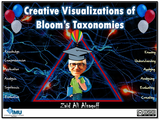
BLOOM'S TAXONOMIESToday, I feel like celebrating Benjamin Bloom and Bloom's Taxonomies (2 at least). Like it or not, Bloom's Taxonomy has impacted Universities and schools around the world for decades one way or the other. So, today I am starting a new mission to collect the most awesome creative visualizations of Bloom's taxonomies (old and new), and I invite you to help me discover them by tweeting your discoveries (or creations) to @zaidlearn or by simply commenting this blog post.ORGANICALLY GROWING COLLECTIONAll new discoveries will be added to this organically growing SlideShare presentation (with links to download and discover more): Creative Visualizations of Bloom's Taxonomies! from Zaid Alsagoff BLOOM'S REVISED TAXONOMYInterestingly, most Academics (in especially in Universities that I interact with) seem to be unaware that Bloom's taxonomy has been revised (way back in 2002).As far as I know, most transformative schools and Universities that still adopt Bloom’s taxonomy for learning and assessment use the revised version. It is probably because it is more relevant for the 21st Century World, which is increasingly driven by innovation and creativity.If you haven't revised your Bloom's taxonomy yet (Not too late!), it is time to rethink what really matters in today's education.Are you up for the challenge?
Zaid Ali Alsagoff
.
Blog
.
<span class='date ' tip=''><i class='icon-time'></i> Jul 14, 2015 02:26pm</span>
|
|
by Jennie Ruby
A frequent reader of this column, Michael Stein, sent in an interesting question about the possessives we have discussed here recently:
Perhaps you could address possessives again in an upcoming column. Specifically, how should a qualifier be added concerning a person in a sentence who possesses something. For example, "We played with John's, the kid who lives in the white house, ball." Is this correct?
Here are my thoughts on this gnarly problem. In his email to me, Michael observed that in the spoken language, we would say,
We played with John, the kid in the white house's ball.
And in fact, there is a sound grammatical grounding for that.
A description in commas right after a name is called an "appositive." The Gregg Reference Manual, my favorite guide for such things, says to add the possessive to the end of the appositive and omit the trailing comma that would ordinarily belong there. The examples, however, are short, as in these:
Washington, DC's streets
Joe the plumber's bill
But I think that in a professional writing context, or with longer appositives, this falls apart and becomes awkward and possibly even confusing:
We saved the file in Tim, the manager for the project's shared folder.
Yech. And is it the project's folder, or Tim's folder? And the way this comes out, it actually means that Tim is not the manager of the project but just of the project's folder. Even the Gregg says to rewrite such sentences to avoid the awkwardness.
So we pretty much have to go for the re-write in order to both identify the person and make the person clearly possessive:
We saved the file in the shared folder belonging to Tim, the manager for the project.
Or
We saved the file in the folder shared by Tim, the manager for the project.
Or (and I don't dislike this one as much as Michael does)
We saved the file in Tim's shared folder. Tim is the manager for the project.
Long-time readers may sense a pattern here: for many of these awkward, confusing grammar and punctuation conundrums, my solution is to rewrite the sentence. No sentence is sacred. Every sentence can be rewritten. Keep rewriting until everything is correct and works smoothly.
Challenge: Rewrite Around Awkwardness
Margie, my sister in Baltimore's house has a sump pump.
The tree with the hanging swing's strong limb is beginning to bend.
The day on which her son is to graduates's date is May 30.
The cabin with the gravel driveway's fishpond overflowed last week.
The golf cart with the broken wheel's driver was not injured in the crash.
As always, please post your answers as comments below.
***
Answers to the challenge on single quotation marks are brought to you by Jenny Zoffuto. Her clean-looking examples for numbers 1, 4, and 5 come from not giving special treatment to the defined word when the sentence is clear without it.
In a client-side application, the accessing computer does the calculations.
The instructor said; "As Laura LeMay stated in the assigned reading, 'For more control over your sounds, you'll need different software.'"
Her boyfriend said, "The top song on my favorite radio channel says, 'You are perfect in my mind,' and I think it is talking about you!"
"The Wicked Ale effect," according to my colleague, "Is a marketing technique for covering several media at the same time."
A picture placed directly in the text, rather than floating, is called an in-line graphic.
Alternative correct answers came in from Kay Honaker. Notice what she did with the Wicked Ale example (no. 4). The single quotes are not the British usage, but are in fact what happens to double-quotes when they occur inside of an already double-quoted sentence. Nicely done!
In a "client-side" [or client-side] application, the accessing computer does the calculations.
The instructor said, "As Laura LeMay stated in the assigned reading, 'For more control over your sounds, you'll need different software.'"
Her boyfriend said, "The top song on my favorite radio channel says, 'You are perfect in my mind,' and I think it is talking about you!"
"The 'Wicked Ale effect,'" according to my colleague, "is a marketing technique for covering several media at the same time." [also could be done without quoting the colleague, and just putting quotes on the defined word]
A picture placed directly in the text, rather than floating, is called an "in-line" graphic.
Correct answers also came in from Ginny Supranowitz. And I missed one from last time: Ginny should have been listed as a winner on the British spelling challenge. Thanks for letting me know!
Icon Logic Blogs
.
Blog
.
<span class='date ' tip=''><i class='icon-time'></i> Jul 14, 2015 02:25pm</span>
|
|
Written by Chris Osborn There are fundamental management challenges associated with having employees multiple locations. In an issue of in Inc. Magazine, Darren Dahl listed six challenges. In our view, his management challenges reflect a lack of awareness of the behaviors and technology changes that are shaping much of what we are seeing the workplace today. So, we’ve modified and updated his list a bit and added one we think he missed. "No matter how widespread your organization becomes, you need to work hard to retain team cohesion and maintain the philosophy that everyone is on the same team regardless of where they work." - Darren Dahl 1. Out-of-sight, out-of-mind syndrome It’s completely normal to lose sight of things that you don’t have right in front of you every day. But your remote employees need attention, too. According to a Stanford University study, the rate at which home-based employees were promoted dropped by 50 percent. 2. Loss of spontaneous communications This is a challenge only if you let it become one. With the quality of technology tools available, there is no reason people cannot connect on the fly using any number of tools like Skype, on-line chat or any social media inspired collaboration and networking tools. Trust us - your employees are ALREADY connecting spontaneously with people away from work. They know how to use these tools. 3. Logistics "Anything that cannot be sent electronically, must be mailed, which causes time delays and increased effort." He has this one pretty well spot on. 4. Teams and complex work assignments The world is not getting any simpler, and most organizations are going to have to confront the reality of employees working remotely. These challenges must be addressed head on. There are tools in today’s business environment that enable us to collaborate and share ideas and information with each other without the limitations of being bound to the same physical space. We’ve witnessed an incredible revolution in the way we connect with each other on the web, and this revolution is changing the way we connect with each other at work. Social media-inspired collaboration and social learning tools not only make complex work assignments possible, these tools make complex work assignment far more manageable for today’s rapidly moving, highly connected knowledge worker than ever before. Further, collaborative teams and structures are going to become the norm, and we have to accept that many such teams will include members who do not share the same physical space. So we have to insist that ALL employees achieve a level of digital literacy to support the basic collaborative operation of our businesses. 5. Basic supervision This is a concern we’ve seen in some places, and it’s really an "old school" vs. "new school" issue. First, remote employees tend to be more engaged and productive than employees we see every day. These employees are more self-directed and simply need less supervision to be successful. What they need is managerial support, direction and coaching. It’s a new work world requiring a new set of managerial competencies. Next, the data from recent employee engagement in the workplace says that our remote employees are more engaged than employees on site. They work harder, longer and are more productive. Why put a layer of inept supervision in the way of that? As we said a moment ago, today’s workplace requires a set of managerial competencies that actually meet the challenges and needs of today’s knowledge worker. According to Gallup’s 2013 State of the America Workplace Report : Remote employees log an average of four more hours per week than on-site employees. Remote employees are more engaged - 32% compared to 28% of on-site employees. 6. Employee development and training Okay - and now to a true challenge that IS NOT an "old school" vs. "new school" thinking issue. This one is genuine, and is the core subject of the remainder of this eBook. Let’s lay out a few general principles to keep in mind as we go through our suggestions for how to meet this important challenge: Employees learn most of what they need to effectively perform their jobs from each other - socially or informally. You pick your model - 70/20/10 or 80/20, but formal training does not do 100% of the preparation necessary to get employees ready for success in the jobs. Brain science tells us we learn best in short bursts of information, on single topics delivered in video format. Manager support AND involvement in employee training is crucial for success. Technology-based training is an absolute must today. Stay Up-to-Date on the Most Current Business Training Trends BizLibrary offers 5,000+ training videos in various business training topics, with new courses added every day. 7 HR Law Training Topics for New Managers (and Experienced Ones Too!) This complimentary eBook discusses 7 key employment laws that all managers should know in order to prevent inviting legal liability. BizLibrary's Mobile Learning App meets the needs of today's digital learners. Employees no longer wait for training departments to push learning content to them. Employees are used to pulling information to themselves, when they need it, on their own terms and conditions, and on their own devices. - See more at: /technology/bizmobile.aspx#sthash.umjsk4e5.dpuf
Chris Osborn
.
Blog
.
<span class='date ' tip=''><i class='icon-time'></i> Jul 14, 2015 02:25pm</span>
|
|
ALREADY!Yes, there are already wonderful collections of Medical and Healthcare related apps for Apple, Android, BlackBerry and Windows devices, which even include app reviews such as iMedicalApps. Cool! Though, we all need our own tailored collections in our fields (learning domains), which empower us with quick and easy access to discover and find apps we need for our learning, teaching, research and practice.TAILORED COLLECTIONSAs a result, I am using Listly to initiate a collective drive at the International Medical University (IMU) (where I work) towards making relevant and useful apps for learning, teaching and research easy to discover and access for students and staff. Firstly, Listly empowers us to add tags to all items (apps) we add, and indicates how many items per tag. As the list grows, certainly tags will be become increasingly relevant and useful to zoom in what we are looking for.Secondly, this app resource collection has been designed to empower easy and quick access to a particular app for our respective mobile devices (Android, Apple, Windows, etc.) if it exist.Thirdly, it is indicated in the app title in brackets, whether it is free, commercial or have both versions. *F = Free *F/C = Free & Commercial versions *C = Commercial version only.Fourthly, I have just started to add items to this list, meaning you are most welcome to suggest items to the list, too (Moderated to ensure consistent design and filter out rubbish). You need a Listly account to add items directly to the collection. Also, please feel free to vote up your favorite medical apps and inform us if you are using them.Finally, please suggest how to improve the collection design further (Example: Should pricing be mentioned?). Also, please anticipate that this organic list will grow fast and become increasingly juicy over the coming days, weeks and months...Thanks :) Medical Apps for Learning, Teaching & ResearchView more lists from Zaid Ali Alsagoff
Zaid Ali Alsagoff
.
Blog
.
<span class='date ' tip=''><i class='icon-time'></i> Jul 14, 2015 02:25pm</span>
|
|
No hubo otra industria en el mundo que resultara más afectada por la decisión de Apple de no adoptar Adobe Flash en sus dispositivos iOS como la industria del eLearning.
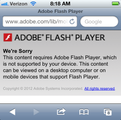
Desconozco las cifras exactas pero me atrevería a decir que más de 98% de todos los cursos de eLearning estuvieron o están basados en Adobe Flash (es decir, el estudiante necesita instalar Adobe Flash Player). Por lo tanto, la decisión de Apple, nos ha impuesto un desafío interesante para comenzar nuestra transición hacia el aprendizaje móvil (mLearning), debido principalmente a la cuota de mercado que Apple lidera con el iPad y el iPhone.
Cuando trabajaba en Adobe, la pregunta de mis clientes que escuchaba con más frecuencia era: ¿cómo podemos hacer que nuestros proyectos de eLearning puedan reproducirse en el iPad?
Siempre he sido y soy un gran admirador de Flash desde que trabajaba en Macromedia y más recientemente en Adobe y me sentí algo disgustado cuando Apple publicó las impresiones de Steve Jobs acerca de Flash.
Sin embargo, hace un tiempo comencé a pensar que de una manera un poco extraña esta decisión de Apple resultó ser un gran incentivo para quienes buscamos una transición exitosa hacia el aprendizaje móvil.
Permítanme explicarles.
En mi opinión, si Apple hubiera adoptado Flash en sus dispositivos iOS, todos nosotros en la industria del eLearning estaríamos ahora en una posición muy cómoda y simplemente continuaríamos publicando en Flash.
¿Pero qué hay de la experiencia de los usuarios móviles?
Al hacer eso, creo que no solo hubiéramos desaprovechado el propósito y la singularidad de las experiencias móviles, sino que también hubiéramos perjudicados a los estudiantes del aprendizaje móvil.
¿Por qué? Porque la experiencia móvil es completamente diferente en casi todos los aspectos a la experiencia de escritorio y como tal, el aprendizaje en dispositivos móviles debería ser diferente del aprendizaje que se consume a través de la PC.
Esta es la razón por la que creo firmemente que la falta de Flash en los dispositivos iOS es una bendición encubierta, puesto que nos obliga a buscar nuevas maneras de desarrollar experiencias de aprendizaje para los usuarios móviles así como también adoptar nuevas tecnologías, tales como HTML5 y nuevos principios, como el Diseño Web Receptivo y pensar en móvil primero.
¿Podemos hacer una transición exitosa del eLearning al aprendizaje móvil sin Flash? Absolutamente.
Simplemente necesitamos apartarnos un poco del eLearning tradicional y adoptar nuevas formas de pensar que nos permitan responder mejor a los usuarios móviles. Necesitamos dejar de pensar que lo único que necesitamos hacer es convertir nuestro eLearning de escritorio a HTML5 y problema solucionado. Necesitamos salir de nuestra comodidad y explorar aplicaciones móviles, aprender por qué estas aplicaciones son efectivas y aplicar estos principios al diseño del aprendizaje móvil. Necesitamos explorar otras industrias como el diseño web y nuevas tendencias como el diseño web receptivo a fin de aprender cómo estos principios se utilizan para desarrollar contenido una vez y reproducirlo tanto en PC como en teléfonos inteligentes y tabletas sin plug-ins.
Presten atención. Los invito a dejar de deliberar si Flash funcionará o no en dispositivos iOS (en mi opinión, no lo hará nunca) y comenzar a pensar cómo impartiremos mejores experiencias de aprendizaje a nuestros estudiantes móviles. ¡La revolución móvil es real y ya no hay vuelta atrás!
¿Están de acuerdo?
Traducción y Edición del Español: @MayraAixaVillar
RJ Jacquez
.
Blog
.
<span class='date ' tip=''><i class='icon-time'></i> Jul 14, 2015 02:25pm</span>
|
|
Skills Gap There's a great post by Catherine Lombardozzi - Learning 2.0 that discusses the skills that "many employees … well beyond school … could use help in developing … skills are different." She goes on to list out the skills and I think it's quite a good list. When I combined this with a common theme across a lot of my writing and on Work Literacy: Tool Set 2009 ASTD Follow-Up I'm more convinced all the time that there's a gap in awareness and skills among Concept Workers. I describe this as the Tilde Effect. Skills Training? As I was thinking about this week's: SharePoint in Corporate Learning - Free Micro Virtual Conference and my presentation March 17 on Web 2.0 for Service Professionals, it made me start to really question - Do Concept Workers need some kind of Skills Training to keep up? Of course, I happen to strongly believe that various kinds of Skills Training is needed and that it is something that every Corporate Learning department should be doing. But, its a bit curious that we've not seen much more than presentations and scattered skills training workshops (Work Literacy Workshop). Maybe it's partly that I'm recommending fairly traditional learning (skills training) approaches? Maybe it's because employees will be able to figure this out on their own? I'm going to be curious to see what is described during the SharePoint sessions. Most training associated with SharePoint rollouts are more aimed at features and functions and it is up to the individual to figure out how that applies to their work and work group. I'm not so sure that really works. And I'm not sure that the pace of this meets the needs of organizations. What do you think - should Corporate Learning organizations be planning Skills Training to help address this gap? eLearning Technology
Browse eLearning Content
Tony Karrer
.
Blog
.
<span class='date ' tip=''><i class='icon-time'></i> Jul 14, 2015 02:25pm</span>
|
|
by Kevin Siegel
Creating eLearning for mobile devices was high on the wish list a few years ago when Adobe asked users for the top features they'd like to see added to Adobe Captivate. It wasn't long before Adobe responded by adding HTML5 as a publishing option. HTML5 allowed developers to create interactive content that can be used by mobile learners who have a device that does not support Flash.
Publishing HTML5 solved the issue of creating interactive eLearning on the iPad. But there remained another problem. The size of the screen that learners use can vary widely. Your eLearning lesson might look perfect on a desktop system but might be too small when viewed on a small device (such as a smart phone). To accommodate the many screen sizes, your only recourse was to develop several Captivate projects, sized specifically to work on each screen size. Of course that also meant that you'd have to edit and update several projects. No thanks!
Adobe Captivate 8 now allows you to create responsive projects. During the development process, you can basically create and work on multiple screen sizes (called break points) in one project. When you publish the responsive project, the learner will automatically be served the break point appropriate for the device they're using. This one Captivate 8 feature is the main, compelling reason that upgrading to Captivate 8 isn't just something to consider... it's mandatory if your mission is to create eLearning for desktop and mobile users.
To create a responsive project, double-click Responsive Project on the Welcome screen or choose File > New > Responsive Project.
Developing a responsive project is pretty much the same as developing a standard project, but there's one notable difference--breakpoints. By default, new projects contain three breakpoints for the most common screen sizes (for desktop users, tablet users, and smart phone users). You can click each of the breakpoints to see how the layout changes dependent upon the size of the canvas.
In the images below, I've selected each of the default break points I was given in my new project (you can create as many break points as you need and edit existing break points at any time).
In the images below, you can see a responsive project developed by Anita Horsley, and how she designed each canvas to work best with each of her break points. (As you review each image, pay particular attention to the position of the character as each break point is selected.)
Desktop user: 1024 pixels wide.
Tablet user: 768 pixels wide.
Mobile user: 360 pixels
Once you're done laying out each canvas, all you need to do is publish and post the lesson to a web server or LMS just like always. When the lesson is accessed by your learner, the lesson will automatically detect the learner's screen size and the correct canvas will be displayed. Awesome!
***
Want to learn more about creating responsive projects? Join our3-hour mini course on creating Responsive Layouts with Adobe Captivate.
***
Looking for instructor-led training on the top eLearning tools? We offer live, online training on Adobe Captivate, Articulate Storyline, Adobe Presenter, and TechSmith Camtasia Studio. We can also bring the same great training onsite to your facility. Interested? Contact us for details.
Icon Logic Blogs
.
Blog
.
<span class='date ' tip=''><i class='icon-time'></i> Jul 14, 2015 02:24pm</span>
|