Blogs
|
Historically, the government has always fallen behind the private sector in embracing technology. This may be about to change with mobile.
This morning I came across this article on The Verge, on how our President Obama orders federal agencies to think about how they can optimize sites for smartphones and Tablets. Powerful stuff and certainly a sign of the mobile times:
President Obama has issued a directive to urge major government agencies to focus on the "growing mobile revolution." In a note issued by The White House this week, Obama says "it is time for the Federal Government to do more" to assist American people using Government services on smartphones or tablets. "American people have been forced to navigate a labyrinth of information across different Government programs in order to find the services they need,"
via President Obama orders federal agencies to optimize sites for smartphones and tablets | The Verge.
I love how President Obama specifically mentions the ‘growing mobile revolution’ because that is precisely what I believe is taking place right now all around us.
The key takeaway here is that whatever field you may be in, you should be focusing on thinking mobile, too. This goes for eLearning Professionals, who may still be focused solely on developing learning for the desktop.
Mobile and Mobile Learning (mLearning) is the next big thing and is happening now!
Are you ready for it and have you started thinking Mobile?
RJ Jacquez
.
Blog
.
<span class='date ' tip=''><i class='icon-time'></i> Jul 14, 2015 02:28pm</span>
|
|
Congratulations to ALL that made the Top 50 e-Learning Super Heroes list! The results are based on 1861 voters from around world.If you didn't make it, please revisit and enjoy the complete list (220) of Top e-Learning Movers and Shakers in 2013 (TEMS13) or the TEMS13 Award Winners and various Top 10 Lists. Before, going any further, I would like to personally congratulate and thank all the sponsors for their wonderful support during the 'TEMS13' project! International Medical University, International Medical College (New), iBerry, WizIQ and Listly...Thank you! E-LEARNING SUPER HERO OF 2013 AWARD?While the TEMS13 Award was about winning MOST VOTES, the e-Learning Super Hero of 2013 Award goes beyond this as it takes into account WHO IS VOTING (Impact Votes). Also, nominees can gain 50 BONUS POINTS by being pro-active discovering, voting and celebrating their favorite e-Learning Super Heroes among the 220 nominees.The nominee with the highest score (based on a Gamified points system) becomes the e-Learning Super Hero of 2013 and wins the 1st Prize, which is £200 (British Pounds). The Top 3 wins free (commercial) Listly accounts for a year. However, due to practical reasons (e.g. No time to check 1600+ social media profiles!) and the fact that these scores had to be calculated manually using Google Spreadsheet, only the following two gamified rules were applied:Impact Votes (IV): Other nominees who voted for you. Each vote gives you an additional 10 points. Bonus Points: You vote for other nominees. 5 Points for each vote you gave (Max 50 points = 10 Votes). *Zaid Ali Alsagoff is not eligible for any awards as he is the originator, organizer, promoter and Twitter MC for #TEMS13. RESULTS? Download PDF version!*The 'TEMS13 Details sheet' only contains 90+ of the 220 nominees filtered out based on TEMS13 results and number of votes for each hero. CLICK HERE to access the full list (unfiltered with cases of double, triple and quadrupedal voting).*The votes per nominee might vary from the Listly results, as the double, triple, quadruple votes by one person has been (mostly) deleted. You can vote up to 4 times if you login as Twitter, Facebook, LinkedIn and Google+. However, that is unacceptable and such incidents have been deleted where discovered.WINNER!Oops, I won again! Yeah! Al-Hamdulilla! Thank you!Though, since I am not eligible for any prices (except for having fun and playing) the 1st Prize goes to Juan Domingo Farnós (200 British Pounds). Congrats! We are thrilled that you have won it! Also, we would like to take the opportunity to thank iBerry for being the sponsor of the 1st Prize. Congrats!In addition, Listly will upgrade the Top 3's Listly accounts to premium version for one year. Since, Juan Domingo Farnós, Mohamed Amin Embi and Alfredo Prieto already have won this for the TEMS13 Awards, Jane Hart, Stephen Downes and George Siemens will receive it for this round of awards. Thanks and Congrats!IMPACT VOTES (IV)!WOW! what an impact 'Impact Votes (IV)' made on the results! Here are the Top 10 based on IV only: 1. Zaid Ali Alsagoff (30 IV) 2. Jane Hart (27 IV) 3. Stephen Downes (25 IV) 4. George Siemens (23 IV) 5. Steve Wheeler (20 IV) 6. Tom Kuhlmann (19 IV) 7. Alec Couros (16 IV) 7. Grainne Conole (16 IV) 9. Jane Bozarth (15 IV) 9. Jay Cross (15 IV)Only number one remained the same, but for the rest of the e-Learning Super Heroes it had a rising impact. Congrats! The TOP 10 IV LIST IS...WOW!TEMS14?iBerry has already indicated that it will be willing to sponsor another around of TEMS in 2014! If it does happen, I will for sure cook up more gamified scoring items (e.g. Google search of the e-Learning Super Hero's name), and try to make it more fun and relevant than this year's edition. I am still learning! However, I will for sure not participate as a nominee in 2014, if I am the host, Twitter DJ and promoter of TEMS14! It was cool to win the treble this this year (TEMS13, IV rank and e-Learning Super Hero of the Year Awards), but that's it! Thank you everyone for all the support! Everyone who participated, voted and celebrated the 220 e-Learning Super Heroes in TEMS13 deserves a BIG SUPER HERO HUG AND CONGRATULATIONS! WE ROCK :)
Zaid Ali Alsagoff
.
Blog
.
<span class='date ' tip=''><i class='icon-time'></i> Jul 14, 2015 02:28pm</span>
|
|
Written by Jessica Batz Today's Q&A Thursday video discusses how to review your training to ensure employees are truly gaining skills and competency. Stay Up-to-Date on the Most Current Business Training Trends BizLibrary offers 5,000+ training videos in various business training topics, with new courses added every day. Employee Training and Development: How to Measure Effectiveness and Impact This complimentary eBook discusses training metrics including where we've been and where we're going, how to determine key goals and indicators, and how to create a measurement plan for your program. BizLibrary's Mobile Learning App meets the needs of today's digital learners. Employees no longer wait for training departments to push learning content to them. Employees are used to pulling information to themselves, when they need it, on their own terms and conditions, and on their own devices. - See more at: /technology/bizmobile.aspx#sthash.umjsk4e5.dpuf Video Transcription Hi Chris Osborn,VP of BizLibrary with today's Q&A. It comes from Debbie, she's in a technical training group at an energy organization in the Midwest and she asked a question about learning nuggets. We made a suggestion that we provide training content or learning content to our employees is small, digestible nuggets so that employees can access learning on demand when they need it so they can only look at or only access that specific piece of content that they need in the moment. Well Debbie wants to know if we provide training content or learning content in small nuggets like that, how will we know that employees are truly growing in their skill level or truly gaining competency in key areas? Well the way we measure that is exactly the way best practices have told us to do that for a long time. There are really three great ways to do it. We do it with assessments, benchmarks, and we use key performance indicators. So we do assessments before we introduce training, figure out where employees are and we assess as we go forward we can see the growth. We use benchmarks, we establish where we need employees along a range of mastery so that we have entry level mastery, mid level mastery, and senior level mastery. And we use key performance indicators to help our managers and supervisors lead and guide our employees and help coach them to improve performance. And that's how we do it. But the key thing about those learning nuggets- it helps improve the efficiency of our training, because employees don't have to sit through lengthy courses. They can access that content that they need right then in small, individual, digestible learning nuggets. We've built training like this for a long time, the difference is, now we deliver it in those nuggets, rather than compiling those nuggets into lengthy courses. And Debbie, that's how you'll see that mastery grow and you'll be able to track and measure that growth and competence.
Chris Osborn
.
Blog
.
<span class='date ' tip=''><i class='icon-time'></i> Jul 14, 2015 02:28pm</span>
|
|
Last year the sale of smartphones exceeded the sale of traditional phones; the sale of tablets exceeded those of desktop computers. This trend has led to a need for eLearning developers to create courses that can be accessed from both mobile and desktop devices.
The size of the screen that learners use to access eLearning lessons can vary widely. Consider the size of a typical mobile phone compared to the various shapes and sizes of tablets such as the iPad, Microsoft Surface, and Amazon Kindle Fire. You could develop several Captivate projects that contain the same content, but are sized to work on specific devices; however, the problem is that you’d have to edit and update several projects! Who wants to do that? Additionally, who could possibly consider every screen size for every device? Even if you could build lessons for every screen size known today… what about the screen sizes for devices that have yet to be invented?
As an alternative to managing multiple Captivate projects, with Adobe Captivate 8, you can now create a single, responsive project that provides optimal viewing, and an effective learning experience, across a wide range of devices and screen sizes.
Responsive design is an approach to development that allows for flexible layouts and flexible images and assets. While the word responsive was traditionally used for building web pages, now with Adobe Captivate 8, responsive design can be used to develop online courses that detect the learner’s screen size and orientation, and automatically change what the learner sees.
This class covers how Adobe Captivate 8 uses responsive design features. You’ll learn how to navigate the new Captivate interface, how to create responsive projects from scratch, and how to incorporate responsive training demos, simulations, and question slides into your eLearning courses. Additionally, you’ll learn about multi-device previewing and publishing methods.
Who Should Attend This Course?
eLearning developers
Instructional designers
Content creators
More information.
Icon Logic Blogs
.
Blog
.
<span class='date ' tip=''><i class='icon-time'></i> Jul 14, 2015 02:28pm</span>
|
|
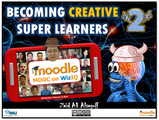
CLICK HERE TO VIEW RECORDING Wednesday, February 12 (2014)10:00 PM, Kuala Lumpur TimeONLINE TALKThe inspiring e-Learning Super Hero 'Dr. Nellie Deutsch' will be moderating my session (Top 50 e-Learning Super Heroes). I am one of the guest speakers in this awesome Moodle MOOC 3 course. CLICK HERE to view the recording.CLICK HERE to view the class chat (text) for those interested.DESCRIPTIONImagine if you could read a 200-page book in 20 minutes? In today’s disruptive information overloaded world driven increasingly by innovation, we are required more than ever to transform the way we learn and think in terms of speed and creativity. In this online session, we will explore some of the things that we can do to stimulate and empower our brains and senses to be more focused, learn faster, and think more creatively. The most important message is that our brains can be rewired to be ‘Creative Super Learners’ at any age.SLIDESHere we go: Becoming Creative Super Learners at #Moodlemooc from Zaid AlsagoffRESOURCESLinks (URLs) to all the tools and resources shared during the webinar session:TEMS13- 220 Nominees for TEMS13- TEMS13 Winners- Top 50 e-Learning Super Heroes Five Categories of Brainwaves Super Brain Yoga- NBC News story- Research Report (PDF)- SlideShare presentation- InstructionsDe-Switch- Learn to "De-Switch" Your Brain!- Brainwave and Frequency Model Human Vs. Goldfish Average attention spansBrain Rules (and Summary) TEST-Learning FrameworkDoubling of Medical KnowledgeISA 2012: Malaysia’s Reading StatsSpeed Reading- Speed Reading Level- Acceleread (Speed Reading Tool)- 8 More Speed Reading Tools Research on JugglingSocial Curation/Bookmarking Tools Social Citations/Referencing Tools- RefWorks- Mendeley - End Note- Citeulike- Zotero Online Typing/Keyboard Training Tools Creative Thinking Tools/TechniquesLooking forward to the #Moodlemooc session (and meeting 'Dr. Nellie Deutsch online again)! Insya-Allah, no technical glitches, and Insya-Allah I can teach a few participants on how to juggle 3 balls, or at least 2 balls.REFLECTIONSHere are two Moodle MOOC 3 course participants' video reflections of my online session (above): Awesomely inspiring to discover that two of the participants have actually taken the time to video reflect my online session, and upload them to YouTube! WOW and Thanks! I am still learning :)
Zaid Ali Alsagoff
.
Blog
.
<span class='date ' tip=''><i class='icon-time'></i> Jul 14, 2015 02:28pm</span>
|
|
1- Highlights of the week
a- Google has closed its deal to acquire Motorola Mobility.
b- Stats about Android activations per day. Relevant figures related to its competitors.
c- President Obama issues a directive to urge major government agencies to focus on the "growing mobile revolution." RJ Jacquez wrote about this here.
d- Last Wednesday, the White House released its Digital Government Strategy:Digital Government: Building a 21st Century Platform to Better Serve the American People.
e- Facebook releases new Camera app for iPhone and iPod touch.
2- Project Tin Can: Introducing Aaron Silvers and Jason Haag.
3- Origins and definition of this project: Looking for answers.
4- Is mobile the killer app of Project Tin Can? What this project can do for an organizational mLearning strategy?
5- Will mLearning experiences be trackable?
6- Project´s capabilities: simplicity and flexibility.
7- Building up a great community for implementation and support.
8- A new approach: learning experiences are not initiated in a LMS. How can this bring into play informal learning experiences?
9- ADL has recognized the need for a SCORM that matches today’s technological challenges. Have mLearning vendors recognized that too?
10- To find more about Project Tin Can, visit their website where you can also find links to different Google groups, recent posts and a Wiki, join their weekly calls on Thursdays at 2.30 pm. EST, and follow @mobilejson and @aaronesilvers on Twitter. If you’re adopting Tin Can specifically for mLearnCon, you can contact Aaron via email.
11- Apps of the weeks: Quickoffice® Pro HD and twitter.com on Mobile Safari.
Your browser does not support the audio element.
RJ Jacquez
.
Blog
.
<span class='date ' tip=''><i class='icon-time'></i> Jul 14, 2015 02:28pm</span>
|
|
Written by Chris Osborn Mobile, social and video. This is the place where the real action is! The combination of mobile, social and video helps top-performing organizations deliver agile responses to market challenges and keeps them a step - or in many cases - multiple steps ahead of their competition. Online training works better and is more efficient than traditional classroom training. Video training is more effective at teaching than traditional eLearning (long-form click and play courses). We are surrounded by video in our online lives. We can watch video highlights from sports events or news channels, and YouTube is the 2nd most popular Internet site in the world. We are seeing major demographic shifts in the workforce as digital natives (Gen Y) enter our organizations, bringing with them a completely different set of expectations for connectivity and instant access to information. Finally, social media’s impact cannot be understated. Just about every web site you visit today allows users to leave comments, follow, share content and engage with others about what we see. Doesn’t it follow logically that our employees might expect the same capabilities from their own internal training resources? Let’s give it to them, and let’s give it to them in the short-form video format they already access to learn to tie a tie, and anything else they might need to know right now. And we can really make it powerful by letting employees contribute their own content and comments (social) and access the content on their own terms and on their own devices (mobile) as part of a comprehensive learning and content strategy. Best-in-Class organizations are: 93% more likely to include social learning as part of their learning strategy, 94% more likely to leverage user-generated video content 119% more likely to use mobile learning solutions. SOURCE: Mollie Lombardi, Aberdeen Group Elearning!, April/May 2013 Stay Up-to-Date on the Most Current Business Training Trends BizLibrary offers 6,000+ training videos in various business training topics, with new courses added every day. The Social Leader: Leadership Development for Growing Your Next Generation This complimentary eBook discusses the social leadership model, leadership model for your organization, the characteristics and traits common in effective social leaders, and emerging competencies that might be important to develop in social leaders in your organization. BizLibrary's Mobile Learning App meets the needs of today's digital learners. Employees no longer wait for training departments to push learning content to them. Employees are used to pulling information to themselves, when they need it, on their own terms and conditions, and on their own devices. - See more at: /technology/bizmobile.aspx#sthash.umjsk4e5.dpuf
Chris Osborn
.
Blog
.
<span class='date ' tip=''><i class='icon-time'></i> Jul 14, 2015 02:28pm</span>
|
|
by Jennie Ruby
Single quotes are used in American English (according to publication style guides) to indicate one thing, and one thing, only: A quotation within a quotation.
The lecturer told us, "John F. Kennedy once said, 'Ask not what your country can do for you, but what you can do for your country.'"
Small punctuation marks--the period or comma--are placed inside of any and all of the quotation marks. Questions and exclamation points go on the inside of the quote they pertain to.
In British publications, single quotes are used to introduce new terms that are being defined a certain way. In American style guides, we are advised to use double quotes or italics to introduce terms.
American: A "relational" database consists of multiple tables.
American: A relational database consists of multiple tables.
British: A 'relational' database consists of multiple tables.
Take a look at these examples, and give them the correct and American punctuation. (British and international readers--feel free to give them the appropriate treatment for your writing.)
In a 'client-side' application, the accessing computer does the calculations.
The instructor said; "As Laura LeMay stated in the assigned reading, "For more control over your sounds, you'll need different software".
Her boyfriend said, "The top song on my favorite radio channel says, 'You are perfect in my mind", and I think it is talking about you."!
"The 'Wicked Ale effect'", according to my colleague, "Is a marketing technique for covering several media at the same time".
A picture placed directly in the text, rather than floating, is called an "in-line" graphic.
As always, please post your answers below.
***
Answers to the British versus American English spelling challenge are brought to you by Susan Czubiak. Other correct answers came in from Deb Gilchrist, Karyn R. Smith, David Zimmerle, Barbara Kennedy, Geri Moran, Nichole Gladky, Lisa J. Stumpf, and Vera Sytch (in no particular order). Also, I received a couple of responses where I could not discern the choices (color coding or highlighting may not have come through), so I apologize if yours were correct and I have not given you the credit you are due. Please let me know, and send your answers again in a different format.
Colour / color
Gray / grey
Analyse / analyze
Toward / towards
Got / gotten (as in "They have not yet got / gotten their tickets.")
Among / amongst
While / whilst
Encyclopaedia / encyclopedia
Defence / defense
Offence / offense
Pretence / pretense
Icon Logic Blogs
.
Blog
.
<span class='date ' tip=''><i class='icon-time'></i> Jul 14, 2015 02:28pm</span>
|
|
What are Conversation Searches?I often present around my Information Radar tools and methods, particularly my use of an RSS Reader. During those presentations, I'll mention what are sometimes called "vanity searches." These searches look for any mention of your name, company, URLs across blogs and other sites.For me, these searches primarily allow me to see what people are saying in response to something that I've put out there. Typically, these responses come via blogs and twitter.By finding them, I'm able to engage in a type of slow, network conversation. So, I think of these searches as conversation searches, not vanity searches.To me, doing these searches and engaging in these conversations is as important as responding to comments.Tools for Conversation SearchesBecause of Google Blog Search Having Problems and because of Twitter, I've changed how I do these searches over the past 3 months or so. When I look in my Conversation Searches folder in my RSS reader, I find that most of what I'm using are:Icerocket Twitter SearchIn IceRocket, I'm searching for my name, my site names, tags and particularly for link:XXX.com - for each of the sites that I'm involved in. Icerocket's search is working so much better than Google's blog search.In Twitter Search, I look for my name, site names, and tags.I've tried Twingly and SamePoint. Both are pretty good at social search, but right now I'm primarily using IceRocket and Twitter Search.Short URLsThe one thing that is a big problem right now for me in all these conversation searches are dealing with Short URL services. The most accurate searching is when someone links to a site. With Short URLs, you don't find those links - or at least I don't know how to do this.If anyone knows how to deal with Short URL links, please let me know. eLearning Technology
Browse eLearning Content
Tony Karrer
.
Blog
.
<span class='date ' tip=''><i class='icon-time'></i> Jul 14, 2015 02:28pm</span>
|
|
JUGGLINGYes, juggling enhances connections in the brain! Juggling also improves hand-eye coordination, reflexes, peripheral vision and a host of other motor skills. Several studies have shown a correlation between juggling and changes in the brain's grey matter, the cell bodies responsible for computation and processing within the brain, and white matter, the nerve fibers that connect different parts of the brain by way of electrical impulses.Source: Wikipedia"Knowing that pathways in the brain can be enhanced may be significant in the long run in coming up with new treatments for neurological diseases, such as multiple sclerosis, where these pathways become degraded." - Dr Johansen-BergHOW TO JUGGLE?WOW! But knowing this is not going to help you much personally until you start juggling yourself. Seriously, don't shy away from something so fun, reasonably easy (seriously!), and useful to increase your brain power (at any age). Let's do it! Yes, you can... I would like to thank Daniel Decruz big time for being the Creative Director and Producer of this video. He is still a student, so if you like his work, why not contact him for some freelance stuff. We didn't create any storyboard or script before recording. I just basically had some idea what I wanted to say and do, and then we recorded all sorts of things for roughly an hour, and then he did his magic (filtering out bloopers and noise) with my humble and challenging input to finalize it. HAVE FUN!Don't limit yourself to small balls or to just juggling 3 balls! Explore different ball sizes and try to do new tricks with the 3,4,5,6, etc. balls you are challenging yourself to juggle. Actually, why limit yourself to just juggling balls, why not explore rings, sticks, torches (with fire...Be careful!), cups (plastic/steal ones!), etc...More ideas!Personally, I am currently learning how to juggle 4 balls properly, and then hopefully jump to 5 and 6 balls in 2014 (KPI)! So, for this year I will stick to juggling balls only, but I will challenge myself to do it in many creative ways as I Insya-Allah increase my brain power and connectivity :)
Zaid Ali Alsagoff
.
Blog
.
<span class='date ' tip=''><i class='icon-time'></i> Jul 14, 2015 02:28pm</span>
|