Blogs
|
En Nuestro cuarto episodio, abordamos los siguientes temas:
1- Historias destacadas de la semana
a- Adobe Creative Suite (CS6) y Adobe Creative Cloud. Un lanzamiento exitoso, nuevas características, la importancia de estas características así como también la importancia de la nube para el aprendizaje móvil y algunas desventajas. Puedes encontrar más información en este post: "The New Adobe Creative Suite (CS6) is a Sign of the Mobile Times" (RJ Jacquez).
También, algunas aplicaciones como Adobe Photoshop Touch, Adobe Proto, Adobe Collage, Adobe Kuler y comentarios acerca de la ausencia de Adobe Captivate de la Adobe Creative Suite.
b- Google Drive: un servicio de almacenamiento en la nube y sincronización de archivos que puede utilizarse a través de distintos dispositivos.
2- La revolución del video: algunas estadísticas
3- Mejores prácticas y el uso actual de videos en el aprendizaje móvil
4- SceneChat: videos más interactivos. Puedes encontrar un ejemplo de la implementación de esta tecnología aquí: #eLearnChat 44
5- Khan Academy, el aula al revés (the Flipped classroom) y las lecciones de TED-ed: educación basada en videos
6- Aplicaciones de la Semana: iA Writer.
Your browser does not support the audio element.
RJ Jacquez
.
Blog
.
<span class='date ' tip=''><i class='icon-time'></i> Jul 14, 2015 02:34pm</span>
|
|
In this webinar we'll discuss how to make the performance review process less painful by focusing on continuous feedback and learning opportunities. View and download the webinar slides. View the webinar recording.
Chris Osborn
.
Blog
.
<span class='date ' tip=''><i class='icon-time'></i> Jul 14, 2015 02:34pm</span>
|
|
Great article from Harvard Business.org - (via Big Dog, Little Dog) ...Overcome ObjectionsWhy Doing Things Half Right Gives You the Best ResultsOne key idea is when rolling something out ... :Halfway through each training, after describing the process, I always asked the same question: Why won't this work for you?Then he overcomes the objections one by one by allowing modification of what is planned. Clearly, we can't always do this in our role, but certainly asking the question is a great idea. In fact, when I do presentations, this is often the question that really gets audiences going. And I've said before that they are really good at defining the barriers. I need to get better at enlisting them to overcome those barriers.Embrace ChaosThis reminds me a bit of the adoption trick of letting everyone know how chaotic things are going to be when the new system rolls out. The more you trumpet, almost celebrate, the chaos and the problems - the more people are willing to help to make it happen.FlexibilitySo maybe this gets me back to the same bottom line that the author has ...Make it half a solution or a partial solution or a flexible solution so that it can be adopted in ways that work for the individuals who have to do it. eLearning Technology
Browse eLearning Content
Tony Karrer
.
Blog
.
<span class='date ' tip=''><i class='icon-time'></i> Jul 14, 2015 02:33pm</span>
|
|
"Fifteen years from now more than half of the universities will be in bankruptcy, including the state schools (in US)" - Clayton Christensen Kodak? Walkman (Sony)? Are we ready for the changes required to survive the disruptive and global learning innovations invading the world of education today?Looking forward to my talk and participating in the 2nd Blended Learning Symposium on 28 November 2013 at UCSI University, Kuala Lumpur. Al-Hamdulilla, life is getting back to normal, and looking forward to Insya-Allah a productive period in the coming months exploring new ideas to spark the learning brain back to life. However, first let's...TALKThis talk, focuses first on Massive Open Online Courses (MOOCs) and how they will play a critical role in triggering Higher Education institutions around the world to accelerate the urgency to innovate their learning and teaching models. The second half of the talk will focus on how we can transform the students’ learning experiences using a blended approach infusing Flipped Classroom, Brain-Designed learning, Gamification, more authentic assessment methods, etc.MISSION IMPOSSIBLE?1 Super Brain Yoga session, 2 online activities, 2 short videos and 92 slides in 60 minutes (including 15 minutes for Q&A). Mission impossible? Not really, because my mission is not to finish, but trigger participants to rethink how they learn and teach in a disruptive, uncertain and learning overloaded world. Mission accomplished...Insya-Allah :) ONLINE ACTIVITIESCHALLENGE 1Go to this PADLET URL: http://padlet.com/wall/ucsi13.DOUBLE CLICK/TAP anywhere on the wall.Add your NAME.WRITE anything (Question, Idea, Comment, etc.).Add a PICTURE of you, or the event (Optional). CONGRATULATIONS!!!CHALLENGE 2Go to the SOCRATIVE Student Login site: http://m.socrative.com/student/Enter the room number: 331107Choose your favorite (team) COLOR.Wait for me to start the SPACE RACE.Did Your Team WIN?Did you get all CORRECT?SLIDES Blending Quality Learning to Survive the MOOC Invasion from Zaid Alsagoff Happy and grateful to be back, Al-Hamdulilla :)
Zaid Ali Alsagoff
.
Blog
.
<span class='date ' tip=''><i class='icon-time'></i> Jul 14, 2015 02:33pm</span>
|
|
by Tony Self
It doesn't quite sound believable, but it's true. In 21st Century Australia, there isn't a standard national rail gauge. (Gauge is the gap between railway tracks.) In some states, narrow gauge is used, in others broad gauge, and ironically in just one state, standard gauge. This means that rail cars and locomotives can't travel between states.
This schmozzle started in 1847, before the independent colonies of the Australia continent became states in a federated nation in 1901. It was in 1847 that the first railway lines (in South Australia) were built. It started well, with a decision by the British Government's Secretary of State for the Colonies that all colonies should adopt standard gauge.
But what does this obscure historical anecdote have to do with technical communication? Let's think standards, and how standard adoption by an industry can go horribly wrong with enormous, long-term financial consequences.
A private company building a railway line in New South Wales lobbied for the standard to be changed to broad gauge. Broad gauge became the new standard in 1854. A year later, the chief rail track engineer in New South Wales was replaced, and the new chief convinced the New South Wales government to unilaterally change the NSW "standard" back to standard gauge. And the same pattern continued until there was no standard left.
You may be awestruck by these decisions, but in context, having a standard made little difference. Australia is a big continent, and the mooted railway lines were short and were contained well within the colony. There were no plans for railway lines to cross borders, so as long as all lines within a colony used the same gauge, there would be no problem.
There are many standards in technical communication, and their adoption is haphazard and parochial, to put it kindly.ISO/IEC 82079 is an international standard for technical communication, covering all types of product, software, and service related instructions for use. ISO/IEC 26514 provides requirements for the design and development of software user documentation. Both these standards arouse very little discussion in online forums or at technical communication conferences.
The Organization for the Advancement of Structured Information Standards, OASIS, approved the DITA standard in 2005, and although its adoption is growing, it is still nowhere near widespread in technical communication. Are technical communicators generally reluctant to adopt standards? It is undeniable that technical communicators love some standards, such as spelling and grammar, and argue strongly for the benefits of such language standards and conventions. But it seems to me that beyond language standards, we collectively show the same attitudes as the late 19th century colonial railway engineers.
The consequences of the Australian railway gauge decisions are still being felt, and paid for, 130 years later. Interstate tracks are slowly being changed to standard gauge, often by duplicating tracks. Blame for the decisions of the late 1800s is often sheeted to "politics." Rivalries between companies and colonies and even individuals, power struggles, and deep-seated prejudices were the cause. We have to be non-standard because our requirements are special. These same arguments are used by some technical communicators to avoid adoption of standards and as an excuse to implement a custom solution. Perhaps we, as a profession, need to move beyond the politics of standards and work together in a standard way.
Have anything to add when it comes to standards in technical communication? Feel free to post your comments below.
Icon Logic Blogs
.
Blog
.
<span class='date ' tip=''><i class='icon-time'></i> Jul 14, 2015 02:33pm</span>
|
|
This Q&A Thursday video discusses steps to incorporate 3rd-party training content with an existing training program. Plus, what to look for in third party content to ensure success! Stay Up-to-Date on the Most Current Business Training Trends BizLibrary offers 5,000+ training videos in various business training topics, with new courses added every day. Harnessing the Power of Online Video to Improve Employee Training This free ebook discusses the rising trend of short video usage, and gives you reasons for why your employee training program should use online video training. BizLibrary's Mobile Learning App meets the needs of today's digital learners. Employees no longer wait for training departments to push learning content to them. Employees are used to pulling information to themselves, when they need it, on their own terms and conditions, and on their own devices. - See more at: /technology/bizmobile.aspx#sthash.umjsk4e5.dpuf Video Transcription Hi, Chris Osborn, VP of Marketing with BizLIbrary and today's Q&A comes from Sarah. She's an HR manager from a mid-sized professional services company and she has a question about something that everybody that does employee training and development confronts at some time or another and it has to do with training content. She wants to know: are there effective ways to incorporate third party content into an existing training program? And I want to start with a fundamental statement about that, about the value of incorporating third party content. You can increase the reach of your training significantly by using an online solution. Typically when we're talking about our own content we're talking about instructor-led content we develop on our own. One course, one learning object at a time. We bring in a third party to help us out, we gain access to a whole range of resources that we simply don't have the time and resources to generate. So right out of the shoot, we gain access to an enormous volume of resources that we're never going to have time to pull together. So how do we incorporate these resources into our program? Well, the first thing you want to do is identify areas where you have the need to improve performance. And stay focused on that! Stay focused on the need to improve performance. Don't get bogged down with doing a needs analysis. All you're going to focus on there is training inputs. What you want to focus on are training outcomes. And that's improved performance. Focus there, and you're going to start to really find places where that third party content can really start to make a difference. We also want to make sure you're looking for, as you're looking at third partners, look for selection. Do you have a broad selection of content? Do you have a selection of different styles of content? What's the quality of the content that's available to you? And how's the content going to be delivered? Can this content be delivered on a mobile platform? Can my employees get at it any way they want to, any time they're at, on any device of their choosing? And I don't do this very often in our blogs, but I'm going to today. Cue shameless plug: BizLibrary has the solution - the BizLibrary Collection that I would invite you to take a free trial of. If you're considering third party content for your solution, this could be a great opportunity for you. So, when you're contemplating incorporating third party content into your training solution, make sure you focus on areas for improved performance, make sure you're picking a solution with a great selection, great quality, and the ability to deliver it to your employees anytime, anywhere, on the devices of their choosing.
Chris Osborn
.
Blog
.
<span class='date ' tip=''><i class='icon-time'></i> Jul 14, 2015 02:32pm</span>
|
|
Mayra Aixa Villar:
As Instructional Designers, every day, we look for that spark of inspiration that can help us design our next eLearning project. We strongly believe in simple but still engaging designs, and for that reason, we’re always trying to find creative ideas to present learning content in order to get our message across. By reading about different techniques, trying different tools and exploring mobile apps, it’s amazing how much new insight one can gain. Our main goal is to transform any piece of information into an endearing, meaningful learning experience.
This is why I agree with Kasper Spiro as he makes a case for finding a new metaphor for eLearning:
I’m convinced that we have to find a new metaphor for e-Learning in order to bring e-Learning to the next level. The old book-metaphor with chapters and pages is well suited for linear courses, but it doesn’t work for more flexible individual approaches of e-Learning.
via A new methaphor for e-Learning - Challenge to learn.
In my opinion, the need to look for new metaphors for learning becomes even more crucial if we seek to make a successful transition from eLearning to mobile learning (mLearning).
Because of that constant pursuit of new ideas, metaphors and new tools, what started as a simple project in order to try out the shiny new Articulate Storyline product, ended up being an interesting demo that includes plenty in the way of interactivity. Easy-to-use triggers, powerful interactive objects as well as slide layers allowed me to create an interactive infographic with a software application that as Tom Kuhlmann describes it, democratizes eLearning.
Rapid elearning played a role in the evolution of elearning mostly because it took course creation out of the hands of a few programmers and placed it into the hands of anyone who wanted to create a course.
I see this as the democratization of elearning. And it runs parallel to how digital media’s empowered people all over the world to create and deliver content using a host of online tools and social media applications.
via The Next Generation of E-Learning » The Rapid eLearning Blog.
RJ Jacquez:
I continue to be very impressed with the new Articulate Storyline product. I’m especially impressed with how straightforward it is to publish any project for consumption on the iPad using the new Articulate Mobile Player iPad app. During my last year at Adobe, one of the questions I heard over and over, was how could eLearning developers enable learners to consume learning content on their iPads. I believe Articulate has been able to address this need with the launch of Storyline and their iPad app. Obviously mobile means much more than the iPad, and much work needs to be done beyond an iPad app, but I think having an iPad strategy is an excellent start and I expect that Articulate will continue to strengthen their mobile learning story in future versions of Storyline and Studio.
The other challenge we have as we continue to embrace mobile learning is thinking outside the eLearning box. I have written before that it’s human nature to bring existing principals we feel comfortable with, as we face new paradigm shifts. In eLearning and mLearning terms, this means that as we transition to mLearning, it might seem obvious to try and apply what has traditionally worked in eLearning into the smaller screen, but I would advice against that. Instead we need to figure out new ways of engaging the next generation of mobile learners. This is why I liked the interactive infographic project that Mayra shared with me because it shows that she’s starting to think outside the eLearning box, as she looks for new ways to present content. I also found it very interesting just how much one can do using very few slides in Storyline. I have been looking for an opportunity to do a screencast on some of the features I really like about Storyline and also demo the ease with which one can publish a project for consumption on the iPad using the Articulate Mobile Player app.
Below are two screencasts I recorded using this infographic project. The first is an overview of Articulate Storyline based on my experience with Adobe Captivate, and the second is a demo of how to publish for iPad and, what it’s like to interact with the content using the app.
In closing, if you have an iPad and want to try this infographic project yourself click the button below using your iPad’s mobile safari browser. I recommend you watch the videos first in order to better understand the entire process:
Please check them out and let us know what you think.
RJ Jacquez
.
Blog
.
<span class='date ' tip=''><i class='icon-time'></i> Jul 14, 2015 02:32pm</span>
|
|
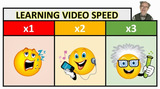
"Learning speed matters for watching videos, too! The Rewind and Forward buttons are not enough!" - Zaid Ali AlsagoffLEARNING SPEEDDo you read fast? Say, 400 words per minute. Or perhaps you read more than a 1000 words per minute! Or perhaps your reading speed is really slow (250 words or less)? Can you imagine if you were forced to read at a specific pace to learn, wouldn't that be terrible? What about when watching learning videos, doesn't the same apply here? It is great that we can rewind and forward learning videos, but wouldn't it be cool if we had tools to control the pace of the talking professor (or whatever we are listening or watching). Some Professors speak so slowly that they put us to sleep even before they start. Some MIT and Harvard Professors speaks so fast only aliens and 'IQ' geniuses can understand. And that is when perhaps we need to slow down the pace to decipher their super complex algorithms explained at the word of light (Well, we still might not understand, but at least we can capture the words said). Alright, auto-translated audio to text (in multiple languages) is fine, but I like to listen also the passionate voice of the Professor, too (even if he or she might sound like Mickey Mouse when paced faster).COURSERA GETS IT!Have you ever taken a Coursera course? If you have, you might have noticed that you can decrease (.75x) or increase up to two times the speed (2x) of the learning videos, so that you can pace it to your liking. Personally, I would like it to be even more flexible, so that we can increase the speed further to even three times or more. For example, blind people can usually listen extremely fast to narrated speech, so 2 times faster might seem quite slow for their preferred learning speed pace. Also, I would like to highlight here that I can't see the video pace buttons, or know how to speed it up on my iPad (Only on my laptop!), so that is kind of frustrating! So, Coursera what are you doing about that? YouTube gets it, too! It even allows you to slowdown to 0.25 (though, sound seems to only work from 0.5 and upwards) and increase up to 2 times the original video speed. Though, I would love to be able to increase the video speed further, especially for people with accessibility issues and super learners!ARTICULATE What about Rapid e-Learning tools such as Articulate Presenter, Articulate Storyline, Camtasia and Captivate? Do they empower you to speed up the video pace to your personalized learning speed? Well, Articulate player interfaces don't, and that is a shame. As we at our University (IMU) use Articulate tools a lot, we would like to see such features embedded really soon.To speed up the process, I tweeted my request right to the Articulate (Super) man...Tom Kuhlmann (and Articulate):@tomkuhlmann @Articulate Presenter (interface) should empower users to increase the audio/presentation speed...Learn from Coursera :)— Zaid Ali Alsagoff (@zaidlearn) December 4, 2013 An then I quickly realized, perhaps I should a create a Screenr (screen recording) clarifying visually what I want, so Articulate are perfectly clear what I want. @tomkuhlmann @Articulate This is what I want! Can you do it? Enlighten us how it can be done! Thanks @coursera http://t.co/m2v0RIIttd— Zaid Ali Alsagoff (@zaidlearn) December 4, 2013 TOM RESPONDS WITHIN 8 HOURS!Tom being Tom, responds within 8 hours: 'I've added it as a feature request :)" (as a comment to the Screenr video).Thumbs up! That is why Tom Kuhlmann is the RAPID E-LEARNING GUY (in the world)!WHEN?Wait a second! Until I can publish Articulate content with learning video speed features, I am not going to celebrate! So, Articulate the waiting period has begun!Now, it is time for Articulate to show us HOW RAPID THEY CAN BE!Well, it might take longer than I had initially hoped, because Tom e-mailed me that "the challenge with this type of functionality is that it works well for video, but if the course content is audio synced to other elements it's not easy, especially interactive content."I am (still) waiting eagerly to speed learn Articulate content at my personalized learning pace :)
Zaid Ali Alsagoff
.
Blog
.
<span class='date ' tip=''><i class='icon-time'></i> Jul 14, 2015 02:32pm</span>
|
|
by Kevin Siegel
I received an email last week from a Captivate developer who was concerned with how long it was taking for a published lesson to begin playing for his learners. The lesson wasn't all that big and wasn't that long (both things can lead to lesson bloat and increase how long it takes for a lesson to begin to play). He also verified that his web server wasn't the issue. In fact, lessons created by other Captivate developers in his company downloaded faster than his.
Once he told me that other content loaded with decent speed, I had a likely culprit: the Preloader and/or the Preloader percentage. I helped him tweak both, and he reported that his lesson is loading much faster.
Of course, if one Captivate developer can overlook the role of the Preloader, it's possible others have as well. So read on folks and let's delve into Preloaders and how to control them.
What's a Preloader?
When a learner clicks the link to start an eLearning lesson, the lesson will rarely begin playing right away. Why? A specific percentage of the lesson needs to download before the lesson will play. The time it takes for that percentage to be reached depends on a few things: the size of the lesson, the speed of the learner's internet connection, and the capacity of the server to send the data to the learner (bandwidth).Captivate's Preloader feature allows you to both control what the learner sees as they wait for the lesson to begin playing, and the percentage of the lesson that must be downloaded before the lesson will begin to play. Captivate ships with a few Preloaders you can use when you publish your lesson. However, many of my corporate customers prefer to brand the lesson and use their corporate logos as the Preloader. You can accomplish the task easily enough. First, with a project open, display Captivate's Preferences (Edit > Preferences for Windows users; Adobe Captivate > Preferences for Macintosh users). Then select the Start and End category from the Project group.To load your corporate logo and use it as a Preloader, click the Browse button to the right of Preloader. Find and open your logo. You can use any of the following formats as a Preloader: jpeg, gif, bmp, wmf, or swf.To control how much of the lesson must be downloaded before it will begin to play, change the Preloader % value. The higher the Preloader percentage, the longer the learner will have to wait before seeing the lesson. If you set the Preloader % lower, the lesson will play sooner. However, since little of the lesson will have been received by the learner, the lesson with sputter along instead of playing smoothly. If you set the percentage too high, the learner will have to wait for the lesson to begin playing at all. A best practice would be to set the Preloader somewhere in the middle. I typically set my Preloader % to 50, which tends to work quite well.Once you publish your lesson, the Preloader image will appear for your learners until the Preloader % is reached.
If you'd like to see a demonstration on adding a preloader to a Captivate project, check out the video I created on IconLogic's YouTube channel.
***
Looking for instructor-led training on the top eLearning tools? We offer live, online training on Adobe Captivate, Articulate Storyline, Adobe Presenter, and TechSmith Camtasia Studio.We can also bring the same great training onsite to your facility. Interested? Contact us for details.
Icon Logic Blogs
.
Blog
.
<span class='date ' tip=''><i class='icon-time'></i> Jul 14, 2015 02:31pm</span>
|
|
Two of my eLearning Predictions for 2009 were:#5 - Virtual Classroom Tipping Point... we've reached a point where virtual classroom training is no longer seen as inherently inferior and a lower value ... 2009 will be the year when we realize that we should be justifying any in-person training.#11 - Micro Virtual ConferencesThe move towards acceptance of virtual classroom means ... acceptance of online conferences ... we won't have time to go for several days ... in between a full online conference and something that's a few sessions.Already this year, I'm seeing a lot of this ...And I think there's a fairly substantial implication for workplace learning organizations...Online Conference Associated with Major In-Person ConferencesIt was interesting to see that ASTD TechKnowledge offer an online conference. The experience sounds like it was okay (TK 09 Virtual Experience). They opened that up late in the process. It would have been interesting to see what would have happened if they had offered it earlier. Would attendance have been even lower for in-person?And I'm not the only one: Online conferences - the future is now.Both talk about: great value.Online Conference on ConferencesI was asked to participate in a recent online conference: AACE - Spaces of Interaction: An Online Conversation on Improving Traditional Conferences. The event was held purely online with sessions spaced about 6 hours apart, 3 times per day, for 3 days (9 total sessions). They were recorded. And there was a discussion group.Think about how having it as an online conference allowed:Narrow focusAttend without interrupting my job. Get people involved who would never participate in-person in such a narrow topic.Organize quicklyLow cost Side note: It was somewhat ironic to hear all the discussion about how to improve "traditional conferences" while we were participating in something that was not really traditional - but was fairly effective.New Organizers and New DesignsNow, I'm not saying that there's anything new about holding an online conference. The eLearningGuild has been doing this for years with monthly, for-fee online conferences structured around particular topics. These are held over two days with a structure very similar to in-person conferences. Part of the reason that the eLearningGuild structures their online conferences to be similar to in-person conferences to make it more obvious that it's similar and thus is worth the money.Once you go to an online conference it suddenly allows all sorts of new conferences, new organizers and new designs to flourish.I've really not spent a lot of time looking at different models, but it seems like there are several common design questions that come into play:Number of Sessions - You can go anywhere from Single Event Webinars (e.g., Tapping the Social Grid) to complete conferences with many sessions across many topics.Tracks - Is there a single series or do you have multiple sessions at the same time?Synchronous / Asynchronous - Do you design for live sessions or more for recording and viewing later with interaction pushed to discussion groups?Schedule - When in the day do you schedule your sessions?Spacing - Do you block sessions to occur back-to-back or do you leave room for discussion and work to occur in-between?Exhibitors / Sponsors - How do you integrate exhibitors and sponsors? Are there demonstration sessions?Discussion MechanismNetworking Start-up Support / Training - How do you help participants participate effectively?Conference End / Follow-on - What do you do at the end?Targeted Online ConferencesWhen I did my online session Tapping the Social Grid - I primarily focused on establishing 1-to-1 conversations. I probably used the phrase "30 minute conversation" more than any other phrase. But what get's me excite about online conferences is that we can easily make this a many-to-many conversation.If you look at what we are doing with SharePoint in Corporate Learning - Free Micro Virtual Conference, the reality is that I've tapped into the Social Grid to find people Using SharePoint. We are turning that into an amazing online conversation with:High quality speakers / participants (HP, Intel, Thomson Reuters, Administaff, ...)Focused topicMore discussion and less presentationWe've structured it to hopefully encourage lots of sharing and discussion. The bottom line:I would go have each of these conversations 1-on-1 if I didn't have this way of doing it. We might as well make it many-to-many.Implication for Workplace Learning OrganizationsWhen you look at the dynamic here, I believe there's an incredible opportunity for workplace learning organizations to become a new kind of organizer as well. I get asked to come speak at various in-house conferences. That's generally a fairly expensive proposition. And I would guess that the number of in-person, in-house conferences is going down right now. Just a guess. ;)Maybe you can create something much better. Create an online conference. Invite people from outside the organization who share similar issues. Invite the "experts" but reduce the costs greatly by allowing it to occur without travel. You really don't need George, Jay and I to organize these things for you.Or do you? Literally as I'm composing this, I'm wondering if there's possibly a great new service offering here. Would you like help pulling together an online conference around a topic for your organization?I know people who are really good at pulling together online conferences. I know how to network to get lots of interesting folks together. I'm sure there are plenty of corporate event organizers who would organize an online conference. But I sense there's something a little different here.What do you think? Is there need among workplace learning organizations? Is there a new business here? eLearning Technology
Browse eLearning Content
Tony Karrer
.
Blog
.
<span class='date ' tip=''><i class='icon-time'></i> Jul 14, 2015 02:31pm</span>
|