Blogs
|
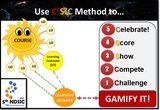
The C2S2C (pronounced See-Es-See) method can be applied to gamify any type of learning activity! WOW! This is my second learning friendly innovation for 2013 (First one: L2T3SEA learning framework)! Not bad, Al-Hamdulilla :)CONFERENCEOn May 17, I will be giving a talk (30 min) and then facilitating a workshop (2 hours) exploring how we can gamify classroom learning at the 5th National Dental Students’ Scientific Conference (May 17-19th, 2013). The conference is organized by the International Medical University (IMU). Description: What if learning could be as engaging and addictive as Angry Birds? In this workshop, we will explore how we can use game mechanics to facilitate more engaging and inspiring learning experiences for our students. During the hands-on session we will explore three web 2.0 tools we can use to gamify classroom learning. Learning Outcomes:After this workshop, you will be able to:Discuss how game mechanics can be applied to facilitate more engaging student learning experiences.Apply game mechanics to any learning activity.Use three web 2.0 tools to gamify classroom learning.PRESENTATION SLIDESHere we go: Gamify Classroom Learning with the C2S2C Method! from Zaid Alsagoff RESOURCES Here is easy access to the relevant resources for the workshop:*$ = No Free VersionTools:SocrativeInfuse LearningPoll Everywhere ClasstoolsRaptivity ($) Knowledge Guru ($) 102 Free EduGamesResources:From Flipped to Gamified Classroom Learning!Gamification Wiki Gamification Co10 Best Colleges for Game-Based LearningGamification CourseThe Gamification of Learning & Instruction (Book) ($)Gamification by Design (Book) ($)Web 2.0 Interactive Tools: A Quick Guide Game on? :)
Zaid Ali Alsagoff
.
Blog
.
<span class='date ' tip=''><i class='icon-time'></i> Jul 14, 2015 02:37pm</span>
|
|
LEARNING INNOVATION TALKS 03 (LIT03)The 3rd Learning Innovation Talks (LIT03) on the 22 May (2013) was organized by the International Medical University (IMU). This was the first LIT to be done fully online. And this is totally inline with IMU's 3I's, which are Insight, Imagination and Innovation.More about LIT History...Here is IMU's e-Learning Team that masterminded this successful mission....Congratulations! As far as I know, this was also the first 1-Day Online Seminar held by a University in Malaysia. WE MADE HISTORY, TOO! Congratulations!Also, we would like to thank the WizIQ management and Dr. Nellie Deutsch for supporting the event by ensuring that the WizIQ platform was in tip-top condition for the online seminar. Finally, we would like to thank everyone involved in the online seminar for making it such a success, and that includes the IMU ITS personnel, speakers and participants. ONLINE SEMINARWOW! LIT03 was AWESOME! Not only my words...Just finished morning session of the Learning Innovation Talk 03. It was awesome @zaidlearn— Mommy Yina(@melamyra) May 22, 2013 kudos to @zaidlearn n team for #LIT03. Great speakers and awesome participants too!— Zainal Abidin Sayadi (@zainals) May 22, 2013 LIT03 was very fortunate to have a collection of exceptional educators and experts (8 Malaysians and 2 International) to start with, and they certainly lived up to that during LIT03. They were all exceptional, inspiring and unique in their own ways, so instead of me babbling about them, please enjoy the unedited recordings below of all the sessions during LIT03.RECORDINGS Click on the morning and afternoon session links (URLs) below to be rocked by awesome and inspiring LIT03 speakers:*Unedited versions below, so please skip the first 15 minutes for both session to view the online talks.*Edited versions will be published on YouTube in the coming weeks.LIT 03 Morning Session LIT 03 Afternoon Session Click Here to view the LIT03 Resource page. All resources shared by the speakers can be found there.STATS & REFLECTIONS225 people from 21 countries registered for LIT03. As expected not everyone turned up (which is totally normal for free online events). For the morning session 89 participants turned up (39.6% out of 225), and 81 participants (36%) for the afternoon session. However, what I found most astonishing was where the registered participants are attached to...So, the promotion and awareness of LIT03 was really good (The LIT03 website: 3,100+ page-views). 67 participants at LIT03 fulfilled the attendance requirements to get the Digital 'Certificate of Attendance', and once they complete the evaluation and mystery quiz form, they will be e-mailed the certificates on the 29 May (2013). If we compare LIT03 to our previous Learning Webinar Series 2012, which had 12 world renowned educators giving online talks, LIT03 has been a SMASHING SUCCESS. None of the previous webinars organized by IMU last year (2012) reached more than 50+ participants (each session was for only one hour, too). However, LIT03 had 80+ participants for both morning and afternoon sessions (3 hours each), and 67 attended both. WOW!All IMU webinars since we started (Feb 2012) have had great local and International speakers, but besides good viral promotion, I believe the introduction of giving a digital certificate for (real) participation is an important extrinsic factor to increase the attendance. Besides learning, people also want to get recognition for their attendance and participation.Compared to other educational webinar series around the world in terms of attendee numbers, we still have a long way to go. But, if we talk about quality, engagement and excitement, LIT03 was exceptional.Although, we had some technical glitches on the way, it was a memorable and inspiring learning event, which will be remembered for years to come by many of the participants and speakers (and those that watch the recordings).Overall, LIT03 was AWESOME! Why?Passionate Speakers, Active Participants and Great Organizers! The revealed triple secret to great online learning events! For all of you that participated in LIT03 and making it a success...Thank you! WE DID IT!Looking forward to LIT04 :)#LIT03 The ONE message echoed from all the awesome presenters is : "Technology is JUST a tool. Focus must be given to Pedagogy." :-)— Norhayati Maskat (@NorMaskat) May 22, 2013
Zaid Ali Alsagoff
.
Blog
.
<span class='date ' tip=''><i class='icon-time'></i> Jul 14, 2015 02:37pm</span>
|
|
Looking forward to facilitating a 2-day hands-on workshop entitled '21st Century Educators' at Universiti Tun Hussein Onn Malaysia (UTHM) from 4-5 June, 2013. It is always fun to explore the past, present and future of learning and teaching with educators! Here we go:WORKSHOPThis 2-day hands-on workshop will explore the key ingredients to become a successful 21st century educator. We will actively look at how we can transform face-to-face (F2F) learning using the ‘Flipped Classroom’ and ‘Gamification’ methods. Then we will explore how we can use social media, web 2.0 and iPads to engage students and development content. During the 2nd day, we will explore how we can reuse and remix Open Educational Resources (OER) for learning and teaching. Finally, we will explore the latest big trend in online learning known as Massive Open Online Courses (MOOCs). Participants will be engaged throughout the workshop with learning activities, including the gamified group challenge during the 2nd day. It will be fun, engaging, and participants will get a taste of how they can use technology to transform the learning process. LEARNING OUTCOMESAfter this workshop, you will be able to:Discuss the attributes (ingredients) of a 21st Century Educator.Apply Flipped Classroom and Gamification methods to your teaching and learning.Use Social Media/Web 2.0 to engage students and develop content.Use iPad for learning, teaching and content development.Find, reuse and remix Open Educational Resources (OER) for content development. PRESENTATION SLIDESPresentation slides for the 21st Century Educators workshop: 21st Century Educators Workshop at UTHM! from Zaid Alsagoff Click Here to download the PowerPoint version.CHALLENGEBelow is the big Group Project Challenge. Small learning challenges and activities will be revealed during the workshop. RESOURCES DNA of a 21st Century EducatorDNA of a 21st Century Educator Simplified! Route 21 Brain Rules Bloom’s Digital Taxonomies IMU Webinar Series Brain-Targeted TeachingLearning Spaces Augmented Reality Resources IMU Student Blogging Project to Promote a Healthy Lifestyle! Authentic Learning Tin Can ApiConstructive Alignment SETT Framework TPACK Framework Technogogy SAMR ModelFlipped Classroom & GamificationC2S2C Method: Gamifying Classroom Learning Tools Poll Everywhere Socrative (Student Login - Teacher Login)Infuse Learning (Student Login - Teacher Login)ResourcesThe 10,000 Hour Rule! Flipped Classroom (Infographic) Flipped Classroom (Video) Flipped Classroom The Full Picture (Jackie Gerstein) Game MechanicsGamification (Infographic) Mathland Case Study (Kate Fanelli) Mr. Pai and Gamification (Video) World Peace Game (John Hunter) Khan Academy BozemanScience (Paul Andersen) Western Oklahoma State College BadgesiPad for Learning & Teaching iPad for Learning & Teaching (Full) Best Starting Point for finding iPad Apps for learning & Teaching *$: Means ‘NO FREE VERSION’LearningiTunes U TED Keeping Yourself Updated?Zite Feedly Flipboard Taking Notes? Notes Evernote Notability($) Annotate Notes & Documents? iBooks Subtext PaperPort Notes DocAS($) Pages($) Notability ($) Storing & Accessing Files? Dropbox Google Drive Box iCloud CreatingCreating Presentations?Haiku DeckPrezi CloudOnKeynote($) Tactilize MovenotePresenting Slides with Animations?SlideShark Keynote($)Writing Content? EvernoteCloudOn GoDocs($)Pages($)Creating, Editing & Sharing Images? SkitchFlickrExplain Everything($)Visualize($) Recording & Editing Videos? Videos VideoliciousiMovie($) FiLMiC Pro($) Creating Screencasts? Explain Everything($) Educreations ScreenChomp ShowMe Teach Doodlecast Pro($) Digital Story Telling?Animoto VoiceThread Creating e-Books?Book Creator($) Book Writer($) Comic Life($) iBooks Author (for MAC only) CollaboratingTwitter Facebook Google+ LinkedIn Box Google Drive Edmodo PinterestAssessingPoll Everywhere Socrative Infuse LearningSocial Media for ResearchTwitterFacebookGoogle+ LinkedInSocial Curation ToolsZite Scoop.itDelicious DiigoPinterestFeedlyMore Curation Tools... Social Citation ToolsRefWorks MendeleyCiteulikeZotero WikiGoogle DocsGoogle SitesWikispacesWetpaintPbwikiBlogging BloggerWordPressTumblr CommunitiesResearchGate Methodspace Nature Network Academia.edu Open AccessOpen Access (SlideShare) Directory of Open Access Journals (DOAJ)More on Social Media Social Media For Research Twitter for Learning Facebook for Learning Blogging for Learning Empowering PLE Social Media & Web 2.0 for Learning Open Educational ResourcesEmbracing OER & MOOCs to TRANSFORM EDUCATION...?Google Custom Search OER Commons Why Open Education Matters! (Videos) OpenCourseWare Consortium MIT OpenCourseWare (OCW) OpenLearn (The Open University) All OCWOER MalaysiaCreative Commons (CC)Creative Commons Video (Qatar) Creative Commons (CC) Licenses CC License Selection ToolAuthoring ToolsSlideshare (slidecast example)PreziCreate Online Crossword Puzzles!WizIQ (web conferencing)Create Cartoons, Movies & Animations:XtranormalGo AnimateToondooDesktop Authoring Tools:CourselabExeUse your iPad to Create OER On-The-Fly:EducreationsExplain EverythingSocial Media Tools and tips200+ Learning ToolsMassive Open Online CoursesDemystifying MOOCs Udacity Coursera edX FuturelearnUdemyMOOC2DegreeFour Barriers That MOOCs Must Overcome To Build a Sustainable ModelThe March of the MOOCs: Monstrous Open Online Courses MOOC ListCan't wait :)
Zaid Ali Alsagoff
.
Blog
.
<span class='date ' tip=''><i class='icon-time'></i> Jul 14, 2015 02:37pm</span>
|
|
CLICK HERE TO DISCOVER THE PROJECTINTRODUCTIONMISSIONThe mission of the '1-Minute Learning Nuggets'project is to explore and discover theart of creating 1-minute multimedia learning nuggets (or within the 1-minute spectrum: anywhere from 1 second to 1:59 min) , which are perfect for mobile learning or learning-on-the-fly.If we dissect a lecture or module (or whatever you want to call it). There are probably only 5-10 essential items (or chunks) in a lecture that really needs to be visualized into multimedia with audio narration to have an impact or simplify the learning for students. So, instead converting the whole lecture into multimedia with narration, why not focus our time on building quality learning nuggets that really matter.Not only will the learning nuggets be great for mobile learning, lecturers will have more time to focus on the critical content that needs to be converted to multimedia. And from a design-point-of-view, your content now also becomes more reusable beyond your lecture.NOTHING NEW!Creating learning nuggets, snippets, objects or chunks is nothing new! Today, Udacity prides itself for creating learning videos that on the average are one minute long (These learning snippets are then clustered into lessons). During the eLi3 Conference (in Saudi Arabia) I met Roger Schank, who told me during a short chat that people in general only pay real attention to something for max 1 and half minutes. Penn State University has something called the 60-second lecture series. Google demo videos today are usually no longer than one minute. And we can go on and on and on!Whether it is a trend or not, less content in smaller learning chunks makes sense in today's disruptive and busy world. But, we still need to figure out how to do this efficiently with effective learning output. In a nutshell, this project is about exploring and rethinking content design and discovering authoring tools and methods to create learning nuggets perfect for mobile learning (or multi-device learning) and reuse. By doing so, we can empower and inspire educators at IMU and beyond to do the same!You are most welcome to join us on this adventure by creating your own learning nuggets and sharing with us how you did it. LEARNING NUGGET 01 - REFLECTIONThe introduction video to the 1-Minute Learning Nuggets Project (above) is certainly not perfect. After I uploaded it to YouTube, I noticed first that the picture frame was too aligned to the right (supposed to be in the middle). The audio was so, so! My drawing was simply ____! I was about to redo the introduction video, and then upload a better version to YouTube. But then I thought, let it be as it is, and use it for learning purposes. As this project evolves, it will be fun to look back at the first published learning nugget and see how much I have improved (or not).So, how did I create this first learning nugget (in brief)?Created a few slides in PowerPoint 2013.Converted the slides to PDF (to keep the images and text intact). I could have saved it as a 'PowerPoint Picture Presentation', but when importing that format (using PowerPoint 2013) into Explain Everything, the slides got messed up.The PDF version was then uploaded (synched) to Google Drive.Imported the PDF version into Explain Everything ($2.99 USD) on my iPad.Used Explain Everything on my iPad to record audio and add the visual animations to the slides. No headset with microphone was used. Sat in a reasonably quiet room to avoid background noise (a bit air-con noise can be heard). Not great audio, but not bad either!Once completed, the content was uploaded directly to YouTube from Explain Everything (cool feature).Mission accomplished! Alright, the output was only so, so. However, I did achieve one target, which was the 1 minute spectrum for a learning nugget (anywhere from 1 second to 1:59 min). The introduction video is: 1:59 min...WOW! That was a close call!Yes, I did prepare a script for the first learning nugget and even deleted a section (Nothing New! above) to meet the 1-minute spectrum target. Anyway, creating scripts (or just headers) for 1-minute learning nuggets is no big deal, compared to scripts for full-blown lectures. In general, if you can do it faster and more natural without a script, then skip it. However, if you can't get started, or keep on changing your mind on what to say, it could actually be faster to prepare a script before recording your learning nugget. Try both ways to find your flavor to speed up the output and quality.Free alternatives tools to Explain Everything:Educreations ScreenChomp ShowMe Teach Explain Everything is a pretty cool and user-friendly iPad (only) authoring tool. It is not free, but $2.99 USD for a content authoring tool is pretty cheap if you compare to Articulate and Adobe products. Yes, these products have more features, but do we really need most them for creating learning nuggets? It depends...Stay tuned to my second learning nugget! Need to at least create one more learning nugget with Explain Everything, before I explore other free or cheap authoring tools to create learning nuggets. What authoring tools do you use to create learning nuggets? Do you create learning nuggets in the first place? Or are you still bombarding your learners with never ending 15 minute lectures online...How learning times have changed :)
Zaid Ali Alsagoff
.
Blog
.
<span class='date ' tip=''><i class='icon-time'></i> Jul 14, 2015 02:37pm</span>
|
|
Just completed my second Learning Nugget (LN) entitled: 'How to Become an Expert?'! Oops, I failed the the golden 1-minute spectrum rule (1:59 minutes or less)! This learning nugget is 2:52 minutes! But, besides that this one is certainly an improvement compared to the first one. CLICK HERE to visit the 1-Minute Learning Nuggets Project site.LEARNING NUGGET 01 In my next learning nugget, I will explore another authoring tool. Stay tuned for that! Now, let's reflect in brief how this learning nugget was developed...TOOLS USED?Tools used to create this learning nugget:iPadPowerPoint (2013) Google Drive Explain EverythingReferences used:How to be an expert? (diagram)The 10,000 Hour Rule!(Infographic)HOW?This is how this learning nugget was created (in brief):Created quickly a visual storyboard in PowerPoint (2013). No narration scripts were created this time. Created or mashed-up all the graphics in PowerPoint (2013). 'Remove Background', 'Group' (items) and 'Save as Picture' are really useful PowerPoint features to cook up your own graphics.Graphics created or mashed-up were grouped (if needed) and then saved using the 'Save as Picture' feature to PNG format to keep the background transparent.All the graphics were then uploaded (synched) to Google Drive.This time around, I imported the graphics from Google Drive to respective slides using the Explain Everything authoring tool on my iPad (It supports direct import from Dropbox, Evernote, iTunes and WebDAV, too).Used Explain Everything on my iPad to record audio (and video for one slide), and add the visual animations to the slides (concurrently). No headset with microphone was used. Sat in a reasonably quiet room to avoid background noise.Once completed, the content was published directly to YouTube from Explain Everything (cool feature).Mission accomplished! LESSONS LEARNED!Creating learning nuggets is fun! Alright, this time around, I failed the 1-minute learning nugget spectrum (2:52 minutes). But, besides that, I have to admit that progress is being made. I still have got a long way to create WOW, but at least there is progress (Step-by-step!). Explain Everything ($2.99 USD only) is a pretty cool authoring tool for creating learning nuggets.I really like the Explain Everything feature that empowers you to add video (head), while you present. It can be re-sized and placed anywhere on the screen. You can even run more than one video at once, while recording. Also, you can import videos, and even annotate on the video itself while playing during your recording. This is great for illustration, and when you want to highlight certain aspects in a video, while it is in motion. Thumbs up for that! Though, it should be made simpler to re-record (or edit) your video within your presentation. Otherwise, you have to always delete and create a new one, when you are not happy with the initial recording. My total production time was roughly 2 hours 30 minutes:Visual Storyboarding (20 min)Finding and mashing-up Graphics (30 min)Slide Creation in Explain Everything (10 min)Recording audio and animation (80 min)Publishing (10 min)Based on this data, obviously I need to improve the 'recording audio and animation' phase, and that is mostly because I didn't prepare a narration script. As I began recording, ideas started flowing on how to improve what I was saying here and there. In other words, next time I might as well create a narration script, which should not take more than 10-30 minutes (for a 1-minute learning nugget), and then the recording phase can be done faster (say 10-20 minutes). Best case scenario, I could save between 30 - 60 minutes on that phase alone. My target is to create quality 1-minute multimedia learning nuggets from scratch in less than an hour. That's enough reflection for now! Stay tuned for Learning Nugget 02! What authoring tool should I explore next?
Zaid Ali Alsagoff
.
Blog
.
<span class='date ' tip=''><i class='icon-time'></i> Jul 14, 2015 02:37pm</span>
|
|
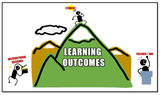
How can we write learning outcomes in more creative ways to stimulate the learner's mind to think, explore and learn? Let's explore:SlideSpeech Version:Explain Everything Version (On YouTube): Which version do you prefer? Or are both crap?SLIDESPEECHWhatever your opinion is, SlideSpeech (Invented by John Graves) with its' text-to-speech engine (converting all text in your 'Add Notes' sections in your PowerPoint slides), is a pretty cool and fast authoring tool to create audio-narrated presentations, which you can share on-the-fly. You simply need to write the script for your slides and add them to the 'Add Notes' sections in your PowerPoint presentation. Then, you upload the presentation slides to SlideSpeech. Within minutes (or seconds for me!), the audio narrated presentation is ready to be shared to the world. It even empowers you to download the video version (zip-file format, too), and also auto-generates the QR Code for the URL to the online version. Cool! Currently, they have a female and male voices for English, and one male for German. Here is a short introduction about SlideSpeech:Once your slides with notes are uploaded to SlideSpeech, you can edit further by changing the voice speed, pitch, add gestures and even record or upload audio (voiceover). You can even add interactivity (after the presentation) in the form of multiple choice questions, but this feature is still very basic and has some bugs, too (at least it feels, so!).COMPARISONS & REFLECTIONSTo feel the difference, I created basically the same presentation (YouTube version above) using Explain Everything on my iPad. Production TimeIn terms of production time, SlideSpeech version was done within minutes after completing the presentation and script. Since it doesn't support animation, I did have to create different slides for each animation or change, and to avoid text and animation running in the slides, I saved the presentation to 'PowerPoint Picture Presentation'. To my surprise, all the script was lost when saved to picture presentation, so I had to copy/paste again all the script from the PowerPoint version (original one) slide-by-slide (Grrr!).On the other hand, with 'Explain Everything' I important all the slides or items (as graphics), and then needed to record the audio. This took actually more than one hour. So, in terms of production speed, SlideSpeech wins big time!Audio SlideSpeech is especially great if your English _____! Though, the output does sound still a bit robotic, and although you can manipulate the voice pitch, speed and gestures (e.g. Add: yeah+), I still prefer a human voice with passion and human touch (of mistakes) when possible.Having said that, people who speak _____ or have little time to convert their narration scripts into audio are going to love SlideSpeech.AnimationSlideSpeech is still very limited in this area. This is where Explain Everything is so exciting and flexible. You have this white-space, and basically only your imagination limits what you can do there in terms of drawing, moving stuff from here and there with your fingers (if you are using an iPad), adding video, etc. This is an area, where SlideSpeech could learn a trick or two from tools such as Articulate Presenter and Storyline.Interactivity Both are pretty limited in terms of adding interactivity and assessment. SlideSpeech does allow you to create one multiple choice question after your presentation, but that is basically it. This feature seems to be under construction now. PublishingExplain Everything allows you to publish directly to YouTube and other famous online cloud-based storage sites out there such as iTunes, Evernote, Dropbox, Google Drive, etc. SlideSpeech allows you to download the presentation as a video (and zip-file), and I really love the speed in which the audio-narrated presentation is ready just after upload...within seconds. The auto-generation of QR code is also cool. It would be cool if SlideSpeech presentations could be synched and uploaded directly to YouTube, too. OverallOverall, John Graves has done a great job with SlideSpeech, and it will be interesting to see how this tool evolves. It is still very much a tool under construction. So, I am looking forward to the new features. Just hope that SlideSpeech remains free for a while longer!Also, I wouldn't be surprised to see text-to-speech technology being infused into other PowerPoint-enhancement tools like Articulate Presenter. GoAnimate and Xtranormal are already using text-to-speech technology, so why aren't more PowerPoint enhancement tools doing it? Don't they realize that many can't stand their own voices, or speak good English! 1-MINUTE SPECTRUMFinally, I have come to realize that my 1-minute learning nugget challenge is getting too tough (for all kinds of content). So, now I am thinking perhaps learning nuggets should be within a 3-minute spectrum. Just like a song, but no longer!CLICK HERE to discover more learning nuggets.I am still learning :)
Zaid Ali Alsagoff
.
Blog
.
<span class='date ' tip=''><i class='icon-time'></i> Jul 14, 2015 02:37pm</span>
|
|
Looking forward to my upcoming 1/2 day seminar at Universiti Sains Malaysia (USM) on the 28th June, 2013. Also, looking forward to do at least 3 social media experiments with the participants, and it will be interesting to see how they respond to the challenges.SEMINAR DESCRIPTIONToday, more than a Billion people use Facebook, and more than 200 million use Twitter actively to connect, network, interact and share with one another. YouTube receives more than 4 Billion video views per day, millions of people blog, and there are more than 14 million articles on Wikipedia. Social Media today is impacting every aspect of our lives whether it is our social, working, education or family life. However, what about using social media for academic research and sharing scientific knowledge? For example today, many doctors are using various Social Media tools to share and discuss their latest research with their fellow professionals and the public. By doing so, their work is sometimes being peer-reviewed and promoted by hundreds of experts around the world, empowering a more impactful learning and research experience. During this half-day seminar, we will explore various social media tools we can use to discover new knowledge, collaborate with other researchers, and promote our research within and beyond the academic world. During the hands-on sessions, we will explore actively Facebook, Twitter, Blogs, Wikis, and various social curation tools. LEARNING OUTCOMESAfter this seminar, you will be able to:Discuss how you can use Social Media effectively for the full academic research cycle;Use social curation tools to discover new knowledge and research;Connect, network and collaborate with other researchers and people using Facebook, Twitter, LinkedIn and Google+;Share your research work through blogs and other social media tools; andCollaborate on research projects with others using Wikis.PRESENTATION SLIDESPresentation slides for the seminar: Social Media for Research & Knowledge Sharing from Zaid Alsagoff RESOURCESHere are the links (URLs) to all the important resources/tools discussed:DISCOVERCreative Commons (CC) License Selection ToolCreative Commons (CC) Intro Video (Arabic & English Versions)CC Comparison Table Was The 'DNA of a 21st Century Educator' Plagiarised in China?Social Curation/Bookmarking ToolsSocial Citations/Referencing Tools:- RefWorks - Mendeley - Citeulike - Zotero - End Note Twitter- Hashtags- Twitter for Learning (SlideShare)- Using Twitter in University research, teaching and impact activitiesGoogle ScholarRESEARCHFacebook- Facebook Groups- Learning Innovation Circle (LIC) Facebook Group- Facebook Pages- Facebook for Learning (SlideShare)Google+LinkedIn- LinkedIn MapsWikis for Learning- WikiversityWiki Development Tools?- Mediawiki- Google Docs- Google Sites- Wikispaces- PbwikiBlogging = e-PortfolioBlogging Tools?- Blogger- WordPress- TumblrBlogging Examples:- The University of British Columbia- Oxford Science blog - Oldaily (Newsletter) Survey Tools:- Google Forms- Qualtrics- Polldaddy - Survey Monkey PEER-REVIEWResearchGate Methodspace Nature Network MedPedia Academia.edu colwiz PUBLISHOpen Access (SlideShare)Directory of Open Access Journals (DOAJ)Video Sharing Sites:- YouTube Education (or YouTube)- iTunes U- MEDtube - Vimeo - TEDEd - Teacher Tube Presentation Sharing Sites:- SlideShare- Prezi - SlideRocket- Haiku Deck - Brainshark - Slideboom File Sharing Sites:- Google Drive- Dropbox- TeamBox- Box- iCloud- SkyDriveeBook Authoring/Publishing toolsSocial Media: A Guide for ResearchersWeb 2.0 Research Tools: A Quick GuideNewcastle University Social Media Guide SOCIAL MEDIA EXPERIMENTS1. #USMcool Hashtag2. Facebook Group3. Google DocumentLooking forward to discover how USM is using social media to amplify and promote their research adventures :)
Zaid Ali Alsagoff
.
Blog
.
<span class='date ' tip=''><i class='icon-time'></i> Jul 14, 2015 02:37pm</span>
|
|
"Awesomely Simple and Powerful!"- Zaid Ali Alsagoff(What are you waiting for?)PADLET?Padlet (early known as Wallwisher) gives you a blank wall, and you can basically put anything you want on it, anywhere. Simple, yet powerful.It basically empowers people to express their thoughts on a common topic easily. It works like an online sheet of paper where people can put any content (e.g. images, videos, documents, text) anywhere on the page, together with anyone, from any device.Here is a video tutorial to get you started: YouTube version:Yes, you can even use it to present (or curate) learning content. I am not kidding:Created with PadletPOWERFUL?This is why Padlet is simple, yet powerful:Easy-to-Use Simple interface, double click to add posts (or double tap for touch screens), drag and drop, auto save, etc. WOW! Instant CollaborationEveryone's activity can be seen on the wall instantly. Page reloads is history.MultimediaYou can add any kind of file/links - videos, images, documents. You can paste links (URLs) to (YouTube) videos (view-able from the wall). Can drag a document from your computer. Can take pictures with your computer devices. EmbeddableYou can embed a wall in blogs and other websites (How?).Privacy You are empowered to keep the wall(s) private by adding password lock or specific email addresses. You can also moderate posts, by requiring approval by one of the moderators before they show up on the wall for the other readers.ExportingYou can export your Walls to PDF, Excel, and CSV formats with a single click.Customized URLEvery wall has an unique URL that you can give out. You can now also customize the ending of your URL to your Wall (E.g. http://padlet.com/wall/myawesomewall) or your Domain URL (E.g. http://myawesomewall.com ).NotificationsYou can get e-mail notifications on updates to your wall, or subscribe to them via RSS.Design & LayoutsYou can easily spice up the backgrounds with all sorts of cool designs and images. You can change your layout to 'Stream' to view group discussions more structured (linear chat like format, with time-stamps of when someone commented).Check out Padlet's user guide (Knowledge Base) to discover more.FOR LEARNING?What about Padlet for learning and teaching?While you don't need brains to use Padlet, you might need to stretch your imagination to realize how easy and powerful this tool could be to empower and energize collaborative learning experiences. Here are some examples on how Padlet can be used for:Ice breaker to get to know one another (Participants/Students upload photos of themselves and then write one or two sentences for others to get to know them better). Brainstorming ideas, problem-solving, decision-making, or solutions.Q&A sessions before/during/after a lecture or class.Open-ended (formative) question or reflection sessions, where students all share their answers on the Padlet wall;Noticeboards or making course announcements.Bookmarking and curating resources or video playlists. Group/Class/Community Discussions.Adventure and travel maps (field trips). Developing a website. Etc.Let's not stop there, why not explore Padlet as a potential tool for organizing a student's e-portfolio.Actually, if we stretch our imagination even further, we could perhaps use Padlet even for an entire class (or even course) from the lecture (or lesson) to the assignment (Full Article):Lesson/Lecture/Tutorial Researching, collecting and curating content for your lesson does not have to be a tiresome task across folders, sites, emails and links.Group DiscussionUse Padlet for a group discussion before/during/after a lecture (or class).FeedbackYour lecture is coming to an end and you want to take check the students’ understanding of the subject or topic.Assignments/ProjectsStudents can work individually or as groups using Padlet. For example, each group sets up a wall that discusses or visualizes their project, which can later be made available to the other students when completed. You can even make it a competition!Whether you want to use Padlet for everything in online learning is probably a bit extreme, but no doubt this tool can be used in many creative ways to engage learners and have some fun while learning takes place.ALTERNATIVE TOOLS?If you want an alternative tool to teach a class or share digital content with activities, I would probably recommend Edcanvas (for now), which provides more structure, control, features and even provides a quiz engine with reporting.If you want a dedicated tool for collaborative bookmarking or social curation of online resources, I would recommend Pinterest or Scoop.it instead. Though, if you want a simple and powerful tool to easily break the ice (of new group), brainstorm, share ideas and have some quick fun...Padlet is my tool to the rescue :)
Zaid Ali Alsagoff
.
Blog
.
<span class='date ' tip=''><i class='icon-time'></i> Jul 14, 2015 02:36pm</span>
|
|
ONLINE TALKIMU Webinar Series is back! The first speaker for this round (11:30 am, 28 Aug) will be Nor Fadzleen Sa'don, who gave an inspiring online talk during LIT03 about innovative ways we can reinvent dynamic and lively learning environment in Malaysian schools. In this webinar session, she will share some insights about Harvard Summer School (which she recently attended), and the teaching and learning ecosystem in Harvard University. Please take the time to join us to discover Nor Fadzleen Sa'don's journey to innovate learning and teaching.WEBINAR DETAILSTitle: Hacking Harvard: My Teaching & Learning ExperienceDate: 28 August (Wednesday)Time: 11:30 AM, Kuala Lumpur timePlatform: WizIQCLICK HERE to view the webinar recording.(Please skip the first 20 minutes of the recording to go straight to Nor Fadzleen Sa'don's talk...The edited version will be made available soon.)Description:"This talk will mainly focus on Harvard Summer School and the teaching and learning ecosystem in Harvard University. I will share the syllabi, projects and case studies that encompass High Order Thinking Skills and the importance of having fun with innovative ideas. At the end of the talk, I hope the knowledge sharing session would ignite the passion of ongoing learning and rediscovering ways we can teach and learn effectively." - Nor Fadzleen Sa'donSpeaker:Nor Fadzleen Sa'don is currently a fulltime postgraduate student, majoring in IT Management at Universiti Teknologi Malaysia (UTM). Prior to this, she taught for 11 years as a Master Teacher of English Language at local government school in Johor. Her research focuses on VLE governance and implementation in Malaysian schools. She is the committee member of Malaysian Educational Technology Association (META). Her main interests are E-Learning, Creativity, Materials Development and Systems Thinking. Discover more about the speaker here:Twitter ID: @nfadzleen Website: Learn, Teach, Love SlideShare: Presentations LinkedIn Although, we don't take official registration for this webinar session, we have set up a Padlet Wall for you to register creatively and perhaps say hi to the speaker and even ask a question before the webinar:Created with Padlet5 Important lessons, I learned from this inspiring talk by Nor Fadzleen Sa'don about Harvard Summer School:At Harvard you are encouraged to learn, think and have group discussions outdoors. Class participation is highly valued. 30% of the course evaluation is based on student's class participation (at least for Nor's 2 courses). Students learn through attending/facilitating workshops, giving presentations and doing projects on real companies or ideas that can be applied to the real world. A lot of emphasis is given on students to speak up, articulate and share their ideas, opinions and thoughts. Students are required to mostly find their own resources for the learning activities, and spoon-feeding or regurgitation of the Professors' notes is simply a No No! The Professors are not there to tell you what is right and wrong, but to provoke you to think and challenge one another to find your own path in a myriad of possibilities. You have to be prepared to get constructive feedback from your peers and Professors at all times. Finally, although learning is tough at Harvard, you are recommended to have fun while you try to innovate or find creative solutions to the biggest problems and issues that the world is facing today.And amazingly, Nor Fadzleen Sa'don attended Harvard Summer School while fasting, and one of her team project reports scored the highest (Al-Hamdulilla). Insya-Allah, she is destined to do great things for education in Malaysia and beyond :)
Zaid Ali Alsagoff
.
Blog
.
<span class='date ' tip=''><i class='icon-time'></i> Jul 14, 2015 02:34pm</span>
|
|
by Jennie Ruby
I got an interesting call from my friend Samantha S. the other day. She was in the car and passed a Ruth's Chris Steak House. Wait a minute, she thought. If Chris owned a steak house, and then Ruth bought it from him, shouldn't the name be Ruth's Chris's Steak House? As she discussed the question with her car-mates, they speculated whether there was a rule against having two possessive words in a row, each with an apostrophe. Since there were no grammarians in the car, I received the call.
First, I verified (via Wikipedia) that Ruth did indeed buy a steakhouse previously owned by Chris. The name of that steakhouse? Chris Steakhouse. Why not Chris's Steakhouse or Chris' Steakhouse? Was the owner grammatically challenged? Or was there possibly a method to his madness?
One clue is that there is a tradition in English of sometimes using a name as an identifier or label, instead of treating the name as the owner of an item. Thus, the Joneses' house may be called simply the Jones house. You may especially notice this in historic houses, such as the Calvert House Inn, located in College Park, Maryland, or the Warfield Building at the hospital where my mother worked, or the Stephen D. Lee Home Museum in Columbus, Mississippi. Thus Chris's Steakhouse becomes Chris Steakhouse (although without the word the. Hmmm. And Chris was his first name.)
Another related fact may be this one. I recently read an article on Merriam-Webster.com about why we may sometimes say "probly" instead of "probably." The article said that in the spoken language we tend to omit duplicate syllables. So "prob-bob-ly" becomes "probly." In the same way, "Chris-es Steakhouse" may become "Chris Steakhouse."
So the reason for the single apostrophe in Ruth's Chris Steakhouse is not from any particular grammar rule about two apostrophes. But now that I 've said that, what is the rule for compound possessive? Are we allowed to say something like this?
The dog's collar's buckle is broken.
Maybe we would change dog's collar into dog collar[identifier instead of possessive] or revise the sentence:
The dog collar's buckle is broken.
The buckle on the dog's collar is broken.
But I don't see any need to change this one:
Cathy's mother's name is Sue.
In 10 pages of rules about possessives, my grammar book does not seem to address this question either way. So I put it to you, dear readers. Which way shall we go on these examples?
The book's cover's paper was worn.
The widow's son's car was totaled.
My father's favorite cousin's visit was scheduled for May.
Sam's dog's collar is broken.
My best friend's car's tires are all flat.
The software's manual's page's numbers were too small.
The island's tallest tree's trunk was covered with moss.
As always, please post your answers below as comments.
***
Answers to the Challenge on Which versus That
The winners of this week's challenge, with all answers correct, are (in no particular order) Jay Herman, Kay Honaker, Trudy Dave, Gail A. Kelleher, Geri Moran, Christine Larson, Jenny Zoffuto, Julie Sharma, and Lorna McLellan.
These answers to which versus that are brought to you by Lorna McLellan and Kay Honaker:
The east coast weather, which had been unseasonably cold, finally warmed up.
A pile of snow lingered until recently on one side of the parking lot. That snow, which had been piled there by the snowplow back in March, finally melted.
Joggers' shorts and tank tops that had been languishing in closets all winter finally made an appearance this weekend. (Alternative answer by Kay Honaker: Joggers' shorts and tank tops, which had been languishing in closets all winter, finally made an appearance this weekend.*)
The spring bird that arrived back before all of the others was the white-throated sparrow.
The tree that showed the earliest buds of spring was the maple.
Our one and only cherry tree, which had been pruned carefully last fall, bloomed magnificently last week.
The only bush that did not make it through the winter intact was the rhododendron in the exposed northwest corner of the yard.
*I had already decided number 3 could go either way, depending on whether joggers had used their shorts at the indoor track all winter, when I found Julie Sharma's perfect explanation in the next email message I opened:
"This could go either way: which, meaning the weather was so bad that no joggers' shorts or tank tops were worn all winter; that, meaning those shorts and tank tops that languished in closets--some might have been worn to the gym, for example, even in the winter."
Krista Allen made another interesting comment on number 2:
"My main reason for selecting "which" was to eliminate the double usage of "that." I'm not sure if that's the grammatically correct answer, but "That snow that had..." sounds clunky and desperately in need of a thesaurus."
You are right about the fact that the word that is redundant here--not because it is duplicated, but because the specific snow has already been precisely identified by the first use of that, so a second one is incorrect. But it is sometimes correct to use two thats in a row:
From Lincoln's Gettysburg address:
"We have come to dedicate a portion of that field, as a final resting place for those who here gave their lives that that nation might live."
Icon Logic Blogs
.
Blog
.
<span class='date ' tip=''><i class='icon-time'></i> Jul 14, 2015 02:34pm</span>
|