Blogs
|
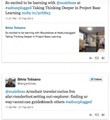
I have been following Suzie Boss on Twitter for years, but finally had the pleasure of meeting her in person at ASB Unplugged this past week in Mumbai, India. I attended her workshop of Project Based Learning.
Tweeting has become my preferred method of note taking at conferences , since it has the potential of lifting the usual individual activity to much higher collaborative levels. (taking advantage, if other tweeting participants are present, of backchanneling with on-site or off-site participants and curating and adding other participants’ perspectives). I also feel that my efforts to disseminate by using my (public) Twitter feed, as well as using the conference hashtag (#asbunplugged) adds value (hopefully) to a larger audience.
I am also reminded of the Headlines Visible Thinking Routine by Project Zero, when I am tasked to share and catch reader’s attention in their Twitter feed.
This routine draws on the idea of newspaper-type headlines as a vehicle for summing up and capturing the essence of an event, idea, concept, topic, etc. The routine asks one core question:
1. If you were to write a headline for this topic or issue right now that captured the most important aspect that should be remembered, what would that headline be?
A second question involves probing how students’ ideas of what is most important and central to the topic being explored have changed over time:
2. How has your headline changed based on today’s discussion? How does it differ from what you would have said yesterday?
Below you will find my embedded Storify tweets (I was not aware of tweets from other participants in that session). The exercise itself ,of curating my tweets to "tell the story" of summarizing my understanding/documentation of Suzie’s session, is a valid component of learning by remembering and reflection.
A learnflow of note-taking at conference could be summarized as:
listening
summarizing (in 140 characters or less)
curating (adding resources, retweeting valuable contributions by other participants)
disseminating (to my Twitter followers/via conference hashtags)
reviewing notes/tweets (by going through my Twitter feed or via Storify)
creating a filtered story of a particular session or event via Storify
[View the story "ASB Unplugged" on Storify]
Silvia Rosenthal Tolisano
.
Blog
.
<span class='date ' tip=''><i class='icon-time'></i> Jul 16, 2015 07:03am</span>
|
|
Recruiting does not happen via newspapers anymore (mostly). In the International teaching circles, the trend is also moving away from recruiting fairs and more and more towards making contact and hiring through networking and social media. There is something inherently hopeful for the match between a potential hire AND a school, when both are network literate and fluent to facilitate the initial connection and go through a hiring process. It is also evident that social media and networking can facilitate connecting the candidate to a school, which otherwise would never have been able to get in contact with each other.
Graded, the American School of São Paulo (Brazil), is looking for a match for its High School position:
Innovative Science and Technology Education
If you are, know of someone or a willing to disseminate via your network the opening, please link, tweet or contact our HS principal directly (blair.peterson@graded.br)
Please see the job description below.
Graded seeks a dynamic and forward-thinking science educator to join an already outstanding team for the 2014 school year. Over the past three years, the school has revamped the curriculum to make it make it more relevant for our students. The person will be charged to work with the science team to explore ways to offer students STEM-type of learning opportunities. While the person will initially teach Integrated Science II and IB Physics, the possibilities for the future may include electives such as, Design Technology, Robotics, or Engineering. These offerings will complement our current offerings of International Baccalaureate Biology, Chemistry and Physics. In grades nine and ten, Graded has adopted an integrated science program through . The curriculum Educhange is truly integrated and the units spiral over the two years.
The five units include:
? Environmental Dynamics
? Genetic Unity and Diversity
? Food Nutrition and Fitness
? The Quest for Energy
? Health, Drugs and Disease
The person hired will work closely with another member of the science department to collaborate on the Integrated Science II course.
Currently, Graded students are , creating programming prototypes with a 3D printer in our MakerSpace, and the Graded Developers’ Association is learning programming skills. This is just the beginning of a movement towards increasing STEM opportunities and the possibilities for the future are endless.
Graded is a private, co-educational, non-sectarian, nonprofit day school for children ages 3 through 18. The school follows an American curriculum with instruction in English and is accredited in the United States through AdvancED and in Brazil by the Ministry of Education.
The school has three divisions:
? Lower School, from 3 years old to grade 5
? Middle School, grades 6-8
? High School, grades 9-12
The Lower School consists of the Montessori Preprimary (3 years old through Kindergarten) and the Elementary (Grades 1 -5). The High School program is college preparatory and all graduates receive an American High School diploma. Students also have the opportunity to earn an International Baccalaureate diploma and a Brazilian High School diploma.
The initial contract is for two years, with one year renewable afterward. Graded offers a competitive salary and benefits package that includes international health and dental insurance, a housing allowance and furnishings, a severance savings plan, annual home leave at the end of each contract, moving and settling in allowances and professional development funds.
Please contact the High School Principal, Blair Peterson ( to learn more about this blair.peterson@graded.br) opportunity. Candidates can apply through Graded’s website
Silvia Rosenthal Tolisano
.
Blog
.
<span class='date ' tip=''><i class='icon-time'></i> Jul 16, 2015 07:02am</span>
|
|
Following the post: Note- Taking Learnflow of a Conference Workshop, here is the second story of my curated tweets from a session with Julie Lindsay.
My favorite take away from her well run workshop was her quote "Flat learning is a pedagogy".
Amplifying our classroom, allowing students to reach out beyond the classroom walls, learning from people in different timezones, cultures and languages shouldn’t be a one time project, but a way how we teach, not a tool we use to connect every once in a while
Designing Engaging Curriculum for Global Collaboration in the Classroom
[View the story "ASB Unplugged- Globally Connected Projects" on Storify]
Silvia Rosenthal Tolisano
.
Blog
.
<span class='date ' tip=''><i class='icon-time'></i> Jul 16, 2015 07:01am</span>
|
|
It is no secret, that I am a big fan of Alan November‘s Digital Learning Farm concept. I especially believe in Teaching is the Highest Form of Understanding and the power of motivation and demonstration of evidence of student learning via the Tutorial Designer role.
See a myriad of blog post on the topic over the years:
Is It Worth It? Student Created Tutorials
Creating Blog Tutorials for Parents & Grandparents
Quality Tutorial Designer’s Checklist
Tutorial Designers, Guides, Step-by-Step Instructions: Amplification & Imagination
Tutorial Designers- Empowered Learners- Contributors
At the beginning of the year, I was tasked to redesign the school’s 1:1 Toolkit Class at my new school. With the end in mind, I wanted students to learn basic skills along the way (movie making, screencasting, blogging, copyright, etc.) and allowed them to create tutorials to teach other either about a specific tech skill or any other topic that they were interested in. We also reached out to the world via a survey to receive authentic feedback what type of tutorials would be of interest to a wider audience and took the results as a guide as students developed a variety of tutorials.
Here are a few results
Do you know how to make a Google Site? Try it out using this tutorial! by Alyssa
1:1 Toolkit SLC video by Nadya
Minecraft Tutorial by Logan
Beginning Minecraft by Jack
My Blogger Tutorial by Karin
iMovie Tutorial Reflection by Diego
Friendship Bracelets for Dummies by Fiona
Reflection on Tutorial by Mathew
How to buy music on iTunes by Bernardo
How to Ride a Horse by Brenna
iMovie Tutorial by Pietra
iMovie Tutorial by Yael
Reflection iMovie tutorial by Juan
Silvia Rosenthal Tolisano
.
Blog
.
<span class='date ' tip=''><i class='icon-time'></i> Jul 16, 2015 07:00am</span>
|
|
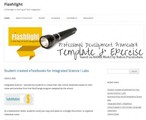
Silvana Meneghini and I created a website that houses all the resources and examples for the Professional Development Framework based on the SAMR model we developed.
Interested in the history of the framework? Checkout a previous post Redefining My Learning
Want to put your own thinking and activity through the exercise? Putting Activities Through the SAMR Exercise
Want to take a look at the Matrix, integrating TPACK and SAMR?
Looking for specific examples from subject areas and grade levels?
Elementary School
Examples from the Classroom
High School
Language Arts
Math
Middle School
SAMR
Science
Social Studies
World Languages
We welcome feedback, questions and suggestions.
Silvia Rosenthal Tolisano
.
Blog
.
<span class='date ' tip=''><i class='icon-time'></i> Jul 16, 2015 06:59am</span>
|
|
I have been facilitating an iPhoneography activity for our Middle Schoolers over the past two quarters.
iPhoneography is defined by Wikipedia as:
Phoneography is the art of creating photos with an Apple iPhone.This is a style of mobile photography that differs from all other forms of digital photography in that images are both shot and processed on the iOS device. It does not matter whether a photo is edited using different graphics applications or not
The class was 40 minutes long, which I divided into the following workflow:
10 minutes of challenge explanation
20 minutes of "in the field" photography
10 minutes of photoapping and sharing of final images
We worked on:
basic photography tips, such as contrast, brightness, depth of field and saturation
photoapping (sending one image through several apps to achieve a desired result)
storytelling
communicating via images
In addition, the class discussion, activities and reflections lend themselves to:
copyright (digital citizenship)
photo etiquette (digital citizenship)
(exponential) producer-culture (media & information literacy)
editing of media (media & information literacy)
visual storytelling (media literacy)
instant sharing (network literacy, digital citizenship)
photoapping (tech fluency)
I built the class around photo challenges (There are many, many photo challenge suggestions shared online… just google them. I also use an app iPhotography Assignment Generator) :
Feet
Selfies
Something green
Depth of Field
Clouds
Forced Perspective
Scavenger Hunt
Reflection
Black and White
Angle & Perspective
Cartoons
What’s next?
During the last nine weeks of the school year, I will be offering another activity for Middle School students. We will focus our efforts on the infamous Cultural Phenomena of the Selfie. We would love to make contact with classes from around the world to exchange selfies in order to look for cultural trends, best photography tips and overall give our students an opportunity to redefine the concept beauty.
Interested to connect and collaborate with my students about Selfies? Interested in "just" contributing selfies? Get in contact with me via Twitter (@langwitches) or via this blog.
Take a look at some of the challenges I shared with students and examples below. (Thank you and credits to all the photographers from iPhoneography! Ana Luiza, Ale, Laura, Vicki, Anna, Fiona, Hannah, Ian, Patricio, Lara, Ida, Giovanna, Ana Clara, Manuela, Gabriela, Belen, Laura, Lauren, Isabel, Martina, Luiza)
Look on down…Feet, Feet and More Feet
Let’s take a look at our feet today.
Why feet you might ask? …Why not?
Sometimes it is not "just" about the object in your photograph, but about the STORY behind it.
It is about the story "your feet" tell.
I wanted to share with you the following blog, with a truly inspirational post about : Why Take Self- Portraits of your Feet?
Your mission today is to tell a story with a picture of (your) feet.
Something Green
Colors… Colors… Colors… Our world is colorful. Photography allows us to focus in on one element of our world and bring it to the foreground to enjoy without distractions. A photographer leads the eyes of the viewer to something that otherwise he/she might not have noticed.Let’s focus on the color green.
There are entire Pinterest Boards dedicated to the color green.
Cartoons
Do I need Glasses? It is so blurry… Depth of Field
You have all seen these photos. Only part of the photograph is in focus, the rest seems blurry and further away. That is called in photography terms "Depth of Field".
"Depth of Field is the distance between the nearest and farthest objects in a scene that appear acceptably sharp in an image." (Wikipedia)
We are on Cloud Five
Let’s work on photoapping today.
use any app you would like or try out this new (free) one Pixlr Express+
After you sent your photo through one, two or three apps, use a Pic Collage app (like PicStitch) to show BOTH pictures and email them to me to upload and showcase them on our Pinterest Board.Let’s look up today! Up, up, up to the clouds. It is ok if we have beautiful blue skies in São Paulo… make it your challenge of the week to take a photo of interesting clouds, photoapp it and send it to me via email to be included on our Pinterest Board.
Forced Perspective
Ever heard of "forced perspective"?Definition according to Wikipedia:
Forced perspective is a technique that employs optical illusion to make an object appear farther away, closer, larger or smaller than it actually is. It is used primarily in photography, filmmaking and architecture. It manipulates human visual perception through the use of scaled objects and the correlation between them and the vantage point of the spectator or camera
Let’s look at lots of examples
5 tips for forced perspective photography
Forced perspective examples on Pinterest
25 Awesome Examples
Creative Forced Perspective Images
Scavenger Hunt Challenge
Today you will complete a Scavenger Hunt!
You will roam campus to take one image for each one of the assignments to complete the hunt.
Once you have images for all assignments, import to PicCollage app and label the image with the title of the assignment.
E-mail me the final image from PicCollage.
The time stamp of the email will confirm the winning photographer.
Photograph the following assignments (Total of 7 images):
cold
funny
brave
light
fuzzy
jumps
separated
Black & White Challenge
Reflection Challenge
It is the photographer’s job to show something that others do not see in their photograph.
Today’s challenge is to capture a reflection.It can be an intentional reflection or a reflection that normally we would run by and might see it.
Let’s see how creative you will be.
Selfie
"Selfie" was voted Oxford’s Dictionaries word of the year in 2013.
"a photograph that one has taken of oneself, typically one taken with a smartphone or webcam and uploaded to a social media website"
What types of selfies are out there?
outstretched arm
duckface
mirror
"tongue"
smile/pout
tilted head
peace sign
sign language for "I love you"
rapper fingers
eyes squinting
winking
funny face
shadow
Silhouette Challenge
Definition of a Silhouette by Wikipedia
A silhouette is the image of a person, an object or scene represented as a solid shape of a single color, usually black, its edges matching the outline of the subject.
Perspective Challenge
Contrast, Brightness, Saturation Challenge
Sometimes ordinary photos can be transformed (edited) with just a few adjustments. Check if your favorite photoediting app has adjustments for
Contrast
Saturation
Brightness
Suggested Apps:
Snapseed
Pixlr Express
Silvia Rosenthal Tolisano
.
Blog
.
<span class='date ' tip=''><i class='icon-time'></i> Jul 16, 2015 06:59am</span>
|
|
I am presenting at AASSA 2014- Association of American Schools in South America, here in São Paulo, Brazil today and tomorrow. Over 900 educators from South American schools (American and International) are here to REDEFINE RELEVANCE!
Are the so called 21st century buzz words a cliche or yet another fad? Or are we in the middle of a learning revolution?
We are into the second decade of this "21st century" that seems to be part of labels for everything in education these days. What does it mean to be literate in 2014? What will being educated mean for the class of 2027? Is traditional reading and writing enough?
Let’s look at some of these terms, their implication for our schools, and examples of educators who have embraced "new forms" of teaching and learning.
Learn how you can look past the semantics and work towards preparing your teachers and students for a changed world.
Modern Skills -> Literacies -> Fluency from Silvia Rosenthal Tolisano
Silvia Rosenthal Tolisano
.
Blog
.
<span class='date ' tip=''><i class='icon-time'></i> Jul 16, 2015 06:59am</span>
|
|
I am presenting at AASSA 2014- Association of American Schools in South America, here in São Paulo, Brazil today and tomorrow. Over 900 educators from South American schools (American and International) are here to REDEFINE RELEVANCE!
This concept of a PLN has been around for many years. What has changed in recent years though is the reach, the size and the availability of that network. Your PLN is no longer tied to your zip code and you no longer work in isolation. Collaboration no longer just means to work with a colleague in your building. You are able to connect to educators from around the world who are ready and willing to teach beyond the walls of their own classroom.
Your PLN is customized as:
• it filters the vast information available and pushes what interests you
• you choose who is part of your network
• you decide when and how to access and use it
Learning how to build your own PLN is:
• a 21st century skill
• learning about tools that enable your to make these connections
• being in charge of your own Professional Development
• connecting to educators who will contribute to your learning
• extending your learning
• receiving "just in time" learning and help
• becoming globally aware
• sharing your own best practices
• experiencing the power of 21st century learning for yourself
• filtering through "too much" available information
Building a PLN from Silvia Rosenthal Tolisano
Silvia Rosenthal Tolisano
.
Blog
.
<span class='date ' tip=''><i class='icon-time'></i> Jul 16, 2015 06:59am</span>
|
|
There is a NEED and URGENCY of updating curriculum and instructional repertoire to give the critical literacies of our century justice. Upgrading and amplifying traditionally taught activities, lessons, units or entire classroom learning environments takes time and practice. Just as in any sport, if you want to get better at it, you have to put in the time and practice. The same holds true with upgrading and amplifying. Most educators are "not in shape" and not in the routine of upgrading their curriculum to embed emerging critical literacies and amplifying their own and their students’ work.
Curriculum Upgrade & Amplify Exercise from Silvia Rosenthal Tolisano
Silvia Rosenthal Tolisano
.
Blog
.
<span class='date ' tip=''><i class='icon-time'></i> Jul 16, 2015 06:59am</span>
|
|
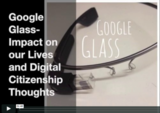
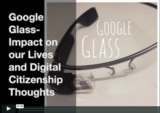
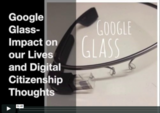
My 7th grade advisory students together with Ms. Arcenas‘ group has been discussing the impact of Google Glass, mainly because I have been bringing my Google Glasses to class and am sharing my experience with the students.
As a grade level, we have been exploring Digital Citizenship and the impact wearable technology has, is and will have on our perception, definition and lives as Digital Citizens.
Students jotted down their initial feelings about the Pros and Cons of Google Glass technology in a collaborative spreadsheet. Invading people’s privacy (surprisingly!), cheating and becoming distracted or lazy was a major concern to many students.
Pro
Con
Instant access to info and recording.
Distraction for class.
Share our perspective.
Hazard for walking through streets.
Might need it for work, work more efficiently.
You have a less chance of being caught doing something bad.
makes life faster
you can be watched, tracked, and/or stalked.
people can be "glassholes"
Can share special moments with friends
Can be robbed of them easily and cos
Easier to contact people around the world
You could catch a virus in the technology (google glass.).
You can search up anything anywhere
Is more efficient for social life
You can do something wrong while walking.
Somebody could see something about you and like it and want to meet you or offer you something.
Someone could blackmail you with what they have found on the internet that was filmed by someone else, or someone else has filmed of you without your permission.
Easier for learning, can help teachers, and help schools.
Could distract people in class, might not listen to the teachers.
Easier to find way around with Google Maps.
Someone could stalk you.
Easier for politicians to contact other people anywhere.
People are taking the risk of exposing themselves to others. For example, with the google glass, you can not know if someone is filming you or not.
It is an all in one device. It has video, camera, time, etc.
People might not know if people wearing the Google Glass are disturbing your privacy example: filming, taking pictures, face identity.
So you will be able to talk to your friends and family whenever you want.
People could feel exposed and like their lives are out in the open to people with Google Glass
Could help you with reminders, if you have homework and you have to be reminded: it can help you remind you in the morning or the night before. You could get better homework grades.
It could help you cheat on tests and quizes.
It helps if a person wants to know something immediately.
During class people could be doing other things that they are supposed to without the teacher even knowing.
It can help teachers film their students presentations to measure progress.
People could be on websites or things they’re not supposed to be doing and no one would ever know.
Able to film something important
With google glass, people will lose their privacy.
Maybe something bad about the person is on their identity, and that might be dangerous.
Able to film something instant for example a plane crashes and you could be evidence.
No privacy
new technology
You can film them and embarrass them/ cyber-bully.
You can share things with distant family and friends/ Take picture and videos/ talk to people/ research
People can stalk you, cyberbullying
With google glass, accessing things are easier when using your phone.
People can cheat
Be able to share film and photo instantly anywhere you are. Picture from your eyes perspective
Could be filming someone without them knowing or taking someone’s privacy.
Being able to film something at any time.
Invade people’s privacy through filming without them not knowing.
Makes your life easier. ?????????
Easier to people record your personal life without permission
A person who constantly talks to their Google Glass, ignoring the outside world.
Can access information and do searches faster and more efficiently
people take pics/vids of you when you don’t want to
Our discussion continued:
We shared with students the recent Do’s and Don’ts of Google Glass Explorers, Google’s Glassiquette
Some Google Glass explorers reported that "Wearing Glass, I’ve had more people take my photo without my permission than I’ve taken photos of people without their permission. "
We talked about the term "Glassholes"and the word’s origin and rapid spread.
We compared the saying "Guns don’t kill people, people kill people" and how does this apply when thinking about using Google Glass in public.
All the possibilities technology makes possible that Google Glass is using, is available in some shape or form on other tech devices.
Any new device seems to "make the public" upset until everyone becomes used to it and another new technology appears on the horizon and the "old" technology has become main stream.
Since our discussion, Google published a post on their blog, trying to debunk the Top 10 Google Glass Myths
I recorded a few moments of the students ‘conversation. The irony was that I had to record the video clips with my iPhone, since my Google Glass had run out of battery! To emphasize the point of responsibility and trust, when someone is using recording devices, I showed the students the movie I created from the recorded clips and asked their permission to share it to a larger audience on Langwitches. My policy is to give them the choice to say no, "I don’t want to be included" (No questions asked). Please forgive the interrupted flow of the conversation, since some parts were deleted at the request of the student.
Google Glass Etiquette and Digital Citizenship: What do the Kids Think? from langwitches on Vimeo.
Silvia Rosenthal Tolisano
.
Blog
.
<span class='date ' tip=''><i class='icon-time'></i> Jul 16, 2015 06:59am</span>
|