Blogs
|
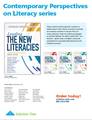
I could not be more proud to be part of Heidi Hayes Jacobs‘ latest book series Contemporary Perspectives on Literacy.
You can find my chapter of "The Globally Connected Educator" in the Mastering Global Literacy Book (to be published in November 2013) and the chapter "Digital Masters: Becoming a Blogmaster, Annotexter, Web Curator", I co-authored with Michael Fisher in the Mastering Digital Literacy (to be published in February 2014)
Discover how educators can cultivate globally literate learners while becoming globally connected themselves. The authors explore ways to bring global issues into the classroom and personalize them using new digital tools. Find strategies for implementing global-awareness studies into the traditional school curriculum, as well as creating new types of 21st century learning environments.
Benefits
Understand why a rapidly changing world calls for the integration of global awareness in the classroom.
Learn practical strategies to make global issues relevant to students.
Integrate 21st century skills into the traditional classroom curriculum.
Nurture students to become citizens able to thrive in a contemporary society.
Use global competence to stimulate student interest in learning, college, and careers.
The process of writing the book in itself demonstrates the necessary skills and literacies to work collaboratively in a purely digital environment, independent of geographic distances, face2face collaboration or physical documentation. Many chapters were co-authored with authors going through the writing process by using a variety of digital tools that support collaboration beyond having to sit physically next to each other.
See the other books in the Contemporary Perspectives on Literacy series.
Today’s students must be prepared to compete in a global society in which cultures, economies, and people are constantly connected. It is the job of the 21st century educator to make sure students are equipped to meet this challenge. The authors explain three "new literacies"—global, media, and digital—and provide practical tips for incorporating these literacies into the traditional curriculum.
Silvia Rosenthal Tolisano
.
Blog
.
<span class='date ' tip=''><i class='icon-time'></i> Jul 16, 2015 07:24am</span>
|
|
I am pleased to share with you an opportunity for Middle School Students to collaborate on a global perspectives project.
Mark Engstrom, the Assistant Principal and Middle School Geography teacher at my new school in São Paulo, Brazil, and his collaboration partner, Laurie Clement, a MS teacher in Windsor, Canada, have put together various projects to connect middle school geography students from around the world and to facilitate collaboration among them. This past school year, our students in Brazil worked together with students from Canada, USA and Sweden. They are expanding this opportunity to more schools and countries.
Take a look at the outline of the project below and get directly in contact with one of the Program Coordinators:
Mark Engstrom
Graded School
Sao Paulo, Brazil
via Twitter (@markaengstrom)
email mark.engstrom@graded.br
Laurie Clement
St. Rose Catholic School
Windsor, Canada
laurie_clement@wecdsb.on.ca
Purpose: To facilitate student growth within a global environment. Students will have the ability to acquire skills in research, critical thinking, teamwork and leadership while fostering partnerships with peers around the globe.
Last year middle school students from Brazil, the U.S., Sweden, and Canada connected to work on projects that require many Modern Learning Skills:
Creativity and Innovation
Students generate and extend ideas, suggest hypotheses, use their imagination and look for innovative ways to present their ideas. In the Utopia Project, students create what they believe a Utopian country would look like. They work together to determine the history of their country, the physical characteristics of their land and how that would impact their economic security. In their groups, they also collaborate on social and political issues such as the education system as well as what type of government will run their country.
Critical Thinking and Problem Solving
Students are encouraged to use knowledge, facts and data to effectively problem solve. They learn that thinking through an issue, assessing problems and looking for multiple solutions is more important than identifying an immediate answer to a problem. While studying land disputes, students will investigate the land in question, the causes of the dispute as well as what negotiation strategies have been used to attempt to solve this conflict. As a group they will also evaluate the current geopolitical situation and discuss possible resolutions. Groups will then select images and visual representations to accurately portray the struggles that have occurred as a result of that particular piece of land.
Communication and Collaboration
Technology has transformed the way we communicate in the classroom. It has allowed us to step beyond our classroom walls and collaborate with students across the globe. In these projects students communicate and collaborate with their international peers throughout the learning process. For example, in the Five Most Pressing Problems on the Planet project, the first task is for students to survey people in their lives/community in order to determine which global issues they think are the most "pressing". After this communication, students collaborate around which issues their group will focus on.
Empathy and Global Stewardship
The Internet along with the various forms of social media used on a consistent basis by our students has provided them with instant and consistent access to global issues. As a result, it is more important than ever to educate our students on what it means to become a global citizen. Our projects have been designed to provide students the opportunity to explore global issues and increase their awareness of social, environmental, political and health concerns that are present in our world today.
Curiosity and Imagination
Students will have the freedom to explore, negotiate and make choices. They will be empowered to take ownership of their learning and become active participants within their groups. Each of the projects have been designed to provide a significant amount of choice within a well structured environment.
Information/Media/ICT Literacy
Students will analyze and evaluate a wide variety of sources in order to determine what information is valuable. In addition, students determine the best platform with which to share out their final product.
We now have complete links and almost all of the dates. Is there any chance you could edit it so that it looks like this:
The 2013-2014 projects will be:
1st Quarter (September 16-October 4)
The 5 Most Pressing Problems on the Planet - from Origins to Solutions
2nd Quarter (November 11-25)
Utopia Project - an Adventure in the Ideal
3rd Quarter (February 10-21)
This Land is My Land! - an Image Gallery of Geopolitics
4th Quarter- (April dates TBA)
Sustainable Development- Reality or a Misnomer? Project - an International Debate
Side note: These are probably best done not as whole class projects, but rather for those students who could use enrichment or a non-traditional learning experience. Each project runs for two weeks and there is a rubric for the grading of each one.
Parent testimonial
"This project is excellent. Children are collaboration each other and try to learn more. Also this project is also helping to bring children from different country different society and discuss the issues." - Sujit Biswas
"I think this was a great experience for my daughter. She has never done anything like this before where you work with people from another country. She really seemed interested in it and was happy to be a part of it. However with all the projects and tests, piling up at the end of the quarter, she did at times get a little frustrated, but overall I think she really enjoyed it and would be glad if she can do it again!" -Hiroko Kawahara
Student testimonial
"The Five Most Pressing Problems project was my favourite project this year. I liked working in groups with students around the world and getting to talk about real life problems. I learned a lot from my partners by talking about which problems we thought were the most important. To help my group in ranking the issues, I created a survey that was completed through multiple forms of social media. I received responses from over 600 people in over 20 countries. I think that I’m more aware of global issues now that I have learned so much from the project". - Carly Jacobs
* Read more about Carly’s experience in this article featured in her local newspaper, The Windsor Star.
Partners in 2012-2013
Location
School
Houston, U.S.A.
Nehemiah Middle School
Windsor, Canada
St. Rose
Sao Paulo, Brazil
Graded School- The American School of Sao Paulo
Karlstad, Sweden
Internationella Engelska Skolan
Partners in 2013-2014
Atlanta, U.S.A.
Atlanta International School
Esigodini, Zimbabwe
Falcon College
New York, U.S.A.
Avenues School
Belgrade, Serbia
International School of Belgrade
Campinas, Brazil
Escola Americana de Campinas
Astana, Kazakhstan
International School of Astana
Chicago, U.S.A.
Round Lake Middle School
Other Potential Partners for 2013-2014:
Delaware, U.S.A.
Lusaka
Singapore
The Hague
Sydney
Cairo
Zagreb
Melbourne
Hanoi
Hong Kong
Meknes, Morocco
Settat, Morocco
Karachi
Teaneck, New Jersey
Kuwait
Zurich
Managua
Caracas
Brussels
Piedmont, OK, U.S.A.
Jakarta
Macao
Prague
Doha
Dubai
Lisbon
Silvia Rosenthal Tolisano
.
Blog
.
<span class='date ' tip=''><i class='icon-time'></i> Jul 16, 2015 07:24am</span>
|
|
As part of my job interview for the Middle School Academic Technology Coordinator position at the American School of São Paulo, Brazil, I was asked how I would re-design a class for 6th graders, entering a 1:1 laptop (BYOL) environment in the middle school.
The nuts and bolts of HOW to use a variety of tools (ex. Google Apps, iMovie/moviemaker) and skills (ex. file management) had been the focus of this type of class before. I wanted to place the emphasis on a workflow and learnflow instead of any particular software programs or apps the the middle school teachers and students were heavily relying on.
By making the goal a LEARNFLOW which supports the unconscious, smooth and effortless flow of learning, I was/am hoping that the the skills will simply become a part of the process NOT the goal.
As a firm believer that Teaching is the Highest Form of Understanding, I designed the layout of the course around tutorial creations. According to Alan November and his ideas around the Digital Learning Farm, tutorial designers become empowered learners. They become creators and contributors.
The IDEA for the quarter long course is for students to create tutorials that serve a real need in the school community (easily searchable, topics of tutorials directly related to surveyed needs of administration, faculty and other students). Students will pay special attention to quality tutorial design.
The GOAL is to create a platform of tutorials to support learnflow at our school (and beyond) and to amplify learning. Students don’t just hand in an assignment, but leave a "legacy" to be used beyond the timeframe of the class or school year. Others will build on their work, add to, tweak, re-mix and share in return.
The PROCESS of learning, creating, reflecting and sharing and the flow between these components is critical to support students in becoming self-directed learners in the 21st century.
The SKILLS involved are:
communication
not only understanding content and process, but being able to express and communicate them to someone else. The communication can be accomplished in a variety of media.
collaboration
curating all student created tutorials in one place (ex. wiki) will create a hub, where students can search for tutorials of content, that they need a refresher on and it creates a depository for students in future years to come.
writing
writing a script is an essential part of tutorial design. Tutorial writing could be considered part of the expository writing and technical writing genre
vocabulary
using specific vocabulary related to the content explained
storyboarding
"Storyboards are graphic organizers in the form of illustrations or images displayed in sequence for the purpose of pre-visualizing"~ Wikipedia
digital storytelling
a tutorial is a special type of story. It requires the "teller" of the story to engage the "listener" via different digital media
networking
tutorials are meant for others to learn from us
digital media
creating, editing, and mixing of a variety of media forms (text, images, audio, video, etc.) and the fluency to work with a variety of media and switch effortless between them
empathy
the ability to understand and share the feelings (ex. not know how to do something or understand) of another
We are looking to bring in "experts". Who could we learn from? Would you be able to contribute to our student learning as they are creating tutorials and could volunteer to skype in? mentor? advise? tweet in? blog in? to give feedback? Can you "?" We are willing to give back
Silvia Rosenthal Tolisano
.
Blog
.
<span class='date ' tip=''><i class='icon-time'></i> Jul 16, 2015 07:24am</span>
|
|
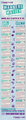
Good infographic. Well worth going over each point with your students to help them navigate their online lives and build a positive digital footprint.
Knowthenet presents Manners Matter the online Netiquette Do’s and Don’ts infographic.
Silvia Rosenthal Tolisano
.
Blog
.
<span class='date ' tip=''><i class='icon-time'></i> Jul 16, 2015 07:23am</span>
|
|
Good infographic to remember how our world has changed (and is not changing back for our kids!)
Explore more infographics like this one on the web’s largest information design community - Visually.
Silvia Rosenthal Tolisano
.
Blog
.
<span class='date ' tip=''><i class='icon-time'></i> Jul 16, 2015 07:22am</span>
|
|
6th graders are studying Health and Illness related vocabulary in Ms. Piragene’s Portuguese class.
How do we learn vocabulary of a second, third or fourth language best? As a class, we discussed different methods including mnemonic devices and how they help us remember, organize and make connections in our brain. Some of us prefer:
visual connections
rhyming words
acronyms
a sentence in context
humorous connections
etc.
In order to embed modern skills and literacies and connect to our school’s Core Values and mission, students created Popplets.
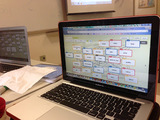
The tool (Popplet) allowed students to create a web based mind map. Each bubble/ "popplet"represented a vocabulary word related to medicine/illness/symptoms.
SAMR CONNECTION (SAMR Model based on Ruben Puentedura‘s Work)
At this point, using the tool merely served as a SUBSTITUTION of the original task. The mind map could have been drawn on a piece of paper with colored pencils or markers.
It became clear quickly how each of the students’ minds worked. Some were linear, some arranged the vocabulary words circular, some connected them by content, etc.
Students color coded the popplet, moved them around the canvas, resized, organized, arranged and connected popplets with each other. In addition to text, they could embedded an image or a video into the popplet.
SAMR CONNECTION (SAMR Model based on Ruben Puentedura‘s Work)
At his point, we entered the AUGMENTATION stage. "The tool acts as a direct tool substitute with functional improvement". The ability to easily move the popplets around, change colors at a whim and create or delete connections improve the task.
Popplet has different options to insert media. One can either choose to upload and use your own image file, find an image on Flickr or insert a video via Vimeo or YouTube.
SAMR CONNECTION (SAMR Model based on Ruben Puentedura‘s Work)
At his point, we entered the MODIFICATION stage. "Technology allows for a significant task redesign" We have moved from a "flat", "linear" and "2-dimensional" written down list on a piece of paper to a transmedia representation of vocabulary words (including text, images and videos).
First, I thought "Great", Popplet provides an easy way for students to access images for their projects. As I was looking closer at this "insert images from Flickr" function, I wondered WHAT copyright license these images actually had? I chose to throw out the questions to Popplet directly via Twitter (see below). Unfortunately, the answer that I received did not satisfy me completely. I tried to probe a little further, but did not receive any further response.
I wonder what exactly does Popplet mean by "It is up to individual creators and depends on whether it is for public or personal use…"?
Do they mean that using a possibly copyrighted image from Flickr is ok to use if it is for personal use only? (Not really)
Do they mean that using a possibly Creative Commons licensed image WITHOUT giving attribution (there is no way to find the URL of the original image on Flickr) will be up to each user (not really)
Do they mean that when the Popplet is intended for Public use (as in embedding them in a student blog) they should not be using their provided image search function?
Most students wanted to add images to their popplets. In discussing LARK guidelines (Digital Citizenship), it suddenly was unclear and difficult in finding images and how to cite them properly.
So, for now, I advised our students to upload their own photos/illustrations or search for Public Domain and Creative Commons images on other sites. Here are a few links to help them search and find images suitable to be re-used on their blogs or other work.
Pixabay
Flickr Commons
StockXChng
EveryStockPhoto
Wikipedia.org
Wikimedia Commons
Morguefile
Pics4Learning
Once the Popplet was created, students were to embed the popplet on their blogfolios using the provided embed code. Next step will be to write a reflection on how the process of using a mind map helped them learn. Students will read each other’s examples, look at the different organization variations and comment on each others blog posts.
SAMR CONNECTION (SAMR Model based on Ruben Puentedura‘s Work)
Once students share their mindmap on their blogs, opening them up for a global audience to see and give feedback on, we will have moved into the REDEFINITION stage. "Technology allows for the creation of a new task, previously inconceivable". Students will be able to share and learn from others.
Find the popplet used to model the process below:
Silvia Rosenthal Tolisano
.
Blog
.
<span class='date ' tip=''><i class='icon-time'></i> Jul 16, 2015 07:20am</span>
|
|
As teachers are seeing more and more iPads in education and either using their own devices or being given a teacher iPad or a class set, it is important to realize what the iPad is and what it isn’t.
The first realization needs to be that the iPad is not (yet) intended to be a replacement for a laptop. It falls short in several areas when comparing it with a laptop, such as:
memory storage
ability to allow for easy use of multiple users
heavy typing tasks
traditional software programs such as Microsoft Office, Adobe Photoshop, etc.
With the increased usage of cloud storage, 1:1 programs (where devices are not shared among users), as well as the shift away from specific software programs to web based tools, cloud synched and apps, the iPad’s future seems to be looking brighter as a one-and-only device.
The second understanding educators are embracing is the realization that there is more to iPads than finding and loading many apps to the device. It is not about finding apps as substitutions to worksheets, nor automated "kill and drill" activities to practice multiplication facts or spelling words. Educators are looking to using iPads as a tool for:
reading
presenting
curating
creating.
This takes us to the third understanding about the iPad. Originally seen as a device for consumption only, the iPad has grown up and continues to change constantly. The iPad has become a tool for creation. A tool to personalize learning and for personal learning. It grew from a device to consume information to a thinking tool.
What is and isn’t the iPad for you? Share your thoughts.
Silvia Rosenthal Tolisano
.
Blog
.
<span class='date ' tip=''><i class='icon-time'></i> Jul 16, 2015 07:19am</span>
|
|
In the past, I have reached out to the world to complete a survey designed by my students in order to make it possible for them to collected authentic data. The overwhelming response from my blog readers and twitter followers made it possible to create a transformational learning experience for these students.
5th graders wanted to know different perspectives on one historical figure and used a survey to poll people from around the world of their perception of Christopher Columbus in history.
Kindergarten students formulated questions for a survey to poll people to find out modes of transportation in different parts of the world.
It is time again, for you to step up and make it happen for another group of students. Be assured that your contribution by filling out the survey DOES MAKE an impression on these kids. They realize that they have a voice, that their reach extends beyond their own backyard or school community, others do care and take their school work seriously and that their work is authentic and serves a real audience.
The 6th graders of my new school , the American School of São Paulo, Brazil, are in the process of creating tutorials. Part of the process of storyboarding and script writing is to write for an audience. Please take the time to submit the survey below (created by the students). The results are shared among all 6th graders and will inform their decision what type of tutorial they will create and share back to the world.
Thank you in advance!
Silvia Rosenthal Tolisano
.
Blog
.
<span class='date ' tip=''><i class='icon-time'></i> Jul 16, 2015 07:19am</span>
|
|
Image licensed under Creative Commons by Nancy Sims -http://www.flickr.com/photos/pugno_muliebriter/1384247192/
No doubt, the issue of copyright in the age of CREATING is of utmost importance. Where can you get the images, audio and video you need in order to create and remix for projects, homework and your own interests and passions?
Step1: Become aware and understand different copyright licenses.
Step 2: What is Creative Commons? (from CreativeCommons.org )
The idea of universal access to research, education, and culture is made possible by the Internet, but our legal and social systems don’t always allow that idea to be realized. Copyright was created long before the emergence of the Internet, and can make it hard to legally perform actions we take for granted on the network: copy, paste, edit source, and post to the Web. The default setting of copyright law requires all of these actions to have explicit permission, granted in advance, whether you’re an artist, teacher, scientist, librarian, policymaker, or just a regular user. To achieve the vision of universal access, someone needed to provide a free, public, and standardized infrastructure that creates a balance between the reality of the Internet and the reality of copyright laws. That someone is Creative Commons.
Step 3: Know where to find images, audio and video that are re-use/remix friendly
Sites to search Public Domain & Creative Commons images
Pixabay
Flickr Commons
StockXChng
EveryStockPhoto
Wikipedia.org
Wikimedia Commons
Morguefile
Creative Commons Search
Sites for Creative Commons audio
AudioNautix- Music
SoundBible
Purple Planet
Tango Music
CCMixter
Sites for Creative Commons video
Custom Flickr Search for HD/CC Licensed Video
Vimeo Channel for Public Domain Video
Stock Footage For Free
How do we cite Creative Commons and Public Domain media?
Open Attribute-Make citing Creative Commons Images easier (Browser Add-on)
How To Attribute Creative Commons Photos by Foter
Silvia Rosenthal Tolisano
.
Blog
.
<span class='date ' tip=''><i class='icon-time'></i> Jul 16, 2015 07:19am</span>
|
|
The Situation:
I am working with Middle School students (Grades 6-8 - 11-13 year olds) at Graded, The American School of Sao Paulo, Brazil. One of the vision of our division is to create student blogfolios (Digital Portfolios on a blogging platform) to encourage and support sharing and documentation of learning artifacts and to receive authentic global feedback. We are just at the beginning of our journey to use the blogs to document and reflect.
Specifically….
Our 8th graders have written a "This I Believe" essay, which they are "upgrading" from a text base essay to a video or audio presentation using images, video or sound to not just "enhance with technology" but to truly transform a reader’s/viewer’s experience.
Students are encouraged to use their own images, videos and sound, of course, but that is not always possible or time efficient. Iam creating awareness to make students’ realize or at least pause to consider that:
they just can’t use a song they purchased on iTunes
it is ok, since they will not get caught.
can’t just google an image and make it legal to use it by merely citing the source with a link
use whatever they want offline and simply claim Fair Use, since it is for a school project
I exposed them to Creative Commons and pointed them to several resources to be able to find images that they can use in their project. (http://langwitches.org/blog/2013/09/07/so-you-want-have-to-create-something/)
Students were very engaged and had many questions, what if …, but if….
image licensed under Creative Commons by Tkgd2007- http://en.wikipedia.org/wiki/File:Fair_use_logo.svg
The Question?
Can students claim Fair Use when creating a multimedia presentation for class with the intend to publish and share the product with a worldwide audience on their blog"?
After our meeting, several students searched online to try to prove to me that they were allowed to claim fair use… Here are some of the links that came in via email.
http://www.copyright.gov/fls/fl102.html
http://en.wikipedia.org/wiki/Acceptable_use_policy
http://fairuse.stanford.edu/overview/fair-use/what-is-fair-use/
The Fair Use Guidelines (by the U.S. Copyright Office)
There are four factors for determining fair use of copyrighted works.
The purpose and character of the use, including whether such use is of commercial nature or is for nonprofit educational purposes.
The nature of the copyrighted work.
The amount and substantiality of the portion used in relation to the copyrighted work as a whole.
The effect of the use upon the potential market for, or value of, the copyrighted work.
Now, these guidelines don’t really spell it out ( in a black and white) for our students if they can claim the use of copyrighted material for their projects.
Resources
I am trying to pull resources and material together to shed light on our particular situation of not just being able to use, but also to SHARE the final product on the student portfolio.
When looking for the criteria to claim Fair Use, I found the the following section on Fair Use Practices for Students on the website of North Dakota State University:
4. What effect does the use have on the potential market for the work?
You may never distribute or sell your projects to mass audiences, and you may keep only two copies of the project. Be aware that federal law also maintains time limitations. You may keep your project for two years and must not harm the author or copyright holder’s profits. Always cite all your sources; the copyright holder of any material used in your class project must be
given proper credit. And be aware that these guidelines apply to material on Web (text, images, multimedia objects) which is protected under copyright law
One very clear statement of what is NOT educational use was found on the LearnNC, a program of the University of North Carolina
To republish or publicly perform a work does not fall under fair use. For example, a student may use a copyrighted image in a multimedia presentation to the class, but may not post that presentation to the web where anyone could see it. An English class may act out parts of a play as they study it, but may not give a public performance.
I am planning to share the following video with them in order to learn more about the four factors that are guidelines (not law).
Now What?
I am in need of someone with expertise in the subject matter of Fair Use and Creative Commons who would be willing to skype into my 8th grade class to answer students questions. I sent the following tweets out to my network in hopes of someone (who knows maybe even someone at Creative Commons itself) would be willing to make this murky territory a little clearer for our students.
Even if you are not able to Skype into our classroom, please help our students by sharing your expertise, resources, or advice in the comment section.
Silvia Rosenthal Tolisano
.
Blog
.
<span class='date ' tip=''><i class='icon-time'></i> Jul 16, 2015 07:19am</span>
|