Blogs
|
This was where my digital journey had begun … This may be a beginning for you too!
Electronic Village Online Sessions are five-week collaborative and hands on virtual courses & discussions that engage hundreds of educators every year. They are completely free and a great opportunity for professional development and connect with other teachers all over the world.
This year, I will be moderating the "Crafting e-Textbooks" online course with many great and big names in ELT. If you would like to outline, design, and complete 1 chapter of an e-textbook that meets your learners’ needs and can be used yearly with a few edits and updates, our online course is the right one for you!!
The registration has already started!!! Don’t miss the opportunity, and share the joy!
Image Source: ShutterStock
Ozge Karaoglu
.
Blog
.
<span class='date ' tip=''><i class='icon-time'></i> Jul 16, 2015 07:40am</span>
|
|
The Upgrade and Amplification Exercise slide deck below grew out of the need for companion slides to "21st Century Critical Literacies- Is Traditional Reading and Writing Enough?
Once you know of the NEED and URGENCY of updating your curriculum and instructional repertoire to give the critical literacies of our century justice, take a look at the checklist below to guide you in considerations as you upgrade and amplify.
What does upgrade and amplify even mean?
Upgrade
Definition:
Raise (something) to a higher standard, in particular improve (equipment or machinery) by adding or replacing components.
Synonyms:
improve - better - ameliorate - promote
Amplify:
Definition:
1. Increase the volume
2. Increase the amplitude
Synonyms:
expand - enlarge - extend - magnify - aggrandize
Upgrading and amplifying traditionally taught activities, lessons, units or entire classroom learning environments TAKES time and practice. Just as in any sport, if you want to get better at it, you have to put in the time and practice. Before you become an athlete, who thinks nothing of running a marathon or has the conditioning of swimming 5 hours non stop, one has to have enough attempts of failing and be exhausted by "working out" for only 10 minutes at a time. Only with practice does the couch patatoe become an athlete.
The same holds true with upgrading and amplifying. Most educators are "not in shape", not conditioned, not in the routine of upgrading their curriculum to embed emerging critical literacies and amplifying their own and their students’ work. They have to practice, put the time in and "pay their dues" until it becomes easier and second nature.
I am sharing with you my "workout" schedule, my model, my routine and techniques/methods of "getting into shape" to upgrade and amplify.
By upgrading and amplifying, you are not throwing out your instructional goals and objectives. These goals and objectives are just expanded and enlarged. The idea is to align standards with the framework of 21st century learning. The standards, skills and literacies are fused and support each other.
For warm-ups, take good old Gardner’s Multiple Intelligences. Make sure you touch on more than one learning AND teaching style to address all kinds of learners.
Continue your warm ups by going through a cycle of Bloom’s Taxonomy of higher order thinking skills. Be aware of the different stages (levels) and pay special attention to creating. Shortcuts do not pay off… creating your own material, will allow you to share and amplify the work easier later on.
Once warmed up, you are ready to take a challenge, you might not have been exposed to before. Alan November’s model of the Digital Learning Farm prescribes six roles to empower learners. Don’t overdue it at the beginning of this workout series. There is no need to go through ALL the exercises at once. It will leave you over exhausted. No need to use every role in every activity, but take care to evenly distribute the roles across the school year.
The next workout is outlined by Ruben Puentedura‘s SAMR model to move from substitution over augmentation and modification to a redefinition of a task. The workout consists in starting out with using technology as a direct tool substitution, but no significant task improvement. It is compared to a direct automation of a previously analog task. The second set of the workout is to use technology in a way that allows for some task improvement. Don’t stop now and work through the aches and pains to reach the transformational stage. You will use technology tools to be able to modify the task by allowing a significant redesign of the task to finish off the workout by being able to redefine the task, create new tasks, previously not thought of or possible. Take a look at a chart of sample tasks, moving from the substution stage to the redefinition stage.
Once you worked through the workouts and routines outlined in the "upgrade workout routine", become fit and conditioned in upgrading, the next level of your exercise routine takes you to the amplification routine. You can prepare yourself for amplification with simple warm up exercises. Instead of your students handing their work into you, have them present work to their classsmates first, then to a larger audience by inviting another class from the building or their parents in.
The first routine of amplification becomes the task of digitizing analog or physical artifacts of students’ work. This simple modification allows you to be able to share the work online. With this simple act (uploading digital content), amplification is ready to happen. Parents, friends and family living across the country or the world will be able to connect.
By choosing to produce evidence of learning in a variety of media, we allow our online audience to read, look at, watch, or listen to student work. Amplification happens when we go beyond the traditional media in schools (which traditionally and primarily is text) and give students choices to use different media forms, mix and mash up media and/or create new forms.
Amplification means to extend classroom time beyond the traditional school hours. It also means to amplify the pool of people we learn from. Traditionally the "only" teacher in the room was… the teacher. When the teacher steps aside and allows students to share their knowledge and experiences and to open up classroom walls to bring in peers, experts, eye-witnesses from around the world, we amplify who we consider teachers as well as our geographic boundaries.
Traditionally our students have not had a long "reach" beyond the scope of the families, teachers and schools. By "reach", I mean the amount of people their work could reach (could be read, watched, be looked at). An essay handed in to the teacher to be graded, has a reach of 1. Amplification happens when a blog post, uploaded, cross posted and linked to by others and the link disseminated via Twitter has a potential reach of thousands. (Disclaimer: Sometimes the single act of uploading content online is not enough to reach further. There also has to be an ACTIVE EFFORT to build a network to be able to disseminate through).
Through social media, our potential connections, collaboration and dissemination paths can reach exponential levels.
The REACH is about the amount of people our work is capable of touching. The reach of our work would be already considered amplified (in a small way). if we make it available in a password protected environment (only accessible to colleagues, classmates, community members). A larger ripple effect/amplification happens when our work is open to the world and disseminated across the globe though. We move from an audience of one to a global audience through synchronous and asynchronous tools. A global audience brings in different perspectives, points of view and resources, previously not available from a locally confined audience.
Making a difference in the world is possible through the amplified potential reach of a global audience. Even children as young as four or five years old (with the help of their parents or teachers) can find their voice and be heard! Traditional limitations of age, physical handicaps, financial limitations preventing traveling or a lack of social network connections in the physical world, don’t have to limit someone’s voice any longer. An amplification to be heard can happen for anyone with an Internet connections. It is a powerful realization that we all have something valuable to share with others.
The last tip to getting in shape to upgrade and amplify is: SIMPLY SHARE! The popular saying "A Candle loses nothing by lighting another candle" holds just as true for our purpose. The simple act of sharing online brings automatically larger degrees of upgrade and amplification with it. In order to share (without infringing on copyright or committing plagiarism) one has to create. By not keeping your creation to yourself, you amplify the potential reach your work can generate.
In the slide deck below, you will find examples from the classroom illustrating upgrades and amplifications to traditionally taught lessons and activities. I hope that the examples and the checklist below will help you in practicing and exercising your "upgrade and amplification muscles". Please share your examples (or links to examples) in the comment section. You will automatically upgrade your practice (connect, communicate, collaborate, create) and amplify YOUR work (networking, linking, disseminating), by linking them here.
You can also download the Upgrade & Amplify Checklist as a PDF
Silvia Rosenthal Tolisano
.
Blog
.
<span class='date ' tip=''><i class='icon-time'></i> Jul 16, 2015 07:40am</span>
|
|
‘Great teachers create great students!’
As the teachers are the most inspiring and the motivating key factor in students’ learning and achievement; ongoing professional development for teachers is sure to lead to improved and better outcomes in the classrooms for the students.
Over past 10 years of my profession, I have evolved and grown by simply taking online courses, participating online workshops/webinars and using social media websites for learning.
Here are some of the best resources that I have been using for professional development.
Electronic Village Online Courses take place in January and February every year. The courses are totally free and open to anyone around the globe. The courses let you meet with TESOL experts and participants from around the world to engage in collaborative online discussions or hands-on virtual workshops of professional and scholarly benefit. This year, there are thirteen courses available and I am happy that I am co-moderating the creating e-textbooks session with other great educators from different countries. These workshops have made the most important contribution to my professional development. They have totally inspired me! You can still join one!
Shelly Terrell is conducting 30 minute online webinars every Friday on American TESOL Institute. You can also watch the archived sessions of her. Don’t miss the chance to meet this edtech guru and the authors of The 30 Goals Challenge for Teachers and Learning to Go Books.
Coursera is the best education platform that partners with TOP universities and organizations worldwide, to offer courses online for anyone to take, for free. It includes amazing courses such as Powerful Tools for Teaching and Learning: Web 2.0 Tools, Foundations of Teaching for Learning 6: Introduction to Student Assessment, Shaping the Way We Teach English, 2: Paths to Success in ELT. Don’t miss your chance to enroll one of these courses.
FutureLearn also offers a diverse selection of courses from leading universities and cultural institutions from around the world. These are delivered one step at a time, and are accessible on mobile, tablet and desktop, so you can fit learning around your life. Some course titles are: A Beginner’s Guide To Writing In English For University Study / Assessment For Learning In Stem Teaching / Introduction To Cyber Security.
SEETA (South Eastern Europe Teachers Association) is also offering online courses for teachers of English. You can also watch webinars, videos or join the forum with other teachers from different countries.
K12 Online Conference is an online conference open to anyone that are organized by educators for educators around the world interested in integrating emerging technologies into classroom practice. You can also have a look at the archive of the previous years’ videos.
British Council’s Teaching English website offers online webinars that you can attend by many important names in ELT. You can watch the archive as well.
The Open University is also offering free and online courses on many different topics including education!
Google is giving online training on Google tools and how to apply them. You can also complete basic exams and become a Google Educator.
Intel’s free, just-in-time professional development courses are here that you can experience now, anytime, anywhere. This series of compelling courses provides deeper exploration of 21st century learning concepts.
As teachers, we can never done learning! Here are your chances to take free and online courses to certainly become better teachers.
Picture Source: Shutterstock
Ozge Karaoglu
.
Blog
.
<span class='date ' tip=''><i class='icon-time'></i> Jul 16, 2015 07:39am</span>
|
|
I am thrilled to share with Langwitches’ readers an amazing learning opportunity. Take a look at the Out of Eden site and let your imagination run wild how you could get your students excited about learning via the resources available the Pulitzer Center.
Overview:
In early 2013, two-time Pulitzer Prize-winning journalist Paul Salopek will set out on foot from the birthplace of humanity, the Great Rift Valley in Ethiopia, and walk in the footsteps of the first modern humans who left Africa to settle the unknown world.
This immense narrative journey spans roughly 50,000 years of human history and 22,000 miles of the planet’s surface—from our paleoanthropological "Eden" in East Africa north into the Levant; across the steppes of Central Asia to China; by sea from Siberia to Alaska; and then down the length of the Americas to the continental "Land’s End" of our species in Patagonia. This continuous walk will last seven years.
The goal of the world walk—and the Out of Eden project—is to slow readers down and allow them to reflect on current events as a form of pilgrimage. By using the history of our migration as a backdrop for international news, Salopek will examine the most important global stories of our day from ground level, at three miles an hour—walking into stories as diverse as human conflict and local innovations, mass migration and the Internet revolution, climate change and cultural survival. A worldwide audience is invited to "walk along" via quality Web reportage that includes articles, video, audio and blogs. Salopek is a National Geographic Fellow.
I am proud to say that, I was involved in creating the curriculum guides for grades 3-5, 6-8 and 9-12, complete with big ideas, essential questions, Common Core standards & NETS standards alignment, content, skills & strategies, suggested learning plan and activities.
Take a look, think about the possibilities for connections and collaboration across geographic borders and over time. How can we get students so excited that they will continue following Paul over the next seven years long past the time they will be spending in our own classrooms?
Silvia Rosenthal Tolisano
.
Blog
.
<span class='date ' tip=''><i class='icon-time'></i> Jul 16, 2015 07:39am</span>
|
|
Terakki Schools will be organizing the second TELT conference on February 21 in Istanbul, Turkey.
If you are already in Istanbul, please join the conference to listen to a great line up of speakers and get a chance to be interviewed for a future job!
To learn more about, visit here: http://www.teltforum.com/
We are all looking forward to seeing you at the conference.
Ozge Karaoglu
.
Blog
.
<span class='date ' tip=''><i class='icon-time'></i> Jul 16, 2015 07:39am</span>
|
|
I have narrowed down my leitmotif of learning in the 21st century (the time we happen to live in!) …to being self-directed and self-motivated learning.
There is an opportunity, as a professional, to put exactly these two skills into action.
Take a look at INNOVATE13. A physical conference to be held in Sao Paulo, Brazil next month (January 19-21, 2013).
While there will be educators physically traveling to Sao Paulo, there will be the ones who will attend virtually THROUGH those attending face to face (f2f).
It is a tremendous opportunity to gain perspective, network and possibly kick start further global networking and collaboration as a professional, but also for the students in your charge. It does not matter if you live in Sao Paulo, Brazil, Iowa, USA or in the Australian Outback, YOU can be part of a global network of educators and participate in the conversation to re-imagine schools.
Keep reading…
Innovate 2013
Innovate 2013 marks Graded School’s commitment to re-imagine the school that best serves and inspires students for tomorrow. Please join us and innovators from across the globe to engage in a dialogue designed to ignite new ideas resulting in building a foundation for the change our students deserve.
In partnership with Un-Plugged at the American School of Bombay, the Lausanne Laptop Institute at Lausanne Collegiate, the European 1-1 Learning Institute hosted by the Frankfurt International School, and the Association of American Schools in South America (AASSA), Graded School is honored to launch the conversation in South America.
In order for learning across distances to be possible, a symbiotic relationship between the physical and virtual attendees has to be in place.
If in-person attendees are not opening their conference walls and sharing with the outside, the online participants will not be able to connect, add, reflect, ask questions, contribute perspective or curate resources generated by the community physically present.
If the online participants are not visually participating in the conference platform (NING), using backchannel venues, blogs, twitter hashtags or other collaborative tools and social media platforms to connect their experience, the in-person attendees cannot actively amplify and connect their learning, their connections & perspectives to theirs.
Both kinds of attendees (physical & virtual) of the conference have to posses the following requirements:
a desire to connect with other educators from around the world and grow their professional learning network
an ability to use technology tools that allow for synchronous and asynchronous communication and collaboration
a wish to be part of a group of "pioneers" who are exploring new forms of learning
a disposition of being a reflective practitioner, not afraid of being transparent
an ambition of overcoming obstacles and "making it work for YOU"
a resourcefulness to overcoming obstacles, such as time zones and geographic boundaries
an understanding of having to experience and experiment with global connectedness, collaboration and learning before you can bring that experience to your students
a love of sharing
the power of ACTING on this call to participate
It is up to you (physical & virtual attendees) to make it happen. Self directed and self-motivated learning is what sets 21st century educators apart from others.
Physical Attendees:
This is a call to in-person participants to make a commitment to:
share openly and connect your learning experience at the conference to a larger global audience BEYOND the other f2f attendees
be transparent and reflective in your own learning.
find ways to summarize, synthesize, curate and document ideas, learning, projects, concepts, etc.
choose one or more platforms to share
make a concerted effort to include and make the virtual attendees feel PART OF a learning community
become a buddy/mentor to someone who is not physically attending.
volunteer to a be the "online moderator" of a backchannel during a live presentation/workshop/keynote
approach someone at your school or maybe someone in your network and ask them to experience a conference together IN NEW FORMS.
Virtual Participants:
No travel costs are involved, NO registration fees are required. Make a commitment to:
mark your calendar to be able to participate. January 19-21, 2013
find a dedicated "conference attendance" time. Use that time to read through the Twitter stream/hashtag, Ning activities generated through the conference, resources being shared.
ACTIVELY participate versus PASSIVELY consuming information. Contribute resources, your own perspective, thoughts and experience.
make strategic connections with physical attendees. Connect with them even beforehand via the Ning, on Twitter or via a blog. Leave a comment, @mention someone in a Tweet, use the conference hashtag to connect your voice to the conversation.
Take it from… I always wanted to… and…What an incredible opportunity… to…I can make this happen!… I can experiment with learning in new ways…
Here are some tips/steps to take for the active collaborative connected conference attendee:
Make a commitment to attend virtually (add it to your calendar/block a time off)
Participate in the conference Backchannel
Follow the conference Twitter hashtag (#innovate13)
Become a member of the conference Ning
Fill out your profile, say hello and introduce yourself, join groups, post valuable resources
Join the Twitter List Innovate2013 with Tweeps participating (virtually & physically)
Being part of the list will give everyone an idea who will be joining f2f and from afar.
Find a Buddy, someone who will be physically at the conference
Discuss before hand how your can help each other
Learning in the 21st century has taken on new shapes and forms. Professional Development can happen 24 hours a day, 7 days a week from all corners of the globe. It is critical for educators to develop the skills and capacities to be able to ACTIVELY participate by connecting, communicating and collaborating virtually .
Just do it!
Step forward, out of the shadows of being a "lurker" in order to take your learning in your own hands. Let SELF-MOTIVATED and SELF-DIRECTED LEARNING become your mantra as an educator.
Looking for a buddy at the conference? First Steps? Leave a comment here on Langwitches or become a member on the conference Ning in order to connect.
Looking forward to learning with you at INNOVATE 2013!
Download the "Attend a Conference in Person or Virtually" Guide as a pdf file.
Silvia Rosenthal Tolisano
.
Blog
.
<span class='date ' tip=''><i class='icon-time'></i> Jul 16, 2015 07:39am</span>
|
|
My two favorite apps; TeleStory and Toontastic are gone completely free on AppStore with all their great features unlocked as they are both acquired by Google.
TeleStory is a fun video creating app that uses the augmented reality video camera. The app gives you to a theme, background scenes, face costumes, cue cards and special effects to create your own TV show. The app allows you to write and record your story using different themes. You can sing a song in your band, you can report the news or you can go on a space adventure or a play in a spy movie. Using the augmented reality video camera, students can tell their stories with effects. This tool is amazing to boost the creativity skills. This tool will certainly motivate the students to speak and write in English!
Toontastic is another digital storytelling tool that lets you create your own animated films by drawing or choosing the characters and the setting. Then you just move the characters and props around on screen and record your voice. You can also add music by picking up an emotion at the end. Toontastic is sure to impact the creativity of the students and this is a great app to teach kids how to structure a story with different storytelling elements.
Ozge Karaoglu
.
Blog
.
<span class='date ' tip=''><i class='icon-time'></i> Jul 16, 2015 07:39am</span>
|
|
I have written and spoken extensively about the use of Twitter in education:
as one social network tool to connect, collaborate and amplify (Seven Degrees of Connectedness, Upgrade & Amplification Exercise and Checklist )
as a critical component of 21st century skills and literacies for the classroom ( Twitter HOTS & Establishing a Twitter Routine in the Classroom, Twitter Policy and Rationale, Guide to Twitter in the K-8 Classroom, K-2 Twitter in the Classroom Checklist, Twitter in Education Pinterest Board )
as an important component of Professional Development for educators (R U Ready 4Twitter?, New Forms of Learning: How to Participate in a Conference 2.0 Style?)
In addition to the above mentioned uses of Twitter, I am increasingly becoming aware of the importance of Twitter as a CURATION tool for me.
The term "curation" in itself has become quite popular recently. I am not sure yet, if it is another term destined to become a victim of talking at cross purposes among the educational community.
Mike Fisher has blogged about curation and what it means versus the concept of collection.
Collecting is what kids do when asked to find resources for a particular topic. Usually, it represents the first 3 or 4 hits on a Google search, without meaning, discernment, or connections.
Curating is different. It’s the Critical Thinker’s collection, and involves several nuances (see Figure 1) that separate it as an independent and classroom-worthy task.
Mike created the following image to point out the continuum from collecting to curating
The stages and progression of using Twitter as a mere consumption tool of collected information (by others) to curating information, adding value with additional perspectives, connections, resources or interpretation, the platform of Twitter as a potential tool for curation becomes evident.
There are different sides to Twitter as a Curation tool:
Taking advantage of a network of curators working for you (building your own customized network), consuming their curated information
Collecting, organizing, connecting, attributing, interpreting, summarizing the vast amount of information that comes across your desk/ feed /books/articles/etc. for YOURSELF!
Becoming consciously the curator for others for a particular niche, area of expertise or interest. Disseminate resources, add value, put in perspective, create connections, present in a different light/media/language.
Real time curation allows you to be part of an event, that you physically might not be attending or being on the opposite end allows you to be the bridge for others to participate at an event where you are present, but your network is not.
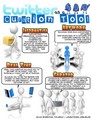
Download Twitter as a Curation Tool as a pdf file.
Taking advantage of a network of curators working for you (building your own customized network), consuming their curated information.
Create lists on Twitter, that will clump together users who are experts and curators for a particular area of interest to you.
Ex.:
Library & Media Specialists (List by Langwitches)
LanguageTeachers (List by Langwitches)
International Educators (List by Langwitches)
Classrooms Tweeting (List by Langwitches)
Follow #hashtags of topics or groups.
Ex.
#Kinderchat (for Kindergarten teachers)
#1stchat (for First Grade teachers)
#educoach (for educational coaches)
#edjewcon (for Jewish educators)
#globalclassroom (globally connect your classroom)
#iosedapp (for educators interested in educational apps for iPads/iPods/iPhones)
Collecting, organizing, connecting, attributing, interpreting, summarizing the vast amount of information that comes across your desk/ feed /books/articles/etc. for YOURSELF!
A few years ago, I set up the Langwitches Twitter Blog, another WordPress blog under the Langwitches domain. Using the Twitter Tools plugin, any tweet, I am posting to Twitter, automatically gets posted to the Langwitches Twitter Feed Blog.
I am finding myself using the blog’s search function more and more when I am trying to recall a resource, need to quote someone, find a username of someone I interacted with on Twitter, etc.
Since I am increasingly using and relying on the search function of my Twitter blog, I am also more aware of the Tweets I am posting. I am carefully thinking about future keywords, I might be searching for in order to recall a particular tweet (s).
Consciously becoming the curator for others for a particular niche, area of expertise or interest. Disseminate resources with added value, put in perspective, create connections, present in a different light/media/language.
This is the difference that separates the "collectors" from the "curators". Establish yourself as an expert, by sharing selected quality information freely. This is when YOU become the trusted member of a network that funnels QUALITY / FILTERED information to others.
Real time curation allows you to be part of an event, that you physically might not be attending or being on the opposite end allows you to be the bridge for others to participate at an event where you are present, but your network is not.
As the event unfolds in real time, you use Twitter to document and link what you are hearing, witnessing and learning.
I recently published a blog post outlining the symbiotic relationship between physical and virtual attendees of a conference: New Forms of Learning: How to Participate in a Conference 2.0 Style?
How else are you using Twitter as a curation tool? Please share.
Silvia Rosenthal Tolisano
.
Blog
.
<span class='date ' tip=''><i class='icon-time'></i> Jul 16, 2015 07:39am</span>
|
|
The second Educational Technology Summit will be held on 14 March 2015 in Istanbul Turkey. The conference aims at bringing together professionals from educational institutions, businesses and the media with parents, students and teachers who understand the importance of following the current and the future trends in Educational Technologies. Some of the speakers will be the edtech guru Shelly Terrell, Steve Wheeler and Gary Motteram. I can’t wait to listen what these edtech leaders will be talking about.
I will also be there as a speaker for an ELT Edtech forum with other strong edtech ladies from Turkey who are Burcu Akyol, Ayşegül Liman Kaban, Sedef Koç, Beyza Yılmaz and Eva Büyüksimkeşyan!
If you will be there, please join us to discuss about what’s really happening in the real classroom environment in terms of educational technology, what is working and what is not, what are the good examples of technology integration and how we can build a better teacher profiles in today’s classrooms.
Ozge Karaoglu
.
Blog
.
<span class='date ' tip=''><i class='icon-time'></i> Jul 16, 2015 07:39am</span>
|
|
I confess, I am a visual learner! I also relate better to metaphors, since they paint a picture in my mind.
My eyes roll back when I see long passages of text, that I am supposed to read, digest, analyze, understand, etc. Don’t get me wrong, I can do it (I am an avid reader), but I can wrap my mind around concepts, thoughts and content better, if it is represented visually in some shape or form.
The majority of content presented to students in school is in form of text, the world outside of school bombards us with information in many forms of media beyond text.
Image licensed under CC by Trey Ratcliff
Our ability to navigate a media rich world and "read and write" in that world is increasingly important skill to posses.
Visual Literacy is defined by Wikipedia as:
the ability to interpret, negotiate, and make meaning from information presented in the form of an image, extending the meaning of literacy, which commonly signifies interpretation of a written or printed text. Visual literacy is based on the idea that pictures can be "read" and that meaning can be communicated through a process of reading.
I have been working with one of our Middle School teachers, Morah Ita, and her blog. She is steadily climbing the classroom teacher’s blogging step ladder. Her classroom blog has moved from being a static replacement of the weekly newsletter sent home and information "pushed" out for students to read and consume to a hub, where students respond to prompts from her, are able to read and comment on each other and allow a global audience to their conversation.
Another upgrade we are taking a closer look at now, is a move from TEXT HEAVY to a more MEDIA INFUSED writing style.
Inspired by the website Visual Writing Prompts, I took the text based journal prompts on her blog and "visualized" them.
From creating these visuals as a journal writing prompts, my thoughts turned to other subjects.
Our 4th/5th grade Math teacher is revisiting fractions. Part of her class needs more help than others in understanding and making sense of fractions.
Again, the idea was to bring more visual "real life" elements to a typically taught abstractly (with numbers) or with clipart (blocks or circles) concept. Just google "visual fractions" and switch from web to images.
The meta-cognitive process of creating the slides and thinking of a questions to go along with them gave place to another opportunity for the more "advanced" students. As the teacher works with struggling students, they would be able to create visual fraction problems for their classmates to practice and solve.
Our Kindergarten teacher, Mrs. Yegelwel, shared the following on our school’s Professional Development Ning.
A seesaw is a perfect balance (given the right amount of weight on each side)! How do you teach heavy, light, equal to Kindergarteners? Using balances and connecting cubes in the classroom is good, but using their bodies on the seesaw outside is even better. We (not me personally!) weighed ourselves, figured out which child weighed the same or almost the same as another child and then tried to balance on the seesaw.
The activity is excellent. I am so glad that the teacher documented it by taking the image to be later shared among colleagues and parents via her classroom blog.
I am wondering now though, how can we continue to upgrade and continue to infuse visual literacy for our 5 and 6 year olds? Can we take images from objects the children are familiar with (ex. from around the classroom) and create visual questions for them. The objective is to teach students not only the concept of heavier, lighter, equal, but to give them the ability to see and evaluate images and transfer the concept to real life and vice versa.
PS. I used the (free) iPad app Haiku Deck, in case you were wondering how the visual slides were created.
I have found the app to be perfect to quickly create good looking slides. The app is very intuitive. The fluency of the creation process is smooth.
1. Add your text (you are limted to up to two lines…which is a good thing!)
2. Choose an image (from Flickr’s Creative Commons pool or upload your own)
3. Choose the layout
4. Share your slides (export it as a PowerPoint file or send an e-mail with a link)
I then emailed the slides to myself, opened them up in PowerPoint and exported them as images to be uploaded to the blog. You can also view the slideshow on the iPad and take screenshots of the individual slides in order to upload them to a blog.
I am calling on all of you bloggers, presentation deliverers and teachers to
BREAK UP THE TEXT! Include less words, embed a variety of media to support you message/content, infuse visual literacy into your teaching!
Silvia Rosenthal Tolisano
.
Blog
.
<span class='date ' tip=''><i class='icon-time'></i> Jul 16, 2015 07:39am</span>
|