Blogs
|
Is traditional reading and writing enough to be considered literate in the 21st century?I have put together my thoughts via a slide deck. Please note, that I am not advocating throwing out traditional reading and writing, but pushing the awareness that it simply might not be enough to prepare our students.
We need to rethink our notion of critical literacy, develop authentic learning and assessment opportunities, upgrade and amplify our curriculum.
21st Century Critical Literacy from Silvia Rosenthal Tolisano
Silvia Rosenthal Tolisano
.
Blog
.
<span class='date ' tip=''><i class='icon-time'></i> Jul 16, 2015 07:44am</span>
|
|
Videos are an essential part of our teaching and here is a super cool tool that will help us to make our videos more interactive.
Edpuzzle helps you to do many different things at the same time with your videos. You can find videos from different video sharing websites or upload your own videos, then you can crop them. You can record your voice over a video with your own words and in your own language and share them with your students. Edpuzzle also allows you to record audio comments or conclusion for your videos. Also, you can ask open ended or multiple choice questions or add text comments on the videos. Then you can share your videos or assign your students to watch them.
This tool is great if you are specially doing flipped classroom. Teachers can add open ended questions to explore and answer the questions as a whole class in the classroom. Students can also be asked to make some comments on different videos.
Picture Source: Shutterstock
Ozge Karaoglu
.
Blog
.
<span class='date ' tip=''><i class='icon-time'></i> Jul 16, 2015 07:44am</span>
|
|
The annual Edublog Awards are open for voting!
Voting is open! Check out the 2012 nominees!
Every year the list of nominated blogs provide a wonderful opportunity to freshen up your RSS Reader. Don’t forget the importance of READING blogs as part of professional development.
Also, share the classroom blog and individual student blog list with your students. Let them audit each one, noting components that they like and don’t like. Let them review and articulate their findings and most importantly let them vote for their favorites.
Thank you to all who selected and nominated their favorite blogs in so many categories. I am humbled that Langwitches was nominated in two categories:
Here are the lists of finalists in a few categories
Best Individual Blog:
A Journey in TEFL - Eva Buyuksimkesyan
An A-Z of ELT - Scott Thornbur
Annie Murphy Paul
Box of Chocolates - Cecilia Lemos
NeverEndingSearch - Joyce Valenza
Teacher Reboot Camp - Shelly Terrell
A Principal’s Reflections - Eric Sheninger
Agnostic, Maybe - Andy Woodworth
All Things Learning - Tony Gurr
Blogging About The Web 2.0 Connected Classroom - Steven Anderson
ChristinaSkyBox - Ana Cristina Pratas
Cool Cat Teacher - Vicki Davis
Dangerously Irrelevant - Scott McLeod
EdTechDigest
Film English - Kieran Donaghy
Free Technology for Teachers - Richard Byrne
Gridjumper’s Blog
Integrating Tech in the Primary Classroom - Kathleen Morris
Intrepid Teacher - Jabiz Raisdana
Jeremy Harmer’s Blog
Kleinspiration - Erin Klein
Langwitches Blog - Silvia Tolisano
Larry Ferlazzo’s Websites of the Day
Learning In Burlington - Patrick Larkin
Learning with ‘e’s - Steve Wheeler
Moving at the Speed of Creativity - Wesley Fryer
Practical Theory - Chris Lehmann
Research and Web Tools - Lucian Duma
Science Soup - Lauren Fuge
Seomra Ranga
Speech Techie - Sean Sweeney
Teacher in a Strange Land - Nancy Flanagan
Teacher Tom - Thomas Hobson
Teaching All Students - Patrick Black
The Daring Librarian - Gwyneth Jones
The Frugal Filmmaker - Scott Eggleston
The Innovative Educator - Lisa Nielsen
The Principal of Change - George Couros
The Rapid e-Learning Blog - Tom Kuhlmann
The Tempered Radical - Bill Ferriter
Vicky Loras’s Blog
What Ed Said - Edna Sackson
Wright’s Room - Shelley Wright
wwwatanabe - Tracy Watanabe
ZDNet Education - Chris Dawson
Best Librarian Blog:
A Media Specialists Guide to the Internet
Bulldog Readers
Cabra Senior Library Blog
El Blog del Bibioteca Virtual Miguel de Cervantes
Leselyst
Leselyst: en litteraturblogg
Librarian in Black
Library Matters
Lucacept - Intercepting the Web
Mighty Little Librarian
Momo Celebrating Time to Read
Mrs. ReaderPants
O???????????? ????
Page in Training
School Library Journal
Sheldon High School Library
Sonfession of a Science Librarian
South Dublin Libraries
Tales from a Loud Librarian
Teen Librarian Toolbox
The Adventures of Library Girl
The Busy Librarian
The Daring Librarian
Van Meter Library Voice
Watch. Connect. Read.
Best Classroom Blog:
3/4C & 3/4K @ UPPS
3/4C @ The Junction
3MH’s Classroom Blog
4KM And 4KJ @ Leopold Primary School
6D 2012 - 2013
A Room with a View: Class 2!
Carron-Kemp Crew
Creative Articles & Media Arts
Enjoy Learning English
Fabulous 5S
Flat Rosie’s Adventures
Fraher’s Class and Friends
Games MOCC journals
Grade 5 at Napoleons Primary School
GryphonScience
Huzzah
ICT4eTwinners
Inés workshop of English
Kids with a View
Mr. Avery’s 6th Grade Class Blog
Mr. C’s Class Blog
Mr. Salsich’s Class
Mrs. Yollis’ Classroom Blog
Ms. Cassidy’s Classroom Blog
Primary 5V Class Blog
SCC ENGLISH
Techie Kids
The Grade 3/4 Learning Legends @ Lonnie
The Ins & Outs Year 6
The Skinny - 5th Grade
tic-tac, aprenem
Where it all comes together…
Year 2RC
Year 6RC
Best Student Blog:
A Pupil’s Perspective
Amy M’s Creative Mind
Atsman
BB’s Awesome Blog
Beth’s Blog
Bronte’s Barn
Come Somersault With Sarah!
Dana’s dazzling blog
Dawso’s Blog
Dawso’s Blog Rss
Day Dreamer
Dimitrije’s School Blog - English
English
English at Sandvika
englishclas
englishsandvika
exploring english
GBM Corner
Georgia’s Gorgeous Blog
haakonmasst
Hanna B. gradstudentSLP
iamtessa
Jack’s Blog
Jaden’s Awesome Blog
Jarrod’s Awesome Blog
Johanna’s Domain
Johns A2 Music Production
Leah’s Blog
Matt’s Magnificent Blog
MEAOW @ Josie’s Blog
Millie’s Blog
Miriam’s Magical Moments
Molly Mystery Journal
My life as student at Sandvika High School
NIKHIL GOYAL
North America Meets South America
pernillelouise
Ryan’s blog
Sean Lin’s Blog
Shoko’s Blog
Skye’s Super Blog
SLP_Echo
Sophie’s Blog
Thinking About …
This and That…
Verve
victorenglish
wjb’s blog
ZACK’S BLOG
Best Teacher Blog:
AssortedStuff - Tim Stahmer
Bianca Hewes
Blogging through the Fourth Dimension - Pernille Ripp
Blogush - Paul Bogush
Box of Chocolates - Cecilia Lemos
Classroom Chronicles - Henrietta Miller
Cool Cat Teacher - Vicki Davis
Ctrl Alt Teach - Catherine "Cat" Horton Flippen
e Learning for life - Kimberley Rivett
Edulang - Brad Patterson
Integrating Technology - Kathleen Morris
Kevin’s Meandering Mind
Larry Ferlazzo’s Websites of the Day
LeavingCertEnglish.net - Evelyn O’Connor
Levdavidovic - Fintan O’Mahony
Ollie Bray
Ozge Karaoglu’s Blog
Speech Techie - Sean J. Sweeney
speech-language-therapy.com - Caroline Bowen
Sylivai’s English Online
Teach them English
Teacher Tom
Teaching using web 2.0 - Ann S. Michaelsen
The Frog Blog
The Learning Spy - David Didau
The Nerdy Teacher - Nicholas Provenzano
The Tempered Radical - Bill Ferriter
Upside Down Education - Amanda Dykes
Wright’sRoom
wwwatanabe - Tracy Watanabe
Best Administrator’s Blog:
A Principal’s Reflections - Eric Sheringer
A Space for Learning - Pam Moran
Darcy Moore
David Truss :: Pair-a-dimes for Your Thoughts
Design Movement - Dr. Brett Jacobsen
Dr. Cook’s Blog
Education Rethink
ErHead - Erin Paynter
headguruteacher - Tom Sherrington
Hooked on Innovation - Carl Hooker
John C. Schinker
johntomsett
Learning In Burlington - Patrick Larkin
Life of an Educator by Justin Tarte
Moving at the Speed of Creativity - Wesley Fryer
Ollie Bray
Principal Greg Miller
Raymond L. Young
Reading By Example - Tom Sherrington
Reflections from an Elementary School Principal - Jessica Johnson
Sharing Our Blessings - Shira Leibowitz
The Principal of Change - George Couros
The Wejr Board - Chris Weir
thinkwasabi - Berto Pena
This and That - Jon Castelhano
Tony Baldasaro
?????? ???? ?????
Silvia Rosenthal Tolisano
.
Blog
.
<span class='date ' tip=''><i class='icon-time'></i> Jul 16, 2015 07:44am</span>
|
|
Microsoft’s new presentation tool, Sway seems pretty promising which looks like a combination of a powerpoint and a Prezi.
Sway gives you a canvas where you can add content from your cloud storage, your devices or your social networks such as Facebook, Twitter, YouTube or OneDrive. There are many styles and layouts that you can choose from. Even you do not choose, Sway will suggest you some styles based on the colors in your presentation. When you are done, you can share your presentation with a link, or get the embed code or share your Sways on social media platforms. The best thing is that your Sway will always look perfect on all devices that you use.
The students can use this tool for submitting their projects or presenting a topic. Let’s see if Sway will replace some of the tools that we get used to seeing in conferences.
Ozge Karaoglu
.
Blog
.
<span class='date ' tip=''><i class='icon-time'></i> Jul 16, 2015 07:44am</span>
|
|
I am excited to be participating at Innovate 2013 and thrilled that the conversation is finally coming to South America!
Innovate 2013, is being held a the Graded School in Sao Paulo, Brazil next month. If you are planning on attending in person, registration closes in just a few days on December 7th.
In case you can’t be there physically, put the dates on your calendar (January 19-21st, 2013) to attend virtually via Twitter (#innovate13)
Become a connected educator and be part of that conversation!
Innovate 2013 marks Graded School’s commitment to re-imagine the school that best serves and inspires students for tomorrow.
Please join us and innovators from across the globe to engage in a dialogue designed to ignite new ideas resulting in building a foundation for the change our students deserve.
In partnership with Un-Plugged at the American School of Bombay, the Lausanne Laptop Institute at Lausanne Collegiate, the European 1-1 Learning Institute hosted by the Frankfurt International School, and the Association of American Schools in South America (AASSA), Graded School is honored to launch the conversation in South America.
Silvia Rosenthal Tolisano
.
Blog
.
<span class='date ' tip=''><i class='icon-time'></i> Jul 16, 2015 07:43am</span>
|
|
New year is on the way and here are some tools to enjoy the last days of this year with your students!
Here is the Santa bot that is waiting for our students to chat online.
JibJab is a cool website where you can place your face on different ready made animated e-cards.
Play this escape the room game and help Santa to go out. Students can write the missing parts of the directions as they play or or they can write the directions.
Create your ElfYourSelf with your picture and select a dance to have fun.
You have got something to say to Santa? He has got an email adress here. Let’s write and wait for his reply.
What about creating a custom letter for Santa! You can film yourself or upload a picture and it to Santa’s mail. Here is another place to send your wishes to Santa! For every letter, they are donating 1 dollar to the charity.
Make Santa jump, hop, dance, sing!! Write whatever you want and Santa does it for you on SimonSezSanta.
Here is where you can visit Santa’s secret village in NorthPole and play games.
Send an interactive ecard via OWorlds, decorate your gingerbread man,write your message and change your background.
Decorate your Christmas tree here.
What about making your own virtual snowman! You can try this one here.
Make your personalized Christmas card and share the joy with others.
Make your carol with Zefrank and share the joy!
Create your card that features the National Concert Hall here!
Select a cute animated card here, add your message and send it to your friends.
Would you like to play New Year songs with the Rain Deer Orchestra, just squash their noses with your mouse or click the symbol on your keyboard.
Create your online snowflake and let it snow.
Children can create their personalized Santa stories here.
You can Santa Yourself by adding your picture, writing your New Year message and send your animated card to others.
Choose your character, your background, add some accessories here. Then use text-to-speech or record your voice for your message. Share the fun!
and cheers to a happy New Year…
Image Source: Shutterstock
Ozge Karaoglu
.
Blog
.
<span class='date ' tip=''><i class='icon-time'></i> Jul 16, 2015 07:43am</span>
|
|
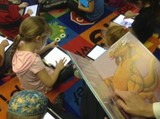
I recently found a video of 1st graders using the iPad to visualize a poem that their teacher read to them. After students drew what they imagined, they got into pairs and explained their drawings to a partner. The teacher also circulated to listen and to ask deeper questions of understanding.
The concept inspired our Kindergarten teacher and me to try something similar with our five and 6 year old students. Learning how to listen or read a story and being able to visualize the setting, characters and storyline is an important skill. Being able to "translate" one media (oral text) to another (an illustration) is a critical literacy skill.
Our librarian helped pick a book "How do Dinosaurs say Happy Chanukah", appropriate for this time of year. The Kindergarten teacher explained to the children, that she would be reading the book to them without showing them the pictures. A gasp was heard around the room: "What? No pictures?". Instead they were asked to use their imagination and draw the pictures in their heads first.
We then handed out the iPads and ask them to draw the picture they had formed in their heads on the iPad with the help of Doodle Buddy. Once finished, we saved the images and emailed them to the teacher.
Dinosaurs And Chanukah from langwitches on Vimeo.
How could we expand the above visualization technique to other grade levels and subject areas?
have students visualize math word problems
create visual notes when watching a movie
introduce and perfect sketchnoting skills
documenting a science project or lab
summarizing a book read
How do you see visualization techniques embedded into your area of influence?
Silvia Rosenthal Tolisano
.
Blog
.
<span class='date ' tip=''><i class='icon-time'></i> Jul 16, 2015 07:42am</span>
|
|
Just before the year finishes, here are my favorite web tools in 2014.
Evernote should certainly be the first on this list! I have been using it as my e-notebook for a long time. Also, the students in my 1:1 iPad class are using it as their electronic portfolios. They take their notes on the lessons, write their reflections, and keep their products online. It’s great that writing notes on their Evernote has turned into a habit for me and for them!
Plickers is a treasure! It’s so much fun and a very simple tool to get feedback or to collect real-time formative assessment data. The best part is that your students don’t need to have any device! Seeing the positive reaction of the students and the teachers has been amazing this year!
EdPuzzle is one of the most multi-tasker tools I have ever tried! It helps you to crop your own videos or other videos from different video sharing platforms. You can record your voice over a video, or you can add audio notes. If you like, you can add quizzes or questions to a video as well!
WeTransfer is not a teacher tool but I have used it a lot this year to share files online! You don’t need to sign up to send your large files. Simply upload it, write the e-mail and send it! It will also send you a notification when the receiver downloads the file!
Write About is the best digital storytelling so far this year! It has many picture prompts that you can assign your students to write a story about. You can even challenge your students to record their voices as they tell their stories.
Clyp.it is my new option for Vocaroo. Record your voice and share it with others or you can upload an audio and get a link to share it!
Knock on this door to explore where the door will take you! A great web tool for brainstorming, using adjectives, describing places, feelings!
I love Google apps and here is my favorite one this year! Story Builder just gives us another perspective to create our stories! Write your story and see how your text turns into an animation.
I have started using student selectors this year. Like that, I can give each my student a chance to speak all through the lesson! This one and that one are my favorites.
I know that Padlet is not a new tool in the market, but we have used it in so many ways in our lessons this year! Because it doesn’t ask you to sign up to use the wall! I think this makes this tool one of the bestiest on my list this year!
Here are mine, what about yours?
Image Source: ShutterStock
Ozge Karaoglu
.
Blog
.
<span class='date ' tip=''><i class='icon-time'></i> Jul 16, 2015 07:42am</span>
|
|
This year, just like the other years, I have had the chance to try out different apps in my App Class with my students. And here is my list of my favorite Apple apps that really works in an 1:1 iPad class!
Adobe Voice is the very first app on this list. It is free and it gives the chance to children to use their pictures or their text and record their voices with music at the background. I have used this app many times for so many different activities in my classes.
Tellagami is certainly sharing the first place with Adobe Voice. It’s very great app with so many possibilities to integrate in different context. Tellagami helps you to create your own avatar, choose a background and record your voice for your animated avatar.
There are not so many poster makers on the market but certainly me and my students’ favorite one is the Phoster. Yes, it’s a paid app but it is really easy to use and a cool way to create posters and share with others.
PicCollage is another app that we have been using a lot in class. As it is very user friendly and let students write and add props in a picture, it’s a treasure in my class.
Animoto is not a new app but as it is one of the easiest way to create videos with pictures, videos and text, it is one of the tools that I use it in class. I can add Voicethread to that list as well!
Videolicious is another favorite on this list. It is a great tool to create videos from your pictures, by adding music and your voice. Students love this one!
I would certainly add SpekingPhoto ad Shadow Puppet apps to this list as they are my students’ favorites! It really makes it easy to record our voices over our pictures and share it with the others.
QR Code Scanner and Creator is another one that we have used a lot in class in so many different ways. Kids love it and I love it!
FriendStrip is another app on this list as it boosts the creativity and the imagination of the kids! Simply just pick a story and personalize it with your pictures and texts!
The very last one is the Biscuit app! With this app, you can create your own vocabulary list and it will give you the definitions immediately. You can keep that list and you can get notifications on your smart phones that will remind you the word and show you the definition.
What has been your favorite app this year?
Image Source: Shutterstock
Ozge Karaoglu
.
Blog
.
<span class='date ' tip=''><i class='icon-time'></i> Jul 16, 2015 07:41am</span>
|
|
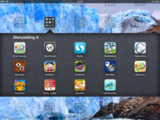
Matt Gomez shared a post today with a screenshot of his storytelling iPad app folder. I wanted to reciprocate and share mine.
Storytelling I Folder
StoryBuddy
StoryBuilder
StoryPagesHD
Toontastic
Tappy Memories
StoryBoards Premium
StoryMaker HD
StoryPatch
In a World … Drama
Build a Story
PhotoPuppets HD
Epic Citadel
Sock Puppets
StoryKit
SonicPics
StoryRobe
PuppetPalsHD
TellaStory
Storytelling II Folder
StoryLines for Schools
VoiceThread
Storify
This is My Story
Talking Dino
StoryDice
Art Maker
Felt Board
Our Story
Draw & Tell
Stories About Me
StoyPals
Little Bird Tales
I am throwing in an extra gem for everyone today, or as we say in Argentina, "dar la yapa" , when you get the baker’s dozen, something unexpected extra, the "buy one, get one free deal":
20 Best Mobile Learning Apps for Children.
Silvia Rosenthal Tolisano
.
Blog
.
<span class='date ' tip=''><i class='icon-time'></i> Jul 16, 2015 07:41am</span>
|