Blogs
|
by Anita Horsley
In the first article in this series, I discussed the definitions for Section 508, the amendment to the Rehabilitation Act of 1973, which requires all Federal agencies (typically schools and government institutions) to make information technology accessible to people with disabilities.
I also discussed the use of assistive devices that provide a way for people with seeing, hearing, or dexterity challenges a way to communicate and train using technology. People who have visual impairments use assistive devices such as Jaws, Window Eyes, and HAL. They also use screen magnification and braille displays/keyboards. People with hearing impairments need visual representation of auditory information such a closed captions and graphic displays. People with mobility impairments may need alternative methods to moving through your eLearning content, such as keyboard shortcuts.
The goal of creating accessible eLearning is to enhance your lessons by ensuring that all learners can master the instructional material and meet the learning objectives. When learning is accessible to all types of learners, you are not only complying with regulations, but you are reaching a larger audience.
Designing eLearning to Include 508 Compliance Standards
Most learners retain information through seeing, hearing, and doing. Keep that in mind when creating eLearning courses. It's relatively easy to ensure that a person who cannot see can hear your course content by adding narration and using accessibility text for images (also known as ALT text). However, the more challenging component to eLearning is keeping the lesson interactive.
When creating interactive eLearning, it's important to include accessibility that all learners can use. All learners need to be able to easily identify and select interactive screen objects. You should ensure you are using a tab order for any interactive components. And you should always provide meaningful feedback in your lessons... and offer remediation if necessary.
Here are a few general tips to Instructional Designers to improve effectiveness of accessible eLearning:
Use accessible online help (programs such as Adobe RoboHelp and MadCap Flare allow you to create Help Systems that adhere to Section 508 standards).
Alt (alternative) text for images, tables, and graphs (any purely visual object). For the visually impaired, Alt text is read aloud by assistive devices.
Use contrasting colors for learners who are color blind.
If you're using a slide-based eLearning development tool like Adobe Captivate or Articulate Storyline, name your slides. (The slide names are read aloud by assistive devices.)
Set a tab order for every interactive object (for keyboard accessibility)
Include keyboard shortcuts for all interactive objects (again, for keyboard accessibility).
Be consistent when adding slide-to-slide navigation.
Use tool tips. (Tool tips are read aloud by assistive devices.)
Use Closed Captions for learners with hearing disabilities.
Provide Printable versions of your course materials (for learners with hearing disabilities).
Watch for my next article which will cover a step-by-step accessibility eLearning plan.
***
If you'd like to take a 3-hour deep-dive into the best practices for creating accessible eLearning, check out Anita's live, online course.
Icon Logic Blogs
.
Blog
.
<span class='date ' tip=''><i class='icon-time'></i> Jul 14, 2015 02:18pm</span>
|
|
To download the webinar slides. To view the webinar recording. KEY POINTS: Don’t get stuck on ROI only. Communicate the cost justification and strategic impact of your training initiatives. Plan and organize. Understand your current situation, where you want to be and when and how you will get there. Know the facts and risks back it up with data. Communicate how your plan will benefit the overall organizational goals.
Chris Osborn
.
Blog
.
<span class='date ' tip=''><i class='icon-time'></i> Jul 14, 2015 02:17pm</span>
|
|
Looking forward to facilitate another workshop at Universiti Sains Malaysia (USM) on 28 August, 2014. This time around we will be challenging ourselves to design engaging and effective presentations for learning and teaching... ATTENTION!Before we get busy with this workshop, let's introduce ourselves on a Padlet wall and connect in a Facebook group:Padlet WallPlease introduce yourself and add a cool picture of you (No login required). Also, it would be awesome if you could share in a few words what you desire most to learn from this workshop.Facebook GroupPlease use this Facebook group to ask questions (during and after the workshop), interact, share ideas, stories and resource links (URLs). Let's connect! Created with PadletEven if you are not attending the workshop, you are more than welcome to introduce yourself on the Padlet Wall and join our Facebook Group. Your interactions, discoveries, insights and wisdom are most welcome!WORKSHOPWouldn't it be awesome if your lectures were as impactful and engaging as Ken Robinson’s unforgettable TED talk about ‘How schools kill creativity’?In this workshop, we will explore how to design effective and engaging presentations for learning, teaching and research. In the process, you will learn some sizzling PowerPoint tricks, ‘Gagne’s 9 Events of instruction’ for more effective presentation flow, discover other cool presentation tools, and how to engage, gamify and assess students during face-to-face learning sessions using various interactive web tools. It will be hands-on from start to finish, and you will be challenged individually and in groups to design unforgettable presentations that stick beyond the classroom or lecture hall. LEARNING OUTCOMESAfter this workshop, you will be able to:Discuss how the brain learns.Apply ‘Gagne’s 9 events of instruction’ to design effective and engaging presentations.Design visually attractive slides using PowerPoint.Use interactive web tools to engage, gamify and assess students during face-to-face learning sessions.SLIDESHere we go: Designing Effective Presentations from Zaid Alsagoff GROUP PROJECTHere we go:Yes, we can...right? :)
Zaid Ali Alsagoff
.
Blog
.
<span class='date ' tip=''><i class='icon-time'></i> Jul 14, 2015 02:17pm</span>
|
|
by Kevin Siegel
Text Captions have been available in Adobe Captivate since before Captivate was Captivate (think RoboDemo). While there's nothing terribly wrong with Text Captions, you're a bit limited when it comes to editing the way they look.
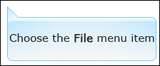
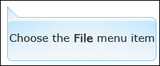
Take the Text Caption shown below for example. The arrow in the upper left of the caption is known as a callout.
You can control a few attributes of the callout (you can use the Properties Inspector to select from a list of pre-determined positions and you can elect not to show the callout). But if you want to fully adjust the callout (perhaps move it a bit to the left or right, or make the callout a bit longer), you're out of luck.
Many Captivate developers, tired of the limitations of standard Text Captions, have forsaken Text Captions altogether for Smart Shapes. In the image below, I'm using a Rectangle Smart Shape. The shape looks much like a Standard Text Caption. I can control its appearance via Object Styles. However, check out how I am able to drag the shape's callout by dragging the yellow square. You can't do that with a Text Caption.
Because Text Captions are really bitmap images, I'm not able to fully control how the captions look unless I edit the bitmaps using an image editing program. With Smart Shapes, you can control just about every aspect of the way the shape looks by combining options found on the Properties Inspector with Object Styles.
While there is much to love about Smart Shapes, a perceived downside to Smart Shapes is that you can't use them to automatically get captions when recording a Software Simulation. You'll be happy to learn that you can, in fact, use Smart Shapes instead of Text Captions during the recording process.
Display Captivate's Preferences (Windows users, choose Edit > Preferences; Mac users, choose Adobe Captivate > Preferences). Choose a recording mode and, from the Captions area, select Use Smart Shapes instead of Captions.
At that point, you'll be able to select the Smart Shape Type you'd like to use during the recording process.
Click the OK button to close the Preferences dialog box and you're done. The next time you record a Software Simulation, the project will automatically contain Smart Shapes instead of Text Captions.
***
Looking for instructor-led training on Adobe Captivate? Check out our live, online, instructor-led Captivate classes.
Icon Logic Blogs
.
Blog
.
<span class='date ' tip=''><i class='icon-time'></i> Jul 14, 2015 02:17pm</span>
|
|
I recently did a presentation in Los Angeles on Web 2.0 for Professional Services for the Institute of Management Consultants. The focus was on the two main things that management consultants do with their time: Reaching Prospects and Serving Clients. Serving Clients In terms of serving clients, I covered parts of Tool Set, specifically Work Skills Keeping Up, Better Memory, Information Radar, Processing Pages with Links, Networks and Learning Communities, Collaborate, and Twitter as Personal Work and Learning Tool. I didn't really have time to go into, but wish I could have covered: Search and Browser Short Cuts. The reality is that management consultants are very much concept workers and as such have to shift how they perform their work and how they serve their customers. I went through examples similar to LinkedIn for Finding Expertise and Searching for Expertise - LinkedIn Answers to show the basics of how LinkedIn works. This was more about getting help with questions. I also discussed being more or less open as a LinkedIn Networker: My LinkedIn Open Connection Approach. Reaching Prospects By far, the more interesting topic to the audience was how to reach prospects. The earlier presenter had talked about LinkedIn and someone in the audience asked for a show of hands for people who have got business through LinkedIn. Mine was the only hand raised. Great set up for my presentation. Prospecting vs. Conversations Here was the fun part - I asked: If I could put you into a networking event where there were 100 people who fit the profile of your prospects and they had their resumes taped to their chests so that you could pause at any time to read the resume, what would you do? One of the participants said that they would ask questions of the person about how they are dealing with issues that relate to their services. Ask interesting questions and get them to talk. That's what I think of as the right answer and fits with what I learned about effective networking 20 years ago. Other people would suggest more social conversation, but that's not my style nor the style of the person who answered. I don't think anyone would suggest trying to hard sell at a networking event. People are interested in interesting conversations not in prospecting. Engaging in Interesting Conversations Let's get back to the room full of prospects who you are trying to engage in interesting conversations. Well, first that never actually happens. Even if it did, it would be really tough because you often don't get past the resume level in a networking event. You also have to weed out people who are not prospects. Live networking is incredibly inefficient. The good news about the networking event is that by being there, participants have signaled a willingness to network according to the cultural norms of the networking event. Let's compare that to LinkedIn. It does contain many more than 100 prospects. Most people on LinkedIn have signaled their willingness to network according to the cultural norms of LinkedIn. And you have their resume right there. You can pause the action to read it. It's much more efficient than live networking. Think of it as the biggest networking cocktail party in the world. But the challenge is that there are subtle differences in the networking culture. I personally find that people on LinkedIn are Hungry to Connect around interesting topics just like the rest of us. But you have to make sure that you are engaging in an interesting (to them) conversation. Ask them for help on something that's challenging you with a client. Are you running into X? How are you handling it? When I was thinking about this during the presentation, I realized that I've almost completely stopped prospecting. I don't think about the person that I talk to in terms of whether they are a future prospect. I think of them in terms of their ability to engage in an interesting conversation. The natural byproduct: I meet and talk to interesting people about interesting things. Business has and will continue to result from this over the long-term. Oh, and this provides high value to my clients who are getting the benefit of these conversations. eLearning Technology
Browse eLearning Content
Tony Karrer
.
Blog
.
<span class='date ' tip=''><i class='icon-time'></i> Jul 14, 2015 02:17pm</span>
|
|
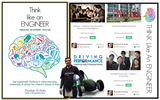
"33% of the S&P 500 CEOs' undergraduate degrees are in engineering, and only 11% are in business administration." - Business Insider 2013PROF MUSHTAK AL-ATABIProfessor Mushtak Al-Atabi is currently the Dean of School of Engineering at Taylor's University, Malaysia. He is a passionate educator, innovator and has an exceptional drive to challenge the status quo, and inspire students to discover and unleash their true potential. He is most known for pioneering the use of the CDIO (Conceive-Design-Implement-Operate) educational framework in Malaysia, and offering one of the first Massive Open Online Courses (MOOCs) in Asia in 2013.Click here to discover more about him and his exceptional work.THINK LIKE AN ENGINEERWhy should you read Think Like an Engineer?Today, we are for spoilt for choice on books exploring the mind (and Neuroscience of the brain) and how we can unlock our amazing potential through rethinking the way we think, which include positive thinking, entrepreneurial thinking, growth mindset, Neuro-Linguistic Programming (NLP), law of attraction, creative/critical thinking, etc. So, why this book? Coming from a non-engineering background, it was really refreshing to explore Think Like an Engineer, which introduced me for the first time to CDIO process, and how it can be applied to solve everyday challenges and unlock the inherent values in them. More interestingly, Think Like an Engineer goes beyond that to explore passionately and creatively how the brain works (Brainology), emotional intelligence, ergonomics (Human Centred Design), communication, teamwork, project management, entrepreneurship and innovation, encouraging failure (to innovate), structured problem solving, and engineering holistic education.Alright, most of the items above can be Googled or found it other books, but what really inspired me to read Think Like an Engineer from start to end, was re-experiencing with my imagination Prof Mushtak's captivating personal stories and unique techniques he uses to systematically and creatively rewire students brains to develop an entrepreneurial mindset with a healthy, caring and positive outlook.For example, Prof Mushtak outlaws the P-word (PROBLEM) in his courses and replaces it wherever it appears in the curriculum with either "OPPORTUNITY" or "CHALLENGE". To encourage students to stop using the P-word, he has created what he calls the "OPPORTUNITY NOTE". If they keep their promise of not using the P-word throughout the semester, he will personally sign this special note for them. In his Emotional Intelligence course, students are required to "brain rewire" a positive mindset by reporting 5 things that they were grateful for on a daily basis for a period of 18 weeks (adapted from Ben Shahar's gratitude journal reporting technique).Think Like an Engineer provides many examples on how his unique techniques (and passion) has worked with transforming the mindset of especially Asian and Malaysian students, which I find more relevant and contextualized than reading how successful people like Steve Jobs has created a dent in the Universe. Finally, Think Like an Engineer also provides some insights on how he has explored his learning and mindset techniques online through MOOCs (using the OpenLearning platform), and how thousands of students joining his MOOCs from more than one hundred countries have been impacted positively from them.MOOCIFYTo find out more, you might want to explore these two MOOCs offered by Prof Mushtak:Global EntrepreneurshipSuccess - Achieve Success with Emotional IntelligenceWhat I found most perplexing and astonishing with Prof Mushtak (after getting to know him) is that he is not exactly the most tech savvy educator I have come across, but through his amazing drive and passion to transform and prove people wrong, he is facilitating one of the most inspiring and dynamic MOOCs that I have come across. His student enrollment numbers (2,000+ per course) cannot compete yet with the kings of Coursera, Edx, Udacity, etc., but the quality and personal touch he provides by every day engaging with students using various tools on OpenLearning, especially through chat....Makes his courses second to none!After discovering him online, I have also got to know him offline. I have learned a lot from him since, but I have also made sure he has picked up a few tricks from me, too. Like juggling balls!We both have a passion to share what we learn, so that is a good start :)
Zaid Ali Alsagoff
.
Blog
.
<span class='date ' tip=''><i class='icon-time'></i> Jul 14, 2015 02:17pm</span>
|
|
Written by Chris Osborn Today's Q&A Thursday discusses how to introduce social leadership into your organization. Stay Up-to-Date on the Most Current Business Training Trends BizLibrary offers 6,000+ training videos in various business training topics, with new courses added every day. 7 HR Law Training Topics for New Managers (and Experienced Ones Too!) This complimentary eBook discusses 7 key employment laws that all managers should know in order to prevent inviting legal liability. BizLibrary's Mobile Learning App meets the needs of today's digital learners. Employees no longer wait for training departments to push learning content to them. Employees are used to pulling information to themselves, when they need it, on their own terms and conditions, and on their own devices. - See more at: /technology/bizmobile.aspx#sthash.umjsk4e5.dpuf Video Transcription Hi Chris Osborn VP of Marketing with BizLIbrary with today's Q&A. It comes from Tori and she's an HR manager at a professional services firm and she wants to know how can she introduce social leadership to her organization. We talked about the model social leadership in a webinar about leadership and leadership models about a week or so ago and Tori's organization is using a very hierarchical traditional leadership model and it's just not preparing their organization for success in the future so she's asking a very good question. And think about it this way: Peter Drucker had a agreat quote about leadership. He said that management is doing things right and leadership is doing the right things. So ask yourself a couple of questions:in this marketplace, what are the right things that we need our leaders to do to address this volatile uncertain complex market. What do we need our leaders to do, what are the right things to address the changing demographics on our workforce, to lead a generation of employees that are Millenials that have grown up continually wired. We need leaders who're connected the same way to their employees, who are comfortable using social technology tools, who are relentlessly curious, who are continuous learners, who share information readily and easily with their employees and who find information quickly and make it available to other people. So, you have social leaders in your workforce right now. The trick is to identify them and model their behaviors across your organization and you're going to be able to build that social leadership model from within at a grassroots level and be able to drive business results and that's how you're going to introduce social leadership to your organization.
Chris Osborn
.
Blog
.
<span class='date ' tip=''><i class='icon-time'></i> Jul 14, 2015 02:16pm</span>
|
|
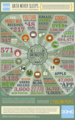
I’m happy to be part of this amazing Publishing Revolution. I hope you are too.
What’s your favorite stat?
via How Much Data Is Created Every Minute? [INFOGRAPHIC].
RJ Jacquez
.
Blog
.
<span class='date ' tip=''><i class='icon-time'></i> Jul 14, 2015 02:16pm</span>
|
|
by Jennie Ruby
How can you use your voiceover script to keep the learner's attention within an eLearning lesson? Here are the two most important factors: Make it proportional and make it conversational.
Make the Voiceover Proportional to the Action
In a recent informal test at a conference for instructional designers, the audience started waving and yelling "Stop! Stop!" after less than two sentences of voiceover text was read for one PowerPoint slide. Now granted, that second sentence was a doozy, weighing in at more than 47 words, but still. Two sentences? How short is our typical learner's attention span these days, after all? Probably much shorter than you think.
The learners we address with our eLearning projects are bombarded with information, often in the form of movies, videos, and television. Scenes change in modern movies approximately every minute and a half. But in a movie, even during that short time, something is continually moving on the screen.
On many kinds of eLearning products, there may be nothing moving at all, as a still slide rests on the screen or a still screenshot sits waiting for the next interaction. So with absolutely no motion on screen, how long can the audio drone on?
At the conference, the elapsed time was less than 12 seconds before the audience became impatient.
To some extent, the type of lesson will determine how much voiceover is proportional to each action. On a software demo video, a lack of action for as little as 7 seconds can have the learner shaking the mouse to see if the video is still running-even if the audio voiceover is continuing. During compliance training, on the other hand, the learner may expect relatively longer voiceover descriptions and recitations of rules.
But that doesn't mean learners will like it. Consider aiming to have something move on the screen, illustrate the point, or change in some way about every two sentences. You can achieve the right proportions by either adding visual elements or shortening the voiceover script.
Use Plain Language and a Conversational Writing Style
The writing style of your voiceover text will greatly affect how "listenable" it is. Long, academic-sounding, repetitive sentences will have your learner eager to move on quicker than short, plain-language sentences.
Test yourself: try reading each of the following paragraphs. Which one makes you want to stop reading sooner?
Example A: The capability for the creation of user-defined functions has been instituted with the current version. This capability is not entirely new but was previously available via pass-through to and from a custom module, which is a function of most programming languages. However, these modules did not allow this functionality to be embedded directly within another function, and this inherent limitation was a source of frustration to users.
Example B. In previous versions of the program, you could create a custom function, but only within an entire custom module. Now, you can embed your own custom functions directly inside another function. This means there are now countless ways you can use custom functions within your own applications.
With little change in the technical terminology and content, Example B will seem easier to focus on for most learners. The best writing style for a voiceover uses shorter sentences, addresses the learner directly, uses plain language when possible, and uses active rather than passive voice.
Instead of "The capability for the creation of user-defined functions has been instituted..."
Try this: "Now, you can create your own user-defined functions."
Instead of "This was previously available via pass-through..."
Try this: "Before, you had to pass your custom functions through a..."
Instead of "These modules did not allow this functionality"
Try this: "You can now do x"
Remember that the voiceover for a lesson is written for a voice. Make that voice conversational rather than academic in style. Make it proportional to the amount of action on screen and you'll keep your learners clicking painlessly through the lesson while remaining focused.
***
If you love Jennie's grammar articles, you'll love her classes. Check out some of Jennie's mini courses.
Icon Logic Blogs
.
Blog
.
<span class='date ' tip=''><i class='icon-time'></i> Jul 14, 2015 02:16pm</span>
|
|
Stewart Mader points us to Sarah Denman's look at the four groups most likely to be involved in a wiki or other enterprise 2.0 implementations. The list is:IT HR - and no it doesn't include learning or training - it's more the compliance side of HR.BusinessExecutivesObviously, I'm posting because most people reading this will say that learning or training is missing from this list. The responses to Lead the Charge suggested that we should be leading this, but we don't seem to be even involved.From Masie's recent social learning survey it appears that there is a lot of adoption by learning professionals. Do you use any of the following technologies in your organization? Choose all that apply Technologies Used Percent % Corporate Collaboration Portal (eg. Sharepoint) 57% Peer Coaching/Teaching 52% Media sharing (images, videos) 48% Collaborative Spaces - Wikis 47% Blogs 45% Learning Systems for Social Learning (LMS/LCMS) 42% Social Networks 41% Employee Profiles 33% Content Ratings and Reviews 13% Twitter and Mobile Content 12%So I'm not 100% sure I get the disconnect. Why are we not seen as a player when it comes to Wiki or Enterprise 2.0 ownership? How come Stewart and Sarah left us out? eLearning Technology
Browse eLearning Content
Tony Karrer
.
Blog
.
<span class='date ' tip=''><i class='icon-time'></i> Jul 14, 2015 02:16pm</span>
|