Blogs
|
This article is an extract of the recently published report "Win your competitive race with Extended Enterprise Learning" written by John Leh, CEO and Lead Analyst at Talented Learning. If you wish to read the entire report you can download it by visiting this page.
What is Extended Enterprise Learning?
Extended Enterprise (EE) learning is any training effort targeted at your non-employees with the goal of impacting measurable behavior change. Every industry globally uses some form of EE learning and they all have the same fundamental challenge. Extended enterprise users are voluntary users and thus need to be treated differently - better than employees.
All extended enterprise audiences are voluntary but to differing degrees. For example, students who register for a college MOOC course and then pay for a certificate that has questionable value are much more voluntary than an employee of a restaurant franchise. The more voluntary the audience, the tougher the challenge to capture their mindshare.
You can make your employees take training but you can’t make the EE voluntary learners consume content. Organizations need to make voluntary learners want to take content, pay for content and come back and do it again and again. As a result, experts in extended enterprise learning need to be equally skilled in business, marketing and measuring success as well as the traditional learning technology skill set.
Extended Enterprise Use Examples
Partner Channel Training & Certification
Manufacturers, software providers, insurance companies, investment brokerages and telecommunication companies usually have global, independent partners that resell and service their product lines as well as provide local value added services and support.
These global partners often represent competing product lines from competing organizations. The organization that best trains and certifies its partners on their products and services and provides just-in-time performance support will win the mindshare battle. In every industry, those organizations that train and certify their partner channel see dramatic increases in channel sales, complexity of sales and end-customer satisfaction.
Dealer/Franchise Onboarding & New Product Rollout
While channel partners can represent many organizations, dealers and franchises usually only represent one. Automobile manufacturers, gasoline service stations, restaurant and hotel chains, car rental agencies and beauty aid organizations all sell exclusive dealer or franchise rights to independent partners usually limited to a geographic area.
These partners pay a hefty initial fee and ongoing royalty for the proven business model, brand recognition, marketing, defined products and training to make them successful.
Most dealers and franchisers provide training and certification to their franchisees for every job role from owner to maintenance in a prepackaged LMS, content and performance support learning environment.
In a recent research report by Towards Maturity and Raytheon Professional Services, 22 European automotive manufacturers were surveyed about their learning technology and dealer training programs. 100% responded that increased learning access and flexibility was a top business goal, 94% of respondents used a Learning Management System and 45% agreed that eLearning has made a significant contribution to increasing revenue.
Customer Training Academy
Over the last few years customer learning has evolved into a strategic marketing, sales and support tool. If you have a product or service that requires any level of customer expertise, then you better be training your customers in a measurable way. A learning management system branded as a "customer academy" is used as the backbone of the customer learning system delivering eLearning, tutorials, videos and social learning that can be created once and reused countless times.
Knowing if your customers have been trained or not gives you the power to measure the return on your investment by comparing their buying and use behavior. Organizations with formal customer learning programs enjoy higher customer satisfaction rate, decrease in support calls, increase in customer renewal rates, upsells and cross sells.
Continuing Education & For-Profit Training
Many professional jobs such as accountants, architects, dentists, doctors, nurses and teachers to zoologists are required to take a certain amount of professional development training every year. The amount of training is usually expressed in credit hours and varies by professional and geographic location but 20-50 hours/year is common. Many types of organizations compete to provide continuing education content and certification to these professionals including associations, training providers and universities. The ability to attract professionals, sell them content, provide them value and have them come back next year is vital to success, stability and longevity of any organization providing training.
The professional continuing education industry is huge. For example, the healthcare continuing education industry is centrally accredited by the Accreditation Council for Continuing Medical Education. In 2013, CME providers conducted over one million hours of instruction.
Public Training
Governments at all levels and non-governmental agencies like the Red Cross have the mission of educating the public on a multitude of topics. Emergency responders, families of veterans, new business owners, unemployed workers and traffic violators are all examples of the public audience that needs to be trained and it’s not always for free. Selling courses to these audiences is common and is an amazing income generator due to the high number of users that are typically associated with public initiatives. Historically, this training was provided by live instructors or sending out paper materials, but has migrated to the extended enterprise LMS as preferred delivery method because of low cost of distribution and the ability to measure effectiveness and change in behavior.
The post Extended Enterprise Learning: training partners, resellers & customers appeared first on Docebo.
Docebo e-Learning Blog
.
Blog
.
<span class='date ' tip=''><i class='icon-time'></i> Jul 15, 2015 05:39am</span>
|
|
Even if your next elearning project will be a success with fewer than 100 participants, all elearning designers should incorporate at least some lessons from the most authoritative minds in marketing…. In this post we go over five tips on how to engage your learners in order to ensure elearning program success. Even if a course is mandatory for your audience, we have already outlined in previous posts that final user’s expectations (i.e. learner’s expectations) are very high in terms of both learning retention and satisfaction.
So, by following the 5 tips below you will:
increase course participation
improve awareness of the course’s importance (or relevance)
reduce negative feedback/complaints
improve satisfaction
engage other (possible) learners
Find a catchy slogan for your elearning
A slogan is not the title of the course or the elearning program. A slogan is a tool that you can use to communicate better with your potential audience even without speaking. A slogan is a tool that all successful coaches have!
Tell a story
If you want to catch your audience’s attention and have them onboard in a short time, tell them a story. Storytelling has become one of the most popular techniques of marketing communication and one of the most important digital trends for this year. If you want to write a good story (linked to your elearning) you should follow some basics rules of storytelling. Check out, for example, Pixar’s 22 Rules to Phenomenal Storytelling.
In the era of information overload a story should also be told according to some relevant facts to be effective: people want multimedia so show them (not "tell" them) and people don’t want to waste time, so package your story in one single media.
Take care of design
Create an amazing visual experience for your learners. This will boost your contents.
You can be inspired by the great work you find on the Internet and by the most relevant graphic trends. Here we list some of them:
Large, beautiful images: According to this source: "As pioneered in design trends seen in 2014, image quality will continue exploding in use and popularity in 2015, leading to an even richer visual experience for users."
Use a flat or almost flat design: this trend exploded in 2014 (led by Apple, Microsoft and Google) and is still dominating the 2015 scene since more designers are embracing the trend.
Better typography: good typography is part of good design nowadays: focus on better visual hierarchy, unique fonts and strong statements.
Not all social networks are equal!
Social networks are no doubt the right place to start pushing your elearning. It doesn’t matter if you want to go massive or if you want to stay connected with only a few people: social network activity is part of an elearning program! So, it’s important to have a quick look at statistics about Twitter and Facebook usage. The interaction with these social networks follows very different paths. And each of them is the preferred social network for different targets (age/ geography/ education). If you want to get the most from each network you absolutely need to take into account the different "flavours" of each.
Do you know for example that:
40% of Twitter users will read others’ Tweets without Tweeting anything themselves
44% of people say that they will like content that has been posted by their friends at least once per day.
29% of people say that they’ll like content several times per day
(Source http://brandongaille.com/)
The interaction pattern with Facebook seems to be more "call to action" oriented while Twitter seems to lean towards a "read only" social network. So just use the one or the other for different goals! And this is just the beginning of the story! Because for example:
Twitter has a presence in 83% of the countries that have a presence in the United Nations
33: that’s the number of languages that Twitter is currently able to support
Where is your target located? If you want to really go global, you should look at Twitter rather than Facebook (which remains somewhat US-centric).
Connect elearning subject with mass audience topics
In a digital world where all is connected don’t leave your elearning ‘on its own’! Try to connect your training subject with relevant, up-to-date topics. Show your audience that this elearning is relevant not only when it comes to business goals. In this way you will create some hype around your elearning, and that will produce more engagement.
Concluding remarks
You can use one or all of these tips. You can decide if you want to use them only for promoting your elearning or even to be a part of the project itself. It depends on how daring you are! But be sure of one thing - if you are struggling to be creative/ innovative your customers are a your greatest resource!
The post Successful elearning: How to engage your audience appeared first on Docebo.
Docebo e-Learning Blog
.
Blog
.
<span class='date ' tip=''><i class='icon-time'></i> Jul 15, 2015 05:39am</span>
|
|
In a previous blog post, I drew an analogy between an elearning project and how a startup works as they both involve dealing with extremely complex matters such as assembling a team, and developing and executing a strategy in order to deliver a great project, etc.
One of the hardest and most important parts of running a startup is finding money to fuel your ideas and product development. Just like in a startup, as an elearning project manager you will need to present your project to your superiors and to your end users in order to get approval on the one hand, and participation on the other.
Presenting your startup to investors in order to get an investment or establish a new partnership is called "pitching your startup" and there are many techniques that can be used to achieve your goal. In this blog post I’m going to illustrate some of the main principles of a startup pitch that you will be able to apply to your elearning project presentation.
Present the pain & explain the value
When creating any presentation for a product you have to keep in mind something very important: products are meant to solve problems. If your project doesn’t solve any knowledge gap or training need of your company or audience, your project will not bring value and it’s not going to be successful.
When presenting your project or startup one of the first topics of your pitch should be the problem that you are going to solve, how many people have that issue, how they are dealing with the issue right now, and how you are going to help them with what you created.
Once you have made clear what problem you are going to solve, you should focus on presenting the value that you are going to give to the learners, such as the skills or knowledge that they are going to acquire through the course, if they are going to get a certificate, and what benefit the company will get from this project.
Tell a story
"I’ve learned that people will forget what you said, people will forget what you did, but people will never forget how you made them feel." Maya Angelou
Create a story that people can easily relate to in order to keep their attention locked onto what you are saying; for example, you could create a fictional average employee of your company, describing his normal challenges and needs, and explaining how your elearning project will make his life and career better.
Keep it visual
Another presentation tip is to focus on images rather than text; according to this infographic produced by Wyzowl, people retain only 10% of the text their read, while they tend to retain about 80% of what they see and do (you can also take a look at Dale’s cone of experience to get a better overview of how people learn).
Therefore, in order to make your presentation memorable and interesting, you should try to make it as visual as possible by either using only pictures, or pictures with little text (i.e. just the headline), and ask people questions in order to create a more interactive session.
Be creative
Not every presentation has to follow a storyline or be linear from start to finish because your final goal is to grab your audience’s attention and there are many ways to achieve this result.
Imagine a standard pitch for a home security application where the CEO presents the product going from problem to solution, team, business model etc… providing all the elements that an investor would want to see and evaluate. That is fine, but now imagine an empty stage, two thieves breaking into the room and the startup product triumphantly preventing the crime from happening, followed by the CEO explanation on the benefits of the product and its features.
Now obviously the second presentation, presuming that the product doesn’t fail on stage, will attract a lot more interest and that is exactly what you are looking for. You should always look for creative ways to express your content, while making sure that you provide all the information that your audience needs.
People invest in other people, not in projects
If you are asking people to invest, no matter if we are talking about money, time or other resources, there’s one final suggestion I can give you: talk about yourself and your team. Explain why you will be successful with your elearning project because, in the end, it is people that are going to implement projects, ideas and elearning courses and people who are going to determine how good the final outcome will be.
When talking about a startup, it is very important to show passion for your idea and you should do the same with your elearning project. If you don’t think that what you are creating will have a positive impact on your learners it’s quite plausible that no one else will, including your managers, so always try to make something that you believe in.
If you are going to present your elearning project to someone I strongly suggest you to take a look at these very successful startup pitches. If instead you still haven’t launched your own project but you wish to, you can activate your 14 day free trial of the Docebo LMS. You’ll find a link to your elearning free trial in the banner below.
Sign up for a free 14-day trial or contact one of our consultants directly!
START NOW
SCHEDULE A DEMO
CONTACT US
The post How to pitch your elearning project like a startup appeared first on Docebo.
Docebo e-Learning Blog
.
Blog
.
<span class='date ' tip=''><i class='icon-time'></i> Jul 15, 2015 05:39am</span>
|
|
What is 70:20:10? Most L&D professionals will describe this model or framework as:
70% of Learning is Experiential Learning: people learn and develop on the job through day to day tasks, challenges and practice
20% of Learning is Social Learning: people learn and develop through coaching, mentoring and interaction with peers
10% of Learning is Formal Learning: people learn and develop through structured events, which includes on-line courses and programs
This is a learning mix. In a recent Performance Support social networking chat session, Charles Jennings, generally considered one of the 70:20:10 thought leaders, explains 70:20:10 is a framework. It "forces us into a mindset of extending learning solutions beyond classes and courses and out into the workflow. It creates great opportunities to leverage work for learning and to bring learning closer to work. As the workflow is where the majority of learning happens, re-focusing there is not only a sensible approach, but it’s an effective one as well." He goes on to explain:
"Adults in work learn….
Through the opportunity to practice (and then practice again…)
Through establishing and exploiting networks and rich conversations
Through regular reflective practice, alone or with others
The "70" links to experience and practice. The 20 links to networks and conversations. Reflection links across all activities, whether it’s reflecting on the success or failure of a new challenge, reflecting on improvement following practice, reflection with other, with our boss, with our colleagues or our partners or reflection carried out in the bath or on the way home from work."
This is intuitive. We grew up with parents, teachers, and coaches saying "practice your spelling words, practice taking the shot, practice playing the piano" and so on. The same applies to work. When you think about your expertise - how much of all the things that you know how to do in order to do your job did you learn in a formal setting such as an instructor led workshop or an online learning module? Most of us will answer this question and say "not much" or "very little" or for some "I did not receive any training. I had to learn everything on my own".
Bottom line: formal training and development only plays a small part in the overall development of employees with experience and on the job development providing the majority of development.
The research shows that by helping employees and leaders develop on the job leverages the natural way people develop. What are the benefits of doing this? According to the 70:20:10 Forum, "Organizations have reported up to a 75% reduction in training spend through introduction of the 70:20:10 framework." People develop on the job and organizations see significant results when they help them develop on the job.
So the question is how "How can we influence the informal learning that is already taking place?" How can we leverage and harness the obvious power of informal learning?" Paul Mathews in a blog post titled "So you think you know 70:20:10?" offers the following thought provoking question "How can you generate experience for people more quickly than simply waiting for the universe to haphazardly provide the right situations that help them learn what they need to know? Start thinking about delivering experiences and delivering social interactions rather than just thinking about delivering content." David V. Day goes on to say in his article "The Difficulties of Learning From Experience and the Need for Deliberate Practice" that a "potential risk to relying on experience as a primary means of …development is that any learning from experience in the context of ongoing work would likely be happenstance and ad hoc at best."
One of the biggest challenges of using the 70:20:10 framework is how to do it. Read Vado’s latest paper entitled: 70:20:10 Guide: providing structure to the 70%
Cindy Pascale
Cindy Pascale is the CEO and co-founder of Vado and has 16+ years of HR, Training & Development and OD leadership experience and 12 years running talent management, development and assessment companies. Vado is the e-learning courseware provider "changing the face of learning."
www.vadoinc.net
The post 70:20:10 Guide: Provide Structure to the 70% appeared first on Docebo.
Docebo e-Learning Blog
.
Blog
.
<span class='date ' tip=''><i class='icon-time'></i> Jul 15, 2015 05:39am</span>
|
|
We’re happy to announce that we will be releasing Docebo LMS version 6.6 this week. Docebo 6.6 will be rolled out starting Thursday April 23 until Thursday May 7, and you can already activate your free trial here.
This latest version contains cool new features and enhancements to get excited about! Docebo’s new 6.6 release focuses on Partners’ and Customers’ training via Extended Enterprise (EE) features, and enhanced modularity. For EE customers, this makes the Docebo LMS a ‘multi-domain, multi-branding, multi-layout’ solution - enabling customers to establish a different brand and layout for each domain within a single LMS, while focusing on different training targets.
New features include:
Extended Enterprise: An enhanced Multi-domain App which manages multiple clients with unique domains from a single LMS.
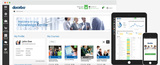
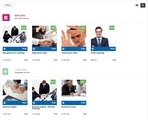
Widgets Feature: A highly configurable and modular user dashboard with the widgets feature. This feature will enable the LMS admin to customize and assign multiple configurations so that s/he can provide a unique and personalized experience to learners.
Certification & Retraining App: This app enables a set of functionalities to manage the retraining of LMS users over time.
Https Web App: This app allows you to enable the HTTPS protocol, upload and install your SSL certificate for your custom domain and for each domain configured through the Multidomain App.
With 6.6, users will have much greater flexibility when it comes to customizing and personalizing the platform, improving the experience for both admin and users. Check out the Docebo 6.6 user interface. Below, you can also see an example of the level of customization that can be obtained using the widgets feature: We hope you enjoy these new features! If you’d like a walk-through please join our May 6 webinar (12.00 ET) as Docebo NA’s Customer Success Manager, Marquis Dugger, takes you through Docebo’s latest new features in the 6.6 update. This webcast will be followed by a 10 minute Q&A to answer your questions!
If you have any further queries regarding the 6.6 update please contact one of our Solutions Consultants!
The post Try the brand-new Docebo 6.6! appeared first on Docebo.
Docebo e-Learning Blog
.
Blog
.
<span class='date ' tip=''><i class='icon-time'></i> Jul 15, 2015 05:39am</span>
|
|
In a recent series of blog posts we started analyzing elearning programs from the final users point of view, this is the fourth post in that series. At the end of this article you’ll find all the links to our previous articles for further context.
Looking at elearning from the final user point of view is becoming more important since elearning is quickly being recognized as a mass trend (it’s no longer "niche" so consider the "mass"). From universities to companies and governmental agencies, people ‘consume’ content. Elearning is another way to consume content, and perhaps the most structured and effective way to do so in the digital world. Who are elearning program final users? Final users are: students, employees or job-seekers. But these three classes of users are far too generic to contribute to planning for an effective elearning program. We should at least ask the following question to better qualify our audience: what is my final user’s work and/or life situation at this point in time? We need more information about final users in order to meet their actual needs at any point in time - e.g. we need to know demographics, any financial insights, whether they have any expectations about rewards etc.
In this post I will list the top 8 types of learner that immediately comes to mind:
1. Traditional students
Students at all school levels are nowadays involved in elearning programs. In their tenth annual survey on the state of US-based online higher education, The Babson Survey Research Group reported that 6.7 million students enrolled in at least one online course during the fall 2011 term. That means nearly one third of all students currently enrolled in some sort of higher education in the U.S.A. Traditional student’s expectations are focused on quality of training, level of engagement, high level certifications and job-oriented skills.
2. Non-traditional students
Traditional students are commonly defined as students who have entered college after high school, and non-traditional students are commonly agreed to be those who have returned to school some time after. The reasons these non-traditional students have decided to return to school at a later date could be due to financial setbacks, starting/ planning a family, or working a full-time job. For non-traditional students elearning is becoming the first training method to achieve a school diploma. Even if there are still different barriers in providing full access to elearning courses to non-traditional students, we see that the target expectations are often: flexibility, price, certifications and tutor/mentor support.
3. Job skills mismatch
Job skills mismatch is one of the main challenges faced by economies, as confirmed by several governmental studies. The mismatch between workers’ skills and their tasks at work can also adversely affect economic and social outcomes. Providing training to employees is the first answer to this question and can help tackle skills mismatch. By systematically educating current employees, companies ensure their workers are performing optimally in their current position, and are prepared for further advancement. Elearning is the second most important education methodology within organizations. The expectations for this target are all job-task related, users expect to acquire the competences needed to keep their jobs and to be promoted in the near future.
4. Mandatory training for employees
Depending on your job description, you could be subject to a number of mandatory trainings. Plus, there are several legally-oriented items to cover with training (compliance). Users involved in this kind of training are not very demanding in terms of quality of the training, but companies are often kept very busy in developing well planned elearning programs to ensure a high percentage of completions and a satisfactory level of training - or outcome. The main focus in this case is on good timing/scheduling for training, giving the broadest range of access, removing all barriers to access the courses, ensure SSO with other corporate systems, and so on.
5. Geographically dispersed workers
This is quite a mixed category of final users, because we could find: the team located in a very remote space, far from company headquarters, employees on the move, remote workers - and also even subsidiaries and subcontractors! We would like to stress the expectations of the first group: workers located in a very remote space, far from headquarters. These are for example oil and gas employees, maritime employees, mining employees etc. These workers require a lot of training to be delivered on the job and at the point of need. Their expectation is focus on one single concept and "acquiring exactly what I need, and nothing more!"
6. Extended team
We mentioned before remote workers and employees on the go… these two categories are becoming more and more important in the labour market. In terms of communications this target is highly demanding, and training should be aligned with the overall communication strategy. Having a mobile learning strategy is fundamental with this target.
7. Talent management
We could say that this is the most-fun target to satisfy. These are well trained, highly motivated people, willing to increase their knowledge and able to even choose what’s the best for them. Due to the fact that talents are often a restricted group of people, a company could spend more on training them (compared with the average spent on training x employee). The elearning programs offered to them should be inline with the other activities planned for them. A perfect integration between training and talent management is a fundamental prerequisite to keep talented people satisfied.
8. Unpredictable (or generic) audience
When you go to the market with a generic training offer, you want to satisfy the widest range of users. Maybe your audience will be a sum of the targets below, or not. Perhaps they will simply be consumers! The typical (digital) consumer’s expectations are: easy and quick to buy, well-ranked, 24/7 assistance, social sharing and all the other fun stuff that we have seen applied in MOOCs strategies and B2C elearning such as gamification.
This isn’t a definitive list! I’m going to gradually build on this, and I would appreciate any opinions from readers regarding new targets and their expectations when facing an elearning program.
If you missed out on earlier posts regarding final users, you can find them here:
More articles in this series:
1: Final user expectations of an elearning program
2: Global Consumer trends: how they impact the elearning market
3: Successful elearning: How to engage your audience
The post 8 types of elearning students trainers must consider appeared first on Docebo.
Docebo e-Learning Blog
.
Blog
.
<span class='date ' tip=''><i class='icon-time'></i> Jul 15, 2015 05:39am</span>
|
|
Join Marquis Dugger, Customer Success Manager, Docebo NA, on May 6th at 12.00 ET as he takes you through Docebo’s latest new features in the 6.6 update. If you’d like to learn more about what’s new in 6.6 check out this blog post, or simply register for the webcast! This #DoceboLive demo is designed to offer users a high level overview of the Docebo LMS functionality and newest features. This 40 minute webcast will be of particular interest to new users testing the Docebo trial, or existing customers that want to learn more about the robust feature offering, and in particular the latest update.
Docebo’s new 6.6 release focuses on Partners’ and Customers’ training via Extended Enterprise features, and enhanced modularity. For EE customers, this makes the Docebo LMS a ‘multi-domain, multi-branding, multi-layout’ solution - enabling customers to establish a different brand and layout for each domain within a single LMS, while focusing on different training targets.
Some of the topics covered in the webcast will include:
Extended Enterprise: An enhanced Multi-domain App which manages multiple clients with unique domains from a single LMS.
Widgets Feature: A highly configurable and modular user dashboard with the widgets feature. This feature will enable the LMS admin to customize and assign multiple configurations so that s/he can provide a unique and personalized experience to learners.
Certification & Retraining App: This app enables a set of functionalities to manage the retraining of LMS users over time.
Register now!
The post Webinar: Docebo 6.6, improving the Extended Enterprise training experience appeared first on Docebo.
Docebo e-Learning Blog
.
Blog
.
<span class='date ' tip=''><i class='icon-time'></i> Jul 15, 2015 05:38am</span>
|
|
A lot of startups fail before they even start scaling and actually become "scaleups" or "unicorns" (companies valued at more than $1 billion) but, the ones that do succeed have great rewards in terms of opportunities, evaluation and customer acquisition. Unfortunately there is also a dark side to scaling and becoming successful, that dark side might include Talent Management, especially with regard to Talent Training, Talent Retention and giving top talent the opportunity to grow professional skills through various means, and not just ‘in the field.’
In a hyper-competitive labour market, where resources with "new generation" competencies in tech, marketing and sales are lacking, talent acquisition and talent retention are two critical factors. CEOs and entrepreneurs are investing a lot in order to acquire the right talent and to ensure they stay in the organization. Losing any highly skilled employee can not only be very painful, it can have a negative impact on the whole organization.
The hidden (and unhidden costs) of losing talent are:
Hiring time: it usually takes a long time to find the right person to fit the company’s needs and culture. Imagine for example how difficult it might be to find a Marketing Automation expert for the B2B FinTech sector outside of Silicon Valley, and then losing that resource after 2 months of work and a very structured and costly onboarding process.
Onboarding time: it takes a relatively long time to onboard a new resource, with related training activities and transfer of competencies.
Investment risk: risk of losing the time and effort the company invested in the resource.
Is hiring talent a "long term relationship?" Most definitely YES.
In well-capitalized scaleups or unicorns, CEOs are under the impression that they can simply offer the following three elements in order to retain Talent:
The CEO must have empathy. Leaders must be part of the team/family, and both lead and be a mentor at the same time: "Leadership is about making a positive difference and you cannot do that without empathy." (Carly Fiorina, in Forbes)
A nice - and fun - work environment, with pleasant furniture and amenities.
A very good compensation plan and benefits
BUT (and there is always a BUT) when top, young talent start working in a more complex environment (that is very different to working in a ten-person startup), expectations change.
They ask questions like:
How will my career evolve in this company?
What can the company I work for do to increase my skills?
What are the strategies that will help make this happen?
If the above questions, and others like these, are not addressed, the CEO will soon start facing issues that will impact on Talent Retention (and then Talent Turnover). How can we address the needs of top talent? Addressing this is part of the scaleup evolution phase. Based on my experience in deploying elearning projects for well-funded scaleups, the answers are:
Offer a clear vision, career roadmap, and learning plan (along with related benefits to the employee’s professional skills).
Work on the learning management process through a structured learning plan that allows employees to acquire new skills.
Work on the talent management process, assessing competencies and planning a career ladder.
Working on the talent management process, means starting to explore your company and your employees, identify (and formalize) roles, skills, and gaps to fill in order to reach the desired skills and competencies. After that you have to start to train your employees, and during the setup of the strategy one mustn’t forget the 70/20/10 model.
Working on learning management process, means giving employees learning opportunities. Learning doesn’t refer only to formal training (10% of learning is formal), but also to coaching opportunities (eg learning from the best employees), and means leveraging informal learning (that is 70% of learning in the workplace).
Then, at a certain phase of the scaleup’s evolution (in fact the sooner, the better) the CEO must build a L&D and HR department, remembering of course that the role of HR is not only related to hiring.
In conclusion, the creation of a team requires the Board’s agreement and needs to be shared with the company’s C-level execs. All top team members need to agree that the ‘human factor’ is a key strategic element in the company’s long term success.
Author: Claudio Erba, Docebo Founder and CEO
Described as a Revolutionary Entrepreneur beyond today’s boundaries, Claudio Erba is a serial entrepreneur, who founded Mailforyou.com in partnership with IEI Spa in 1999. Between 2001 and 2005 he lectured at the University of Florence, and in 2005 he founded Docebo, a SaaS company in the elearning market. You can connect with Claudio on LinkedIn or on Twitter @ClaudioErba73
The post Talent retention factors in Scaleup and Unicorn companies appeared first on Docebo.
Docebo e-Learning Blog
.
Blog
.
<span class='date ' tip=''><i class='icon-time'></i> Jul 15, 2015 05:38am</span>
|
|
70/20/10 is a big topic that has been growing steadily over the past few years in popularity as L&D teams really start to figure out their training requirements. For those of you who are new to the topic, 70/20/10 was kicked off in the 1980s by a research team out of North Carolina and in essence states that 70% of learning activity takes place through active job experiences (and I would also claim this maps to informal learning experiences as well), 20% of learning happens as a result of working with co workers, peers, and receiving coaching experiences, and only 10% of learning happens as a result of direct instruction. (McCall, 1988)
While there may be many competing theories and plenty of academic debate regarding the validity of this theory in essence the majority of the writings I have read and my direct qualitative observations drive me to conclude that this is a solid approach to look at when building out your learning environment. I would like to position the strategy a bit differently however and try and build an organization that allows for a flexible learning environment that leverages the 70/20/10 model but also allows for more transparency in tracking key learning events.
The concept of Learner-Centered instruction more fully embraces the 70/20/10 model and as an overall concept it pushes the concept that the learner should be more in charge of the learning materials and learning path they take. While this is a difficult path in many work environments finding a good technology partner can greatly assist in facilitating learners working to drive their own on-the-job knowledge and the ability for CLOs to be able to track the success of this initiative.
Successful learning-focused organizations employ a variety of methods to help focus their employees on learning that will benefit the company as a whole. The ability to allow the employee to drive their own learning initiative helps motivate and retain top talent. This also relieves some of the burden of the Learning & Development team to constantly innovate new learning activities, that stimulate and motivate at a level most Millennials and (soon to be entering the workforce) Gen Z employees have and will have grown to expect.
Peer collaboration is a central tenant of Learner Centered instructional design and also aligns very well with the 20% in the 70/20 model. The ability to quickly bounce ideas off of peers and your supervisors is a great way to sharpen the initial learning that was accomplished during the discovery and hands-on learning phase and leads superbly into the formalization of learning concepts in the 10%. This last phase is where anything that is still uncertain can be formally established in the form of traditional instructional methods (either face to face or eLearning).
Bottom line is this: transitioning your learning organization from a traditional 10% first organization to a fully realized 70/20/10 organization allows your learners to benefit from Learning Centered Flexibility and have the capability to drive learning requirements in a more organic and healthy way. Finding software that helps you do it is the topic of my next blog post!
Resources
McCall, M., Lombardo, M. and Morrison, M. (1988), The Lessons of Experience: How Successful Executives Develop on the Job, Lexington Books, Lexington, MA.
Author: Josh Squires
Josh Squires is currently serving as the Chief Operating Officer of Docebo EMEA. Josh has spent the past 15 years researching and implementing creative learning solutions within corporate and higher education environments. With clients ranging from Motorola to Disney, he has been on the designing and implementing stage of a wide range of learning scenarios with customers spanning the globe. Josh has also taught Instructional Technology theory and tools as a consultant and faculty member for over 8 years in both Corporate and Higher Education environments.
You can contact him directly or connect with him via LinkedIn
The post Bringing Learner Centered flexibility to your Learning & Development team appeared first on Docebo.
Docebo e-Learning Blog
.
Blog
.
<span class='date ' tip=''><i class='icon-time'></i> Jul 15, 2015 05:38am</span>
|
|
If you are dealing with Extended Enterprise (EE) learning you are probably aware of all the issues that come with this approach, for example, reaching people in different countries at the same time, approaching different organizations with their own behaviours and needs, ensuring compliance, and the high costs in delivering and monitoring these activities.
Many of these goals can be achieved using an Learning Management Solution like Docebo - media-rich (and better) content can be delivered to a broader and wider audience; learning environments can be custom-created for different groups of users; you can also manage large numbers of users, groups, business units, or any other silo within your user base with a user management tool; and increase partner collaboration and involvement in the training process to see an increase in partner sales.
In a previous article we looked at how to measure the business impact of EE learning and the measurable benefits of using an LMS to deliver EE training - now let’s take an in-depth look at the tools that you can use to set up an LMS with a focus on EE training.
Step1: focus on the users organizations
Map your customers in your LMS by creating a single folder for each unit you have to manage. Units, of course, represent different companies, clients dedicated academies, partners channels, or dealers you have to train.
Inside each folder you will subscribe users belonging to the relative customers. You can completely customize the users information that you want to collect according to each organizational chart folder: within Docebo it is possible to assign different fields for each branch of the organizational chart in order to better optimize the users’ details related to different companies, countries, offices, or any other sorting category you use to classify your learners.
After creating the list of your additional fields, you can choose which ones to assign to a specific branch of the organizational chart.
Step 2: customize the look & feel/ branding of platforms
To optimize the Extended Enterprise learning process we have created the new Multidomain App.
This brand new app allows you to completely rebrand your Docebo platform to show customized branding elements for each organizational chart node. This means that with the same LMS you can create as many layouts as you need, buliding a specific layout for each folder of your organization chart. In this way, users from different units will see different layout elements, such as colors, logos, favicons, web page titles and more.
Remember: by using the color scheme feature and CSS editor it will be very simple to recreate the corporate identity of each customer. Moreover with the whitelabel app you will able to completely rebrand the platform by customizing the footer and naming elements, and applying specific parameters to each customer.
Step 3: create different URLs
You can create specific URLs for each unit you have created in your organization chart and completely customize the signin page from which users will log into the platform.
When you activate your Docebo installation, you will first choose a default domain name for your new platform (e.g. elearningbox.com), but the intention with this App is that by using custom URLs, you can assign additional domain names to the same Docebo installation so that users in different folders will reach the platform from completely different URLs, maintaining the user’s perception that s/he is entering an environment dedicated to his/her company.
By customizing the login page you can create specific templates by changing the position of the login boxes, choosing and uploading a specific background image, and adding text and additional web pages.
Moreover within the new Custom Domain Https App you can enable the https protocol, and upload and install your SSL certificate for each domain configured through the Multi-domain App.
Step 4: create a customized learning program
Once you have completed the setup of your platform you can start creating courses and learning programs. Docebo allows you to create and build specific catalogs, courses and learning plans and then associate specific ones to each branch of the organization chart.
This means that users from different customers will see only the catalogs, courses or learning plans assigned to their specific branch. Furthermore you can also apply different e-commerce settings to each branch, using different currencies or payment gateways, according to each customer’s need/s.
Step 5: create a manager profile for each customer
It is very important to define processes and precise roles within an EE learning project.
To help you in creating customized profiles in charge of these specific processes, Docebo has created the Power Users app. So within Docebo you can create fully customized profiles, assigning them some very specific permissions and powers according to each customer’s needs.
You can create a specific power user profile for each customer or, what’s more useful and less time consuming, you can create one specific power user profile and then assign this profile to the manager of each customer folder.
Step 6: customize specific dashboards for each customer
We understand the need to organize information for users in the most simple and straightforward way. This is why we have created a new welcome page for users called "My dashboard". This page includes all the information and modules that you want your users to have quick access to, and highlights the relevant activities that they need to keep up with.
You can create as many dashboards as you want, and you can customize a dashboard based on your organizational chart nodes by building and assigning a different welcome page to each branch.
You can also create dashboards based on the user level, for example, creating one dashboard for the super admin, one for the power users, and one for the learners. Also each dashboard will display different information as per your needs - so you can create customized dashboards for different customers users, admin and power users.
Start building your own Extended Enterprise training project by activating a Docebo free trial.
The post How to manage Extended Enterprise training for dealers, partners & customers appeared first on Docebo.
Docebo e-Learning Blog
.
Blog
.
<span class='date ' tip=''><i class='icon-time'></i> Jul 15, 2015 05:38am</span>
|