Blogs
|
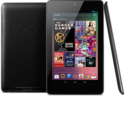
During our initial planning discussions in preparation for the Google Apps for Education Summits, our team committed to donating a percentage of the net income from each event directly to classrooms - specifically to put internet connected devices into the hands of students. Happily, Google has recently released the Nexus 7, the next generation Android tablet in a student-friendly 7 inch form factor - for only $199. We've now committed to donating 24 Nexus 7 tablets to a classroom. We're working with our sponsors and others to make this a full class set of 30 or more devices in the coming weeks.Google is only positioning these devices as consumer products at this point, but the EdTechTeam believes they have great potential for student use and would love to see how an innovative teacher facilitates this - and we'd love to learn more about what challenges this might present. We'd most like to see these placed in a 1:1 pilot program (either at the elementary level, or for a single class at the secondary level) that allows students to take the devices home with them on a daily basis. So... what would you do with a class set of Nexus 7 Tablets? Write up your proposal and then submit it via this form: http://goo.gl/rVwqiBe sure to describe how students might use the devices in your class, and what you'll do to facilitate student use of the devices for inquiry and creation. On August 21, 2012 we'll select the winner of the first class set. If you're not selected for funding by us, we encourage you to develop an account on DonorsChoose.org, where anyone else can fund your proposals! We see this as a way to empower teachers to seek funding for far more classes than we could ever fund ourselves. If you setup your proposal on DonorsChoose, please use the form above to let us know, too. You can promote your proposal anywhere - and we'll help spread the word! Please let us know if you have any questions about this. We look forward to seeing your proposals, helping to make them happen, and hearing about the impact these devices make in your classes.BONUS: iBallz has generously offered to provide iBallz Minis for every Nexus 7 we give away!UPDATE 2012/08/21: Three finalists have been chosen, and more information has been requested from them. All other applicants have been notified as well. The form above is no longer accepting submissions. We will launch a new application as soon as we are able. :)
EdTechTeam
.
Blog
.
<span class='date ' tip=''><i class='icon-time'></i> Jul 20, 2015 07:08am</span>
|
|
In case this is of use to anyone - a quick use A6 card that describes how to set work in Frog (using New Assignment from the timeline) and some of the applications we have in Frog.
Feel free to download an alter as required…
PDF Files
Applications
Assignments
Adobe Illustrator Files
Applications
Assignments
Andrew Caffrey
.
Blog
.
<span class='date ' tip=''><i class='icon-time'></i> Jul 20, 2015 07:08am</span>
|
|
I shared this elsewhere and thought I'd share it on the team blog as well. I hope others might find it useful.UPDATE: I buried the lead... by switching from AT&T to StraightTalk I'm basically getting my new phone AND laptop for FREE. :)Wow. I exhausted all the possibilities and finally settled on a new laptop, phone, and phone service. I'm going all open source, unlocked, and contract free. :)Laptop: ZaReason UltraLap 430 w/Ubuntu 12.04https://zareason.com/shop/UltraLap-430.htmlPhone: Google Galaxy Nexus by Samsunghttp://www.google.com/nexus/#/galaxyService: StraightTalk Unlimited (Month-to-Month)https://www.straighttalk.com/secure/ServicePlansBTW, I'll save more than $1000 over two years by leaving AT&T... plus another $1400 since I'll be canceling my MiFi as well. I can buy a new phone whenever I want! (This made it easier to say no to the Samsung Galaxy SIII for now, as did the promise of Jelly Bean sooner on the Nexus... not to mention the Nexus was half the price unlocked. I really wanted to do the SIII on Credo for $199, but the two year contract at AT&T like prices turned me off despite Credo's social mission.)Also, the laptop has double the RAM of a Maxed out Macbook Air, and more SSD storage than possible with a Macbook Air... for over $300 less. And, I found great looking alternatives to all my favorite Mac Apps, including TextExpander and FlyCut. Oh, and they're all free.These are still not inexpensive purchases, but I feel like it's money well spent... I was out the door for 15% less than I would've been with a maxed out Macbook Air and a basic iPhone 5. And with the savings over time with the cell plan, I basically just got my new phone and computer for FREE!I guess I buried the lead, eh?And of course I'll be sharing my experiences switching from OS X and iOS to Linux and Android... and I'm looking forward to finally walking the open source talk. :)
EdTechTeam
.
Blog
.
<span class='date ' tip=''><i class='icon-time'></i> Jul 20, 2015 07:07am</span>
|
|
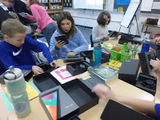
By Second Grade Teacher Julie StewartIt is just about a year ago when I told Beth Mossholder, our resident Google Certified Teacher and technology teacher, that I was going to try to find a way to get tablets into my classroom. Little did I know that I could actually make it happen! After attending the Google Apps for Education Rocky Mountain Summit this past August, I knew I had to get the 21st century into my classroom for more than just one day a week when my class had a technology class. When I saw the opportunity offered from the Ed Tech Team to place Nexus 7 tablets into the hands of students for a pilot program, I knew this was my chance to make this a reality. I applied and am now thrilled to be part of this amazing journey that has already opened the world up to my students.September 24, 2012 marked the beginning of this amazing journey for my second grade class with the arrival of our classroom set of Nexus 7 tablets. We had been following the shipment via UPS with their tracking system, so when we saw that they were in Colorado at a UPS depot just miles from our school, the class could hardly sit still! The school office was alerted to make the phone call once the truck arrived with this very special delivery. Beth and I knew our world was about to change in a matter of hours.The phone finally rang with our much anticipated phone call. I quickly got the students to line up; how I managed that I will never know! I went two doors down from my classroom to get Beth as my second graders followed me like little ducklings all in a row. We started to hurry down the long hallway when hurrying suddenly turned into something similar to running. The chatter of happy voices disturbing every classroom along the way was priceless! Little faces peered out from behind classroom doors as we made our way to the school office. We were greeted with a smiling UPS delivery man with the special delivery from the Ed Tech Team!This had to be the best day ever for my second graders! The addition of these tablets is going to change the way my students learn this school year and beyond into their futures. The 21st century has arrived in my classroom, and I cannot wait to see where it takes us.Thank you, Ed Tech Team, for making a dream come true. Our journey has just begun and what a ride it is going to be!
EdTechTeam
.
Blog
.
<span class='date ' tip=''><i class='icon-time'></i> Jul 20, 2015 07:07am</span>
|
|
One thing that has been missing from Frog is an e-book system - so we recently added RM Books to Frog. RM Books gives us access to a range of eBooks including quite a few free classic literature books and some school text books. There is no initial cost to set up and use the free books and some of our departments are now using textbooks via RM Books rather than more expensive paper copies.
Getting RM Books into Frog
At the moment there is no official integration - so we used a HTML Sign In Script (originally developed by Ninestiles School to log into something else) to link the two. This script requires Frog3 - on the first use, users enter their username and password. Once Frog has this information all future log ins are automatic. Get in touch if you want me to email you the Frog3 Page and HMTL Script to use.
In the future it would be good to see better integration between RM Books and Frog, possibly getting the books into Discover and on the book offering more publishers of Secondary Textbooks into the system.
Andrew Caffrey
.
Blog
.
<span class='date ' tip=''><i class='icon-time'></i> Jul 20, 2015 07:07am</span>
|
|
This is cross-posted from the EdTechLife blog.I wrote (most of) this on the plane ride home after the Google Apps for Education New England Summit last week...If I'm going to blog publicly, I can ask myself... what did I learn this weekend? I usually learn something new at each summit... from dropping in on sessions, or from good questions asked in my own sessions... or, of course, from new tools or features released since I last ran my sessions. :)Thanks to an attendee question, I relearned how to search the Google News Archives using the new interface. If I post this to my blog, I'll have to re-record a new video of it. It's awesome. In short, though, you can now access the Google News Archives by simply visiting Google News, and clicking on the drop down arrow in the search box. One of the options is to search in the archive - and you can limit your search by date as well.Here's the video... my first screencast using my new Linux laptop. I used RecordMyDesktop to create an ogv file and then uploaded it directly to YouTube. I forgot to turn up my audio input first... and YouTube seems to have crunched the resolution down pretty far, but considering I wasn't up for a second take, I'm pretty happy with how it gets the point across. :)Given my difficulty in articulating what else I've learned this weekend, I think another take away is this: I've got to make it more of a priority to spend substantial time in the other sessions in order to learn something new each time (and to take advantage of where we are, and who we are with). It will also help me have an even better idea about how each presenter runs their sessions and how the events are going. Right now I stick my head into every session (when I'm not presenting) to see how it's going. I busy myself taking pictures (as unobtrusively as possible)while I get a sense for how the energy in the room, but I don't usually stick around for the content. Most of the content is of course familiar to me, but I still pick up nuggets here and there, and there's no doubt in my mind that the speakers at these events have vastly different experiences and expertise from mine - that I could benefit from if I put more time into listening.That being said, I did learn A LOT this weekend, but not necessarily about educational technology. I continue to learn a lot about business... and about people (and organizations)... and about myself. These things just might not be appropriate for an educational technology blog. Depending on the reflections, though, they might work here (it is an "and life" blog too after all), or they might work on a separate blog - or perhaps on an anonymous blog. Or perhaps only in a private file - in a hidden directory on an encryped drive. I've been doing some journaling too. ;)
EdTechTeam
.
Blog
.
<span class='date ' tip=''><i class='icon-time'></i> Jul 20, 2015 07:07am</span>
|
|
This is a nice add on to Google Chrome - which shows an image (usually something Geographical), the time and says good morning to me. There is also the option to store a To Do List and set some targets for the day. It’s is available in the Chrome Web Store.
Andrew Caffrey
.
Blog
.
<span class='date ' tip=''><i class='icon-time'></i> Jul 20, 2015 07:07am</span>
|
|
Cross-posted from edtechlife.com.This is an excerpt from something I wrote for the team back in February. It has stood the test of time well, and I'm excited to finally share it here. I look forward to any comments, feedback, or pushback from others. :)Over the past few years I’ve found that my personal and professional values have more or less converged, so I’m particularly passionate about my commitment to these values... and I think they’re a good fit for this team.PassionWe do only work that we are passionate about. Don’t accept a job from the team that you aren’t passionate about. Do feel free to send us leads you’re not passionate about, but know that I won’t move on a lead unless I am passionate about it... or unless I know someone else on the team that is. It follows that we also don’t provide or recommend products or services that we are not passionate about. Sticking to your passions is also a very positive way to ensure you never threaten your own integrity.FlexibilityWe are a flexible team. This is probably the essence of the EdTechTeam, and I often pitch this benefit to clients: "We are a nimble organization, able to be flexible and responsive to your needs... Our services can be scaled up or back as necessary, and we are experienced in developing custom services based on client requests. Because we always work on a contract basis, few of the commitments required to hire an employee are necessary for your organization to tap into our expertise." I value flexibility over systems, rules, and precedents - and I value flexibility over checklists, goals, and plans. Flexibility is critical to the philosophy of the "lean startup" and that philosophy is key to our success and future growth. If I say "thank you for your flexibility" it is high praise coming from me. OpennessWe are an open team. I mean this in many ways. Most importantly, we are open with each other. Hopefully this message is a good step toward making that even more of a reality. If you have questions, concerns, or potential conflicts... let me (and anyone else involved) know. We are also open with the clients, educators, and students that we serve; we always share our opinions (and identify them as such); we always disclose potential conflicts of interest; and we always disclose any additional funding or support we might be receiving. And, of course, we always thank the people and organizations that have contributed to successful events and projects. Also, we share as much of our resources as we can. That is why all of our workshop resources and publicly posted materials (including blog posts and wikis) are released under a Creative Commons Attribution-ShareAlike license. We’re paying it forward to other educators and learners. CreativityWe are a creative team. Creativity is a cornerstone of my educational philosophy. I believe that encouraging creativity is both a means for learning other things, and a valuable end for education to aspire to. I value working with creative people (like all of you), and our creative solutions to others’ problems are in a very real way what we are selling. We find creative ways to help people learn. SimplicitySimplicity is good. All things being equal, simplicity is better than complexity. Simple solutions are better than complex solutions. Simple tools are better than complex tools. Simple rules of thumb are better than complex manuals, and simple values are better than complex contracts. If in any case, a simpler tool can be used, simpler words will suffice, or a simpler route can be taken... we should always choose the most simple path to the solution we want. I feel my language in this message is simple, but I know it is still unnecessarily long and complex. I look forward to the day I’ll be able to express these things in only a few lines. Health, Balance, and AuthenticityWe live healthy, balanced, and authentic lives. I mentioned that my personal and professional values have converged over the years. These are three values (collected for simplicity’s sake) that I aspire to in my personal life, that I admire in many of you, and that we should look to for guidance as a team. We should not suggest things to clients, educators, and learners that would not be healthy or that would lead them to lead an unbalanced or inauthentic life; rather, we should encourage healthy choices, balanced behaviors, and authentic communication. I’m a fan of teaching "the whole child" (regardless of the political baggage this term may have acquired), and I think it is critically important to always deal with everyone, educators and students included, first as people. Discover their passions and their challenges if you truly want to help. The technology in our name and mission does not outweigh the health and happiness of the people we serve. GivingWe donate 5% of our net income to put devices in the hands of students. As I’ve worked to reboot this business in 2012, I’ve wanted to ensure that giving is baked right into the business model. (Among other things, I was inspired by Blake Mycoskie’s Start Something That Matters.) When I asked myself what we could do, I kept coming back to the importance of putting devices in the hands of kids... to creating as many 1:1 situations as we can (even on an individual scale). We can’t offer any sort of 1-for-1 deal similar to Mycoskie’s TOMS shoes (it would be too expense to include the price of a mobile device with every workshop ticket... or to give away a workshop for each one sold), but we can dedicate 5% of our net profit to putting devices in kids hands. Inspired by Warren Dale, who provides some very convincing arguments for giving kids iPod Touches (which they will carry and use everywhere) I am giving iPod Touches to kids in schools with teachers (and visionary educational technologists) who will provide the best chance for the devices to be put to good use. UPDATE: The entire core team for the Google Apps for Education Summits has committed to giving away Nexus 7 devices... and I just shipped our second class set yesterday!SynchronicityWe embrace synchronicity. Whatever cause or causes have brought all of us together, there is no doubt in my mind that this team is greater than the sum of it’s parts - that I am better working with you than I am working alone. Similarly, I trust my intuition... and I trust yours; your opinions and insights are extremely valuable to me. As a team, we should continue to embrace the happy accidents and meaningful connections that our work presents us with. I look forward to seeing how our efforts will be shaped in the months and years to come.I feel the same way about this (sometimes dormant) blog. And on this particular day I'm Thankful for all of the happy accidents and meaningful connections I've found here with all of you as well. :)See also a flashback "Thank You" post that still resonates with me 9 months later: http://edtechlife.com/?p=2942
EdTechTeam
.
Blog
.
<span class='date ' tip=''><i class='icon-time'></i> Jul 20, 2015 07:07am</span>
|
|
Simple Marking
The simplest marking involves using existing tools within Google Drive to leave a comment or make a suggestion.
1. Using Comment
Comment enables you to leave a side comment on the work. Students receive an e-mail when comments are left on their work. To insert a comment highlight the text you want to comment on and then press CTRL+ALT+M. You can only leave a comment once text is highlighted.
Students can mark a comment as resolved, which removes it from the side and sends you a e-mail to notify you . However all comments are still availble to view under "Comments" at the top of the document.
2. Using "Suggesting"
Suggesting enables you to edit the document, and your changes are made as suggestions which the student can choose to accept or reject. The suggestions are left as comments alongside the document.
Advance Marking
3. Audio Feedback using Kaizena
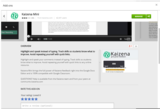
Kaizena is an add on to Google Docs, before using it you need to go to "Add-ons" in the top menu bar and then Get Add Ons, and browse the Add On list until you find Kaizena. Once you have added this, it will prompt you to also install a Chrome Extension - you need to add both to make this work.
Once installed Kaizena works in a similar way to Comments - you highlight the text you want to comment on then press "New Feedback" in the Kaizena Side Bar:
You can then select to record some audio feedback, leave normal text feedback or give a link to a document.
Tracking Changes
4. Tracking Changes - Revision History
Going to File, then See Revision History - shows the times that a student has spent working on a document and the changes they have made. This can be useful for tracking homework completion.
5. Draftback
Draftback creates a movie of the document and shows the changes made over time, along with the dates the changes were made. It is effectively an annimated version of the Revision History. To use Draftback you need to install a Chrome Extension.
Once installed Draftback can be accessed from a button on the top menu, next to comments. This produces a movie of the document and the changes made.
Andrew Caffrey
.
Blog
.
<span class='date ' tip=''><i class='icon-time'></i> Jul 20, 2015 07:07am</span>
|
|
We're all so proud to be involved with this effort. The second class set of Nexus 7s the EdTechTeam donated for 1:1 student use was rolled out earlier this month...YEAH!!!! The Nexus 7s arrived in Maine on Friday afternoon and we were able to give them to students just three days later. Kate Parkin (4th grade teacher) and I had spent time preparing for the devices, exploring apps, becoming familiar with various resources like Edutecher and Android4Schools and thinking about how to bring this to her students in the most productive way. Some weekend work went into charging, updating and preparing the tablets with each student's Yarmouth Google account. Read More on Kathy Wolinsky's Blog...Do any of you know of any schools purchasing Nexus 7s for student use? We'd love to connect with the educators in those schools as well - to share challenges and best practices. Thank you in advance for any comments you might leave.Meanwhile, we hope you all have a happy new year celebration. :)
EdTechTeam
.
Blog
.
<span class='date ' tip=''><i class='icon-time'></i> Jul 20, 2015 07:07am</span>
|