Blogs
|
In keeping with the meme #makeschooldifferent, I have been thinking more about the philosophies behind Librarianship. I decided to think about this in terms of what I want to START, instead of what we need to STOP pretending. I am passionate about education and have also been working on a project for New Pedagogies for […]
Deborah McCallum
.
Blog
.
<span class='date ' tip=''><i class='icon-time'></i> Jul 20, 2015 07:15am</span>
|
|
The Forest of Technology is a program/website devoted to connecting and sharing cross-curricular endeavours as they relate to the Forest of Reading. Possibilities for integrating the arts into high quality and recent literature are infinite. Integration with Drama via Greenscreen, and Visual arts, and other digital technologies to document and share learning are all possibilities […]
Deborah McCallum
.
Blog
.
<span class='date ' tip=''><i class='icon-time'></i> Jul 20, 2015 07:14am</span>
|
|
Ever heard of the saying "Don't reinvent the wheel"? If you sit down one day to create a document in Google Apps you might want to search the numerous templates that are available. It is a great place to start when looking for anything from invoices to presentations to book report templates. To access the thousands of templates open up your Google Apps and select Create > From Templates. You can narrow down what you are looking for by the type of document or by the category it might fall in to. You can also try searching the template section for something you are specifically looking for. Once you find what you need you can Preview it and select Use This Template which will place the document in your files.There is another saying that "It is better to give than to receive.", and so the option is there for you to submit a template as well. Simply create the document in your own files and then when you are ready to share it, you navigate to the template gallery and select Submit a Template found in the top right hand corner. Fill out the required information and viola!Learn more about templates and all things Google at the Google Apps for Education Rocky Mountain Summit in colorful Colorado on August 2nd & 3rd.
EdTechTeam
.
Blog
.
<span class='date ' tip=''><i class='icon-time'></i> Jul 20, 2015 07:14am</span>
|
|
Originally posted on Ontario School and System Leaders Edtech MOOC:This Tuesday, May 26th at 8:00 p.m. EDT, we are thrilled to welcome Deborah McCallum (@bigideasinedu) to share her work on curation as an important part of information literacy, a skill that serves educators and learners alike. Whether used as an instructional strategy or skill…
Deborah McCallum
.
Blog
.
<span class='date ' tip=''><i class='icon-time'></i> Jul 20, 2015 07:14am</span>
|
|
As mentioned in a previous post, the reasons why you want to be mindful of this tool as an organizational sharing structure is because the time saved in management and organization is quantifiable and grounded in common sense.That said, how do you create your own groups?Go to your "My groups" page Click on "Create"Name the group Create a group email address. This step is really important because the folks you share with (whether that is via email, document, website, etc) will see the group email address but NOT the individuals that are in that group. This can be useful if you are grouping folks together around sensitive information.It is at this point where you will want to add a description. Again, this is important because your description is how folks in your organization can find your group within the directory. Determine access level for the group. This is essential for opening or closing up these spaces for public or private consumption for the organization. note: you are not locked into this decision and you can adjust and change it as needed.Click on Create Now, you can start to invite members or you can add them directly without even sending an invitation. note: this does not make it anonymous, as the users will receive notification that they have been added to a groupIt's important to note that the ability to "create groups" is not native to an Apps install and so if you are hoping to be able to leverage some of the awesome that is "My Groups;" your domain administrator will have to enable the feature to create your own group. We will look more at domain management of google groups in a further post and we will dive DEEP on the 2nd and 3rd at the Summit! See YOU There!To learn more about Google Groups and all the Google Apps for Education, join us at a Google Apps for Education Summit!Register now for the Google Apps for Education California Summit July 12-13th in Santa Clara CA and the Google Apps for Education Rocky Mountain Summit August 2-3 in Boulder CO.
EdTechTeam
.
Blog
.
<span class='date ' tip=''><i class='icon-time'></i> Jul 20, 2015 07:14am</span>
|
|
Today, it is imperative that we make changes to our traditional school paradigms to meet the learning needs of our students for today and their futures. We need to reimagine how we structure our schools to promote ongoing daily collaboration opportunities for teachers for the purposes of planning, with the explicit goal of improving student […]
Deborah McCallum
.
Blog
.
<span class='date ' tip=''><i class='icon-time'></i> Jul 20, 2015 07:14am</span>
|
|
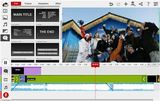
In my previous post Google Drive. What’s in it for me?, I wrote that I am really excited by the possibilities of Drive Apps. Today I wanted to share about the WeVideo app that provides collaborative video editing that can be launched directly from within Google Drive. In the past few years, we have seen a number of attempts at getting people to edit their video in the cloud. A number of people I know were using Jaycut quite extensively until it was purchased by Research in Motion (RIM) and was closed. YouTube has a pretty functional editor that works well for a number of quick projects, but it lacks Google Docs/Drive integration. Now we have WeVideo which is not only fully functional editing and creation in the cloud, but it also comes with the full integration of Google Drive storage. With WeVideo, users can launch the creation process directly from within Google Drive. The user has to grant permission to the App the first time, but otherwise it’s pretty much plug and play. No longer do teachers have to send kids off to another website only to have them waste valuable time trying to remember their user names and passwords. And teachers don’t have to set up user accounts. Woot!What are some of the features of WeVideo?Collaborative--users can upload videos and images and edit a video together. Up to 15 minutes of exported video each month (with WeVideo watermark) for free. There are "credits" available that allow users to remove the watermark and buy more export minutes. Ability to connect a WeVideo account to YouTube, Twitter, Facebook, and Vimeo for direct publishingAbility to store exports in Google DriveSome pretty cool abstract motion graphicsThemes, transitions, audio clips, and lots of fun effectsI put together a really quick proof of concept that shows some of the possibilities. I am definitely no Jim Sill so I’m sure you’ll be able to do much better than I have. Have fun creating!To learn more about WeVideo features, start here or join us for a Google Apps in Education Summit in your region. I'll be leading a Google Drive workshop at each event.
EdTechTeam
.
Blog
.
<span class='date ' tip=''><i class='icon-time'></i> Jul 20, 2015 07:14am</span>
|
|
via 7 Reasons to Integrate Indigenous Knowledge into Science Curriculum.
Deborah McCallum
.
Blog
.
<span class='date ' tip=''><i class='icon-time'></i> Jul 20, 2015 07:14am</span>
|
|
"How do I manage my Google Docs with so many documents coming in from so many students?" Google Docs makes it easy for teachers to collaborate with their students and not have to worry about losing their homework, but tracking down assignments can be a nightmare. There are a number of ways to approach this from the teachers perspective and the students perspective here. This is how I manage them step by step.Step 1) Students create a new Collection (aka Folder) for my class and title it: Subject - NameFor example: Science - JohnnyStep 2) Students then share the Collection/ Folder with me.Step 3) I make a new Collection/Folder called Period 2 or whatever makes sense. Find the student Collections (in the lower left under Collections shared with me) and drag them to my newly created Collection.Step 4) Click here to copy the Assessment Collector Google Spreadsheet(You must be logged into your Google Account).Step 5) I embed this Google Form into my class website.Don't have a website yet? Think about using a student as a webmaster.Step 6) Once I've edited the names of the assignments and students have copied and pasted their links, I can filter the list by period or assignment.Then I can use the built-in Viewer tab. (You may see a button asking you to load the tab).This tab allows me to view, comment or edit the Google Doc, Spreadsheet or Presentation 'handed in' without ever having to leave the window. I can then click NEXT through all the collected assignments.An important aspect of this process is that the students are sharing work in a way that teachers can edit while simultaneously building their own collection of assessments.OptionalStep 7) One limitation of the viewer is that it only reads URLs that begin with http not https. You can use the built in Find and Replace feature or if you're a little adventurous, set it up a script to do it automatically. The script is included in the spreadsheet, you just have to turn on the Form Submit trigger.Step 7a) Select Tools > Script editor Step 7b) Select Resources > Current script's triggers... Step 7b) Click the link No triggers set up. Click here to add one now. Change On open to On form submit and click Save Step 7c) Click Authorize > Click Close and Exit that tab.This means whenever a student copy and pastes a URL that starts with https it will replace it with http.[Printable version of these steps HERE]To learn more about managing Google Docs in the Classroom (and to see Kern Kelley speak) come to the Google Apps for Education Maine Summit on August 17 & 18, or to a summit in a region near you.
EdTechTeam
.
Blog
.
<span class='date ' tip=''><i class='icon-time'></i> Jul 20, 2015 07:13am</span>
|
|
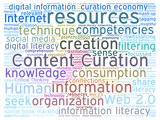
No doubt about it, Content Curation is one of the most important digital skills of our time. The basic fact is that Curation is a strategy that we need just to begin to implement and sift through all of the information online.The following explains the top reasons why we need to engage in quality content curation […]
Deborah McCallum
.
Blog
.
<span class='date ' tip=''><i class='icon-time'></i> Jul 20, 2015 07:13am</span>
|