Blogs
|
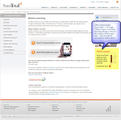
In our role of assisting customers and partners with planning and deploying successful mobile project projects, one of the key requirements every team wrestles with is where they need to "set the bar" when determining the target mobile devices they'll need to reach and support. If the mobile audience is well defined, say the sales team and everyone has one of two different BlackBerry wireless handhelds configured the same and using the same carrier, your set of challenges is defined and well contained. But if you're planning to support a broader audience where every mobile user picks their own devices for their own personal reasons, your set of challenges grows wide and varied.The reason is simple: mobile devices -- especially smartphones -- were not created equal (or under the same rules or conditions). Everyone talks about how smartphones are really "pocket computers" -- and to some extent they are -- but the reality is some of the older mobile devices are not as capable as the vendors lead you to believe. If we employ a computer laptop analogy, some mobile devices still in active service are more akin to an early Osborne 1 luggable portable PC (circa 1981) than they are to a sleek and powerful modern Dell Precision laptop or Apple Macbook Pro. Generally, older data-enable mobile phones have smaller screens, less storage capacity, slower processors and operate on slower 2G networks. They also probably lack Wi-Fi and have web browsers that make Internet Explorer ver 5.0 seem advanced. Another set of challenges inherent with enterprise mlearning stems from the fact that teams want to prepare, distribute and track the kinds of compelling, informative and visually interesting content their users want/demand but they also need to ensure the content is still easy to create, distribute and secure when deployed out to the audience. Older, less capable devices generally don't provide the ideal access and playback experience enterprise workers expect. For example, a short 3-minute video sales presentation or marketing update that must to be encrypted and secured when stored on a standard BlackBerry Pearl smartphone can take as long as 45 seconds to unencrypt and launch on that older smartphone versus less than 3 seconds on a newer BlackBerry Bold, Tour or Storm2 device.A broader challenge is derived from the fact most project teams are new to mobile learning and while experienced and uncomfortable creating, publishing and deploying content in the "e"-learning space, they have limited or no experience performing these same tasks in the "m"-learning space where their many lessons learned don't always transpose well into mobile content planning, authoring and distribution. Moreover, mlearning content that seems to work well on one class of mobile device, say an Apple iPhone 3GS, may not work well or even at all on other popular smartphones like the RIM BlackBerry Curve 8300 -- the most popular device deployed throughout the corporate market to mobile workers. With the many 100s of smartphone devices out there that seem like they'd work for mlearning delivery, where does someone start in making their selections when drawing their "line in the sand"? From our experience, we'd offer the following list of "Highly Recommended versus Minimum Recommended" smartphones for mobile learning content access, delivery and security. "Highly Recommended Devices" include: Devices: Reasons:Android G1, G2*, Nexus One* High-res screen, Wi-Fi, media support + encryptionApple iPhone*, iPod Touch High-res screen, Wi-Fi, media support + encryptionBlackBerry Bold 9000*, 9700* High-res screen, Wi-Fi, media support + strong encryptionBlackBerry Storm/Storm2* Large screens/best BB display, Storm2 preferred with Wi-FiBlackBerry Curve 8900* High-res screen, Wi-Fi, media support + strong encryptionBlackBerry Tour 96xx High-res screen, media support but NO Wi-Fi!BlackBerry Curve 8520 Acceptable display/performance but bottom of the BB devicesNokia Symbian/S60 Rel 5 High-end Nx, Ex Series devices, good browse + mediaWindows Mobile v6.1 or 6.5 High-res screen, Wi-Fi, media support w/ touch UI interface"Minimum Recommended Devices" include:Device: Reasons:BlackBerry Pearl Flip 8220 Faster processor but small display and no Wi-FiBlackBerry Pearl 81xx Slow processor, tiny screen, no Wi-Fi, slow media playbackBlackBerry Curve 8310-8330 Same as aboveBlackBerry World 88xx Same as abovePalm Pre, Palm Pixi Fast, running WebOS, great browsers, Wi-Fi but no AppsNokia Symbian S60 Rel 3 Lower end devices but margin media and browser support.Windows Mobile v5.0 or 6.0 High-res screens but lack of functionality + no touch screens* = preferred devices for pilots or POCsIf you're interested, I also recommend you check out our Mobile Device Comparison Matrix that helps provide a detailed side-by-side analysis of the more popular mobile devices and what's possible when trying to use them for your mobile learning projects.As always, your own personal insights and feedback are appreciated.
Robert Gadd
.
Blog
.
<span class='date ' tip=''><i class='icon-time'></i> Jul 29, 2015 10:33am</span>
|
|
To assist regular readers of this site in better understanding what's possible in the mobile learning space, the next seven posts will all be part of a series exploring the various mLearning content types and delivery methods we are seeing in the enterprise space. We hope these posts prove informative as well as instructional and we plan to include illustrative examples to better "tell the story" of what's possible and practical. We'll begin today with the first two posts including an series introduction followed by a exploration of simple message-based content.________________________________________________________________________________mLearning Content Types & Delivery Modalities- Series IntroThere are three classes of mobile devices - basic cell phones, advanced smartphones, and ultra-portable netbook computers - and these devices vary greatly in the type of content they can receive and display. To better understand the array of content that can be authored and delivered to these three classes of devices, the Mobile Learning Content Delivery Model (Table 1 below) outlines six unique types of mobile-friendly content typically deployed to mobile learners, spanning simple message-based notifications and alerts accessible by anyone at Level 1, to highly engaging on-device or streaming media services only accessible via smartphones and netbooks at Level 6.As shown in Table 1 below, mlearning content at Levels 1 - 3 works with any mobile phone (basic or smartphone) while mlearning content from Levels 4 - 6 requires a smartphone or netbook device and wired/wireless data service. There are also stark differences in the time, effort and expense required to create and deliver mlearning content at each of these levels (with some interesting surprises too).Obviously, if your environment has 100% smartphones and/or netbooks, you can feel confident that all content types discussed herein can be supported. However, if your audience includes a mix of device types including basic cellphones, you’ll need to consider what type of content you will be able to deliver for each class of device to be supported. There is no "one size fits all" solution in the mobile content arena.In the next post, we’ll take a more in-depth look at the six levels to better understand how each contributes to a well-conceived overall mobile delivery strategy.
Robert Gadd
.
Blog
.
<span class='date ' tip=''><i class='icon-time'></i> Jul 29, 2015 10:31am</span>
|
|
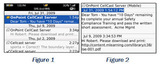
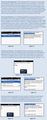
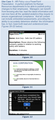
Level 1: Alerts and NotificationsNOTE: This is part 2 of 7 in a continuing series; please see earlier posts for more background information.The simplest form of mlearning content delivery is via one-way/inbound electronic message and there are two popular options available: short message service (also known as "SMS" or "text messages") and electronic mail ("email"). The majority of all cellphones support SMS, provided the user has a ‘texting plan" from their carrier. Up to 140-character "texts" sent via this method are actually considered "high value" content by the recipient and are normally read/responded to faster than any other form of mobile communiqué. Smartphones with "data plans" also have the ability to send and receive email messages; in fact, mobile email access is the primary business driver and ROI justification for most organizations seeking to provide smartphones to their mobile workforce and executives.Level 1 Content TypesAll the options here are simple yet powerful. The CellCast Solution platform provides the ability to generate and send timely market updates ("Acme’s new Olympus Product will be available for customer delivery on April1st.") and friendly reminders ("Don’t forget to attend Sales Training Webinar for the new Olympus Product Tues at 2PM.") directly to mobile learners via their ever-present mobile devices is an obvious use of this functionality by a Training Team but a plethora of other uses are possible as follows:Triggered Notifications and RemindersAdministrators can define and manage sophisticated notification templates that automatically generate and send personalized SMS or email messages based on pre-defined business rules and conditions. For instance, an SMS can be sent to a mobile learner asking them to confirm their understanding of a current policy or procedure, or reminding them to complete an important assignment (see Figures 1-2 below). If that user’s status is still marked as "not attempted" or "incomplete" the next day, triggered reminders can be automatically generated and sent to the learner until that specific assignment has been marked as "completed".Organizational Results and Escalations An additional benefit of a Trigger-based Notification platform is the ability for the system to generate and send out important status updates to managers, supervisors and other affiliated parties based on predefined business rules. For example, if a manager has twenty direct reports who all need to complete their annual Safety Compliance certifications by the end of the current calendar month, they can likely benefit from an email message outlining which of their subordinates has yet to complete their mandatory training (see Figures 3-4 below).Scheduled Learning Content (2 Types)Training teams can plan, schedule and deliver message-based content to mobile learners using the Notification Series feature of the CellCast Solution platform. The two most common uses for this feature are learning reinforcement and serialized content delivery.Type 1: Learning Reinforcement. According to industry professionals, most people forget as much as 80% of the new concepts/policies they learned while attending an instructor-led training session or completing an online course within 30 days of completing that training. To help keep new concepts fresh and top-of-mind, Training teams can define and manage message-based reinforcements sent out at predetermined time intervals, say every Friday at 2 PM, to a salesperson’s email account or mobile device (see Figures 5-6 below).Type 2: Serialized Content Delivery. CellCast’s Notification Series feature can be used to package and deliver regularly scheduled message-based learning content as part of a serialized training campaign. Common examples are "Sales Tip of the Day," "New Product of the Week," and "English Phrase of the Day" campaigns. In each case, subscribers can opt-in to receive relevant content on their mobile device and messages can be either plain text or can include web links to launch other media-based content as desired (see Figures 7-9). Additional ConsiderationsMost Level 1 Alerts and Notification use cases are either very low cost or free. The Notifications feature of the CellCast Solution platform is a standard function. However, when sending SMS messages, a nominal transaction fee of US$0.03-.05 is assessed for each message generated/delivered due to the fact all SMS messages must be sent directly through the carrier or an approved SMS aggregator. There are no transaction fees to send electronic mail messages to any CellCast user, and these messages can contain either plain text or rich media elements as defined by the Training team.Summary - Level 1One-way text messages and emails are easy to design, generate and send, requiring minor preparation and less than 30 minutes training for the average administrator. The marginal costs to send these messages are also low-emails are free, and text message delivery carries a nominal transactional fee for each SMS sent both to the originator and the recipient.
Robert Gadd
.
Blog
.
<span class='date ' tip=''><i class='icon-time'></i> Jul 29, 2015 10:30am</span>
|
|
Level 2: Interactive MessagingNOTE: This is part 3 of 7 in a continuing series; please see earlier posts for more background information.Level 2 mLearning content broadens the core messaging capabilities found at Level 1 and enables two-way messaging campaigns to support additional mobile use cases such as mobile testing and surveys, basic data collection and even mobile entertainment. Standard Level 2 Content Types and Methods The most common use case for interactive messaging functionality in mlearning is the delivery of mobile surveys and tests via SMS. A two-way campaign can either be launched via a direct call-to-action message (email or SMS) delivered directly to each registered mobile learner, or initiated by any mobile learner sending a predefined keyword to a server using a Common Short Code or Long Code (country and carrier-dependent); think of a Short Code or Long Code as a specialized and approved phone number that’s used as the delivery address for these messages. In either case, once the CellCast Server receives a texted keyword from a registered user account - specifically the user’s phone number as embedded in their SMS message - the interactive message campaign is automatically launched and sends the first question in the series to the recipient. The server then awaits transmission of an expected response from that user which is recorded into the CellCast database when received, and then triggers the delivery of the next question in the series. This process continues until all defined questions have been delivered and responded to. The supported question types for two-way interactive messaging campaigns include True/False, Choice/Single Answer, Likert/Scale, Numeric Response and Short Answer/Essay.To clarify how the process works, consider the following interactive messaging Use Case:Additional ConsiderationsAll two-way messaging campaigns require a carrier-approved Long Code or Common Short Code ("CSC") as a fixed/known "address" to send and receive text messages. CSC's can be "rented" from various providers for a fee (transactional use or fixed price) and organizations can lease the own private CSC in the United States for a fee of US$500 to $1,000 per month. Outside the US, different countries/carriers may provide support for either Long Codes or Common Short Codes depending on regulatory requirements. Long Codes tend to be much cheaper and far easier to attain than Common Short Codes. Once you’ve obtained access to the appropriate Code, every message managed as part of a two-way interaction is fee-based whether it is regarded as Mobile Terminated/MT (server sent to mobile) or Mobile Originated/MO (mobile sent back to server). Associated transactional costs range in price from US$0.025 to US$0.05 depending on the country and the carrier.Summary - Level 2Two-way text messages are relatively easy to define, generate, deliver and track, although the administrator needs additional training (4-6 hours) and systems knowledge to learn how to design, assign and track messaging campaigns and assessments. The marginal costs to send these messages are also a bit higher due to the fact that all Level 2 interactions use fee-based SMS messages and each question asked and answered requires two physical messages to be generated and handled inbound and outbound.
Robert Gadd
.
Blog
.
<span class='date ' tip=''><i class='icon-time'></i> Jul 29, 2015 10:29am</span>
|
|
Level 3: Voice-based Content and AssessmentsNOTE: This is part 4 of 7 in a continuing series; please see earlier posts for more background information.Level 3 extends the mobile learning experience by providing users with anytime/anywhere access to audio-based content without needing a smartphone device or standard MP3/iPod-style media player. This makes it possible to deliver just-in-time information, training materials, data collection tools and performance support mechanisms to mobile workers using the tool virtually everyone already has in their pocket or purse - a voice-enabled mobile phone. Any mobile worker equipped with a cellphone (or even fixed-line telephone) can receive scheduled ("pushed") audio content from the CellCast Server (their phone rings and they answer the call to hear their most current assignment), or they can initiate a call from their cellphone ("pulled") to access audio learning assignments and training updates whenever they have time to learn (by placing a call to the CellCast Server directly or through an embedded link found in an email or SMS message). To help measure understanding and knowledge retention, voice-based CellCasts Sessions can include spoken word assessments (e.g., tests, quizzes, surveys), allowing managers and administrators to determine who is merely listening and who is actually learning. The CellCast Solution platform contains a highly unique set of audio content creation and deployment features not found in any other enterprise learning platform that bridge the previously separate cellular voice network with the Internet data network. This allows organizations to extend the reach of training content typically only accessible via a network-connected computer or data-enabled smartphone to anyone with a phone capable of making and/or receiving a voice call. As shown in Exhibit 1 on the next page, administrators create content from a variety of audio formats including voice recordings, music files and podcasts and then upload them to a secure, hosted CellCast Server where they are packaged and deployed to mobile learners. Level 3 Content Types The content options available at Level 3 span from spoken word content to episodic training modules and just-in-time updates, and even include community-generated content created by mobile workers and managers. Level 3 content is also generally fast, easy and economical to produce and deploy, requiring fewer resources without sacrificing impact or quality. Typical Use Cases for voice-based mLearning content include: Network Architecture for Voice-based ContentContent creation and access over voice networks, both wired and wireless, is actually quite easy. In fact, as the Use Cases above suggest, this form of content delivery is as simple as someone making or taking a phone call from a colleague or friend. On the other hand, the technical complexities of packaging and delivering that content is a little more involved and requires a seamlessly integrated end-to-end architecture. OnPoint has spent more than 4 years creating and refining a highly specialized digital voice server that handles all in-coming and out-going voice calls and accepts these connections from either the mobile or standard voice networks (view Network Architecture Diagram). Separate connection points to the global SMS/messaging network as well as integration into an organization's private VOIP voice networks have also been provisioned to allow fast and easy access to all mobile workers across an enterprise. Finally, specialized accounting and billing services ensuring accurate attribution and collection for all related transational services. Additional Considerations All voice-based CellCasts require the provisioning of digital (or analog) voice phone circuits used to connect the in-bound caller or outbound server to the mobile learner. The costs for configuring and deploying these phone lines can vary greatly depending on the location (country) and carrier(s) used by an organization. Summary - Level 3 Because all Level 3 mlearning content is audio-based, extra media production time and effort are required by the administrator and additional tools/applications may need to be purchased and learned before high quality content can be generated. Administrator training time to a level of proficiency is typically 1 to 2 days (depending on experience). Content delivery also requires additional setup time, platform integration and other digital services including dedicated voice circuits to connect callers with the CellCast Server. The incremental costs for these additional services as well as applicable transactional fees (billed by the connected minute) are directly proportional to the number of CellCast calls deployed that are accessed and connected.
Robert Gadd
.
Blog
.
<span class='date ' tip=''><i class='icon-time'></i> Jul 29, 2015 10:29am</span>
|
|
Level 4: Reference Materials & Static ContentNOTE: This is part 5 of 7 in a continuing series; please see earlier posts for more background information.Level 4 formats include content typically considered "reference" or supplemental material; it is not specifically learning-oriented, though it often accompanies ILT events or online learning courseware. Reference material is also used to support traditional performance support - allowing a user to identify the appropriate action for a particular set of conditions. Reference and performance-related material can empower an employee to perform tasks with a minimum amount of external intervention or training, and when deployed via a mobile device, in "drip-feed" format, has the potential to significantly increase information retention. [NOTE: All Level 4 through Level 6 mlearning content types require additional integration and infrastructure to handle the various forms of digital content being managed; review the Advanced CellCast Network Diagram for more information.] Level 4 Content Types The CellCast Solution supports the delivery of reference material in a variety of formats, including PDF, Text, and HTML. Typical reference material may already exist in this mode, and therefore the CellCast Solution provides a perfect platform to repurpose that material in a mobile format. Given the mode of delivery and the requirement to use PDF readers, web browsers and text readers, Level 4 content is more suited to a smartphone/netbook than a basic mobile handset. Typical Use Cases include:Additional Considerations Level 4 content types represent a cost effective means of distributing mlearning content, as the form factor is more simple (typically a one page document or search-based delivery) and the effort required to create and deploy the content to a mobile device is minimal. This is an ideal format for organizations creating large volumes of content for their employees to access remotely. In addition to the cost benefits, the low file sizes can reduce the costs to access and download content files, maintain system performance efficiencies, and ensure a positive user experience. Summary - Level 4 All Level 4 (and above) mlearning content requires a smartphone device or netbook computer and this fact alone adds costs for most organizations, although an accelerated ROI for these existing smartphone and netbook device purchases can easily be realized by doing more with these devices than just accessing email! Much of the Level 4 content is actually easy to prepare (or convert) from existing source materials (e.g., text files, PDF documents, images) and doesn’t require much time or effort. Administrator training to learn to prepare and convert these materials averages 4 to 8 hours. Coordination and delivery for all Level 4 (and above) assignments requires additional setup time, widget customization, platform integration and other data-related (e.g., access, encryption, security) services.
Robert Gadd
.
Blog
.
<span class='date ' tip=''><i class='icon-time'></i> Jul 29, 2015 10:28am</span>
|
|
Level 5: Content and CoursewareNOTE: This is part 6 of 7 in a continuing series; please see earlier posts for more background information.For most people, Level 5 content is analogous to the more traditional "online learning" or "WBT" courseware - more interactive and lengthy lesson-based or object-based learning. Until recently, this type of content, while easily accessible over the mobile web, was actually one of the most difficult types of learning to try and deploy out to a mobile device. Coupled with the myriad challenges of tiny displays, limited storage, media restrictions, cramped navigation, slow access and spotty security, mini mobile courseware attained second class status when compared to their elearning equivalents. Luckily, the explosion of the smartphone market - driven in part by the overwhelming popularity of next generation devices like the Apple iPhone®, RIM BlackBerry®, Google Android® or Windows Mobile® devices - has resulted in a viable and affordable platform that allows content developers, training departments and learning services companies to begin expanding beyond simple reference documents and page-turner modules into engaging, fully interactive courseware for mobile deployment. The learning experience may feel "smaller" and more intimate, but the ability to package, deliver and track compelling content designed with effective pedagogical structure is truly coming of age when the proper tools, devices and methods are applied to mlearning.Level 5 Content Types The CellCast Solution supports the delivery of content and courseware in both Microsoft PowerPoint® and simple as well as complex HTML formats. The ability to effectively produce and publish PowerPoint presentations -- including those with narration and animation -- out to supported mobile devices offers considerable benefits to organizations looking for a rapid content development option, and is particularly advantageous given the current volume of PowerPoint material used in both face-to-face and elearning training. The CellCast Solution facilitates the use of animations, transitions and embedded audio in the presentations which, if used effectively, can deliver a highly engaging learning experience. A typical Use Case for PowerPoint content might include: The fastest growing market is data access/mobile web, with consumers being able to access the internet via their smartphone device. As with elearning, HTML provides a platform to create content from the simplest of page-turners to a highly interactive learning experience. CellCast allows teams to create very polished, easy to read and navigate HTML modules which can include any manner of static or animated graphics, simple embedded rich media elements and all packaged via CSS-based style sheets for polished formatting. Typical Use Cases include: Additional ConsiderationsWhen using PowerPoint, the author/content publisher must remain cognizant of their mobile audience and should follow a structured design methodology when creating compelling yet mobile-friendly presentations. If a slide presentation is difficult to read on a standard computer monitor, it can certainly prove unreadable when viewed on a smaller mobile screen. We highly recommend that care be taken when including any image, audio, or animation files within a mobile course given different devices handle rich media content in very different ways. Regardless of whether your mobile content is written in HTML, authored in Microsoft PowerPoint, or built in some other mobile authoring package (e.g., Hot Lava Mobile® from OutStart or ToolBook from SumTotal), great care must be taken to optimize all content to reduce file size, thus reducing the time and expense needed to deploy these modules. Summary - Level 5The level of time and effort generally increases when planning, designing and creating Level 5 mlearning content and often requires the administrator to have (or learn) new content creation skills and perhaps purchase and learn new tools/applications. The CellCast Server includes functionality for building mobile content using a standard web browser and popular desktop applications like Microsoft Word and PowerPoint. Available third party tools can also streamline the mobile content creation process. Training time for SMEs and administrators varies depending upon their experience and how comfortable they are learning new applications for the web, but averages 2 to 3 days. As with Level 4 content outlined in the previous post, the coordination and delivery for all Level 5 assignments requires additional setup time, widget customization, platform integration and other data-related (e.g., access, encryption, security) services.
Robert Gadd
.
Blog
.
<span class='date ' tip=''><i class='icon-time'></i> Jul 29, 2015 10:28am</span>
|
|
Level 6: Rich MediaNOTE: This is part 7 of 7 and the conclusion of this continuing series; please see earlier posts for more background information.Level 6 is the final stage of the mlearning content model comprising rich-media formats such as podcasts or video, targeted firmly at the smartphone/netbook audience. Content in either of these formats has the ability to engage, convey and capture a mobile user, and therefore the higher the production value the greater the impact the content will have. Level 6 Content TypesThe CellCast Solution supports media-based content in podcast audio and video formats. In both cases, the CellCast Server provides a simplified Content Creation Wizard that assists in uploading and creating needed media-based content. Typically the Content Creation Team will either source the appropriate media file, or create it from scratch using a variety of industry standard tools such as Audacity for podcasts or Apple’s Final Cut Pro for videos. The CellCast Server then automatically processes each uploaded source file using the CellCast Transcoding Engine - an included feature/service that encodes and generates compatible media files for each of the defined mobile devices within an enterprise. This server-based process yields professional-level content conversation results by any content creator. Typical Use Cases for Level 6 include:Additional ConsiderationsLevel 6 rich media content is probably the most challenging mlearning content format with respect to cost and performance. As the file sizes are typically larger (1MB or more) even when optimized for mobile device playback, the Training team needs to weigh the cost vs. benefit of deploying over their carrier network. If the data package for end users is limited then Levels 1-5 may provide a more cost effective deployment strategy. However, in cases where capacity on your smartphone plan is measured in gigabytes per month, rich media video/audio content are an ideal choice.Another factor to consider with Level 6 content formats is download performance vs. network availability. If the user does not have access to a 3G or Wi-Fi network, then limiting the video/audio duration and size needs to be a prime consideration when preparing your mlearning rollout strategy.Finally, with a little foresight and planning, much of the visual, rich media-oriented learning content you plan to produce to meet Level 6 requirements can easily (and automatically) be re-factored for delivery to alternative mobile learning-capable devices, including standard media/MP3 players or Apple iPods® (audio or video), using traditional content delivery methods like real simple syndication/RSS and Apple’s iTunes® application.Summary - Level 6Rich media content (videos, podcasts, Flash clips on supported devices) are the most engaging and entertaining form of mobile-friendly content, but each introduces higher levels of content authoring and delivery complexity for any Training team. That said, larger organizations may already have libraries of existing rich media content that can be converted to mobile-friendly content using standard utilities found within the CellCast Server platform. Several popular 3rd party tools are available across every desktop platform to assist authors in capturing and producing high quality media content. Training time for SMEs and administrators varies depending upon their experience and knowledge of media content production and deployment, but averages 2 to 4 days. Finally, the coordination and delivery for Level 6 assignments represent the most complex mlearning scenarios, but these challenges are largely mitigated using standard features found within the CellCast Server platform.
Robert Gadd
.
Blog
.
<span class='date ' tip=''><i class='icon-time'></i> Jul 29, 2015 10:28am</span>
|
|
The sign should read:"Don't touch! Wet Paint!"I had a good chuckle today after receiving my latest emailed copy of the eLearning Guild's eLearningInsider update. A linked feature story in the update that immediately caught my eye was titled "Best Practices for Creating Mobile Learning Content" and clicking that link shuttled me over to SumTotal's corporate web site where I registered to download their latest mobile-related white paper. Ahh, the anticipation of discovering what "the big boys" are up to felt close at hand. After supplying my details, I was rewarded with the delivery of not so much a white paper as a 3-page pamphlet outlining a few simple (and somewhat helpful) "tips" for someone approaching their first mobile learning effort.Come on, SumTotal! Calling this effort a white paper is truly a stretch and a marketing ploy that falls far short of its intended mark. In fact, it is a "white paper" only in the sense that it's three total pages include a cover that's mostly white space balanced by a final page with only 7 total lines of text (and some disclaimers/addresses) along with a single page of information sandwiched in-between providing marginal tangible value and including several incorrect statements (e.g., the stated supported video formats for smartphones are simply wrong to anyone who is actually delivering video files to Apple iPhones and Windows Mobile devices). And I'm willing to "put up or shut up" too -- click here to see what a real white paper on mobile learning looks like!On the positive front, this action proves again that most of the "tier one" LMS vendors are all show and little go when it comes to mobile learning. Having ourselves invested more than 7 years and millions of dollars to design, develop and perfect our own scalable, enterprise-grade solutions for mobile delivery, its amusing on one hand to witness how completley far behind the big guys are on the mlearning front while also disconcerting to see how they continue to provide mis/disinformation to their customers, prospects and the broader market. The "tier ones" may not be good at mlearning (yet), but that doesn't mean mobile isn't already 100% viable and practical if approached correctly using proven tools, methods and vendors. After many years of building awareness and false starts, 2010 will finally prove to be the year mobile learning gains wide market acceptance and proves its potential to organizations of all sizes. We fully expect each of the Top 20 elearning vendors to start talking up their "don't touch/wet paint" solutions and experiences in mobile to try and keep their customers from selecting mature and viable mobile solutions from those select vendors who have stayed focused on the promise/potential of mobile. For now, I'll sit back and continue to chuckle at whatever the tier ones convince themselves is relevant.
Robert Gadd
.
Blog
.
<span class='date ' tip=''><i class='icon-time'></i> Jul 29, 2015 10:27am</span>
|
|
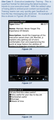
The rush has been on this week as our development team worked to design a new version of our CellCast Widget specifically for Apple's upcoming and much anticipated iPad tablet device. And while we've had a CellCast Widget for iPhone and iPod touch devices for about a year a half, the new iPad platform drove some interesting changes and helped us evolve our offering for this next generation mobile learning device.When Steve Jobs first introduced the iPad back in late January, he stated that existing Apple iPhone apps and games would work fine on the new platform and, generally speaking, he was correct. In fact, we only had to modify a select number of functions and application calls to ensure our standard widget would work on the new devices when they shipped. However, to really take advantage of some new features and a vastly improved 1024x768 display, we decided a full rewrite was in order so we've spent much of the last 2 weeks re-factoring our original iPhone code base to create a new iPad-specific version of CellCast. Apple provided a strong "call to action" about a week ago with an email to all developers stating we had until Saturday, March 27th to submit our iPad applications -- developed using the latest Xcode v3.2 beta 5 development environment -- and that if things checked out, our application would be included as part of the official iTunes App Store offering for iPad on April 3rd, the official launch day! Keep in mind we're developing something and checking everything using only Apple's simulator (not a real device) so our first chance to see it working for real will also be on/after launch day! We have a high level of confidence it will work/run without issue given Apple's Xcode simulators are very strong and have always been quite representative of the way our apps actually perform in real life. So, attached below are the first public glimpses of our CellCast Widget for iPad which will hopefully ship next Saturday with the first round of devices to hit the street. We are excited about how our partners and customers will use their new iPad devices to delivery on-the-go training to their enterprise workers too! Thanks to our friends at 50 Lessons and Element K for use of their awesome mobile-friendly content from our CellCast Mobile Library that was included in the demo submission to Apple.Never a dull day in the world of mobile learning!Figure 1 (below) - Main Interface with menu block and customer-specific brandingFigure 2 - Assignment Listing on left with selection detail in main area.Figure 3 - High Resolution M4V video playback of assignment selection.Figure 4 - Course module (developed in Dreamweaver) with Javascipt interactions.Figure 5 - Post content assessment using CellCast testing engine.
Robert Gadd
.
Blog
.
<span class='date ' tip=''><i class='icon-time'></i> Jul 29, 2015 10:27am</span>
|