Blogs
|
The Challenge Of Personalizing Learning In Real-Time
by Dr. Philip Lanoue
The conversation on the need to use student achievement data in education is fast-tracking its importance in today’s classrooms. But with so much data now directed at school leaders, teachers and students - how do you make sense of it all?
First and foremost, it is imperative that every data point has a face - it is not about the number but about students and their performance. Student data can only be useful if the right environment is created with procedures that create conversations where data is informative, useful and put into practice. For students to grow and for teachers to personalize instruction - data must constantly be formative and meaningful.
Here in Clarke County School District of Athens, Georgia, we are taking steps to truly integrate our digital learning initiatives with are common planning process using data. We are forging ahead with designing a new model that relies on using data for real-time progress monitoring that results in a true personalized learning environment - no more pre and post test analysis.
This is a major focus for us, and our district leaders and teachers use new innovative technology such as Waggle from Triumph Learning to help make it happen. Waggle is a digital learning platform that monitors student performance based on practice. Students are presented with a variety of questions for the subjects of math and English and must continually be successful (the practice) to be able to move forward. When they continue to get questions right over time, then they progress to the next stage. When they answer a question incorrectly, they are able to try again, and are offered hints and customized feedback to help them find the path to the right answer.
In this program, seeking the right answer is a critical skill that is developed. The idea here is to move past simply telling students if they are right or wrong. Educators now present them with opportunities that demonstrate the benefits of putting in the work to increase their understanding of the subjects they are tasked to learn. Learning how to find answers - productive struggle - becomes equally important as giving the right answer.
Our new personalized learning model is moving towards real-time formation. If educators can create tools that monitor students on an ongoing basis around proficiency, then administrators like myself don’t have to worry about the time and focus put on them pre- and post-test. We now can plan and assess students by monitor growth and progress.
One of the biggest obstacles with traditional testing methods is that there isn’t an opportunity to effectively intervene with struggling students until the results of a test are available. Implementing tools that utilize real-time formative data helps educators identify students who need more help mastering the skills that are being taught and to use personalized interventions to get them where they need to be.
On the other end of the spectrum, it can also alert educators when students aren’t being challenged. Students who complete work quickly and accurately have likely already mastered the skills being presented to them. This provides the educator with an opportunity to advance students and keep them engaged by offering them more challenging work.
As I said, the main goal of formative learning is to help students grow, and when learning isn’t personalized it makes it that much harder for students to do that. Students can’t grow when they are discouraged to the point of giving up or sailing through schoolwork without putting any effort into it. That’s what makes the productive struggle found in this system such an effective part of the strategies found in formative learning environments. Students are able to learn at a pace that helps them retain knowledge and skills that can build into the next stage of their academic growth.
Using real time performance information for planning and monitoring leads to the best alignment of the learning expectations to students’ personalized needs. And developing the qualities of determination and endurance to seek the right answer is the most powerful skill we can provide our students. I am excited to bring together this process with our partnership with Triumph Learning as Waggle is being designed for the next generation of learners.
Dr. Philip Lanoue has worked for the Clarke County School District since 2009 and was an administrator for the Cobb County School District before that. Under Lanoue’s leadership, Clarke County became a Title I Distinguished District and received a number of other statewide honors. He was chosen as Georgia Superintendent of the Year in December and the American Association of School Administrators’ 2015 National Superintendent of the Year.
The Challenge Of Personalizing Learning In Real-Time
The post The Challenge Of Personalizing Learning In Real-Time appeared first on TeachThought.
TeachThought Blog
.
Blog
.
<span class='date ' tip=''><i class='icon-time'></i> Aug 05, 2015 08:57am</span>
|
|
Making Your Classroom Work More Like A Playground
by TeachThought Staff
Should classrooms be more like playgrounds?
The playground is a place of whimsy, creativity, cognitive "ease," and social interaction. It’s accessible, open, and fun. There may be some room for this type of thinking in a classroom, yes? Embedded in this thinking are a lot of the ideas that we promote consistently at TeachThought, from learning through play, to student-centeredness, to interdependence, and "messiness."
These are the characteristics of a playground, where reduced formality and increased focused on enthusiasm and togetherness yield a tone of possibility. There is potential, then, in bringing these characteristics to your classroom as well. Some may not translate directly, depending on what you teach (content, grade level, etc.), but if you squint a little, you’ll see the connection.
We’ve included some examples for each below to jumpstart your thinking, but note-bringing a "playground" approach to your classroom is as much a matter of tone and purpose as it is tips and strategies. Without the right frame of mind, you can check every box and still miss the point.
As a teacher, if you’re not being playful and creative and innovative, you’re just "doing what you’re told," and risk conditioning your students to think the same way.
Making Your Classroom Work More Like A Playground
1. Kids decide what to do and when to do it on a playground, so consider allowing students to choose their own entry and exit points in a lesson or unit.
2. Use the Sync Teaching Method, where students have some degree of autonomy, but "sync" with teachers where the teachers require.
3. Help students make their thinking visible. Share skills and resources in project-based learning. Digital portfolios are a no-brainer.
4. Use inquiry-based learning, where there is no standardized beginning and ending point, no pre-determined understandings, and no universal assessments.
5. Playgrounds have slides and courts and fields, some of which suggest existing games (e.g., soccer or tag), but you’ll also see students have fun making things up as they go-and not just elementary aged students either. If children are given a chance at design thinking, they usually take it, so integrate design thinking in projects, creative writing, or non-creative writing that might benefit from creative thinking.
6. Consider the "playground equipment." Use the resources around you to create something new-a digital photography collection to create an eBook for children, for example.
7. Be intentional with the tone of every interaction, assignment, and requirement. Or better yet, let students help determine it. There is a tone and atmosphere to exceptional learning circumstances, and people and their emotions have to be at the center of it all.
8. Playgrounds are in neighborhoods that children know and have used for years. So, consider place-based education. Publish work in the local community. Consider problem-based learning solving local challenges. The big idea is that work is social and products are social and effort is social, so the entire experience is social.
9. Digital citizenship is about people and their connections, not friends and what they "prefer." Create projects that require students to work together with those that may not be their first choice, and then help frame that work so both can be comfortable and successful. Also, help students "think globally" by realizing the way they impact total strangers in a scenario-based learning project, for example.
10. Accept non-academic goals as valid and authentic compared to those that are academic. In a "playground approach," the goal isn’t to prove you have "mastered" the standard, but that you’ve let your truest "Self" shine through. Imagine how this one alone could change a classroom! A digital video project where the big idea is to illuminate the part of themselves no one seems to see!
11. Play requires agency and control. Help students take control of their own learning-self-directed learning, for example, or a Maker Education project where the work can’t survive without them and their cleverness and ingenuity.
12. Help students find their own particular way to show leadership. Not all leadership is vocal; every student, introverted or extroverted, 2nd grade or 12th, "good in school" or "struggling" all have a chance on a playground, because there is so much to do, and so little direct pressure to conform. Your classroom can benefit from the same approach.
Yes, we can learn through play-but it’s also true that play can be the goal, not just the means. Playfulness with an idea, theory, tool, or group is the sign of a mind at ease, in control, and thinking creatively. Play is both a cause and an effect of great learning! Help students use ongoing and personal platforms-blogs, businesses, learning simulations, video games and more-to make play a habit.
Making Your Classroom More Like A Playground; image attribution flickr user bobbyjames
The post Making Your Classroom More Like A Playground appeared first on TeachThought.
TeachThought Blog
.
Blog
.
<span class='date ' tip=''><i class='icon-time'></i> Aug 05, 2015 08:57am</span>
|
|
15 Assistive Technology Tools & Resources For Students With Disabilities
by Brian Neese, Alvernia University
According to the National Education Association (NEA), the number of U.S. students enrolled in special education programs has risen 30 percent over the past 10 years. Additionally, the NEA reports that nearly every general education classroom in the country includes students with disabilities, as three out of every four students with disabilities spends part or all of their school day in a general education classroom.
But as the number of students in special education programs has increased, the supply of special education instructors has not kept pace. Based on the Department of Education’s Teacher Shortage Area Nationwide Listing, 47 states in the 2014-15 school year were in need of special education instructors.
One tool to help students with disabilities even in the face of a special education teacher shortage is assistive technology. Today, assistive technology can help students with certain disabilities learn more effectively. Ranging in sophistication from "low" technologies such as a graphic organizer worksheet to "high" technologies including cutting-edge software and smartphone apps, assistive technology is a growing and dynamic field. Several areas of assistive technology and sample products may be found in any given classroom, making a difference in how students of all abilities learn.
Text-To-Speech Assistive Tools
As an assistive technology, text-to-speech (TTS) software is designed to help children who have difficulties reading standard print. Common print disabilities can include blindness, dyslexia or any type of visual impairment, learning disability or other physical condition that impedes the ability to read. However, other students can benefit from TTS technology, such as children that have autism, attention deficit hyperactivity disorder (ADHD) or an intellectual disability.
The technology works by scanning and then reading the words to the student in a synthesized voice, using a large number of speech sounds that make up words in any given context. With the advances in speech synthesis, TTS technology is more accurate and lifelike than ever.
Intel Reader
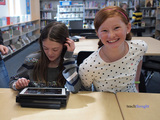
The Intel Reader is a mobile handheld device that uses TTS technology to read printed text aloud. It features a high-resolution camera that captures printed text, converts it to digital text and reads it to the user. During playback, words are highlighted as they are read aloud, and the user can pause and have the device spell out highlighted words. The available Intel Portable Capture Station functions as a stand for the Intel Reader to easily and quickly capture text from books and other documents.
At about the size and weight of a paperback book, the Intel Reader is mobile enough to use in any environment. Students can also transfer content from a home computer, or save generated audio versions of printed materials to a computer. Available voices vary in gender, pitch and speed.
Kurzweil 3000
The Kurzweil 3000 is a leader in TTS software for individuals that struggle with literacy. In addition to a range of TTS features, the full-featured software program integrates abilities that can help students in other areas, potentially appealing to those who may have a non-print disability or those who may not typically consider a TTS program. Some of the features include:
• Multiple TTS voices
• Support for 18 languages and dialects
• Talking spell-checker
• Picture dictionary graphics for more than 40,000 words
• Text magnification
• Tools for test taking, essay writing, note taking, reference and more
The Kurzweil 3000 strives to provide students with a multi-sensory approach to literacy learning. It is available for Windows and Macintosh.
Graphic organizers can be effective in helping students to organize their thoughts during the writing process. As an assistive technology, graphic organizers can be a strong choice for students with dysgraphia or disorders of written expressions — particularly the conceptual aspects of writing.
Graphic organizers work by helping the student map out a course of action. Depending on the type of writing, the graphic organizer can prompt the writer to describe an object, chart out a course of events or perform some other task that can help in planning the piece. Graphic organizers vary by type and technological sophistication.
Low-Tech Handouts
Graphic organizers do not need to be technologically advanced; in fact, they can exist in simple handout form.
Sample handouts can be found at the Houghton Mifflin Harcourt Company. The sandwich chart can assist students with paragraph writing. The sequence chart can help with narrative writing and the ordering of events. The sense chart is designed for descriptive writing, where writers are prompted for terms that characterize and express an item. Dozens of other sample charts exist and can help students with virtually any type of writing.
Draft:Builder
Draft:Builder is a writing tool that integrates outlining, note taking and draft writing functions to break down the writing process into three steps. Using a graphical organizer, the program helps the student visualize the project and insert information into the appropriate place without having to conceptualize the whole process. It then automates the process of creating the paper, where the student can drag and drop what is written in each note to the rough draft.
Other features include a talking spell checker that uses TTS technology, a bibliography tool, a dictionary and the ability for teachers to add locked text into the program for further guidance. Draft:Builder is available for Windows and Macintosh.
Assistive Listening Systems
A variety of assistive listening systems, or hearing assistive technology, can help students who are deaf or hard of hearing, as well as those with other auditory and learning problems. According to the National Association for the Deaf, assistive listening systems can be used to enhance the reach and effectiveness of hearing aids and cochlear implants, or by children who do not need those tools but still need help hearing. Assistive listening systems use a microphone, a type of transmission technology and a device for capturing and bringing the sound to the ear. The specific transmission technology used in the system is typically what contrasts one type of assistive listening system from another.
FM Systems
According to the American Speech-Language-Hearing Association (ASHA), FM systems are the best choice for children with sensorineural hearing loss. The most common type of hearing loss for all ages, sensorineural hearing loss occurs when the inner ear (cochlea) or nerve pathways from the inner ear to the brain are damaged.
FM systems work using radio broadcast technology. With a transmitter microphone and a receiver, the teacher and student can maintain a consistent sound level regardless of distance and background noise. Additionally, ASHA notes that the hearing aid microphone can be turned off, so the student can concentrate on the teacher alone.
Sound-Field Systems
Sound-field systems are a strong choice for classrooms that need to assist listening for all children in the class. ASHA notes that these systems benefit not only children that have hearing loss, but those that have other auditory and learning problems, such as language delays, central auditory processing disorder, articulation disorders and development delays. Additionally, sound-field systems can be used for students who are learning English as a second language.
Sound-field systems use a microphone that projects sound through mounted speakers around the classroom. In classrooms that have good acoustics, sound is able to travel evenly throughout space, eliminating problems of distance between the speaker and each listener.
Sip-and-Puff Systems
Sip-and-puff systems are used by students who have mobility challenges, such as paralysis and fine motor skill disabilities. These systems allow for control of a computer, mobile device or some other technological application by the child moving the device with his or her mouth. Similar to a joystick, the child can move the controller in any direction and click on various navigational tools using either a sip or a puff. An on-screen keyboard allows the child to type using the same movements.
Sip-and-puff systems are a type of switch device, which refers to the technology used to replace a computer keyboard or mouse. Other switch devices include buttons or other objects that a student can touch, push, pull, kick or perform some other simple action that can then control the device.
Jouse3
The Jouse3 is a sip-and-puff system that allows children to control a device using any part of the mouth, cheek, chin or tongue. Due to its accuracy and quick response, home users can use it for drawing or computer games. It can mount to the desktop, a bedframe or any other type of structure; it does not require a headpiece or placement on the body of the user.
The product supports Windows, Macintosh, Linux and Unix based computers, in addition to Android and iOS mobile devices. It can support one or two external switches, and has two types of mouthpieces.
Sip-and-Puff Systems From Origin Instruments
Origin Instruments offers a range of sip-and-puff products that students can use to control an electronic device. Using a head mounted or gooseneck user interface, or available tubing for a custom solution, the child can control a mouse, joystick or keyboard with ease. The primary system is powered using USB technology.
The product supports Windows, Macintosh and Linux based computers. Two pressure switches connect the system to the user interface solution for use on electronic devices.
Proofreading Software
Proofreading software is a branch of assistive technology that goes above and beyond the typical proofreading features found in a word processing system, such as correcting words frequently misspelled by students with dyslexia. A number of other features offered within this category can help students work on his or her English skill set to become a more effective and accurate writer.
Although primarily geared towards individuals with dyslexia, proofreading software can be helpful to those with any type of learning disorder that makes writing and reading challenging.
Ginger
Ginger offers several features that can help students with dyslexia and other learning disorders with writing. It is also designed for speakers of languages other than English. Some of the features include:
• Grammar checker that analyzes context to determine any errors or misspellings. For instance, Ginger can recognize whether "there," "their" or "they’re" should be used in a sentence, which is a common mistake in writing.
• Word prediction and sentence rephrasing tools that can be helpful for students learning how to construct sentences properly.
• TTS functionality so students can hear what they’ve written.
• A personal trainer that provides practice sessions based on past mistakes made by the student.
Ginger is available for Windows and Macintosh systems, as well as for use on iOS and Android mobile devices.
Ghotit
Ghotit is specifically designed for students with dyslexia and other learning disorders who have difficulties with writing. The name is inspired by the word "Ghoti," which is a constructed term that illustrates irregularities in the English language. And since many spellings are counterintuitive — especially for those with dyslexia — Ghotit dedicates itself to assisting children and adults who struggle with writing accurately.
It features the ability to learn from the user’s past mistakes, personalizing suggestions for spelling and grammatical errors. Ghotit can predict words, check passages of text contextually, read text aloud using TTS technology and recognize split and merged words. It also includes an integrated dictionary for students to quickly look up a word.
Math Tools
A range of technology and tools can help students that have trouble with math, most commonly found in a learning disability called dyscalculia. Dyscalculia makes it difficult to grasp numbers and it is characterized by a general lack of understanding in the field of math.
Assistive technology in math is not just for those with dyscalculia. It can also help students with blindness, fine motor skill disabilities or some other type of disability that makes it difficult to perform math-related work.
MathTalk
MathTalk is a speech recognition software program for math that can help students with a range of disabilities. From prealgebra to Ph.D. level mathematics, students can perform math problems by speaking into a microphone on their computer. The program works with Dragon NaturallySpeaking programs for voice-to-text functionality, making it ideal for students who have fine motor skill disabilities. Students with blindness or vision disabilities can use the integrated braille translator.
In addition to these audiences, MathTalk also appeals to students with dyscalculia. The program functions as an electronic math worksheet, allowing the child to organize, align and work through problems on the screen, making it helpful for students who have difficulties performing math problems on paper.
Math Simulations
Math simulations can help students with dyscalculia visualize math problems and concepts. As a result, students can better understand the application of a particular type of problem, since many students struggle with the conceptual aspects of math.
Examples can be found at the NASA website. From video to animated simulations, teachers and students can visually see how a math concept or problem would work. And with some math simulations, students can work through the problem and then see the result play out in the simulation.
Conclusion
Thanks to the rapid advances in assistive technology, students, parents and teachers have a seemingly limitless number of tools at their disposal.
As these tools start to appear in the home and in the classroom, parents and teachers can utilize them for students’ academic and personal growth. But technology alone is not enough - to successfully use these tools, it’s critical to develop a plan for their use and have regular check-ins to ensure the student is gaining the most value possible and not becoming overly reliant on these tools.
But while assistive tools have become plentiful, the same cannot be said for special education instructors. As previously mentioned, the vast majority of states in the 2014-15 school year reported a need for teachers in special education. And many general education classrooms instruct children with special needs.
Certification is a faster way for current teachers to qualify to teach this growing population. At Alvernia University Online, teachers can pursue a special education certification for grades PreK-8 or 7-12 to help make a difference for children with special needs. They will also improve their marketability in the process, gaining additional opportunities for their career.
Overall, more teachers are needed in this area. Although the advancement of technology in special education is promising, the same increase is needed for the number of special education instructors. Certification offers one solution to quickly meet this need. Learn more about Alvernia’s program today.
15 Assistive Technology Tools & Resources For Students With Disabilities
The post 15 Assistive Technology Tools & Resources For Students With Disabilities appeared first on TeachThought.
TeachThought Blog
.
Blog
.
<span class='date ' tip=''><i class='icon-time'></i> Aug 05, 2015 08:57am</span>
|
|
Creating A Fire For Inquiry Starts At The Beginning
by Brian Cleary, oldbrainteacher.com
If science is inquiry and inquiry is a fire, when does that fire start?
When the world talks about STEM education for the most part they talk around elementary teachers rather than to elementary school teachers. This should not be seen as an insult or slur upon our value, but as a matter of course. Most "real" science does not start until middle school or even high school, and for school in poverty perhaps not even then. However, with the need to develop more students ready to step into STEM careers, and the corresponding efforts to grow educational foundations in those area elementary science will play a pivotal role.
A 2012 report on student motivation toward STEM career, out of The University of Nevada, (How to Motivate US Students to Pursue STEM Careers by Md. Mokter Hossain, Michael G. Robinson) disagrees. Their paper suggested "Students need to be inspired in STEM subjects beginning in the middle school grades with course work extracurricular activities focusing on honing problem solving skills in the high school grades." While I have no issue with the research of the Nevada team, I believe there conclusion is short-sighted on two fundamental points. Students are not inspired by course work and extracurricular programs; they do those things because of they have already been inspired.
STEM grows from the root.
Perhaps more importantly waiting to provide inspiration until middle and high school is a large part of the problem. Certainly older students are entirely capable of being inspired, but where the extracurricular programs studied by the Nevada team found success were in projects where students could create and own their projects and therefore their success. These programs, like Science Olympiad and First Robotics are building and encouraging students to continue to pursue lofting and rigorous goals. However these activities are limited to those teens that already see appeal in such groups. In effect, they enhanced the growth rate of the STEM but not the root. A child’s opinion and attitude toward math both science, while still malleable, is first formed long before they enter middle school.
Even the most conservative estimates suggest that student perceptions of their own ability are established by seven or eight years old. Though there is a clear distance between perceived ability and inspiration, a tangible link connects the two. Students who do not feel they can be successful in math or science are less likely to be inspired to do math and science. Planning to ignite a flame in the belly of young science students in middle school is akin to trying to gather firewood on a rainy day. The task is restricted to those that have been sheltered from the storm unless someone was smart enough to plan well ahead. If parents and teachers do not create a receptive and fertile field for STEM inspiration in elementary school , the quality and quantity of science programs in middle school and beyond will only serve the a same small percentage of the population who’ve already seen success.
When we are successful we feel empowered to continue, the rush of dopamine through our brains masks the memory of painful struggles and past loss to convince us that we our masters of our own destiny. Students that are successful in math and science work harder than those that have not shared that success because they have tasted victory. What doubts they carry are over shadowed by the more powerful memories of success. Meaningful success is a tricky thing in the earliest of grades. Gold stars given for participation are shallow victories that mean little-and inspire less-in a five year old.
Business schools have extensively studies success over the years and while there definitions are different from those in education, many of the findings are transferrable. In a Harvard Business Review study from 2011, Teresa Amabile and Steven J. Kramer found two factors that affected the importance, or value of a success:
It’s relation to a larger goal
Genuine praise form peers.
Our goal is to inspire students to study math and engineering. We hope to reach beyond the pool of individuals who identify with Sheldon Cooper or Mr. Spock to the masses that are entertained and inspired by them. To achieve that ambition we need to make certain the science we offer our elementary students offers the same kinds of success that inspire there middle and high school peers.
Rigorous, project based, curriculum set up with tiers of increasing complexity and decreasing adult support. It is the formula of success and inspiration that has been used by extracurricular programs form T-ball to the Math Olympiad. Come to think of it, every story of inspiration, real or imagined used those same formulaic elements, there is struggle (rigor) there is a quest (e.g., project-based, genius hour, etc.), and there is a dynamic component of instruction until the student proves his or her mastery.
"Real science" may be thought of not start until middle school or later, but preparing students for real science begins as soon as they students enter a classroom. Any classroom. The onus is on all of us, as educators, to think of learning less like episodes of mastery, and more like building fire that burns and burns.
Creating A Fire For Inquiry Starts At The Beginning; image attribution flickr user usarmycerdec
The post Creating A Fire For Inquiry Starts At The Beginning appeared first on TeachThought.
TeachThought Blog
.
Blog
.
<span class='date ' tip=''><i class='icon-time'></i> Aug 05, 2015 08:57am</span>
|
|
10 Ways To Engage In Lifelong Learning
by Andrea Leyden
Learning is about reaching your full potential and can help you achieve self-actualization, the highest need identified by Maslow’s Hierarchy of Needs. However, traditional education generally has a beginning and an end which culminates in taking tests.
Lifelong learning preserves an individual’s desire to obtain new knowledge outside of the formal education system. Developing an attitude where you constantly learn is the only way to succeed in the dynamic environment which we live in today. There is so much technology at your fingertips which you can take advantage of to help you learn throughout your life. This means you can follow your passion for languages, improve your craft skills and even develop a mobile app using resources you can find online.
10 Simple Ways To Engage In Lifelong Learning
There are countless ways you can follow your goal of becoming an eternal learner. Watch this video to discover some ways you can get the motivation to get started. Here’s how you can apply the ideas in the video:
1. Read widely and often
Buy newspapers, search for things online you want to know more about, ask your friends for books they found helpful; above all else, be curious. If you want to find research on a topic, use Google Scholar to find academic research. Delve into a topic and don’t stop until you have exhausted it!
2. Keep smart company
Reach out to contacts that you admire. Get talking to some influencers on Twitter and organise to meet up to explore some ideas and learning topics. Make sure to keep in touch with people you have come into contact with who have inspired you to learn on your journey.
3. Teach others
You don’t need to join the teaching profession to help people learn. Teaching others what you know will also help ensure that you really understand something; it’s a real test of your knowledge.
4. Keep a list of things you want to explore
This is a good way to help you get started. Before you jump right into an area, spend some time researching topics and keeping notes. Once you have developed a list then you can decide what the best option to follow for you is.
5. Start your own project
If you’re a teacher, encourage students to plan out their own projects starting with goals and objectives. This will help them to cultivate an idea of how they would be able to follow this process in the future which could be applied to various scenarios.
6. Use a personal learning environment
Understanding how to learn is an invaluable skill. Using personal learning environments such as GoConqr.com can help you adopt proven learning techniques which students can use throughout their journey to discovering new knowledge.
7. Experiment with new ways to learn
Trying a variety of ways to learn will help you to find the way that sticks. Drawing diagrams, watching documentaries, creating mind maps and using music to study are some alternative ways students can approach learning.
8. Join a study group
Find virtual study groups online where you can collaborate and learn from people with varying experiences. Take insight on board from a variety of sources and apply it to your own knowledge search.
9. Find a job that encourages learning and collaboration
Most professional roles include some degree of learning whether it’s on the job training, workshops or other educational encouragement. Pursuing a career in an evolving area will ensure that you are constantly learning and developing your skillset.
10. Make it a priority!
Don’t just keep saying ‘one day’. Make today that day. Whether you’re a teacher, student, professional or other - make learning a priority in your life. If you wait for it to find you, you will limit the amount of information you know plus your ability to attain this knowledge over the long-term.
It may even help to understand the characteristics of a lifelong learning, including curiosity, skepticism, creativity, initiative, perseverance, and "perfectionism," among other habits. Still curious? Take this quick test to see if you have these qualities.
Quiz created by andrea.leyden with GoConqr
10 Simple Ways To Engage In Lifelong Learning; image attribution flickr user vancouverfilmschool
The post 10 Simple Ways To Engage In Lifelong Learning appeared first on TeachThought.
TeachThought Blog
.
Blog
.
<span class='date ' tip=''><i class='icon-time'></i> Aug 05, 2015 08:56am</span>
|
|
25 Resources For Teaching With Movies And Film
by Gerard Harris
Whether you’re a student looking to get into the film industry or a teacher looking for reference points to help your pupils, you’ll need all the online resources you can find.
To make things a little easier for you, the film section of Tuppence Magazine has put together a list of the 25 best learning resources for film studies available online. It covers everything from film theory and study points to filmmaking, behind the scenes advice and useful inspiration, providing a wide range of options for teachers and students alike.
25 Resources For Teaching With Movies And Film
1. Empire Magazine
Empire magazine may not seem like a go-to place for the finer points of movie theory, but its film studies 101 is a great section to find info on all aspects of filmmaking. Great movie moments are dissected in detail, technical complexity is explained, on-set jargon is made clear and behind-camera movie roles are discussed.
2. KFTV
Sometimes it’s not necessarily what you know, but who you know and KFTV could be your inroad to a wide knowledge of all areas of the film industry. Within its confines you’ll be able to search for film, TV and commercial production service companies in 173 countries, so if you’re looking for potential employers or an equipment rental company for the latest project you’ll be able to find the contact details on KFTV.
3. BBC Filmaking
Sadly, the BBC has stopped updating its online filmmaking section, but that doesn’t stop it from being a solid go-to place to find out more about the industry. It’s got some great guides, features and case studies to give you a little insight into what actually goes on behind the camera. Set visits, how-to guides, the legal and rights side of the industry and a little information on funding all get the BBC treatment, making it a
good online resource to check out.
4. BFI Education and Research
The BFI’s education and research section is another wealth of knowledge when it comes to film studies. It’s got sections for learning and teaching, along with information about its funding schemes, tips for film academy graduates and entertaining and inspiring ways for young people to understand film. You can also find out more about the industry with its series of statistics and reports, which might come in handy if you need to factor in some data into your class notes or essays.
5. Wikipedia Film Studies
Inevitably, Wikipedia is going to be a pretty valuable resource for everyone interested in the film industry, and one of the best place to start is on its page dedicated to film studies. It’s got a useful series of links to key filmmakers and film critics to find out more about, but this will lead you into a Wikipedia research run that could see you finding out more about film theory, film noir or the early history of the art.
6. Pinterest Study Boards
If you’re looking for image based inspiration, Pinterest can help you find great infographics, movie posters and checklists. In this film studies board, Candice Lela has done a good job of compiling some useful items to kick start your research and learning. The Pinterest search bar also makes for a good tool, so you’ll be able to put some visuals behind your study notes, no matter what movie you happen to be writing about.
7. David Bordwell’s Cinema Site
David Bordwell’s cinema site is a useful place to read up on the finer points of the art. There’s a lot to read but there’s plenty of great nuggets of information, insight and inspiration to find. It includes books, video pieces and essays, along with news and blog posts from the movie industry.
8. Sparknotes Film Studies
Sparknotes has got a relatively brief section on film studies that gives you a whistle stop tour of the theory and history that sits behind it. It’s by no means exhaustive, but it does package things up into chunks of useful content, making it a good online resource to help you to summarize things into easily understood overviews.
9. Questia’s Film Theory
Questia’s film theory section will come in handy if you need to find books on the subject for further research, study or class preparation. It’s broken down into related topics too, so you can dig into more in-depth study streams like feminist film theory, film criticism, and film genres.
10. The Process of Filmaking
This website is dedicated to the filmmaking side of things, providing advice and information on everything from how to become a successful filmmaker to what gear you can get to start things off. It’s got help on finance for projects, case studies from existing filmmakers and avenues to go down in terms of selling your end product, whether it’s a short film on iTunes or the big leagues of Hollywood.
11. Independent Movie Making
If you’re looking to go guerrilla on your filmmaking next steps, you can find a lot of insight about making independent movies thanks to the work of Indie Movie Making. The website may not be the most polished out there, but there’s a lot of good intentions locked inside its confines with articles on finding composers, improving set design and cheap methods of achieving cinematic lighting. The only downside is that it hasn’t been updated for a while, but there’s still a lot of good stuff in its archives.
12. LA Video Advice for Movie Making
As the strap line for the website says, LA Video Filmmaker is hard-earned advice for filmmakers. It splits its advice posts up into topics covering a wide range of subjects including directing, editing, screenwriting, sound, design, distribution etc. It’s a pretty exhaustive list and within each subject area there is an abundance of useful information for anyone looking to get into the film industry, or to teach it as part of a film studies course.
13. The Script Magazine’s Advice Hub
The Script Magazine’s hub for movie makers continues to be updated with the latest from the world of filmmaking, making it a good online resource for up-to-date advice from the great and good within the industry. You’ll find a regular stream of help on film editing and screenwriting, setting up productions, directing and intellectual property rights, as well as on-location insight from directors and producers in the process of shooting a movie.
14. Filmaking on a Budget
It’s good to add in a few video resources to your online research for film studies and the guys at this channel walk through a lot of practical examples for filmmaking on a budget. It will help you to understand everything from the importance of lighting to the science, tech and equipment that goes into making movies.
15. Filmaking, How-to ‘Detailed’
Another good YouTube channel to check out is this one on filmmaking, which is much more tuned in to the film theory side of the coin than Andyax above. As well as providing similar practical how-to videos, it also covers topics like storytelling with cinematography, the origins of acting and method acting and the art of editing film.
16.Behind the Scenes at Pixar
The wonderful guys at Pixar have also taken a little time away from creating some of the most impressive animation movies of all time to give us a back stage pass to snippets of the activity that goes on behind the scenes at their HQ in sunny California. It’s been created as a series of video interviews with its producers, directors, animators and designers, so it’s practical experiences from the people that actually do the work.
It’s a nice way to get into the heads of people that have already made it in the business and the thought processes that they follow when starting a new project, whether it’s designing a characters by looking into the eye of a cow or directing an animated movie in general. There isn’t huge amounts of technical content on this site, but it does make for an interesting look at the work of key figures in the animated movie industry.
17. Note-taking in Filmaking
This little site on how to write about film may not look very fancy, but it’s got a few useful notes on the importance of paper topic choice, along with information about getting your introductions, conclusions and thesis statement right. It also comes with a few sample essays to act as a guide and a useful glossary on key terms to demonstrate understanding in an essay.
18. Film Analysis
Film analysis and writing about film continues with this short, scrolling one-page guide that takes you from provisional notes to your final essay. It’s pretty basic, but sometimes it’s important to remind yourself of the simple principles you need to follow to write well.
19. Critical Note-taking
If you want to take your film studies writing notes and plans up to the next level, this PDF from the Writing Centre at the University of Colorado could help to get you there. It provides a few strategies to keep your critical thinking active in the dark of the cinema and uses Timothy Corrigan’s A Short Guide to Writing About Film as its framework, identifying three major genres of film writing; the movie review, the critical essay and the theoretical essay.
20. Martin Scorsese’s View
This is the kind of resource that speaks for itself. Martin Scorsese knows a little about the film industry and when he mentions 85 movies you need to see to know anything about film you should probably take it seriously. Reading the page is enough of a time consuming effort in itself, let alone dedicating the time to watching each of the movies listed, but out the other side you’ll probably be ready to take on any film studies challenge thrown at you.
21. Film Studies Degree in the Real World
This post from the Guardian newspaper provides a little nudge in the direction of what a film studies degree actually means out in the big wide world. As it rightly says, the film industry is indeed notoriously competitive, so the article looks at the transferable skills graduates develop as a part of their degree. It also provides more information on the type of jobs that students can aim for post-study.
22. Details for a Film Studies Dregree
If you or your students are at an early stage in reviewing the possibility of a future film studies degree, it’s worthwhile looking at the details about the courses from the universities directly. Not all of these are very useful, but the information on the Portsmouth University page gives a good grounding in what to expect. It covers everything from the type of facilities and features that should be provided along with more information on future career opportunities to take into account.
23. Greatest Movies of All Time
In addition to watching the 85 movies that are close to Martin Scorsese’s heart, it’s also a good idea to be aux fait with many more of the greatest movies of all time and this top fifty from the BFI is a well balanced starting point. Hitchcock, Welles, Kubrick and Ford all get high places in the list, along with a few lesser known gems for you to build up your knowledge banks on.
24. Sound and Film Scoring
Sound and film scores make up a a big part of understanding the impact of cinema, so this piece on how to score a movie makes for a nice reiteration of this principle. Looking at the scores created by Michael Giacchino for films like Up, Super 8 and The Incredibles, it discusses the thought process that goes into creating memorable music in movies and TV.
25. Composers in Film Industry
Continuing the closing oracular segue is another great online resource from the guys at You Shoot I Score, which is written by composer Ned Bouhalassa. It’s heavily targeted at composers that are interested in getting into the film industry, but it also answers a lot of questions that might be beneficial for anyone looking to find out more about composing movie scores.
25 Resources For Teaching With Movies And Film
The post 25 Resources For Teaching With Movies And Film appeared first on TeachThought.
TeachThought Blog
.
Blog
.
<span class='date ' tip=''><i class='icon-time'></i> Aug 05, 2015 08:56am</span>
|
|
50 Alternatives To Lecturing
by TeachThought Staff
Ed note: This post is promoted by SEU’S online masters in education programs. SEU simply asked us to write about how learning is changing and the updated kinds of things teachers need to know, and to let you know about their program. So here we are.
As teachers, when we lecture, we have the best of intentions. We have a concept we want the class to understand, so we stand and explain it to them. We give them background. Offer details. Anticipate and pre-empt common misconceptions. Illuminate the more entertaining bits. Emphasize the nuance.
So explaining things isn’t "bad," so how about beginning with some clarification. Talking is not lecturing-it’s talking. Talking with students and expecting them to respond meaningfully isn’t lecture-that’s accountable talk, which itself is close to a Socratic dialogue or Paideia seminar. Explaining an idea verbally, especially if being done to clarify a context or history of circumstance-can be a powerful tool if used expertly.
Everyone loves a story, and unless you’re awful, your students probably like you and want to hear from you. But you can’t "give knowledge." Or "verbally annotate" discovery and inquiry. Clearly this thinking comes from a place of constructivism, so it’s slanted that way. Lecture likely has a place in education. In the background knowledge-building phase of learning, for example.
Or in a "flipped classroom" setting where the "lecture" is designed to be consumed at the student’s own pace (using viewing strategies, for example).
Or when students have mastered a core set of understandings, and are ready-in unison-to hear something from an honest-to-goodness expert who only has an hour to unload what he/she knows. In these cases, when…
All students are similarly motivated
All students have mastered certain "listening strategies"
All students have strong note-taking skills, and can adapt those strategies for a variety of content, delivery speed, and so on
All students have a similar background knowledge
…then lecture can be moderately effective, but even then it depends on what we mean by "effective." (Prince 2004)
The List of Alternatives To Lecture
So then, the list. This is an interesting post to write, because a large part of our content is to provide alternatives to lecture. In that way, our site at large could be seen as a compilation of alternatives to lecturing. But for those educators that’d like to see a kind of index all gathered in one place, with certain links to more in-depth analyses elsewhere, this post might help scratch that itch. This is a long list. The idea is to see a lot of awesome possibilities in one place, not write a book.
A few notes:
1. This is a mix of learning models and literacy strategies that can be used to accomplish what we hope a lecture might-"give information" and "promote understanding." Not every one is a perfect replacement for what a "good lecture" is, but most, in spirit and function, are close.
2. Some of the ideas don’t have links-we’ll try to go back and add them. Suggest some in the comments if you know of a good one. We may go back and add brief definitions links to great content that then clarifies and extends these items with thinking, frameworks, strategies, and tools, because some are admittedly confusing in name-only. We were going to include several videos and frameworks, but that makes the post clumsy and slow-loading on smaller mobile devices. If you get curious and/opr confused and we still haven’t clarified something you’d like to know, either ask in the comments, or try keyword searching on your own.
3. If you look at this list as a whole, it’s clear education is either changing, or has a slew of tools it’s ignoring in not changing.
50 Alternatives To Lecturing
Learning Models
1. Self-directed learning
2. Learning through play
3. Scenario-based learning
4. Game-based learning
5. Project-based learning
6. Peer-to-Peer instruction
7. School-to-school instruction (using Skype in the classroom, for example)
8. Learning through projects
9. Problem-based learning
10. Challenge-based learning
11. Inquiry-based learning
12. Mobile learning
13. Gamified learning (gamification)
14. Cross-curricular projects
15. Reciprocal Teaching
16. "Flipped-class" learning
17. Face-to-Face Driver blended learning
18. Rotation blended learning
19. Flex Blended Learning
20. "Online Lab" blended learning
21. Sync Teaching
23. HyFlex Learning
24. Self-guided MOOC
25. Traditional MOOC
26. Competency-Based Learning
27. Question-based learning
Literacy Strategies
28. Write-Around
29. Four Corners
30. Accountable Talk
31. RAFT Assignments
32. Fishbowl
33. Debate
34. Gallery Walk
35. Text Reduction
36. Concentric Circles
37. Traditional Concept-Mapping (teacher-given strategy-"fishbone" cause-effect analysis, for example)
38. Didactic, Personalized Concept Mapping (student designed and personalized for their knowledge-level and thinking patterns)
39. Mock Trial
40. Non-academic video + "academic" questioning
41. Paideia Seminar
42. Symposium
43. Socratic Seminar
44. QFT Strategy
45. Concept Attainment
46. Directed Reading Thinking Activity
47. Paragraph Shrinking
48. FRAME Routine
49. Jigsaw Strategy
Other
50. Content-Based Team-Building Activities
51. Learning Simulation
52. Role-Playing
53. Bloom’s Spiral
54. Virtual Field Trip
55. Physical Field Trip
56. Digital Scavenger Hunt
57. Physical Scavenger Hunt
58. What? So What? What Now? (See also here.)
50 Alternatives To Lecturing; adapted image attribution flickeringbrad
The post 50 Alternatives To Lecturing appeared first on TeachThought.
TeachThought Blog
.
Blog
.
<span class='date ' tip=''><i class='icon-time'></i> Aug 05, 2015 08:56am</span>
|
|
Grant Wiggins, Champion Of Understanding
by Terry Heick
Modern education icon Grant Wiggins, co-creator of Understanding by Design, has died, as announced on his twitter account by Grant’s wife, Denise. Our colleagues at ASCD have also verified Grant’s death, as has Grant’s professional development company, Authentic Education. His daughter Alexis has also confirmed the news on her account below.
Grant Wiggins, of brilliant mind and dearest heart, died yesterday. The world has lost a true champion of learning.Carry on the work.-Denise
— Grant Wiggins (@grantwiggins) May 27, 2015
Yes. Grant is gone, suddenly and unexpectedly. We are bereft.
— Grant Wiggins (@grantwiggins) May 27, 2015
Grant Wiggins, of brilliant mind and dearest heart, died yesterday. The world has lost a true champion of learning. @grantwiggins
— Alexis Wiggins (@alexiswiggins) May 27, 2015
The First Time I Saw Grant
Grant was tremendously influential on me as an educator. His focus on what it means to understand, his focus on transfer, and his work on thematic unit and lesson design all changed me, first as a teacher of literature, and today as director of an education organization.
Sometime around 2005 I think, I was walking through the booths at a major conference. Row after row of blahblahblah. A lot of textbooks. Standardized curriculum. Misrepresentative edtech. Lots and lots of smartboards. But as I kept walking toward the exit, at one of the last booths I saw this bearded guy with gentle eyes, perched on a stool, talking about understanding. And that’s all he talked about. A revelation!
After hearing the cliche calls for alignment, data, and rigor as the tools of school improvement in my own district, in Grant I found a voice that-as far as my tiny mind could tell-knew what it was talking about. Think about the simplicity and power of his message.
Authenticity.
Understanding.
Design.
Transfer.
This is the blueprint for a modern teacher.
He sat at a textbook company’s booth and, without irony, described a way of teaching that would be difficult to accomplish with a textbook. I loved it!
Champion Of Understanding
I listened to him talk, bought a UbD book, then reached out to him via email individually as a follow up to try to better understand "big idea planning." Fast forward several years, I was floored when, not long after I started TeachThought, he began contributing to the site as a writer. I nerded out.
As an educator, Grant was able to deftly balance the trivium of education improvement-thought, research, and practical tools teachers can use in the classroom. As a result-in my opinion-there are few who have done more to change education in the last fifty years.
The good news? His work remains. His writing is always available-here, in his books, on his own blog, his twitter account, and more. When your work is thought and you leave a record of that thought, then your work never stops. Even when you ultimately have to.
Above all else, as I see it, his legacy is that of a champion of understanding. And that’s pretty awesome. Rest in peace, Grant. Love and strength to your family.
You can show your support, for now, by tweeting with the hashtag #grantwiggins.
image courtesy authenticeducation and huffingtonpost
The post Grant Wiggins, Champion Of Understanding appeared first on TeachThought.
TeachThought Blog
.
Blog
.
<span class='date ' tip=''><i class='icon-time'></i> Aug 05, 2015 08:56am</span>
|
|
The 4th Annual Teaching and Learning With the iPad Conference is Accepting Presentation Proposals Through June 30th
by Teaching & Learning with the iPad Conference Organizers
Do you teach in an iPad-empowered classroom, or help support teachers who do?Are you passionate about the many ways that the iPad can play an engaging role in curriculum delivery, assignments, increasing productivity, and more?
Come and share your experience and your passion with us at the 2015 Teaching and Learning with the iPad Conference! EmergingEdTech is delighted to team up with the Franklin Academy again this year to offer the Teaching & Learning with the iPad Conference, November 12 - 14, 2015 in Raleigh, North Carolina.
This will be the forth year for the conference. We started in 2011 with the first all-iPad education conference in the country. In 2014 we had over 250 participants from stated all across the U.S., and several countries outside of it! We hope you will come join us, and encourage you to consider presenting.
There are many session slots available (50 minutes each). We welcome and encourage proposals for all grade levels and curriculum areas, as well as for IT management. The conference is organized around Session Themes. Please give the conference themes a look over before you submit your presentation proposal.
Session Themes
Each of the themes listed here are intended to be general categories that the majority of the information covered would be related to in the presentation. All submissions must choose one main theme for their presentation.
Assessment: The iPad used as a tool to assess student performance in a variety of ways to include formative, summative, objective, and subjective elements.
Teaching & Learning standards: The iPad used as a tool for connecting learning to a variety of state and national standards.
Content Creation: The iPad used as a tool in the hands of teachers and students to create documents, media rich content, interactive products and support classroom workflow.
Instructional Strategies: The iPad used with specific instructional strategies that produce quality results in student learning.
Device Management: Strategies and techniques for managing the iPad in 1:1, classroom sets, and cart configurations.
The conference schedule is available here. Proposal Submission is open through June 30, 2015. All presenters will be notified of the status of their proposal by July 31, 2015. (Note: The Conference Registration Fee is waived for Presenters!).
Come join Steven W. Anderson and other education technology experts and advocates, and share your voice!
The post iPad Conference Accepting Proposals Through June 30th appeared first on TeachThought.
TeachThought Blog
.
Blog
.
<span class='date ' tip=''><i class='icon-time'></i> Aug 05, 2015 08:55am</span>
|
|
Lesson Example: Helping Students Respond To Art In A Museum
by Steve Berer, musexplore.net
In this article, I will present a project to challenge your students to creatively respond to art objects that they find particularly engaging or mysterious. Their task is to try to see those works of art accurately and to develop a relationship with them. As a teacher your job is to act as a coach, pointing out interesting details, asking and answering questions, and providing feedback to the work your students are producing.
Project OutlineEdit Edit date and time
Ideal Grade Level: 8-12; 5-12 if modified
I developed this project to help students learn about Asian art at the Freer Gallery in Washington, DC. However, you can easily modify it by providing a collection of images, or assigning your students to explore a local museum’s collection, or exploring any of dozens of great museum collections that can be found online.
Find 3 objects in the museum. First, describe each of them accurately in words. Second, draw each of them. Finally write a poem or story about each of them, or create counterpart drawings to them. Students can work individually or in teams of 3. Students should be sure to photograph or record each object and its label, if available.
Tools Needed
Notebooks for writing and sketching
Phone for photos, video, and sound recording (if visiting a museum; be sure to verify if the museum allows photography)
Pens and pencils; colored pencils or water colors, if desired
Job Assignments (if working in teams):
Documenter: writes descriptive text
Artist: sketches the object
Writer or 2nd artist: creates poem, story, or counterpart drawing
Teams should begin by discussing the object, deciding who takes on each task, and coming up with creative ideas for the poem/story/counterpart drawing.
Timeframe:
If exploring a museum online: 1 class to find the art objects; 2-3 classes to write and draw
If you provide the artworks: 2-3 classes to write and draw
If in a museum: 90-120 minutes, plus 1-3 hours in class and at home, editing and refining the work done in the museum
1-3 classes for presentation of the completed projects, including rough drafts and rejected sketches and writings
Knowledge Enhancements:
Fluencies in writing, drawing, creative thinking, collaboration
Visual literacy, art history, cultural awareness
Editing, presentation
A Sample Project
Step 1:
(A project-group’s summary after visiting a museum:) Our group chose 3 paintings. We began by taking a quick tour through the whole gallery to locate paintings and objects we liked, noting their rooms. We decided to stick to paintings, and each of us got to pick one. Although there were many we liked, we realized we didn’t have time to ponder. After about 15 minutes we each had a painting that we thought would be fun to work on.
Step 2:
The first painting was ‘Taoist Immortals’, a humorous and appealing ink drawing from Japan. Since none of us was strong in art, we decided to switch roles with each painting, so each of us would have a chance to write a description, to do some creative writing, and to try our hand at drawing. We first studied the painting and then talked about what we could see in it. Two questions jumped out: 1. Why were the immortals laughing, and 2. Why would immortals have a broom?
Step 3:
We then got to work. The person who had to do the drawing tried a couple of sketches and wanted to tear them out and rip them up. It was really hard. Just then our teacher showed up and we asked him if we could skip the drawing part. "Absolutely not!" he answered. What he told us was that creativity begins when we overcome our fears, and try to stop judging ourselves. This was not about proving that we were the next Rembrandt, but about understanding how to translate what we see, through our hand, onto a piece of paper. Our teacher, who was not an artist either, then pulled out his notebook and pencil and showed us how he’d start. He said there were 2 ways:
Don’t try to copy the painting. Instead, produce a schematic drawing, using lines, boxes, and ovals to capture the main shapes, any movement, color centers, and other kinds of focus points in the painting. That was very cool.
Attempt a rough copy. Block out the main shapes with very light lines to get the proportions about right, and then go back and begin to build up the image using the pencil’s point to do sharp lines, and the side of the point to do shading and make soft lines. He kept going over it, building up line and shading and detail. The result was pretty good, fast, and it didn’t seem all that hard. We figured if he could do it, so could we!
He also reminded us to keep all of our rejects and notes. We would use them in our class presentation.
It turned out, the hardest part for each of us was writing the poem or story. We each felt like the painting we were working from was fascinating, and we wanted to create a story as interesting as the picture. We worked as a group to brain-storm ideas briefly; then we got to work. Each of us had a decent first draft by the time we had to leave, but we all felt like we needed to work on it more. All told, we spent about an hour and 45 minutes in the museum.
Suggestions For Customizing This Project
Be sure to specify guidelines. Here’s a sample of a brief set of guidelines:
"Your description should be 2 full paragraphs that carefully and accurately discuss the appearance of the object, the materials from which it was made, basic shapes and colors, originating country and artist if known. If the label provides information about the image/object and it’s background, use that to do research outside the museum to prepare a fuller description of the object, its history, and the story its telling.
Your sketch should be a schematic diagram with notes describing the painting/object, its details, sense of movement, areas of striking color, and what you perceive as the focus point(s). Or if you prefer, attempt to make a copy of the object.
If you write a poem, it should be in the sonnet form; otherwise write 3 different haikus for each object. If you write a story, it should be at least a full page long, opening with a problem and ending with a solution. If you draw a counterpart image, it should be carefully drawn, with attention to form, (color?), and detail. It should have a clear relationship to the original painting."
An alternative challenge: You might have your students choose two portraits. Have them imagine the people in the portraits are in love, and they are writing an exchange of love poems or love letters. If the portraits originated from different cultures or regions, you might frame it as a Romeo and Juliet situation, or you might have the lovers talk a little bit about what life is like in their country or city, and where they can meet and what they can do.
High school students working alone will probably need an hour per object/painting to complete their description, sketch, and poem/story. Working in 3-person teams, high school students should be able to complete one set in 30-45 minutes. Middle school students will probably complete their work more quickly. Your mileage may vary.
Lesson Example: Helping Students Respond To Art In A Museum; image attribution flickr user woodleywonderworks
The post Lesson Example: Helping Students Respond To Art In A Museum appeared first on TeachThought.
TeachThought Blog
.
Blog
.
<span class='date ' tip=''><i class='icon-time'></i> Aug 05, 2015 08:54am</span>
|