Blogs
|
My Approach To Digital Content Curation
by Steven Anderson, Presenter at tlipad.com.
I spend a great deal of time looking up stuff. Whether that stuff is blog posts to get a pulse on what is happening in the edusphere or researching new tools to share with teachers, I come across a wide variety of resources that I need to save, catalog and be able to come back to later. Curation is a large part of my day.
Wait. What is curation anyway? Think about it in terms of a museum curator. Their job is to tell a story with artifacts. They scour the globe looking for just the right piece to help convey a message. We have to do the same with the resources we gather. For educators and students, curation is a 3-part process.
Gathering Resources
Organizing Resources
Sharing Resources
Gathering Resources - The Internet has allowed us to retrieve as much information on any topic as we wish, from pretty much any source we want. Information is no longer a premium. However, the more important necessary skill is vetting the information once we find it. Wading through the junk can be tough. We have to rely on the collective knowledge of ourselves and that of our friends and colleagues to help us sort the good from the bad.
Organizing Resources - Once we find the good we have to be able to store it and find it again. Having good tools at our disposal is crucial so that the hard work we go through to vet resources doesn’t go to waste. Having a collection of unorganized sites, blog posts, videos and more is useless. Using a system of tags that allow you to categorize those resources can not only save time but can help you utilize the best resource for the be purpose.
Sharing Resources - What if knowledge wasn’t shared? Imagine having to discover everything you know today on your own with no help. We wouldn’t be as advanced as a society as we are today. Sharing is the cornerstone of knowledge and one of the most important parts of curation. Having the tools to organize what we find is definitely helpful. But these tools also allow us to share our learning and curated resources, adding to the global knowledge. (Remember, alone we are smart but together we are brilliant.)
Curation is an important part of my learning and professional development process. I get a great deal of information from services like Twitter and blogs I read. That’s the easy part. The more challenging part is the filtering of the information and saving it for later so I can find it.
Most of the time I am on the go and my iPad serves as my homebase for learning. For curating, it really is a great tool because I can do so much. And for that I rely on 3 important web tools in my arsenal.
The Content Curation Tools I Depend On
Evernote Suite Of Apps - Hands down, my favorite app for organizing. Not only do I have it installed on on my iPad but it’s on every computer and all my other mobile devices as well. With it I can organize everything I am doing into notebooks and notes. On my iPad I use Skitch to mark up images clipping specific parts of pages. On the web I have the Clipper installed so I can snip quotes, references or parts of blog posts that I want to come back to. Best part? All the annotations come with it so it makes the citation later much easier. From my phone I can add to or edit my notes, insert photos or audio. No matter where I am or what I come across I can add it to my notes and notebooks in Evernote.
Pocket - This is another app/program that I have everywhere. Since I do much of my information gathering through things like Twitter I need an easy way to save information without adding to to my master repository. I think of it like a way station. An opportunity to vet the resource before deciding I don’t need it or transitioning it to a place for long term storage. With this browser extension I can, with the click of a button mark the site as something to read later. I can search by tag or key word and since I have it installed on my mobile devices I can read my saves when I have a moment or save something to my list when I am out and about.
Diigo - This is another place I save web resources. With the Diigo app I can take the items I am ready to permanently save and add them to my Diigo list. Oh and I can use the various tools there to annotate and mark up the pages and add any notes. I add tags to organize them and I can share all my saves with a link or two. If you are an educator you get even more perks like the ability to create accounts for your students, sharing lists of sites easily and creating groups so students can share resources.
Curation is becoming increasingly important. Being able to filter information quickly and retrieve the saved information even quicker are skills we all need to develop and help kids develop too. These skills are going to prove very valuable in the future. And by using just a few, free iPad apps, you can become a curation master!
Want to learn more about curation? Check out Content Curation: How to Prevent Information Overload, available from Corwin Press.
Steven W. Anderson is a learner, blogger, speaker, Educational Evangelist, author and Dad. As a former teacher and Director of Instructional Technology and best known as @web20classroom, he is highly sought after for his expertise in educational technology integration and using social media for learning. Steven presents at conferences worldwide and is also responsible in helping create #edchat, the most popular educational hashtag on Twitter ;My Approach To Digital Content Curation
The post My Approach To Digital Content Curation appeared first on TeachThought.
TeachThought Blog
.
Blog
.
<span class='date ' tip=''><i class='icon-time'></i> Aug 05, 2015 08:52am</span>
|
|
Amazon Updates Whispercast For Use In Schools In Education
From a press release
SEATTLE—Recently Amazon launched Whispercast 3.0, an update to its free, self-service platform for organizations to easily discover, procure, manage and distribute digital content to nearly any device. Since launch, Whispercast has been adopted by more than 130 of the 250 largest school districts in the U.S., including Cypress-Fairbanks ISD and Prince William County Public Schools. Over 2,400 higher education organizations—including 24 of the 30 largest in the U.S.—also use Whispercast, including The University of Texas at Austin, Santa Barbara Business College, and Seton Hall University.
Whispercast distributes eBooks, eTextbooks, apps, documents, and eTextbook rentals to hundreds or thousands of devices already deployed in schools, including Kindle e-readers, Fire tablets, iOS, Android, Chromebooks, Macs, and PCs.
"Amazon launched Whispercast to help make it stress-free for organizations of any size to easily and quickly deliver digital content, in addition to helping manage fleets of devices—and we’re excited so many schools have chosen to adopt Whispercast over the years," said Rohit Agarwal, General Manager, Amazon Education. "These customers have given great feedback to inform our roadmap, and many of the features are rolling out today with Whispercast 3.0, including tiered administration and group management, an easier-to-use UI, added payment options and premium customer support."
New features and enhancements—including tiered administration, group management, and premium customer support—make it easier for organizations to use Whispercast at-scale
Whispercast supports devices using the free Kindle reading app, including Kindle e-readers, Fire tablets, iPad, iPhone, Android tablets and phones, Chromebooks, Macs, and PCs
Features
With Whispercast 3.0, Amazon launches a number of new features to make it easier for education institutions to transition to digital learning, and scale their deployment of technology for every student. The features include:
Tiered Administration and Group Management - Whispercast administrators now have more control to easily setup organizational hierarchies and permissions, enabling scalable, centralized or delegated control—as well as organize into structures that make the most sense, whether classes, grades, groups, or other.
Digital Transition Services - Amazon will now offer Digital Transition Services tailored for K-12 and higher education organizations with named service representatives to assist with onboarding and implementations at-scale, based on best practices.
Easier-to-Use Interface - The updated design includes a new step-by-step setup wizard, making it possible for educators to create groups, add and move users, procure digital content and distribute to their organization, without requiring technology training.
New Purchasing Options - Whispercast is expanding the payment methods accepted to procure digital content with purchase orders and purchase cards, in addition to credit and gift cards.
The Goal Of The Updates
"As a long-time customer of Whispercast, we were excited to test out the new features early," said AJ Phillips, Supervisor of Instructional Technology Director at Prince Williams County Public Schools. "The updated user interface and tiered administration has made it easier than ever to onboard staff using the tool—we have more teachers now using it and they are able to add user groups and individuals more quickly and distribute content in minutes."
"Supporting an accelerated Ed.D. program of K-12 school administrators from across the country has its logistical challenges, but Amazon Whispercast enabled us to instantly distribute digital textbooks and course materials to all students simultaneously," said Jan Furman, Ed.D., Program Director at Seton Hall University. "Whispercast removes logistical concerns associated with traditional course material distribution. The benefits from both the student and program operations perspectives are tremendous."
"Our team evaluated several options when researching how to digitally engage our students," said Matthew Johnston, President of Santa Barbara Business College. "Without a doubt, Amazon’s Whispercast solution and device selection aligned best experientially and financially with our requirements and student needs."
With Whispercast, educational institutions can access the Kindle Store’s unmatched collection of over three million books, textbooks, newspapers, and magazines, from thousands of publishers. The selection includes over 6,000 common core aligned titles from National Geographic, Houghton Mifflin Harcourt, Scholastic, Lerner Publishing, Cherry Lake, Sleeping Bear Press and Harper Collins, including leveled readers, chapter books and literature classics.Institutions using Whispercast also have access to the Amazon Appstore with over 400,000 apps, including popular education apps like Duolingo: Learn Languages Free, BrainPop, PBS Kids, Starfall and Quizlet.
Whispercast also makes it easy for educational institutions to manage fleets of devices—organizations that have deployed Amazon devices can register and seamlessly manage the settings on all their devices using Whispercast, including adding password protection, centrally configuring wireless connectivity to their organizations’ private networks and restricting individual purchases.
To learn more about Whispercast, visit http://whispercast.amazon.com.
Amazon Updates Whispercast For Simpler Use In Education
The post Amazon Updates Whispercast For Simpler Use In Education appeared first on TeachThought.
TeachThought Blog
.
Blog
.
<span class='date ' tip=''><i class='icon-time'></i> Aug 05, 2015 08:51am</span>
|
|
27 Things Teachers Do Well
by TeachThought Staff
What’s a teacher? What kinds of things should a 21st century be able to do? How about with an iPad? What’s the purpose of school? These are the kinds of questions we like to try to tackle here at TeachThought, as it’s these macro-level questions that can help inform micro-level decisions.
In that line of thinking comes this graphic, which takes a more light-hearted approach to the kinds of things teachers do. We’ve featured Mia Mackmeekin’s graphics in the past, which do a tremendous job of itemizing popular topics that are important to educators.
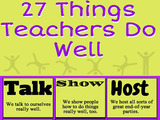
Graphic: 27 Things Teachers Do Well
1. Talk: We talk to ourselves really well.
2. Show: We show people how to do things really well, too.
3. Host: We host all sorts of end-of-the year parties.
4. React: We are ready to react to any great excuse.
5. Being On Time: We are on time.
6. Cue: We can give great secret cues to be silent.
7. Run: We can run on little food during the day and still be nice.
8. Over Explain: We are really good at over explaining anything.
9. Move Backwards: We are really good at creating anything backwards.
10. Jump Ahead: We can jump ahead of any line and not get in trouble.
11. "Hop": We can play hopscotch and other games without getting funny looks- as long as it is in the lesson.
12. Skip Ahead: We can skip ahead without even physically moving.
13. Love: We get to love the students around us and then send them home.
14. Finding Time: We always have time to grade work. (Not really but we tell ourselves that.)
15. Off: We are good at getting time off. (Ed note: Are we?)
16. Rally: We can rally any crowd if it gets us out of the classroom.
17. Enjoy: We really do enjoy our job…
18. Sleep: We can operate on very little sleep.
19. Create: We are very creative…in our own unique way.
20. Colorful: We encourage colorful explanations.
21. Work: We work very hard.
22. Share: We share more than most professions.
23. More: We give more to our students more than most people realize.
24. Hugs: We believe that hugs can go a long way.
25. Gather: We can gather together the most random people in one room.
26. Good: We see good deeds everyday.
27. Friends: We make good friends.
Graphic: 27 Things Teachers Do Well
The post Graphic: 27 Things Teachers Do Well appeared first on TeachThought.
TeachThought Blog
.
Blog
.
<span class='date ' tip=''><i class='icon-time'></i> Aug 05, 2015 08:50am</span>
|
|
MakerBot Launches Hands-On Learning Guide For 3D Printing In The Classroom
by TeachThought Staff
New MakerBot Handbook Helps Educators and Students Get Started with Lesson Plans and Hands-on 3D Design Projects
BROOKLYN, N.Y., -Thousands of educators throughout the U.S. are embracing 3D printing as a new way to teach 21st century skills and prepare students for the jobs of the future[1]. Taking the first steps to introduce students to 3D printing, however, can be challenging. MakerBot, a global leader in the desktop 3D printing industry, conducted in-depth research this spring to better understand how to help educators incorporate 3D printing in classrooms[2]. The research shows that acquiring 3D design skills is a major hurdle for educators and there is no single resource to address this need.
To fill that gap, MakerBot today published a handbook designed to provide educators with a wide variety of ideas, activities and projects to get started with 3D printing. Titled MakerBot in the Classroom: An Introduction to 3D Printing and Design, the handbook includes an introduction to 3D printing and a range of hands-on 3D design lesson plans. MakerBot in the Classroom is available as a free digital download for registered MakerBot customers and a sample project chapter is available free to anyone who registers on MakerBot.com. Additionally, MakerBot launched a new MakerBot Education Resource Center with further ideas and resources to support the integration of 3D printing in the classroom, such as real-world MakerBot stories, videos, challenges for teachers and students, and more.
"3D printing is a powerful tool in the classroom and provides engaging experiences that motivate students to excel. 3D printing can help teach many of the 21st century skills that employers are looking for, such as STEAM[3] literacy, collaboration, problem-solving and applying knowledge to the real world," said Jonathan Jaglom, CEO of MakerBot. "We’re excited to launch MakerBot in the Classroom to help even more educators and students discover the power of 3D printing to create original designs. This handbook is part of our broader MakerBot Education initiative, which aims to provide teachers, professors, librarians, and students with access to the resources and tools they need to embrace 3D printing. We will continue to work together with educators to build out the leading MakerBot 3D Ecosystem to address their specific needs."
A recent survey of teachers commissioned by MakerBot showed that 83 percent of teachers using MakerBot 3D Printers empowered their students to design their own objects as opposed to having them print existing designs[4]. This requires educators to teach 3D design and introduce students to the software that enables them to take an idea and turn it into a 3D printable design. Lesson plans and project ideas were among the most frequent requested resources to help educators get started, andMakerBot in the Classroom fills those needs.
MakerBot in the Classroom is divided into three sections: The first section covers how MakerBot Replicator 3D Printers work and the technology behind them, the second section shows how to download, scan and design models to print on a 3D printer, and the third and most comprehensive chapter features multiple projects for teachers and students to 3D design and 3D print. Each section provides background knowledge, learning objectives, terminology, sample activities, and discussion materials. The project ideas in the handbook are provided as a starting point to help educators integrate 3D printing into their own lesson plans and classrooms. They invite educators and students to investigate a subject matter, explore a variety of 3D modeling tools, and create and print original designs. Each project introduces a different type of free 3D design software, including Tinkercad, OpenSCAD, Sculptris and 123D Design. Each project also has a section that offers guidance on tying the project further into curriculum.
For example, Make Your Own Country is a project that casts students as explorers of a new world. Students design and 3D print tiles representing water, forest, mountains, and other landscapes, which can be assembled into a new and uncharted territory. Students then form groups that develop settlements by surveying the land and discovering its natural resources. During this project, students learn 21st century skills, such as 3D design, critical thinking, problem solving and collaboration.
MakerBot in the Classroom is the first offering as part of MakerBot’s long-term commitment to working with educators to provide better support for 3D printing in classrooms and on campus. Additional tools and resources for educators are now available on the new MakerBot Education Resource Center, such as real-world MakerBot stories, videos, and challenges for teachers and students. For example, MakerBot recently launched five Thingiversity Summer STEAM Challenges on MakerBot Thingiverse, the world’s largest 3D design community, to encourage students, teachers and librarians to try 3D modeling at home over the summer. The leading MakerBot 3D Ecosystem also includes hardware, materials,learning, software, and apps like MakerBot PrintShop for iPad, which allows students to turn 2D drawings and sketches into physical objects.
Additionally, MakerBot offers custom product solutions for educational institutions such as theMakerBot Starter Lab, a scalable, reliable 3D printing solution that is easy to implement; and theMakerBot Innovation Center, a large-scale 3D printing hub.
MakerBot Replicator 3D Printers are used in more than 5,000 schools throughout the U.S. The Whitby School, in Greenwich, CT, uses MakerBot Replicator 3D Printers in the school’s Design Technology classroom to spark an interest in 3D printing and teach problem solving and design thinking. At theState University of New York at New Paltz, a MakerBot Innovation Center has had a profound impact on students, faculty, and the community in its first year. The university quickly forged public-private partnerships with industry leaders to create a vibrant cross-departmental learning commons and innovation hub that serves both students and the local business community in unprecedented ways.
About MakerBot
MakerBot, a subsidiary of Stratasys Ltd. (Nasdaq: SSYS), is leading the Next Industrial Revolution by setting the standards in reliable and affordable desktop 3D printing. Founded in 2009, MakerBot sells desktop 3D printers to innovative and industry-leading customers worldwide, including engineers, architects, designers, educators and consumers. MakerBot has one of the largest installed bases and market shares of the desktop 3D printing industry, with more than 80,000 MakerBot Desktop 3D Printers in the world. The robust MakerBot 3D Ecosystem makes 3D printing easy and accessible for everyone. To learn more about MakerBot, visit makerbot.com;
MakerBot Launches Hands-On Learning Guide For 3D Printing In The Classroom
The post MakerBot Launches Hands-On Learning Guide For 3D Printing In The Classroom appeared first on TeachThought.
TeachThought Blog
.
Blog
.
<span class='date ' tip=''><i class='icon-time'></i> Aug 05, 2015 08:49am</span>
|
|
Introducing The Acer Chromebase, A Chrome OS All-In-One Touchscreen
by TeachThought Staff
Summary: In classrooms globally, Google continues to increase their momentum, and the latest announcement from Acer could help increase adoption rates with its packaging and design.
From A Press Release
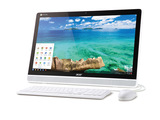
Acer announced today the latest addition to its industry-leading Chrome OS device family, the Acer Chromebase series, complementing its existing Chromebooks and Chromebox.
The touch-enabled configuration of the Acer Chromebase is the industry’s first all-in-one Chrome OS desktop with touch display, continuing Acer’s activity in the Chrome OS market after launching the first 15.6-inch display Chromebook and fastest-performing commercial Chromebook. According to the latest data from Gartner, Acer Group is currently the world’s leading Chromebook brand with over 36% market share in 2014.
Simple, Fast, Secure, and Affordable
The new Acer Chromebase comes with a Full HD resolution, 178-degree viewing angle display which incorporates 10-point touch technology, enabling more than one user to work, play and interact together. The device boots up in 10 seconds, and has multiple layers of security built-in with automatic system updates. Chrome OS supports multiple users and accounts while photos, videos, music, and documents are all synchronized and backed-up with the user’s Google account. Acer Chromebase also comes with a complimentary 100 gigabytes of Google Drive storage so users have plenty of space.
Ideal for Work or Play
The Acer Chromebase is powered by a NVIDIA® Tegra® K1 quad-core processor, helping it deliver a multi-tasking experience, and stay quiet even when running heavy workloads. It has a built-in HD webcam, so that users can chat face-to-face with family and friends on Google Hangouts with amazing video image quality on the 21.5-inch 1080P Full HD display. The Acer Chromebase is VESA-compliant so that it provides flexible viewing options when mounted to a VESA-compatible stand, bracket, arm, or wall mount suitable for search or navigation use in public areas. It has two 3W audio speakers and provides HDMI out, USB 3.0, USB 2.0 ports in addition to 802.11a/b/g/n Wi-Fi and Bluetooth 4.0 wireless connectivity.
Availability
The Acer Chromebase will be available in North American and Asia Pacific markets in Q2, to learn more about availability, product specifications and prices in specific markets, please contact your nearest Acer office via www.acer.com.
The post Introducing The Acer Chromebase, A Chrome OS All-In-One Touchscreen appeared first on TeachThought.
TeachThought Blog
.
Blog
.
<span class='date ' tip=''><i class='icon-time'></i> Aug 05, 2015 08:49am</span>
|
|
8 Reasons Why Students Should Still Write Research Papers
by Dorothy Mikuska
There are plenty of reasons why the research paper is not assigned. They pretty much boil down to:
perceived irrelevance of the assignment in light of modern publishing and technology
widespread plagiarism
teachers buried alive grading 10-page papers from 150 students (that’s 1500 pages to grade, not just read).
Before the research paper is declared dead and deleted from the curriculum in pursuit of briefer and more tech-based learning, here are 8 important reasons why students should still write research papers.
8 Reasons Why Students Should Still Write Research Papers
1. Complex Reading Skills Are Applied to Multiple Sources
The research paper requires close reading of complex text from multiple sources, which students must comprehend, analyze, synthesize, and evaluate. These tasks, more sophisticated than merely summarizing an article for a report, reflect the complex work demands of college and career.
2. It Creates A Research Mind Set
Research is finding answers to questions: how many teeth does a killer whale have—Google will give the number 52. Real research deals with deeper and broader issues than finding isolated facts. Students must learn to think of research as investigating profound and complex issues.
3. It Can Promote Curiosity
From early childhood, curiosity drives the search to understand increasingly complex questions, to constantly question information, and to explore more sources and experts. The research paper provides a structured, yet independent opportunity for students to pursue in depth some extended aspect of the course content.
4. The Librarian Can Be A Life-Long Resource
Students often see librarians merely at the check-out desk or collecting fines. Librarians are specialists at both accessing extensive sources from a variety of media and reinforcing the teaching of responsible use of information and technology. Because they work with students every day and are the center of the school’s curriculum, they can direct students to appropriate sources. As a researcher’s best buddy, librarians are gatekeepers and trackers of information and can turn every question into a teachable moment.
5. The Power of Attribution
Undocumented information that students encounter online—social media postings, tweets, blogs and popular media—artificially narrows their experience to opinions and anonymous writers. Students never see citations on a tweet or a bibliographical reference in People magazine. Research conducted in the career world requires not just expert information, but the attribution of sources through in-text citations and bibliographies. As students use sources that model research material with annotations and bibliography, they develop a questioning mindset: who said that, where did that come from, and where can I find more?
6. It Builds Related Skills
Unskilled researchers collect downloaded files and perhaps highlight passages, sometimes indiscriminately whole paragraphs or pages, without understanding the text. This method may work for a cursory summary of an article or for identifying key points, but not for synthesizing information from ten sources for an in-depth report.
File formats can make annotating text awkward. Even if notes can be easily added in the text, students will struggle scrolling through multiple files to synthesize scattered information, resulting in a collection of summaries from each source rather than an integrated understanding of the topic.
Formal note taking, necessary for extended and rigorous research papers, keeps track of information as quotations and paraphrases, identifies the unique content of each note, connects it to other notes with keywords, and identifies the source that can be cited in the paper and added to the bibliography.
An added value of note taking lies in the learning process. By reviewing notes with the same keywords, students can synthesize the material into an organized plan for the paper.
7. Plagiarism and Intellectual Property Rights Matter
Because of plagiarism’s prevalence in student work, it may be easier not to assign research papers. However, plagiarism and intellectual property rights issues, whether related to research papers or music and video piracy, need to be a major conversation throughout the curriculum.
Students do not understand what plagiarism is, its consequences to their learning and character, why everyone makes a big deal over it, and how to avoid it. While direct instruction teaches what plagiarism is, students must put into practice ethical research writing. The research paper process provides students and teachers the opportunity to discuss intellectual property rights and ethics as part of the assignment.
8. Coaching The Writing Process Is Powerful
The research paper is not just an assignment, but a commitment to continual dialog between teachers and students. Teachers as research paper coaches can explore their students’ understanding, interpretation, and synthesis of their reading, discuss their choice of sources and note taking strategies, evaluate their work incrementally, and model ethical paraphrasing and summary skills.
The research paper can be frightening, even paralyzing for some students with little or disappointing previous experiences. Teachers as coaches can make students feel comfortable taking control of the conversation and believing their voice and work are important.
By personalizing instruction to ensure student success throughout the process, and by students taking control of their work because they have important information to report, students are eager to share what they have learned. Poorly researched papers with little to say are poorly written or plagiarized. Coached students will write papers that their teachers will want to read.
The Research Paper in the Information Age
The research paper is about information found, understood, and explained to others, a way to authentically extend the course content and purpose.
The private and public sectors consume and create carefully written research. Feasibility studies, like the possibility of marketing sausage casings in India, laboratory or field research, inquiries to determine educational, political, or banking policies—all are formats of the research paper that organizations use to make critical decisions. Before reporting new information, published reports with requisite citations and bibliography begin with what experts have already contributed to the issue.
Since this is the intellectual milieu our students will enter after graduation, they should be prepared for the complex reading, research, thinking, and writing skills they will need.
Dorothy Mikuska taught high school English including the research paper for 37 years. After retirement she formed ePen&Inc and created PaperToolsPro, software for students to employ the literacy skills of slow, reflective reading needed to write good research papers; 8 Reasons Why Students Should Still Write Research Papers; image attribution flickr user samladner
The post 8 Reasons Why Students Should Still Write Research Papers appeared first on TeachThought.
TeachThought Blog
.
Blog
.
<span class='date ' tip=''><i class='icon-time'></i> Aug 05, 2015 08:49am</span>
|
|
Teaching Is Harder-And More Rewarding-Than Ever
by Nellie Mitchell
Nostalgia comes pretty effortlessly as we get older, doesn’t it?
It is fun to look back with fondness at the things that used to be so cool in school, like the Oregon Trail game, laser disks, and typewriters. Were they effective instruction tools? Maybe not, but they were cool. On the other hand, it’s also fun to daydream about the future, ‘Someday, we will all have hover boards!" Everyone will have microchips and virtual reality and 3-D everything.
But in the here and now, the reality is less romantic, and as we head towards the 2015-2016 school year, it’s just might be that teaching is more difficult than it’s ever been before. Everything is scripted, planned, pushed, and monitored. Nothing is easy, everyone’s an expert, making it too easy for the joy of teaching and learning to disappear.
If you’re old enough, you might remember schools in the 1980s and 1990s:
Teachers used textbooks and workbooks. Curriculum came directly from the book.
Substitute plans consisted of movies.
It was okay to spend instructional time doing a craft or an art project, especially seasonal and holiday stuff.
Students practiced spelling and cursive writing.
Flash cards and drills promoted memorization and were valuable learning activities.
Schools made time for Weekly Readers and Channel One news.
Class materials were stored in cubbies and desks.
Teachers used those red hard-cover grade books to keep track of missing assignments and grades.
Computers were in labs, separated from regular instruction, used for fun activities.
Let’s contrast that with popular visions of near-future learning:
Teachers will use Internet videos, eBooks, and online streaming services to access content anywhere, anytime. Curriculum will be fluid and ever changing as resources evolve with new technology.
Substitute plans will consist of movies—-created by teachers, as if they are not even gone, instruction will carry on as planned.
It will be okay to spend instructional time creating a multimedia project, especially if it is collaborative and innovative.
Students will practice typing, word processing skills and coding.
Research-based activities will meet the needs of diverse learners.
Schools will make time for eReaders and Web-based news.
Class materials will be stored in the cloud or in digital libraries.
Teachers will use online gradebooks seamlessly to share information and projects with parents in a way that feels more like social media and less like grading. It will be more interactive and customizable.
Computers will be in the hands of every student, replacing paper and pencil—essential learning tools with occasional opportunities for fun.
The Reality of Teaching Today
Educators today are under intense pressure to innovate, reinvent, flip, somersault and dive into new methodology. We are criticized for not using technology effectively or innovating our teaching strategies to meet the needs of an evolving educational climate.
We are experts in our own content, and we are passionate about it. At the same time, we are told that ‘lecturing’ is boring and it is not an effective way to deliver content to the short-attention-span modern student. Our own students tell us we are boring. Sure we have more technology than ever, but implementing it effectively is hard work and takes a lot of time.
Teachers have to be willing to try something they have never done before—in front of an audience. It has to increase student motivation, achievement, test scores, and it has to be fun. But it might not work. That new thing—it might waste a ton of instructional time to implement effectively. And we have to have a back up plan in case it fails. The Internet goes down and kaboom! The entire plan is shot.
Teachers today are doing double the work of any teacher that has ever existed or will ever teach in the future. Teachers must double plan every single move they make. Teachers have to have a backup plan in case the technology fails—and it fails often.
Teachers Lacl Enough Time For True Innovation
Many American teachers end up spending 10-11 hours a day at school, with only 3-4 hours per week of scheduled time allotted for planning. (Source) In other nations, teachers get 40% of their time to plan. Many school districts have adopted the practice of writing their own curriculum in order to align with Common Core. Curriculum is not created in a vacuum, generally curriculum directors, principals, and content expert teachers work together to make decisions about what should be taught, and when.
For some, curriculum writing is fun. Right? Let’s throw out the books and decide what we want to teach, and when we want to teach it. A pretty good theory, but the amount of available information on a given topic is expanding so rapidly, how can we approach true "mastery" of even a fixed set of standards? We can’t.
It is not enough to write the objective, make sure it aligns with Common Core, state grade level expectations, that it is grade-level appropriate, meets individual personalized learning needs, and it will help students succeed on standardized tests. Teachers today also have to fill in the gaps, innovate, and create their own resources to align with objectives. No more reliance on workbooks anymore. Online resources must be vetted; teachers must painstakingly sift through all the available materials and decide if the source is reliable and appropriate.
Since curriculum is drafted by school districts, there are no pre-written quizzes and tests, nor are there suggested activities or guiding questions. Teachers have to figure out how to formatively and summatively assess students by writing quizzes, tests, and assessments to assess higher order thinking skills and demonstrate student ability on each objective.
The curriculum-writing teachers of today have to design project-based learning activities that are rigorous, fun, tech-based, content rich, and absolutely never boring. By customizing curriculum, creating a scope and sequence, and adopting their own objectives schools in the same district are able to stay on the same page, even without a textbook. Schools haven’t completely abandoned the textbook, but many districts are allocating textbook funds into digital resources and technology, leaving fewer texts in the hands of students. This means more opportunity for teachers, but also more work, new thinking, and new resources.
The modern teacher generation is the saddled with adhering to and/or writing the curriculum, trying all the new software, technology, updating classroom practices, being experts in our content, surviving on a shoestring budget, and it’s a tremendous challenge. Teachers with good attendance rates are frequently gone from the classroom for curriculum planning, collaboration, testing, and professional development. Instead of rolling in a TV cart, allowing a substitute to show a video, teachers must create intensely detailed plans and write out a script for the day.
Absolutely no instructional time can be wasted (except in the honor of innovation or technology, then we can afford to lose half a day, as long as we are using it in an innovative and creative way). Teachers must also be active in their professional organization, have an impressive PLN, spend their own time participating in Twitter chats and book studies, and stay late for tutoring and parent events.
Yeesh.
To the Teachers and Students of the Future: You Are Welcome
Maybe future teachers and students will look back with fondness about the first time they ever held an iPad to look up their house on Google Earth. Maybe Google Earth is the Oregon Trail of the modern generation. With all the pressure being placed on teachers today to implement the new methods, and throw out all the old, outdated, boring stuff from the past, education is bound to look different in the future.
It just might be that the ground work is being laid, the documents are being drafted, new learning models are being designed, and teachers today are simply the guinea pigs. If so, it is up to the current generation of educators to figure out what works, blog it, tweet it, implement it and spread the good word that the future is, while sometimes blinding, overwhelmingly bright.
Teaching Is Harder Than It’s Ever Been; image attribution flickr users flickeringbrad and nasagoddard
The post Teaching Is Harder-And More Rewarding-Than Ever appeared first on TeachThought.
TeachThought Blog
.
Blog
.
<span class='date ' tip=''><i class='icon-time'></i> Aug 05, 2015 08:48am</span>
|
|
What Happened When I Tried To Teach Alone
by Terry Heick
During summer evenings here in Kentucky, it’s never all the way dark. Stars pierce the sky, etching the jagged canopies of Oak, Maple, and Sycamore trees against what we forget is literally the universe itself.
It’s also never all the way quiet; the air is thick and wet and alive, vibrating with sound. Crickets rub bone to bone, making a kind of electric purring that sits at the back edge of your mindscape, only ever recognizable if you’re able to stop your own thinking. Cicadas can’t help themselves, droning on in the dark madly, endlessly; one tree will rise in sound, starting low and pushing itself to a soft frenzy, only to grow quiet again, panting, while the tree next to it fills the quiet with its own version of summer lust.
Every now and then, two trees will start their sound in parallel (it’s unclear if this is some kind of selfishness or agreement), and the sound is mesmerizing-a gentle crash of sound that’s strangely fluid. And contrasting the chaos above and around is the slow dance of lightning bugs mingling in the evening air moving soundlessly, their blinking a kind of vulnerability that reaches out in every direction.
Somewhere in all of this-or behind it-there’s a lesson for me.
About five years ago, I took a job in, what for me was, an unhealthy work environment. It just wasn’t a good fit. I was, in a way that’s hard to explain, alone as a professional. Not independent, but standing stark and pale against my environment. Ego, social expectations, professional accountability, and money forced me to stick it out longer than I should’ve. The cost for me was a pervasive sense of anxiety that I had never felt before in my life (I was 35 at the time), and that I continue to confront and understand today.
Or at least I think that’s the way it went. It’s not always easy to separate cause from effect, and ultimately it all goes both ways anyway. One thing touches everything. As far as anxiety goes, I’ve never been overly nervous or worried. I played a lot of very competitive sports and never felt anything more than butterflies. I’ve always been a very sensitive person, which can be exhausting. I don’t get way up and way down, but when I feel things I feel them. I’m frustratingly sentimental. Love listening and being heard. Prone to nostalgia.
Being in love as a teenager sucked. I can still hear the first few notes of certain songs, and I’m there all over again. You know. There. That first time you reached out for their hand and they took it in and the sky arched itself parallel with the shape of the universe, which also felt-vaguely-like the shape of your soul and everything-for a moment-felt whole. Ugh. It was terrible.
I tend to be overly transparent in an attempt, I think, to feel connected to other people because I think people are meant to love one another, and connecting and mutual understanding is a decent first step. I’ve always had this compelling instinct that human beings are amazing and the natural world is overwhelming beautiful, and we all walk around with our eyes closed to it all. Or even when we can open them, they just can’t open wide enough to take it all in, like sticking your head out of the window of a car on the interstate and not being able to breath.
Right, so, the anxiety. After five years of having it under control, about two months ago, it came back. Yay. Not sure why (working on that part) but it’s not been fun, and has impacted my work-writing, productivity, etc. Created both discomfort and fatigue. This time, I took a multi-faceted approach: I changed my diet, doubled an already active exercise routine, started hot yoga, began practice with both moment-by-moment mindfulness, and meditation. I went to the doctor to see if medication made sense, clarified and bolstered my own support system, and reduced my workload.
So far, so good. These are all steps in my journey-one being an educator is a part of. Separating one’s self from one’s work is a problematic illusion. I know none of this is especially compelling or insightful; I wanted to use this post not as some viral contribution to the conversation of modern teaching and learning, or even as a dumping ground for my heart, but rather as encouragement to take care of yourself.
Especially as an educator.
This is a high-pressure game with a lot of moving parts, and a lot of collective misunderstanding. There is no misunderstanding what Kohl’s is, or Honda, or the American Cancer Society, or a library. But a school? What’s that, exactly? What’s a "good school"? There’s very little confusion about whether a tree trimmer is succeeding, or a salesperson excelling. What about a teacher? Who gets to say you’re doing a good job? And above all of the formal metrics and growth plans and walk-throughs, when you go to bed at night, whose approval are you really looking for? What do you look for to let you know, deep in your own heart, that you’re doing this thing "right"?
And what happens if you’re not sure? Do you change what you’re looking for? Rationalize the mediocrity? Mute that voice? This internal conversation is part of what separates "a person doing their job" from "a human being doing good work." This field can eat you alive. Think for a moment about how the best teachers are the ones that "learn to survive." That’s a stunning indictment of where we are as an industry.
I guess my point is, take care of yourselves and the people around you. That might mean to buy each other chocolate or send one another inspiring quotes on pinterest, but that’s kind of simply coping, isn’t it? Just surviving? Sometimes that’s all you can do, but when that’s the tone of your day-to-day existence, you may want to think again.
We can do better. Maybe you help rethink and redesign and retool something that’s collectively unsustainable. That’s one way to describe the work I do here at TeachThought. It could mean taking steps in a new direction and doing something not from the spirit of retreat, but the unique momentum of your life. It could mean to humble yourself and really, truly serve others-to stop that inward-out thinking pattern that’s created so much suffering for you. Don’t be afraid to start over-to reinvent yourself on the shoulders of everything you’ve learned to this point.
There are many ways to be a teacher.
There may be a time where will and expertise and credibility and grit aren’t enough, and you’re vulnerable. What results could just be a bad day, or a lot of bad days. Or anxiety. Or depression. Or addiction. In spite of all of our growth as a culture and planet, mental health continues to be stigmatized. And so we whisper, or pretend, or stop listening to ourselves. I guess. I dunno. Some people may read this post and sympathetically think "Awww, good for you!" but what I’m trying to say is "No, good for you." You’re beautiful and capable beyond your wildest dreams. The adage ‘If you want to go fast, go alone; if you want to go far, go together’ is staggeringly, painfully true, no matter how hard it can be.
This doesn’t imply that you have to assimilate your thinking, or that other people should change theirs for you. It means being together matters.
There is love around you, but you have to open yourself to it. Be light for others, but look for their glow as well. You need it, and they need yours, like lightning bugs hanging in the purple ether.
What Happened When I Tried To Teach Alone; image attribution flickr user mikelewinski
The post What Happened When I Tried To Teach Alone appeared first on TeachThought.
TeachThought Blog
.
Blog
.
<span class='date ' tip=''><i class='icon-time'></i> Aug 05, 2015 08:48am</span>
|
|
23 Tools For Students To Publish What They Learn
by Nadya Khoja, venngage.com
It’s no surprise that’s no surprise that there are so many tools available for students to publish their ideas to in the year 2015.
There was once a time when publishing thoughts to the web required considerable knowledge of HTML and CSS, however with the surge of online blogging and publication systems, the power of expression has never been easier. Students now have a well of opportunity to express their thoughts and ideas with the added chance of getting global feedback on those insights. Here is a list of some of the best online publication tools that students can post their creative impressions on.
23 Tools For Students To Publish What They Learn
1. Medium
Medium is a new blogging tool created by, Evan Williams, a co-founder at Blogger and Twitter. Medium is a great tool for those who wish to share their stories with the world. It is a very easy to use tool because unlike a lot of other blogging platforms, it doesn’t require much knowledge of implementing advanced widgets. There is also the added benefit of an annotation feature that lets students cite their source with ease. Although Medium does not allow for much customization, its clean and classic appearance makes for a simple navigation of the tool.
2. Blogger
Blogger, formerly known as Blogspot is publishing platform owned by Google. The registration process makes it easy for students to get started as it only requires a Google account to sign up. The drag-and-drop features allow for quick and frictionless design and customizations so that students can have the ability to be creative, without hassle.
3. WordPress
WordPress is certainly one of the most popular blogging platforms on the web. It’s great for students because it offers a wide range of functions and widgets. There are plenty of layout themes to choose from, and the registration process is quite seamless. The platform is very widely used and many web servers feature WordPress as a simple to install plugin. The top 10 blogs on the web all use WordPress as a host. It is perfect for new bloggers, professional bloggers and businesses small and large.
4. Edublogs
Edublogs is a blog created for educational purposes and is ideal for students and teachers alike. This is an ideal tool for teachers who wish to assign writing projects because it allows them to review posts and add comments where they find errors. Essentially, this is the WordPress for educators. Some extra features include calendars, discussion tools and video embedding widgets to name a few.
5. Quora
Quora is a question-and-answer website and is perfect for inspiring students to push their curiosity via a web-based platform. Site users can create and curate questions and answers to a variety of topics, making it a great tool for teachers to develop practice quizzes and assignments for their students. The blogging platform of Quora does not, however, allow for much customization.
6. Exposure.co
Exposure is a photo-based blogging website. Due to its visual nature, the site is a great way for students to share photographs of projects or experiences, and promotes creative, visual expression. It is also very easy to register with Exposer, and user can sign-up with their Facebook accounts as well.
7. LinkedIn
Not too long ago, LinkedIn announced a new blogging feature for their site, which allows writers to publish original content. Published content is automatically added to the user’s profile and is therefore a great way for encouraging students to develop their LinkedIn presence while young.
8. Postach.io
Postachio is another a microblogging tool that is linked with Evernote is designed for notetaking and archiving. It will allow students to create a "note" which can be a piece of formatted text, a full webpage or webpage excerpt, a photograph, a voice memo, or a handwritten "ink" note. These notes can be done by just using a smartphone and can easily be shared to postachio.
Infographic Creation Tools for Students
9. Venngage
Venngage is an easy to use online infographic maker. It’s drag and drop interface makes it an ideal tool for individuals with minimal design experience. There are a vast variety of templates, themes, charts, fonts, maps, icons and images that make it simple to create infographics. Schools can take advantage of the Venngage Education package, an affordable alternative for educators who want to implement infographic use in the classroom with access to all of the premium features.
10. Vizualize.me
Vizualize.me is a tool that students can use to create infographic versions of their resumes. The tool is very easy to use since students can just sign in with LinkedIn. Their profile information will automatically populate the infographic, producing an aesthetically pleasing representation of their professional experiences.
11. Google Developers
Google Developers is an infographic tool that depicts live sets of data. The tool is free and simple to use, but certainly doesn’t lack in power. Students have plenty of options to choose from with charts and can easily use the featured generator to visualize their research faster.
12. Easel.ly
Easel.ly is another infographic tool that offers a range of customizable templates. Similar to Venngage, the tool makes use of a drag-and-drop widgets. Easel.ly is a very user friendly and intuitive tool that students young and old can successfully navigate the site, and design infographics independently.
13. Vizual.ly
Visual.ly is both a tool and a community dedicated to data visualization and infographics .It is another awesome tool where students can create and share infographics directly to Social Media. Visually covers a wide range of different topics students can also learn from. Topics range from Education, Business and Politics.
14. Get About
Get about is a Microsoft Windows app that is for free. It can make life easier for students to monitor their Social Media account activities. It can also easily generate infographics to aid in visualizing their network.
Social Media for Students
15. Facebook
Facebook is now the most popular and widely used social network site on the web. The ever-expanding site offers note-making and sharing features, photo album creation features, twitter and Instagram integrations, and the ability to create groups. Groups are a great way for students to collaborate on assignments and share their ideas online with their classmates.
16. Tumblr
Tumblr is another microblogging tool. This popular platform is mostly used by younger individuals and the sign-up process is very frictionless. There is also a Tumblr app which students can install on their smartphones making it very convenient to blog anywhere, anytime. Since it is a microblogging site, students can have their content posted to the web in just a matter of seconds.
17. Instagram
Instagram is a mobile-based photo and video sharing app. The app can easily be synced to Facebook, Twitter and Flicker, making it very easy to share content with the world. Instagram is a great tool for featuring visually-based student assignments such as: photo essays, campaign projects, and video assignments. There are also a number of surprising ways that Instagram can be used to promote cognitive learning.
18. Twitter
Twitter is an online social networking service that allows students post 140-character tweets. US News stated that Twitter improves learning in college classrooms since it promotes feelings of global involvement and connectivity. The 140-character limit also pushes students to share their thoughts clearly and succinctly.
19. Vimeo
Vimeo is a video-sharing website where students can view videos by users, or share and upload their own productions. Vimeo Video School also offers video creating tutorials for students to learn some of the skills required in the art of production. Their creations can be easily shared to other social media sites like Facebook and Twitter as well.
20. Google+
Google+ is a social network by Google Services where students and teachers can create group circles to discuss important issues, lessons and where reminders for upcoming assignments can be privately posted. Students can also use the platform to share their ideas and to bring up any questions they may have. It is a great social media tool for managing the art of virtual communication.
21. Pinterest
Pinterest is a web and mobile-based image-sharing site. Students and teachers can create specific subject boards that can be used to curate pictures, posters, infographics and other visual learning resources. Middle-school and high-school students can like, share and pin images and infographics that they find on their own board. The Pinterest interface also promotes organization and content management for classes.
22. Youtube
Youtube is another video-sharing website where students who love to create videos can publish their work. Youtube also features a wide range of tutorials on a plethora of subjects. Not only does this make the platform a great promotor of participatory culture, but it also promotes the advancement of learning. Youtube is now the second top used search engine after Google.
23. DeviantArt
Deviantart is an online community that showcases multitudes of original user designed artworks. Students can use the site to share their own digital art, whether it be drawings, infographics or other images. Deviantart promotes artistic creativity for all age groups.
Sharing ideas has never been as easy as it is in 2015. Within just a few clicks and a few taps, students can publish their work for the entire world to see. These tools do not only empower students to express their own thoughts, but also motivates them to explore their creative potential.
23 Tools For Students To Publish What They Learn
The post 23 Tools For Students To Publish What They Learn appeared first on TeachThought.
TeachThought Blog
.
Blog
.
<span class='date ' tip=''><i class='icon-time'></i> Aug 05, 2015 08:47am</span>
|
|
Graphic: A History Of Ancient Philosophy
by Noet Scholarly Tools
This post is offered by Noet Scholarly Tools who are offering TeachThought readers 20% off their entire order at Noet.com with coupon code TEACHTHOUGHT (enter the coupon code after you’ve signed in). They asked us to share their latest teaching resource on ancient philosophy to help inspire students to explore classic works and dig into the foundations of Western thought. Start your study with their introduction packages on Greek and Latin classics (and don’t forget to take 20% off!).
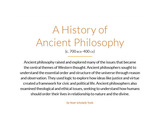
We recently partnered with TeachThought on on guide for questioning in the classroom, and it is in that spirit of inquiry, epistemology, and critical thinking that we are sharing an infographic on the history of philosophy. Ancient philosophy raised and explored many of the issues that became the central themes of Western thought. Ancient philosophers sought to understand the essential order of the universe through reason and observation. They used logic to explore how ideas like justice and virtue created a framework for civic and political life. Ancient philosophers also examined theological and ethical issues, seeking to understand how humans should order their lives in relationship to nature and the divine.
Below we’ve itemized 13 thinkers who, quite literally, changed thinking as we know it. We arranged them chronologically, and gathered them on the graphic below, along with other tidbits that characterize each philosopher.
13 Classical Thinkers Who Changed Thinking
Pre-Socratics (585-480 BCE)
1. Thales of Miletus
2. Pythagoras:
3. Protagoras
Classical Period (479-322 BCE)
4. Socrates
5. Plato
6. Aristotle
Hellenistic Period (323-31 BCE)
7. Epicurus
8. Zeno of Citium
Roman Era (30 BCE 529 CE)
9. Philo of Alexandria
10. Marcus Aurelius
12. Plotinus
13. Hypatia of Alexandria
The post Graphic: A History Of Ancient Philosophy appeared first on TeachThought.
TeachThought Blog
.
Blog
.
<span class='date ' tip=''><i class='icon-time'></i> Aug 05, 2015 08:47am</span>
|