Blogs
|
This month's Big Question - Social Grid Value and a comment by Ken Allan on my Learning Goals post really got me to thinking. Ken said:I don't really think there's any new way of learning, but we may need to experiment with its delivery.At first I nodded my head, but then I started to wonder...Is there really no new way of learning?This is similar to the question raised in Brain 2.0 and I'm not really sure where we landed in that discussion. At the time, I said: I'm not claiming that the brain itself has changed, but instead what's changing is:metacognitionmetamemoryaccess to informationaccess to other peopleaccess to smart systemsAnd I still feel we are vastly underestimating what is happening around all of this. Our Better Memory changes what we remember, how we remember, how we find and filter information (Information Radar), how we process information (Processing Link Pages).The Social Grid and Network Learning have changed when and how we Search which is actually quite a change from how many of us learned to acquire information when we were in college.In fact, I still believe that this is THE challenge of the next 50 years plus. How do we accommodate the dramatic changes in the ways that humans interact with computers, information and each other? In 30 years we will be able to have implants that give us full, instant access to the web (no typing) including the social grid. Today, our access to all that information and other people is just a bit slower (we have to type). Sorry, I digress ...So, back to the original question - new way of learning?Part of the answer of whether there are new ways of learning is how we interpret the "way of learning." What is learning? Some definitions:the cognitive process of acquiring skill or knowledgerefers to the acquisition, and transfer to long-term memory, of experience, Information, and Knowledge, which may subsequently be used for solving problems, making decisions, and creating new knowledgeIf we are talking about brain function, I don't know enough to know whether there really is something different going on in how the brain works. So, if we interpret learning to be purely at that level, then an argument can be made that there's not anything different here because the brain still "learns" in the same way. Therefore the "way of learning" are the same. It's still some kind of physical activity within the brain. Once we are able to bypass visual / reading as our input mechanism from computers and have direct input into the brain that may be interpreted separate from those normal brain signals, then we can be assured that learning is different at this level. But I'm not sure that should be the hurdle we need to achieve in order to start to claim "new way of learning."If I look at the result of learning which according to the above definitions:skill or knowledgesubsequently be used for solving problems, making decisions, and creating new knowledgeI believe that so much is changed around this that it really has a profound impact on learning. We are already beginning down the 30 year path I'm describing above. Essentially we've begun to use computers as an extended brain. The social grid represents a Borg-like extended brain that gives us incredible access to expertise and problem solving. All of this changes:what we learnhow we choose what needs to be committed to long term memory vs. electronic memorywhat we need from a future look up standpointhow we solve problems and make decisionsSo while the physical level of learning may not be changing, the context has and is changing. It's changing enough that while it's technically accurate to claim there is no "new way of learning" - it feels misleading.I believe the way I learn today is very different than the way I learned 10 years ago. And dramatically differently than I the way I learned 25 years ago. eLearning Technology
Browse eLearning Content
Tony Karrer
.
Blog
.
<span class='date ' tip=''><i class='icon-time'></i> Jul 14, 2015 01:48pm</span>
|
|
Adding video to eLearning can greatly enhance the learner experience.If you elect to include video in your project, you'll need to decide where the video will be stored when it's time to be viewed by the learner. Will you use a web server or media service?We're looking to find out what the eLearning community is doing when it comes to video. Spend a moment to take our Video in eLearning poll. We'll share the results with you here.Take the video in eLearning poll now.
Icon Logic Blogs
.
Blog
.
<span class='date ' tip=''><i class='icon-time'></i> Jul 14, 2015 01:48pm</span>
|
|
A year ago I wrote a post entitled An Honest Assessment of Adobe Captivate 6 [First Impressions], which garnered 81 ReTweets and 62 comments, and to this day is the most read post here on my blog.
Here’s how I concluded my review of Adobe Captivate 6 back then:
Sadly I’m very disappointed with what I’ve seen out of the new Captivate version, and I say sadly because for years this product was my baby, from my early days working at eHelp, later Macromedia and more recently Adobe as a Senior Product Evangelist for Captivate and the eLearning Suite.
It’s not even this particular version that disappoints me; it’s the overall lack of vision that Adobe has clearly shown in this release. There’s nothing in there that addresses real solutions for today’s trending topics, such as Cloud computing, Mobile Learning, Responsive Design, Adaptive publishing, Mobile Apps, etc.
Having said that, I cannot recommend this version of Captivate nor would I recommend relying on Adobe as the future vendor that can deliver innovating and breakthrough eLearning and mLearning experiences for the 21st Century.
via An Honest Assessment of Adobe Captivate 6 [First Impressions] | The mLearning Revolution Blog.
Shortly after publishing the above review, I followed it up with another post entitled Here’s how Adobe Captivate 6 could have been a Game-Changer for mLearning, where I shared some ways in which Captivate could help take instructional designers to the next level.
Fast Forward One Year Later
Here we are 12 months later and Adobe India releases a new version of Captivate just in time for the mLearnCon conference. I give the team credit for what is obviously a faster upgrade cycle, as compared to the old 18-month upgrade cycle. I think this makes a lot of sense, especially with the pace with which change happens in Technology these days.
Don’t get me wrong, there are some nice new feature in version 7, however I cannot find that game-changing feature that I think every software upgrade needs to have, the ‘killer app’ if you will.
In fact I think that most of the new features being promoted by Adobe have been there for a while in competing products like Articulate software, namely the ability to include YouTube videos in a course, as well as embedding a browser session on a slide. Same goes for the drag-and-drop widgets, which is something Articulate customers have been enjoying for a while now, so nothing terribly exciting there either.
The team did add Tin-Can-API support, which I think is a must these days as learning moves more and more to mobile devices, so that’s definitely a nice addition. I’m not sure I understand the benefits of having an Equation Editor or how the Learning Notes feature works, but these are probably a good thing for certain verticals.
Captivate needs to let go of the past and embrace the new Post-eLearning era
My biggest problem is that Captivate (and the team for that matter) is holding on to the past and is risking becoming obsolete. There’s a mobile revolution out there and is passing this once-great product by, in the way Kodak was left behind in the new digital age. There’s nothing that I have seen in this product that tells me I should be hopeful as a Learning professional, that Adobe will help me get to the next level, by helping me develop learning that can be accessed anytime, anywhere and most importantly on every device.
Hence the title of this post.
In fact I think the team is adding more and more of the things we absolutely don’t need in this new Post-eLearning era.
Take for example the expanded list of Smart Learning Interactions, there are now 15 more, and this is bad news in opinion. In the Post-eLearning era, we don’t need more feature, which more often than not lead to heavier courses, we need less, we need simpler learning experience that adapt well to multiple screens and not make us wait for heavy courses to download to our mobile devices, only to have to pinch, zoom and swipe left, right, top and bottom to see the entire course, as illustrated here:
Adobe Captivate 6 project converted to HTML5 and viewed on multiple devices. Note the scroll bars needed for all devices except for the iPad in landscape mode.
Another example is the HTML5 support for PowerPoint, which Adobe is promoting heavily. I ran a quick ‘HTML5 Tracker‘ test with an old project and I’m still getting pretty much the same amount of unsupported features I did with Captivate 6, so not much in the way of improvements there.
However even if Adobe managed to fix the long list of HTML5 conversion issue they have, this would still not be true mLearning. It would just be trying to retrofit an old format into a new medium, in other words it would be shrinking something big that fits on the desktop into something smaller in order to fit it on a mobile device. In my opinion, this is precisely what we should be trying to avoid.
If your Learning Design calls for Absolute Dimensions, you have already Failed
Here’s a slide that I show whenever I teach my workshop on Mobile Learning Design:
A slide in Section 3 of my mLearning Design workshop
The point I try to make with this slide is that today we don’t get to decide which device learners use to access our Learning and thus we need to think about design beyond the 1024 x 768 box.
I recommend to my students that in choosing the right tool for mLearning, they need to look for tools that are designed more along the lines of Dreamweaver (i.e. based on relative screen percentages) and stay away from tools that force you to pick absolute dimensions, which will only yield great results on a single screen. In my mind this is a big problem for a lot of tools today, well beyond Adobe Captivate.
Conclusion
In all honesty, when Captivate 7 was announced I had no intention of writing about it, but I did because I saw an opportunity to share some of my thoughts on the changing Learning landscape and the new mindset we need to embrace, if we are going to seize the learning opportunities mobile presents to our Industry.
I apologies if my brutally honest style of writing about Captivate offends anyone, this is not my intention. I could have easily write about the new features like most reviewer do, but then again that wouldn’t be the real RJ Jacquez.
I leave you with this quote I once included in one of my posts, which I believe encompasses quite nicely how mobile design is different from the old desktop design paradigm we need to abandon, and why I believe embracing simplicity is a key ingredient to mobile learning:
RJ Jacquez
.
Blog
.
<span class='date ' tip=''><i class='icon-time'></i> Jul 14, 2015 01:48pm</span>
|
|
One of the coolest things about working for BizLibrary is unlimited Learning! Each month BizLibrary Employees share their favorite courses. This month features four employees from the Marketing team. August Pix from Left to Right: Jessica Petry, Marketing Specialist @JessLPetry Great Managers Help People Hone Their Strength Short video, simple message and super powerful. Love this!This short leadership lesson video features author, Marcus Buckingham, of the book " First Break All the Rules. " According to Marcus Buckingham companies that focus on cultivating employees' strengths rather than simply improving their weaknesses stand to dramatically increase efficiency while allowing for maximum personal growth and success. Is powerful as a stand alone video or as part of a blended learning leadership development program. View the video preview below: AJ Srivastava, Web Marketing Specialist Perspectives on Net Neutrality Net neutrality is an important issue facing the public today. Since its birth, the internet has always honored the idea of "neutral net", where providers do not prioritize any data or information. ISPs are looking to implement a tiered internet system, where priority is given to more expensive "high speed lanes" products. They would be given free rein to prioritize data, throttle bandwidth to content providers who do not pay, and collect more fees from both consumers and organizations. This video gives a high-level overview of net neutrality, as well as updates on recent developments. The guest, Peter Vogel, does a great job of explaining both sides of the issue. With the dependence we have on the internet, a good understanding of net neutrality will help managers and leaders understand the potential impact that it may have on their organizations. View the video preview below: Amanda Holloran, Marketing Automation Specialist Keep Your Cool: Attitude (Part 3) Have you ever been told that 'a positive attitude renders a positive outcome just like a negative attitude delivers a negative outcome'? The Keep Your Cool series teaches you exactly that - how to keep your cool. Part 3 of this series focuses on how an attitude change is the start of keeping cool. A majority of the time we find ourselves wanting to control everything but the reality is that we can only control so much. Realizing that we can only control so much, and letting go of the anger we have over things we cannot control is the healthiest thing we can do. Keeping a positive attitude, by any of the suggested methods, is the best way to avoid anger. View the video preview below: Erin Pinkowski, Marketing Manager How to Work a Room, Part 1and Part 2 One of my favorite courses right now is How to Work a Room. I watched both Part 1 and Part 2 a few weeks back just before heading off to SHRM 2014 in Orlando . I knew that the conference was going to involve some networking events so I figured I would brush up on my "networking" skills. These courses give some great quick tips for business professionals on working a room and meeting new people. The best takeaway tip was the importance of having your business cards handy as opposed to digging through your purse at each interaction…I hope I have never done that!! What’s even better? The courses are between 5 and 7 minutes each! View the video preview below: Learn something new! BizLibrary provides 7,000+ training videos and eLearning courses in various business training topics, with new courses added every day. 10 Tips for Marketing Your Employee Training Program In this eBook we’ll discuss you'll learn 10 ways to improve the marketing of your online employee training program and boost employee engagement and participation. BizLibrary's Mobile Learning App meets the needs of today's digital learners. Employees no longer wait for training departments to push learning content to them. Employees are used to pulling information to themselves, when they need it, on their own terms and conditions, and on their own devices.
Chris Osborn
.
Blog
.
<span class='date ' tip=''><i class='icon-time'></i> Jul 14, 2015 01:48pm</span>
|
|
by Jennie Ruby
I felt like a video star the other day. Well, at least in a tiny little way. I taught a class a few years ago. It was for a fairly large organization. The section of the class I taught had an attendance of about 40 people, and they had several more sessions scheduled. But I didn't teach them--at least not in person. They videotaped the first session, and although the audio quality of their equipment was pretty terrible, they used the videos for the remaining sessions, and then continued to use them for new hires for a couple of years afterward. I walked by that company's building the other day, and a stranger said "Hey, Jennie Ruby!"I think I am still pretty far from needing to wear sunglasses to avoid public recognition, but the incident made me think about how asynchronous learning extends the reach of one trainer. With one day's work, I had trained hundreds of people. However, people in the live seminar were able to ask questions and have them answered, while people who saw only the video did not have that opportunity.On the other hand, people who saw the video could presumably stop the action, take time to practice the skills being taught, and then re-watch the action if needed. Even just the ability to re-wind and re-watch the action provides added value. That is still far from the interaction and involvement we try to encourage when creating eLearning courses, where we include constant opportunities for learners to practice the skills and actions they need to learn. Nevertheless, asynchronous training has some pretty compelling advantages.But the reason I am thinking about all of this today is that I was recently asked how to show that live classroom training still has an advantage over eLearning. What? For years I have seen people struggling to prove the opposite--to prove that eLearning works. And now I was being asked to justify classroom training.My question for you this week is probably an old, familiar one, but one that comes up in both directions in the training world. Which is better, classroom training/live interactive training or self-paced/asynchronous eLearning?Are classroom trainers going the way of the dinosaur? Will we ever? Are there different reasons for different kinds of training? Is there room for both? Are there new ways to combine classroom and eLearning modes of training? Are you being asked these kinds of questions in your work?If you have been dealing with these issues and questions, we would love to hear from you. Whether you have long since reached an opinion, or whether you are doing on-going research about this, I would like to know. I'll share the results here down the road.
***
If you love Jennie's articles, you'll love her classes. Check out some of Jennie's mini courses.
Icon Logic Blogs
.
Blog
.
<span class='date ' tip=''><i class='icon-time'></i> Jul 14, 2015 01:48pm</span>
|
|
I'm actively engaged in all kinds of sites that can be roughly described as social networking. Through this, and because of my My LinkedIn Open Connection Approach where I basically treat LinkedIn like a really big business mixer, I have lots of opportunity to "meet" new people online. My guess is that about 25% of the people I run into do not have a profile photo. I'm writing this post to encourage you to: Spend a little bit of time to create a reasonable profile photo Attach it to every online profile when you create it And when I say every, I mean every - don't join that new Ning group without attaching your photo. Add it to your Elluminate and WebEx profiles. It doesn't take a lot to add a profile photo, and it's fairly significant. Why? It helps me believe that you are a real person. That your request isn't from some faceless person out there in cyber space. You are real. If you walk up and talk to me at a big mixer, I will talk to you. But if you are an unknown from cyberspace with no photo, it just doesn't feel as real. It helps me remember you. I have a hard time associating names with faces. A really hard time. Your profile photo can be really helpful to me to connect the dots repeatedly. It shows me you are serious. If I receive an inquiry or link/friend request from someone without a profile photo, I'm much more likely to ignore it. It's a signal that you are just playing around. A few other thoughts on this topic: In business networking, using stylized photos or anything other than a normal photorealistic picture says - I'm playful and fun, but maybe not all that serious about all this stuff. It's your choice, but I believe it hurts you on all three of the above items. Have a reasonably complete LinkedIn profile and link to it everywhere. When I meet someone online, I commonly go search for them on LinkedIn to see who they are and what they do. If I can't find them or they have really limited information, that suggests they aren't as serious about online connections. In my experience, it's not as effective to spend time with them online. I'm not saying this is a rule, but there's a correlation in my experience. And while I'm at it, if you have less than 200 connections, you probably aren't trying all that hard online either. eLearning Technology
Browse eLearning Content
Tony Karrer
.
Blog
.
<span class='date ' tip=''><i class='icon-time'></i> Jul 14, 2015 01:48pm</span>
|
|
by AJ Walther
While Microsoft PowerPoint's clip art sometimes gets a bad rap, you'll often find a perfect image buried among the clip art gallery. Let's say you find this image in PowerPoint: For your purposes, the image looks nice, is relevant, and using it won't get you judged and/or fired at your office. The only problem is that now you need 20 similar-looking images for the rest of your project. After scouring the remaining clip art available in the gallery, you find other animals, but none of them look like the image above (they're drawn in a completely different style). Now what? Believe it or not, clip art images on the Microsoft Office website are grouped by style number. You may just need a bit of guidance locating them. And here's how...
Find a clip art image in PowerPoint's clip art Gallery that you like.
With the Clip Art pane visible, click the More Arrow to the right of the image to view the image's drop-down menu.
From the drop-down menu, choose Preview/Properties to open the Preview/Properties dialog box.
From the Name field, highlight the name of the image and copy it.
In a web browser, navigate to http://office.microsoft.com/.
In the search bar at the top of the page, paste in the name of your image and press [enter] on your keyboard. (The image you used in PowerPoint should appear in the Image Results area.)
From the Image results area, click the clip art image to open the image page. (To the right of the image you will see a Download button, Dimensions, Resolution, File size, Downloads, Style, Rating, and Keywords.)
From the Style area, click the style number link. (You will be redirected to a page, or multiple pages, of clip art images of the same style.
Click any image you like to be redirected to that image's page. There you can either download the image or use the listed keywords to find the image from within PowerPoint.
The Microsoft Office website is a great resource, as PowerPoint's clip art pane does not list the style numbers for images, nor does it let you search by style number if you already know it.
***
If you love AJ's articles, you'll love her PowerPoint mini courses.
Icon Logic Blogs
.
Blog
.
<span class='date ' tip=''><i class='icon-time'></i> Jul 14, 2015 01:48pm</span>
|
|
View and download the webinar slides. View the webinar recording. ADDITIONAL RESOURCES AND REFERENCES: Developing a Corporate Learning Strategy, Pat Alvarado, CLO Magazine, Sept. 2003 It's a VUCA World, by Denise Caron 10 Hot Job Titles That Barely Existed 5 Years Ago Alignment: the idea of alignment being a process of continuing adjustment so parts are in their "proper relative position." Learning Culture: Each organization’s current learning culture is crucial. Is learning embedded into workflows? Are employees committed to continuous improvement? Is the organization receptive to performance change and improvement? Is the organization ready for a technology-based learning solution? Performance Analysis: Not all business problems require or need learning solutions. Your efforts and limited resources should be focused on where you can see results that will yield business benefits. Content Strategy : curation of content, revised definition of content, delivery of content Success Criteria : What does success look like? How to I know? Marketing and Communication Measuring the Business Impact Learn something new! BizLibrary provides 7,000+ training videos and eLearning courses in various business training topics, with new courses added every day. 10 Tips for Marketing Your Employee Training Program In this eBook we’ll discuss you'll learn 10 ways to improve the marketing of your online employee training program and boost employee engagement and participation. BizLibrary's Mobile Learning App meets the needs of today's digital learners. Employees no longer wait for training departments to push learning content to them. Employees are used to pulling information to themselves, when they need it, on their own terms and conditions, and on their own devices.
Chris Osborn
.
Blog
.
<span class='date ' tip=''><i class='icon-time'></i> Jul 14, 2015 01:48pm</span>
|
|
Send to Kindle
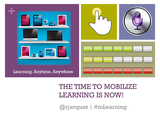
ASTD Houston Keynote Presentation by @rjacquez
I had the great fortune of being invited to deliver the opening keynote presentation at this year’s annual ASTD Houston conference.
I will always be indebted to Debbie Richards and her ASTD team for this great opportunity, and I hope there are more Keynote opportunities for me in the near feature.
The title of my presentation was ‘The Time to Mobilize Learning is Now!‘ and you can find all 105 slides I used, embedded below.
frameborder="0"
marginwidth="0"
marginheight="0"
scrolling="no">
RJ Jacquez
.
Blog
.
<span class='date ' tip=''><i class='icon-time'></i> Jul 14, 2015 01:47pm</span>
|
|
Here is the best stuff from last week via eLearning Learning.Top Posts The following are the top posts from featured sources based on social signals. Overcoming Top 10 Objections to Social Learning- Social Enterprise Blog, April 24, 2009Ten commandments of e-learning (content design)- Clive on Learning, April 30, 2009Twitter Learning- eLearning Technology, April 30, 2009Learning Goals- eLearning Technology, April 29, 2009An eight-step process using Post-it notes to gain meeting consensus.- Business Casual, April 25, 2009Fantastic File Converter- eLearning Acupuncture, April 24, 2009Call for eLearning Demonstrations- eLearning Technology, May 1, 2009When should you use Informal Learning?- Upside Learning Blog, April 27, 2009Online CEU Credits- eLearning Technology, April 27, 2009508 Compliance, Even If You Do Not Need To- MinuteBio, April 30, 2009Diffusion of Innovations- Kapp Notes, April 30, 2009Gathering comments with Yahoo Pipes?- WISE Pedagogy, April 29, 2009eLearning mash-up follow-up: Articulate presenter and Flash 10 compatibility- Ignatia Webs, April 28, 2009Twitter Chat- Adventures in Corporate Education, April 24, 2009Steps for Designing a Virtual Learning World Experience- Kapp Notes, April 24, 2009 Top Other Items The following are the top other items based on social signals. Enterprise: List of 40 Social Media Staff Guidelines, April 23, 2009NYTimes OpEd | End the University as We Know It, April 27, 2009The future of e-learning is social learning, April 25, 2009OpenGov: One big challenge? Or a thousand small hurdles : Tim's Blog, April 28, 2009Ten Commandments of eLearning Design, April 25, 200920 Ways to Evaluate Contributions to a Corporate Social Network | Dave Duarte, April 28, 2009Ignore This Post If You Don’t Care About Effective Learning, April 28, 2009Incredibly Dull: Social Architecture, April 28, 2009"Ba" for Management Development, April 24, 2009Emergent practices need practice, April 24, 2009Rough week for higher education, April 25, 2009The Business Case for Social Learning: Dealing with the "Capability Recession" at Lower Cost, April 30, 2009The intersection between work and learning, April 30, 2009Social Learning and Emerging Technology, April 23, 2009 Top Keywords Social Network Analysis (3)Twitter (30)Social Media (20)Mzinga (3)Management (30)Learning (83)Enterprise 2.0 (4)Social Networks (23)Adoption (8) eLearning Technology
Browse eLearning Content
Tony Karrer
.
Blog
.
<span class='date ' tip=''><i class='icon-time'></i> Jul 14, 2015 01:47pm</span>
|