Blogs
|
Collaborative Magnetic Poetry with Google DrawingsJust in time for National Poetry Month: Collaborative Magnetic Poetry with Google Drawings!That's right! I've created a magnetic poetry interactive template with Google Drawings that you and your students can use to get creative during National Poetry Month. You can use this as an independent activity, or take it a step further and make it a collaborative activity and see how the poetry evolves. You can use the "magnets" included, or even add your own text boxes to extend the activity.Have some fun! Click here to make a copy of the template, and save it to your Google Drive, or use the button below.Collaborative Poetry TemplateUPDATE!: See fifth grade students having some fun with magnetic poetry below. Please feel free to share your kiddos. I love seeing this! Thank you to Lynn Kleinmeyer and her students in Iowa for sharing.5th grade Ss LOVED using @ShakeUpLearning's "Magnetic" Poetry during #library today! @lbahrke #lctitanhill #GAFE pic.twitter.com/fdbws5zxAo— Lynn Kleinmeyer (@THLibrariZen) April 21, 2015Here is another fabulous example from Mrs. Kane's 8th grade class in New Jersey!@shakeuplearning Our collaborative magnetic poetry using the words from "A Midsummer Night's Dream" #googledrawing pic.twitter.com/K4DQZP1xAr— Kane's 8th Graders (@AWKaneGT) April 28, 2015And here are some high school examples from Virginia! Thanks @Techy_Margaret!More student work @ShakeUpLearning from our HS ESOL students for #NationalPoetryMonth #EarthDay pic.twitter.com/VxIacc8M9e— Margaret (@Techy_Margaret) April 29, 2015Share your poetry and your student's poetry in the comments below! I'd love to see what you create!Kasey Bell will be presenting at the following upcoming events:#TechUpTxState EdTech Conference at Texas State University (San Marcos, TX)#GoogleEduOnAir (May 8-9)#TXGoo15, May 16: Texas Summit feature Google for Education (New Caney, TX)TCEA Area 16 Conference Jamboree, June 4 (Amarillo, TX)Prosper ISD Tech Conference, June 10 (Prosper, TX)Speed 21 Conference, June 11 (Wylie, TX)Texas ASCD Ignite, June 15-17 (Irving, TX)iPadpalooza, June 23-25 (Austin, TX)ISTE, June 28-July 1 (Philadelphia, PA)TIA 2015, July 21-22 (Denton, TX)
Shake Up Learning Blog
.
Blog
.
<span class='date ' tip=''><i class='icon-time'></i> Jul 15, 2015 11:16am</span>
|
|
The Golden Treasures of Google - Part 4The Golden Treasures of Google! The Fabulous Things You Don't Know About! Part 4: Student InitiativesYep! There's always more Googley Goodness to share so expect these treasures to keep on coming! Today's post is focused on some very special initiatives that Google offers for K-12 students. Below are some fantastic ways to let your students shine! These are great ways to tap into your students' creativity and prepare them for the future.--->Did you miss Part 1, 2 or 3 in this series? The Golden Treasures of Google - Part 1: Google Maps, Street View and Google Earth The Golden Treasures of Google - Part 2: DATAThe Golden Treasures of Google - Part 3: SearchGoogle Science FairThis one is first because the deadline to participate in next month! The Google Science Fair is an online competition for ages 13-18. This project encourages students to change the world through scientific inquiry. This is an amazing opportunity for students, and a chance to further those STEM skills!Get lesson plans and starter kitDeadline is May 19Below is a YouTube Playlist of the past Google Science Fair Finalists and Winners:Made With CodeMade With Code is an exciting project designed to close the gender gap in the programming industry, and give girls and young women fun ways to learn how to code. Fun projects like this dress, and even coding the Christmas Trees at the White House!The website is loaded with resources, including these fabulous projects.Watch the video below, and help spread the word to girls and young women!Doodle 4 GoogleUnleash the creativity in your students with the Doodle 4 Google Competition! This annual competition will return in September 2015 is for grades K-12 and features some major prizes! The National Winner gets their artwork featured on the Google homepage and gets a $30k scholarship for college!Doodles will be grouped and judged by the following grade groups:Grades K-3Grades 4-5Grades 6-7Grades 8-9Grades 10-12View the 2014 Doodle 4 Google WinnersWhat are your favorite Google Projects and Initiatives? Please share in the comments below.Kasey Bell will be presenting at the following upcoming events:#TechUpTxState EdTech Conference at Texas State University (San Marcos, TX)#GoogleEduOnAir (May 8-9)#TXGoo15, May 16: Texas Summit feature Google for Education (New Caney, TX)TCEA Area 16 Conference Jamboree, June 4 (Amarillo, TX)Prosper ISD Tech Conference, June 10 (Prosper, TX)Speed 21 Conference, June 11 (Wylie, TX)Texas ASCD Ignite, June 15-17 (Irving, TX)iPadpalooza, June 23-25 (Austin, TX)ISTE, June 28-July 1 (Philadelphia, PA)TIA 2015, July 21-22 (Denton, TX)
Shake Up Learning Blog
.
Blog
.
<span class='date ' tip=''><i class='icon-time'></i> Jul 15, 2015 11:15am</span>
|
|
Turn a YouTube Clip into a GIFGoogle Tips & Tricks: Turn a YouTube Video into a GIF! Animated GIF images are so much fun, and can make it really easy to show students and teachers how to do things. This is an easy trick using a tool called GIFYT. Simply type the letters GIF after www., and before youtube, and you will be directed to the site to create our GIF. These GIFs can be up to 15 seconds long, and you can select the exact portion of the video you wish to use. See the example and steps below.Step 1: Using your browser, locate the video on YouTube that you wish to convert to an animated gif image.Step 2: Type, "gif" between the "www." and "youtube" portion of the URL (see below).Step 3: You will be taken to a configuration window. Using the slider select the portion of the video you wish to convert, and select the duration (up to 15 seconds). (I know how silly I look! I can't wink ;).)Step 4: Add a title and click create! Voila! You did it! Remember that animated GIFs will only work if they are linked or embedded, so grab the link or embed code and add it to your website, blog, Google Doc or Google Slide. (See my silly example from my GTA application video below. I used the embed code which also ties in some extra links and social media options.)What are your favorite ways to create or use animated GIF images? Please share in the comments below!Kasey Bell will be presenting at the following upcoming events:#TechUpTxState EdTech Conference at Texas State University (San Marcos, TX)#GoogleEduOnAir (May 8-9)#TXGoo15, May 16: Texas Summit feature Google for Education (New Caney, TX)TCEA Area 16 Conference Jamboree, June 4 (Amarillo, TX)Prosper ISD Tech Conference, June 10 (Prosper, TX)Speed 21 Conference, June 11 (Wylie, TX)Texas ASCD Ignite, June 15-17 (Irving, TX)iPadpalooza, June 23-25 (Austin, TX)ISTE, June 28-July 1 (Philadelphia, PA)TIA 2015, July 21-22 (Denton, TX)
Shake Up Learning Blog
.
Blog
.
<span class='date ' tip=''><i class='icon-time'></i> Jul 15, 2015 11:14am</span>
|
|
Maximize Google Drive on the iPadAs I have mentioned before, we have come a long way with using Google Apps on the iPad! There have been a lot of updates to the Google Drive app over the last year, and you may have missed some handy features. Below are a few tricks to help you make the most of using Google Drive on the iPad. This article will show you how to manage multiple accounts, passcode protect Google Drive, and how to upload from other Google Drive accounts, camera roll, iCloud, Dropbox and more!Manage Multiple AccountsDo you have more than one Google account? I have several, and it's nice that I can log in to multiple accounts through the Google Drive for iOS app. Here's how:1. From the Google Drive App, tap on the menu button (top left).2. Tap your account name.3. From here, select, "Add another account," and login to your other Google account. Once you have added each of your accounts, you can follow the steps above to toggle between your accounts.This feature can also make shared iPads a bit easier. Add this feature with the tip below and help keep students from accidentally logging into the wrong account.Passcode Protect Google Drive AccountsProtect your Google Drive files with a passcode. You can passcode protect each Google Drive account with a different code. When you passcode protect your account, you will be prompted for the passcode each time you open the Google Drive apps. If you have a newer iPad/iPhone with Touch ID, you can also login with Touch ID. Here's how to set a Passcode Lock for each Google Account:Go to Settings (top left corner)Next, tap Passcode Lock > Enable Passcode Lock to "On". You will then be prompted to set the passcode (and re-enter to confirm). After confirmed, you can choose to have the passcode "Always Lock," and it will require that you enter the passcode each time you return to Google Drive.Shared iPad Tip: (Thank you to the fabulous +Jody Green for sharing this tip!) We all know that shared iPads present a lot of challenges, and logging in and out of Google Accounts can take a lot of extra time. Jody has students store their individual accounts in their assigned iPads with a passcode lock. This way students can only access their own accounts, and keep students from accidentally logging in with the wrong account.Upload Files to Google Drive from Camera Roll, iCloud, Dropbox and More!There are now many ways to upload files to Google Drive, including connections to third party storage apps. Below are three options for uploading to Google Drive in the iOS app.Upload files or videos from the Camera Roll: Access photos, videos and screenshots that you have saved to your Google Drive. This method is a great way to move files created with other apps into Drive (i.e. iMovie).Use Camera: Use the camera directly from the Google Drive app to directly upload photos and videos to Google Drive. This function will still save to your camera roll as well, but with photos and videos safely stored in Drive, you can delete from your iOS device to save precious storage! (Note: Always verify that the photos and videos are saved in Drive before deleting from the camera roll.)Upload files: From here you will see various options depending on the other apps you have installed. Upload files from iCloud, another Google Drive account, Dropbox and more! (To enable, click on + > Upload Files > More.)Ready to learn more about using Google on the iPad? Watch my online session this Saturday, May 9th for the Google Edu On Air conference for Educators: The Best of Both Worlds: Google Apps for the iPad.Register for the full, two-day event here.Watch my session live on this page. (Video embedded below.)What are your favorite tips for using Google Drive on the iPad? Please share in the comments below.Click here for even more resources for using Google on the iPad.Kasey Bell will be presenting at the following upcoming events:#GoogleEduOnAir (May 8-9)#TXGoo15, May 16: Texas Summit feature Google for Education (New Caney, TX)TCEA Area 16 Conference Jamboree, June 4 (Amarillo, TX)Prosper ISD Tech Conference, June 10 (Prosper, TX)Speed 21 Conference, June 11 (Wylie, TX)Texas ASCD Ignite, June 15-17 (Irving, TX)iPadpalooza, June 23-25 (Austin, TX)ISTE, June 28-July 1 (Philadelphia, PA)TIA 2015, July 21-22 (Denton, TX)Related Posts:Google Apps for the iPad and iOS (The COMPLETE List!)5 Tips for Using Google Apps on the iPad
Shake Up Learning Blog
.
Blog
.
<span class='date ' tip=''><i class='icon-time'></i> Jul 15, 2015 11:14am</span>
|
|
My Top 10 Tips for Successful Technology Integration in the ClassroomI am super excited to share this update with you! My Top Ten Tech Tips for Successful Technology Integration were originally shared last July (2014). These are the tips that I often refer to when helping teachers dip their toes into the technology integration waters. It's easy to become overwhelmed by technology and planning. These tips will make the process so much easier!Today, I'm honored to share a sketch version of my tips by the fabulously talented Sylvia Duckworth! (She makes me look good! ;))Top 10 Tech Tips for TeachersDownload the full resolution version below.toptentechtipssketch.jpgFile Size:465 kbFile Type:jpgDownload FileBelow is the original graphic poster I created (with Canva in case you were interested). You can also download a pdf version for printing below.top_10_tech_tips_for_teachers.pdfFile Size:2516 kbFile Type:pdfDownload FileWhat are your favorite technology integration tips? Please share in the comments below!Kasey Bell will be presenting at the following upcoming events:#TXGoo15, May 16: Texas Summit feature Google for Education (New Caney, TX)TCEA Area 16 Conference Jamboree, June 4 (Amarillo, TX)#ProsperTrendingNow Conference, June 10 (Prosper, TX)Speed 21 Conference (Keynote), June 11 (Wylie, TX)Texas ASCD Ignite, June 15-17 (Irving, TX)iPadpalooza, June 23-25 (Austin, TX)ISTE, June 28-July 1 (Philadelphia, PA)Missouri Google Summit, July 11-12 (Kansas City, MO)TIA 2015, July 21-22 (Denton, TX)Texserve's 2nd Annual "Bridging the Gap: Technology & Instruction" Symposium (Keynote), July 30 (Dallas, TX)
Shake Up Learning Blog
.
Blog
.
<span class='date ' tip=''><i class='icon-time'></i> Jul 15, 2015 11:14am</span>
|
|
5 Reasons You Must Read Ditch That Text BookEnter to Win Your FREE Copy of Ditch That Textbook: Free Your Teaching and Revolutionize Your Classroom!I am so excited to announce that my friend and colleague, Matt Miller, from www.DitchThatTextbook.com, has written an incredible book entitled, "Ditch That Textbook: Free Your Teaching and Revolutionize Your Classroom." It was an honor to write an endorsement for this book, where I touted it as a MUST READ for teachers. Today, I’d like to share with you Five Reasons Why You Must Read Ditch That Textbook! But wait...there’s more! I’m also excited to announce that I have THREE copies to give away to Shake Up Learning readers. Don’t you just love FREE resources?5 Reasons You Must Read: Ditch That Textbook: Free Your Teaching and Revolutionize Your Classroom1. A Focus on Good Pedagogy, not just TechnologyMatt does a fantastic job of breaking things down for teachers, and focusing on sound pedagogy and student learning throughout the book. With sections on mindset, and task over tool, Ditch That Textbook, helps explain the why and not just the how-to part of the process.2. Building Relationships with StudentsIn Chapter 11, Win and Influence Students, Matt takes Carnegie’s (How to Win and Influence People) principles to a new level by applying them to the classroom. These active strategies will help you build strong and trusting relationships with your students.3. Ditch that MindsetMindset is at least half the battle of any worthwhile change. Ditch That Textbook has an entire section dedicated to changing mindsets and working toward positive change. 4. Practical Steps for Any TeachersMatt offers practical guidance that any teacher can follow. This excellent book not only offers tips that the most novice teacher can follow, but also advice that can take more experienced teachers to the next level in their classroom.5. Classroom TransformationIf you are looking to make that shift to a more student-centered classroom that will help prepare your students for the future, look no further! Ditch That Textbook: Free Your Teaching and Revolutionize Your Classroom is just the guide that you need to take your classroom to the next level.Click to set custom HTMLWin a FREE Copy of Ditch That Textbook!Now that you have been given a taste of the great content included in the book, it's time to give you a chance to win a copy for yourself! Enter below for your chance to win! The sweepstakes will run until Tuesay, May 26 at 11:59 PM. Winners will be notified via email on May 27th. Kasey Bell will be presenting at the following upcoming events:TCEA Area 16 Conference Jamboree, June 4 (Amarillo, TX)#ProsperTrendingNow Conference, June 10 (Prosper, TX)Speed 21 Conference (Keynote), June 11 (Wylie, TX)Texas ASCD Ignite, June 15-17 (Irving, TX)iPadpalooza, June 23-25 (Austin, TX)ISTE, June 28-July 1 (Philadelphia, PA)Missouri Google Summit, July 11-12 (Kansas City, MO)TIA 2015, July 21-22 (Denton, TX)Texserve's 2nd Annual "Bridging the Gap: Technology & Instruction" Symposium (Keynote), July 30 (Dallas, TX)
Shake Up Learning Blog
.
Blog
.
<span class='date ' tip=''><i class='icon-time'></i> Jul 15, 2015 11:13am</span>
|
|
How to Manage Multiple Google AccountsYou're Doing it Wrong! Managing/Toggling Between Multiple Google AccountsThis is one of my favorite Google tips and has made my life so much easier! A lot of Google users have more than one Google account, often a school account and a personal account. If you are like me, you have like fifteen accounts. Logging in and out can be an absolute pain! But I am here to show you a better way! I find that a lot of users do not even know about this tip, so I felt like I should create a tutorial.The video tutorial shows the wrong way, how to fix it, and how to toggle between your Google accounts the right way--using Google Chrome.How to Manage Multiple Google Accounts TutorialStop Using the "Add Account" MethodUse Google Chrome and Login to Chrome!Hopefully, you know this already but the key to using the strategy in the video requires that you use Google Chrome. So forget that Internet Explorer exists, give up your Firefox addiction and make the switch!New to Chrome? Check out these resources to help you make the switch:Google Chrome Cheat SheetMy Favorite Chrome AppsMy Favorite Chrome ExtensionsGet the Shake Up Learning Chrome ExtensionIf you are currently toggling between accounts using the "add account," button under your account information near the top right of Google Drive (see video), you are doing it wrong! Yes, I used this method for a while before I learned there was a better way. This may be working fine for you now, but I guarantee you will eventually run into issues like I did. Watch the video and find out how.Set up Chrome Profiles for Each of Your Google AccountsThis is one of my favorite Google Chrome features! This allows you to set up a profile for each of your Google accounts--each with its own set of apps, extensions and themes. This is also a great way to set up a shared computer, or to set up Chrome with different restrictions for your children. (More on that in another post!) Once you have this set-up, toggling between multiple Google accounts becomes so much easier!Get More Google Tricks and TipsWhat are your favorite Google Tips? Please share in the comments below.Kasey Bell will be presenting at the following upcoming events:TCEA Area 16 Conference Jamboree, June 4 (Amarillo, TX)#ProsperTrendingNow Conference, June 10 (Prosper, TX)Speed 21 Conference (Keynote), June 11 (Wylie, TX)Texas ASCD Ignite, June 15-17 (Irving, TX)iPadpalooza, June 23-25 (Austin, TX)ISTE, June 28-July 1 (Philadelphia, PA)Missouri Google Summit, July 11-12 (Kansas City, MO)TIA 2015, July 21-22 (Denton, TX)Texserve's 2nd Annual "Bridging the Gap: Technology & Instruction" Symposium (Keynote), July 30 (Dallas, TX)Hunt County Tech Camp, Aug. 4 (Commerce, TX)Revolutionize Learning Conference, Aug. 5 (Royse City, TX)
Shake Up Learning Blog
.
Blog
.
<span class='date ' tip=''><i class='icon-time'></i> Jul 15, 2015 11:12am</span>
|
|
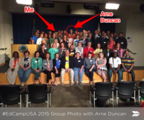
#EdCampUSAOn Friday, May 29, I had the privilege to attend #EdCampUSA (aka EdCamp DOED) in Washington D.C. This was no ordinary EdCamp. This EdCamp was held at the U.S. Department of Education with Edcampers from across the U.S. The room was filled with many members of my PLN, some I have never met in person, and many new educational leaders I was ecstatic to meet (see the list of Edcampers)! Oh, and the U.S. Secretary of Education, Arne Duncan, happened to make a surprise appearance!The morning began like most EdCamps, networking and building the schedule. Kristen Swanson and Hadley Ferguson kicked things off with a great introduction and a few updates on the EdCamp Foundation. See the #EdCampUSA Schedule and Collaborative Notes here.I learned so much and left with so many new ideas that my head has been spinning for the past few days. One thing was definitely clear. There were some common threads that were consistent in all of the sessions I attended.Relationships Are Key to SuccessNo matter what topic we were discussing, eventually the conversation would circle back to building relationships. For classroom teachers, building relationships with students is crucial to success and learning. For administrators and other educational leaders, relationships set the tone for success on campus, in the district and beyond. Cultivating relationships with teachers and staff is a crucial step to classroom transformation and innovation. But another critical relationship that I decided to explore at #EdCampUSA is the relationship with pre-service teachers, professors, and institutions.There is a gap between K-12 and higher education. Please don't mistake this as a blanket statement about every pre-service program, but there are many institutions that are still delivering lots of lecture and powerpoint, and totally missing the boat on both student-centered learning for pre-service teachers and modeling digital learning strategies. I don't have any answers, but I know there is work to be done to bridge this gap.How great would it be to get pre-service teachers attending EdCamps? I've had a few a the EdCamps I have been involved with, and it is a great opportunity for future teachers that is easily overlooked.Every Voice MattersAnother common thread that I found in all of my conversations at #EdCampUSA was a focus on voice, not just student voice, but also the teacher's voice. That's what is so powerful about the EdCamp model, it is participant-driven and gives teachers a voice and choice in their learning. Student voice in professional learning has piqued my interest recently, and I find it interesting to hear how other educators are emphasizing the importance of student voice in the classroom, and teacher voice in professional learning--yet again, another reason why relationships are key!After experiencing the power of a student panel in professional learning first-hand (during my day job), I want more! It's so important to consider what our students believe and experience as learners. Have you stopped to ask your students what they think are the characteristics of a successful learner? Or what their most powerful learning experience entailed? The answers might surprise you!Digital LeadershipAs leaders, we have to model what we want to see in our teachers and in our classrooms. It's not enough to rely on those tech-savvy superstars to lead the way. Leadership shouldn't have to include the word digital these days, it should be implied, but it is not. There are not enough leaders who are modeling digital strategies and social media usage. Again, not a blanket statement, but there are not enough educational leaders taking on the role of being a digital leader for teachers, students, and staff. We have to stop focusing on digital tools and focus on how to leverage technology to transform learning!Click to Tweet: "Leadership shouldn't have to include the word digital these days, it should be implied, but it is not."- @ShakeUpLearningSpeaking of digital leadership...While waiting for Secretary of Education, Arne Duncan, to arrive on Friday, we were tasked with tweeting Arne about our day. So happy to see digital leadership in our U.S. Department of Education! Below is a storify of some of the tweets from the day.(Be sure you scroll past the tweets to learn more about EdCamps!)[View the story "#EdCampUSA messages for @arneduncan" on Storify]GET YOURSELF TO AN EDCAMP!EdCamps are happening everywhere across the country! Stop making excuses and go! I'm shocked at how many educators I know that still haven't attended an EdCamp. So if you are reading this and have no idea what I'm talking about, I've added some information below.Visit EdCamp.org to Learn More about EdCampsFind an EdCamp Near YouEdCamp 101TEDxPhiladelphiaED by Kristen Swanson on EdCampWhat do you think of the EdCamp Model? Please share in the comments below.Kasey Bell will be presenting at the following upcoming events:TCEA Area 16 Conference Jamboree, June 4 (Amarillo, TX)#ProsperTrendingNow Conference, June 10 (Prosper, TX)Speed 21 Conference (Keynote), June 11 (Wylie, TX)Texas ASCD Ignite, June 15-17 (Irving, TX)iPadpalooza, June 23-25 (Austin, TX)ISTE, June 28-July 1 (Philadelphia, PA)Missouri Google Summit, July 11-12 (Kansas City, MO)TIA 2015, July 21-22 (Denton, TX)Texserve's 2nd Annual "Bridging the Gap: Technology & Instruction" Symposium (Keynote), July 30 (Dallas, TX)Hunt County Tech Camp, Aug. 4 (Commerce, TX)Revolutionize Learning Conference, Aug. 5 (Royse City, TX)
Shake Up Learning Blog
.
Blog
.
<span class='date ' tip=''><i class='icon-time'></i> Jul 15, 2015 11:11am</span>
|
|
Google Chrome Extensions for School Administrators, Leaders, or Anyone!Apps & Extensions for School LeadersAs I prepare to deliver some Google training for school administrators, I thought it would be useful to share my list of Chrome Apps and Extensions. Going Google isn't as simple as flipping a switch. It takes careful planning and meaningful implementation for everyone in the district. I am a firm believer that implementing Google Apps (or anything else) should be led by school administrators, not the so-called "techies," of the district. As leaders, it is important to model the tools and strategies you want to see in the classroom. So whether you are just jumping in or an avid Google user, I hope these lists can help you further your skills. This list is just a starting place, depending on your own needs and preferences, this list can vary. This list is a great starting place for just about anyone: teachers, students, staff or anyone who is using Google Apps. These will help you kick things off with Google Apps and be more productive. For even more Chrome Apps and Extensions, please visit my lists below: Favorite Chrome AppsFavorite Chrome ExtensionsClick to Tweet: "As leaders, it is important to model the tools and strategies you want to see in the classroom." - @ShakeUpLearningChrome Apps for Google Drive: I'm going to focus on the basics first. The Chrome Apps for Drive, Docs, Sheets, and Slides will take you to the homepage for that app. The Chrome Apps for Forms and Drawings will create a new file with one click, as they do not have home pages at this time. Gmail and Calendar are shortcuts to each app as well. Google DriveDocsSheetsSlidesFormsDrawingsGmailCalendarDocHub: Securely view, edit and sign PDFs. Fill forms. Merge documents and reorder pages. Create templates. DocHub is 100% free. This is great for signing documents electronically! A must have app!Since Chrome Apps are mostly just short-cuts this list could go on forever, but I just wanted to stick to the basics. Have another app suggestion? Please share in the comments below.Chrome Extensions: Below are twelve Google Chrome Extensions to help you be a more productive and efficient school administrator.Black Menu for Google: This is a great extension that allows you access your Google Apps from the extension in Chrome, search Google, and more. Send from Gmail: This extension makes sending links a snap! Click on the extension from any webpage you would like to email. A Gmail compose window pops up, and the name of the article is automatically inserted in the subject line, and the link is inserted in the body of the message. All you need to do is to type in who you are sending it to and click send!Tab Scissors: One of my faves, this extension allows you to split two tabs into equal parts across the screen. Great for when you need to view two tabs on the same screen. (Perfect for viewing and entering data!) Tab Glue: If you get tab scissors, you need tab glue. Tab glue will magically glue the tabs back into one window again with one click! Grammarly Spell Checker and Grammar Checker: I use Grammarly daily, and I paid for the premium version which gives you additional features if you write a lot online. But the free version is amazing! Great for proofreading and avoiding embarrassing mistakes.Docs PDF/PPT Viewer : If you use the Chrome browser, and you should, you NEED the Docs/PDF/PowerPoint Viewer extension. I have used this extension for so long, and it is so seamless that I forgot it's actually an extension and not just a feature of Google Chrome. This extension will allow you to view PDF documents and PowerPoint files on the web without the need for downloading and taking up storage on your computer. Learn more about this extension here.Google Mail Checker: This extension will allow you to see how many unread messages you have in your gmail, and you can click the extension to go directly to your inbox.Google Calendar: Easily access a list of events in your calendar. This is great for getting a quick view of upcoming events in your calendar.Office Editing for Docs, Sheets and Slides: If you need to view of edit any Microsoft Office files, this is your new best friend! Use this extension to view and edit Microsoft Word, Excel and PowerPoint files inside Google Drive.goo.gl URL Shortener: This handy URL shortener will allow you to shorten your links right from the extension. Shortening URLs is great for sharing links on social media, newsletters, and email. Bonus: you also get a QR code without leaving the page or extension. All of your links are saved to your Google account and you can check the statistics to see how many clicks your links get.Adblock Plus: This extension will block a lot of unwanted pop-up ads and malware. Used by over 50 million people.This list is a great start for school leaders, administrators, or teachers and staff. Since Chrome can be completely customized, the possibilities are endless. If there is a feature you are looking for, explore the Chrome Web Store because there is a good chance someone else has already developed an app or extension for that!What are your favorite Apps and Extensions? Please share in the comments below!Kasey Bell will be presenting at the following upcoming events:#ProsperTrendingNow Conference, June 10 (Prosper, TX)Speed 21 Conference (Keynote), June 11 (Wylie, TX)Texas ASCD Ignite, June 15-17 (Irving, TX)iPadpalooza, June 23-25 (Austin, TX)ISTE, June 28-July 1 (Philadelphia, PA)Missouri Google Summit, July 11-12 (Kansas City, MO)California Google Summit, July 18-19 (Palo Alto, CA)TIA 2015, July 21-22 (Denton, TX)Texserve's 2nd Annual "Bridging the Gap: Technology & Instruction" Symposium (Keynote), July 30 (Dallas, TX)Hunt County Tech Camp, Aug. 4 (Commerce, TX)Revolutionize Learning Conference, Aug. 5 (Royse City, TX)
Shake Up Learning Blog
.
Blog
.
<span class='date ' tip=''><i class='icon-time'></i> Jul 15, 2015 11:10am</span>
|
|
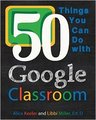
50 Things with Google ClassroomEnter for your chance to win a copy of Alice Keeler and Libbi Miller's new book: 50 Things You Can Do with Google Classroom!Looking for the perfect summer read to sharpen your Google skills? Look no further! 50 Things You Can Do with Google Classroom is an easy read that will help you get started with using Google Classroom, and sharpen your Google Apps skills along the way. This guide is easy to follow with step-by-step instructions and practical ideas for any grade level or subject area.I want to send a special thank you to my friend, Alice Keeler, for giving me two copies of her book to give away to Shake Up Learning readers. Follow Alice's blog, www.AliceKeeler.com, for great Google resources.Enter today for your chance to win a copy. The sweepstakes will run from June 15 until June 25 at 11:59 PM CST, and you have multiple ways to enter below. (You must live in the continental U.S. to win.) But if you can't wait, go ahead and order the book from Amazon (paperback or Kindle)! What are you reading this summer? Please share in the comments below!Kasey Bell will be presenting at the following upcoming events:Texas ASCD Ignite, June 15-17 (Irving, TX)iPadpalooza, June 23-25 (Austin, TX)ISTE, June 28-July 1 (Philadelphia, PA)Missouri Google Summit, July 11-12 (Kansas City, MO)California Google Summit, July 18-19 (Palo Alto, CA)TIA 2015, July 21-22 (Denton, TX)Texserve's 2nd Annual "Bridging the Gap: Technology & Instruction" Symposium (Keynote), July 30 (Dallas, TX)Hunt County Tech Camp, Aug. 4 (Commerce, TX)Revolutionize Learning Conference, Aug. 5 (Royse City, TX)
Shake Up Learning Blog
.
Blog
.
<span class='date ' tip=''><i class='icon-time'></i> Jul 15, 2015 11:09am</span>
|