Blogs
|
Brightwave, with their innovative xAPI driven tessello learning system, focuses on managing the real-life balance of learning by doing (experiential), learning from others (social) and formal learning (old school). Brightwave is from the United Kingdom and is a long time provider of high-end eLearning custom content solutions that solve on-boarding, sales and leadership challenges. They learned long ago that experiential learning and social learning integrated into and around their formal content solutions provided their customers greater measurable results than traditional solutions. To that end, they built tessello first for their customers’ success and now by popular demand - the world’s. I have conducted 77 LMS reviews in the last year and with tessello, I explored a series of capabilities I haven’t ever seen or even conceptualized surrounding informal and social learning. That’s a lot fun for a learning technology junkie and analyst. Many learning experts believe in the 70:20:10 learning theory which asserts that approximately 70% of learning is experiential, 20% is social and formal is only the remaining 10%. Yet in the marketplace, organizations formally train their employees and generally do little to facilitate experiential or social learning. In lock step over the last 20 years, the learning [...]
The post LMS Reviews: Brightwave Tessello appeared first on Talented Learning.
Talented Learning Blog
.
Blog
.
<span class='date ' tip=''><i class='icon-time'></i> Jul 15, 2015 10:58am</span>
|
|
We’ve all used our phones to access websites which aren’t mobile-optimised. You end up scrolling backwards and forwards chasing sentences off the edge of the screen and zooming in and out to find your way around the site. This is why responsive and adaptive design principles are so important when you’re designing for multi-device. In this post, we will explain the difference between responsive and adaptive design and why they are vital for multi-device content creation.
Responsive design
Responsive design in e-learning is about the way the components of your content change layout in relation to the size and shape of the screen upon which content is being viewed. The reduced available real estate means that a four column layout on a desktop may display as a stacked, single column layout on a smartphone to make best use of the space.
Adaptive design
Adaptive design looks at the dimensions of the screen space available and selects the most appropriate layout based on those measurements. The content adapts its presentation and functionality based on the device type and screen real estate, ensuring that the user is always presented with the most appropriate version of that course for their device.
Multi-device design in action
But don’t panic! This isn’t for you to worry about. The great news is that gomo takes care of this for you, meaning all you need to focus on is creating great content. gomo has been created with best practice multi-device design in mind, which is why your e-learning course will look great whether you’re viewing it on a desktop, a tablet or a smartphone.
If you want to see adaptive and responsive design in action, you can register for our next webinar on 17th March, or come along to Epic’s free LearningNow event. Managing Director Mike Alcock will be explaining why gomo is the most cost-efficient way to create your own beautiful multi-device content, and we would love to see you there.
The post How does your e-learning look on your devices? appeared first on gomo Learning.
Gomo Learning Team
.
Blog
.
<span class='date ' tip=''><i class='icon-time'></i> Jul 15, 2015 10:58am</span>
|
|
Interactive eLearning
There is no doubt that Interactive eLearning is a key component in Online Course Development. Interactivity plays a big role in putting all of this together. Below are a few tips to remember when developing interactive eLearning experiences.
I will Take Control, Allow Learners to View What Options They Have.
Consider the navigation bar carefully. Allow for users to refer back to information they have missed out. Allow for a references tab so that learners can refer to more information related to a topic. However, ensure that only relevant resources are made available as you do not want to provide obsolete references which no longer have relevance to the topics discussed in the course. Show the user how to navigate the course as you never know…for some learners, this may be the first time they are doing an online course.
Mix It Up, Shake It Up, Serve Up a Special.
Even if you are aware of your target audience, mix it up. Do not create 30 slides which are only text based or 30 slides with nothing but interaction. Instead, mix it up to create an element of suspense and surprise. Let your user explore a hidden cave to find clues, let them click on a question mark to see what’s behind. Let them play a quick game to reinforce some key learning points. Let learners pull the information rather than pushing them the information.
Can I Make a Choice Please?
If you have a very diverse target audience, you can create a course based on choices. At the start, the user can decide which path they will take. However, do note that you have to give very clear instructions of what to expect, so that the learner can make an informed choice. With choices, the best outcome for learners is that they will realize that scenarios have consequences depending on what they choose and they can relate back to their real live examples.
The options for interactivity are limited only by imagination. Games, role-playing and so much more can be added to eLearning. The trick is having just the right mix to engage the learner.
This post was first published on eLearning Industry.
eLearning Industry
.
Blog
.
<span class='date ' tip=''><i class='icon-time'></i> Jul 15, 2015 10:58am</span>
|
|
I am an independent learning technology selection consultant and I help my clients buy the right learning management system (LMS) for them based on their business needs. In a recent article I wrote about conducting better LMS demonstrations, I advised LMS vendors to drop LMS jargon and acronyms from their vocabulary when speaking with potential clients. If LMS buyers can’t understand you, it’s tough to win. I was far from amazed that my advice went unheeded while sitting through 10 LMS client presentations over the last couple of weeks. During this 25 hour demo decathlon, I observed that not only were vendors still copiously using LMS acronyms but also generously pairing them with broader technology acronyms that have specific definitions when used in conjunction with LMS speak. I concluded that it will take too long to teach 600+ LMS vendors the new anti-acronym trick and the easiest path would be to create a living, one-sentence, non-techie dictionary of acronyms for LMS buyers. It was a much bigger task than I anticipated. I visited the top LMS vendor websites and without trying identified 110 acronyms. I had to call it quits for now unless I was willing to change my last [...]
The post Buying an LMS? 110 Acronyms You Should Know appeared first on Talented Learning.
Talented Learning Blog
.
Blog
.
<span class='date ' tip=''><i class='icon-time'></i> Jul 15, 2015 10:58am</span>
|
|
Ready to meet your new authoring tool?
To celebrate the official launch of gomo at the start of April, Managing Director Mike Alcock will be a guest speaker at LearningNow: efficient, effective, engaging on 2nd April at One Drummond Gate, London.
Your current e-learning may be working well, but if it’s not available on tablets or mobile devices, you could be missing a trick. That’s where gomo comes in. In Mike’s session, you will discover how to:
make the most of your existing e-learning
build a comprehensive multi-device programme
create your own e-learning on a budget
ensure your e-learning works on all your devices
hit the ground running with no programming necessary.
Mike will also show you that authoring your own e-learning can be an incredibly cost-efficient solution, dispelling the myth that multi-device learning is always an expensive option.
The event, held by Epic and Towards Maturity, will focus on how organisations can make the most of their e-learning without reinventing the wheel. Refreshing your learning programme doesn’t always need to mean starting from scratch, and it could be as simple as getting your learners re-engaged with material or helping them fit it into their busy schedules.
Bridget Jackson, Director of Corporate Sustainability at PwC, will be presenting a session about how she successfully engaged 93% of PwC’s 17,000 learners with their ‘Think Sustainability’ training, along with her top tips for replicating these impressive results in your own organisation.
Places are going quickly, so make sure you secure your spot now.
The post Register today to meet your new authoring tool at LearningNow appeared first on gomo Learning.
Gomo Learning Team
.
Blog
.
<span class='date ' tip=''><i class='icon-time'></i> Jul 15, 2015 10:58am</span>
|
|
How To Beat Short Attention Spans In eLearning
In this article, I’ll share 7 tips to help you beat short attention spans in eLearning, so that you can design eLearning courses that stick and cater to every member of your audience.
Divide longer eLearning courses into bite-sized modules.
Instead of perceiving learners' short attention spans as an obstacle standing in the way of achieving goals and objectives, why not look at it as a standard that allows you to create eLearning deliverables that benefit all of your learners. After all, learners with short attention spans are one of the most challenging groups to address, as they often lack the capacity to focus on tasks for a long time and tend to disconnect from the eLearning experience if they aren’t fully engaged. Therefore, if you design your eLearning courses with the specific needs of these learners in mind, you end up designing an eLearning course that is more engaging and memorable for every member of your audience. One of the most effective ways to achieve this is by dividing longer eLearning courses into short modules that can be easily digested. Rather than having an eLearning course that lasts 1 hour, for example, create 10 smaller eLearning modules that only last 6 minutes each, which give your learners the chance to fully comprehend each lesson before moving onto the next one. You can also keep each slide to 15 seconds, so that your learners stay fully focused on the screen, instead of losing interest by staring at the same images and eLearning content for 60 seconds.
Gamify your eLearning experience.
Learners, even those who have impressive attention spans, can sometimes disengage from the learning process if it isn't motivational enough. This is why it’s a good idea to gamify their eLearning experiences by integrating badges, points, or leaderboards into your eLearning course design. This boosts engagement and brings out the competitive nature in your learners, which encourages them to do their best and stay focused on the task at hand rather than let their attention wander.
Focus on immediate learning objectives.
The main reason why your learners participate in an eLearning course is to learn new skills or gain knowledge that they need in the here-and-now. While some may be aware of the long term benefits of acquiring the information, a vast majority of learners want to be able to apply the knowledge as soon as they complete the eLearning course. For example, if they need to build skills they will be using on the job, they need to be made aware of how they can apply these skills from day-one and what benefits they can expect to receive by mastering the eLearning content.
Offer them real world value.
Learners with short attention spans need to know that the eLearning course is going to offer them real world value even before they enroll. Stress what information they will be learning in the eLearning course description, as well as what they can do with that information, then emphasize these applications and benefits in every aspect of your eLearning course. Your scenarios should tie into real world benefits and your stories should give your learners a clear idea of how they can put their knowledge to use once they step outside of the virtual learning environment.
Navigation should be simple and straightforward.
We have all come across at least one eLearning course, if not several, that have been so challenging to navigate that we simply gave up after the first few screens. Maybe the navigation icons were hidden by graphics or the links directed us to outdated sites. Whatever the case may be, our attention was lost and not even high quality eLearning content or stunning eLearning visual design could win it back. This is why it’s crucial to build an eLearning course easy to navigate from start to finish, as learners with short attention spans simply won’t stick around if they encounter a course flow that is confusing or frustrating.
Cut out the clutter.
There are a myriad of reasons why you should avoid cluttering your eLearning course pages. Not only does it decrease the value of your eLearning course, as learners aren’t able to take away the key pieces of information they need, but also it distracts them from the core concepts and ideas. Having a short attention span already predisposes learners to a wandering eye, and integrating an abundance of extraneous information, images and graphics won’t help in this regard.
Integrate "pause points" throughout the eLearning course.
Learners with short attention spans often prefer eLearning courses that give them an "out" from time to time. They need to be able to take a break every now and then to refresh their minds and absorb what they have already learned. They also need to be able to step away from the eLearning course if they have a busy schedule or need to take care of a personal obligation. You can keep your short attention spanned-learners focused on the eLearning experience by integrating "pause points" throughout the eLearning course that allow them to pause and then return to the spot where they left off. Create an index that features all the lessons, so that they can easily begin again when they have the time.
Use these 7 tips to create eLearning courses that leave a lasting impression on your audience and draw them into the eLearning experience. By doing so, you have the power to turn even the most distracted and impatient ones into lifelong learners.
Want to learn more about how to increase the effectiveness of your eLearning course? Read the article 7 Tips To Create eLearning Experiences That Stick to get some additional tips that can help you create for your audience eLearning experiences of real value.
This post was first published on eLearning Industry.
eLearning Industry
.
Blog
.
<span class='date ' tip=''><i class='icon-time'></i> Jul 15, 2015 10:58am</span>
|
|
Huw and I have been in Orlando this week for the US launch of gomo at Learning Solutions, and we have had a frantic two days keeping up with the demand for gomo demos. The event itself has been fantastic, and we have had over 100 enquiries already!
Ably assisted by Ruth Haddon and Sherry Archer from our LTG sister company Epic, both stands were full for the two day event. Mine and Huw’s regular demos showed learning professionals from across the USA and beyond the world’s newest authoring tool.
The feedback from visitors was overwhelmingly positive with everyone loving gomo’s responsive and adaptive HTML5 output - something not available from legacy desktop authoring tools. We found that lots of people were frustrated with the lack of multi-device capability from their current authoring tools. Many learning professionals told us they are stuck with old technologies that are desktop-bound and produce content that’s not optimised for multi-device delivery, which is why our cloud-based authoring tool is arriving at the perfect time.
Everyone loved the fact that gomo is capable of producing courses that are fully adaptive and responsive, running beautifully on Android and Apple devices, as well as through traditional desktop browsers. Nobody else can do this like we do, and it certainly drew in the crowds on the stand during our demonstrations showing the effortless transition from desktop to tablet to smartphone. All of this comes from a single HTML5 source so there’s no more authoring courses three times to make them work on different platforms.
One of the things that many of our visitors commented on was how competitively priced gomo is. With prices starting at just $89 a month, gomo is an affordable option for organisations of all sizes and from all sectors - a very welcome move, as we discovered from the conversations we had at Learning Solutions.
There’s not long to wait until the full launch of gomo on 2nd April. Ready to meet your new authoring tool, USA?
The post gomo launches with a bang in the US at Learning Solutions 2014 appeared first on gomo Learning.
Gomo Learning Team
.
Blog
.
<span class='date ' tip=''><i class='icon-time'></i> Jul 15, 2015 10:58am</span>
|
|
By Guest Contributor: Michael Crawford, Principal Consultant, StOp Consulting Last month, Talented Learning’s blog post "LinkedIn Outfoxes Many with Linda.com Acquisition" detailed how LinkedIn has disrupted the eLearning, higher education and workforce development industries in one strategic move. I’ve worked for years in elearning programs for workforce development and wanted to look at digging deeper into the analysis. Workforce development programs have been around in various flavours for years. However, recently they are more and more moving to online or blended programs in order to reach the scale they need to be successful. This has created opportunities for success but also a whole host of new challenges. Generally, Workforce Development programs have 3 key components: Training for job skills and soft skills. Job matching / internships Management and reporting In an online version, 2 out of 3 is pretty good. Usually they have training and reporting but fall a little short on the job matching. But up to now that’s fine as online WFD programs have a scope that is the envy of other providers. Imagine providing technical and soft skills training to tens of thousands of potential clients in your area for just a few dollars per person! That’s [...]
The post LinkedIn and Workforce Development: All about the Jobs, the Jobs appeared first on Talented Learning.
Talented Learning Blog
.
Blog
.
<span class='date ' tip=''><i class='icon-time'></i> Jul 15, 2015 10:58am</span>
|
|
Doesn’t time fly when you’re having fun? It’s hard to believe, but we’re putting the finishing touches in place to get gomo in the best possible shape for you next week.
We have been very impressed with how quickly everyone got to grips with gomo on the beta programme, proving that gomo is just as user-friendly as we knew it would be, and it will only improve further by next week. We’re incredibly grateful for all the feedback so far, and we can’t wait to show you the final version of gomo 2.0.
If you can’t wait for gomo and need something to quench your thirst ahead of its launch, we have a few ideas for you:
Register for the final pre-launch gomo webinar on 1st April at 2pm GMT
Watch a previous webinar on our YouTube channel
Read the answers to some common questions about gomo
Follow us on Twitter for the latest gomo news and information @gomolearning
Join the gomo community on LinkedIn
Secure a last-minute space to learn about gomo at LearningNow: efficient, effective, engaging
If you haven’t already, make sure you sign up to find out when you can start your free 21 day trial.
The wait for your new authoring tool is almost over…
The post Authoring Tool April is almost here… appeared first on gomo Learning.
Gomo Learning Team
.
Blog
.
<span class='date ' tip=''><i class='icon-time'></i> Jul 15, 2015 10:57am</span>
|
|
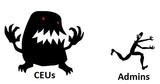
I’ve done a lot of work with associations and continuing education in my past career as LMS sales guy but nothing compared to the last 6 months helping five separate national member organizations in five industries (legal, medical, financial, transportation and public sector) define their requirements and find the best LMS for them. What struck me was how similar yet different each industry approaches continuing education and the resulting diverse learning technology requirements. I reviewed 81 LMS solutions in the last 18 months. LMS providers new and old will readily tell you that their systems can track continuing education units (CEU) or credits. However, the continuing education capability, suitability and experience of the LMS vendors varies widely. Continuing education functionality is a big area of vendor differentiation and an easy place for a buyer to make a poor selection decision if you are not careful. In the coming months I’m going to dig deep into defining the continuing education industry, learning technology requirements and identifying the specialized LMS vendors that can meet the challenge. If you are in the continuing education or extended enterprise world, you are going to love it, for the rest, I’ll try and make it interesting. [...]
The post Intro to Continuing Education and the Admin Nightmare appeared first on Talented Learning.
Talented Learning Blog
.
Blog
.
<span class='date ' tip=''><i class='icon-time'></i> Jul 15, 2015 10:57am</span>
|