Blogs
|
Today I’m inspired by things that make life easier: templates!
Templates?!
Templates are magical! They can save you so much time, allowing you to streamline your development and make your process a lot more efficient. Templates will contain design elements, often times with placeholders for content and/or multimedia. These templates can be used as is, or they can be customized based on your particular needs, using the template elements as a baseline, reducing your time spent in customization.
When I first began my development journey, I would manually develop templates and design elements, paying no mind to any resources available to me. However, when I began customizing existing templates, I realized how much time I was saving, and now as a small business owner, I can appreciate the importance of any and every resource saving I can get my grubby little hands on! You should make it a point to realize the importance of these time/cost savings too.
Examples of Templates
Articulate has a fantastic library of templates, some developed by Articulate and some developed by members of the E-learning Heroes Community.
I’ve also developed several free templates for various E-Learning Heroes Challenges. You can download those templates here.
Microsoft has an enormous wealth of templates for all of their Office products.
Even blogging platforms such as WordPress have libraries of available themes.
Ashley Chiasson
.
Blog
.
<span class='date ' tip=''><i class='icon-time'></i> Jul 15, 2015 12:38pm</span>
|
|
In order to help employees perform job functions correctly, it’s common to establish processes that outline workflows - a guide to who should be touching what part of the project and when - and procedural guides that detail what steps are required and in what order they should happen.
These are great resources. Employees benefit from reduced ambiguity in their jobs, and feel more comfortable and confident. Employers benefit from increased productivity and efficiency.
But by stopping there, you’re selling your organization and your employees short.
Don’t Mistake Process for Knowledge
There’s an important distinction to be made between process and knowledge. Process covers the "what," while knowledge is the "how," and just as we don’t expect process to reside solely inside the brains of our employees, the same applies to knowledge.
Instead of sharing knowledge, some organizations spend countless hours and resources dictating it through workflows and procedures. The theory is by breaking down complex procedures into a series of small steps, you reduce the errors that result from human errors and memory lapses.
No matter how good the process, how precise every individual step is, it can only do so much. It can’t account for gaps in knowledge, a mistaken or misplaced sense of knowledge, or evolving best practices that might require a steady stream of new knowledge.
Detailed Processes Can Stifle Creative Thinking and Problem-Solving
An employee can glean from a process checklist that step B follows step A, but what if they aren’t sure how to perform Step B? Some on-the-spot knowledge support can improve confidence and reduce errors while guiding employees toward the right solution.
Combining knowledge sharing with processes can also encourage critical thinking. Receiving instruction on how to perform a task leads to a deeper level of understanding, which can lend itself to finding even better ways to do things.
Employees shouldn’t be robots. They should feel confident to perform tasks at the expected level, but also supported in free thinking to keep the company moving forward.
Integrating "To Do" With "How To"
Process and knowledge should work in concert with one another. Imagine an environment where knowledge is easily accessible and can be easily linked to work processes: an unfamiliar step in a process made simple by a quick download of a job aid or a short video.
To get started, you’ll need to:
Provide a means to collect your knowledge into an easy-to-use, team-sourced knowledge base. The knowledge base function needs to encourage team sharing: a social, collaborative network.
Support a wide variety of media. This can’t just be about flash-based learning modules or PowerPoint presentations. Knowledge can be stored and processed in a variety of forms. Support them. Allow for the digital creation of checklists, job aids and other performance support materials—ideally supporting mobile devices as well as computer apps.
Provide for the interactive linking of the process checklists or job aids with the knowledge base so that the process is instantly supported by the knowledge.
When paired correctly, knowledge and process is a winning combination that not only increases efficiency, but instills a feeling of empowerment in employees to continuously improve.
If you’d like to learn more about knowledge sharing and performance support and how it can make a difference in your organization, schedule a time to chat with a member of our team.
photo credit: D.A.R.E. To Change, Process Flows, Office of the Cook County Medical Examiner
Expand Interactive Team
.
Blog
.
<span class='date ' tip=''><i class='icon-time'></i> Jul 15, 2015 12:38pm</span>
|
|
"It’s easy to come up with new ideas; the hard part is letting go of what worked for you two years ago, but will soon be out of date."~ Roger von Oech
Mr. von Oech, founder of Creative Think and researcher on creativity, couldn’t be more right. It’s hard to accept that something that worked well in the past just doesn’t anymore, whether it’s a pair of jeans that used to fit great (and, now, not-so-much) or a system or process at work that was so carefully implemented.
What changed?
In the case of learning, technology has changed, audience expectations have changed, needs have changed, the competitive landscape has changed...it could be any number of things.
If you’re nodding your head, thinking knowledge needs to be delivered at your organization in a whole new way, read on. Before you dive in, it’s important to lay out a plan, and we’re here with a list of steps to guide you.
Here are 8 steps to creating a winning learning strategy:
Have a clearly established set of objectives. Learning objectives are like guideposts that keep an eLearning course on track throughout the creation process, providing criteria to determine what’s really important in the content and when it needs to be broken into additional courses. Ideally, an eLearning course has no more than five objectives. Any more, and the project starts to lose focus.
Prepare a script centered on the objectives defined in Step 1. If content doesn’t point to an objective, it should be removed, keeping your program succinct.
Determine objectives-based visual elements to drive engagement. The visual elements make the piece interesting and cater to different learning methods.
Add interactivity. Include survey or quiz questions, simple games or exercises to reiterate key points and test comprehension.
Track, Report, Analyze. In order to accurately determine effectiveness, it’s necessary to track more than just course completions:
Abandonment - Is there a point in the course where a lot of people leave the program? Is it a dry section? Can it be improved?
Behavioral Change - Ask a question at the beginning and end of course based on objectives to see if the course is making a difference.
Feedback - Do people like the course? Do they feel it’s worth their time or that it’s actually useful?
Summarize data based on entities, not just users. Evaluate a department, an office, a business unit, a district or even a country. Everyone in the organization, from the CEO down, can see how training is impacting his or her team.
Measure and Improve. Just like a classroom teacher improves curriculum based on feedback, organizational learning needs to be organic. Prepare a strategy that allows for content adjustments to be made based on the feedback and the analytics we are getting on the module.
Make learning a campaign, not just a module. Establish a plan to reiterate key learning points in a structured, scheduled rollout of information including myriad learning modes, such as videos, animations or infographics, and continue to measure effectiveness beyond just the initial course.
If you’d like help creating a learning strategy that’s unique to your organization, let us know. We’d be happy to talk further about your needs.
photo credit:
Checkers
Expand Interactive Team
.
Blog
.
<span class='date ' tip=''><i class='icon-time'></i> Jul 15, 2015 12:38pm</span>
|
|
This week I’m observing a training program with a goal of collecting information for an e-learning conversion project, so I figured it might be useful to share some tips for collecting data if ever you’re in a similar situation. You may have a secondary goal of building relationships; even if this is not overtly stated by your company and/or client, ensure you are polite and not disruptive. Be considerate.
1. Identify High-Level Goals
I’ve been on data collection trips that have had defined goals, ranging from high-level to module-specific training objectives. However, I’ve also attended data collection trips, like this one, where one of the goals is to identify learning objectives. Before data collection, you should outline the goals for your data collection trip. For example:
Identify Learning Objectives and Program Requirements
Define Learning Paths
Identify Media Requirements
Determine Assessment Type
Having this list will help guide you in your collection.
2. Absorb Everything
On most data collection trips, your primary responsibility will be to act as a sponge and absorb any and every bit of information you can. If you’re sitting in on Instructor-Led Training, you will be presented with a wealth of information, but the facilitator will likely have their own anecdotes based on personal experiences; likewise, other attendees may have anecdotes based on their personal experiences. ABSORB EVERYTHING! This comes in handy, particularly if you need to develop scenario-based training, these anecdotes will come in handy!
3. Be Prepared!
Mentally prepare yourself to be a keen observer. Bring your laptop or a pad of paper, and before you leave, prepare and print off a checklist. This is a particularly important point if you are collecting specific information or media.
With media, you should prepare a shot list. If you’re doing 3D development, you will need multiple views of each object; account for this, and when you obtain the shot, check it off the list.
Keep a running list of questions or concerns, and during breaks or at the end of the day, ensure you ask all questions.
When you return to your room at the end of each day, review all documentation collected and make a list of any questions or concerns you may have. Ensure you ask for clarification prior to the end of the trip and/or through communication after the fact.
Ashley Chiasson
.
Blog
.
<span class='date ' tip=''><i class='icon-time'></i> Jul 15, 2015 12:38pm</span>
|
|
Last May, we published a blog post of 8 Questions to Ask About Your Current eLearning. This year, we’re back to peel away a layer or two of the learning onion, and suggest some additional questions that, frankly, are going to be hard to answer.
The fact they’re hard to answer makes them all the more important.
How many people have completed your course? If you know 100 people are supposed to take the course and only 80 have, what’s going on with the other 20? Can they not access it? Do they not need the course or feel it’s necessary? Are they starting it, but abandoning it at some point during the course and, if so, at what point? Is there a trend in abandonment that suggests edits need to be made to the content? This is all information you need to know.
How many people have been assessed, and how did they do? If you’re not using assessments, you should, and they should be scattered throughout the course. These small measures indicate the message is clear and understood by the audience. They provide a quick way to get feedback on each part of the course. Certifications can be awarded to those that demonstrate an understanding of the full course, and is also a way to motivate learners to stay focused.
Most importantly - how do you know? For all the questions listed in the first two bullets - how do you know? What measures are in place? Do you receive a report of completions and certifications? If not, consider researching learning platforms that provide this information.
Did the audience like the course? Did they feel it met the objectives? Did they complete a questionnaire asking for feedback? The best time to ask for feedback is immediately following - or even during - a course. Once a course is completed - whether live or eLearning - the audience is ready to move on and may give hasty responses without much thought. Remember, though, qualitiative feedback like this only goes so far, and may in fact promote entertainment over effectiveness in your eLearning.
Is the audience comprehending the information presented? In a previous post, we shared ways to phrase assessment questions in a way that tests comprehension without being too easy. Merely asking an assessment question isn’t enough, it should also make the audience member think about the subject they are learning.
Are they retaining it and applying it in the real world? How many training courses or seminars have you taken, then walked out at the end and promptly left all that new knowledge behind? It happens every day. Training is pointless if there’s no follow up to make sure it’s being applied correctly and helping attain business goals.
Is the training program at least paying for itself? Are you calculating the ROI of the program in terms of resource savings and improved productivity?
Finally, and again - HOW DO YOU KNOW? You can’t accurately answer any of these questions without tracking and measurement, which can only be provided by a robust eLearning platform.
At Expand, we create custom versions of our knowledge sharing platform, ExpandShare, that enables clients to build and review custom reports that measures all of the points mentioned above.
Don’t just guess your learning program works. Prove it.
Get in touch today for a quick demonstration of ExpandShare’s reporting capabilities.
photo credit:
Eights Skip
Expand Interactive Team
.
Blog
.
<span class='date ' tip=''><i class='icon-time'></i> Jul 15, 2015 12:38pm</span>
|
|
This week’s edition of Terminology Tuesday was inspired by a term I hadn’t heard of much in recent months (or maybe I was selectively reading…who knows). I figured I’d dive back into the world of MOOCs and get to the terminal bottom of them just for you!
Massive Open Online Courses (MOOCs)
MOOCs are just what their un-acronymed name indicate: Massive Open Online Courses - course materials for some of the world’s leading post-secondary institution are available online, for free! Bananas! These courses provide individuals all over the world (well…online, that’s the hitch) with access to course materials (e.g. lectures, readings, assignments, forums), emphasizing open access of content and encouraging the lifelong learning movement.
I remember being so excited when MIT Open CourseWare came out; the idea of learning information that I would only otherwise have been privy to as an MIT student was mind-boggling. Then came the onslaught of other open course content, such as edX, Coursera, and Udacity.
As MOOCs evolved, the free stays free, but the rich can still get rich…I say that jokingly; I don’t know if anyone is getting rich off MOOCs…someone likely is, but I’ll never know. Many MOOCs still offer their courses for free in the open access world, but some also offer upgraded certifications for a fee. The fees typically aren’t that crazy, so it really is a great opportunity to take if it’s presented to you.
For the self-motivated learner, MOOCs can be wonderful, but for the over-zealous learner, MOOCs can be particularly time-consuming and overwhelming on your inbox if you haven’t prepared yourself adequately for the number of courses you’ve eagerly enrolled in - be cautious, my friend!
Ashley Chiasson
.
Blog
.
<span class='date ' tip=''><i class='icon-time'></i> Jul 15, 2015 12:38pm</span>
|
|
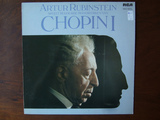
When I was in high school, my European Literature teacher would often play CDs of Chopin piano concertos during exams. He believed music stimulated our brains, helped us focus and even helped combat test anxiety. Most of us had no clue who Chopin was, having grown up during the 90s grunge era, but there were zero complaints, even from the orneriest of students.
While we found it odd initially (even though this particular teacher was known for his sometimes-unconventional methods and was often spotted practicing Tai Chi in the choir room) I think we all were pleasantly surprised with the results.
While most teachers didn’t allow music in the classroom, he was onto something.
It’s Scientifically Proven. Music Enhances Learning
Music and learning is hardly a new concept. In fact, researcher and educator Chris Brewer has published eight books on the topic and continues to study the effects of music on learning, medical treatment and more. Her research has found or reinforced the idea that music in a learning environment can
set and maintain a positive mood.
elevate energy levels.
reduce stress and frustration.
support concentration.
motivate and inspire.
establish an emotional connection to aid retention.
Furthermore, she points out "music helps us learn because it will
establish a positive learning state.
create a desired atmosphere.
build a sense of anticipation.
energize learning activities.
change brain wave states.
focus concentration.
increase attention.
improve memory.
facilitate a multi-sensory learning experience.
release tension.
enhance imagination.
align groups.
develop rapport.
provide inspiration and motivation.
add an element of fun.
accentuate theme-oriented units."
(
Johns Hopkins School of Education)
This seems like a lot of benefits, doesn’t it? Almost too good to be true? It’s not. Think about it - we all listen to music, whether to go for a run, fall asleep, soothe a fussy child (or pet!) or tune out office noise when you have a long to-do list. Imagine how you might be able to bring those same benefits to a training atmosphere.
Adding Music to eLearning Courses Increases Effectiveness
It’s suggested you do a bit of reading in order to fully understand the science behind music’s application in learning, i.e. what genre works best in different scenarios, how different types of music can impact different personality types and learning styles, and more.
But to get you started, here are a few ways to incorporate music in an eLearning course:
Set the Tone - Your learners could be coming into your course from any activity. You don’t want them to start their training session distracted. Kick off your eLearning course with mood-setting music to help them settle in and prepare to start.
Enforce Important Points - Remember Schoolhouse Rock? Children of the 70s remember grammar rules to this day because of this TV show’s catchy jingles.
Enhance What’s Happening on the Screen - Every episode of the reality TV show, The Osbournes, added quirky, bumbling music to accompany Ozzy’s equally quirky, bumbling behavior. It made the viewing experience that much more entertaining.
Improve Concentration - As complementary music shifts throughout the course, it will help hold the viewer’s attention and improve concentration during assessments.
If you want to learn more about how to enhance eLearning with music, schedule an assessment to talk to one of our instructional designers.
photo credit:
Chopin - Artur Rubinstein Vol.1
Expand Interactive Team
.
Blog
.
<span class='date ' tip=''><i class='icon-time'></i> Jul 15, 2015 12:38pm</span>
|
|
I know - this isn’t really an Instructional Design term, but it’s a term that likely affects many folks between the months of October - April…at least if you’re lucky enough to live on the east coast of North America. In these parts, we were lucky to see a flake of snow between October and December. However, once mid-January hit, we were saddled with an onslaught of snow and ice and cold. And sunshine is a very rare sighting…almost like a unicorn sighting.
What is Seasonal Affective Disorder?
Seasonal Affective Disorder, or SAD, is a seasonal mood pattern that occurs most often in individuals with major depressive disorder. However, it also occurs in a variety of other individuals. For example, I suffer from Generalized Anxiety Disorder, and I am affected by SAD, so if SAD impacts you, it doesn’t necessarily mean you suffer from depression.
SAD often illicit feelings of helplessness, hopelessness, pessimism, and sluggishness. You may find that all you want to do is lay in bed and sleep until July. You may find that you prefer to binge eat all of the carbs. You may find that you retreat to all of your introverted tendencies…even if you’re traditionally an extrovert. However SAD affects you, it’s important to realize that it is a disorder and it is brought on by certain times of the year, and once you recognize that it’s not ‘just you’, you can take steps to create a more positive life environment. This is extremely important if you live on the east coast and frequently throw your Christmas tree to the curb in December only to find it still on your lawn when the snow melts in April.
The winter months can be desperate times, but there are some measures you can take to reduce the impact of SAD on you and your loved ones.
Suggestions for combatting SAD
Light therapy. There are SAD lamps, and I’ve heard very good things about them! Alternatively, you can get some fake sun in a tanning bed…which I know is not the best recommendation from a health perspective, but desperate times call for desperate measures.
Vitamin D supplements - When sunshine is an infrequent visitor, we all start becoming deficient in vitamin D. My general practitioner has even suggested taking vitamin D supplements year round, because in our climate, we don’t receive nearly enough of it.
Exercise! As hard as it is to motivate yourself to do anything when SAD is weighing you down, you need to just get off your butt and exercise! You’ll get your endorphins flowing, and eventually you’ll begin to feel more energized and less sluggish.
Ashley Chiasson
.
Blog
.
<span class='date ' tip=''><i class='icon-time'></i> Jul 15, 2015 12:38pm</span>
|
|
If you’re a professional services consultant, you’ve probably wished many times you could be in more than once place at the same time. You dream about human cloning, thinking if you just had more of yourself, you could take on that many more clients! (Preferably while you are comfortably resting on a beach in the Caribbean.)
The extra work is not necessarily a bad problem to have. If your consulting business has grown to a point that you have to turn away clients because it's simply not possible for you to fit them into your schedule, you’re doing something right.
Why limit the growth potential of your business if it’s in high demand?
Utilizing some of today’s learning technology can help you be more places at once without actually going anywhere. You can start to scale your business.
Scalable Consulting With eLearning
Transitioning from an in-person training model to an eLearning one, or even using a blended approach, takes your consulting business to the next level, and then some.
But before we talk about how that works and why it’s so effective, let’s make one thing clear.
When we talk about eLearning, we don’t mean you record yourself giving a presentation, then put the video online and ask people to pay to watch it.
Face-to-face vs. a mobile device or computer are very different delivery methods. When you’re face-to-face, you can improvise to hold your audience’s attention. You can gauge response and make adjustments on the fly.
When information is delivered via eLearning, it has to be presented in a different way with different techniques to maintain the audience’s attention. You can’t improvise a recording. If someone gets bored (and you’re competing with even more distractions than you would in a live setting) your message won’t stick.
However, the benefit of eLearning is your clients can create their own learning plan. They can access training when, where and from what device works best for them. And, it’s scalable. eLearning can help you grow your business, provided the information is presented in a way that’s interactive and engaging.
So, we need to take your expertise and training content, and repackage it for the wider, web-based audience. Depending on clients’ unique needs (and your schedule) it’s a win for both sides.
Track Success Metrics and Measure Training Effectiveness
Imagine you’ve just completed a one-day seminar for a corporate sales team. It seemed to go well. The audience participated in group activities, laughed at your jokes (which means they were paying attention, right?) and gave pretty positive reviews on the survey you passed out at the end.
But how do you know it worked? One month later, how can you be sure that sales team successfully implemented all of your best practices, and how can you know it’s impacting your client’s business?
Using live training alone, you don’t, and that’s a problem. How do you convince new clients your program drives real behavioral change?
eLearning technology lets you actually report on results, giving you data that supports the effectiveness of your program. You can quantify the impact of your work by aggregating data from course completions and abandonment, assessments, feedback questionnaires and behavioral change measures.
eLearning platforms (like our product, ExpandShare) enable you to maintain an open line of communication with clients after initial training. Know what content is working and what isn’t, make quick edits and provide ongoing coaching to make sure important points aren’t forgotten over time. Stop revisiting clients and delivering the same message over and over because the client fails to implement your solutions.
Our team helps consultants build an eLearning program that’s both scalable and measurable, allowing them to service more clients than ever before. If you’d like to learn more about our approach, or how eLearning can help you win more clients, set up a time to talk today!
photo credit:
Day 254
Expand Interactive Team
.
Blog
.
<span class='date ' tip=''><i class='icon-time'></i> Jul 15, 2015 12:38pm</span>
|
|
Parks and Recreation is one of my favourite shows, and in honour of the series finale this past week, I thought I would relay some of the things Leslie Knope has taught me in her seven season run on Parks and Recreation.
1. Never take "No." for an answer.
2. Meeting your heroes can be overwhelming.3. When you work in small business, sometimes you need a little extra help!4. Breakfast foods are the best.5. No one needs a child-sized soda. Ever.
Ashley Chiasson
.
Blog
.
<span class='date ' tip=''><i class='icon-time'></i> Jul 15, 2015 12:38pm</span>
|