Blogs
|
Do you have 100% decision-making power when it comes to implementing a new department- or organization-wide initiative, like eLearning?
If so...have we met?
I kid, I kid... Sorta.
The point I want to make is not many people do have sole decision-making power. There are other stakeholders that have to buy in to a new idea. It could be others within a department that have an understanding of the initiative and its potential.
More often, it's one or more people that are outside of that group, like a budgetary manager, a board of directors or senior leadership. They need to be convinced that the project is worth devoting resources to.
That requires a strategic approach on your part. But have no fear! We've put together some tips to help you sell your eLearning initiative to internal stakeholders. Take a look.
Tips for Selling Your eLearning Project
Outline the problem, but don't make it your sole focus. You don't want to appear as though you're just complaining. Invite additional stakeholders to witness first-hand the limits of the current program so they can experience what the employees go through, and be sure to communicate that you have ideas to solve the problems.
Focus on solutions. Provide a demonstration of a new model to show fellow decision-makers what kinds of improvements could be made and what the impact would be.
Present more than one option. You may be convinced of a particular solution, but your chances of getting buy-in drop when you make it a simple yes-or-no decision. Come armed with a few options so that even if you can't get your top pick, you might be able to get the next best thing.
Share audience feedback. It's hard to argue with the opinions of the participants themselves. Ask what they would like to see improved and share their responses with stakeholders. Emphasize that the issues with your training aren’t related to unmotivated employees but inefficient learning methods.
Talking Points to Guide the Conversation
Focus on ROI. Sure, revamping a training program can seem pricey on the surface, but think of all the cost savings that come as a result: lower travel expenses, less missed on-the-job time, fewer mistakes, increased productivity, more sales, higher quality...more of the good stuff and less of the bad stuff. What's the value of that kind of improvement? Crunch some numbers and have them ready to make your case.
Tracking. The biggest waste of resources in training is when no one can say with certainty that it worked. You had 95% participation. Ok. Three-quarters of participants scored over 90% on the assessment. Great. How is that actionable information? What does it tell you? It might only tell you that three-quarters of your people are good at multiple-choice. Instead, a robust eLearning program can measure behavioral change. Are your participants successfully applying what they learned in the field weeks, months and years after the initial training? That's what you want to measure.
Show Trainees You Care. When surveyed, one of the top criteria employees want to see from their employer is opportunity for growth and development. Show them you want to aid in their development. Help them be better at their job. Employees with that kind of support are more likely to feel satisfied, remain at a job longer and put in a stronger effort.
And finally, don't be afraid to call in reinforcements. Our eLearning and behavioral change pros can help you prepare for your presentation, or can participate in the conversation to offer even more support. We're here for you!
photo credit: CGIAR Climate
Expand Interactive Team
.
Blog
.
<span class='date ' tip=''><i class='icon-time'></i> Jul 15, 2015 12:39pm</span>
|
|
Alright folks - I’m riding on a high over here because my VERY FIRST BOOK (!!!!) just became available for pre-order (GET ON THAT!) - EEEE! You’ll have to be patient with me and not judget the abundance of exclamation points. Some buzz on Twitter had me worried for this challenge, but then when I found out it was a podcast challenge, I WAS SO EXCITED!!! I love the podcast challenges. It makes me feel so much closer to my friends (aka the e-learning community).
The Challenge
This week’s challenge was to record answers to the following questions:
What’s your job title? What title do you think really captures your roles and responsibilities?
What software tools do you love?
What’s your workspace setup like?
What is your creative or design philosophy?
How do you stay fresh and keep building your skills?
How do you avoid burnout?
How do you save time and boost your efficiency day-to-day?
How do you manage your workflow? Do you have a project management tool you love?
What books or blogs have been influential to you?
What kinds of tasks do you love to do? What gets you excited to sit down at your desk?
What do you like to do least? How do you keep yourself motivated to do that stuff?
The Method
I wrote out all of my responses in notepad because I’m not great at winging it, and then I recorded and edited each response in Camtasia, exported, and uploaded to Sound Cloud - EASY PEASY!
The Result
Ashley Chiasson
.
Blog
.
<span class='date ' tip=''><i class='icon-time'></i> Jul 15, 2015 12:39pm</span>
|
|
What happens when training is "over?"
The audience walks out of the classroom or clicks out of the screen on the computer, then what? They return to their jobs and lives, and the training is quickly forgotten. The concepts presented are so frequently lost when the training course is over.
So, why have any training at all?
It’s needed. Essential, even. But too often, it’s not done the right way. It should never really be "over."
In other words, learning shouldn’t stop when training ends.
Successful training requires follow up. It’s not a one-and-done. You have to engage your audience multiple times before the concepts can begin to stick.
Rather than a single-pronged approach, three components are needed to meet objectives and actually make training work, which means it impacts the behavior of the audience members.
We know the first prong is training. Everyone knows that, and we’ve spelled out many a word on this blog about how to do the training part right, i.e. what kind of content is most effective, tips for voiceovers, assessments and how to hold your audience’s attention.
After training, the next step is coaching. It’s critical to revisit concepts presented in training in order to increase retention and understanding. We know people aren’t going to remember everything covered during training, especially information that’s not needed right away. Coaching is about making that information available after training in an on-the-spot, just-in-time fashion and broken into bite-sized pieces to be consumed quickly. It’s a key step in reminding knowledge, perfecting skills and reinforcing vlaues.
The third prong in our robust learning model is nurturing, i.e. continuing to encourage desired behaviors and rewarding successful application. Here, we can send emails to audience members with reminders about what they need to do or complete. Ask them to check back in and report their results in a social learning setting. Reward those who show progress.
Organizations that leverage this kind of learning model realize powerful results. One retail client recently reported dramatic improvement in point-of-sale behavior of their associates; they collected more customer email addresses, more satisfaction survey responses, and sold more add-on items than ever before. These desired behaviors were continually reinforced in a way the associates found engaging and even entertaining, leveraging social learning to strengthen the team environment, and everyone is proud of the program and its success.
If you think your organization could benefit from this type of three-pronged learning model, schedule a time to talk to us. We can offer a deeper explanation of how the strategy is developed and recommend the best approach for your audience.
photo credit:
ishmael n. daro
Expand Interactive Team
.
Blog
.
<span class='date ' tip=''><i class='icon-time'></i> Jul 15, 2015 12:39pm</span>
|
|
Any small business owner (and I would hazard to say employee) wants to be efficient in what they do; dragging tasks out is no fun, and our to do lists will thank us if we take steps to improve our workflow. Here are three suggestions:
1. Streamline
Some people call this using shortcuts or cutting corners, and that’s not right. Your goal is to streamline your workflow and make it more efficient. Not to cut out key steps. In any event, you can easily streamline your workflow by using to do list applications (or writing them out on paper), prioritizing these items, and focusing on the task at hand. If you work within software for much of your day, learn the shortkeys and use them whenever you’re using the product - trust me, it will save you so much time. Those seconds add up! Use a project management tool - believe me, it will save you SO MUCH administrative time (because I know I don’t like being stuck in the administrative trenches).
2. Remove Distractions
This might seem obvious, but a lot of people can take a quick break that turns into a 45 minute rabbity hole into the Internet. Pause your inbox, close all irrelevant (to work) browser windows, or even turn off your wifi access! You’d be surprised how effective removing distractions can help when trying to focus and cross items off your to do list. If you have a beagle, don’t schedule important conference calls on garbage day. If you have a beagle, maybe you just need to work at a cafe. Regardless of your beagle status, you should ensure you have a dedicated and quiet workspace.
3. Create a Calm Workspace
I’m guilty of not doing this 100% of the time, but I do find myself to be a lot more productive when I’m feeling relaxed. Ensure you start your day with a clean and (somewhat) organized workspace. At home, I like to brew a pot of herbal tea, use dim lighting (I have a table lamp with 40 watt bulb), and light a scented candle. I tend to vary between Mellow playlists on Songza and ambient sounds as background noise, but I do whatever I can to just zone out and feel inner calm. You already have deadlines, your workspace doesn’t need to be a stressor!
Ashley Chiasson
.
Blog
.
<span class='date ' tip=''><i class='icon-time'></i> Jul 15, 2015 12:39pm</span>
|
|
Before beginning work on a new eLearning course, there are a number of details to hash out.
Who is the intended audience and at what level is their knowledge of the subject matter?
What is the learning objective and definition of success? (i.e. What do we want the audience to know, do, or believe after training?)
What style and tone is most appropriate for the audience to make the training interesting and engaging?
It’s kind of like a trip to Chipotle - a chicken burrito with beans and onions suits some people, while others think a burrito bowl with brown rice is more palatable.
Stylistic questions often include a discussion of whether or not to include narration, and if so, the best method for the content and the audience.
While there are certainly right and wrong ways to add narration to an eLearning course, it can be helpful to guide the learner through the course, emphasize important points, and even provide a little comedic relief.
Nicole Legault, instructional designer and author of the Flirting With eLearning blog, describes four types of eLearning narration:
Elaborative, where on-screen text summarizes the audio voice over
Paraphrasing, in which an audio voice-over summarizes text on the screen
Verbatim, meaning the voice over narrator reads the text exactly as it appears on the screen
Descriptive, where the narrator describes what is happening on the screen - an image, chart, animation, video, etc.
While depending on the situation, any of these methods can work. Our instructional design team frequently uses a combination of paraphrasing and descriptive, with a voice over narrator, an on-screen secondary character (usually animated) along with some text-on-screen. It’s an effective style that engages and even entertains the learner. You can see a short sample of our approach by watching our case study videos, like this one for SDMyers, but bear in mind the tone must adapted for each unique audience.
Finally, there are additional considerations that will determine the success of your eLearning narration:
Tone and Style - Make sure it’s consistent throughout a module or across a series of modules. And always remember your audience. It shouldn’t feel like a narrator, per se. It should feel like part of the experience, similar to seeing someone live.
Script - If you’re going to record a narrator, it makes a difference if someone on staff is familiar with the scriptwriting process. As instructional designer Connie Melamed says, "Writing for audio is a different kind of writing."
Pace - If the audience feels like they have to sit and listen to the narration before they can move on, the pace is too slow. It should be succinct.
Quality - No audio is better than bad audio. Make sure your narrators have access to good recording equipment.
For more insights on instructional design, be sure to subscribe to our blog by entering your email address in the box at the top of the screen. We’ll deliver the latest post right to your inbox at the frequency you choose.
We’re also here to talk to you about you instructional design or eLearning content needs. Schedule a free Needs Assessment today!
photo credit:
Restored RCA BK-11
Expand Interactive Team
.
Blog
.
<span class='date ' tip=''><i class='icon-time'></i> Jul 15, 2015 12:39pm</span>
|
|
Tonight I was sifting through the previous ELH challenges, and decided to take my artistic abilities to the next level (in my opinion), so I settled in for a doozy of a challenge!
The Concept
Get back to basics and create an emergency response course using pen and paper. Now, I’ll humour David here, but if I was presented with this ‘interaction’ when I was in school, I would have dropped out immediately. This task required us to take a news story or disaster event and help learners navigate the event.
The Method
Inspired by the giant winter storm that is making its way up the eastern seaboard this evening, I was reminded of White Juan. White Juan was a giant snowstorm that brought our city to a standstill mere months after Hurricane Juan decimated much of our coastal areas. There was so much snow that folks had to wait for their neighbours to somehow magically get out of their homes to shovel them (the other un-freed neighbours) out. I believe my folks were stuck inside for two or three days because they couldn’t open their windows/doors. Bananas, right?
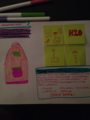
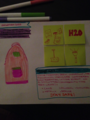
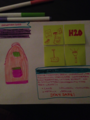
I grabbed my mousepad (which is also a giant post-it note/memo pad), ripped off a couple of sheets and got to work. I added a header and a prompt (which you can’t read very well in the example, but I’ll transcribe - don’t worry), drew an emergency kit (or a child’s backpack - same difference), and went to work drawing items that might be in the kit.
All of the items were drawn on itty bitty post it notes, which I then affixed to the main content ‘slide’. I imagined a drag and drop interaction where users would drag the items to the emergency kit.
Taking a second sheet of memo pad, I re-drew the emergency kit, added the header and prompt, did some research over at the Red Cross’ website and added the correct responses (post-it notes), and then added a little note.
I then took photos, with my iPhone, of both ‘slides’. Ta-da!
The Result
Here is an image of the main content slide. The transcription is as follows:
Header: "SNOWSTORM 2015″
Prompt: "CHOOSE ITEMS TO FILL YOUR EMERGENCY KIT! (CHOOSE WISELY)
Here is the correct feedback slide. The transcript is as follows:
Header: "SNOWSTORM 2015″
Prompt: "IF YOU CHOSE THE FOLLOWING ITEMS, YOU CHOSE WISELY (ACCORDING TO THE RED CROSS)"
Note: "PLEASE NOTE: WHILE THEY MAY SEEM IMPORTANT, THE FOLLOWING ITEMS ARE CONSIDERED NON-ESSENTIAL IN THE EVENT OF A SNOWSTORM (ACCORDING TO THE RED CROSS): CAKE, NETFLIX, ALCOHOL, BEAGLE, SNOWMEN. STAY SAFE!"
Disclaimer: If we get nearly as much of a blizzard as Environment Canada is calling for, I will be sitting on my couch, with my beagle, watching Netflix (providing the power does not go out), eating cake, and drinking wine…I may have a burst of energy, and will use that to build a snowman.
Ashley Chiasson
.
Blog
.
<span class='date ' tip=''><i class='icon-time'></i> Jul 15, 2015 12:39pm</span>
|
|
From the time we’re small children, humans are captivated by stories. They fascinate, horrify, sadden, overwhelm or bring about intense happiness or excitement. They teach us things as we learn from the experience of others, fictionalized or not. Whether it’s your favorite book or movie, you probably rank it number one because of the story. Writers, filmmakers and journalists are heralded for great storytelling abilities.
Storytelling has a place in eLearning, too. Think again about a book or movie you enjoyed. You remember it, right? You took something away from it. This is why storytelling is a powerful information delivery mechanism for eLearning. Stories are memorable.
The Science of Stories
Storytelling has been a standard method of communication for tens of thousands of years. (Buffer)
Scientists have conducted hundreds of studies to figure out exactly why storytelling is so effective. They’ve found it has an interesting effect on our brains. Here are three reasons storytelling works as a communication medium:
It adds relevancy. If your audience doesn’t think the topic at hand is relevant to them, they won’t make an effort to learn it. Sharing information in a story format makes it relatable and adds real-world context, convincing the audience that it is indeed relevant. (eLearningMag)
Stories are easier to remember. Information delivered in a more straightforward, "bulleted list" style of delivery needs to absorbed and then translated into application. Stories stick in our brains a bit better. (eLearningMag)
It activates multiple regions of the brain. What’s fascinating is storytelling activates the same parts of our brains as if we were experiencing the events ourselves. And, it activates multiple parts at once. (Buffer) Below is an excerpt from an article Rachel Gillett published in Fast Company, addressing the different ways storytelling impacts our brain:
A story activates parts in the brain that allows the listener to turn the story into their own ideas and experience thanks to a process called neural coupling.
Listeners will not only experience the similar brain activity to each other, but also to the speaker.
The brain releases dopamine into the system when it experiences an emotionally-charged event, making it easier to remember and with greater accuracy.
When processing facts, two areas of the brain are activated. A well-told story can engage many additional areas, including the motor cortex, sensory cortex and frontal cortex.
Telling Stories in eLearning
So, how can an instructional designer incorporate storytelling into the eLearning courses he or she is creating? Contrary to what some may think, you don’t need to have the chops of a journalist or novelist.
Here are a few tips to being using stories in eLearning right away.
The main character - the narrator and/or the protagonist - should be someone the audience can relate to. He or she should have a similar role, background, or whatever the situation may warrant.
Create drama. The typical, basis of drama is: Introduce a flawed protagonist, get them in trouble somehow, then get them out of that trouble.
Have the character learn or grow somehow as a result. Interview people in a similar group as your audience to learn, and then recount, their first-hand experiences. These could be success stories, or even stories about mistakes and how they were overcome.
Don’t fall into the meandering story trap. Your story should have the standard components - a beginning, middle and end; a plot and a conclusion. Your story should have a very clear point. Make sure the story drives home and corroborates the ultimate message you’re trying to communicate to your audience.
There are infinite resources on the Internet about how to tell a great story, but if you’d rather call in reinforcements, we can help you tell your story. Let’s talk!
photo credit: Storytime - Summer 2010
Expand Interactive Team
.
Blog
.
<span class='date ' tip=''><i class='icon-time'></i> Jul 15, 2015 12:39pm</span>
|
|
Earlier this week, I asked David to challenge roulette me some challenges to work on next (because I need peer pressure), and he gave me some suggestions for the more popular challenges, and then some recommendations for ones that need a little bit of love. This challenge was one of the first challenges, and it needed a little love, so love I gave it.
The Concept
Create a flat course design template, using at least three slides, and showing how the flat design concept will move throughout the course. The slides could be static or entirely built-out interactions.
The Method
Initially, I was going to include a progress meter, but figured I would save that effort for the progress meter challenge….so I did. Instead, I used Tint UI to create my palette for the sample slides, added some key elements (e.g. header, navigation buttons), and then changed up a few different screen styles. I made use of some free flat icons I acquired from somewhere on Creative Market or Smashing Magazine (I’m sorry…I can’t remember!), and then made final modifications to the player settings before publishing.
The Result
Click Here to see the Full Demo.
Ashley Chiasson
.
Blog
.
<span class='date ' tip=''><i class='icon-time'></i> Jul 15, 2015 12:39pm</span>
|
|
We’ve said it before, and we’ll say it again. Learning doesn’t stop when training ends. One-and-done training isn’t effective. Learning needs to be continuous in order to successfully impart knowledge on an audience and achieve desired behavioral change.
And, if that wasn’t enough, there additional benefits to an ongoing eLearning program. It fosters the kind of environment that employees want to work in.
Motivation: If employees feel supported, if there are opportunities for them to get better at their job, they’ll want to work for the organization. It’s reciprocal. Just like anything, you get out of it what you put into it.
Self-Sufficiency: Ongoing learning and performance support helps employees complete their jobs with a sense of independence and satisfaction. No longer will there be hesitation or concern about asking questions. Errors and missed steps will happen less frequently as there are resources to help guide them to success.
Let’s talk about ways you can keep learning going after the initial training is complete.
Post-training check-ins - Don’t assume that your audience got everything they needed from one course, whether it’s delivered online or in a face-to-face classroom setting. Check in with them via email or even SMS messaging to conduct additional assessment or deliver supporting content. With the right kind of knowledge sharing platform, this can be set up for automated delivery.
Leverage social learning - Encourage your audience to collaborate with each other via a social learning platform. They should be able to ask and answer each other’s questions, sharing knowledge and ideas and strengthening the sense of team.
Make it a game - A little competition never hurt anyone, and whether they’re competing against each other or just themselves, a gaming element not only keeps learners interested, it helps make the subject matter memorable.
Leaderboards - On a similar note, a little competitions among colleagues can stimulate excitement and motivation around what’s historically been a dreaded aspect of the job...training. Have your audience log scores and successful step completions by posting to a centralized leaderboard.
Offer rewards - Whether a simple certificate, a badge, something they can put in their email signature or even something of monetary value, incentives keep people engaged.
Performance Support checklists, videos and job aids - Information doesn’t stick after only being delivered once, so offer your learners refresher material and a checklist to help them remember what they need to do. If how to complete a step is forgotten, no worries. They’ve got a short video or job aid at their fingertips.
Rather than sending your employees through a plodding, ineffective training program, why not instead offer them a set of learning tools that go beyond initial training and are engaging, convenient, useful and effective?
Get in touch to learn more about this approach!
photo credit:
Apple iPad Air 2
Expand Interactive Team
.
Blog
.
<span class='date ' tip=''><i class='icon-time'></i> Jul 15, 2015 12:39pm</span>
|
|
This week’s term isn’t really specifically related to Instructional Design; it’s a little more broad, and can be applied to any profession. It was inspired by a recent conversation in the E-Learning Heroes Community, and is a term I always find myself using when talking to aspiring freelancers.
Hustle
In my opinion, the hustle is anything you do to generate new leads for business. In the freelance (or independent or contracting…whatever you prefer) world, you really can’t afford to turn your inner salesperson off. Eventually, you might be able to reduce the amount of hustling you do, but that’s a luxury a lot of folks just can’t afford.
Hustling can take many forms. For example, cold-calling/emailing, promoting your portfolio, creating social media profiles, participating actively in community and social media discussions, or applying directly to job prospects.
The phrase "Everyday I’m hustling'" is an accurate one!
Resources
I really don’t have resources for this week’s term; however, feel free to inquire with me in the comments, and I’ll offer my best stab at advice. Don’t let the idea of hustling stand in the way of your dream. Create your own freedom!
Ashley Chiasson
.
Blog
.
<span class='date ' tip=''><i class='icon-time'></i> Jul 15, 2015 12:39pm</span>
|