Blogs
|
Last week I posted my best advice for e-learning freelancers in the form of a poster:
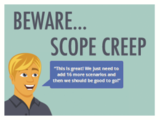
After posting this, I had a question: What is scope creep? Great question! There I go again with my industry jargon, making the assumption that everyone knows what I’m talking about…and you know what assumptions do. After having this question posed, it seemed like a great opportunity to explain the phrase on this week’s edition of Terminology Tuesday. It’s a two part-er!
Scope Creep
It could be scope’s creepy friend (and sometimes it is), but it’s really broken down into two components. First, we have Scope. Scope refers to the scope of the project and is typically outlined in a contract or statement of work (p.s. if you don’t have it in writing…get it in writing!). Scope dictates the project requirements, and what will be included. In e-learning, it’s smart to be very specific when outlining scope (e.g. Module 1 contains 1 scenario, 2 interactive screens, and 3 static screens) because the more specific you are, the less you will be affected by creep. Secondly, we have creep. Creep occurs when clients attempt to get more than they signed on for and this is where you need to stand firm. When a client asks for ‘just one more scenario’ in Module 5, you should come back to their request with a compromise. For example, ‘well. we can add one more scenario in Module 5 if we remove one scenario from Module 2."
Giving your client an inch of leeway by agreeing to add elements outside of the agreed upon project scope can quickly become a mile. I’ve worked on projects that were originally scoped at a 6 month development time, but due to some not so super project management, the client ended up receiving their courseware after 1 year of development, the project made absolutely no profit (it actually cost the company to finish it), all because the project manager kept agreeing to ‘just one more’ revision, scenario, etc.
So, in a very simple explanation: scope creep is when your client creeps their project requirements past the originally agreed upon scope.
Resources
5 Steps to Preventing Scope Creep (and Still Keeping Your Clients Happy) on Bidsketch
How to Manage Scope Creep - and Even Prevent it from Happening on LiquidPlanner
Taming the Scope Creep by Brett Harned
Why Scope Creep is Your Fault (and What You Can Do to Prevent it) by Christopher Butler
Ashley Chiasson
.
Blog
.
<span class='date ' tip=''><i class='icon-time'></i> Jul 15, 2015 12:44pm</span>
|
|
Can you believe another year has come and almost gone? While we’re all in the midst of 2015 planning, it’s helpful to reflect on the past year when looking forward to the next one.
As we prepare to kiss 2014 goodbye, the Expand team has been discussing what trends we’ve seen take hold this year, and which ones we think will pick up speed next year. Our 2015 Trends to Watch will be coming your way later this month, but first, let’s talk about the year we’re about to wrap up.
Without further ado, here are our top five training trends of 2014.
Increasing use of mobile for eLearning and Performance Support.
Mobile adoption continues to rise across the globe, and adoption at organizations for professional applications is increasing as well. There is greater pressure on companies to offer mobile-supported content and applications. The up-and-coming Millennial generation demands it, and we’re smarter now about how to make that possible and work seamlessly.
We’ve learned that mobile-optimized in-field performance support helps employees—whether salespeople, customer service people, manufacturing technicians or utility operators—perform their job more efficiently with fewer mistakes, making the organization as a whole operate smoother and at a lower cost.
Increasing emphasis on analytics, not just content.
As training has moved to an electronic format and delivery method, we’ve been able to track and measure training efforts like never before. At first, interactive content was really exciting and so slick that it was nearly enough on its own. Once the novelty wore off, we realized that it was not only much easier to measure the actual effectiveness of a training in terms of in-the-field behavioral change, but it’s of utmost importance.
Not only can we track course completions, abandonment and effectiveness, we can also measure behavioral change and, ultimately, true ROI. In other words, we can finally answer the questions "Is training making an impact?" and "Is it worth the investment?" We can actually monitor metrics in these areas.
Movement away from traditional LMS and Flash toward custom LMS and HTML5/CSS development.
The rise of HTML5 and CSS in eLearning goes hand-in-hand with increasing mobile adoption for learning and performance support purposes. HTML5 and CSS development give you more options when it comes to interactive and animated content. Unlike Flash, HTML5 is compatible with mobile browsers and doesn’t require special player technology.
Fewer one-off trainings in favor of ongoing coaching and mentoring.
It’s well-documented, as our lives become busier and filled with more distractions and shorter attention spans, it’s really hard to remember something after only being told once. More complex topics are impossible to master after just one training session, regardless of whether it’s held in person or online. More and more, managers are turning to what we call learning campaigns, which include ongoing coaching and mentoring to revisit complex topics and offer reminder and/or refresher content to drive home finer points.
Performance Support is as Important as Training.
One could make the argument that in-field performance support is of even greater value to the employee than traditional training methods. Performance support makes useful content available to the employee at the exact time they need it, which is on-the-job. Mobile has made it even easier and streamlined. Not sure what comes next in a process? Pull out your iPad to jog your memory with a step-by-step checklist, and view supporting videos for more details.
Stay tuned in the coming weeks to see what we think 2015 has in store for training, eLearning and performance support! We’d love to hear from you. What do you think was the biggest trend of 2014? Leave a comment below!
photo credit: carolynhack
Expand Interactive Team
.
Blog
.
<span class='date ' tip=''><i class='icon-time'></i> Jul 15, 2015 12:44pm</span>
|
|
I know we’re only three shopping days away from the holiday season (maybe even two in some parts), but let’s face it…everyone loves getting a package in the mail, so if it’s late…who cares?! Here are some of my very favourite items for e-learning developers and to make freelancing a lot easier:
Wacom Bamboo Splash Pen Tablet - I have one of these at the office, and I’m vowing to use it A LOT more in 2015.
I plan to use the Wacom tablet with The Doodle Revolution: Unlock the Power to Think Differently, which I’ve been slowly working through since the summer.
Another great book that you’ve heard me raving about in my posts for the last few months is How We Learn: The Truth About When, Where, and Why it Happens. I LOVE this book. Any and all learning professional should have it an read it and use it as a mantra!
All good freelancers/consultants/independent contractors need a good Project Management Program. I’ve been using, and loving PancakeApp. I’ve also had the opportunity to use RedBooth this year and would recommend gifting either of these to a freelancer in your life (PancakeApp is a one time fee and RedBooth is subscription-based). Most often, creative professionals think more about their creative endeavours and less about their business acumen…which ultimately turns into chaos come tax time…make their lives easier!
To make e-learning reviews streamlined and standardized (which all e-learning professionals would truly appreciate), a subscription to Review My eLearning is a great option! I recommend the Medium subscription, which should do the trick for most folk.
Storyline 2 - This might be a bit of a splurge for the holiday season, but it’s definitely well worth the cost; especially if your favourite e-learning developer has been lamenting the impending end of their 30-day free trial. As an independent consultant, this purchase pays for itself in about a week.
A second computer monitor - this is ALWAYS welcomed for folks that tend to toggle between multiple programs/documents, as are: external hard drives, flash drives, and noise-cancelling headphones!
For Mac OS users - Parallels, Dongles, or AirPort Time Capsule (LIFE SAVER).
Comfy pajamas or loungewear - ESSENTIAL for any work-from-home type. I recently picked up this exact PJ set, and I will be picking up more - so comfortable!
Ashley Chiasson
.
Blog
.
<span class='date ' tip=''><i class='icon-time'></i> Jul 15, 2015 12:44pm</span>
|
|
It’s hard to focus these days, isn’t it? We spend our days moving from screen to screen, eyes passing over a barrage of apps and alerts and texts and video calls, doing our best to ignore the lure of social media. You have every intention of buckling down and concentrating on just one thing at a time, but technology just makes multitasking so darned easy, doesn’t it? And if you can get two things done at the same time, that’s a good thing, right?
The problem is, our brain really isn’t wired to handle all of this so, while you might complete two tasks at the same time, you won’t complete them as well as if you just focused on one at a time. (Think texting and driving … bad idea.) Not to mention our work suffers when we’re getting news alerts and social media comments that compete for our attention.
Even when we think we’re doing two things at once, we’re really doing three, four or five.
Learning retention was a challenge before the added distractions, let alone now. Unless you have a photographic memory, divided attention makes learning very difficult. What’s the best way to cut through the noise and make training stick with today’s learners? Let’s discuss.
Just How Bad Is It and Why?
Let’s not sugarcoat it. It’s not pretty. Consider the following:
"In 2000, the average American attention span was 12 seconds. In 2013, it was 8." For reference, the attention span of a goldfish is 9 seconds. (Marketplace.org)
It turns out, when we think we’re multitasking, we’re really not. We’re actually just "rapidly toggling between tasks." (New York Times)
"Gloria Mark of the University of California, Irvine, found that a typical office worker gets only 11 minutes between each interruption, while it takes an average of 25 minutes to return to the original task after an interruption." (New York Times) We have interruptions piling on top of one another, effectively creating a mental traffic jam.
A study conducted at Carnegie Mellon found "the distraction of an interruption, combined with the brain drain of preparing for that interruption, made participants 20 percent dumber. That’s enough to turn a B-minus student (80 percent) into a failure (62 percent)." (New York Times) Think about that the next time your teenager asks for an iPhone!
The same study found at first, distraction does make us less apt to retain information and far less able to focus on a single task. The bright side, however, is that the study also suggests that we’re largely aware of this issue, and can learn to adapt to this new environment, taking back some of the brain power that’s been taken from us.
Technology is to blame and it’s not going away. In fact, it will only infiltrate our lives further. We can’t expect human behavior, or the environment in which we live and work, to change much, either. The population is growing each year with people who have never lived in a world without the Internet and immediate access to information and communication. Further, "the current generation of internet consumers live in a world of ‘instant gratification and quick fixes’ which leads to a ‘loss of patience and a lack of deep thinking,’" (The Guardian)
How Has Training Been Impacted?
What does all of this mean for training? Well, it means our job isn’t necessarily harder, rather, we need to approach training a completely different way. It needs to be delivered in a way that jives with our new multi-screen, alert-heavy lives and instant-gratification expectations.
It means that one-off and/or classroom style training does not work. It’s not effective. Learners will walk away from that having gotten very little out of it, and you’ll see little-to-no behavioral change as a result of the hours invested in training.
Don’t waste valuable time with outdated methods. This is where eLearning can help.
Use eLearning for Low-Attention Learning
eLearning methodologies can swiftly adapt to the changing technological—and, as a result, human behavioral—landscape. What started out as training videos accessible on a computer has evolved into a seamless, nimble and incredibly effective medium for growing employee knowledge throughout an organization.
Here are just a few reasons how eLearning is rising to the occasion to combat Shiny Object Syndrome:
We can condense lengthy training courses into a matter of minutes.
Learning campaigns follow up with text and email reminders delivered in the formats we’ve become most accustomed to.
We’re able to equip employees with on-the-job performance support materials that are interactive and guide the employee through whatever task they are performing at a particular moment.
Online knowledge and file sharing powers collaborative learning within teams.
An eLearning infrastructure enables the delivery of just-in-time learning. Rather than expecting an employee to remember everything they might possibly need to know after one, crammed class, we can offer learning content at the exact time it’s needed.
The best eLearning is mobile-optimized, so that it can be accessed anytime, from any device.
We can’t sit around and hope that audiences will outgrow their distracted nature. Instead, we need to adapt to the new environment. How has eLearning helped your organization deliver effective training? Leave us a comment below.
If you want to chat with us about how to get started with eLearning, reach on out!
photo credit: nhanusek
Expand Interactive Team
.
Blog
.
<span class='date ' tip=''><i class='icon-time'></i> Jul 15, 2015 12:44pm</span>
|
|
I took an unexplained two-week hiatus from Terminology Tuesday (and most other blogging) to enjoy a bit of a holiday vacation. Sorry, folks! Don’t sweat though - this week I’m back!
I recently took a mini-course on Infographics and vowed to get a lot friendlier with Adobe Illustrator in 2015; we’ll see how that goes…check in with me in about 6-12 months. In any event, infographics are taking the world by storm it seems, so I thought it fitting to have a little chat about them.
Infographics
Infographics consist of two pieces: information and graphics. When those two concepts are sandwiched together, you get infographics, which are designed to display information (e.g. data/trends/ideas) in a visually appealing way that also facilitates information synthesis. They are especially beneficial for people who are more visual learners. Just think back to all of the textbooks you read in school…how much of that information did you really retain? Likely quite a bit if you studied it, but you might learn more seeing certain information displayed meaningfully in a graphic. Even if you’re not a visual learner, an infographic might be handy supplementary material to accompany text-based materials. Additionally, infographics allow the user to experience the concept versus interpreting the concept, and passively retaining the information.
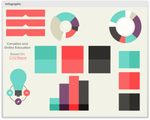
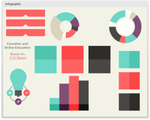
I developed an interactive infographic awhile back, and while it’s not the prettiest (hence my goal of learning illustrator in 2015), it effectively shows information when you hover over the visual elements. You can check it out by clicking the image below:
Resources
Maybe you’re well-versed at creating your own graphics or manipulating existing graphics. Great! Get your infographic on! But if you’re like me, you might need some help. Luckily, there are tons of free resources to help build your own infographics - all you need is the data!
easel.ly
infogr.am
Smore
Canva
You can also download many fantastic infographic icons and images for reasonable prices (and supporting local designers) from Creative Market, which is where I obtained the infographic elements used in the above sample.
Ashley Chiasson
.
Blog
.
<span class='date ' tip=''><i class='icon-time'></i> Jul 15, 2015 12:44pm</span>
|
|
If there is any advantage that live training has over eLearning, it’s the face-to-face interaction. In a classroom setting, an instructor can take the temperature of the audience just by scanning the room. Does the audience look bored? Captivated? Confused? The problem with that, however, is it’s not trackable. Sure, the instructor can try to make adjustments on the fly to adapt to audience response, but once the training is over there is no record of their reaction or whether the adjustment had an impact.
It’s hard to learn from that to make future training courses better. It’s not a very nimble approach, either. Fortunately, thanks to eLearning, superior methods exist.
eLearning with Digital Dialogues
What is a digital dialogue? It’s a conversation that takes place between the learner and the eLearning course they are viewing, ideally between a voice-over personality or an animated on-screen character.
The narrator of the course asks a question, and the learner responds by selecting an option on the screen.
Based on that response, the course can change directions by presenting a segment of content that’s tailored to that learner. More simply, it can acknowledge the response with a simple "Got it," or "Okay, let’s keep going."
Dialogues also present opportunities for additional coaching. If a learner responds incorrectly to an assessment question, the response should not only let him know he was wrong, but it should explain what the correct answer is and why.
Learn from the Learners
Scattering these simple exchanges throughout an eLearning course allows you to track and aggregate the responses of multiple users, and draw conclusions about the effectiveness of the course.
For example, if a majority of users are answering the same question incorrectly, we can assume that segment of the course is not clear, the question is worded in a way that’s causing confusion, or attention has dropped off.
Get the Most out of Your Dialogues
Like any aspect of instructional design, your dialogues should be written with the audience in mind and should tie back to your learning objectives. Here are a few additional tips for using digital dialogues to the fullest potential:
Tone. Your tone, when asking a question, should be conversational and, well, human. The learner should feel as though they are being directly spoken to.
Frequency. To help hold attention and avoid overwhelming learners at the end of the course, space your questions throughout the duration of the training.
Variety. Ask different types of questions, and in different ways. Not only can this provide interesting insights, but it keeps your learners on their toes. Different question types can gather information on comprehension, satisfaction and abandonment.
Acknowledgement. Make sure to acknowledge your learners’ answers. Make the experience as interactive as possible so they feel they’re being listened to. Depending on the type of question, this could be a simple "Okay," to an encouraging "Nice work!"
Digital dialogues benefit both the audience and the instructional design team. How are you using digital dialogues? What results are you seeing? Of course, if you want to learn more about our approach, schedule a time to chat!
photo credit:
Marc Wathieu
Expand Interactive Team
.
Blog
.
<span class='date ' tip=''><i class='icon-time'></i> Jul 15, 2015 12:44pm</span>
|
|
Happy New Year everyone! I hope you all had a very safe and happy holiday season…now GET BACK TO WORK!
2014 was a very interesting year for me. Here’s a quick synopsis:
I broke into the post-secondary education scene at a local university (part-time);
I quit my full-time job and took my side business full-time;
I presented at my first ever speaking engagement: E-Learning Heroes Community Roadshow: Toronto;
I wrote my very first every blog post for ATD;
I was propositioned to author not one, but two books;
My part-time post-secondary education gig went full-time;
I presented at my second speaking engagement: E-Learning Heroes Community Roadshow: Denver;
I met a lot of my e-learning idols, engaged in some beta-testing for Articulate, had some exciting learning experiences with Articulate, and networked like I meant it;
My proposal was accepted to speak at Learning Solutions 2015; and
I worked with a ton of really incredible clients and was able to become more strategic with whom I worked with.
Now before I get on with my goals for 2015, here’s some real talk. I struggle with anxiety - mainly social anxiety. While you might think I made leaps and bounds challenging my anxiety in 2014, I really didn’t do so on a personal level. I still have a lot of fear and anxiety interacting with people I know (and whom I have known for 10+ years) on a social level (e.g. at parties, etc.), so New Years Eve 2014 was spent as a designated driver, human thunder shirt for our dog who is terrified by fireworks, and watching the non-HBO broadcast premiere of The Wire. Not a bad way to spend the evening, but still not optimal.
With that being said, my goals for 2015 are mostly personal goals:
Begin therapy to conquer my social anxiety (or at least learn how to cope with it);
Maintain a consistent exercise schedule and run a half marathon in May (and possibly another in September);
Take positive steps toward becoming the best version of myself I can be;
Spend more time with my husband and our family; and
Travel to Europe with my husband, taking a proper vacation.
As for business goals:
Complete both books and have them published;
Present and KILL IT at Learning Solutions 2015;
Continue networking with colleagues I respect;
Continue working with clients I respect;
Conduct various workshops at the university and encourage growth within our distance offerings;
Overhaul my portfolio;
Participate more actively in the ELH Challenges;
Continue blogging regularly; and
Begin authoring my third book.
Ashley Chiasson
.
Blog
.
<span class='date ' tip=''><i class='icon-time'></i> Jul 15, 2015 12:44pm</span>
|
|
From all of us at Expand Interactive, we wish you a very happy holiday season. Here's to a great 2015!
ExpandChristmasCard2014
photo credit: rennes.i
Expand Interactive Team
.
Blog
.
<span class='date ' tip=''><i class='icon-time'></i> Jul 15, 2015 12:44pm</span>
|
|
Unlike last year’s colour of the year (you can see the blog write-up and challenge entry for Radiant Orchid by clicking here), I was actually excited about the new colour of the year, Marsala. I even fawned over the Sephora + Pantone Universe’s collection, but passed it up because I have very fair skin and cannot pull off the very beautiful (and highly pigmented) Marsala. Sigh.
The Concept
This challenge was to design an e-learning template or interaction using Marsala as the primary colour. I may have gone a little overboard with the Marsala-usage, but when in Rome…
The Method
Initially I was going to create some kind of makeup application tool, inspired by my visit to Sephora, but I had some fantastic icons kicking around from a recent Creative Market purchase, so I wanted to make use of those. After perusing the icons, I settled on the fitness set because it is a New Year after all, and what resolution is one of the most popular of resolutions? To get fit/join a gym/exercise more/eat better, etc. Using the icons as inspiration, I set out to create a simple interaction to highlight some solid fitness tips.
I first formatted my background to Marsala, added a directional header (using a Marsala tint), and then added and formatted the icons. Originally the icon background were a really nice taupey-beige, so I made them a bit more Marsala-y and then added layers with tips for each icon. I set each icon trigger to display the relevant layer when clicked.
As for the player, I removed customized the colours to be more Marsala-esque and added a slew of resources from some of my favourite fitness gurus and sites.
The Result
I think the interaction turned out well, and it offers practical tips and resources for maintaining those fitness goals you resolved to maintain in 2015.
To view the complete interaction, Click Here.
Ashley Chiasson
.
Blog
.
<span class='date ' tip=''><i class='icon-time'></i> Jul 15, 2015 12:44pm</span>
|
|
2014 seemed to come and go in a flash, didn’t it? It seems like we were just chatting about 2013 trends, and now we’re talking about 2015.
We and many others have already shared our picks for the top trends in our industry this year. Our industry is advancing so fast, it’s interesting to see how much top trends change just from one year to the next! Before the end-of-year celebrations begin, let’s pause to consider what our industry will likely be seeing in the new year.
Ongoing Training and Coaching via Learning Campaigns
Organizational leaders are catching on that the information-dump training sessions of old no longer work. Technology now lets us follow a campaign model in our eLearning, delivering training material to users when they need it. Information can be broken into easily-consumed chunks and we can follow up with automated reminders, coaching and more.
Personalized Learning Experiences
Rather than cramming employees of all different disciplines and experience into one room for a training class that may or may not apply to their role, organizations are moving toward personalized experiences, creating custom pathways based on role, experience and individual training needs.
We can use digital dialogues to assess each learner’s background and knowledge level, and send them down the most appropriate path.
eLearning will shift into developing markets
As technology becomes more globally accessible, we’ll see eLearning adoption spread into emerging markets.
In its 2014 E-Learning Market Trends & Forecast Report, Docebo attributed the highest regional growth rates to Asia (driven by India, China and Australia) at 17.3%, Eastern Europe (driven by Russia) at 16.9%, followed by Africa and Latin America at 15.2%, and 14.6%, respectively.
Of course, eLearning is a broad area, and Docebo’s study was also able to uncover the three largest areas of growth under the the eLearning umbrella: Content, Authoring tools, and Learning Platforms.
Big Data and Robust Reporting
Digitizing training allows for advanced data collection and aggregation, and we’re figuring out better ways to leverage that data to understand our audience, optimize our learning campaigns and measure training effectiveness, especially in the days and weeks following training. Is training driving sustained behavioral change? Now we can find out.
Continued Growth in Mobile Adoption and Custom Apps
Mobile adoption for delivering training was one of our top trends for 2014, and in 2015, we expect that trend to continue with increasing use of custom mobile apps for learning. LMS systems have made interactive training content available online, and mobile applications are the next frontier, giving learners access to the same content on a mobile device. This offers flexibility and allows for device preference, or a BYOD approach.
That wraps up our two-part year-end series on eLearning trends. In case you missed it, you can read our 2014 Year in Review here. Do you agree or disagree with the trends our team identified? Leave us a comment below and let us know what trends you’re excited about for 2015.
photo credit: Leo Reynolds
Expand Interactive Team
.
Blog
.
<span class='date ' tip=''><i class='icon-time'></i> Jul 15, 2015 12:43pm</span>
|