Blogs
|
Yesterday, Jonathan from the Articulate E-Learning Heroes Community tweeted at me asking how I go about publishing my Articulate Storyline outputs to Dropbox, so I made a screencast! It took a couple of takes due to sneezing fits and barking beagles, but I think it does a good job at explaining how easy it is to upload your Storyline outputs to both Dropbox.com and Google Drive.
Below, I’ll outline the steps and then I’ll include the screencast so you can see how I published my Storyline output to both technologies.
Publishing to Dropbox
Download and install the Dropbox app.
Drag your output folder to your dropbox.
Open dropbox and drag the output folder to the Public folder.
Open the uploaded folder, within the Public folder, and right-click the story.html file.
Select Copy Public Link.
Open a new browser tab and paste the copied link.
Publishing to Google Drive
Download and install the Google Drive app.
Drag your output folder to your Google Drive.
Open the uploaded folder, and rename ‘story.html’ to ‘index.html’
Return to the your main page of Google Drive and right-click the uploaded folder.
Select Google Drive > View on the web.
Google Drive will open; Select Open in Drive (in the upper right-hand corner).
Click My Drive, and then select the check mark beside the uploaded folder.
Select the Share icon (icon of a person with a + symbol) and click Advanced.
Select Change next to ‘who has access’ and change the permissions to Public on the web. Click Save.
Enter the uploaded folder, and in the browser address bar, copy the identifier, which includes all letters and numbers appearing after "0#folders/".
Open a new browser tab and in the address bar type "http://googledrive.com/host/" after ‘/host/’, paste the identifier copied in the previous step.
As you can see, there are a few more steps when publishing to Google Drive versus doing so with Dropbox, so for ease, I recommend Dropbox; however, both are good options. My preferences is to publish to my website’s server, and if that option isn’t available, publishing to Articulate Tempshare.
Video Demonstration - Publishing Articulate Storyline Output to Dropbox and Google Drive
Sharing Storyline Dropbox GoogleDrive from Ashley Chiasson on Vimeo.
Ashley Chiasson
.
Blog
.
<span class='date ' tip=''><i class='icon-time'></i> Jul 15, 2015 12:48pm</span>
|
|
Ever watch Mythbusters? The popular television show follows a team tasked with putting commonly held beliefs to the test, to determine whether there is truth behind the myth. Through our work, we’ve done a little mythbusting of our own and found that many commonly held beliefs about knowledge and learning are indeed myths. There are a few stage four clingers that, no matter what research and practical application has done to debunk them, refuse to completely go away.
We’re going to attempt to—once and for all—dispel some of the most common myths of organizational knowledge so that we, as an industry, can collectively move past them.
Lingering Myths of Organizational Learning
KNOWLEDGE MYTH 1: Learning stops when training ends.
Thank goodness this is completely false. Can you imagine what our professional—or even personal—lives would be like if learning was restricted to just every-so-often one-off sessions? And you had to rely solely on those to succeed at your job and, well, life? Technology doesn’t even allow that anymore. If you use Google, you learn. If you are active in social media, you learn. Learning is all around us, and organizations should play a role in that process.
But many training departments stop with the initial training. Why? There’s so much more you can do.
KNOWLEDGE MYTH 2: Mind reading is a reliable way of transferring the knowledge that makes your company run.
We all chuckle when any reference is made to mind reading, because we know it’s not possible. However, when you look at how many organizations approach learning, it’s as if leadership wholeheartedly believes it’s not only possible, but expected. Nothing deflates an employee’s confidence faster than expecting him or her to be a mind reader, then expressing disappointment that they don’t possess critical knowledge.
But lots of institutions make assumptions that employees will learn on the job. Through osmosis. Or something.
KNOWLEDGE MYTH 3: The oral tradition is a dependable way of communicating important information.
You know that phrase "in one ear and out the other?" You can’t rely on verbal communication alone. It’s improbable for the the average human brain to process and retain it all. Furthermore, only 30% of us are auditory learners. These folks learn best by hearing something rather than seeing or experiencing it, and they are in the minority. Sixty percent of your audience needs to receive information by another means, and it’s crucial to account for all learning types.
The problem is the "telephone game" effect. One where the story changes from telling to telling and becomes distorted. If you want the story to remain the same (ie standardized training) then think about ways to facilitate and participate in the knowledge transfer process.
KNOWLEDGE MYTH 4: Smart people should be able to figure it out.
This assumption puts undue pressure on employees to take total responsibility for their own professional development and sets them up for failure. Even self-starters need some direction on what needs to be learned and where to find the best information.
Some tasks are too complicated—or even unsafe—for employees to just "figure it out."
KNOWLEDGE MYTH 5: Knowledge is innate—you either have it or you don’t.
It’s common practice in lots of organizations to expect employees to "just know" what to do. But how can they? Knowledge is unique to every organization. Nearly all employees have the ability to learn, but every learner is different, and knowledge that is specific to your organization absolutely must be taught.
Knowledge, skills and beliefs can ALL be taught. And it’s important to create a culture of knowledge in your organization.
KNOWLEDGE MYTH 6: Detailed processes eliminate the need for thinking.
You’ve got a checklist, what more could you need? A lot more when you think about how much knowledge each step in the process requires. An employee might know that step B follows step A, but what if they aren’t sure what step B entails? Some on-the-spot knowledge support can improve confidence and reduce errors.
The process is NOT the content, but you can link the two by creating process tools and guides with the knowledge "built-in".
If your organization is still clinging to some of these training myths, let us know. We can help you kick them to the curb once and for all. Get in touch!
photo credit: marksmotos
Expand Interactive Team
.
Blog
.
<span class='date ' tip=''><i class='icon-time'></i> Jul 15, 2015 12:48pm</span>
|
|
Let’s paint a mental picture. Imagine you work in a technical role. Your typical day involves working with high-powered and complex machinery. It doesn’t matter whether you’re picturing a job in automotive manufacturing or at a nuclear substation. You don’t sit at a desk all day. You’re up, out and about, working with your hands and possibly even outdoors, rain or shine.
The work you do is important. Mistakes are costly—they either hold up the following steps in a process, cost time and money to repair or, in some cases, are dangerous. Not just dangerous for you, but for others: your coworkers or even the public at large.
Technical Jobs Require Ongoing Learning
Your job involves a certain amount of routine tasks: tasks you perform on a regular basis. You can practically complete these in your sleep, you’ve done them so many times. But, that wasn’t the case when you first started this job. You had to learn what to do and why, how to quickly assess and correct mistakes, and practice each step repeatedly until it became habit.
On the other hand, your job also involves tasks that aren’t performed regularly. Perhaps certain types of maintenance are only performed sporadically. You also need to know how to handle malfunctioning equipment, to either repair it or shut it down to ward off additional problems with potentially severe consequences.
How do you learn these processes?
What do you do when you need to complete a task and you don't remember all the steps?
It's a lot to remember and frankly, it's unrealistic to expect people working in a technical role to commit to memory every step of every process. Thankfully, there are better solutions.
Our Day-to-Day is Always Evolving
As technology advances, equipment may be replaced or processes updated and streamlined. Any of those situations can impact how an employee goes about his day-to-day. There is always something new to learn.
That said, what’s the best way to
train existing employees on new equipment or processes?
train new employees entering the field?
help employees complete tasks or processes that are beyond day-to-day work?
We’ve written recently about checklists, and what a powerful tool they can be to help guide employees through a complex process. When the brain needs a boost, the checklist is there to jog the memory.
Moving up a notch, we can make checklists available electronically on a computer or mobile device. Not only are they easier to fill out, submit, record and report, they are portable. It’s an effective way to help employees tackle new, difficult or infrequently performed tasks.
Why are checklists with learning attached a powerful combination?
We can still do one better. Let’s make the checklist electronic AND have it link directly to additional information that supports each step. It puts everything an employee needs to complete any task at his fingertips.
So, if Step 3 involves adjusting a setting, but the worker isn’t sure exactly how to do that, not only can he refer to the checklist to remember when to adjust the setting, but he can watch a quick video or review a short job aid that walks him through how to adjust the setting.
When employees have access to performance support tools, they feel more empowered, are more self-sufficient and make fewer mistakes. Companies therefore improve overall quality, save money and realize lower employee turnover.
We’ve helped other organizations implement checklists with learning attached, and we can help you too. Schedule a free assessment with our team to learn more.
photo credit: ★keaggy.com
Expand Interactive Team
.
Blog
.
<span class='date ' tip=''><i class='icon-time'></i> Jul 15, 2015 12:48pm</span>
|
|
Lately I’ve been busying myself with an online learning opportunity, among other things (you know…things that pay the bills and put kibble in the dog’s bowl), and the concept of learning communities cropped up (more on that later) and subsequently the Community of Inquiry (COI) Model.
When I first came to work in Higher Education, I was reminded of the COI model when reviewing my first course - of which there was very little student engagement and participation. The faculty member was new to developing courses for online delivery, and their course reflected that; it looked like a straight ‘chalk-and-talk’ style conversion. In my review, I encouraged the faculty member to create a Community of Inquiry with their students and explained what I meant by that. Because I was providing my review in an academic manner, drawing on well-respected and understood concepts within the academic community, the faculty member was incredibly receptive to my revision suggestions, and I’m sure their students appreciated it! Maybe if I would have known of the COI Model when I was managing a Starbucks during my undergrad…maybe then my 16-22 year old staff members would have appreciated my criticism more…naaaah.
So, what is this Community of Inquiry Model you speak of?
The Community of Inquiry Model is a concept that takes two awesome things: scientific inquiry and the construction of knowledge and mashes them into one amazing conceptualization! In the context of education, COI is most often observed when an instructor facilitates topical discussions, allowing students to ask questions and engage with one another and bounce understanding of the topic off one another. The facilitator is important here, as they are responsible for guiding their students and keeping them on track with regard to the topic (e.g. ensuring students don’t generate incorrect information as being ‘true’ with relation to the topic).
What are some good ways of fostering COI in online learning?
Discussion forums - As an online student, I always loved the discussion forums! The instructor would prompt students to respond to a question (or several) in at least 500 words, and then respond to at least 2 other participants in at least 500 words. This method did just what it intended to do, generated discussion! And for me, it was a great approach to collaborative learning. If the instructor was unable to explain a concept in terms I could understand, another participant could often produce a tangible explanation for me.
Twitter chats - I talked about these last week (and I think the week before), but they’re really a great way of creating COI, because they allow users to participate in a palatable manner - especially if time is a concern.
Synchronous elements - Working at an institution that was really a pioneer in the broadcast television manner of providing distance learning opportunities, I always encourage my faculty members to include some synchronous element in their courses, and to make at least one session an attendance requirement. These are great! They allow participants to communicate with the instructor and ask questions. Some students can be hesitant to participate, so these sessions can be helpful as many students often have the same course-related questions or concerns.
But Ashley…where are my resources?!
The Community of Inquiry
CIDER: The Community of Inquiry Webinars
The Community of Inquiry Model Framework Ten Years Later: An Introduction to the Special Issue by Karen Swan and Phil Ice
Utilizing Technology to Develop a Community of Inquiry by Nathan Hall and Michael Burri
Strategies for Creating a Community of Inquiry Through Online Asynchronous Discussions by Aimee deNoyelles, Janet Mannheimer Zydney, and Baiyun Chen
Ashley Chiasson
.
Blog
.
<span class='date ' tip=''><i class='icon-time'></i> Jul 15, 2015 12:48pm</span>
|
|
After reading the recent post on Brandon Hall Group’s blog about the parallels between marketing and learning, I was excited to discover that others in the industry think the same way we do about the future of learning. As we expand—no pun intended— our product offerings, we’ve often looked to digital marketing and marketing automation for inspiration.
The question remains...
Did marketing borrow from training, or is training now borrowing from marketing?
It's both.
Having worked both in traditional and digital marketing, I’ve watched my profession shift to more customer-centric, personalized tactics powered by data and technology. Customers had gotten too smart, too savvy. It no longer worked to shove our messages in front of a mass audience, hoping that a percentage of them would be convinced of what we had to say. Even Don Draper couldn’t convince us of traditional advertising’s value anymore.
Customers started to demand more personalized solutions. They started trying to solve their own problems and doing their own research to arrive at their own conclusions. An aggressive pitch was no longer persuasive. Educational content that consumers can find and consume on their own time to guide them to their conclusion, however, is very effective.
So, you might say marketing borrowed from training when we started to use words like educate, coach and teach. Marketers went a step further to use automation technology to deliver the right content to the right person at the right time - a difficult yet important aspect of engaging today’s consumers.
This is where training is starting to borrow from marketing. We’ve written on our blog about just in time learning and Learning Campaigns, and why they are better than traditional classroom training or even a one-off eLearning module.
Our Day-to-Day is Always Evolving
As technology advances, equipment may be replaced or processes updated and streamlined. Any of those situations can impact how an employee goes about his day-to-day. There is always something new to learn.
Several Parallels Exist between Marketing and Training
Getting and keeping the attention of your audience is harder than ever before.
Audience members expect any content they consume will help solve their unique problems. Just as smart marketers are creating Buyer Personas to guide their efforts, training professionals should create Learner Personas to deeply understand their audience.
Audience members want to consume that content when and how they want. This means that content needs to be easy to find, available 24/7 and optimized for multiple devices.
You can’t assume your message got across after one touch. It requires repeated reinforcement.
Your job as the content creator is to be helpful. In marketing, you’re providing information to help someone make a decision. In learning, you’re providing guidance to help someone complete a task or do their job better.
Learning Campaigns are similar to marketing lead nurturing campaigns via marketing automation platforms; multiple touches, scheduled over a series of days or weeks, are set to deploy automatically and collect performance data of each step.
Mass changes to how consumers make buying decisions and creation of powerful, data-driven technology have completely changed how marketers strategize and capture leads, and it can do the same for learning. Want to see how? Let us show you how a Learning Campaign works.
photo credit: Luke Peterson Photography
Expand Interactive Team
.
Blog
.
<span class='date ' tip=''><i class='icon-time'></i> Jul 15, 2015 12:48pm</span>
|
|
Hey folks! First off, I want to apologize for the less than exciting blogging week; things have been completely insane over here! Two projects on the go, two books being written (whaaaaat?!), webinars and meetings - oh my!, and a proposal that I’m working on. All exciting things, but how does Beyonce do it?
This week I wanted to chat a bit about rubrics. The online course I’m taking is currently discussing course quality, and rubrics feature prominently in this discussion. Now, as a student, I’ve been on the annoyance side of the rubric stand-point (ugh…a table?! you want me to look at a table to figure out what I need to do?!), but I’ve also learned to appreciate the structure of a rubric and how functional it can be, especially when evaluating more subjective materials that don’t necessarily have a solid wrong or right answer - e.g. papers.
So, what is a rubric?
A rubric is an evaluation tool that allows individuals responsible for evaluation tasks to be able to easily and effectively do their jobs. Rubrics break down the criteria, providing a range of options for each item. Evaluators will select the range option that corresponds with the material for which they are evaluating. At the end of the evaluation, the score (based on the range options selected) will be added up, providing the student with their grade.
I’m with you, Ashley - these sound annoying. Why would anyone use them?
As I said before, they make it a heck of a lot easier to evaluate subjective materials
They can enhance academic achievement by providing students with a clear outline of what they need to do in order to score within a particular range.
They can provide students with a criteria for conducting peer evaluations, which as an instructor, ensures you don’t get an entire class full of 5/5 peer evaluations.
As an instructor, they help you back up your evaluation decisions by offering a tangible explanation for students who seek to challenge their grades.
Rubric resources, please. Here you go:
Understanding Rubrics by Heidi Goodrich Andrade
Creating a Rubric - University of Colorado
3 Rubric Makers that will Save you Time and Stress - Edudemic
Ashley Chiasson
.
Blog
.
<span class='date ' tip=''><i class='icon-time'></i> Jul 15, 2015 12:48pm</span>
|
|
At some point, we’ve all sat through a training class. Tell me if you disagree, but they’re awfully boring, aren’t they? It’s impossible to focus for hours at a time, the temperature of the room is never comfortable, and so much information is thrown at you it starts to go in one ear and out the other.
Bottom line, it’s just not effective. However, so many organizations rely on in-person, classroom training to address—and hopefully solve—all sorts of issues. Productivity is low? It’s a training issue. Operating expenses creeping a bit high? We need more training. Money is spent pulling employees out of their job to sit them in a classroom, and then it’s expected that the problem will improve. Maybe it’s not even known what to expect, but the gut tells us more training is needed.
eLearning can actually achieve the desired results, and can be measured to tell whether it’s working. Take a look at this infographic to better understand why eLearning is the most effective method of training employees.
And, if you want to talk further, give us a shout!
Photo Credit: e-magic
Expand Interactive Team
.
Blog
.
<span class='date ' tip=''><i class='icon-time'></i> Jul 15, 2015 12:48pm</span>
|
|
This week’s term is less of a term and more of a group of tests or ‘tasks’. In any event, Piaget was always cool in my books, so I thought I’d chat a bit about some of his tasks, reversibility in particular. I was inspired by a chat I had recently with a very passionate professor - she rattled off one of the tasks she has her students do (so these are on average 18-22 year olds):
First, she presents the students with two jars of jelly beans; one contains all red jelly beans and the other contains all black jelly beans. She explains that there are 250 jelly beans in each jar.
Then, she shows her students a scoop, explaining that it holds exactly 15 jelly beans.
She takes a scoop or red jelly beans and puts them in the black jar and then takes a scoop of now black and red jelly beans and puts them in the red jar.
Finally, she asks the students how many jelly beans are in each jar.
The result she gets is much the same as one a child might get. Why? The correct reason is because the students, at 18-22, still have issues with the concept of the reversibility. Another reason might be that the students became confused by the word problem…similar to any time I was presented with one of those ‘a train is traveling south west at a speed of X…’ problems - which I HATED. Anyhow…so that discussion was my inspiration for this week’s post.
Alright, but what is a Piagetian task?
Jean Piaget was a developmental psychologist who some may refer to as the pioneer of cognitivism. He was a pretty cool cat, and is often chatted about in close proximity to Vgotsky (another name, another theory). His theory basically stated that cognitive development occurs in stages, as we grow, age, and learn from the world around us. Throughout his research, he tested children in varying stages of development with Piagetian tasks to determine whether they understood concepts of conservation, centring, and reversibility, to name a few. Based on their responses, Piaget posited that he could determine (or approximate…in the example of the 18-22 year olds) what stage of cognitive development the child was in. How neat is that?!
Another popular Piagetian task you might be more familiar with is one having to do with conservation of volume:
The child is presented with two beakers; one is squat and wide, while the other is tall and slim.
There is water in both beakers, and the instructor asks "which beaker contains more water?"
The child typically responds that the taller one contains more water, when in actuality, both beakers contain the same amount of water. BAM!
Intrigued? Here are some resources:
Physical Knowledge in Infancy: Reflections on Piaget’s Theory by Elizabeth S. Spelke
Piaget’s Stages of Cognitive Development: Background and Key Concepts on Piaget’s Theory by Kendra Cherry
Piaget’s Model of Cognitive Development at thebrain.mcgill.ca
Piagetian Tasks
Ashley Chiasson
.
Blog
.
<span class='date ' tip=''><i class='icon-time'></i> Jul 15, 2015 12:48pm</span>
|
|
You know it’s true. Long before training professionals knew what we know today (and had cool technology to make our wildest ideas come to life) we were still producing training videos. Bad ones. And what better way to celebrate Halloween than by grabbing a handful of candy corn and watching a few awesomely bad relics from corporate trainings past. Grab a seat!
Pizza Hut
Now you know why you may have received bad service in the past. Hanging up the phone and throwing pizza boxes at coworkers? Sure! It also fails to connect with the viewer in what surely was the intended way. The overacting of the cast makes it impossible to take the characters seriously.
Pier 1
The narrator in this video nails everything that’s wrong with this video, so we’ll just let him do the talking.
1950s Office Safety
Like vintage advertising, we’ve got a bit of a nostalgic soft spot for this one, but it’s hysterical nonetheless. The over-the-top, unrealistic and carefully staged scenarios used to educate viewers on office safety are too good to be true.
Wendy's
"Remember, we serve 100% pure ground beef!" Apparently, fast food ingredients were in question even in the 1980s. But the best stuff is around the 4-minute mark. In fact, Wendy’s might deserve an award for Best Worst Employee Training, with gems like Hot Drinks and its follow-up, Cold Drinks, clearly inspired by Michael Jackson and Paula Abdul, respectively. Points for cultural relevancy?
National Association of Music Merchants
Every so often, a familiar face will appear in old employee training videos. Take this one featuring the one and only Conan O’Brien.
Want to avoid inclusion on a list like this in the future? Call us. We make training videos that are just awesomely awesome.
Also, have a safe and spooky Halloween, from all of us at Expand!
photo credit: ElDave
Expand Interactive Team
.
Blog
.
<span class='date ' tip=''><i class='icon-time'></i> Jul 15, 2015 12:47pm</span>
|
|
Oh boy! This week’s challenge was definitely a relatable and somewhat fun (somewhat angering) challenge. I think everyone out there, regardless of your profession, could easily come up with a slew of things they hate hearing (and maybe some responses). I actually saw a buzzfeed article today titled 26 Faces Every Single Retail Worker Will Immediately Recognize, and nodded my head at every single one of them over breakfast…and thanked all things holy that I no longer work in retail.
The Concept
This week, David challenged us to design an infographic, poster, or list of the 10 things Instructional Designers don’t want to hear and how we would best reply to each of these items. The latter task being the more difficult. For web designers/developers out there (and anyone else - they’re easily modifiable!), my pal Erin actually created an INVALUABLE swipe file - Designer Scripts - Email Templates for Sticky Client Situations and it’s definitely worth checking out!
The Method
The method for this challenge was a little muddy, I have to admit. The first task of course was to come up with a list of my top 10 things I hate hearing as an Instructional Designer; I thought this task would be a lot easier than it was, so I was certainly surprised!
Once I came up with my list, I took my number 1 thing I hate to hear and turned it into a little poster. If nothing else, I hope you folks can relate to that one!
The Result
10. "We don’t need a prototype." - In this situation, I would explain to the client that I understand they’re likely on a tight budget, but that a prototype will allow us to negotiate the overall design of the product, reducing time spent within the revision cycle later in the game.
9. "I trust your expertise. Just be creative." - Here, I would explain that I understand the client hired me for my expertise; however, signing of on some broad design elements will reduce revision cycles (and $$$) in the long run. My aesthetic might not be their aesthetic (or the end client’s). For example, what it a cat lover like me snuck in images of cute kitties throughout the course…but the client is a dog lover and absolutely hates the idea of a cat?!
8. "One review cycle should be sufficient." - I would refer back to our delivery schedule, and remind the client of that schedule, emphasizing that if they only want to pay for one review cycle, they will need to be meticulous and schedule-conscious during their review, because I will absolutely need the two days I requested to do my revisions, and will certainly not be doing them the day before delivery.
7. "I need this finished by the end of the week." (said as the client hands you an entire re-development of the course you created) - In this situation, I would assess the amount of revisions and explain that the timeframe requested is not a feasible amount of time for the volume of work to be done, but that you can have it completed by X date. I would also explain that this extended timeframe is due to the client wanting a complete re-do of everything developed.
6. "The Subject Matter Expert (SME) is in charge of content." - I would let the client know that this is fantastic news, but that I expect our communications to be related directly to the content and not the design. I would explain that I expect the SME to adhere, fully, to the schedule (especially their review of the content) to ensure there is no impact to the deliverables.
5. "I could have done this in PowerPoint in waaaaaay less time." - Really? Alright. Here, I would explain the the client that they specified the work be authored using X tool, and as such, I adhered to using the specified tool. I would also explain that developing some elements in PowerPoint may have been more time consuming than developing them in X tool. I would explain that I appreciate the opinion, but that there was a reason the client decided to hire me…to do the job that I did.
4. "I think maybe we should just change the colours. That’s an easy fix, right?" (said days before delivery) - In this situation, I would explain to the client that we signed off on the overall design prior to development, and that even an ‘easy’ fix such as changing the colour scheme would take a fair amount of time. I would tell them that I’d be happy to oblige, but it may impact the delivery date.
3. "Can you make it more interactive?" (said after reviewing an extremely dry and prescribed compliance course) - If there’s wiggle room for creativity, I would tell the client ‘sure!’ and explain the impact on the schedule. However, if the content needs to be displayed verbatim, I would explain that we would need to chat about our options and provide them with a few solutions, explaining that it will likely increase cost and development timeline.
2. "Can you add just one more scenario? Oh! and I forgot to give you this 30 page document - it needs to be incorporated into the course somehow." (said after the first review cycle and certainly leaning into scope creep) - Here, I would explain to the client that the project scope was created to account for 5 scenarios, not 6, and that I will most certainly include a sixth scenario for X cost. As for the second item, I would explain that prior to developing the contract, I requested all content and course documentation to adequately price out the contract, and this 30 page document was not in the original estimate, so I will incorporate it at X cost to the client.
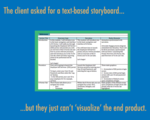
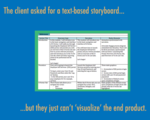
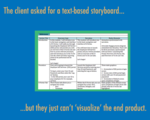
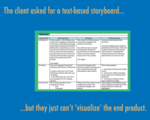
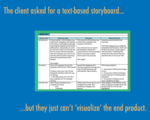
1. "This looks great, but I just can’t ‘visualize’ the end product." (said after initial review of a text-based storyboard) - This is my most-hated sentence. I’ve heard it from clients, SMEs, programmers, media developers - UGH! This situation begs me to explain that the text-based storyboard was requested (by the client) and developed primarily as a means of reviewing the content within a certain context (of the screen and with a brief description of the supporting media elements), and that the visual elements would be available for review in the second review cycle. Similarly, during the second review cycle, I hate hearing "Can you please review the comments I made; there are a few content revisions that need to be made." (GAH! You’re now reviewing for look/feel - bugger off!)
Ashley Chiasson
.
Blog
.
<span class='date ' tip=''><i class='icon-time'></i> Jul 15, 2015 12:47pm</span>
|