Blogs
|
After years of leading workshops on blogging I have found that many people benefit from having a glossary of terms that they can refer to. Likewise, if you’re blogging with your students it is helpful if there is a common understanding of the terminology used in your blogging activities. Embedded below is the glossary of terms of that I created a couple of years ago for participants in my workshops. You can also click here to view and download the document.
This post originally appeared on Free Technology for Teachers
if you see it elsewhere, it has been used without permission.
Related StoriesMove Your Body, Move Your MindAn Interactive Infographic About Designing InfographicsMy Five Favorite Classtools.net Tools
Richard Byrne
.
Blog
.
<span class='date ' tip=''><i class='icon-time'></i> Aug 05, 2015 11:01am</span>
|
|
Scheduling blog posts to appear in the future is one of the best ways to maintain a steady pace of posts appearing on your blog. On a classroom blog scheduling posts is a great way to keep certain content hidden until your students need to see it. For example, I have often scheduled posts containing practice quizzes for my students to take after completing a lesson. In the video embedded below I demonstrate how to schedule blog posts in Blogger, Edublogs, and Kidblog.
Topics like this one and many, many more are covered in my course Blogs & Social Media for Teachers & School Leaders.
This post originally appeared on Free Technology for Teachers if you see it elsewhere, it has been used without permission.
Related StoriesMove Your Body, Move Your MindA Glossary of Blogging Terminology - A PDF HandoutMy Five Favorite Classtools.net Tools
Richard Byrne
.
Blog
.
<span class='date ' tip=''><i class='icon-time'></i> Aug 05, 2015 11:00am</span>
|
|
The Lawrence Hall of Science at UC Berkeley offers some good resources for students and teachers. On iPadApps4School.com I recently reviewed DIY Lake Science produced by the Lawrence Hall of Science. The free iPad app is designed to help students learn about lake ecosystems. In the app students will find a small simulation of a lake ecosystem. Students can change the depth of the lake, the temperature, and the general climate around the lake to learn how those changes alter the ecosystem. After using the simulation students can learn more about lake ecosystems in the DIY Lake Science video library.
If your students don't have iPads to use in your classroom, take a look at 24/7 Science. 24/7 Science is a website produced by The Lawrence Hall of Science for the purpose of sharing science games and hands-on activities for elementary school students. 24/7 Science has two basic sections, a game section and an activities section. The games section offers twenty-five online games for students to play independently. The hands-on activities section offers thirteen hands-on science learning activities that students can do with the supervision of their teachers or parents to learn about plants, animals, and Earth science.
Monster Heart Medic is another iPad app from the Lawrence Hall of Science. Monster Medic takes students on a virtual journey through the cardiovascular system. Sabba Quidwai recently wrote a nice review of Monster Medic here.
This post originally appeared on Free Technology for Teachers
if you see it elsewhere, it has been used without permission.
Related StoriesThe Math of Michael Jordan's Hang TimeHow to Schedule Blog Posts on Blogger, Edublogs, and KidblogA Glossary of Blogging Terminology - A PDF Handout
Richard Byrne
.
Blog
.
<span class='date ' tip=''><i class='icon-time'></i> Aug 05, 2015 10:59am</span>
|
|
When we think about blogging we often think about writing. But the great thing about blogging is that it doesn’t have to be limited to written text. In fact, publishing podcasts or publishing short videos on a YouTube channel can be considered blogging too. Creating and publishing infographics and or interactive images is another form of blogging that isn’t completely reliant on text. The handout embedded below highlights tools students can use to create blog content without relying on text. (Click here if you cannot see the embedded document).
This post originally appeared on Free Technology for Teachers if you see it elsewhere, it has been used without permission.
Related StoriesHow to Schedule Blog Posts on Blogger, Edublogs, and KidblogA Glossary of Blogging Terminology - A PDF HandoutMove Your Body, Move Your Mind
Richard Byrne
.
Blog
.
<span class='date ' tip=''><i class='icon-time'></i> Aug 05, 2015 10:59am</span>
|
|
Yesterday, I featured three good resources from the Lawrence Hall of Science. Today, I have another resource to add to that list.
DIY Sun Science is a free iPad app from The Lawrence Hall of Science. The app features directions for hands-on lessons about the sun. The lessons are a mix of activities that students can do on their own and activities that they should do with adult supervision. All of the activities use common household goods. Some of the activities that you will find in DIY Sun Science are measuring the sun, making UV detectors, detecting solar storms, and cooking with a solar oven.
At the end of the directions for each activity in DIY Sun Science you will find short video lessons related to the focus of the hands-on lesson. You can also just jump to the video section of DIY Sun Science to access the videos without going through all of the directions screens.
This post originally appeared on Free Technology for Teachers
if you see it elsewhere, it has been used without permission.
Related StoriesThree Good Resources from the Lawrence Hall of ScienceNewswordy - Short Lessons About News BuzzwordsStudent Blogging Activities and Tools That Don't Rely on Text
Richard Byrne
.
Blog
.
<span class='date ' tip=''><i class='icon-time'></i> Aug 05, 2015 10:59am</span>
|
|
Newswordy is a neat website that features a new buzzword of the day everyday. Each buzzword is picked from the currently trending topics being discussed on news programs, political talk shows, and news websites. Each buzzword of the day is accompanied by quoted examples of that buzzword being used and links to articles and other media in which the buzzword of the day was used. You'll also find some links to the buzzword being used on Twitter. You can find previous buzzwords of the day by clicking on the very small archive button in the upper right corner of the Newswordy homepage.
Applications for Education
If you teach any current events lessons, Newswordy could be a handy resource for finding articles that provide students with the context of the buzzwords that they might be hearing in newscasts.
This post originally appeared on Free Technology for Teachers if you see it elsewhere, it has been used without permission.
Related StoriesDIY Sun Science - Learn About UV Rays and MoreStudent Blogging Activities and Tools That Don't Rely on TextThree Good Resources from the Lawrence Hall of Science
Richard Byrne
.
Blog
.
<span class='date ' tip=''><i class='icon-time'></i> Aug 05, 2015 10:58am</span>
|
|
Earlier today Google announced a great update to the Google Slides apps for Android and iOS. The apps now support broadcasting through Chromecast and Airplay. This means that you will be able to broadcast your slides to a larger screen from your phone or tablet while still viewing the speaker notes on phone or tablet.
Applications for Education
If your classroom is equipped with Chromecast or Airplay devices, having your students share their presentations with the class could be easier than ever. You won't have to lose classroom time to fumbling with adapters, flash drives, or switching between accounts on a shared computer.
This post originally appeared on Free Technology for Teachers if you see it elsewhere, it has been used without permission.
Related StoriesInsert Images Into Google Slides and Docs on Your iPad or Android TabletIdentifying Birds - A Fun Summer Learning ActivityAn Augmented Reality App for Learning About Nature
Richard Byrne
.
Blog
.
<span class='date ' tip=''><i class='icon-time'></i> Aug 05, 2015 10:58am</span>
|
|
Spoken is a new social network that is designed for sharing audio recordings of four minutes or less. Spoken describes itself as "Instagram for audio." On Spoken you can upload audio recordings that are up to four minutes long then attach cover images to those recordings. All of your recordings appear in your profile where people can follow you and you can follow others.
Spoken does not have a built-in recording tool. You have to record outside of Spoken then upload your recording. I used Vocaroo to make the recording that I uploaded to test Spoken. Clyp is a simple and free app for recording on Android and iOS devices that could pair well with Spoken.
Applications for Education
Spoken could provide a good way for high school or college students to share audio recordings in which they reflect on learning experiences and or share advice with other students. As a teacher you would have to follow each of your students to hear their recordings.
AudioBoom is a service similar to Spoken that offers a service specifically for students and teachers.
Spoken is currently in beta. You will need to request an invite to use the service. My invitation arrived about 24 hours after my request.
Thanks to Jake Duncan for sharing Spoken on Twitter.
This post originally appeared on Free Technology for Teachers
if you see it elsewhere, it has been used without permission.
Related StoriesHow to Privately Share Audio Recordings on SoundCloudComparison Chart - 5 iPad and Android Apps for Audio RecordingHow to Use Text-to-Speech to Post Audio Messages on Your Blog
Richard Byrne
.
Blog
.
<span class='date ' tip=''><i class='icon-time'></i> Aug 05, 2015 10:58am</span>
|
|
Parts of this post originally appeared on my other blog, iPadApps4School.com.
Disneynature Explore is a free iPad app designed to help children learn about bear, butterflies, lions, chimpanzees, and sea turtles. The activities for learning about each animal include augmented reality components. Students can use their iPads to take pictures to put animals into settings that they photograph.
The app encourages students to go on nature walks with their parents. On the nature walks students can take pictures and record observations in their digital field journals.
My favorite part of the Disneynature Explore app is the interactive augmented reality aspect of the brown bear lesson. The lesson starts with a prompt for students to growl like a bear. After growling like a bear students swipe at salmon swimming up a river.
This post originally appeared on Free Technology for Teachers if you see it elsewhere, it has been used without permission.
Related StoriesIdentifying Birds - A Fun Summer Learning ActivityDIY Sun Science - Learn About UV Rays and MoreExplore the World's Fair on Your iPad
Richard Byrne
.
Blog
.
<span class='date ' tip=''><i class='icon-time'></i> Aug 05, 2015 10:58am</span>
|
|
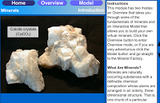
The University of Kentucky's College of Arts and Sciences has a nice interactive activity about silicate minerals. The activity has an overview section in which students read about the structure of silicate minerals before moving to attempt to create silicate mineral models. There are three models for students to try to construct in the simulation.
Learn Chemistry is a production of the Royal Society of Chemistry. The purpose of Learn Chemistry is provide educators with resources for teaching chemistry lessons to students of all ages. The database of instructional resources has more than 2,700 entries organized according to topic, age of students, and media type. This set of simulations on Learn Chemistry is a good place to start your exploration of what Learn Chemistry has to offer.
This post originally appeared on Free Technology for Teachers
if you see it elsewhere, it has been used without permission.
Related StoriesIdentifying Birds - A Fun Summer Learning ActivityAn Augmented Reality App for Learning About NatureRiddle Adds New Features for Building Image-based Quizzes
Richard Byrne
.
Blog
.
<span class='date ' tip=''><i class='icon-time'></i> Aug 05, 2015 10:57am</span>
|