Blogs
|
John Smith likes to work on his vacation, it seems. Thanks to him, we now have an editable version of Chapter 10 of Digital Habitats… which in essence is a collection of all the worksheets from the book. I’ll let him explain! This is from the book blog.
We wrote Chapter 10 of Digital Habitats as a combination summary of the whole book and as a workbook that organizes the content in a roughly chronological / process order (instead of the logical, expository order we use in the book itself). We imagined that people would copy pages of the book and write their responses on paper. And we published a PDF version that you could print out and write on as well. But we’ve found that it’s useful when people complete it together, discuss it, and share it at several different stages of "completeness."
Step 1: View the Google Doc version using this URL: http://bit.ly/DH-chapter10
Recently a group of students in the Foundations of Communities of Practice workshop completed a Word-Doc version of Chapter 10. It turned out that the process of responding to the questions was very useful to them and the results were very interesting to compare, even thought the communities represented seemed quite different one from another.
Being able to write in the Word Doc was more useful than the PDF version because the boxes could expand according to how much there was to say about a particular topic for a particular community. (And in one community that was at a very early stage of development, it was useful to complete just the front end and skip the rest of it.)
Here’s how to make a copy so you can work through the questions that are relevant to your community using Google Docs:
Step 2: Save your own copy of the document
Point your browser to the original:http://bit.ly/DH-chapter10 . You can’t edit the original version, but anybody can view it. Log in to Google Docs. (See Step 1.)
Save your own copy of the document by selecting "Make a copy" on the drop-down menu under "file". (See Step 2.)
Find your new copy in your list of Google Docs and begin the hard / fun part: thinking through all the issues discussed in Chapter 10! (See Step 3.)
Step 3: Edit your copy, discuss, and share.
We are considering having some systematic group discussions in CPsquare, comparing completed responses for many different communities. I anticipate that the issues raised in Chapter 10 will be challenging and difficult for some communities, obvious for others, and irrelevant for some. Understanding more about those differences should be very useful to all of us.
If you have a completed workbook that you would like to present, please let me know. Either way, stay in touch!
via Digital Habitats: stewarding technology for communities » Editable version of Chapter 10 - Action Notebook.
Thanks, John!
Nancy White
.
Blog
.
<span class='date ' tip=''><i class='icon-time'></i> Aug 19, 2015 12:19am</span>
|
|
It is that time of year. Accounting. Cleaning. "Fresh start!" Ha! I found this article among the debris. I am interested in failure as a productive practice. I am loving that people are considering FailFairs and there are various websites devoted to sharing failure stories. (Oops, this one appears to have… FAILED!) What is your most productive failure story? Pointers?
One of my current notable failures is the failure to turn draft blog posts into finished posts. There are over 240 in my queue. Hmmm….
Edit: Jan 7. Found another failure article while cleaning. Hmmm…
Nancy White
.
Blog
.
<span class='date ' tip=''><i class='icon-time'></i> Aug 19, 2015 12:19am</span>
|
|
I’m thrilled to learn that the Group Pattern Language Project has released the Group Pattern Language deck ….and happy to add the deck as an an update to this post from 2010: Facilitation Card Decks.
I was part of the initial team, but honestly, I struggled with the discipline of writing patterns. My brain kept on spotting exceptions so I fell off the wagon after the first meeting. But I kept supporting from the side because I sensed this team really got something I simply could not grasp. Now their hard work has borne fruit. Here are a few snippets from the web page.
Welcome to groupworksdeck.org, the website about the Group Pattern Language Project’s exciting new deck of 91 full-colour cards to help facilitators and participants make their group process work more effective. The deck is accompanied by a 5-panel explanatory legend card and a booklet describing the purpose of the deck, how it evolved, and some ideas for games and other activities using the deck.
Find out more about the deck.
Buy a copy of the deck, or download a free PDF copy.
Donate to the project, to help us develop additional tools to help facilitators and group process workers.
Join our mailing list to keep up to date on what’s happening on the project.
Learn about the mobile/phone app.
Contact us.
The cards, besides being quite lovely to look at, are a great way to stimulate our thinking about how we interact with others, how we design gatherings and how we work together. Look at a few of their suggestions on the about page.
Suggested Uses:
1. For group learning or teaching of facilitation skills
Deal out the cards randomly, so that each person is holding a portion of the deck. Have someone read, tell, or invent a story about an event:
(a) that was well-facilitated,
(b) that was poorly facilitated, or
(c) that they will be facilitating in the near future.
Have participants call out when the cards in their hands correspond to patterns that:
(a) were used in the well-facilitated event,
(b) could have been used to improve the poorly-facilitated event, or
(c) might be used in the upcoming event.
2. For post-event reflection and debriefing
Lay out all the cards so everyone can see them.
Tell the story of the recent event. As you do, identify which patterns were invoked and which might have been more effectively invoked.
3. For a team preparing for a facilitated event
Place a large display board at the front of the room. In the rows, list the nine categories; in the columns, list time stages: "pre-event planning," "beginning of the event," "middle of the event," "ending of the event," "follow-up."
Sort the cards by category. Hand out the category stacks to individuals or groups on the team.
Have someone describe the upcoming event: the objective, background, possible obstacles to success, etc.
Invite team members to select patterns in their category that could be used at each stage, and post the corresponding card in the appropriate row or column of the board (using a non-permanent adhesive).
Once complete, review the full arrangement on the board and discuss as a group whether it presents an appropriate strategy for the upcoming event.
4. For intuitive guidance—using the cards as an oracle or fortune-teller
Can be done as part of preparing for an event or a during a break.
Focus on the situation you are seeking guidance for, turning it over in your mind. Draw one card to give you inspiration for how to proceed. Or choose a tableau to apply. For example, five cards might represent, in sequence: (a) the context/past situation, (b) current influences, (c) the current challenge you face, (d) unexpected future influences, and (e) outcome/resolution.
Use the cards personally or as a group to divine your current situation, future fortune, or what to do next. Let your minds and imaginations and the group conversation guide you to what it all means, and have fun with it!
5. For creating a case study to present in a class or workshop
On a board or flipchart, create a blank Storyboard with dates and/or times shown across the top.
In time sequence, tell the story of what happened, writing key events and facts on the Storyboard. As you do, post the card for the pattern that was used at that key point onto the Storyboard (using a non-permanent adhesive).
6. Assignments during a group session
As people walk in the door, or once everyone has assembled, give each person one random card and ask them to take responsibility for bringing that pattern into the group session as needed.
7. For self-assessment and self-directed learning
Lay out all the cards. Identify which patterns you feel most competent using, and which you would like to become better at.
A. Personal Development Activity
Each week, select one pattern from the second list, and think about how you have used it in the past, could have used it, and might use it in future. Keep it in a place where it’s visible and refer back to it at various points during the week. Research situations where it has been used in an exemplary way. Make a point of observing when it gets used in an event or activity you participate in, and how the facilitator effectively invoked it (or not). (NB: If you are a facilitation teacher, you might similarly assign certain patterns to your students to study and research.)
B. Group Development Activity
Sit in a circle around the cards laid out. Give each person one or two sets of tokens (coins, paperclips, etc.). Invite each person to lay tokens on: (a) the patterns they feel strong in already, and (b) the patterns they would like to get better at. Take turns sharing about why you chose the patterns you did. Teach each other by having the more competent group members tell stories and suggest approaches and exercises, and go to this website for further resources.
8. Methodology Mapping
If you are an experienced practitioner of a particular process method (e.g. Open Space Technology, Appreciative Inquiry, Future Search, etc.), you can use the cards to map that method. Choose 5-12 cards that you think are most important or that tell the story of how that method works. Then from that set, choose 1-3 cards to put at the very centre, the patterns that express the vital core of that method. Use this to explain the method to others, from among your colleagues or on our website.
9. In the middle of an event when the group is stuck
The deck can be used for "getting unstuck" in a variety of ways—by having the group reflect and talk about patterns that might be invoked (perhaps handing out the cards and/or displaying the full list of patterns), by guerrilla facilitation of someone in the group describing an "escape pattern" and then leading the group to invoke it, or by drawing an "oracle" card as in use (4) above.
I immediately wanted to start trying some of these ideas and will use the deck in some upcoming work.
Because I love the people who made these cards, I went out and bought 10 sets … some to use, some to give to clients and some to set free. I want to give four sets away to readers of this blog who help get the word out about the deck.
If you would like a set, please post a blog post about the deck and how you might use it, then leave a link in the comments. Make sure you include a valid email address when you submit your comment (only I will see it) as I’ll use that to contact you to get your address/mail you the deck. First four, folks! Starting NOW!
Edit: January 12th. The Decks have arrived (THEY ARE BEAUTIFUL) so I’m going to put a deadline of noon PST, January 18th on my offer so I can then send the decks along!)
Nancy White
.
Blog
.
<span class='date ' tip=''><i class='icon-time'></i> Aug 19, 2015 12:18am</span>
|
|
Cleaning the messy office. Cleaning closets. And reviewing my personal technology configuration. In my current case, I’m talking more hardware than software! That’s what I’ve been doing over the slow weeks of early January before client work tends to kick in (and yes, I’m available!)
After cleaning up my office (lots of paper recycled and still two drawers of articles printed off from the net that I can’t quite let go of, organizing accounting stuff, etc…) the next thing I had to deal with is my internet service. I’ve had DSL, orginally through the beloved Speakeasy, but now part of Megapath. I loved the localness and great customer service of Speakeasy, but after about a year of their VoIP service for my phone I started having problems. And they said I needed to buy more bandwidth. I was stubborn. They sold me the package based on the level I bought and it SHOULD work, right? So I dithered for another year, contemplated moving to Quest Fiber, but once CenturyLink took over the complaints scared me away. That left me with Comcast. Sigh. I resisted for years. But we have Comcast for TV service (I am married to a television fan). So after researching, I took the plunge.
But, if I canceled my old Speakeasy internet and phone for my business, I still needed phone service. Comcast pitches the old "six months at a reasonable price," then it balloons. And I don’t use my phone THAN much. So I decided to follow the advice of Eugene Kim (now at his new venture, Groupaya) and port my business line to GoogleVoice, then use the OBI110 device (Amazon associate link - full disclosure) to bridge Google Voice to my regular phone handset (not needed the computer to be on for calls). There are a few little twists to this process, which Eugene has generously captured on his wiki. This link is particularly helpful if you have to port a land line into Google voice via a mobile line, as Google does not port land lines.
So far so good. I purchased the required cable modem as directed by Comcast (Motorola SB6121 SURFboard DOCSIS 3.0). Check. Bought a new router as my two year old router has been needed more frequent resets. (Linksys E3200 High-Performance ) Check. Scheduled install of Comcast 20MBS service for yesterday. Check. Clean out the stereo cabinet where I hope to put all this equipment (and free a little more room in my micro-office.) Check.
Delay leaving for meeting Sunday afternoon to be there when the Comcast tech arrived and … Comcast was a no show. Somehow, it seems, our appointment was cancelled. Now rescheduled for Thursday. Grrr. Am I going to regret this choice?
Today I still went ahead with the line porting. I got a cheap TMobile pay per use sim card, popped it in my old Tmobile handset (unlocked that I use for travel), and ported my business phone to my mobile. That took about 2 days. Today I started the porting process to Google Voice. Now I have to learn the ins and outs of GoogleVoice, how to get voice mail and all the myriad of options. Mamma mia. It ain’t simple.
Then I set up the OBI110 and tested my phone with it. The audio quality was terrible with lots of breakup, but I suspect this is an exacerbation of the problem I’m having with my VoiP from Megapath, so I can’t judge the sound quality until the new internet service arrives. Yes, I’m impatient. I also need to assess if the headset I’m using is fried, further deteriorating sound quality. I’m hard on headsets.
But wait- that’s not the only change. I have been frustrated a the current limitation of our home audio/video system. I want to stream music from my computer, I want to get rid of half the devices cluttering up our tiny living room and I want to bring more music into my daily life, not just when I’m at my computer. So we bought ourselves an 28th anniversary present of a Sony home music system (Sony BDV-E780W Blu-Ray Disc Player Home Entertainment System which we got on sale much cheaper than the current Amazon price - yay! But it still hasn’t shipped. Boo. ) which will replace the Roku box, the BlueRay DVD player, the old Onkyo tuner and trigger my husband to finally remove the VCR that isn’t working from the stack! The five small speakers will replace the huge, ancient (well used, loved and now not so great) speakers, freeing up more space in the micro-living room. We’ll be Freecycling the speakers.
The router I bought has a USB port and I plan to put a large external hard drive on that as my file back up (and if I can configure it with some of the constraints I’ve heard about Comcast) be able to access some of my key files from the road. Then I can also transfer all my audio library so I can stream to the new wifi enabled stereo and play on another remote speaker that, natch, came free with the stereo set. I understand that there are some format constraints with Sony (and which almost caused me NOT to buy it, but it was a weak moment, what can I say.)
The final part of my configuration update will be a new desktop. Since my computer is essential business equipment, I tend to replace it every 2-3 years, donating my old computer to Interconnection here in Seattle. They make it free and easy. Thank you, folks! I bought an iPad2 last summer - my first Apple product — and I hate to admit it, but I love it and use it. A lot. Which has me considering an Apple product to replace my pee-cee. For years, the money I invested in PC software was a major barrier, but I’m doing more and more in the cloud. I open Office much less often and everything else I can use on a Mac. So should I do it? What is the migration path? I have gone to the Apple store a few times considering MacBook pros hooked into my existing ViewSonic 21 inch monitor. Or the slimmer MacBook Airs. But to be honest, where I travel in my work, I rarely have secure places to lock up computers and I hate carrying that much money around. So I travel with cheap netbooks. So do I need a laptop? Why not an iMac all in one? SOOO many decisions. I have not decided on this last step and missed my December 31 deadline (for accounting purposes) so I’m sitting with the question. There is no urgency. It may, however, impact how I set up my remote drive on the hub. Hmmm…
It is no wonder my mom calls me every time she needs to change her tech configuration, or why my husband has me do most of it for him. This takes a lot of time and consideration. Technology stewardship is not for wusses! Even for me, who helped write the book.
How do you manage your personal technology configuration? Any tips or breakthroughs? Please, SHARE!
Nancy White
.
Blog
.
<span class='date ' tip=''><i class='icon-time'></i> Aug 19, 2015 12:18am</span>
|
|
I meant to post this 10 days ago — natch, but here it is…
Take a look at these new years resolutions from Woody Guthrie which came via my friend Steve, who is really smart and seems to resonate with the universe in some mysterious way.
I don’t do resolutions per se. But I have been cleaning my office. And blogging more! (At least until the travel ramps up again.)
Happy New Years!
P.S. See Diego Leal’s New Years video here: http://youtu.be/QI9FoH6rhms
Nancy White
.
Blog
.
<span class='date ' tip=''><i class='icon-time'></i> Aug 19, 2015 12:18am</span>
|
|
I’m continuing cleaning up and adapting my technology configuration this week. Here is part 2!
I confess, I don’t pay nearly enough attention to all the good things flying past me, including things on my own Communities and Networks Connection. In case this is new to you, this is an aggregation project led by Tony Karrer. He set up a system that lets me curate content from a wide variety of bloggers interested in communities and networks (If you aren’t on the list and want to be, drop me a line!). Tony just let me know that Aggregage, the platform that powers has some new features that are now on the Communities and Networks Connection. Announcing the PERSONALIZATION ENGINE! That means that Communities and Networks Connection now allows you to sign-up and have your content personalized based on their interests. You can sign-up via the "Personalize Your Content" button on the right side of the interface shown on the right side of the picture on the right (right, right?).
Tony has explained it well on his site, so I’m quoting the master. He refers to his own aggregation site, eLearning Learning
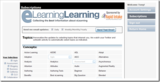
Now with personalization it’s even better. The picture below gives a sense of what’s happening:
Curators handle finding the best sources of content. The system then uses social signals such as those coming from Facebook, twitter, LinkedIn, delicious as well as clicks and views. These are compared to averages for the source and also looks at who is providing the signal, how often they signal things, how often they signal for that particular source, etc. Those aspects existed before and it does a good job of finding great content. You can read a bit more about these aspects in eLearning Learning Launches New Features.
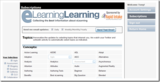
What’s new now is that the site allows you to sign up and provide your Twitter and LinkedIn information. The site will look at your activity on these sites and the content of what you share. It will use that to find interests as well as to cluster you with other users who are like you based on interests and sharing. You can partially control your interests via the Subscription page as shown below:
This will change over time based on your LinkedIn and twitter activity. You can always visit and manually select interests as well. You can read a bit more here: Personalization Explained.
The system then can combine three pieces of information to figure out what will be most interesting to you:
Social signal score - are people in the audience finding it interesting
Topic match - does it match up with your interests
Like sharing - are individuals who are like you sharing this
The system uses these to both rank things on the site and to generate Daily and Weekly newsletters.
The reason that I’m most exited about this is that I partly use eLearning Learning to make sure I don’t miss things that is good content that is relevant to me. Now with personalization, it is even less likely that something will sneak by.
I also personally like the format of the new newsletter.
Give it a try and let me know what you think.
So I’ll add my pitch - give it a try and let me know what you think. In the mean time, here is the best of Communities and Networks Connection 2011
LAUREL PAPWORTH- SOCIAL NETWORK STRATEGY | TUESDAY, APRIL 26, 2011 8 ways to deal with negative comments in online communities
How do you respond to a negative comment in an online community,on Facebook? Shut the Page down, ban the commenter, suck up to them? How about a bitchy tweet on Twitter? Fight with them? Ignore them? Promise to do better? PS: Your marketing intern may not have that skill! Click for larger size. Ignore the negative social media commenter. MORE >> 2945 Tweets
ELSUA | WEDNESDAY, MAY 4, 20115 Reasons Why Activity Streams Will Save You From Information Overload I heart Activity Streams. mean, I * love* them to bits! From the very first beginning that I got exposed to them over at Twitter, over 4 years ago , till today, where I am using a bunch of various different microblogging / microsharing services, both internal and external, I couldn’t work, nor get much done!, without them. live them. Exactly! MORE >> 116 Tweets
JENNY CONNECTED | SATURDAY, JUNE 11, 2011 Recording of Etienne Wenger’s talk Here is the link to the talk given by Etienne Wenger to Lancaster University, UK last month Learning in and across landscapes of practice. This is a long talk and there is a lot in it to digest. Theory. Theory in social sciences is a way of talking about the world. Theories that try to explain everything tend to be reductionist. Identity. MORE >> 31 Tweets
JOITSKE HULSEBOSCH | MONDAY, MAY 9, 2011 Roles in communities of practice Does a learning community or community of practice need roles to function well? Should you officially assign these roles to people or is it best if people spontaneously fullfil certain roles? What about the self-organising power of communities? We thought it would be nice to share some of our thinking in this blogpost. Starting with ourselves. MORE >> 35 Tweets
ALCHEMY OF CHANGE | TUESDAY, APRIL 26, 2011 How "Membranes" Build Great Organizations In this article, you’ll learn about a new way of thinking about organizational boundaries; one that helps connect what’s inside the organization with what’s outside it. You’ll also get a new framework for thinking about the way organizations engage customers, partners, and other organizations. The "Cellular Business". Tweet. MORE >> 101 Tweets
COLLABORATIVE THINKING | MONDAY, JANUARY 17, 2011 Activity Streams: Moving Beyond Event Aggregation
When it comes to 2011 trends, I posted earlier on " Enterprise 2.0: A Transition From Destination Site to Platform Services ". Rather than publish a short list, I wanted to take some time to explore each trend in more depth. In this post, I want to examine the topic of Activity Streams. Level of insight : Inconvenient truth beneath the hype. effort. MORE >> 65 Tweets
FRESHNETWORKS | SUNDAY, JANUARY 23, 2011 15 essential articles for online community managers
Image by moriza via Flickr. To celebrate the second annual Community Manager Appreciation Day , we’ve brought together 15 essential articles for online community managers and social media managers. This collection of articles, resources and thinking should have something for everybody to learn from or to add to. MORE >> 356 Tweets
PORTALS AND KM | MONDAY, JANUARY 24, 2011 What Social Media and Enterprise 2.0 Can Bring to HR Processes
Last week I had the pleasure of doing a webinar with the enterprise 2.0 software firm, Bitrix. We covered "The Business Value of Social Media and Enterprise 2.0" with an emphasis on HR process because of the audience. I want to share with you a bit of my thoughts from that session. Others have taken similar approaches. MORE >> 70 Tweets
MICHAEL SAMPSON - CURRENTS | SUNDAY, MARCH 6, 2011 The Cost of SharePoint = License Fee x9 (It’s a Microsoft Figure)
In response to my post about making SharePoint not look like SharePoint , Mike asked where the figure I quoted came from. He said: " I would also like to see you cite your source for the statistic you quoted. The problem with statistics is that anyone can toss them out but unless you fully understand the context they are meaningless. My Comments. MORE >> 78 Tweets
GREEN CHAMELEON | SUNDAY, MAY 29, 2011 Blog>> The Information Lifecycle
It has been a while now that I talked about my experience of putting incentives for KM initiatives in place. These thoughts are very valid for global activities, though we are starting in our company to look at a second approach: implement knowledge sharing in people’s daily activities without imposing additional work. MORE >> 17 Tweets
The Facebook Pages redesign - what’s changed and what does it mean? EMODERATION | MONDAY, FEBRUARY 14, 2011
7 Levels of Social Media Engagement LAUREL PAPWORTH- SOCIAL NETWORK STRATEGY | THURSDAY, MARCH 10, 2011
The Social Enterprise - Welcome to the Era of Intrapreneurship! ELSUA | MONDAY, SEPTEMBER 5, 2011
Value Creation in Communities of Practice JENNY CONNECTED | TUESDAY, JULY 12, 2011
Various ways to use social media as a facilitator or trainer JOITSKE HULSEBOSCH | WEDNESDAY, MAY 11, 2011
How People Define Smart Organizations: The Biology of Great Organizations Part II ALCHEMY OF CHANGE | TUESDAY, MAY 3, 2011
Changing IT Mindsets From Deployment To Adoption COLLABORATIVE THINKING | MONDAY, JANUARY 24, 2011
How do different age groups interact across the social web? FRESHNETWORKS | FRIDAY, JULY 8, 2011
The Rising Need for Content Curation Skills and Capabilities. PORTALS AND KM | TUESDAY, MAY 10, 2011
Innovation as an Emergent Property of a Value Network VALUE NETWORKS | MONDAY, MAY 30, 2011
The sociable role of social reporters SOCIAL REPORTER | FRIDAY, APRIL 8, 2011
Blog>> Knowledge Management in Intranets GREEN CHAMELEON | SUNDAY, JUNE 26, 2011
What is the Value of a Tweet or Facebook Fan? LAUREL PAPWORTH- SOCIAL NETWORK STRATEGY | THURSDAY, APRIL 28, 2011
How to Use Employee Engagement to Boost Your Business ELSUA | WEDNESDAY, MAY 18, 2011
Attacks on connectivism JENNY CONNECTED | FRIDAY, FEBRUARY 25, 2011
Twiitering = learning? JOITSKE HULSEBOSCH | TUESDAY, OCTOBER 11, 2011
The Deep Science of Cooperation: Martin Nowak ALCHEMY OF CHANGE | THURSDAY, MAY 19, 2011
Enabling Participation: More Art Than Science COLLABORATIVE THINKING | TUESDAY, JANUARY 25, 2011
22 social media management tools - a wiki in development FRESHNETWORKS | TUESDAY, JANUARY 18, 2011
Putting Social Media to Work PORTALS AND KM | TUESDAY, SEPTEMBER 20, 2011
All Work is Networked VALUE NETWORKS | MONDAY, JANUARY 24, 2011
FOSI European Conference 2011 - social networks, education, privacy EMODERATION | WEDNESDAY, MAY 11, 2011
Id Rather Be A Hammer Than A Nail or Nails Come in Boxes EVOLVING WEB | FRIDAY, NOVEMBER 4, 2011
Media Trust explains how local news hubs will work SOCIAL REPORTER | WEDNESDAY, JUNE 15, 2011
9 Ways To Increase Your Productivity While Working From Home ELSUA | MONDAY, MAY 30, 2011
Why Smart People are Reluctant to Share MICHAEL SAMPSON - CURRENTS | SUNDAY, JUNE 26, 2011
So many learning style tests, so little time. JOITSKE HULSEBOSCH | TUESDAY, MAY 31, 2011
A New Approach to Multi-Stakeholder Network Assessment NETWORKING ACTION | THURSDAY, MAY 5, 2011
Enterprise 2.0: A Transition From Destination Site To Platform Services COLLABORATIVE THINKING | TUESDAY, JANUARY 4, 2011
The social media landscape in 2011 - infographic FRESHNETWORKS | TUESDAY, MAY 31, 2011
Social Enterprise Today: Useful New Content Aggregation Site PORTALS AND KM | THURSDAY, SEPTEMBER 29, 2011
How do Social Networks Create Value? VALUE NETWORKS | TUESDAY, MAY 31, 2011
Blog>> Brains Respond to Stories as if They Are Real GREEN CHAMELEON | TUESDAY, FEBRUARY 22, 2011
New guidelines on how to keep online environments safe for children EMODERATION | TUESDAY, FEBRUARY 8, 2011
Presenting to myself on collaboration and social innovation SOCIAL REPORTER | MONDAY, JANUARY 17, 2011
KM, Enterprise 2.0 and Social Business: One and The Same ELSUA | MONDAY, MARCH 28, 2011
Defining Collaboration - 2. Four Types of Work MICHAEL SAMPSON - CURRENTS | WEDNESDAY, FEBRUARY 23, 2011
Twitter for organisations JOITSKE HULSEBOSCH | TUESDAY, FEBRUARY 22, 2011
Launching the Personal Kanban Book EVOLVING WEB | FRIDAY, FEBRUARY 4, 2011
meeting formats JOHN TROPEA - DELICIOUS FACILIATATION | FRIDAY, OCTOBER 14, 2011
Hot Topics for 2011
2011 (4593)
People (2501)
Social (2225)
Share (1603)
Sharing (1603)
World (1555)
Change (1546)
Networks (1534)
Community (1515)
Difference (1467)
Business (1431)
Development (1425)
Management (1349)
May (1324)
Media (1298)
Information (1296)
Open (1240)
P2P (1220)
Learning (1191)
Groups (1181)
Nancy White
.
Blog
.
<span class='date ' tip=''><i class='icon-time'></i> Aug 19, 2015 12:18am</span>
|
|
I subscribe to the Strachan-Tomlinson Question of the Week email which sends out a provocative question (or form of question). They get me thinking and help me with one of THE most important facilitation/leadership/working skills I know of: asking questions. I’m not great at asking questions and am always seeking to improve my practice.
I have been intrigued by questions that help frame responsibility in a group, rather setting up an expectation that the convenors, facilitators, leaders, whatever — are responsible for everything. That is rubbish. This week’s question does that for me:
Question of the week | January 11, 2012
Ask "What is one thing you do not want to see happen
in this session"
This question enables participants to voice their concerns and contribute to norm setting in a group. Responses may also yield potential insights for the facilitator about previous group process experiences of participants. To bring this discussion to a positive conclusion, ask participants what they need to do to avoid what they don’t want to see happen in a session. This will result in people setting positive norms for working together. See Making Questions Work, Chapter 4, "Questions for Opening a Session", p 88.
This reminds me of a question Peter Block asked at the Nexus for Change gathering in 2008. It was something to the effect of "if this meeting (project, etc) were to be a failure, what would your role be in that failure? The guts of these questions all point to the idea of everyone getting "skin in the game." Owning it. Not simply applauding or rejecting from the side. IN THE GAME. It is too easy to sit back and criticize. It is harder to foster the conditions, to create the invitation and ask the questions that get them to engage and own it. That’s why I like these questions.
For more on questions and methods that encourage ownership and responsibility, see:
http://grouppatternlanguage.org/wagn/Inquiry
Some great links on a summary post from Dave Pollard http://howtosavetheworld.ca/2008/05/03/
Related, but moving from collective engagement to collective action from Geoff Brown (Via Dave) http://www.yesandspace.com.au/?p=24
Related, but beyond question, from Peter Block’s FlameCenter’s methodologyThis methodology uses powerful questions and changes the conversations to those that confront people with their choice in accountability and commitment. The six conversations are:
From Mandate to Invitation
From Problem solving to Possibility
From Blame to Ownership
From Lip service to Dissent
From Barter to Commitment
From Deficits to Strengths
Nancy White
.
Blog
.
<span class='date ' tip=''><i class='icon-time'></i> Aug 19, 2015 12:17am</span>
|
|
Today's Google Icon
Via Bernie DeKoven on Google+ comes this fabulous video about how the South African hamburger chain, Wimpys, rolled out their new Braille restaurant menus. Bernie has the talent for finding things that make me smile, but this one goes deeper as well.
I was tempted to use U2′s amazing video of their song about Martin Luther King (1984) as for my "Monday Video" as today is the Martin Luther King Jr. holiday here in the US. But I like the actions of the Wimpy video. Actions that speak, as they say, louder than words. Watch first:
The opening bit is "small gestures are worth it." In all my years facilitating and leading, the story of the ACTION almost always comes back to small gestures. It may be big or small ideas that get us going, but the small gestures get us there.
My early geographical community leadership work found legs when I learned things like mirroring to better hear and understand what others were saying - usually with a small gesture that started with eye contact, leaning in to listen, and paraphrasing to work towards understanding. When I first started facilitating online around 1997, the simple act of welcoming and reciprocating opened up the magic of text based asynchronous conversation. As I returned to more face to face meeting facilitation, again the gestures of showing that I was listening, of helping make the act of "being heard, seen and loved" central to group interaction proved powerful. More powerful than any method or tool.
I’m sure you have stories of the power of small gestures. I’d love to read them in a comment or through a link.
Sometimes small gestures take the tiniest amounts of thought and energy. Sometimes they are deep, profound gifts (like placing sesame seeds on a bun to spell in Braille.) What I know, is they are worth it. Happy Martin Luther King Jr. Day.
Nancy White
.
Blog
.
<span class='date ' tip=''><i class='icon-time'></i> Aug 19, 2015 12:17am</span>
|
|
Michelle Laurie and I are excited to announce the 3rd annual graphic facilitation workshop (aka Rosviz!) in beautiful Rossland, BC, Canada, July 18-20th, 2012. We had so much fun at #1 and #2, we are going for #3! (See Sylvia’s great video from #2 here.)
Drawing on Walls at the 2011 Graphic Facilitation Workshop in Rossland, B.C.
You are invited to this experiential workshop which takes place almost entirely at the drawing surface!
We’ll start the evening of July18th by warming up our drawing muscles and silencing those pesky inner censors. The second day, we’ll build into the basic practices of graphic facilitation and recording. We will pay attention to preparation, the actual visual work, and follow up including digital capture of paper based images. Our third day will be devoted to participatory graphic approaches, practicing and giving peer feedback. You can expect to go away with icons, ideas and approaches which you can use immediately, as well as ideas about how to hone your practice.
When might we use this practice?
Sometimes our imaginations are sparked by a visual where words fail us. Think about when communities plan and imagine their futures, when teams consider the possible outcomes for their projects, when groups create maps to track their progress. These are all opportunities to use visuals to engage and deepen community dialogue. You can use visual thinking to improve teamwork, communications, meetings, build engagement and to plan work. Step out of the PowerPoint rut!
Who should attend?
Facilitators, project managers, team leaders and members, town planners, teachers and anyone who would like to engage others beyond words.
Please Note: You do NOT need previous experience or have to consider yourself an artist. At some level, we can all draw and use visuals to enhance our communications and engage diverse audiences.
Quick details: Michelle will be hosting and we’ll both be co-facilitating. This 2.5 day workshop begins the evening of Wednesday, July 18th and ends mid-afternoon on Friday, July 20th. Early bird pricing before April 1st is CA $690.00 and is CA $840.00 thereafter. Email Michelle to register: michelle.k.laurie(@)gmail.com.
via Workshop Alert - Rosviz is back! | Michelle Laurie rants and raves.
Nancy White
.
Blog
.
<span class='date ' tip=''><i class='icon-time'></i> Aug 19, 2015 12:17am</span>
|
|
[Edit Feb 23: The notes and recording link of this event can be found here: http://faciliteeronline.nl/2012/02/the-spidergram-for-getting-started-with-and-evaluating-communities/comment-page-1/#comment-7704]
Next week I have the great pleasure of facilitating a webinar for some Dutch colleagues of mine. In preparation, they asked me to put together a bit of background to prepare folks for our conversation. I decided to share it on my blog as well, in case any of you, dear readers, had additional insights to add. In other words, walking the "network talk!" [Edit Feb 20 - see the great pre-event comment stream here: http://faciliteeronline.nl/2012/02/digital-habitats-technologies-for-communities-webinar-with-nancy-white/]
The group I’ll be conversing with is a group of 12 people who are involved in learning and change processes in their organizations or with their clients. (This reminds me of Beth Kanter’s Peeragogy.) They are on an 8 month learning journey and have been exploring things like social media (which reminded me of this post on how I use social media - albeit a bit dated), communities of practice, online communities and the like. Now is the time to start weaving across those technological and process areas. So a perfect time for community technology stewardship!
As we prepared for the webinar, some of the random potential bits for discussion included the practice of tech stewardship, the pros and cons of "hopping across technologies," the tension between thinking about the platform AS the community instead of the people — especially distributed communities, what it means to ‘be together" as a distributed group, more on online facilitation, and how to identify community activities and tools useful in supporting those activities. The webinar will focus mostly on the latter and we’ll use the Activities Spidergram from "Digital Habitats: stewarding technology for communities," as a learning tool. But to set the stage, I wanted to write a bit about the other topics. Sort of a lead in to the activities conversation. At the bottom of this post, I’ll link to all the artifacts we’ll use next week. And if someone prompts me, I’ll return after the webinar to post an update in the comments! (That means — show me you are interested/care!)
What it means to be together using technology
Groups, communities, pairs, networks are all about people connecting, being together in some way. In the "olden days" this meant being together face to face augmented by these artifacts which carried documentation of our being together called books, and letters that we slowly exchanged with each other via land based transport. Today we spend time with each other online — not just face to face. That may look like reading, replying to or retweeting messages via Twitter, interactions on Facebook, email, blogs, Skype, YouTube, Pinterest or any of hundreds of web based platforms. These platforms convey and hold the artifacts of our interactions. They are the digital traces of being together. But the EXPERIENCE of being together is something we create in our own minds as we navigate these artifacts. Without conversation with others, we may find our individual experiences of "being together" are, in fact, not at all similar. So the first key here is that being together, even technologically mediated, implies that we have to reflect - at least a little bit - about shared or different experiences. Otherwise we may not be "being together." Sense-making is critical. So if I’m designing or facilitating a social strategy using online tools, I had better darn well design in process to facilitate reflection, sense-making and other similar types of conversations. Yes, conversations, which implies active listening — something you can’t always see or have in pure social media actions.
One of the tough things about all this is how to understand what is working. Is there really connection? We tend to compartmentalize the tech into things like page views. But does that tell us about our quality of being together? Of learning? Of getting things done? Not really. So in thinking about being together in this age, we need new frameworks for assessment. A nice intro to thinking about communities and how to evaluate them comes from a short video from the USAID KM Impact Challenge
Hopping across technologies
If you accept my first proposition that being together requires some sort of sense-making/reflective aspect, lets add on a layer of complication: hopping across different tools and technologies. So not only are we not face to face, but we don’t necessarily interact as a full group, nor on a single communications tool and this may (and usually does) vary over time. Community’s technological configurations change over time. Let’s pick this apart a bit.
1. There is rarely just one tool. From Digital Habitats we framed the idea of configuration this way: "By configuration we mean the overall set of technologies that serve as a substrate for acommunity’s habitat at a given point in time—whether tools belong to a single platform,to multiple platforms, or are free-standing." For example, we may have a NING site, but we talk to each other on the telephone and no one every identified the telephone as an official community tool. Look around. Our configurations are rarely as simple as they look. Observe and notice what people are using. Explore if there is a shift from the official platform to others and use that usefully, rather than as a distraction.
2. Togetherness does not imply only full group interactions. Side conversations and "back channel" are an intrinsic and important part of a community’s communication ecosystem. We talk about "capturing" knowledge and having everything in one place, but the reality is that communities have all types of conversations and interactions. Some should stay small and private. Some should be captured and shared. And some will just happen. The key is that people are connected enough so that they DO happen. The interaction has primacy over the container or the captured artifacts … even if this seems counter-intuitive at times.
3. People start where they are technologically comfortable, and move to what serves them over time. Now this may seem like a repetition of #1, but what I’m getting at here is change in technologies is actually part of the life-cycle of many communities rather than an aberration or fatal disruption. (Though, yeah, it can be fatal, but less often than we might expect!) The key lesson here is start where people are "now" and let the needs of the community, its appetite (or not) for experimentation and change drive the platform evolution.
4. A change in technology may intrinsically change the interaction. In our research for "Digital Habitats" we noticed that not only did technology change communities, but communities changed technologies. When members wanted or needed something, they invented new ways of using tools or scrounged for new ones. When the motivation to do something together becomes more urgent and compelling than the platform, it’s affordances or constraints, you know something good is going on. So attention to the community’s domain, community and practice (see that video above!) should be front and center. Technology supports.
Technology stewardship
So if technology changes what it means to be together, if technology choices change over time, it is logical that stewarding that technology becomes part of the life of the community and there is an association between the people who do this and a role — a role we call technology steward. Technology stewards are people who know enough about technology to help scan for, select and implement tools and enough about their community to know what they need and what they want/can tolerate. This is not the traditional IT person or pure geek, but someone who straddles these two domains of knowledge and practice. They are bridgers. (You might enjoy this 6 minute audio from Etienne Wenger, John Smith and I on tech stewardship. ) For example, consider the person who can observe how others use a tool (even if it is different than how they themselves do), notice how it can be valuable to the community and share that practice with others. (An ethnographer!) You have to know the tool, but to observe and understand the practice — that is the magical sweet spot. (For an example, see John Smith’s post on Skype.) Most of us who find ourselves in this role are in it accidentally. I think that is significant!
Community activities and their technological support
So this leads me to the bridge to our webinar next week. Flowing directly out of this idea of technology stewardship is the need for ways to identify important community activities as a precursor to selecting and deploying tools. In the work writing Digital Habitats we identified 9 community orientations which comprise sets of activities that we found happening pretty commonly across different kinds of communities. This slide deck gives a brief overview.
Digital Habitats Activity Orientation Spidergram Activity Cg
View more presentations from Nancy White
A couple of key things the spidergram exercise has taught me are: 1) observe your community with an open mind rather than through your own preferences. I, for example, love asynchronous conversations, yet in many of my communities, they would not thrive without telephone calls. 2) You can’t prioritize all 9 orientations all at once, but they may shift over time. This impacts community leadership, facilitation, and technology. So as always, this is not primarily about the tech, but about the community. That seems like a "no brainer" yet time and time again we fall into the technology seduction trap! That leads us to community facilitation, but we’ll have to save that for another day!
I’ll be asking the group to read Chapter 6 of Digital Habitats and then begin to fill out a spidergram for a group or community they belong to or work with. I’m also inviting them to post questions here or over at their group blog. But for the rest of you, what sort of advice would you offer for those trying to steward technology for their community? Post in the comments, please!
Resources
Digital Habitats:stewarding technology for communities book and blog
Worksheets from Digital Habitats (pdf and copy-able- Google Docs with instructions here.)
Spidergram worksheets
More on the Spidergram
Technology for communities wiki on CPSquare
Nancy White
.
Blog
.
<span class='date ' tip=''><i class='icon-time'></i> Aug 19, 2015 12:17am</span>
|