Blogs
|
For many years, Office on Windows has offered users the ability to embed fonts within electronic documents such as Word documents or PDF files. However, we often get questions about the font embedding feature and today are providing you with details on what font embedding is and how you can use in your electronic documents.
Put simply, font embedding is taking a digital font file and including it within another digital file. Usually when people refer to font embedding they are talking about document font embedding. Document font embedding ensures that the recipient of a document can view it properly even if they don’t have the fonts you used to create it installed on their machine.
How to take advantage font embedding
Font embedding settings are usually included as an advanced option under the document "Save" or "Export" menus of Word, PowerPoint and Publisher and can be enabled by selecting the Embed fonts in the file checkbox.
Fonts types that can be embedded within documents
All TrueType and OpenType fonts have "embedding permissions" encoded within them, these are typically set by the font’s supplier, and are defined as part of the OpenType font file specification. There are a number of settings, but the main ones of interest are as follows:
No embedding—The font supplier does not allow embedding. These fonts are quite rare.
Print and preview—The font supplier allows for embedding but the document is locked and cannot be edited. Most third-party fonts have this setting.
Editable—The font supplier allows the font to be embedded within a document and allows the document to be edited using that embedded font.
Installable—This is the most permissive setting. The font supplier allows the font to be embedded within a document, and permits the document viewing application to permanently install the font on the user’s computer. Most applications treat these fonts like those set to Editable embedding.
Embedding fonts supplied with Windows and Office
The end user license agreement for Office includes a font section that permits document font embedding using the fonts supplied with Office, while Office is running and based on the embedding permissions encoded within each font. These documents can be shared, posted and redistributed just like documents that don’t include embedded fonts. Most of the fonts Microsoft supplies with Office are set to "Editable" embedding, meaning documents can also be edited by recipients. Microsoft license agreements can be found here.
Embedding third-party fonts
Although an application that properly supports font embedding, as Office does, will respect the embedding permissions defined by the font supplier when embedding a font in a document file, you will need to review the license you agreed to when you obtained a third-party font to make sure your use is in compliance with that license.
Embedding fonts within a document will increase the file size of the document, and some fonts can be quite large. To minimize the file size of documents that include embedded fonts, select the Embed only the characters used in the document checkbox.
Support for font embedding within Office is limited to the Windows desktop versions of Word, PowerPoint and Publisher and is not supported on the Mac OS, iOS, Android or web versions of Word or PowerPoint.
The post Document font embedding demystified appeared first on Office Blogs.
Office Blogs
.
Blog
.
<span class='date ' tip=''><i class='icon-time'></i> Aug 23, 2015 08:24pm</span>
|
|
It’s an exciting time for Skype for Business as we deliver communication-powered productivity in Office. In the last few months, we’ve delivered the Skype for Business client for Windows, the new Skype for Business Server, and Skype for Business Online in Office 365. And just last week, we announced previews of new meetings and voice capabilities in Office 365 through the Skype for Business Preview Program.
Today we’re pleased to announce the availability of the Skype for Business app for Windows Phone.
What’s new—intuitive interface, more emoticons, improved server communications
If you are familiar with the Lync app for Windows Phone, you’ll notice a number of enhancements in the new app. The most noticeable differences right off the bat are the Skype for Business brand and UI, which is intuitive and familiar if you happen to use Skype in your personal communications. We’ve also revamped emoticons, which now offers over 100 emoticons to land your message visually.
We have improved how the app and the server handle conversation notifications. Once you’re notified of a new conversation on your phone, the other clients you have logged in won’t be able to grab the conversation and prevent you from responding on your phone.
We’ve also enhanced security with at-rest data encryption, so your conversation history and voicemail is encrypted by default.
And your most recent conversations are now synchronized across devices whether they took place on your PC, tablet or phone, as long as you’re running the latest server software. We’re working hard to enable that for Office 365 users as well, so stay tuned for more news to come.
How you can upgrade today
Most people who have the Lync 2013 app on their Windows Phone will be automatically updated to the new Skype for Business app, but here are the particulars depending on which version of Windows Phone you use:
If you have a Windows Phone 8.1 and higher but do not have the Lync 2013 app, you can download the new Skype for Business app in the Windows Store.
If you have Windows Phone 8.1 and higher and currently have the Lync 2013 mobile app, the new Skype for Business app will replace your existing app and tile automatically.
If you have Windows Phone 8.0, you will continue to use Lync 2013 or Lync 2010, which remains compatible even if your organization is running the new Skype for Business Server.
We hope you enjoy the Skype for Business app for Windows Phone!
The post Skype for Business Windows Phone app is here! appeared first on Office Blogs.
Office Blogs
.
Blog
.
<span class='date ' tip=''><i class='icon-time'></i> Aug 23, 2015 08:24pm</span>
|
|
Today’s post about Office 365 was written by Gordon Loeb, chief operating officer at Loeb Consulting Group.
Loeb Consulting Group grew out of my wife Natalie’s expertise and passion about helping people reach their potential at work. It all started about 17 years ago, when Natalie began consulting for the law firm where she had worked as a training manager designing professional development programs. Her drive to help people achieve as much as they can in the workplace and enjoy what they do is responsible for the growth of her consulting business.
I joined her full-time about two and a half years ago, and today, with four employees and 25 consultants working across the United States and in the United Kingdom, Loeb Consulting Group has reached a juncture in its evolution. At this critical moment, it’s essential for us to look professional and to have sound business practices and a reliable, scalable infrastructure so we can attract new investors and partners. That’s why we use Microsoft Office 365 business productivity tools.
Our in-house training department, one-on-one executive coaching sessions, management and leadership development workshops, and student leadership programs are all expanding. Natalie travels a lot for leadership coaching and to meet with clients, partners, and consultants, and I’m transitioning to more of a business development role. We are bringing on a business consultant and expanding our services. All this would be a lot more difficult to manage without the communication and collaboration services in Office 365.
We have standardized company email addresses for our staff and consultants, so the firm presents as a cohesive group with a consistent brand and a high level of professionalism. Previously, consultants used their own email addresses and it was difficult to share calendars to arrange meetings. It took a while to bring a consultant on board, even for a short-term project. Now we have a seamless process for signing up consultants in Exchange Online, so we can onboard them quickly to meet client requirements.
These changes have been helpful, but the collaborative possibilities available in Office 365 will make the biggest difference to how we work as a team. This is a document-heavy business; we coauthor proposals, presentations, and articles and share files constantly with consultants, partners, and customers. With Office 365, we can store all our Microsoft Office files securely online, then access and share them internally and externally anytime on any device using Microsoft OneDrive for Business. Natalie and I have Office 365 ProPlus, which enables us to run the latest version of Office on all our devices. We look forward to knowing that any edits we make to a file will be saved to the cloud, and that we can access the current version later on a different device. Now we can coauthor drafts using Office Online to access files directly from the browser. Creating proposals will be so much easier because we won’t be sending versions around as email attachments.
We also plan to use Office 365 to help our business accommodate a growing trend in the training and leadership development market: e-learning. While nothing can replace the benefits of in-person one-on-one mentoring, we believe that the videoconferencing feature in Skype for Business will be an effective way to supplement our in-person sessions. Natalie will also use videoconferencing to connect with clients and to debrief with consultants immediately after a public workshop series, so we can understand if there are areas that we can improve upon going forward. And when we set up team sites using Microsoft SharePoint Online, we will be able to collaborate with our partners more closely to keep them apprised of our client interactions and conversations so we can coordinate our efforts more effectively. These solutions will also save Natalie a lot of travel.
The scalable, cost-effective business productivity solutions in Office 365 are helping us grow, and they will be the foundation for our business as we head into this period of transition. In a way, Office 365 reflects what we do at Loeb Consulting every day: help people achieve as much as they can in the workplace—and enjoy what they do.
— Gordon Loeb
The post Management consulting firm picks Office 365 at critical growth moment—driving professionalism, productivity, and collaboration appeared first on Office Blogs.
Office Blogs
.
Blog
.
<span class='date ' tip=''><i class='icon-time'></i> Aug 23, 2015 08:23pm</span>
|
|
Today’s post was written by Ketaki Deshpande, senior program manager and Tom Kaupe, principal program manager, for Office 365.
As companies move their data to the cloud and employees use a growing number of devices to get their work done, many organizations are facing new challenges across security, privacy and compliance. That’s why we are continually investing to provide our customers with greater visibility into actions taken on their content and greater control over access to their data in Office 365.
We are pleased to announce the rollout of new activity logging and reporting capabilities for Office 365, including the Office 365 activity report, comprehensive logging capability, PowerShell command or cmdlet and a preview of the Office 365 Management Activity API.
Let’s take a look at how each new capability provides you increased transparency, allowing you to monitor and investigate actions taken on your data, and comply with laws and regulations.
Office 365 activity report
The Office 365 activity report enables you to investigate a user’s activity by searching for a user, file or other resource across SharePoint Online, One Drive for Business, Exchange Online and Azure Active Directory, and then download the activities to a CSV (comma separate values) file. You can filter by date range, user, file/folder and activity type. This feature is especially useful for compliance reporting purposes for companies that are in highly regulated industries such as pharmaceuticals and financial institutions. Please see the Frequently asked questions below for information on when you can expect to see this feature.
Please refer to the Run the Office 365 activity report article that gives you step-by-step instructions on how to use this report.
Comprehensive logging capability
User and admin activity events are logged across SharePoint Online, One Drive for Business, Exchange Online and Azure Active Directory. This is useful for helping to see what types of files a user has been sharing with others in the organization.
Today, you can search on over 150 events (with more coming soon), including file views, mailbox owner activity, Azure Active Directory log ins and many more. In the future, we plan to expand these capabilities to include activities in other Office 365 services, such as Yammer and Skype for Business.
Please refer to the Run the Office 365 activity report article for step-by-step instructions on how to retrieve this data.
Search PowerShell cmdlet
Another new way to search activity logs is with PowerShell, using the Search-UnifiedAuditLog cmdlet, which enables you to run scoped queries against the audit storage log, such as by date, record type, operation and file extension. This cmdlet also lets you export those logs to a file. For example you could run the following cmdlet to search user activity logs for all events from May 1, 2015 to June 26, 2015:Search-UnifiedAuditLog -StartDate May 1, 2015 -EndDate June 26, 2015Please refer to the Search-UnifiedAuditLog article to find out more about this cmdlet and how it can help you form scoped queries to get the data you are looking for.
Management Activity API
Finally, we’re excited to announce the preview of the Office 365 Management Activity API, which allows organizations and other software providers to integrate Office 365 activity data into their security and compliance monitoring and reporting solutions. Visit the Office Dev center to register for the preview. Participation is currently limited, but our goal is to incrementally open the preview to everyone who’s interested.
Also, check out these resources on MSDN to learn more about developing an app using the API:
Getting started guide, which walks you through the steps necessary for configuring your application in Azure Active Directory and obtaining admin consent to enable OAuth authentication.
Activity API reference, which describes the operations and syntax to call the API.
If you have questions about the Activity API or OAuth configuration in Azure Active Directory, please ask your question on Stack Overflow and tag it "office365."
These new logging and reporting capabilities represent just some of the enhancements we’re delivering to provide you with greater transparency and control over your data in Office 365. For more information about our trust principles and how we manage security, privacy and compliance, please visit the Office 365 trust center at trust.office365.com.
—Ketaki Deshpande and Tom Kaupe
Frequently asked questions
Q. When are these capabilities rolling out to Office 365 customers?
A. These capabilities will be rolling out starting this month. Please check the Office 365 public roadmap to get updates.
Q. How will I know when the new activity logging and reporting capabilities are available for my tenant?
A. Once the functionality rolls out, expect to see the Office 365 activity report link in the Reports section of the Admin Compliance Center. Please refer to the Run the Office 365 activity report article for help on how to use this report.
The post Announcing new activity logging and reporting capabilities for Office 365 appeared first on Office Blogs.
Office Blogs
.
Blog
.
<span class='date ' tip=''><i class='icon-time'></i> Aug 23, 2015 08:23pm</span>
|
|
Today’s post was written by Kirk Koenigsbauer, corporate vice president for the Office Client Applications and Services team.
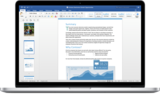
Today we are taking a big step forward for Mac® users—Office 2016 for Mac is now available in 139 countries and 16 languages. Based on feedback from the great Mac Office community, we’ve made major updates to each of the apps, and we couldn’t be more pleased to deliver it first to our Office 365 customers.
Unmistakably Office, designed for Mac
The new versions of Word, Excel, PowerPoint, Outlook and OneNote provide the best of both worlds for Mac users—the familiar Office experience paired with the best of Mac.
If you already use Office on a PC or iPad, you will find yourself right at home in Office 2016 for Mac. It works the way you expect, with the familiar ribbon interface and powerful task panes. Mac users will appreciate the modernized Office experience and the integration of Mac capabilities like Full Screen view and Multi-TouchTM gestures. With full Retina® display support, your Office documents look sharper and more vibrant than ever.
Office for Mac is cloud-connected, so you can quickly get to the documents you’ve recently used on other devices and pick up where you left off. New, built-in document sharing tools make it easy to invite teammates to work on a document together. When sharing documents, you won’t have to worry about losing content or formatting, as Office for Mac offers unparalleled compatibility with Office on PCs, tablets, phones and online.
Five modern, first-class applications
Word for Mac—Word’s powerful writing and reviewing tools make it easy to create great-looking documents. The new Design tab lets you easily apply designer-quality layouts, colors and fonts throughout your document. You can work on the same document simultaneously with your teammates and use threaded comments to have a conversation right next to the corresponding text.
Excel for Mac—The new Excel for Mac helps you visualize your information by recommending charts best suited for your data with chart previews. Familiar keyboard shortcuts, autocomplete and an improved formula builder save you time when creating spreadsheets or entering data. For deeper analysis, new PivotTable Slicers help you filter large volumes of data and discover patterns.
PowerPoint for Mac—PowerPoint’s improved Presenter View gives you full control when you present by showing you the current slide, next slide, speaker notes and a timer on your Mac screen, while the audience only sees your presentation on the big screen. The new animation pane helps you design and fine-tune animations, and the latest set of slide transitions add polish to your presentations.
Outlook for Mac—Managing your email, calendar, contacts and tasks has never been easier. The new Outlook for Mac has push mail support so your inbox is always up-to-date. The improved conversation view automatically organizes your inbox around threaded conversations, so you won’t have to hunt for related messages. And the new message preview shows you the first sentence of an email just below the subject line so you can quickly decide if you want to read it now or come back later.
OneNote for Mac—OneNote is the newest addition to Office for Mac. You can capture your ideas in digital notebooks and access them on any device. Find things quickly with the OneNote search engine that tracks your tags, indexes your typed notes and recognizes text in images and handwritten notes. Bold, italicize, underline or highlight notes, insert files, pictures and tables and organize your notes however you want. You can also share notebooks with friends, family or colleagues so everyone can work together on travel plans, household tasks or work projects.
Made better by Mac users
The customer participation in our Office for Mac preview since its launch in March exceeded our expectations, making it our largest Office for Mac beta ever. Many thanks to everyone who participated in the preview program and helped us improve the product.
Mac preview participants provided us with over 100,000 pieces of feedback. Based on this feedback, we released seven updates in four months with significant improvements in performance and stability. We also added features like improved Mail Merge in Word, Propose New Time in Outlook and support for External Data Connections in Excel.
And the best news is that Office for Mac will continue to see ongoing improvements over time. We plan to release updates and new features for Office 365 customers at least once per quarter.
Available today for Office 365 customers
Office 365 subscribers can get the newest version of Office for Mac today. All you need is an Office 365 subscription (Office 365 Home, Personal, Business, Business Premium, E3 or ProPlus), which includes the rights and access to use Office applications on Mac, Windows, iOS and Android devices, along with additional value in OneDrive and Skype.
Here are a few different ways to get Office 2016 for Mac today:
Already an Office 365 customer? On your Mac, just browse to your account page (office.com/myaccount), sign in and follow the installation instructions. If you have Office 365 through your organization, go to portal.office.com/OLS/MySoftware.aspx.
Are you a student? You may get Office 2016 for Mac for free or at a substantial discount. It takes only 30 seconds to find out at office.com/student.
Otherwise, go to office.com/mac or buy an Office 365 subscription at your local retailer.
Office 2016 for Mac will become available as a one-time purchase option this September.
We hope you’re as excited as we are about the new Office for Mac. It’s one of many important releases this summer where we are improving the Office experience across devices and platforms. We released Word, Excel and PowerPoint for Android phones just two weeks ago, which join Outlook and OneNote for Android phones, and we are just weeks away from delivering Office Mobile apps for Windows 10.
Please keep sending us your feedback and suggestions, and we will continue to improve your Office experience.
—Kirk Koenigsbauer
*Apple, Mac, Retina and Multi-Touch are registered trademarks of Apple Inc.
The post Office 2016 for Mac is here! appeared first on Office Blogs.
Office Blogs
.
Blog
.
<span class='date ' tip=''><i class='icon-time'></i> Aug 23, 2015 08:23pm</span>
|
|
In this episode, Jeremy Thake and Richard DiZerega talk to Bob German about micro services.
http://officeblogspodcastswest.blob.core.windows.net/podcasts/EP53_German.mp3
Download the podcast.
Weekly updates
Reddit
Save the date - Visual Studio 2015 RTM on July 20th
An early look at Cortana integration with Office 365
Getting started with adaljs and Office 365 APIs
Troubleshooting SharePoint Add-ins configuration on-premises
SharePoint client-side devs be heard
Office 365 Video Portal API deep dive
Microsoft Garage - Tossup app
Show notes
SharePoint as a Service http://bob1german.com/2015/07/02/sharepoint-as-a-service/
Microservices http://martinfowler.com/articles/microservices.html
Modern Apps and Microservices http://theundocumentedapi.com/2015/01/05/modern-apps-and-microservices/
Get Started with the Office 365 APIs https://msdn.microsoft.com/en-us/office/office365/howto/getting-started-Office-365-APIs
API Management in Microsoft Azure http://azure.microsoft.com/en-us/services/api-management/
Got questions or comments about the show? Join the O365 Dev Podcast on the Office 365 Technical Network.
The podcast RSS has been submitted to all the stores and marketplaces but takes time, please add directly with the RSS http://feeds.feedburner.com/Office365DeveloperPodcast.
About Bob German
Bob German is principal architect at BlueMetal Architects, where he leads SharePoint development and deployment engagements for enterprise customers. Bob has been developing on the SharePoint platform since it was called "Site Server," and is a co-author of SharePoint 2010 Development with Silverlight for Addison-Wesley. Prior to joining BlueMetal, Bob was an architect at the Microsoft Technology Center in Boston. He also worked for Microsoft Consulting Services building and performance tuning websites and other networking solutions. You can follow Bob on Twitter @Bob1German or on his blog at http://bob1german.com/.
About the hosts
Jeremy is a technical product manager at Microsoft responsible for the Visual Studio Developer story for Office 365 development. Previously he worked at AvePoint Inc., a large ISV, as the chief architect shipping two apps to the Office Store. He has been heavily involved in the SharePoint community since 2006 and was awarded the SharePoint MVP award four years in a row before retiring the title to move to Microsoft. You can find Jeremy blogging at www.jeremythake.com and tweeting at @jthake.
Richard is a software engineer in Microsoft’s Developer Experience (DX) group, where he helps developers and software vendors maximize their use of Microsoft cloud services in Office 365 and Azure. Richard has spent a good portion of the last decade architecting Office-centric solutions, many that span Microsoft’s diverse technology portfolio. He is a passionate technology evangelist and frequent speaker are worldwide conferences, trainings and events. Richard is highly active in the Office 365 community, popular blogger at www.richdizz.com, and can be found on twitter at @richdizz. Richard is based, born and raised in Dallas, Texas, but works on a worldwide team based in Redmond. In his spare time, Richard is an avid builder of things (BoT), musician, and lightning fast runner.
Useful links
Office 365 Developer Center
Blog
Twitter
Facebook
StackOverflow
http://aka.ms/AskSharePointDev
http://aka.ms/AskOfficeDev
http://aka.ms/AskOffice365Dev
Yammer Office 365 Technical Network
O365 Dev Podcast
O365 Dev Apps Model
O365 Dev Tools
O365 Dev APIs
O365 Dev Migration to App Model
O365 Dev Links
UserVoice
The post Office 365 Developer Podcast: Episode 053 on micro services with Bob German appeared first on Office Blogs.
Office Blogs
.
Blog
.
<span class='date ' tip=''><i class='icon-time'></i> Aug 23, 2015 08:22pm</span>
|
|
Today’s post was written by John Case, corporate vice president for Microsoft Office.
I’m in Orlando this week, where more than 14,000 attendees are gathered for our annual Worldwide Partner Conference (WPC). It’s a week of networking, sharing, learning and celebrating the incredible work Partners do every day. Our CEO Satya Nadella took the stage this morning to talk about our company ambition to empower every person and every organization on the planet to achieve more. And I have the privilege of speaking on stage about the evolution of our channel and the investments we’re making to help Partners transform and grow their businesses in the cloud. As we innovate and deliver new experiences in Office, Azure, Dynamics CRM Online—and across all Microsoft products and services that enable people to achieve more at work—Microsoft Partners play a critical role in helping organizations across the globe to realize tangible business value.
So today we are providing Partners a first look at some of the innovations we are bringing to help organizations transform the way they work. We are also announcing new investments in programs and resources designed to help Partners build and maintain profitable businesses. Here’s more on today’s news:
Expanding the Cloud Solution Provider program
Last year at WPC, I announced limited availability of our Cloud Solution Provider (CSP) program, designed to deepen Partners’ involvement in every aspect of the customer journey, from sales to renewal. Today I’m pleased to share that we are expanding the CSP program to include Azure, Enterprise Mobility Suite (EMS) and CRM Online, in addition to Office 365. We are making the program broadly available to all eligible Partners in 131 countries, up from 48 at last WPC. We are also introducing a new Partner Center for streamlined onboarding and customer management experience, as well as releasing new commerce APIs for Partners to automate transactions and integrate into their own systems.
Delivering significant new value in Office 365
I am also pleased to announce our plans to introduce a new premium Office 365 Enterprise Suite called E5 before the end of this calendar year. E5 will encompass the core value of the modern productivity and collaboration capabilities Office 365 provides today, as well as significant new capabilities including Skype for Business services for real-time communication such as Cloud PBX and PSTN Conferencing, new analytics features like Power BI Pro and Delve Organizational Analytics, and new advanced security features such as eDiscovery, Customer Lockbox, Data Loss Protection (DLP) and Advanced Threat Protection (ATP).
The E5 suite will provide a significant new opportunity for Partners to build service offerings to reach new customers and enhance value for existing ones.
Driving customer value with Office 365
Finally, we are announcing the availability of a new dashboard that will enable Partners to directly view usage reports for their customers, right from within the Partner’s MPN Online Services Dashboard they use today. The new usage dashboard will help Partners identify opportunities for helping their customers realize the full value of Office 365 by taking full advantage of all of the services delivered within the suite. This investment also aligns with changes in our competency and incentive models to drive active usage.
Office 365 remains the fastest growing commercial product in Microsoft’s history, and it’s unbelievably exciting to see so many Microsoft Partners seize the opportunity and achieve tremendous business growth with Microsoft Cloud services. Thank you, Microsoft Partners, for all that you do, and I look forward to a future of continued success and deep partnership as we work together to help organizations embrace the modern workplace.
—John Case
The post News from WPC—invested in Partner growth appeared first on Office Blogs.
Office Blogs
.
Blog
.
<span class='date ' tip=''><i class='icon-time'></i> Aug 23, 2015 08:22pm</span>
|
|
Today’s post was written by Matthew Boyd, public relations and communications executive for BrightStarr.
In October of 2014, DORMA, the trusted global partner for premium access solutions and services for enabling better buildings, approached BrightStarr with the goal of investing in the way they innovate into the future. DORMA has built its success over the past 100 years on innovation enabling them to provide the very best solutions for their clients. Today, with 7,000 globally distributed employees spread across over 50 countries, their intranet is the vehicle for driving that innovation, empowering staff with the digital tools they need to ideate and achieve success.
When DORMA partnered with BrightStarr, they had a rapidly approaching internal International Group Conference and the BAU Trade Fair. These two events are the platforms where DORMA launches new and innovative products, and they wanted their new intranet delivered in time to support them with new social collaboration and sharing. They also wanted the new intranet to replace their numerous locally managed solutions, yet still deliver personalized and highly relevant content to users regardless of language or location.
DORMA decided that they would deploy the cutting-edge Office 365 Intranet as a service, Unily. In the words of Adrian Gagala, DORMA’s global intranet manager, "They were able to deliver access to innovation for all [their] people, taking [them] from zero to 100 in 60 working days—only possible with Unily and through the power of the Microsoft cloud." The Unily solution is built on Office 365, SharePoint Online and Azure, and it integrates all the best bits of the Office 365 platform into a unified enterprise portal, making it easier than ever for DORMA’s people to take full advantage of Office 365.
DORMA’s intranet delivers
The DORMA intranet delivers managed content, an intuitive CMS, Yammer integration and a host of other features to provide a full cloud, mobile and social intranet.
Personalized experiences, targeted content and multi-lingual functionality—The dynamic smartfeed on the intranet homepage draws information from news, blogs, company announcements and apps to populate a targeted digest of information that is specific to the user. Users manage content targeted at them by tagging their profile with terms from the corporate taxonomy, which is used to tag all content within the intranet. This targeting is also used for localized content through the addition of location terms.
These targeted intranet experiences are not limited by language or location. Users can set their primary language, changing all the intranet’s key navigation terms, and through the integration of Azure machine translation, have access to quick and cost-effective one-click translation, making content useful globally regardless of the language it has been uploaded in.
Intuitive and simple CMS—Managing all the content within the intranet has been made easier than ever through a unique interface on top of the SharePoint CMS. Simple processes allow content creators to focus on the information they are sharing, rather than the process of creating it, for expedient insights and best practices that can travel the business in minutes, not hours.
Yammer integration for enterprise social—Through deep Yammer integration, conversations can be started around all types of content in the intranet including news, stories, videos and documents. Group discussions and the Yammer All Company feed can be accessed within the intranet from the timeline.
People directory—DORMA’s people directory offers a clean card-style rollup with search refiners based on department, job title, skills and location. Profile pages provide a place for users to showcase their experience and also surface Yammer statistics such as number of followers. In addition, users can start real-time conversations with colleagues from directly within the intranet through Skype for Business integration.
Document management—The intranet has comprehensive document management capabilities including drag-and-drop upload to both SharePoint and OneDrive Pro. Version control delivers a single version of the truth globally and through metadata management, and SharePoint Search users can quickly and easily find what they need.
Mobile accessibility through responsive design and native mobile applications—Through responsive design, content within DORMA’s intranet dynamically rearranges itself to be consumable on any device maintaining exceptional user experiences. In addition, DORMA’s intranet features native mobile applications for iOS, Android and Windows Phone that can be downloaded from their respective apps stores. These native applications tie into the core functionality of the device, supporting tools like one-click calling from the people directory for quicker access to colleagues.
Analytics—Behind the scenes, DORMA’s intranet has a powerful analytics engine for real-time insights into how the solution is being used. This allows DORMA to track engagement and adoption as well as continue to build on the success of their solution.
DORMA was able to deploy a feature-full cloud, mobile and social intranet in the space of just 60 days—in time for the International Group Conference and the BAU Trade Fair. This made for a hugely successful launch supporting their biggest internal events with social conversations, news articles and insightful blogs. Their solution delivers personalized and localized intranet experiences ensuring content and information is relevant to each individual user, ultimately driving adoption, usage and ROI for the entire business.
Since implementation of the new solution, DORMA have seen an increase in global corporate news coverage of 654 percent. Deployment of their new unified solution has resulted in a 27 percent cost saving through the consolidation of existing SharePoint portals, and through the 60 day deployment timescale, they have saved a further 15 percent over traditional bespoke SharePoint solutions.
You can read more about DORMA’s Office 365 intranet story via the Unily website.
—Matthew Boyd
The post DORMA delivers access to innovation for 7,000 global employees with Office 365 appeared first on Office Blogs.
Office Blogs
.
Blog
.
<span class='date ' tip=''><i class='icon-time'></i> Aug 23, 2015 08:22pm</span>
|
|
It’s summer and the improvements keep coming! Office for Android phone is here, the Wunderlist app is now part of Microsoft, and Office Online, OneNote, and Office Mix are better than ever. For business users there are new Box integrations and a new Office 365 web experience, and admins now have a better way to stay informed during service incidents, plus workload-specific control over data access. Security and compliance updates include the new Exchange Online Advanced Threat Protection plan, Compliance Search, RMS departmental templates, and new capabilities for Outlook on iOS and Android. Educators now have easy access to OneNote Class Notebooks, and Office Mix for online lessons now supports LTI and is integrated with LMS providers. There’s lots of news for developers too—from documentation and code samples to podcasts. Leave us a comment to let us know what your favorite new feature is. If you missed last month’s updates, see What’s new: May 2015.
Office 365 Personal, Office 365 Home and Office 365 University updates
Office for Android phone is here—The new Word, Excel and PowerPoint apps for Android phone have arrived! Review and edit documents on the go, present from your phone, and quickly find the files you were working on in the office or on your tablet. Access files stored in OneDrive, Dropbox, Google Drive and Box. You can download the apps today, and soon they’ll come preloaded on Samsung, Sony, LG and more Android phones.
Wunderlist now part of Microsoft—Microsoft recently acquired Wunderlist, the market-leading to-do list app. Known for its ease of use and innovative design, Wunderlist provides an easy way to capture, organize and collaborate on lists and to-dos—for home, school and work. It’s a fantastic app and it’s available on iPhone, iPad, Apple Watch, Mac, Android, Windows Phone, Windows and the web.
Easier formatting and viewing in Office Online—Polishing documents and illustrations in Office Online is easier than ever. Format text fast with the new autocorrect features and Format Painter in Word Online. Object formatting updates in PowerPoint Online make it easy to select, move, resize and delete objects, align objects with content, and create, edit and format tables in a browser. Viewing updates enhance your use of Word Online and PowerPoint Online across a wide range of devices.
OneNote for iPhone and iPad—better, faster, touchier—Updates to lists on iPhone include larger checkboxes, checking an item to move it to the Completed folder, and more improvements you asked for. You can now view equations on your iPhone, and on your iPad, you can view and edit equations. Also on your iPad, you can now add ruled or grid lines to OneNote pages. And with the simplified iOS and Mac sign-up experience, you can easily share notebooks with friends, family, classmates and colleagues.
Office Mix interactive tutorials—Learn how to use Office Mix the easy way. When you install the Office Mix add-in and open PowerPoint for the first time, an interactive panel opens that gives you the option to create your first mix, which opens the Getting Started template, or to play a video tutorial—What is Office Mix, Screen Recording, or Publish and Share. The panel is resizable and can be undocked, so you can move to split-screen mode and follow in step with the tutorial’s instructions.
Sway apps now on more platforms and devices—Sway for iPad is available for download now in the App Store, as is an updated version of Sway for iPhone, which makes it easier to add pictures, videos and text to your Sways and preview your creations. Sway for iPad and iPhone now support Office 365 work and school credentials, plus more languages. And this summer, Sway for Windows 10 is coming!
Office 365 for Business & Education updates*
Office for Android phone is here—The new Word, Excel and PowerPoint apps for Android phone have arrived! Review and edit documents on the go, present from your phone, and quickly find the files you were working on in the office or on your tablet. Access files stored in OneDrive, Dropbox, Google Drive and Box. You can download the apps today, and soon they’ll come preloaded on Samsung, Sony, LG, and more Android phones.
One-click access to third-party apps—You can now launch third-party applications with a single click—right within Office 365, with no admin configuration or additional sign-in. Clicking the app launcher icon takes you to a special version of the Office 365 Store, and from there you can add third-party solutions to your My Apps page. It’s rolling out to Office 365 customers in the First Release program now.
New Box integrations with Office Online—New integrations of Box with Office Online help you more easily collaborate with documents and digital content. With the new features you can easily browse, open and edit files with Office Online from Box, create new files in Office Online, and save them back to Box.
New user experiences in Office 365 on the web—The Office 365 on the web experience has been updated with quick access to notifications, help and what’s new feature introductions, contextual and immersive settings, and the integration of Skype for Business conversations—all within the context of your work. The new features are rolling out now to those in the First Release program.
Office 365 admins can now stay better informed during service incidents—Two new capabilities enable you to receive targeted, actionable communications during service incidents. With the new programmatic access to Office 365 service incident communications, you can receive service incident alerts the way you want. And you can stay informed with the new service incident push notifications with the Office 365 Admin app for Windows Phone, iOS and Android devices—rolling out now for First Release customers.
More control over data access with workload-specific admin roles—The ability to assign workload-specific service administrator roles to your organization’s IT administrators for Exchange Online, SharePoint Online, and Skype for Business Online has started rolling out. This ability gives you more control over how your Office 365 administrators access your data. Plus there’s now more flexibility in assigning roles.
Exchange Online Advanced Threat Protection (ATP) available—ATP, a new email filtering service that complements Exchange Online Protection (EOP) and provides protection against specific types of advanced threats, is now available for purchase.
Introducing Compliance Search in Office 365—There’s now a faster way of searching within your organization’s data in Office 365. Compliance Search is designed for times when the full search case management of eDiscovery search isn’t required. It’s ideal for quick searches, such as searching for specific credit card numbers in SharePoint as part of a Data Loss Prevention (DLP) project.
Rights Management Service (RMS) departmental templates now in Office 2013—With departmental templates, a new RMS capability, organizations can define different policies that will be deployed to different departments (or roles) for their use in documents and emails. This capability is now supported in Office 2013.
New Exchange Online Protection (EOP) features—Seven new features were added to continue providing security and reliability for your email and a simpler experience for email admins: scheduled EOP reports, domain-based email traffic support, simplified block and allow, quarantined message preview, bulk release, improved backscatter detection with Boomerang, and non-delivery report (NDR) backscatter storm prevention.
Enhancing mail flow security for Exchange Online—Protecting your incoming and outgoing emails is a top priority for us, which is why we are always working to improve mail flow encryption. With new security vulnerabilities constantly being uncovered, and communication privacy being in the spotlight now more than ever, we seek to upgrade our service to only use the most secure Transport Layer Security (TLS)-based encryption available. In the last year, we have made several improvements to our service, and your mail has never been more secure.
Announcing archiving for non-Microsoft data in Office 365—Today, Office 365 helps customers stay compliant with an archiving solution that covers email, documents in SharePoint and OneDrive for Business, and Skype for Business meetings and conversations. But our customers require and have asked for more—they want Office 365 to provide the same rich archiving capabilities over non-Microsoft data sources, such as social and messaging data, as well. To accommodate customers who require archiving of non-Microsoft data in Office 365, we are pleased to announce new partnerships with two popular vendors in the archiving space: Actiance and Globanet.
New Intune capabilities for Outlook on iOS and Android—Customers who use Outlook for iOS and Android can now use built-in mobile device management (MDM) for Office 365 or Microsoft Intune to secure email data on mobile devices within their organization. With this update and the recent updates to enable OAuth and add support for multi-factor authentication, Outlook offers the leading set of controls for protecting corporate email and calendar data on mobile devices.
New access and security controls for Outlook for iOS and Android—Outlook now uses Active Directory Authentication Library (ADAL)-based authentication for Exchange Online mailboxes in Office 365. This new authentication method enables IT administrators to configure new access scenarios for sign-in to Office 365 and to better control and manage Outlook on mobile devices in their organization.
Updates to Power Query—Improvements were made to the Privacy levels dialog, where users are asked to provide privacy levels for all data sources involved in a query, and also to the Salesforce connectors and the Excel Workbook connector. New text column filters—"Does Not Begin With…" and "Does Not End With…"—were added too.
Surface Hub on the way to transform your meetings—Surface Hub, a new large-screen collaboration device that harnesses the power of Windows 10, Skype for Business, Office, OneNote and Windows universal apps, is coming soon. With Skype for Business, Office and OneNote integrated into the operating system, Surface Hub delivers a new set of digital tools to help teams create and brainstorm in a way that’s natural and efficient.
Highly scalable archives coming for Office 365 email—Built-in archiving is one of the most popular IT features in Office 365, and to accommodate customers who require very, very large archiving storage, auto-expanding is being added. Auto-expanding allows you to take advantage of a bottomless archive without needing to call support or perform any manual steps. Also, limits on the Recoverable Items store were removed.
Resource Engagements—coming soon to Project 2016—Resource Engagements, a new capability in the next update of Project, helps align project managers and resource managers on the amount of work and the time period associated with a project. Resource Engagements is an evolution of Resource Plan in PWA, and all your existing Resource Plan data will be converted to engagements when you activate or upgrade.
Office Mix amps the slideshow experience—Deliver personalized presentations or instruction with Office Mix. Its innovative player groups content into scenes organized as PowerPoint slides, which lets viewers skip directly to the content that most interests them. Viewers can also use the slide sorter view to see all the slides together and jump directly to the content they want to watch next. Office Mix provides viewer analytics, too, which authors can use to strengthen their presentations. Check it out for conferences and the classroom.
Office Mix supports LTI and is integrated with LMS providers—Office Mix, the free add-in for PowerPoint for creating and sharing interactive online lessons, now supports Learning Tool Interoperability (LTI) and it’s integrated with major Learning Management Systems (LMS) providers. LTI adoption enables McGraw-Hill Education to use Office Mix to provide custom teaching experiences and Cengage Learning to offer an Introductory Computing MindTap pilot integrating Office Mix for fall 2015 classes. LMS integration makes it easy for educators to embed mixes into a wide variety of LMS.
OneNote Class Notebooks more accessible and discoverable—Using OneNote Class Notebooks to organize and collaborate with students next school year just got easier. Teachers with Office Education in the U.S. can now create OneNote Class Notebooks right from their Office 365 App Launcher and My Apps page and access them via a simple link with additional resources. Soon the app will be automatically available to teachers with Office 365 Education worldwide. Find out how to check if you’re eligible or sign up to try it for free.
Coming soon—new ways to achieve more in your classroom—The first phase of a Preview program has begun for two new Education services—Microsoft Class Dashboard and Microsoft School Information Sync. Both services will be available to Office 365 Education users at no additional charge. Class Dashboard and School Information Sync simplify connections between systems and communication and collaboration between teachers and students. Find out how they can help you save time while engaging students in new ways.
An early look at Cortana integration with Office 365—We’re pleased to announce the ability to integrate Cortana in Windows 10 with Office 365 for businesses, available in the latest Windows Insiders preview build. Cortana in Windows 10 will be now able to connect to Office 365 to help you accomplish more at work. You can preview this initial integration between Cortana and Office 365 starting today if your company is opted into First Release for Office 365 and you are enrolled in the Windows Insider Program and running Windows 10 preview bits.
Office 365 Developer updates
Monthly Dev Digest for June—Keep up with what’s new in Office 365 development—read the digest! Get the latest dev news and find out about new and updated documentation, code samples and patterns and practices samples, plus podcasts, blog posts and upcoming events. This month’s digest also includes a shout-out to the winner and runners-up of the Worldwide Partner Conference (WPC) Office and SharePoint Application Development award.
Please note that some of the updates may take time to show up in your Office 365 account, because they’re being rolled out to customers worldwide.
—Andy O’Donald @andyodonald
*Not all updates apply to every Office 365 plan; please check the individual post for specifics.
The post What’s new: June 2015 appeared first on Office Blogs.
Office Blogs
.
Blog
.
<span class='date ' tip=''><i class='icon-time'></i> Aug 23, 2015 08:21pm</span>
|
|
After weeks of judging, the 34 best Office add-ins and apps of 2015 were announced today at a celebration party at the Microsoft Worldwide Partner Conference (WPC) in Orlando.
Top partners such as Nintex, DocuSign and Smartsheet snared a combined 13 first-, second- or third-place awards across 13 categories in the second annual contest.
Many smaller and emerging partners captured prizes as well. They included polling company Mentimeter; expense-software provider Ivero; HR specialist Kirkness Associates; forms provider Ardevia Software; and SharePoint specialist SkyLite Systems—all of whom captured first place awards of their own.
In all, Microsoft judges considered 110-plus top productivity solutions culled from hundreds of candidates across the Office Store, Azure Marketplace, and the Windows Phone, Android and iTunes stores. To be eligible, solutions must have been published or updated this year, interact with Office data, sport high quality ratings and/or solid user evaluations, or meet certain other quantitative metrics.
Judges were especially impressed by a raft of education-focused solutions by ELEARNINGFORCE, Mobiliya Technologies and Fluidity Software—all first place finishers. These represent the leading edge of a fleet of new education solutions being published to the Office 365 Store this summer, greatly strengthening our education extensibility story.
Rounding out the first place winners were Microsoft Project specialists Sensei Project Solutions and Campana & Schott, while SONJASAPPS and iGlobe captured top honors for their commitment to international development and distribution. Bullhorn for Email captured first place for "Most Launched Office Add-in" (excluding dictionaries).
"It really was gratifying to see the breadth and depth of the Office add-ins and apps available today," said Jim Epes of Office Developer Marketing, who managed the contest. "Picking winners was actually pretty tough. We have more than 1,750 Store add-ins now, and hundreds more mobile and federated web apps that call Office data—so few people are fully conversant with all of them. It was fun to hear our engineers muttering ‘that’s really cool’ when we showed them a new solution they hadn’t seen before."
Taking the prize for "People’s Choice" was forms and workflow vendor Nintex USA, which captured no fewer than five awards, including first place for "Most-Launched SharePoint Add-in" and "Most Business Value SharePoint Add-in" plus two second place awards, including "Best Mobile App." Nintex, which ranks among the very first partners to commit to the Office Store when it launched in 2012, also was named the WPC Conference’s "Office and SharePoint Development Application Partner of the Year."
Electronic signature leader DocuSign captured five awards as well, with a first for "Highest Business Value Office Add-in" and four second place finishes.
Smartsheet captured first place for "Best Office 365 App" among its three awards, while both ELEARNINGFORCE and photo-serving solution PicHit.me won two awards each. Mobiliya won for "Best Mobile Solution."
Full details about all winners and their categories are featured on dev.office.com/app-awards-winners. Additionally, winners receive merchandizing in the Office Store (if published there) and additional recognition and consideration throughout the rest of the year.
The post Announcing the 2015 Office App Awards winners appeared first on Office Blogs.
Office Blogs
.
Blog
.
<span class='date ' tip=''><i class='icon-time'></i> Aug 23, 2015 08:19pm</span>
|