Blogs
|
An Every Classroom Matters Episode
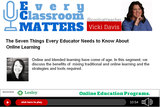
Online learning is growing. How do online classrooms differ from the face to face classroom? What about the student/teacher relationship? Jade Ballek is a principal of an online K12 school in Canada. She tells all: the challenges of online learning and the strengths.
Sylvia Duckworth made a sketchnote to go with this show! Thanks Sylvia! (See below.)
Important Takeaways
How do you know if a student is "really" learning?
How do you measure and improve student engagement? (Some of us can use these tips in our face to face classrooms.)
How does the support structure differ from the face to face classroom? (It was interesting to see what they do to help teachers help students.)
Ways students have to be trained to interact with online instructors to make the relationship better.
How Jade analyzes course content to improve it.
The benefits of online learning, particularly for kids who are shy or quiet.
The challenges of online learning and what Jade does to level up course content and teaching.
If you’re a blended classroom (or flipped), like me, you’ll learn lots of handy tips to help you improve your online classroom. Most 21st century classrooms are comprised of bricks (f2f) and clicks (online) and our ability to meld the two into a powerful learning experience will determine our success as teachers.
Interview Links
@jadeballek
Sponsor
Lesley University has an impressive line-up of online programs specifically designed for busy teachers. If you’re interested in strengthening your professional training, your resume or your career options, you’ll want to take a look at what Lesley has to offer.
Lesley’s programs include: •creative learning environments •experienced faculty •small classes, and •the kind of supportive online community that we all value and want.
Take a moment to check out Lesley’s programs for teachers by going to Online.Lesley.edu/BamRadio.
Check out Lesley University’s programs.
7 Things Every Educator Needs to Know about Online Learning - drawn by Sylvia Duckworth.
You can subscribe to the podcast on iTunes or elsewhere, get the RSS feed, or listen via the media player above.
Join the Every Classroom Matters Awesome Educators Network on Facebook
The post 7 Things Every Educator Needs to Know About Online Learning appeared first on Cool Cat Teacher Blog.
Vicki Davis
.
Blog
.
<span class='date ' tip=''><i class='icon-time'></i> Dec 04, 2015 06:05am</span>
|
|
Sponsored by Staples Little moments can make a big difference. As teachers, we need to protect our health. We also are charged with protecting the children in our care. Let’s talk about some small things that can make a big difference in the lives of children (and teachers.)
This blog post is sponsored by Staples. Office products power your office, but People Products power your people. Coffee, snacks, even desk-cleaning wipes - they make work feel like home and your team feel good. Learn more about People Products at Staples.
1. Encourage the Use of Hand Sanitizer and Hand Washing.
The first thing students do when they enter my classroom makes a big difference. They use hand sanitizer. While I encourage them to wash their hands frequently, they can’t always do that between classes.
A 2002 study found that telephones, desks, water fountain handles, microwave door handles, and computer keyboards are the most bacteria-laden culprits in our workplaces today.
So, hand sanitizer is important. Remember they should also use it when they leave the classroom. (They have been using the keyboards, after all, and need that protection.)
Get deals on hand soaps and hand sanitizers at Staples. I have a Purell touch free dispenser on my wall but I also have an extra pump sanitizer that I’ll use if a student starts sneezing or needs it.
2. Clean Your Classroom.
Our janitor does a fantastic job. But as the computer lab instructor, I do a little extra. I started doing this eight years ago when I realized one week that every student who sat at computer eight was out with strep. As I researched my suspicions, I found that an outbreak of the flu at an elementary school in 2008 was blamed on "infected computer equipment."
Computers can carry germs.
I spray antibacterial electronics cleaner onto a microfiber cloth and wipe down keyboards at least once a week. But when sickness is happening, I’ll do it even more. Then, after I do this, I’ll go scrub my own hands with soap and water.
This is one of those little extras I do because I love the kids. After I started this weekly habit, I noticed that I didn’t get any "sick computers" any more. Kids still get sick, of course, but I believe I’m doing all I can.
You can pick up electronics wipes but I look for antibacterial cleaning wipes for the keyboard. Because I have so many computers, I use antibacterial electronics spray spray to make sure the keyboards are disinfected. Spray onto the microfiber cloth and then wipe the keyboard. Don’t spray the keyboards directly. Also disinfect other places where students touch a lot.
3. Nourish Yourself When You Take a Break
Ninety seven percent of Americans snack, getting 24% of their calories from snacks. Snacking helps you keep your blood sugar level (especially if you have a long time between your breakfast and lunch, like I do.)
Look for healthy snacks and plan ahead. I keep almonds and walnuts at my desk for break. When I don’t plan ahead, I get hungry and eat "whatever." I’ll find that by the afternoon, I have no energy. So, I have a snack cabinet where I stock healthy snacks for the week.
Plan ahead. Buy several weeks worth of healthy snacks.
4. Drink Lots of Water
Seventy five percent of Americans may suffer from chronic dehydration. The Mayo Clinic says you need roughly 8 glasses of fluids a day. Drink water or fluids continually. I keep a full water bottle at my desk. (I like the double walled water bottle [pictured] because it has no condensation and leaves no ring.)
Staying hydrated helps you think. It keeps you healthy.
Stock water in your room, or buy a refillable water bottle.
I keep my double walled water bottle by my desk and filled. It helps me feel great and think more clearly when I’m hydrated.
5. Get a Good Chair
Several years ago, I started having knee problems. My husband is an industrial engineer. They often deal with ergonomics. He came and looked at my desk and work area. He said it was my chair!
He bought me a new chair for my birthday. (Most teachers can get their school to buy one, but it wasn’t the case for me.) That chair was one of the best investments we have made in my health! My knee problems were gone within the week!
Make sure your work area fits your build and helps you have good posture. I adjust my chair for me and do not let my students borrow it — ever. That chair is an investment in my good health.
Find an ergonomic chair with the proper support for your back, the elbows, and your height. My husband says that you need a chair where the height of the chair, position of the seat, angle of the back, and height of the armrest can be adjusted. The chair should promote good posture.
Thrive! You Can Do It!
Teachers, take care of yourself! You are important!
As I wrap up this series of blog posts, I want to give a shout out to Staples and all they have been doing for teachers! I’ve had a great time as their Back to School Ambassador for teachers.
Staples has donated $10 million to Think It Up and are funding student projects as I type this blog post.
Staples has an incredible Teacher Rewards program.
Staples has even jumped into genius hour and have had students design school supplies. My son has the locker shelf and pencil bag designed by students and loves them.
And now, they’re wanting me to help you nourish and take care of yourself! I hope you’ll take time to check out all of their People Products.
This back to school time has been awesome! If you’re still shopping, check out my highly recommended back to school supplies and my favorite things to buy at Staples. Thanks, Staples.
Take care of yourself, teachers!
Disclosure of Material Connection: This is a "sponsored post." The company who sponsored it compensated me via cash payment, gift, or something else of value to edit and post it. Regardless, I only recommend products or services I believe will be good for my readers and are from companies I can recommend. I am disclosing this in accordance with the Federal Trade Commission’s 16 CFR, Part 255: "Guides Concerning the Use of Endorsements and Testimonials in Advertising.)
The post 5 Great Ways to Make Your Classroom a Healthier, Happier Place appeared first on Cool Cat Teacher Blog.
Vicki Davis
.
Blog
.
<span class='date ' tip=''><i class='icon-time'></i> Dec 04, 2015 06:04am</span>
|
|
An Every Classroom Matters Episode
In this episode, technology guru Jennifer Gonzalez shares ideas for increasing engagement and making teaching easier with technology. If you’re using Makerspace and genius hour, learn how to build an online toolkit for your students.
Important Takeaways
How can we increase student participation with technology?
What are the best ways to collaborate with other teachers?
What are the tools you should put in your online Makerspace toolkit?
An easy way for busy teachers to find awesome resources.
How teachers hold themselves back from advancing in technology.
Technologies for elementary and kindergarten students.
Where can beginning educators get started with technology?
Educator Resources
Plickers
Kahoot
Today’s Meet
Voxer
Twitter
Google Docs
iMovie
Vimeo
YouTube
Storybird
Pinterest
Diigo
Haiku Deck
Google Slides
Class Dojo
Class Charts
Screencasting
Voicethread
Glogster
Infographics
Survey Monkey
Poll Daddy
QR Codes
Interview Links
@cultofpedagogy
The Teachers Guide to Tech 2015
You can subscribe to the podcast on iTunes or elsewhere, get the RSS feed, or listen via the media player above.
Join the Every Classroom Matters Awesome Educators Network on Facebook
The post 5 Big Classroom Problems You Can Solve with Technology appeared first on Cool Cat Teacher Blog.
Vicki Davis
.
Blog
.
<span class='date ' tip=''><i class='icon-time'></i> Dec 04, 2015 06:03am</span>
|
|
A 2 Minute Productivity Tip No time to read the news? Newsmap helps. Here are tips and a quick tour.
A Fast Way to Read the News: Newsmap
Newsmap isn’t new — but perfect for a five-minute glance at the news. Here are some tips:
When you hover over a box, it will show you the most recent headline. (Great if the box is tiny.)
The brightness of the box shows you how breaking the news is. (Brighter means more are coming in faster, darker means that it is decreasing in the number of headlines.)
Click Customize to fine tune how you want to view the news. (You’ll need to create an account.)
Click the different countries across the top to see how the news looks there.
This is a must-share with current events teachers and news hounds.
My other tool for news reading is Feedly. Here’s a Feedly tutorial to get you started. Be productive! Be focused! Use tools that work.
The post A Fast Way to Read the News: Newsmap appeared first on Cool Cat Teacher Blog.
Vicki Davis
.
Blog
.
<span class='date ' tip=''><i class='icon-time'></i> Dec 04, 2015 06:03am</span>
|
|
Hosting a Shark Tank with Kids Students can be app developers. They can program apps. They can pitch their ideas. They can handle defending their dreams. Students can code. Students can create. Those who think students can’t do these things either haven’t tried or have a limited view of themselves as educators.
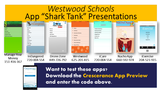
Tomorrow I’m taking three teams of kids up to the National Ed Tech Developer Tour Event up in Atlanta, Georgia. (A few more tickets might be available.) The trailers of the three teams are shown below.
They’ll be presenting about their apps and ideas. Two teams already have their apps live on the iTunes and Google Play app stores: #iCare and #Drone Zone.
App programming with Crescerance has been awesome since I first learned about it from fifth grader Kennedy and from Susan Bearden at ISTE 2014.
So, now, we level up. I’m excited for them and our school and look forward to the event tomorrow night. Because it may be called a "Shark Tank" but I see nothing but encouragement and support for these kids.
Want to know more about our Shark Tank event this past spring? Here’s our wiki page on the event.
Student App Developers: Here are the Apps
One other exciting note — half of those traveling with me are girls! I see no difference in the success of boys or girls as we program! They may have different apps, but they thrive as they use technology.
#iCare
#Drone Zone
Money Manager
The post Student App Developers: You Can Do This! appeared first on Cool Cat Teacher Blog.
Vicki Davis
.
Blog
.
<span class='date ' tip=''><i class='icon-time'></i> Dec 04, 2015 06:02am</span>
|
|
An Every Classroom Matters Episode Viktor Frankl wrote that a person "who can find a why to live can bear almost any how." Meaning. We search for it. We long for it. We want to matter. Students want it. Teachers want it. Purpose is not beyond our reach. It is right here.
If there is one movement I can ask you to join, it is choose to matter. Choose to matter is a mindset. It is an essential part of what we do as teachers. You know this, but you don’t know how. Now you can.
Listen to this show. Download the free ebook. Join the movement. Change the world one child at a time. Find the joy in teaching again. With just five or ten minutes a week, you can do this.
Important Takeaways
How kids, teachers and school have a brand and how to communicate that brand to the world.
What Angela thinks about her brother’s tragic suicide and how things could have been different.
Can schools make time for this?
Where to get free lesson plans.
How a pitch and "cause court" work to help build a child’s strengths.
How to connect with schools who are helping kids matter.
Educator Resources
Liberating Genius: The First 20 Days - free ebook
The new Choose 2 Matter Website
Interview Links
@angelamaiers
You can subscribe to the podcast on iTunes or elsewhere, get the RSS feed, or listen via the media player above.
Join the Every Classroom Matters Awesome Educators Network on Facebook
Mattering is as essential to our being as water, food, and shelter.
The post Liberating Genius: A Plan for the First 20 Days of School appeared first on Cool Cat Teacher Blog.
Vicki Davis
.
Blog
.
<span class='date ' tip=''><i class='icon-time'></i> Dec 04, 2015 06:02am</span>
|
|
Every student should know how to take a screenshot. A screenshot is simply a picture of the screen.
Why do you need to know how to take a screenshot?
To get technical support
To create new things! (with permission, of course)
To share!
To document things that happen online for safety reasons (see below)
Four Ways to Take a Screenshot in Windows
In this tutorial, I cover 4 ways to take a screenshot.
The hotkeys built in with Windows (both the whole screen and just the active window)
Using the Windows Snipping tool
The Screenshot tools built into Microsoft Office
Adding the Snagit Plug in to Chrome
I want my students to understand all four of them. The audio isn’t so perfect on this one, but I hope it helps you see what I teach my students.
At the end, I mention the 5 Steps to Online safety that from my book Reinventing Writing. You can download a free poster with these five steps on them to share with your students.
The post How To Take a Screenshot in Windows [Video] appeared first on Cool Cat Teacher Blog by Vicki Davis @coolcatteacher helping educators be excellent every day. Meow!
Vicki Davis
.
Blog
.
<span class='date ' tip=''><i class='icon-time'></i> Dec 04, 2015 06:01am</span>
|
|
The Global Search for Education Candy Nerds were put in a CD tray by one student. They talked. They misbehaved. Some kids tried to look at porn. At one point during the year, someone tied a crowbar and crushed cans under my car. (I guess he hoped I couldn’t come to school the next day.) Wow! What a terrible class.
Cathy Rubin asks, "What was your most challenging classroom and how did you turn it around?" in this month’s Global Search for Education.
The boys didn’t want to type. One boy was so disrespectful that we had a behavior contract he had to follow before I’d let him come back into class. It was turmoil. It was hell. But somewhere amidst the struggle, I glimpsed paradise.
1. Seek Advice from Seasoned Teachers.
First, I asked advice of the best teachers I knew: my Mom, my sister, my curriculum director. They helped me do things to solve the biggest problems first.
Find experienced teachers. Seek their advice.
2. Read Books.
On the weekends, I read books. I learned about proximity, behavior management, and classroom management.
The answers to almost any problem can be found in the pages of a book. Reading helps you with leading.
3. Talk to the Kids.
Everything changed the day I asked the students what would help them want to learn the keyboard.
"Only a steak dinner," the boys said smugly.
So, I went to the principal and cut a deal. When they finished learning the keyboard, they could bring steaks. We could grill during their lunch period. (The Great Steak Out is still an annual tradition 14 years later.) The positive excitement was so powerful, there wasn’t time to misbehave.
Figure out what motivates your students. What are their interests? Enlist help from your administration. Motivate with positives and not just negatives.
4. Change What You Can.
It was my first year of teaching. They were my worst. But it wasn’t them - I’m convinced it was me. I didn’t know what I didn’t know. I started learning.
I changed the seating chart. I looked at my classroom procedures. I worked to bring things into the classroom that kids loved. I leveled up my teaching. I handled discipline problems privately (particularly if the student seemed to crave "an audience.")
Change yourself. Take back your classroom. Control what you can.
5. Study the Craft of Teaching.
Fourteen years later, I haven’t had a discipline referral to the front office in over a year (maybe two.) My students are a dream.
Sure, student should "know" how to act. Some do. Some don’t. They’re kids. I’m a professional. In all those years, the kids haven’t changed. I have. They still are someone else’s "bad class." But not mine. I don’t have a bad class. I don’t have a bad child. We’re learning. But most of all, I’m more of a craftsman than I was that first year. That first year I had some head knowledge, but I knew very little about what really worked.
As long as someone is getting great results, I can learn what they do — and so can you.
But What About When Teaching Is Hard?
Teaching is still hard. Last year was the hardest year ever - but it wasn’t the kids. It was other things. But there’s also something wonderful that happens amidst the struggle:
When a child learns to love himself.
When she better copes with hardship.
When she learns something new.
Before you get to great things, first you have to get past the worst. And for me, my first year was the worst. But I never quit on the kids. I never quit on myself.
This noble profession of teaching is worth the struggle.
The post How to Turn Around Bad Classroom Behavior appeared first on Cool Cat Teacher Blog by Vicki Davis @coolcatteacher helping educators be excellent every day. Meow!
Vicki Davis
.
Blog
.
<span class='date ' tip=''><i class='icon-time'></i> Dec 04, 2015 06:00am</span>
|
|
An Every Classroom Matters Episode
What if you can stop parent problems before they happen? Second grade teacher Erin Klein shares a 10-minute treasure trove of ideas that work! Parents are our partners. Let’s do this!
Important Takeaways
How can we prevent "helicopter parenting?"
How can we be less defensive when parents ask questions?
How do you get parents to actually read what you send them?
How to help all parents, tutors, and IEP teams on the same page with current student work.
The more ways you teach, the more students you’ll reach. @kleinerin #edchatPowered By the Tweet This PluginTweet This
Educator Resources
Bloomz
PhotoCircle
Three Ring
Haiku Learning
Text messaging has been shown by Stanford University researchers as one of the best ways to engage parents.
Helping the Poor in Education, the Power of a Simple Nudge
Interview Links
@kleinerin
Sponsor
Bloomz is your one-stop solution for parent-teacher communications. More than just connecting with their cell phones, you can send long or short messages. You can send pictures and links. You can even coordinate volunteer schedules, donations, and parent teacher conferences. I’m using Bloomz in my classroom.
Set up your free Bloomz account today
You can subscribe to the podcast on iTunes or elsewhere, get the RSS feed, or listen via the media player above.
Join the Every Classroom Matters Awesome Educators Network on Facebook
The more ways you teach, the more students you’ll reach!
Disclosure of Material Connection: This is a "sponsored post." The company who sponsored it compensated me via cash payment, gift, or something else of value to edit and post it. Regardless, I only recommend products or services I believe will be good for my readers and are from companies I can recommend. I am disclosing this in accordance with the Federal Trade Commission’s 16 CFR, Part 255: "Guides Concerning the Use of Endorsements and Testimonials in Advertising.)
The post Tools You Can Use to Get Parents and Teachers on the Same Side appeared first on Cool Cat Teacher Blog by Vicki Davis @coolcatteacher helping educators be excellent every day. Meow!
Vicki Davis
.
Blog
.
<span class='date ' tip=''><i class='icon-time'></i> Dec 04, 2015 05:59am</span>
|
|
In this 7 minute video, you’ll learn some tips and tricks for organizing files and finding them on a PC. While I’m using Windows 8.1, the system I teach for organizing files is adapted from one Gina Trapani shared in her Lifehacker guide and can be used on any device.
How to Organize Files and Find Them on a PC: Essential Questions
How does the computer letter the drives?
What does a network drive look like?
How can students organize files on a computer so they can find them?
How do you copy and move files from one place to another?
I teach this very early in Computer Fundamentals. Many educators and students do not know how to copy, move, organize, and don’t have a system for keeping their files organized!
This is from my basics series over on my YouTube channel. Contact me if you have special requests for tutorials.
The post How to Organize Files and Find Them on a PC [Video] appeared first on Cool Cat Teacher Blog by Vicki Davis @coolcatteacher helping educators be excellent every day. Meow!
Vicki Davis
.
Blog
.
<span class='date ' tip=''><i class='icon-time'></i> Dec 04, 2015 05:59am</span>
|