Blogs
|
Pat Yongpradit, a Microsoft Innovative Educator, is now Director of Education for Code.org. He has a track record for helping girls become interested in STEM and programming. In this example, his student, Anh Vo, created a game for the Magic Cup Kodu Cup Challenge 2013. She created a game about cleaning waste water from factories to keep nearby villages safe.
Listen to Pat Yongpradit and student Anh discuss the game she created
Pat Yongpradit - Show #32 - Engaging Students Through Competitions, Contests and Code
Pat Yongpradit, a computer science teacher at Springbrook High School, has a track record of teaching students students to code for creating authentic applications. His former student, Anh Vo, used code to create an award-winning game about waste-water cleanup. In the game, waste water from factories is cleaned to keep nearby villages safer. Anh used resources she found at code.org to create her game, which won 3rd place in the Kodu Challenge 2013 at Microsoft’s ImagineCup.
Listen to Show #32: Engaging Students Through Competitions, Contests and Code
Every Classroom Matters is a bi-weekly podcast by Vicki Davis on BAM Radio network. Every classroom matters because every child matters. Listening will help you teach with better results, lead with a positive impact, and live with a greater purpose. Subscribe.
Need help listening to the show?
If you’re clicking "Play" on the BAM Radio Site, this often works best in Internet Explorer. Or subscribe in a podcatcher. To get help use this tutorial.
Show notes prepared by Lisa Durff, Production Coordinator for Every Classroom Matters.
The post Engaging Students Through Competitions, Contests and Code appeared first on Cool Cat Teacher Blog.
Vicki Davis
.
Blog
.
<span class='date ' tip=''><i class='icon-time'></i> Dec 04, 2015 06:11am</span>
|
|
Social Entrepreneurship: 7 Ways to Empower Student Changemakers
@edutopia blog - by Vicki Davis
November 11, 2014
Tired of disheartened girls thinking they didn’t match up to the divas on teen beauty magazines, Grace Miner started Real Girls Matter. The group has a state-wide conference in Rhode Island next year.
When six-year-old Joshua Williams wanted to give ten dollars to a homeless man, his young eyes opened to the plight of the hungry. Joshua, now 13, runs Joshua’s Heart to feed the hungry in Miami. On his website, Joshua says: "Whenever I work, I will give some of my money to help."
And the stories go on. Whether it is wells in Africa or standing against genocide, today’s students are more than willing to tackle big problems. Their social media prowess and passion can make them an unstoppable force — when they want to be. (Can you say Ice Bucket Challenge?)
How can we unleash more social entrepreneurs? How can we empower more students to make a difference?
Click here to Read the rest of this over at my Edutopia blog
It is an important topic and I would argue and important aspect of student engagement.
The post Social Entrepreneurship: 7 Ways to Empower Student Changemakers [Link] appeared first on Cool Cat Teacher Blog.
Vicki Davis
.
Blog
.
<span class='date ' tip=''><i class='icon-time'></i> Dec 04, 2015 06:11am</span>
|
|
How can students brainstorm collaboratively using technology. On page 177 of Reinventing Writing, I discuss collaborative brainstorming and why it is used. There are many tools that you can use. I’ll share with you how my students create ideas for an app that they will program in Crescerance. I’m a huge believer in prewriting but also in brainstorming and planning. (See Thrash Early for why this is so important.)
Collaborative Brainstorming Step 1: Ideation: Create Ideas with the Group (Padlet)
Padlet is an excellent tool for brainstorming in this phase. (See our App Idea Padlet we used for app planning.) Before they took to padlet, they had to create as many ideas as possible but at least 20 in 7 different categories. I’ve found the best ideas usually come after you’ve emptied your mind of your first ten. Then, I have students circle their three favorites. If we’re doing this as a whole class on the whiteboard, we have to get 50!
You could also use Google Docs but it isn’t quite as visual. If you’re connecting across classrooms (like shared in the 2nd level of Flattening your Classroom - -see Flattening Classrooms, Engaging Minds) — you can have students brainstorm. The next class can come in and follow up and join in. Padlet used to be called Wallwisher and is one of those go-to resources when you brainstorm.
Created with Padlet
Collaborative Brainstorming Step 2: Team Mindmapping (Mindmeister)
In this case, I start with Padlet to help teams form around a concept for a mobile app. Then, after students know their teams, they move to Mindmeister to map out how their app will work. Each individual screen is a node on the mindmap.
This student, A, wanted to create a Money app with tips for students. Here is his mindmap created with the Mindmeister plug in he used within Google Docs.
Collaborative Brainstorming Step 3: The Group Pitch (Google Presentations)
After my students have worked through the app concept and how it will look. They work to present in Google Presentations to the entire class. (They could really use any group presentation builder. I like to look at the edits to make sure everyone is contributing.)
Students collaborate across classes. In this collaborative presentation, a 10th grader and 9th grader created a presentation about their app to encourage budding artists. This presentation is in Google presentations which can be far more attractive than the early days when there were just a few basic styles. (If you’re curious about "Start Timer" that is my Toggl app I use to track my own time.)
Their pitch must include their audience, their concept, and an overview of how the app will work.
After they present, then they get one of three options:
Green Light - They are a full go to build their app.
Yellow Light - They are almost a go, but have to answer a few questions before it is a go ahead.
Red Light - There are issues that will prevent this app from moving forward.
Thus far, I haven’t had any red lights but three yellow lights and five green lights. G
Production
Next week we will head into production. After they develop their app in Crescerance, they will go into a "Shark Tank" experience where they pitch their app. One will be selected to be released on the Apple and Google Play app stores.
How Can This Be Used in Any Classroom?
Having done genius projects for three years now, it is vital to make sure students clearly investigate their proposed project. If you have extended genius projects, consider using this brainstorming/proposal/pitch method. (After you’re done, you can track in Trello as I’m about to do with Crescerance. I couldn’t live without Trello and our genius projects!)
Lots more collaborative ideas where this came from! Pick up my newest book Reinventing Writing or the definitive guidebook on global collaboration Flattening Classrooms, Engaging Minds. You can do this!
The post A 3 Step Collaborative Brainstorming Process (Tools & Tips) appeared first on Cool Cat Teacher Blog.
Vicki Davis
.
Blog
.
<span class='date ' tip=''><i class='icon-time'></i> Dec 04, 2015 06:10am</span>
|
|
Cat Flippen talks with Vicki Davis about her dissertation on gamification creating community. She is an ISTE Emerging Leader 2014. Cat argues that game like environments can occur anywhere, not just face- to face, or online, or virtual. Listen now to find out how Cat believes games are a great addition to education.
"A lecture online is no different than a lecture in person… you need to enrich the video, and you need to make it shorter."Powered By the Tweet This PluginTweet This
Cat believes that gamification, when applied correctly, can create community, specifically in high-risk high-needs situations. She talks about the difference between using game elements and gamification. She also talks about current thought on brain research and flipped classroom techniques
Listen to Cat Flippen
Add @CatFlippen to your PLN
@CatFlippen
Ctrl+Alt+Teach
Cat Flippen - Show #86 - Serious Games: Rethinking Gamification in Education
Cat Flippen is currently working on her dissertation on gamification. She also is interested in using videos to engage students. She believes smaller content and assessments using video. She advises teachers to front load video content - plan the video and time the video. Listen now to find out her views on videos and wearable technology.
Listen to Cat Flippen share gamification, flipped classroom and mobiles
Flipped Classroom Strategies
Cat also has well-informed opinions on using videos in education. She shares about how you should stop and summarize at age plus 1. Break it and then have them summarize.
Mobile and Wearable Technologies
We’re no longer a 1 to 1 society, we are frequently a 4 to 1-we should leverage that.Powered By the Tweet This PluginTweet This
Cat shares her thoughts about 24/7 learning. She also talks about the very cool TechSmith Fuze app! (Tip: If you’re using Chromebooks, you should be using Snagit!)
Listen to Cat Flippen
Every Classroom Matters is a bi-weekly Radio Show by Vicki Davis on BAM Radio network with best practices for busy teachers. Subscribe. Show notes prepared by Lisa Durff (and tweaked by Vicki Davis), Production Coordinator for Every Classroom Matters.
Need help listening to the show?
The BAM Site is new and awesome, and the #ecmatters episodes play on all platforms! Or subscribe in a podcatcher. If you need help, use this tutorial. If you have questions about the show, use the hashtag #ecmatters on Twitter!
The post Serious Games: Rethinking Gamification in Education with Cat Flippen appeared first on Cool Cat Teacher Blog.
Vicki Davis
.
Blog
.
<span class='date ' tip=''><i class='icon-time'></i> Dec 04, 2015 06:10am</span>
|
|
This post written by Angela Watson
Maintaining balance is impossible without a clearly defined vision for why you teach. No matter how others may choose to evaluate your work, you can’t define your own success as a teacher according to whether students pass a standardized test. That’s a recipe for frustration and burnout.
This month on the Global Search for Education by Cathy Rubin, we are reflecting on How do you balance preparation for high stakes assessments with teaching and learning in your classroom. I asked an amazing teacher, Angela Watson, to share her wisdom. Her show, Angela Watson’s Truth for Teachers, is my must-listen to podcast every Monday morning. She is a helpful part of my PLN and I hope you’ll add her to yours as well.
Manage Your Mindset
Instead, go into the classroom each day with a single-minded focus on making a difference for kids or igniting a passion for your subject matter. Having this kind of clear vision for teaching will permeate everything you do in the classroom. It will bring a deeper sense of purpose to otherwise disheartening test prep activities. It will help you maintain your (bigger, healthier) perspective even if everyone around you is anxious about test scores.
Staying focused on your vision will also help you keep your enthusiasm, which makes learning more enjoyable for kids. If you’re stressed out from focusing too much on high stakes assessment, students will sense that, and it creates anxiety in them, too.
Motivate Students in Positive Ways
One of the best things you can do for students is to stop reminding them about the importance of standardized tests. I used to get very stressed out because I felt like I cared more about my kids’ scores than most of them did, so I would constantly remind them, "You need to know this-the test is in 2 months! If you don’t pass this test, you’re going to be in third grade again next year!"
I cringe when I think back on how much I pressured my students. Kids need to know the importance of the test, but more importantly, they need to know the importance of learning and hard work. Stay focused on getting them motivated and helping them take ownership of their learning.
Practice Tested Skills in a Non-Test Prep Format
Students do need to know test-taking strategies and be familiar with the format of the standardized tests they’ll be taking, but most kids don’t need daily (or even weekly) exposure to the format. Look for creative ways to help kids practice tested skills in authentic, meaningful contexts.
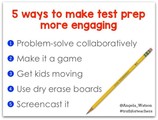
Experiment with alternative strategies for implementing the test prep activities and worksheets you’re mandated to give. Here are 5 ideas:
Problem solve collaboratively. Instead of passing out a review worksheet each day as a warm up, occasionally project the page for your class to see, and have them work with a partner to solve problems collaboratively and talk about their strategies.
Make it a game. Try reviewing the answers together in a fun game format. Have kids award themselves a point for each answer they get right, and challenge themselves to reach a set number of points by the end of the month.
Get kids moving. Set up test prep questions in a "scoot" format so students can stand up and move in between answering questions.
Use individual dry erase boards. As you display each problem for the class to solve, have kids write on their boards and hold them up for you to give immediate verbal feedback.
Screencast. If you have iPads in your classroom, students can use a free app like Show Me to explain their thinking and record their work.
Simple strategies like these keep you and your students from feeling overburdened with worksheets, and help integrate test prep seamlessly into the more meaningful activities you do in class.
Ultimately, we teach students, not standards. You are more than a test score, and so are your students. Don’t wait for someone in your district or state to reiterate that: make it true in your daily practice!
Maintaining balance is impossible without a clearly defined vision for why you teach.Maintaining balance is impossible without a clearly defined vision for why you teach.Powered By the Tweet This PluginTweet This
Angela Watson is a National Board Certified Teacher with 11 years of classroom experience. In 2009, she turned her passion for helping other teachers into a career as an educational consultant based in Brooklyn, NY. As founder of Due Season Press and Educational Services, she’s created 4 books, 2 webinars, a blog, podcast, curriculum resources, and conducts seminars in schools around the world.
The post 5 Tips to Triumph over Test Prep appeared first on Cool Cat Teacher Blog.
Vicki Davis
.
Blog
.
<span class='date ' tip=''><i class='icon-time'></i> Dec 04, 2015 06:09am</span>
|
|
A New Every Classroom Matters Episode
In this episode, Minecraft EDU creator Joel Levin talks with Vicki about Minecraft in schools. Want your school to use Minecraft? This is THE episode to share! Get those kids excited about learning! You can use Minecraft!
Important Takeaways for Listeners
Minecraft makes great student-centered student-led projects. Joel gives examples.
How do you talk to kids about Minecraft in the classroom?
What are the differences in Minecraft EDU in the classroom and the traditional Minecraft?
How you can lead even when students know more about Minecraft than you do.
Joel rants a bit.
How machinima is changing.
How to turn students from consumers into creators.
If you listen to one show on Minecraft, this is it. Scroll down for 2 quotes for you listeners out there who love to pin them! ;-)
Educator Resources
Minecraft Educator Summit - The first Minecraft educator summit was held in early 2015. Joel gives us the skinny on what happened.
Minecraft EDU - Joel shares: ways teachers configure Minecraft, resources, and one group every Minecraft teacher should join.
Minecraft Educator Portal -Microsoft bought Minecraft and unveiled this teacher portal.
Minecraft Builder Bowl - Joel mentions the emergence of live gaming events. Here’s a Minecraft competition happening summer 2015.
Interview Links
@MinecraftTeachr
Results come from fostering a great relationship with your students @MinecraftTeachrPowered By the Tweet This PluginTweet This
What Teachers Say
The conversation exploded about this show on the ECM Awesome Educators Network on Facebook. Some highlights. Listener Joli Barker Erwin says,
"I use minecraft edu as an assessment tool and a project tool. I’ve used it for measurement, as a virtual lab, as a digital diorama for books, as environmental science exploration…sooo much. Students even created games for a global empathy project." See Theheartcode.wikispaces.com
Listener Michelle Baldwin says,
"My kids ask to use it to demonstrate something they’re curious about. One year, we were talking about how people organize themselves into different types of governments. One group wanted to learn about oligarchies and said they could share what they were learning by building a capital city in Minecraft. They could articulate a LOT about what they had learned as they shared their city (these were grade 3-5 kids): http://architectsofwonder.edublogs.org/…/our-capital…/"
Teachers shared Zoe Branigan-Pipe‘s blog post "Proud to Be a Minecraft Teacher." Minecraft transformed Zoe’s classroom. Some people labeled her, though. (I wonder if people do that to excuse themselves from giving it a whirl?)
You can subscribe to the podcast on iTunes or elsewhere, get the RSS feed, or listen via the media player above.
Want to talk about Minecraft
If you want to talk about the show, join the conversation on Twitter or Facebook.
You’re invited! Join the Every Classroom Matters Awesome Educators Network on Facebook.
The post 3 Ways Monsters and Minecraft Can Drive Great Teaching and Learning appeared first on Cool Cat Teacher Blog.
Vicki Davis
.
Blog
.
<span class='date ' tip=''><i class='icon-time'></i> Dec 04, 2015 06:08am</span>
|
|
Sponsored by Staples Back to school already? Yes it is! I go back to school August 10, so I’ll so be hitting Staples for their Teacher Appreciation event August 2-9.
Hopefully, you’ve all already joined the Staples Teacher Rewards Program. If so, you’ll get 40% back in Teacher Rewards for school supplies, teaching, art supplies, cleaning supplies and more when you buy in your Staples store. Go to Staples.com/classroom to download the coupon. (Not including technology, Staples Less List & Extreme Deal offers.)
Print your coupon. Go to Staples!
If you or a friend hasn’t joined yet, no worries! Sign up now and you can still get the coupon.
Some Items You Must Check Out
As part of the Staples Back to School Council, here are some of the items that you simply must check out when you head over to Staples.
Floating Locker Shelves - I so love these. They make such sense for lockers.
Big Pencil Case - Pens, pencils, sharpener — all part of a very cool PENCIL BAG!
Shop by Grade - When you go to the Staples Back to School Center, you can click "shop by grade" and put in your grade level. This is so useful!
Teacher Center - Visit the teacher center for lots of cool ideas.
Here are some other blog posts and resources I’ve put together for teachers as part of the Staples Back to School Program:
My list of favorite office supplies (look for ideas on what to buy)
Think It Up - a Great way for US public school teachers to fund their student projects.
Cool School Supplies Designed by Students - my recent post with some favorite new items for school as designed by students.
Check out all of the Staples Back to School Line at: www.staples.com/backtoschool. I’m so excited! Are you?
Disclosure of Material Connection: This is a "sponsored post." The company who sponsored it compensated me via cash payment, gift, or something else of value to edit and post it. Regardless, I only recommend products or services I believe will be good for my readers and are from companies I can recommend. I am disclosing this in accordance with the Federal Trade Commission’s 16 CFR, Part 255: "Guides Concerning the Use of Endorsements and Testimonials in Advertising.)
The post Back to School Savings with #Teacher Appreciation Event at #Staples appeared first on Cool Cat Teacher Blog.
Vicki Davis
.
Blog
.
<span class='date ' tip=''><i class='icon-time'></i> Dec 04, 2015 06:08am</span>
|
|
Sponsored by Staples Now is the time. I start back to school. So does my son. Lots of you will soon too. How do we get totally ready?
Start by making a list. But sometimes I don’t know everything that is out there. So, I headed down to my local Staples store in Albany, and my son and I did some shopping.
1. Help Your Child Get Ready
For quite some time, I’ve had my son look at his list and shop for what he needs. I do this for several reasons:
I want him to know how much things cost and
One day he’ll be in college and doing his own preparations.
You can see a pic of his basket below. I also encouraged him to buy extras to last through December. I get stressed and don’t have time to run back to the store, so we stock extras in a supply drawer in the house.
My son’s Back to School Shopping Basket. I had him use the list and gave him a budget. He used his calculator and purchased what he needed for the day. I find that since I’ve been doing this, he takes better care of everything he has.
I also plan ahead for encouraging him. I found these lunch notes that I’m keeping in my kitchen. I know the first few weeks will be busy, so I’m going ahead and writing funny/inspirational thoughts on them so I can grab and put them in his lunch.
Lunch notes I found on the Less List display at the entrance of Staples. I’m writing this over the weekend and will have two weeks worth ready to go into lunches. As a busy Mom, you have to plan ahead to encourage your child.
2. Think About Workflow as You Organize your Desk
Getting organized and ready is important. I recently wrote a blog post over at Edutopia about the habits and workflow that I use. So, as I organize my desk, I’m always thinking about flow.
Some of my essential tools are:
a labeler,
a laminator,
colored file folders,
different colored pens that write well,
highlighters,
sharpies, and
awesome dry erase markers.
You can see from the pictures of my desk and bins, that I label everything. I also think that it is very helpful to have a bin behind your desk that is like a quick launch toolbar. (see pic) I have everything there that I can grab and go. You’ll need metal vertical files to do this, particularly if you keep your textbooks there like I do.
My quick launch toolbar behind my desk. ARC punch, labeler, and my lesson plans, gradebook, and reward stickers. Everything is there to grab and go.
Organize your desk for workflow, but also consider your health. One of my biggest excitements was when my son found this double walled water bottle. (pic) It is clear (as our school requires) but also won’t have a condensation problem (I work in a computer lab, so water could harm the computer). I also keep idea journals handy that I review each week as I plan my lessons for the next week.
My husband bought me a really comfortable chair a few years ago. Tons of post it notes, pens, and everything right next to my desk.
My water bottle, journal, and computer are ready to go.
The first day of school, I will take a picture of each class. I’ll print these out and laminate them and put them on the wall. Erin Klein suggested this on our #moreforteachers Twitter Chat and it is a fantastic idea.
3. Look for New Ideas
When I’m planning to get ready for the year, I take time to go through every aisle of Staples. I just don’t know what has come out. For example, I keep my laptop, iPad and iPhone with me all the time. But it is so easy for them to get dirty.
I found the cute screen cleaners on the first aisle in my Staples by the Ink Cartridges. If I had run through the store, I never would have found these. I’ve put these in my school bag.
This is the cutest thing of electronic cleaner/wipes! I bought this one and now keep it in my bag so I can keep my electronics clean. So, when I have my iPhone in the car and it gets dirty, it is clean right away. I so love this.
I also found this cute little notebook in the Less List display at the entrance of the store. It tears off. I’m using this for planning my week at home. I take these out and use my ARC punch to insert them in my planner in the right place. This is one (of the many) ways that I customize my own planner to the way that suits me. While I do use apps, I like to hand write my list items for the week out of my master list in OmniFocus.
I found this cute notebook in the Less List Display at the front of my Staples store. I use this to plan the week, but punch it with my ARC punch to put it in my custom planner.
4. Get Help for Student Projects
The biggest thing that public school teachers in the US can do to save on classroom projects is to register your projects at DonorsChoose.org. This past week, Staples funded more than 200 classroom projects in Atlanta as part of its recent $10 million pledge to Think It Up™, a new national initiative of the Entertainment Industry Foundation that seeks to inaugurate a new movement in support of students, teachers and schools, helping to create a culture of excitement about learning everywhere in America. If you are planning classroom projects, register now!
So, it is officially back to school. There’s so much going on! Take time to plan ahead and get #110Ready at Staples. I’ve been excited to share all of these ideas with you as part of their Back to School Council. I hope you’ll share your ideas in the comments, on Facebook, and on Twitter! Get organized and get ready!
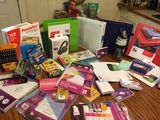
We bought lots at Staples. Here was our table of goodies when we came home.
Disclosure of Material Connection: This is a "sponsored post." The company who sponsored it compensated me via cash payment, gift, or something else of value to edit and post it. Regardless, I only recommend products or services I believe will be good for my readers and are from companies I can recommend. I am disclosing this in accordance with the Federal Trade Commission’s 16 CFR, Part 255: "Guides Concerning the Use of Endorsements and Testimonials in Advertising.)
The post Back to School: 4 Ways to Get Ready and Save Money appeared first on Cool Cat Teacher Blog.
Vicki Davis
.
Blog
.
<span class='date ' tip=''><i class='icon-time'></i> Dec 04, 2015 06:07am</span>
|
|
An Every Classroom Matters Episode on Building Parent-Teacher Relationships sponsored by Bloomz
First-rate teachers value parents. Jumpstart positive parent partnerships from day one. Show parents how much they matter. Principal Amy Fadeji and Superintendent Joe Sanfelippo have a collection of simple ideas.
Important Takeaways
How to Connect. Four ways Amy encourages teachers to connect with parents. (Check out our show sponsor Bloomz too!)
First contact. First-rate teachers value parents. Jumpstart positive parent partnerships from day one. Show parents how much they matter. Principal Amy Fadeji and Superintendent Joe Sanfelippo have a collection of simple ideas. Joe stresses the first contact with the parent should be positive. He has a method that seemed like more work the first time they did it. Now teachers do it willingly. It makes a huge difference.
Fab Fridays. How Joe ends every Friday on a positive note with five important phone calls.
Helping Parents Love Phone Calls from the Principal. Amy has a fantastic idea. Her teachers give her information that lets her make positive phone calls to parents. Parents don’t dread a phone call from the principal now.
Make Social Media Work for You. How to use social media to help improve perception of your school in the community.
I made some of the best quotes into images at the bottom. Take them to share on social media.
More solutions…
Don’t just plan lessons. Plan for positive parent relationships. Set up communications. Two-way. Pave the way with positivity. Take time to be kind. Share this show with superintendents, principals, and teachers. If isn’t the start of the year for you, it is never too late to start again.
Educator Resources
Audioboom
Amy Fadeji’s YouTube Channel for Her School
Joe Sanfelippo’s district website
Joe’s Podcast: BrandEd
Interview Links
@mrsfadeji
@joesanfelippofc
Sponsor
Bloomz is your one-stop solution for parent-teacher communications. More than just connecting with their cell phones, you can send long or short messages. You can send pictures and links. You can even coordinate volunteer schedules, donations, and parent teacher conferences. I’m using Bloomz in my classroom.
Set up Your Bloomz Classroom today
You can subscribe to the podcast on iTunes or elsewhere, get the RSS feed, or listen via the media player above.
Join the Every Classroom Matters Awesome Educators Network on Facebook
The post 10 Ways to Build Powerful Parent Partnerships from Day One appeared first on Cool Cat Teacher Blog.
Vicki Davis
.
Blog
.
<span class='date ' tip=''><i class='icon-time'></i> Dec 04, 2015 06:06am</span>
|
|
3 Important Times We Have to Talk Students need parent teacher communication. We need to work together to help kids. There are three essential times for parent teacher communication.
The Global Search for Education has a monthly question. This month: "What are the best ways parents can help teachers and that teachers can help parents?"
Introductions
Ongoing communications
When problems or unforeseen circumstances happen
I’ve been a teacher for fourteen years and a Mom for twenty. I’ve seen the good and bad from both sides. Here’s what I’ve learned.
Introductions: Parent Teacher Communication Point #1
Teachers to Parents.
Seasoned educators stress that the first parent communication should be positive. Make a phone call. Host a meeting. First impressions are everything. If the first time you call a parent, it is for bad news, they are going to dread hearing your name.
Set expectations for ongoing and emergency communications.
Parents to Teachers.
Make your first communication positive too. Send a note. Be helpful. Set the tone. Even if you’re busy, a quick email to say you’re excited will help.
Tip #1: Start strong, eager to get along.
Ongoing Communications: Parent Teacher Communication Point #2
Teachers to Parents.
Keep parents informed, but keep it short. I start off with email, but I’ve found that linking with a parent’s cell phone is vital. (Just texting them anytime is NOT the way. Use a tool like Bloomz.)
Share pictures, stories, and successes. Tell parents when a child succeeds at something. I try to communicate with parents every 7-10 days or when a major project is happening.
Go to ballgames. Be where the kids are. You can build great relationships at events.
Parents to Teachers.
Give teachers time to respond. If you email, realize that they are teaching during the day. If you text, be respectful and don’t do it too late.
Communicate concerns with the teacher first before taking it to the principal. When you don’t, you aren’t partnering, you’re trying to coerce.
Tip #2: Communicate consistently. Know how the other person likes to communicate. Listen.
When Problems Happen: Parent Teacher Communication Point #3
Teachers to Parents
I have a rule. If I have bad news to tell someone, they will hear it from me first. Superintendent Joe Sanfelippo says,
"In the absence of knowledge, people tend to make up their own."
A child gets teased. Something happens, and the teacher is involved. Nowadays, people who gossip have fingers of fire. Rumors fly.
When problems happen, I tell the principal and quickly call the parent. I want them to hear it from me first. I prefer verbal conversations over email.
Parents to Teachers
Problems at home. If a close family member is ill, a new child is born, or parents are divorcing — tell the teacher. Children internalize hurt. Eventually, it comes out in behavior. When teachers know, we can better understand a child. We can be more understanding.
Problems with the teacher. Listen to your child’s complaint. Before you communicate your thoughts with the child, contact the teacher. Hear the teacher’s side.
Advocate for your child. But realize that children need to be in a successful mindset to succeed with that teacher. You destroy that mindset when you criticize the teacher in front of the child. Teachers aren’t the enemy.
And realize this:
your child is not the only child in the classroom
the teacher is not a mind reader and may not know about this problem
you may not be hearing the whole story
We can work it out if we give each other the benefit of the doubt. But in the end, kids need people who care more about doing right than being right.
In Conclusion
The success of our children is in our hands. Let’s clasp hands in helpfulness. Let’s work together to help kid’s lives be awesome.
The post Successful Parent Teacher Communication Tips appeared first on Cool Cat Teacher Blog.
Vicki Davis
.
Blog
.
<span class='date ' tip=''><i class='icon-time'></i> Dec 04, 2015 06:05am</span>
|