Blogs
|
DeKalb Mechanical empowers employees with mobile access to the information they need to work more efficiently, thanks to Microsoft Office 365 cloud-based productivity services. Instead of waiting to receive information from the office, employees use tablets to retrieve mechanical specifications and equipment submittal data, which saves US $156,000 a year in lost productivity. Employees also use Office 365 online collaboration sites to automate project bids, saving $10,400 in annual printing and couriering costs.
Here’s what Stephen Doonan, president of DeKalb Mechanical had to say:
"By adopting a forward-looking cloud solution like Office 365, we’re able to compete more effectively in the marketplace. It’s like we invested in the future, and it’s already paying us back. After equipping 17 field crew members with tablets to access information from the cloud-based storage in Office 365 … we are avoiding approximately $3,000 a week, or $156,000 a year, in unproductive labor costs. We store the drawings and plans in secure online sites, and we control who has access to the information. Taking paper and courier costs out of the bidding process is saving us approximately $10,400 a year."
Watch this video to learn more about how DeKalb uses Office 365:
These days, it’s easy to spot DeKalb Mechanical technicians on a construction site—just look for the people carrying tablet PCs. They use the tablets and Microsoft Office 365 cloud-based communication and collaboration tools to access the data that they need to efficiently install the heating, ventilation, and air conditioning (HVAC) elements for a new building. Tablets are also an essential part of the toolkit that DeKalb Mechanical technicians carry to residential jobs, where they use the devices to quickly retrieve technical information and customer service histories. These scenarios describe DeKalb Mechanical technicians’ everyday work lives, because company owner Stephen Doonan saw the productivity-enhancing potential of Office 365 to boost his company’s competitive advantage.
Doonan founded DeKalb Mechanical with a vision to partner with building owners and general contractors, providing fair, integrity-laden customer service that goes beyond the norm.
"I believe in empowering employees to make the right decisions, at the right time, with the right information," says Doonan. "The more empowered an employee feels, the more engaged and insightful he or she becomes in finding ways to deliver great service. And every time our customer gets good service, our business benefits."
Improved data access reduces costs
Before moving to Office 365, Doonan was looking for a way to convey information to his employees who worked remotely. All of them had email, but it was impossible to digitally access the shop drawings, plans, specifications and material data that make up the information that everyone in the construction industry relies on to work productively. Employees ended up carrying around paper files, which were hard to keep dry in bad weather, calling the office to request that copies be made, and waiting for the information to be delivered.
"Every minute that an employee waits is $1.80 wasted for me," says Doonan. "With labor being among the highest cost in my business, I want to do everything I can to reduce unproductive downtime."
Doonan achieved that goal when Sundog, DeKalb Mechanical’s IT partner, suggested that employees use the cloud-based services within Microsoft Office 365—email, file sharing, online collaboration, 1TB of online storage, instant messaging and videoconferencing.
"I’m sold on a good idea, and Office 365 and the cloud are definitely a good idea," says Doonan. "After equipping 17 field crew members with tablets to access information from the cloud-based storage in Office 365, we are saving at least three hours a week per employee. No one is waiting on a job site for information required to make decisions and get back to work. Today we are avoiding approximately $3,000 a week, or $156,000 a year, in unproductive labor costs."
Streamlined bidding wins more work
DeKalb Mechanical is also able to bid for more contracts—and winning more jobs—by streamlining its response to requests for proposals. The company is channeling all communications about bidding for contracts through Microsoft SharePoint Online, the collaboration platform within Office 365.
For every bid, DeKalb Mechanical has to compile quotes from an average of 12 subcontractors. The company bids for four new jobs a week on average. Previously, this meant printing and mailing or couriering 48 sets of plans and specifications every week at a cost of US $12 per set—and then waiting for the subcontractors’ responses. Every bid is time-sensitive, and it was always a rush to review and choose the best quotes from subcontractors before DeKalb Mechanical could submit its bid.
Today the entire project bid process happens digitally. "We store the drawings and plans in secure online sites, and we control who has access to the information," says Doonan. "Subcontractors instantly download the plans and specifications that they need to give us a quote. Taking paper and courier costs out of the bidding process is saving us approximately $10,400 a year."
Virtual job coordination drives efficiency
DeKalb Mechanical is saving money on travel costs and improving efficiency through productive online videoconferences with subcontractors and remote employees on job sites. Today the all-important coordination meetings that happen at the beginning of a job are handled remotely, using a Skype for Business online videoconference.
"It is important to clarify responsibilities and schedules at the outset of a job," says Michael Sneed, the IT Director and coordination point person at DeKalb Mechanical. "But now that I run the coordination meetings from the office, we’re finalizing everything quickly so we can begin work faster. Recently we had a person join using a laptop and a projector at the job site trailer in Chicago, and we had someone link in from Florida, and we were able to coordinate the duct work, the pipe work and the electrical. We made changes to the drawings right on the screen, shared those changes and finalized everything in one efficient meeting, which saved me four hours of driving time."
Improved productivity enhances customer service
Now that DeKalb Mechanical service technicians are not waiting for information during service calls, they are completing jobs faster and increasing customer satisfaction. "If I have a technician who needs the specification for a furnace that he is working on in someone’s basement, and he has to wait for the office to get back to him before he can determine what needs repairing, he is also making the customer wait," says Doonan. "Now everything a tech needs—including a customer’s entire service history—is stored online, and we can get people’s furnaces up and running faster, which is a real benefit in the middle of winter in Illinois."
Doonan describes his experience with Office 365 as a gratifying ratification of his personal belief in the power of business technology. "By adopting a forward-looking cloud solution like Office 365, we’re able to compete more effectively in the marketplace. It’s like we invested in the future, and it’s already paying us back."
Download the full case study
The post Firm improves service and reduces costs with Microsoft Office 365 appeared first on Office Blogs.
Office Blogs
.
Blog
.
<span class='date ' tip=''><i class='icon-time'></i> Dec 05, 2015 12:38pm</span>
|
|
As schools prepare for the start of another school year and teachers get their classrooms ready to welcome students, we are introducing additional features to meet the needs of schools, teachers and students.
Today we are announcing changes to Office 365 Education that will make it easier for schools to meet their security and compliance needs at a time when teaching and learning are becoming increasingly collaborative and cloud-connected.
With today’s update we simplified our education lineup, moving to a single, free plan for all academic institutions and added several new features to help schools meet their security and compliance requirements.
In addition to the basic services—Office Online, 1TB of OneDrive storage, Exchange email and Skype—free Office 365 Education now includes advanced features such as:
Legal hold and eDiscovery to help you find, preserve, analyze and package electronic content for a legal request or investigation. This capability spans across email, documents and instant messaging.
Rights Management Services, which prevents file-level access without the right user credentials.
Data Loss Prevention to help you identify, monitor and protect sensitive information in your organization.
For a more complete list of features visit the Office 365 Education offer page.
With these additional features, now included at no cost for Office 365 Education, schools can more easily maintain a safe, effective and compliant learning environment while providing world-class productivity tools for their teachers and students.
If you already have Office 365 Education, there’s nothing for you to do. These new features will simply show up as they become available.
School admins, if you’re not yet providing Office 365 Education to your entire school, sign up for free at office.com/education.
Read the FAQ for more information.
The post New school year brings new security features to Office 365 Education appeared first on Office Blogs.
Office Blogs
.
Blog
.
<span class='date ' tip=''><i class='icon-time'></i> Dec 05, 2015 12:38pm</span>
|
|
Whether you operate a startup on a shoestring budget or have a successful small business, chances are good that you’re always looking for ways to save money, maximize your investments and get your clients, customers and your team excited about what you do. In order to do that, sometimes meeting face to face is necessary—but it can also be cost prohibitive. Between trains, flights and/or the cost of driving a car, plus the actual time you’ll spend traveling (which can be pretty unproductive even when you have the luxury of being able to work on the go), sometimes the benefits of seeing a client in-person just don’t add up.
That’s where video conferencing comes in. It gives you the power to bring everyone together—without the cost of a plane ticket. That said, video conferencing can have its pitfalls and problems, but with a few quick tips you can avoid some of the bumps in the road and get even more from your system.
Get comfortable with the camera—Looking good in front of the camera isn’t just a matter of putting on a suit and coiffing your hair, so take some time before your debut to practice your camera skills. For instance, learn to concentrate on the camera instead of the screen, slow down your movements, stop nervously picking at your nails, and learn to smile. After all, your clients will see everything that you’re doing, and you don’t want to distract them from your message.
Work on your presentation voice—No one likes being shouted at or wants to struggle to hear what you’re saying. So before video conferencing with your clients, test out your mic and figure out how moving around a room changes what people hear. Try speaking softly, loudly and somewhere in between, and ask a co-worker, friend or family member to weigh in on what works and what doesn’t when it comes to sound.
Check your settings—As you work on your on-camera mannerisms and presentation voice, don’t forget that you can improve both the way you look and sound by making a few quick adjustments to your webcam’s video settings. With the ability to tweak brightness, exposure, color, white balance and microphone volume, among other things, you can deliver a performance that’s as close to perfect as possible.
Location, location, location—Even if you work in an environment that’s all about the hustle, you should seek out a quiet place where background movements won’t distract attendees from your message. As an added bonus, with less motion in the background, your video will also look smoother.
Update your technology—With every new iteration of video conferencing technology that comes out, the quality of your experience will improve—either though ease of use, video quality or another factor. By simply updating the version of the technology you’re using, you can get a better conferencing experience. (The good news is that updates are usually included with your technology, so it’s just a matter of clicking a button.)
Get wired—For smoother, more consistent audio and video, try to use a wired Ethernet connection instead of Wi-Fi. In a pinch Wi-Fi will do, but it often results in more lag time and interference, which can reduce the quality of your audio and video, frustrate guests and give you a somewhat less than professional look.
Check your bandwidth—Depending on the type of video conferencing you want to do, you may need to increase your bandwidth to get the upload/download speeds you need for a quality experience. Although these numbers are subject to change and may depend on the video conferencing service you use, you can consider these numbers (shown as upload/download) the absolute minimums you should aim for:
Video calling with screen sharing: 128kpbs / 128kpbs
High-quality video calling: 400Kbps / 400Kbps
HD video calling: 1.2Mbps / 1.2Mbps
3-person video calling: 512Kbps / 128Kbps
5-person video calling: 2Mbps / 128Kbps
7-person (or more) video calling: 4Mbps / 128Kbps
Connect early—The importance of this cannot be overstated, especially if you’re conferencing with clients. After all, you don’t want to waste your client’s time and look like a novice by fumbling around with your technology in the process.
Encourage interactivity—People are often hesitant to share what’s on their minds when they feel they’ve been put on the spot, but the point of video conferencing is to simulate an in-person meeting experience, which is typically full of questions, comments and asides—all of which can be important to building trust, understanding and creating lasting relationships. In order to encourage this type of banter, let everyone know that they’re free to ask questions at any time. Then, if there’s an opportunity to engage someone in the conversation naturally—just as you would if you were in a room together—do so.
Record your meetings—The best way to improve your meeting skills is to see how they read from the other side of the camera. When possible, record both the audio and video of your meetings and evaluate them in the same way that a football team would go over their plays the day after a big game.
Finally, don’t forget to send a follow-up email. Just as with any other meeting, don’t assume that clients will take notes or even fully grasp the information and concepts addressed in a meeting. In order to hedge your bets, it’s always best to err on the side of caution and provide them with a follow-up message containing the salient points of the discussion and an outline of any next steps, expectations or responsibilities. This way, everyone will have seen and heard the information, and participants have something concrete that they can refer back to. It’s a win-win that costs little in terms of time, and allows you to stay in front of your team and clients long after the meeting has ended.
The post Video conferencing for startups and small businesses—10 hacks to maximize their value appeared first on Office Blogs.
Office Blogs
.
Blog
.
<span class='date ' tip=''><i class='icon-time'></i> Dec 05, 2015 12:37pm</span>
|
|
Graham’s the Family Dairy is one of Scotland’s largest independent milk producers. For 75 years, Graham’s used hard work and a personal touch to expand their business. Today, employees use Microsoft Office 365 to continue that tradition, working in virtual teams and sharing everything from Excel files to photos of product displays. Better digital collaboration boosts agility and service, helping Graham’s compete with multinational competitors.
Here’s what Robert Graham, managing director of Graham’s the Family Dairy had to say:
"Sharing data brings Graham’s together as a team. That’s the lasting benefit of Office 365—as we grow, we’ll maintain the strength and close collaboration that we derive from being a small, family-run business. Everyone loves the anywhere, anytime, any communication that we have with Office 365. It’s a perfect match for the spontaneous, personal contact style that makes our family business work."
Watch the video to learn more about how Graham uses Office 365:
Business is discussed around the dinner table at Graham’s the Family Dairy, the same way it’s been done for 75 years. For three generations, the Graham family has grazed its dairy herds on the rich meadows of Stirlingshire in central Scotland. And today, it seems as if many Scottish households join the Grahams at dinner. That’s because there’s often at least one of the dairy’s products—milk, butter, ice cream or Scottish Cheddar cheese—somewhere on the table.
"Family has always been a huge strength in our business," says Robert Graham, managing director of Graham’s the Family Dairy. "We believe in personal communications to build better relationships with coworkers, farmers and customers. After all, customers want to buy products from a company that they can relate to."
When Robert Graham returned from university in 1992 and began getting up at four o’clock in the morning to milk the cows with his father, there were only 17 employees, and annual revenue hovered around £1 million (US $1.5 million). Today, the farm employs 500 people and generates almost £90 million (US $138 million) in annual sales.
Hard work, successful marketing programs, a new organic product line and Jersey cows—the "golden girls" who produce extra creamy milk—all contribute to the company’s success. Judicious investments in technology also help.
"Our IT partner, IA Cubed, knows what technology solutions will deliver real business value," says Graham. "When we wanted to improve how we communicate and collaborate across the business, IA Cubed introduced us to Microsoft Office 365."
Extends the personal touch of a family business
Graham’s uses the cloud-based business productivity services in Office 365, including the enterprise social network capabilities of Yammer, to connect its increasingly dispersed business. The company runs two processing facilities that receive 700,000 pints of milk daily from 90 farms. There are five distribution depots and offices in Bridge of Allan and Glasgow. Every day, 160 drivers make 6,000 deliveries, and six account managers visit 40 customers.
"Everyone loves the anywhere, anytime, any communication that we have with Office 365. It’s a perfect match for the spontaneous, personal contact style that makes our family business work," says Graham. "Our sales manager uses presence and instant messaging to connect with account managers on the road, so he’s no longer frustrated by gaps in communications that could delay solving customer satisfaction issues. And I love that my mum is all over Yammer. When she sees a photo of a nice display of our products, she sends ‘Well done!’ messages to the reps. It adds to the feeling of being one big family."
In April 2015, Graham’s is launching an extranet built on Microsoft SharePoint Online to enhance relationships with milk suppliers. "We’ll provide a portal for our farmers so they can review their financial statements and the lab results to the tests that we run on their milk," says Graham. "This service will increase the value of working with us and encourage long-term relationships with our suppliers."
Enhances customer service
Employees at the head office are providing faster service for customers who call with questions about Graham’s deliveries. Office staff are not always aware of potential delays caused by bad weather in the north, or a mechanical issue with a delivery van, but now they can quickly track information by sending an instant message to staff at the depots—even while the customer is on the phone.
"It sure beats telling the customers to call back for an answer about their delivery," says Graham. "Providing personal service, one customer at a time, is how we differentiate ourselves from huge multinational dairies."
Improves information sharing, boosts agility
Staff in the outlying areas of the country had been frustrated with poor Internet bandwidth that slowed file uploads from the server at the office in Bridge of Allan. Most employees stored files on their hard drives or a USB memory stick, which led to versioning issues and risked data loss.
"Today, employees use Microsoft OneDrive for Business to store and share Excel files, and I’m no longer worried about where our financial information is," says Graham. And it’s easy to access those files anywhere, on any device, because Graham’s the Family Dairy can download the latest full versions of Office desktop applications on up to five PCs, laptops and Macs, and also on up to five mobile devices, including Apple and Android tablets and smartphones.
"Now that we can work anywhere and sync files on any device, the pace of business has picked up," says Graham. "Sales reps no longer physically deliver customer order information to sales managers. They use their Surface Pro tablets and Lumia phones, managed by Microsoft Intune, to work on the road, and they upload data to our intranet. The sales manager can see it and take immediate action if there’s something wrong with the numbers.
Delivers better business intelligence
Going forward, Graham is excited about sharing business intelligence by using Power BI for Office 365 to publish real-time data in a new Azure-based, enterprise-resource planning (ERP) solution that IA Cubed expects to launch in April 2015.
"We can make the best decisions by using the latest information," says Graham. "Sharing data will bring Graham’s together as a team. That’s the lasting benefit of Office 365—as we grow, we’ll maintain the strength and close collaboration that we derive from being a small, family-run business."
Download the full case study
The post Scottish dairy strengthens family business values, customer service with Office 365 appeared first on Office Blogs.
Office Blogs
.
Blog
.
<span class='date ' tip=''><i class='icon-time'></i> Dec 05, 2015 12:37pm</span>
|
|
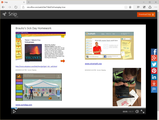
Snipping is an everyday task for millions of Office users. They paste screenshots into emails, documents, presentations, notebooks, etc., and write text explaining the concept that the screen snips help illustrate. But imagine if you could dictate that story—in your own voice—and save it as part of the snip. Or you could explain an idea while white-boarding it with digital ink. Or take a photo with your webcam and paste it in an email or embed it on website without ever leaving the application you created it in.
Snip makes all these things possible while keeping the basic task of snipping just as easy as it always was. But therein lies the challenge: a big part of designing Snip was getting people to see the possibilities of what they could create with it. Or as Snip’s tagline says, "Why just show when you can show and tell?"
It was a tricky concept for people to wrap their heads around because it represents a new way of performing a familiar task and making the result of that task much more powerful and easier to share. But once people saw examples of media-rich snips, which you can see on the Snip website, they instantly got the concept. And they started to change the way they work. "Sometimes the simplest things are the most powerful. Snip is transforming the way people think about communicating their ideas and providing feedback on others’ ideas," explained Anoop Gupta, distinguished scientist and leader of the Snip team.
"The team that built Snip is also the team that is responsible for Office Mix," added Aravind Bala, partner engineering manager for Snip. "We’ve learned that Office Mix users who leverage the ability to annotate content with voice and inking love it and use it all the time to communicate messages and ideas. So we developed Snip as a lightweight way of making use of these capabilities within a process that is performed daily by some users. Our job is to present snipping in a way that’s easy to use and compelling. Over time, people’s behavior will change."
"Much of the inspiration for Snip came from our work with educators and students," said Jim Federico, principal product manager for Snip. "Snip is already being used by educators to deliver personalized feedback to students, and students are using Snip to share their creativity with teachers and their classmates. Since releasing this tool a short time ago, we’ve been impressed with the amount of usage by Windows users. We’ve also been humbled by the amount of feedback we’ve received from people who are helping to shape our vision for this tool."
For now, download Snip, give it a try and send us your feedback. Who knows, the next new feature to make snipping even more powerful could start with you.
The post Snip makes you even more productive using Microsoft Office appeared first on Office Blogs.
Office Blogs
.
Blog
.
<span class='date ' tip=''><i class='icon-time'></i> Dec 05, 2015 12:36pm</span>
|
|
In this episode, Jeremy Thake and Richard DiZerega talk to Dorrene Brown on the new File Handlers in Office 365.
http://officeblogspodcastswest.blob.core.windows.net/podcasts/EP61_FileHandlers.mp3
Download the podcast.
Weekly updates
Office UI FabricCreating Office add-ins with Yeoman by Andrew Connell
Channel 9 Office Dev Show Episode 8 iPad Extensibility
Matter Center
OData Excel Office Add-in
Mail add-in for Outlook using Office 365 APIs (ADAL.JS, ANGULARJS, WEBAPI, AZURE AD) by Matej Vodopivc
Developers: SharePoint isn’t a Platform, SharePoint is a Service by Andrew Connell
Episode 092 - Identity Convergence, App Registration Portal and AppModel v2 with Microsoft’s Stuart Kwan
8 Characteristics of an ideal SharePoint customization by Doug Ware
Web add-ins: Using Office Open XML to extend the JavaScript APIs by Cindy Meister
Setting properties via EWS on a Draft message is a compose Mail App by Glen Scales
OWA Voting Button Compose App for Office365/Exchange 2016 by Glen Scales
Using Azure Machine Learning with SharePoint by Matthias Einig
Show notes
File Handler add-ins now available
Got questions or comments about the show? Join the O365 Dev Podcast on the Office 365 Technical Network.
The podcast RSS is available iTunes or search for it on "Office 365 Developer Podcast" or add directly with the RSS http://feeds.feedburner.com/Office365DeveloperPodcast.
About Dorrene Brown
Dorrene is a program manager at Microsoft currently focused on Office 365 extensibility. Prior to her stint at Microsoft, she worked a variety of odd jobs spanning from art preservation to aerospace systems with a bunch of other stuff in between. You can find her speaking at various Microsoft conferences and/or yelling about the Internet @dorreneb.
About the hosts
Jeremy is a technical product manager at Microsoft responsible for the Visual Studio Developer story for Office 365 development. Previously he worked at AvePoint Inc., a large ISV, as the chief architect shipping two apps to the Office Store. He has been heavily involved in the SharePoint community since 2006 and was awarded the SharePoint MVP award four years in a row before retiring the title to move to Microsoft. You can find Jeremy blogging at www.jeremythake.com and tweeting at @jthake.
Richard is a software engineer in Microsoft’s Developer Experience (DX) group, where he helps developers and software vendors maximize their use of Microsoft cloud services in Office 365 and Azure. Richard has spent a good portion of the last decade architecting Office-centric solutions, many that span Microsoft’s diverse technology portfolio. He is a passionate technology evangelist and frequent speaker are worldwide conferences, trainings and events. Richard is highly active in the Office 365 community, popular blogger at www.richdizz.com, and can be found on twitter at @richdizz. Richard is born, raised and based in Dallas, TX but works on a worldwide team based in Redmond. In his spare time, Richard is an avid builder of things (BoT), musician, and lightning fast runner.
Useful links
Office 365 Developer Center
Blog
Twitter
Facebook
StackOverflow
http://aka.ms/AskSharePointDev
http://aka.ms/AskOfficeDev
http://aka.ms/AskOffice365Dev
Yammer Office 365 Technical Network
O365 Dev Podcast
O365 Dev Apps Model
O365 Dev Tools
O365 Dev APIs
O365 Dev Migration to App Model
O365 Dev Links
UserVoice
The post Episode 061 on the Office 365 File Handlers—Office 365 Developer Podcast appeared first on Office Blogs.
Office Blogs
.
Blog
.
<span class='date ' tip=''><i class='icon-time'></i> Dec 05, 2015 12:36pm</span>
|
|
Dogeared specializes in designing beautiful and meaningful jewelry. After starting a deployment of Google Apps, Dogeared switched to Microsoft Office 365 because it offered a better-integrated set of tools and was easier to use. Employees now can communicate seamlessly both internally and with customers, suppliers and distributors, and be more responsive from outside the office. Now that the company uses Office 365, it has unified capabilities that are helping it transition into a more connected, nimble business.
Here’s what Chad Berryhill, IT director for Dogeared had to say:
"By switching to Office 365, we’ve removed the headaches related to our old point solutions. With so many ways to … work with each other from anywhere, we can be more dynamic as a company. Most of our employees use Macs, so they appreciate that having Office ProPlus for Mac makes it possible to avoid compatibility issues and also have the same tools on every device."
Inspiration through jewelry
Meaningful messages can celebrate individuality, self-expression, love and friendship. That’s the idea behind Dogeared, a jewelry company that creates simple, modern and versatile jewelry paired with inspiring messages. Like its products, Dogeared lives by the philosophy that what goes around comes around; as such, the company is a certified B-Corporation dedicated to handcrafting everything locally, respecting the planet and partnering with non-profits that share their vision of a better world. The company continually meets rigorous standards of social and environmental performance, accountability and transparency. "We make products we are proud of, we work with people we admire, and everything is about team," says Marcia Maizel-Clarke, founder and owner at Dogeared.
The California company had some adjusting to do as it began to achieve greater, more widespread success. "I learned the inevitable lesson that most artists-turned-business-owners face sooner or later: how to strike a balance between creativity and fulfilling the more practical needs of running a business," says Maizel-Clarke.
Those practical needs included establishing an environment in which employees could work more closely with each other and with the company’s suppliers, distributors and customers to promote and keep pace with the company’s growth. To create that atmosphere, Dogeared hired an IT director with the enterprise experience to develop a technology vision for the company that would alleviate its growing pains. "Retail is a dynamic industry that moves quickly, so it’s tough to slow down enough to make long-term plans," says Chad Berryhill, IT director at Dogeared. "But the time had come for us to become more sophisticated in communication and collaboration capabilities if we wanted to support and further our growth."
Dogeared needed a plan that could address issues faced by multiple groups within its workforce. For example, its sales representatives needed a more reliable way to communicate with retail customers than the company’s existing email systems, which were prone to outages. Sales staff also wanted better access to Dogeared’s internal network to find answers to questions more quickly, even as they traveled to trade shows and made sales calls. Other employees sought to work together more easily. "We had no unified calendaring capabilities, we had to wait for our service provider to create distribution lists, and we relied on a range of expensive, disparate products for document sharing and conferencing," says Berryhill. "Our teams needed an easier way to schedule meetings and conference rooms, to collaborate on marketing materials without worrying about version issues, and to access company assets."
Because Dogeared had built its IT environment on an as-needed basis, it was difficult to expand the business. "Until recently, the company made one-off decisions, purchasing software box by box, rather than as a business," says Berryhill. "When I joined Dogeared in 2014, it was clear that we needed to stop and evaluate what technology tools were necessary to truly operate as a coordinated business at scale."
Back in 2013, the company had purchased Google Apps under the assumption that it was taking the first step toward a more unified technology environment, but Berryhill quickly discovered that the product did not provide a long-term answer. "I had a clear vision of what our future IT environment looked like, and Google Apps just wasn’t part of it," says Berryhill. "Not only did we want to be able to integrate our communications tools with our Microsoft Dynamics NAV enterprise resources planning system, but we also wanted to give employees a streamlined experience, whether they were scheduling meetings, conducting videoconferences, or creating documents, and Google Apps couldn’t help us accomplish those goals."
Pearls of wisdom
Berryhill recognized that Microsoft Office 365—a suite of productivity, communications and collaboration cloud services—would provide Dogeared with the necessary functionality and long-term road map. "We needed a strong foundation," says Berryhill. "I saw that Office 365 was a more robust tool than Google Apps, and I knew that all our employees would be more comfortable working with its integrated components."
Dogeared worked with CorpInfo, a Microsoft Cloud Accelerate Partner based in Los Angeles, California, to deploy Office 365. "I walked away from our initial meeting feeling like I’d found a partner who would help me get Dogeared where it needs to be, and the CorpInfo team’s hard work and insight have supported that feeling ever since. We signed the initial paperwork with Microsoft in April 2014, and by the end of May 2014, we were up and running with Office 365."
As good as gold
Today Dogeared employees take advantage of Microsoft Exchange Online for comprehensive messaging and calendaring, OneDrive for Business for document storage and Microsoft Skype for Business for presence, instant messaging and conferencing capabilities. "The quickest win after we went live with Office 365 was Skype for Business; employees adopted it immediately, and it helps them stay connected and facilitate valuable communication where physical distances and technology challenges made it difficult in the past."
Employees also use Microsoft Office 365 ProPlus so that they have the latest version of Office on every device. "Most of our employees use Macs, so they appreciate that having Office ProPlus for Mac makes it possible to avoid compatibility issues and also have the same precision tools on every device," says Berryhill. It was frustrating and time-consuming for Dogeared employees when the data or appearance in their files did not stay the same from one device to the next. They now not only have file fidelity but also a consistent Microsoft Office experience no matter what device they or their colleagues choose to use.
"We believe that the move to Office 365 offers the answer for companies with limited IT resources that still need innovative, enterprise-class tools," says Berryhill. "Our IT department relies heavily on its outsourced services, and it would have been challenging to provide the types of solutions we have through Office 365 so quickly and in such a cost-effective manner. I’m confident that Microsoft will continue to make valuable new capabilities available for me to quickly deliver to our workforce. For example, with the announcement of Office for iPad, our teams are now using more travel-friendly devices for business purposes despite being on a bring-your-own-device model."
Enhanced employee productivity
Within the first week, Dogeared employees felt more connected and efficient. For example, employees can rely on Microsoft Exchange Online for scheduling and have confidence that all calendars are in agreement. "We know that people are getting more done because they’re no longer roaming the halls, asking one another if there’s supposed to be a meeting at that time," adds Berryhill. "It sounds so basic, but we lacked the ability to trust what we saw on our calendars. Today, using Exchange Online, even our iPads and mobile phones show us accurate, up-to-date email and calendar information."
The company’s sales force also now has access to the information they need from on the road, which is helpful when they are making sales calls. "By switching to Office 365, we’ve removed the headaches related to our old point solutions and enabled our talented, creative workforce to be more efficient," says Berryhill. "With so many ways to reach out and work with each other from anywhere, we can be more dynamic as a company."
Improved responsiveness and greater corporate unity
Dogeared employees appreciate the ability to stay in closer touch both with colleagues and with suppliers, distributers and customers. The company uses Skype for Business to see when colleagues are online and available to answer questions. "The owners of Dogeared often work from home, and by using Skype for Business, they stay more connected to the company and vice versa," says Berryhill. "Because the company’s owners indicate their presence online, employees reach out to them more confidently, knowing that they are truly willing to answer questions, even when they’re not in the office."
The company also sees opportunities to use Skype for Business to give suppliers, distributers and even customers a glimpse of what goes on behind the scenes at Dogeared to help them feel a closer tie with the company. "I can envision conducting our seasonal product launches as a Skype for Business videoconference or webinar," says Berryhill. "Watching live demonstrations or videos of employees meticulously hand-stringing beads and hammering silver will convey our passion and commitment to our products far more powerfully than reading a product insert," says Berryhill.
The company believes that Skype for Business and the Yammer social networking solution, which comes with Office 365 licenses, will bring employees closer together. "We have a talented workforce, and any time we can tap into the knowledge base that we already have here, we can grow as a company. We see Yammer as a valuable opportunity to break down walls and improve cross-company communication," says Berryhill. "And we’re already coming up with interesting ways to stay connected using Skype for Business. For example, one of our employees used the Skype for Business app on her mobile phone to check in with her team while she waited for jury duty at the courthouse."
Cost savings
Of course, as Dogeared evolves into a larger company, it must consider the financial ramifications of its purchasing decisions. Adopting Office 365 has been a cost-saver for Dogeared, and it believes that the value from its investment will only grow as it uses more of the solution’s functionality. As a start, employees are moving away from third-party document storage to OneDrive for Business, using it as their single accessible source for product photography, company policies and marketing campaign documents. "We no longer have to email bulky files back and forth for approval or pay for third-party cloud storage because we have OneDrive for Business," says Berryhill.
"It’s hard to estimate our actual return on investment because we aren’t done eliminating third-party products, but we know that we are saving money with Office 365," says Berryhill. "We’ve seen so much reward from the move to Office 365 in just one week that it’s exciting to imagine the value we’ll receive when we expand our use of Skype for Business, start to use Microsoft SharePoint Online to automate workflow, and take fuller advantage of everything that Office 365 has to offer."
Technical summary
Dogeared uses a range of Microsoft Office 365 components to help unify the company. Employees take advantage of Exchange Online for comprehensive messaging and calendaring, and they use OneDrive for Business as a centralized source for online document storage. They tap into the greater Dogeared knowledge base through Skype for Business for presence, instant messaging and conferencing capabilities. In the future, Dogeared salespeople will place orders through Office 365 when they’re at trade shows because the company plans to integrate it with a customer relationship management system to create a mobile sales system.
Key links
Download the full case study
Dogeared discovers a gold mine of capabilities with Office 365
The post Small jewelry company shines as a social business with Microsoft Office 365 appeared first on Office Blogs.
Office Blogs
.
Blog
.
<span class='date ' tip=''><i class='icon-time'></i> Dec 05, 2015 12:35pm</span>
|
|
"The proof is in the pudding." How many times have you heard that? According to numerous sources, the original saying was "the proof of the pudding is in the eating." What it meant was that you had to sample food to know whether it was good. It’s the same with technology; the true test of its value is in how it works for users.
Microsoft CEO Satya Nadella reported in late July that users are choosing Office 365 at unprecedented rates. Office 365 now has 15-million subscribers, with nearly a million more signing up monthly. Satya also confirmed that four out of five Fortune 500 corporations currently use Office 365, and 50,000 new small- and medium-sized businesses adopt the service every month. More recently, independent sources have determined that businesses favor Office 365 over other cloud services and that Office 365 now controls more than 25 percent of the enterprise market.
User response to Office 365 reflects the strength of our ongoing work to continually improve the service with frequent updates, innovative features and new capabilities. Just yesterday, in fact, we announced that Microsoft has taken another big step toward its goal of reinventing productivity by agreeing to acquire VoloMetrix, a pioneer and leader in organizational analytics. VoloMetrix has done outstanding work using behavioral data and personalized feedback loops to transform individual and organizational productivity. Now, by combining VoloMetrix’s experience, technology and record of success with Office 365 and our previously announced Delve Organizational Analytics, Microsoft is providing tools that can help you objectively measure and prioritize your time at work, make better decisions, and be more productive.
In addition, we recently released new and improved business analytics features for Excel 2016, so you can take full advantage of each capability as it applies to your unique business needs. In addition, this week we announced the general availability of Office UI Fabric, a responsive, mobile-first, front-end framework for developers, which is designed to make it simple to quickly create web experiences using the Office Design Language.
Don’t take our word for it. The "proof" of Office 365 and its value to users is in your experience. Give it a try and see how it works for you.
Below is a roundup of some key news items from the last couple of weeks. Enjoy!
Office 365 gives Tastea the freedom to focus—Learn how the owners of this fast-growing beverage company are using Office 365 to keep their business in sync and on track.
Sports apparel designer gears up for mobile productivity with Office 365—Find out how sports business Dakine uses Office 365 to support its far-flung mobile workforce.
Enhancing global operations: Treasury Wine Estates moves to Office 365—Discover why this global wine company decided to migrate to Office 365.
Okta customer research finds Office 365 most-used cloud service—Learn why Office 365 is the favorite cloud service of many businesses.
How Office 365 changes the focus of technology service delivery—Find out how Office 365 allows customers and partners to focus on business outcomes instead of technology features.
The post Office 365 news roundup appeared first on Office Blogs.
Office Blogs
.
Blog
.
<span class='date ' tip=''><i class='icon-time'></i> Dec 05, 2015 12:34pm</span>
|
|
Today’s post was written by Adrian Steel, global head of IT operations for International Airlines Group.
How do you foster teamwork and collaboration across a workforce of 41,000 people when a large majority of your employees quite literally have their heads in the clouds most of the time? At British Airways, we’re using Yammer to encourage great ideas from employees on the ground and in the air. Within 21 months, we reached over one million Yammer posts, which represent a phenomenal amount of knowledge shared between British Airways employees from all corners of the organization.
British Airways is pioneering the use of Microsoft Office 365 for our parent organization, International Airlines Group (IAG), which includes Iberia and Vueling Airlines. We’re using Office 365 to help achieve excellent levels of collaboration, operating synergies, punctuality and customer satisfaction.
We introduced Yammer two years ago, and within just six months, more than 11,000 employees had joined the British Airways network. We’ve found that Yammer facilitates spontaneous conversations among employees—sparking innovative ideas that help us operate more efficiently and improve customer service.
For example, when our employees got their first look at the new Airbus A380 airliner, Yammer buzzed with excitement. However, some cabin crew members noted that the galley layout could be improved. One employee even sketched and posted some recommended adjustments. The engineering team, based in Wales, was tracking this social conversation and quickly captured and incorporated the feedback—all in a matter of days.
This connection and level of collaboration between different parts of our organization would have previously taken significantly longer to achieve. Yammer collaboration reduced the exchange to days and drove a highly effective solution that enhanced staff productivity and customer service on our new A380 flights.
In another example, the team responsible for customer experience proposed some improvements to amenity kits that British Airways cabin crew give out to customers in our First cabins. Cabin crew started a thread talking about the amenity kits, discussing what customers thought about them and what products might be included in the future. Having real-time feedback from our colleagues at our fingertips ensures we can make changes that our customers will love, and our cabin crew colleagues know that their feedback is important.
Yes, our employees could have conducted all these conversations over email, but email isn’t the best forum for group discussions. Yammer is a very efficient way for hundreds of people to exchange ideas quickly across many locations, time zones and teams.
And speed is of enormous importance in the airline business. Just about every process, from loading planes to checking in passengers, is monitored and measured down to the second. Anything we can do to speed up a process by even one minute can have a huge impact on getting planes off the ground on time. We supplement these core processes with Yammer and Skype for Business online to encourage collaboration among many teams in real time to make the best possible decisions in each situation.
With the ability to quickly solicit great ideas from our global workforce, on the ground and in the air, we are transforming our business and continuously improving customer service. This is what it’s all about. This is one of the areas that helps us distinguish our brand from the competition.
The post Yammer posts top one million—British Airways inspires innovative teamwork appeared first on Office Blogs.
Office Blogs
.
Blog
.
<span class='date ' tip=''><i class='icon-time'></i> Dec 05, 2015 12:33pm</span>
|
|
When Amber Borgomainerio started Breathe Hot Yoga in 2010 with her partner and husband, Ross Yearsley, they shared a vision for bringing authentic hot yoga to Seattle and establishing an accessible environment for people who wanted to enrich their lives. "But opening our doors took more than passion and inspiration," she says. "It took financial resources, organization and a huge leap of faith."
The couple used a home equity line of credit to finance the construction of their yoga studio and took the plunge. Today they have three locations around the Seattle area, and they’re expanding their teacher training and offering more retreats. Along the way, they also learned a lot about creating and managing a successful business.
Borgomainerio advises entrepreneurs to focus on their strongest skills, adapt as the market changes, and approach their business with realistic expectations:
"Two of our biggest lessons have to do with delegation and adaptability. First, we decided to embrace our core competencies, which include everything that goes into creating a positive experience for our clients. We’re willing to learn other aspects of the business, but for us, it makes the most sense to spend our time on what we do best. Beyond that? We leave it to other professionals. We hired wonderful architects to help us build our spaces, we have a great accountant who keeps our finances in order, and we invest in cloud-based technology so we don’t have to worry about IT.
Second, we’ve come to realize how quickly the market can change and new competitors can come into play. Just five years ago, the fitness industry was considerably different than it is today. Yoga was considered a realm unto itself. Then, unexpectedly, yoga got bucketed in with other mainstream fitness offerings. And when the landscape changes … we have to change along with it. That’s tough to do while staying true to who we are and the traditions we want to share with our clients. We now recognize how important it is to try to anticipate trends by analyzing our clients’ needs, developing relationships with other small businesses, and staying aware of new forms of fitness."
To read the rest of Amber’s story and the stories of other small business owners like Amber, download our eBook, "What I wish I knew."
The post Breathe Hot Yoga’s small business story—bravery, belief and balance appeared first on Office Blogs.
Office Blogs
.
Blog
.
<span class='date ' tip=''><i class='icon-time'></i> Dec 05, 2015 12:33pm</span>
|