Blogs
|
Guest BloggerMichelle ArmstrongRundle College Director of TechnologyCalgary, Alberta CanadaEdTechTeam Featured SpeakerIt was a typical Canadian November, fraught with freezing temperatures, blizzards, power outages and bus crashes, but we’ll get to those later. In just 7 days, 8 Canadian trainers were able to provide quality PD to 190 educators from Canada’s 10 provinces and 3 territories. How? It all started with a pledge.Samsung Canada made a major commitment to Canadian public education in 2014, pledging $1 million in school technology grants, putting 1357 tablets and 971 chromebooks into 40 schools across Canada. Fully aware that technology is nothing without learning how to use it, Samsung also pledged to provide educational support for those new devices. That’s where me and EdTechTeam come in.The locations were scheduled, the trainers were booked. 190 educators from across the provinces and territories agreed to come together at one of 12 workshops around the country.The tour began on November 1st in Calgary, Toronto and Saskatoon. A total of 16 schools were brought together for training on a variety topics from GAFE basics to Android Apps for the classroom. As with many of EdTechTeam’s training sessions, attendees were hesitant at first, "not convinced about another technology item to try to integrate" but the reviews were consistently positive, most agreeing "that was the most enjoyable and engaging PD I have ever attended."The following weekend the trainers shifted to Maple Ridge, Ottawa, Selkirk and Coquitlam for another round of successful sessions with an additional 10 schools, then things started to get a bit dicey with the maritimes trip right on the heels of the Buffalo Snowstorm. Jeff Humphries made it into Newfoundland without incident. Little did he know how difficult it would be to get out! With his flight cancelled, and his next training session scheduled in St. John NB in just over 12 hours, he worked his Canadian charisma to change his flight, only to board a plane so turbulent that, let’s just say the passenger beside him made use of those bags in the seat-back pocket. But he made it, arriving in St. John, NB to find that no taxis were running. Not to be stopped after coming so far, he hired a military driver to get him to the school right in the nick of time... to witness a school bus slide into a power pole out front of the school. Have no fear, no one was injured, but the power outage that resulted kept Jeffrey on his toes, arranging access to his cellular hot-spot in order to keep the training going. In the end, power was restored, and 15 teachers from New Brunswick were left inspired, not only by the breadth of knowledge that Jeffrey provided, but his tenacity and perseverance in the face of Mother Nature’s hijinx. It should be noted that Jeffrey went on the very next day to provide training to teachers from Nova Scotia and PEI, receiving a unanimous "strongly agree" by all attendees when asked to rate if they felt the workshop was an excellent learning experience. (Then he went home and slept for a week ;-)The tail end of the tour capped off with training sessions in Kelowna and Yellowknife: 7 days, 8 trainers + 10 provinces + 3 territories = 190 inspired educators with unlimited potential heading back into their classrooms!Special thanks to: Michael Wacker for allowing me to be the lead on this project; to Stacy Drohomyrecky and Nicola D'Souza from Samsung for their amazing coordination efforts getting all of the training sessions booked and finally to the amazing trainers that were so willing to share their passion with other Canadian educators: Tracy Poelzer (BC & SK), Kylie Kissel (with me in Calgary), Jim Jamieson (Toronto), Scott Monahan (Toronto & Selkirk), Lise Galuga (Ottawa), Jeff Humphries (Ottawa & Maritimes), James Petersen (Yellowknife & Pre Training Webinars). You are an amazing crew. I can’t wait to work with you all again!To learn more about an upcoming summit, register for an EdTechTeam Summit featuring Google for Education in your region, or contact EdTechTeam about custom professional development and organizational change coaching.EdTechTeam is a California Benefit Corporation and global network of educational technologists dedicated to improving the world’s education systems using the best technology and learning principles available. EdTechTeam produces Future Ready Schools summits and custom professional development for teachers and school leaders around the globe.
EdTechTeam
.
Blog
.
<span class='date ' tip=''><i class='icon-time'></i> Dec 05, 2015 01:18pm</span>
|
|
My Experience at #gafesummitI had the fortunate opportunity to present at this weekend’s Google Summit in Kitchener. My session was the usual - pedagogy, assessment, marking and coding. I call it "the usual" but it is never delivered the same twice. This time around I even added four new slides thirty minutes before time was up. You can download them here: http://brianaspinall.com/?page_id=66. But isn’t that education? Self-reflection, tweaks from feedback, adjusting to different audiences. I was short on time, but confident with my content.In the true EdCamp form, we had a matrix of sessions happening in parallel in multiple rooms. You can review the sessions here: http://on.gafesummit.com/2015/sessionsI learned quite a bit on the technological front about Google Apps that I didn’t know before. I re-connected with old friends and even made some new ones.However, there was something different this weekend. A kind of buzz and energy I haven’t felt at a tech conference before. It may have just been the Spring like weather, but I think it was something more.In attendance there were students. There were teachers. There were principals. There was also MoE folk. It didn’t matter who you spoke to or what session you went to - the underlying idea of change seemed consistent. As educators we know we have to change and we know why. It won’t be easy, but that’s OK. The question is how. What matters most is what we do next.What will you do next? If you attended this weekend as a participant, I encourage you to share back at your school. Send an email. Write a blog post. Host an after school session. Like George Couros says "a teacher chooses to live in isolation in this connected world." Sharing has become incredibly easy. Don’t isolate yourself.I learned about EdPuzzle for diagnostic assessment and I look forward to sharing it on Monday’s PLC and Tuesday’s TLLP sessions. I am sharing how to use the app for assessment for learning - not the app itself - and I think there is a big difference. Pedagogy before technology.What will you share?Go outside and play. It’s beautiful… Thanks Poppa for getting me through another one.Brian Aspinall is an intermediate public school teacher in Chatham, Ontario. As a Computer Science graduate from the University of Windsor, he also develops web applications for the educational community in order to further the progression of 21st century teaching. He is a firm believer in progressive education and when not teaching, coaching sports or developing software, you can find him knee deep in a long afternoon of retro gaming or lost in social media collaborating with others.Follow him on twitter: @mraspinall
EdTechTeam
.
Blog
.
<span class='date ' tip=''><i class='icon-time'></i> Dec 05, 2015 01:17pm</span>
|
|
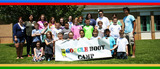
Google Boot Camp was developed by Gesina Korte (Instructional Technology Resource Teacher and Google Certified Educator) and myself (French Teacher and Google Certified Educator) at Skyline High School to promote the use of Google Apps for Education (GAFE) in the classroom. Both of us share a passion for all things Google and decided that we needed to create an event that could serve as an enrichment activity for our students. After attending the EdTechTeam Virginia Google Summit, we were filled with ideas and knew that we needed to make Google Boot Camp a reality for the students of Warren County Public Schools. Even though our school system has not gone to a 1:1 deployment of Chromebooks, Google Boot Camp prepared the students with the skills needed to be ready for more integration of GAFE and Chromebooks in the classroom. Elementary level recruits were drafted by their teachers to participate in a one-day Google Boot Camp, which introduced them to some powerful GAFE ammunition. The recruits were led by high school Google Generals from Skyline High School and Warren County High School. They were divided into four squadrons, Blue, Red, Yellow, and Green. Throughout the day each squadron braved Google challenges issued by CHROMEander Korte and Sergeant YouTrude in Google Classroom. Google colored stars were earned upon the completion of these challenges. These Google challenges prepared the squadrons for G-Day! Answering the call of duty recruits battled it out in the Chrome War. Those who proved to be "Google Strong" were awarded the fifth star, the Chrome Star. The recruits who survived Google Boot Camp have now become official members of the Collaboration Corps and are expected to lead the way as student Google leaders at their respective schools. The recruits and the generals arrived bright and early on May 9, 2015 to the GBC (Google Boot Camp) Headquarters, Hilda J. Barbour Elementary School in Front Royal, Virginia. Upon registration, the recruits began their first challenge - to create a military fort using Build with Chrome. After the recruits finished their forts, we sent them their next challenge. They needed to create an Android using the features in Google Draw. With no instructions, the students began their mission. After a few minutes and some assistance from the Generals, we began to see Androids appearing on the screens of the recruits’ computers. The recruits completed both challenges independently and earned their first star, the Red Star. By this point in the day, the recruits appeared to be homesick, but we reminded them that they could always see their home while they were in GBC. It was time to introduce the recruits to Google Earth and Google Maps. The recruits searched for their home address in both Google Earth and Google Maps. After checking in with their Generals, it was back to the next mission. The recruits also collaboratively created a mission supply list in preparation for the Android Search & Rescue Mission. They used Google Sheets to complete this challenge. After successfully earning their Green Stars, it was time to issue the challenges for the Blue Star. The recruits utilized Google Maps to find the five missing Androids in action which were hidden throughout the premises of the school. The recruit assigned at the command center inside of the school communicated to the rest of their squadron via 2-way communication radios. If we had had wifi access outdoors we would have used the Nexus tablets and Google Hangouts for the Search and Rescue Mission. This challenge turned out to be a real challenge for some of the squadrons as the wind had blown some of the Androids to other locations! Through it all, the recruits worked diligently to rescue their Androids and return them to headquarters. For the second challenge for the Blue Star, the recruits had to create a collaborative squadron cadence utilizing Google Docs. One recruit created the first copy and shared it with the others to collaborate. The cadence was then printed and taped to the back of poster board androids so the recruits could chant their cadence as they entered the battlefield for the Chrome War. With some assistance from the Generals, the recruits completed the challenge and were ready to earn the next star, the Yellow Star. To earn the Yellow Star, the squadrons collaboratively created a Google Slides Presentation to introduce their Android soldiers that they had created earlier in the day using Google Draw. The recruits were required to insert their drawing after they converted it to a jpeg into the presentation. Then they had to describe the special strengths or powers their Android Soldier possessed. The recruits worked quickly on this challenge as they all were eager to participate in the Chrome War and earn the coveted Chrome Star. The recruits had easily completed all the challenges and were ready for battle. Each squadron marched onto the battlefield chanting their squadron’s cadence that they had created earlier in the day. After a quick explanation of the rules, it was time for G-Day, a day that will go down in GAFE history. It was a Googley battle to the end as Google colored water and balls were launched as the recruits tried to capture the other squadron's flags. In the end, it was the red squadron that tasted victory as the Google stained blue, green, and yellow squadrons surrendered. Google Boot Camp proved to be an exciting and educational experience for everyone from the recruits, to the generals, and even the teachers. Seeing the excitement on the students’ faces and seeing them embrace GAFE was amazing. The event was a complete success and one that we hope will become an annual event for the students in Warren County Public Schools. To see videos and images from Google Boot Camp, visit our Google Boot Camp site. Heidi Trude is a Google Certified Educator and French Teacher and Academic Team Coach at Skyline High School in Virginia and attended the EdTechTeam Virginia Summit where she was inspired to bring the world of Google Apps for Education to her students. Find her on Google Plus or on Twitter @htrude07. We'll be hosting a Hangout On Air with Heidi on June 3rd at 1:30pm PDT to learn more about this event and other EdTechTeam Student Summits we've hosted. Join us!EdTechTeam will work with you to design a Summit for your students! Request one here.
EdTechTeam
.
Blog
.
<span class='date ' tip=''><i class='icon-time'></i> Dec 05, 2015 01:17pm</span>
|
|
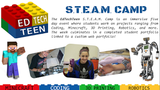
Panelists: @Heidi Trude @Dee Lainier @Chris Scottsy @WendyGorton @SteveMerchantGreat Links About Student Training: Google Student BootCamp | EdTechTeen | EdutechServe Dojo | TechSherpa Program Wendy: Okay hey everybody my name is Wendy Gorton and I'm super stoked to be here this afternoon or depending on where you're at, morning or evening. We're with a bunch of really talented educators who are all doing really cool stuff with student engagement and Google Apps for education. We’re holding this thing out on air for the next half hour to kind of share the different projects that each of them are doing. Hopefully we keep in conversation going about different strategies for involving and training your students on how to use all these awesome tools.So let’s go through and introduced everybody and I will come back and maybe go project by project and hear all of the great stuff you all are doing with student engagement. So let’s kick off if we want to with Heidi Trude who is joining us, which if you want to look on our blog, blog.edtechteam.com. We actually featured Heidi and her school doing a Google Boot Camp and that she was inspired from the Virginia Summit Featuring Google for Education that we recently had. And so we’re really excited to share a document that Heidi held and facilitated. And then hear a little bit more from our other folks about student summits and other really great stuff. Heidi why don’t you tell us a little bit about yourself and maybe how folks can get in touch with you on your Twitter and all that good stuff. Heidi: I am Heidi Trude, I am a Google Certified Educator, here in Virginia to give you a reference point as to where it is. It is 60 miles west of Washington DC. I am a French teacher and I have been collaborating with my colleague who used to teach here at Skyline and she's now the ITRT in the county at our elementary school. So that gives you a little background about her and myself. And what we’ll talk about later in the hangout is how the she created the Google Boot Camp and brought in myself and my students the camp with the elementary school students. So this is my seventh year teaching and I'm really passionate about Google so that’s a little bit about me. And to reach me on twitter my handle is @htrude07. Wendy: Awesome. And thanks so much Heidi and thanks for sharing Justina's great curriculum and how you facilitated it at your school. We will dig in a little bit more about how that all unfolded and the great activity that you guys did. And what you’ve been doing since you held that boot camp. Thanks, Heidi. Let’s hear, I’ll go maybe down to the bottom. Chris is joining us from California. Chris you want to share with us, your background and maybe about the student project you are going to talk about today. Chris: Sure hi my names Chris Scott. @CScottsy and I think what I will talk about is mine craft since something I really like as much as playing as playing with the students. And using it for kids to be demonstrating her learning in using Google apps to really reign in mine craft and really squeeze the learning juice out of mine craft. That’s what I’m thinking about talking about. So there it is. Wendy: Awesome. Thanks Chris and again reach out to him @CScottsy on twitter to learn more about what you going to hear. I can’t wait to hear more about what you're up to it Google apps and mine craft. Dee please tell us about you? Dee: Sure, my name is Dee Lanier I am in Charlotte, North Carolina. Twitter handle is @deelanier and also on Google+. This is my first year out of the classroom in the last eight years which is both scary and exciting at the same time. I heard up a nonprofit organization called Uncommon which also allows me a lot more free time to volunteer at schools. I serve on the board of school culture, a lab school. I work at a museum sometimes here in Charlotte and sometimes in train teachers to try to utilize their talents as well. So the thing I love the most is just getting creative tools in the hands of kids. And then letting them have fun with it and then learning from them what all their doing with it. So doing a lot of things with capturing photography and video capturing, time lapse, things of that nature. Like audio recording, giving them tools of that nature. Or a soundtrack, showing how to use it and then finding out what they do with it. It’s lots of fun. Wendy: Awesome. And Dee’s done some really great keynotes for a lot of our summits in our program in the past and in the future. And we’re always excited to hear the cool stuff that Dee has in store. And then we’ll dig in a little bit more to some of those creation tools you just mentioned soon. Yay, let’s chat really quick with Steven. And Stephen’s joining us from school. Tell us Stephen about yourself. Steve: Yes I’m Steve Merchant, first-year educational technology specialist. I’m here in central California. Los Angeles Unified School District. And today I'm just going to share a couple of things that I've observed in classrooms with students using Google Apps. Wendy: Awesome. Thanks for joining us and sharing the passion sort of like Heidi and hang out with us at school today and am making the time to share with folks what's going on. And then Chantal tell us about yourself and thanks for joining us.Well thanks for introducing yourselves. And hopefully folks can find you on twitter and on Google+. I want to just start off and maybe share a little bit about Heidi’s boot camp that she did in Virginia and hear a little bit about it. I guess it would be nice to hear from the other folks to just how do you go about - you get all these ideas, I guess at a professional development, like a summit or training at your school. How do you then go back and take a project and get students excited and give them the strategies and skills they need to use all these things and how do you put it altogether? So let’s look at Heidi’s site for a minute and the training day that you did and then maybe we can hear a little bit from other people on the call about ways that they've planned or facilitated this at a larger level for students to get them going. Heidi do you want to share a little bit about on the event that you had and how it all happened. Heidi: Basically this was all her project completely. She thought of doing this for two years. She wanted to do it but then he had some personal issues that came up that didn't allow her to actually do it. This last summer was the original plan so it was put on hold and then we attended the summit and she came up with even more ideas. And I found even more ways and started thinking like how can we involve highschoolers. There always looking for community service and I’m like I sponsor the Key Club and those kids need some service hours. How can we involve the high schoolers with this kind of role model for our kids? For the younger kids. So we came up with the idea, okay let me teach my kids all these Google tools and they can go and facilitate this with the younger students using all of applications that Gesina had developed. So I had to make sure that I understood everything she created in order teach my students which my students would meet with me every day for 30 minutes during -we have what is called a flextime here it's kind of like…the easiest way to explain it would be a study hall. So the kids would come in. I had about 15 of them in here working off of our chrome books in our school. And I would teach them a new skill each day. They would have, we used our Google classroom feed. And the kids would complete each mission so they would understand how to teach the mission to the elementary schools. I would tell them elementary kids have lots of questions about this. And for my high schoolers, a lot of them it was their first experience working with Google Draw, working with Google Chrome. Most of my highschooler's are very comfortable using docs and slide and she was teaching them the new tools of how can you use this and how can you therefore teach it to the elementary kids? That was the point I had to come up with creative ways to make sure all my kids could easily teach this to elementary kids. High Schoolers and elementary kids sometimes don't mix well. So that was how we had to come up with ways to creatively work with them so that was that part. All the credit to everything that was developed, website, all of that goes to Gesina. I mean she is super creative. I think she eats, sleeps and breathes Google. I think her whole life is everything with Google. That’s kind of how she developed everything. I can talk more later on how we actually ran the whole day but that's kind of where we got the ideas from it. Wendy: Awesome, Heidi. I'm showing a screen the resource site and putting it all together. I love the mentorship aspect of using leveraging high school and you know younger students as it is a way to help usher in some of these skills. I don’t know, do any of you others on the call have other ideas or have you been doing any kind of mentorship between highschoolers and on and younger students or between students like a student Tech Club or anything like that? Does anyone have anything to share? Dee: I can Share about my Dojo. My training Dojo. Wendy: Sweet yeah. Please do. Dee: Yeah, it’s at edutechserve.com/dojo. And what we did there was have students go through a series of tests that they would have to qualify to then be tested or evaluated on their skill set. To then earn a belt or earn a degree. White belt was them being proficient in Gmail. And so they first would have to take the 20 question test score 80% or higher and that qualifies them to do a demonstration exam. And that would celebrated throughout the community and the school it shows to be an expert in Gmail. The first belt earned showed that they were instantly very helpful to the entire school.And then what ended up happening is that we began to get younger students to come in starting with the third graders so we created the knowledge exams in the demonstration exams from there. And it was the older students that would then help tutor them in using the school to school mobile apps. And then from there the students would then tutor the teachers. It’s a great lesson in reciprocity. Wendy: Oh that’s awesome. Cool, and I’ve pulled up the site Edutechserve.com/dojo. Just like Heidi and Justina’s site that they have for Google Boot camp, it’s another really great resource for campus packaging it altogether and I imagine just even looking at this resource site. That it’s really easy for other teachers to follow or just - the program, programmatic style of it makes it really nice. Some, I don’t know this is cool. I haven’t seen the site before. Dee this is awesome. Chris are you doing anything, kind of on the student summit end that kind of puts thing together, kind of in a way that makes things interesting for students to track or to get resources in an organized way like this? Do you have anything to share along those lines? Chris: I do actually a couple questions really quick for Dee, is what grades or ages well did you design that for? And then like where did you get the questions you know for each sort of level? Did you make those? Or did you grab those from somewhere? Or some combination? Dee: Oh goodness. It was a lot of development. It first started out as an afterschool program for high schoolers. And then when I moved to my next school we did a program that was an enrichment course for fifth and sixth graders that actually didn’t modify the curriculum at all. They caught on they helped one another. And we went from there. It wasn’t until I got a third grader that decided to change my curriculum almost altogether so that I could scale down for them. And those questions they were, they were started from some of the Google questions for education trainers. That was some of the inspiration behind a lot of them and then… Wendy: Chris did you want to share a little bit about your program. Chris: Yeah absolutely. Actually I'm just transferring to my wife so it will be better for you to come back to me. Wendy: And maybe while he’s getting ready, Stephen do you have being that this is your first year as an Edtech specialist. Do you have, experiences to start learning some of these things. As I know a lot of talk is about returning teachers, but maybe you can tell us a little bit about what you're up to your first year there helping students. Stephen: Yeah. Great question. So part of the reason I’m here is to steal some of these good ideas from Dee and other folks on how we can start incorporating students little more. This year we really did focus on the administrators and the moving towards teachers too. We had a Mouse Squad we piloted this year but we’d really like something a little more, homegrown to meet our specific needs. Wendy: Oh, what’s Mouse Squad? Stephen: It’s an organization that has a preset curriculum where the teacher basically sets up afterschool club. Or we could do it as a course. And they work with students to do all kinds of tech things from troubleshooting to repair some teaching. Wendy: Awesome. Let’s see I don’t know if Chris got back in. Susan’s in. Hi Susan looks like you’ve joined us. Can you hear us Susan? Susan: I can hear you. Wendy: Yay. I can’t see you. But Susan do you want to introduce yourself and maybe tell us in anything that you're currently doing with the students and preparing them with Google Apps for education. Susan: Well, I'm Susan Parker and I'm from Indiana. And I am just beginning this so I’m kind of listening for ideas. I'm a media specialist and I have we have a group called RD Intel but beyond that we really am looking for ideas on how to move forward. Wendy: Awesome. That's exactly what Steven's here for and I think we all are all kind of learning and picking up and it's so hard I think to just put all this stuff in one place. Which is why when you come across some of these awesome sites or events like Google Boot Camp or what Dee was just describing with his dojo or what Chris is going to chat about with kind of Student Summits. Or Mouse Squad as Steven mentioned. and sometimes just getting these links and resources and ideas and mashing it up to what fits in works with your school and your teachers is kind of the hardest part so thanks for joining us Susan. In this learning call that we have going on. Looks like Christ is back up and we get to see him now. Oh yay. Chris: Hi, I’m glad you can hear me. I made it okay so awesome. So we’re working with Michael Wacker and with Kern Kelly on Student Summits. So teen summits super super exciting stuff like were going and were just providing these really fun experiences with coding and 3-D printing, with Minecraft and all these different things. and of course it’s all under the umbrella of using Google which is really cool and you were just asking about, how we sort of keeping track her how are the kids able to do something sort of like what Dee was offering. And we are working on - we meaning mostly Kern Kelly - is working on the Tech Sherpa program. I see that you’ve pulled up the site there's pretty awesome. Oh the video, there’s Kern there the video. The Tech Sherpa program is actually his students are actually putting a book together with some certifications that they use and test some ideas and things that they can pass and they can actually take like a test in and become Tech Sherpa’s. Which is really cool it's like our own version of any kind of badging system. And what's really cool about it is that there is like a lot of kids out there whether it’s in high school or whether it's in junior high or even you know younger grades that are doing some really cool stuff with tech. We know that. And it’s really cool then to be able to sort of have that badge. That sort of Tech Sherpa that's universal right? Not just dedicated to a school or district perhaps but you know across schools so kids can really identify with each other. So that's something that were working on. And that is to be released at ISTE. That’s the goal. So when is that? The very end of June. Wendy: Awesome. Is there a site? Is there a better site Chris that has kind of the program on it? I know this is the… Kern's been doing this gosh for how many? The Tech Sherpas I remember meeting them. I forgot what summit I got to meet one of them but I mean this is kind of the stuff that I think all of us are here for today, is to learn about the empowering of students. And just when we give students the reigns I mean there helping out teachers weekly around the world. And so I think that’s really cool to put a name on in it or to kind of formalize some of the stuff that's going on with it. And to help with kind of like a global thing. Like Boot Camp or any of these. These are such a neat way to be able to connect with each other on it. Is there any other information on folks that folks can go to if they want? Chris: So we’re still really in the alpha. So a site right now you know I think the texture Google plus pages is going to be a great way. Reaching out to me would be great. We do have Edtecteen.com but that is really just like a quick landing page so it's not much there is just quick landing page. Yeah there you go. Wendy: Whoo, that’s nice now everyone is getting the newest latest… Chris: Yeah and that’s just a little taste of what's to come out. And right now are just working on email, getting sites that are interesting. And what's really cool is that there's so many places are excited about it and it's not even something that we have to say like hey you know this is what we’re doing. The people like school or saying to us we need this. This is what we want. Please come and do this. And then we get great people like Dee. He’s been at the student summits and Kern’s been there. And uses lots of great people, just bring some really cool stuff and really helping the kids find that, I don’t know. You know just find that place. Chris: You pointed out something really cool. Having that Tech Sherpa is actually our traveling to the different EdTechTeen Summits. So we had one in Canada. There’s three Tech Sherpa post was in Edmonton and Alberta. And then we just had like a one day EdTechTeen Summit and it was in San Bernardino area here in California and there was one of the Tech Sherpa’s there and the idea is that the kids would be able to have some way some fashion to actually get to go and travel to an EdTech Teen Summit and share what's going on. That’s so powerful. You know we all know how it is like when the kids get up and do the slams you know. It’s like they’re always doing the coolest stuff. They’re always making it so fun for everybody in the audience. We’re just like this. You know if you don’t for him or her, then what's going on? That was so good. Wendy: Student showcase of work is just so cool too. I don’t know how you get from the boot camp is with students’ work when they're finished. I mean if you look at the blog and he wrote about the event with resources I mean what? I want to go play those games right now they just look so fun. But after the event have students a chance to share and some of the work that they've created with Build with Chrome. Or with some of these things. Heidi: I know their teachers there working on being recognized by the teachers and the kids are known as the leaders within their classes. Since I'm not in the elementary school, it's hard for me to actually answer what they’ve done. With my high schoolers though they’re coming in wanting more. They are being featured with their teacher within their own classes. Now because the teachers are like you volunteered at the Boot Camp so can we get you to help us. I mean, our own students here are now taking on a new role as leaders within my high school which is awesome. It’s a little less work on me. When others are like oh, can you fix this, I’m like why don’t you just ask a student they were part of the boot camp so they understand how this works. so there kind of being more…being perceived more as leaders within the school which is great because we’re just basically - our district is becoming more involved with Google apps for education now. So our school has one Chromebook cart. Some of the schools don't have any. And some are kind of just getting the kids to be more immersed into it is like a big step now so that’s kind of where we’re at. And next year my kids have already asked are were doing it again. Which I think is great. The only problem is I think Gesina is not going to be here next year so we’re kind of looking at how we are going to work this. And will the elementary ITR that are still in place want to work this and on a bigger scale. Wendy: Yeah I think that’s where everybody is at the end of the school year right now is kind of thinking and I think that the Tech Sherpa’s talk about at the end of the year. What do you do with your accounts? But I think all of us are thinking now I'm sure Stephen and Susan too, just how do we take these small programs we may have implemented and learned from them in and how do we put this at scale for maybe out whole school district next year. So I think that the questions you’re going through are probably the same that are on everyone’s mind right now. Like what do we do to optimize this programming for our students and our teachers? I want to be cognizant of everyone's time here. Do we have any questions from anyone who's watching or Stephen or Susan about any of these programs or any Chris or do you have a questions about the other programs? Or Heidi, Chris or Dee? Or questions about any of the things that we’ve share today. Let’s hear it as we begin wrap up. Wendy: I hope we all stay in touch in the community as we start to kind of go through these things. And I think what Chris is talking about and all of us is that you continuing to chair the resources and what were up to and planning these event styles, celebrations or programs or opportunities for students to share what they're doing is super important. Stephen any last things to add or questions, or anything? Stephen: No Wendy. You just hit the nail on the head with the getting this to scale. Next year were rolling out 13,000 devices with every kid. Kindergarten through 12th grade having something/ Wendy:Wow. And are those going to be one-to-one? Stephen: Yeah, or one to one take-home. K-1 tablets and 2 through 12, books. Awe man. Well I know that the chrome book community and Google plus is really nice to start to talk to people and we have a bunch of folks in our inner network doing great one-to-one things. I think Jason Marquis out in Illinois is a really good person to follow and all sorts of other people to keep in touch with. And people doing awesome things that one-to-one programs right now. Wendy: And just kind of what you're saying Stephen is how you get started with that and how do you move from one classroom to all of a sudden training in about 13,000 folks on being comfortable. So that the things that Dee is talking about, the creation and getting kids making stuff and getting our teachers comfortable and our students comfortable on with what's possible of the devices. So we can all learn from each other in that respect. Dee or Chris any last thoughts or questions? Chris: I was just going to say with the creation tools one of the things that’s most exciting for me whenever we get to do at the student summits is showing how they work. And if we have an hour to 45 minutes. It’d probably take 10-15 minutes of me showing them how and then letting them go. And then asking them when they come back not just how does this work but how would you use this? And it is always amazing to hear student say I would ask these for these purposes. I can use it with these sort of assignments for these purposes. I think lots of times we as teachers think we have to think first what are all of the educational opportunities or teaching the tool instead of just teaching the tool and then allow them to use whatever tool that they see that fits best with whatever the curriculum is. The kids, they’re imaginative. Right? They have the creativity and we should just let them have it. Wendy: That’s really hard to do sometimes. I think even if you’re like Stephen and teaching teachers it's hard to do. We want as teachers I think we naturally want to preload and have all these use cases ready. But I think your philosophy of just saying alright this is the function but take 10 minutes and then you tell me what you can do with it. I like it. I like it a lot and I think it's probably looking at boot camps and EdTech Teen and Student Summit training programs thinking starting to be a little more open-ended and not so much is inspiring for sure. Chris any last thoughts before we all hop off? Oops your audio is off but we see the passion oozing for me that’s okay. [Laughter].Right awesome. Well thank you all so much for taking the time this afternoon to chat about it. We’re going to be transcribing this. And posting the video on our blog and on Google plus community. So hopefully we can and keep the conversation going. I’d love to have another chat as EdTech Teem goes out. Is anyone here going to ISTE this month? Gosh, that’s like a couple of weeks away. Anyone going? Dee are you going? Steven: I’m not going this year. Wendy: Boo. Steven, Susan, Heidi are you going to make it out? Steven: Next year for me Chris: Not going to make it. Heidi: I’ll be in L.A. Wendy: Oh darn Heidi. And Steven, next year. See you next year for sure. I like, I think in ISTE and after Google EDU on air the resources and just following the hash taggers is going to be huge and I think the resources and is calling the hashtag to be huge. Vicariously gleaning some goodies from that event here in a few weeks. Well, hopefully everyone stays in touch and keep in touch with us at EdTech Team. I’m @WendyGorton, @HTrude07, @DLanier. Stephen: I’m @edtechrockstar1. Wendy: Ah, boom you’re the first one @Edtechrockstar1. And then Susan if you want you’re welcome to share your twitter if you want anyone to get in touch but otherwise thanks for popping in. Wendy: But otherwise thanks for popping in. Thanks for sharing and continue to share and keep doing all the awesome things you doing with your students. Thanks again. Susan: Alright thanks. Stephen: Thanks. Heidi: Bye guys.
EdTechTeam
.
Blog
.
<span class='date ' tip=''><i class='icon-time'></i> Dec 05, 2015 01:14pm</span>
|
|
Molly joined us live from Minnesota to demo Cardboard-- watch it above and check out the resources below!Step 1: GET CARDBOARD! 2. Download Cardboard App Android| iOS3. Kaleidoscope in the App4. Roller Coster VR Android | iOS5. 360-Degree YouTube Videos6. Wingsuit 3607. Cardboard for the Classroom8. PhotoSphere Android-> in-Camera | iOS9. Create 360 Video10. Ready, Set, Go!Come watch a free live demo with us next Wednesday, July 29th at 1:30 Pacific! RSVP here.
EdTechTeam
.
Blog
.
<span class='date ' tip=''><i class='icon-time'></i> Dec 05, 2015 01:12pm</span>
|
|
We hope you've been playing around in the Google Education Training Center and self-learning about all of Google's great educational tools and how to apply them in the classroom. Monica Martinez and Nick Cusumano, both Google Certified Innovators and Trainers, sat down to do a deep dive into Level 1 and Level 2 Certifications! Check out the archive and slides below.411 on Level 1 and Level 2 Archive Video411 Certification SlidesCheck out this 411 Doc, and let us know if you have any questions, and stay tuned for the next Hangout in this series, 411 on Applying to be a Trainer, next month!
EdTechTeam
.
Blog
.
<span class='date ' tip=''><i class='icon-time'></i> Dec 05, 2015 01:12pm</span>
|
|
Welcome back! Top tips to get the most out of iPads in your classroom. In a classroom with only one iPad? Assign students to be Classroom Paparazzi and have them capture the learning process for newsletters, conferences and slideshows. Ditch the "There’s an app for that" approach and focus on one screen of apps. Just because there is an app, it doesn’t mean it helps students learn. Teach digital culture! Train students to update apps, software and backup important work. Assign tech helpers in each class for level 1 tech support.Help lost iPads find their owners! Have students use Pic Collage to create custom lock screens and include name, picture and other age appropriate content.Define a workflow for digital assignments! Classrooms with routines thrive so check out Google Classroom, SeeSaw, and Schoology.Things don’t always go as planned? Remember, F.A.I.L. is a first attempt in learning. Digitize your strengths. Use iPads to enhance what you already know and do well, and then build.Say goodbye to the what-did-you-do-over-the-summer-assignment and have students show you. Use iMovie, Book Creator or Explain Everything to create "SUMMERies." Give every student a voice! Make sure one of these great formative assessment platforms (Socrative, Kahoot, Peardeck, Quizizz) are part of your classroom routine. Learn more with EdTechTeam! Follow @iOSsummit and @EdTechTeam on Twitter for info on upcoming iOS related professional development near you.
EdTechTeam
.
Blog
.
<span class='date ' tip=''><i class='icon-time'></i> Dec 05, 2015 01:11pm</span>
|
|
EdTechTeam is an official Google for Education Professional Development Partner. This is a new designation launched by Google in May 2015, with EdTechTeam being one of the 5 initial partners. EdTechTeam is the global leader in Google for Education training. Having been involved in leading the Google Teacher Academy from its inception in 2006 through the most recent international events in 2014, EdTechTeam is best known for their series of Summits featuring Google for Education, with nearly 200 conference-style events produced to date since July 2012, and over 100 events scheduled around the globe in 2015 alone. Through a Custom Professional Development program, twice as many smaller (mostly workshop style) events will be delivered in 2015 as well.EdTechTeam works closely with many teams at Google, including Google Apps for Education, Chromebooks for Education, Google Play (Android) for Education, Search for Education, and Geo for Education, as well as a variety of emerging markets teams and community outreach teams. Google frequently contracts directly with EdTechTeam to develop training materials, offer consulting expertise, and provide professional development for educators.EdTechTeam also offers conference-style summits featuring iOS, Moonshots in Education, and Future Ready Schools.Learn more about EdTechTeam (including our Learning Space Design Studio, Student Device Grant, Breakout EDU, and more) in our 2015 Impact Report.Subscribe to our newsletter and other updates, and join our online community.
EdTechTeam
.
Blog
.
<span class='date ' tip=''><i class='icon-time'></i> Dec 05, 2015 01:11pm</span>
|
|
#OneNewThingWeek 1 WinnerGail Abbit, @GailAbbittTech Integration SpecialistLisbon, PortugalGoing to: Future Ready Prague SummitHave #OneNewThing you're trying this year? Submit yours to win!In my opinion, there is no greater learning that takes place than when you have to teach something to others. There is also no greater feeling than when you have an opportunity to shine. It was both of these beliefs that led me to create my "One New Thing."This year I started my Year 7 Computing class by asking students if anyone wanted to share a tip or trick for using a computer. One brave student stood up straight away and showed the other students how to search Chrome using the ‘incognito’ mode. Not possibly something I wanted my students all to know, but I was impressed nonetheless. Suddenly, there was a vast array of hands swaying in the air with eager students wanting to share. To make it manageable (and to prevent any unwanted or illegal tips) I now get students to submit their ideas on a Google Form and I'm starting to group them according to topic. One week we focus on Google tips, the next iPads. They have five minutes to demonstrate their tip/trick (we set a timer) at the start of the lesson and they are able to use the interactive whiteboard or show their screen to others. We are only three weeks in and so far I have had five students share. I have been so impressed with what they know. For example, one student bought in a Star Wars BB-8 droid to show the class. "But how does it know where to go?" asked one student. "It uses sensors," the student confidently explained. We hadn't even reached that point in the curriculum; I had know idea they even knew what a sensor was, let alone what it did! It just goes to show, when you give students a chance to shine, they shine.
EdTechTeam
.
Blog
.
<span class='date ' tip=''><i class='icon-time'></i> Dec 05, 2015 01:10pm</span>
|
|
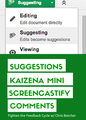
We were chuffed to sit in on Chris Betcher's LIVE Session on Air from Adelaide, Australia at the sold-out EdTechTeam Summit ft. Google for Education.Get Session Resources HereCurrent educational research tells us that one of the most effective things we can do to help our students learn better is to tighten up the feedback cycle, giving them faster and more timely comment and critique on their work. This session will provide you with ideas, techniques and tools for improving student progress by providing better, faster and more effective feedback. This is really a taster session. It will skip through a range of options for providing feedback to students. Watch below!
EdTechTeam
.
Blog
.
<span class='date ' tip=''><i class='icon-time'></i> Dec 05, 2015 01:10pm</span>
|