Blogs
|
by Ashok Sharma
Picking a Learning Management System (LMS) to host your eLearning content is a crucial, but often overlooked, step in the eLearning development process. The problem is, there are several LMS vendors from which to choose. Which LMS fits best within your budget, your eLearning development software, your learner's technology, your training objectives, and your instructional design initiatives?
How to Choose the Right LMS for Your Business
Purchasing an LMS is a big decision for any organization. In fact, you'll find that the price for an LMS can range from free to $1,000,000. The first step in picking an LMS is knowing your organization. An LMS can be used for a variety of different tasks--internal training, performance tracking, compliance maintenance, policy awareness, and employee feedback. Ask the executive team what requirements they might need from the solution. Do you need the LMS just for training? Could the LMS be used for new employee orientations, site-specific safety training, internal policy management, and sign off? Identify the level of maintenance and internal staff that will be required to implement and maintain the service. Some systems are very easy to setup while others can require months to properly set up. Ensure you are aware of which one you are getting. When pricing an LMS, keep in mind that the number of users who will access the LMS will likely affect your licensing costs.
Your Content
One of the biggest factors that will influence your LMS choice is the content you'll be uploading into the LMS. Some eLearning courses use video, others use written materials. Things like file format (Flash vs. PDF, PowerPoint vs. Spreadsheet) can make a difference in what systems are a potential fit. Does the system accept SCORM courses? If so, what versions? Will the LMS work if learners are using tablets and mobile devices? Does the LMS support HTML5 versions of SCORM?
Compatibility
Some organizations already have training programs and background material; others need to start online course development from scratch. Be sure to ask beforehand what sort of authoring tools the LMS is compatible with, as it is recommended that you find a system that works well with all the leading tools like Adobe Captivate, Lectora, and Articulate Storyline.
User Experience
Training management software may often be advertised as user-friendly, but each system has technical requirements that invariably affect deployment. Check to see if the system offers an API (automated program interface) or SSO (Single Sign On) that complies with your existing systems. These communication protocols affect the exchange of information between your LMS and other programs, like payroll.
Practicality
The final step in assessing which LMS is right for you is implementation and maintenance. Permissions, level of maintenance, and ability to make changes on-the-fly can all affect the cost of LMS implementation and the staff resources required to administer online learning courses.
Some systems, like open-source LMSs, may seem attractive because of low costs and easy customization, but they can be more complicated to use than software services that make support staff available. If you're frequently troubleshooting or making system adjustments, the money saved by using a free service can quickly be lost in maintenance hours. Commercial training management software may be pricier than open-source systems, but they are turn-key ready and frequently have dedicated staff to walk your administrators through maintenance and implementation issues-well worth the expenses. Perhaps your organization's learning requirements are seasonally variable? In this case, it may be best to choose a Software-As-A-Service LMS. These services allow you to define your service periods and store information on external servers giving you the external staff and storage resources to manage any required changes to course delivery. Many of the best LMSs provide free trial periods and open contracts to allow you to confirm that they work as advertised without locking you into heavy service fees.
Knowing your system, content, and staff requirements will play an important factor in streamlining LMS selection. Knowing your organization and system requirements will knock out most of the hard work that goes into creating a request for proposal. This means your organization can more quickly begin the demo process and start sampling the many LMSs out there without the worry of encountering technical snags late in the selection process.
***
Looking to get started with eLearning? Check out our 3-hour mini courses.
Icon Logic Blogs
.
Blog
.
<span class='date ' tip=''><i class='icon-time'></i> Jul 14, 2015 01:07pm</span>
|
|
by Sally Cox
This is the first in a series I am creating on "eLearning Challenges." Over the coming weeks I will address common issues I run into when designing eLearning projects and offer tips for solving them.
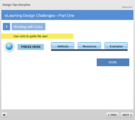
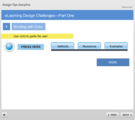
Color as a Training AidI use color to train learners to interact with my eLearning content. For instance, I use a single color for all of my interactive objects. In the image below, there are several interactive buttons. Although the buttons might look different, they are similar in color.
By only using a specific color on interactive objects, users become accustomed to engaging with the interactive objects. In this case, I would also make all interaction instructions ("Press here for more info," for example) blue as well.Seeing Red?
In my experience, corporate style guides prohibit the use of red unless it's a part of the corporate brand. Another problem with using the color red is readability. When used on text and then viewed on a computer screen (or a mobile device), most learners will agree that the red color makes text harder to read. As an alternative to red, I often use orange. Bright Colors
I tend to use bright colors in my designs, but I use them sparingly. In the image below, you see a series of nine rectangles on the lower right. Notice which colors grab your attention first.
For me, it's challenging to focus on anything in the image above because I am drawn to the bright blue, the neon yellow, bright red, orange, and green. I hardly even notice the dark gray objects. Use bright colors only as needed, and sparingly. Too many bright colors distract your learner and inhibit learning. Notice the more muted, toned down yellow I used for the text boxes. It's a nice shade that is far less distracting than the neon yellow.Note: The images above are from my YouTube video on this subject; find it here.
***
Looking to get started with eLearning? Check out our 3-hour mini courses.
Icon Logic Blogs
.
Blog
.
<span class='date ' tip=''><i class='icon-time'></i> Jul 14, 2015 01:06pm</span>
|
|
A reader sent a note asking my opinion on the vendor pricing in The Great eTrain Robbery? (Please Opine). Here's his brief description: The particular course in question is approximately 2 hours of classroom soft skills training that needs to be delivered in an eLearning format. The content has already been written for the classroom. It needs to be repurposed for eLearning. The course will be developed using a Lectora-style system that produces what is essentially an HTML/javascript page turner. Multimedia (animation, narration, etc.) will be minimal. The course will not be narrated in its entirety, but there may be some snippets of narration here and there. Interactions should be basic form-based questions created within the development application. Graphics will include basic stock images/clip art in the classic "eLearning that looks like a bad PowerPoint presentation" style. The fixed-price contract that has been signed with the vendor for this course is for 766 hours of development at an average hourly rate of $116 for a total of $89,000+. His question is whether this price is reasonable, high or worth raising a stink. From his brief description, the price sounds high, but I would need to know a bit more detail to be sure. For example, how much rewrite of the original course will be done. Are you coming up with "simulations" or more complex exercises to teach the soft skills? In many cases, there can be significant work to design that kind of learning experience. If it's merely a port without significant redesign, then that's a pretty high price. If you are going to raise a stink, I would suggest you do it by pointing to various resources that discuss costs. I went to my favorite resource (eLearning Learning) and looked at the keywords: Cost and Ratio and found some pretty good sources: How Long Does It Take to Develop One Hour of E-Learning-Updated for 2009 Time to Develop One Hour of Training Estimating Training Developing Time and Costs What is the TRUE cost Rapid eLearning? Online Course Development: What Does It Cost? What Training Costs Part I: Converting Content from ILT to WBT How long does it take to create learning? When you look at these, you will come up with various ratios and costs. The one from Karl Kapp in Learning Circuits (Time to Develop One Hour of Training) would seem good to cite. Take a look and the ratios range from 122 to 243 hours per finished hour for simple courses. This aligns with Bryan Chapman's 220:1 ratio. However, before you jump all over the 383 per finished hour that the vendor is citing, note that Kapp includes Soft Skills Simulations that ranges from 320 to 731 per finished hour. So, again, a big question is whether they are designing a kind of simulation that plays within the simple interactions you describe? eLearning Technology
Subscribe to the Best of eLearning Learning for updates from this blog and other eLearning blogs.
Tony Karrer
.
Blog
.
<span class='date ' tip=''><i class='icon-time'></i> Jul 14, 2015 01:06pm</span>
|
|
by Kevin Siegel
I received a call from a friend of mine who is the head of human resources at a large company. While the company is typically ahead of the curve when it comes to technology, she was being tasked to spearhead a corporate initiative that was outside of her field of expertise. Specifically, she was being told to move all of the company's traditional in-person training classes online.
It seems that corporate was looking to find ways to trim expenses and one sure-fire way to do that was through a reduction of travel expenses. My friend told me that they had 40,000 employees worldwide. When there was a need for a training class (and there were usually multiple classes each month), employees were flown into the corporate offices in New York. Between airfare, hotel, and other travel expenses, the costs were astronomical. In addition, the corporate training facility could only handle a set number of attendees making it impossible to host large groups.
The scenario above is the perfect combination of circumstances that makes virtual training rooms ideal: employees who are spread across the country (or the world), limited travel budgets, and inadequate meeting spaces/training rooms. Since my friend knew that I had been developing and teaching online classes for years, she asked for my guidance when it came to selecting the virtual training space for her company. What follows is the information that I shared with her.
What Do You Need to Host an Online Meeting/Training Event?
These days, the technology you need to begin hosting virtual sessions is minimal... no fooling. All that you need is:
A computer
Internet access
Headset or Telephone
A Meeting Space Vendor
The computer
You can use any modern computer (laptop or desktop). It doesn't matter if you're a PC user or a Macintosh die-hard, both platforms can be used to host virtual spaces. The power and speed of your computer isn't critical. In fact, when my main computer died just before a scheduled online class, and my backup computer decided to die as well, I hosted the class on my young daughters Dora the Explorer laptop. Her laptop was tiny, cheap, underpowered, and very, very, pink. (The class went great by the way... my students never suspected a thing.)
Internet access
Any computer purchased in the past 5-10 years will be able to access the internet out of the box. While you can access the Internet wirelessly, I'd encourage to host your online sessions via a hard-wired connection. While wireless connections to the Internet perform reasonably well, nothing beats a hard-wired connection to your corporate routers like Ethernet cables (they're almost always faster and more reliable).
Headset or Telephone?
Some online training rooms support Voice Over Internet Protocol (VOiP), some vendors support telephones (either toll-calls or toll-free), and some rooms support both VOiP and telephones. Should you elect to use VOiP, you'll need a headset plugged into your computer. You can find a computer headset at Best Buy or any office supply store. I'm often asked to recommend a quality headset. Personally, I don't think you can go wrong with any kind of headset manufactured by Senneheiser (their headsets are a bit more expensive than others, but the audio quality is incredible).
While you will likely sound awesome when you are using VOiP, keep in mind that you're basically using the Internet to transmit your voice. If your computer is low on resources, or your Internet connection isn't the best, VOiP won't be the best option. Your voice could sound choppy and your students might miss what you're saying.
When I connect to my online classes, I use a traditional telephone with a headset that I purchased at Office Depot (it cost around $50). My meeting space does not offer a toll-free number for me or my students without an extra monthly charge (that can get very, very expensive). Instead, I access the training room by dialing a long-distance number provided once I open my training room. Because my office pays for unlimited long distance (we use AT&T and the option is only $50 per month), I don't worry about long-distance fees. My classes typically last all day so $50 per month for unlimited long distance calls is a bargain.
The Vendors
So you've got your computer, a great headset, and access to the Internet. Great! You're just missing the final and most important part of the puzzle... the vendor that will allow you to run your online sessions.
There are many companies that allow you to host online meetings. While some solutions are free (Skype for example), vendors will typically charge you anywhere from $50 per month to several hundred dollars each month, depending on the options you need. In my opinion, here are the top vendors offering online training spaces: WebEx (owned by Cisco), GoToTraining (owned by Citrix), and Connect (owned by Adobe System). I'm not saying that there isn't a perfectly good solution out there beyond the three I've mentioned. However, I've used several different vendors and technology over the years. In my experience, the three vendors mentioned here performed the best.
All three of my top vendors provide a free 30-day trial so I encourage you to test-drive each of their products. When the time comes to set up a room using any of the tools, you'll find it a painless process since there's little to install. With GoToTraining, for instance, I set up an account, downloaded a small application, and was using my first training space in literally 10 minutes. The only issue you might run across when setting up your training space is being blocked by your corporate Firewall. In that instance, you'll need to coordinate your efforts with your IT department so they'll grant you unfettered access to the vendor's site and grant you the necessary installation privileges.
Once you've got your hardware and vendor sorted out, your final concern is what your learner will need to access your virtual room. Like everything else about the virtual experience, getting your learners into the room is easy. All that your learner will need to access your room is the date and time of the meeting, a computer with Internet access, a headset or telephone (just like you), and the address of the training room. (The address is a link you'll create at the time that you set up your virtual room. You'll be able to copy/paste the address and send it to your students via email.)
Of course, there's more to hosting online meetings or classes than the technology. In reality, there's an art form to leading an online class (it's not easy leading a class to a group that you cannot see). If you'd like to learn how to teach online classes effectively, check out my online (of course) Train the Online Trainer class.
Icon Logic Blogs
.
Blog
.
<span class='date ' tip=''><i class='icon-time'></i> Jul 14, 2015 01:05pm</span>
|
|
I spend a fair amount of my consulting time working with large organizations to help define how they will apply technology to particular business / performance / learning needs. This is either in terms of specific needs, e.g., improve customer satisfaction, or as part of an overall eLearning strategy. I've spent several hours this morning trying to find good resources on eLearning Strategy development and particularly looking for examples to use in this post. I've really been striking out. I'm hoping that people will help out. What Most of the time I'm working with a centralized technology groups within Learning and Development that acts as a services arm to corporate L&D and to distributed L&D that is spread throughout the organization. I wish I had a good name for these groups, but they are called something different in most organizations. For the purpose of this post, I'll call it the L&D Technology Group. It's interesting working closely with L&D Technology Groups because you are a key influencer, but you don't really decide much about the performance and learning strategies. Rather, you are very similar to a services company. You get requests for help building particular kinds of solutions. You determine business requirements around that solution and get to influence where it goes. But ultimately, the internal customer and likely someone who is in another department within L&D who is responsible for learning design (ID) ultimately decides on the approach that will be taken. Another interesting aspect for the L&D Technology Group is that you really don't know what your next client may ask you to do. So, you have to be prepared for a wide variety of different kinds of requirements and be ready to service them. You can't afford to be constantly saying, "We can't help you with that." At the same time, you can't over-engineer because it costs too much to prepare for every last contingency. This is the heart of the challenge in defining eLearning Strategy: predicting future needs, planning to effectively and efficiently service those needs. Predicting Needs The starting point for an eLearning Strategy is predicting needs. This is very hard. Clearly, you are going to go around the organization to various business owners, partners such as IT, KM, Corporate Library, etc., and to your distributed L&D organization to understand what you can about the kinds of requirements they will have in the future. Of course, you can't say - "What requirements will you have for me in the future?" Few of your internal customers or partners will be able to answer that question in a way that really helps you. Instead, the eLearning Strategy discussion is a learning, teaching and evangelist discussion. You start the conversation by understanding what their real business, performance, talent and learning challenges are. And then you shift from those challenges to the myriad of different kinds of solutions that might be part of solutions. You have to walk people through different tools and learning methods. Show potential customers within the organization what they are and how they can be applied. Then collaborate around where and how they might fit with the organizations needs. This conversations can result in some really great outcomes. But most often, it's quite a mess. You will hear about many different kinds of possible future needs. Some wish list kinds of things. Often you have to talk your internal customer out of something that's pretty crazy. "Sure that 3D telepresence stuff if pretty cool. I bet we could get similar outcomes by using X. It wouldn't be quite as cool, but is probably much more cost effective." Still in my experience this is messy stuff and you try your best to capture what it means for you in terms of requirements. I would love to hear how people do this and if they have good ways of capturing this mess of requirements. Planning Services From this messy set of requirements, you are really looking at a strategy where you define the set of services you will deliver to the rest of the organization. This includes: Learning Method Support Tools / Technologies Process / People / Vendors You need to be the one who is aware of what's happening generally with technology in the organization. You have to be a really good partner with IT. You are going to be learning's liaison to IT. You likely are also a liaison to vendors. As parts of the organization have variable needs for technology solutions, part of the strategy is to be able to quickly and effectively engage with vendors to address particular needs. Technology steward - you likely can't say to the rest of the organization, "Don't use these tools." But you can say, "We know this set of tools works. If you use this other tool, we won't be able to support you as well." Packaging Your eLearning Strategy In most cases, if you are going after significant dollars, a key aspect of your eLearning Strategy will be how you present it. Most often this includes some kind of vision for what you are looking to provide. It will summarize at a high level the requirements you are hearing and then will talk about what this means in terms of your Learning Strategies and then how the technologies fit into this. Most of the time, it's best not to focus too much on all the different individual types of solutions you are prepared to deliver, but rather on the net effects. Still almost every eLearning Strategy will contain something like the Learning Methods from Reuters: This is broader than the technology group, but there are implications for the technology group. You can also see that there are talent elements in this list. It will also contain a list of major technology or related initiatives along a timeline: I did a bit of searching looking for examples of corporate/workplace eLearning Strategy presentation decks. I didn't find a lot. It would be really interesting to see what people produce around these things. Please point me to them! Bigger eLearning Strategy Questions Focus? See Learning Performance Business Talent Focus. This question of focus and scope has a major impact on the strategy. What's your role relative to Talent Strategies? Are you involved in Selection, Onboarding, Reviews, Development? What's your role relative to providing business and performance focused initiatives? Are you on the front lines of improving customer satisfaction? Do you get in and analyze aspects of performance relative to that and provide Data Driven performance solutions? Or are you going to be brought in to provide training? Informal learning? Are you focused on and responsible for informal learning solutions? What responsibility do you have after the learning event? Providing a set of tools (wikis, blogs, discussion groups, etc.) that can be used as part of informal learning support does not mean that you are really supporting informal learning in the organization. There's a lot more to it than that. And part of your strategy should be to be prepared to help your internal customers with those aspects. Others Off-the-Shelf / External Content?What's your responsibility for finding, vetting, facilitating the acquisition of external content sources, e.g., Skillsoft, Books 24x7, Safari, etc. Content management, re-use Portal and portal integration Reporting/dashboards What are some of the other big eLearning Strategy questions? Resources Bersin provides a great high-level list of issues to consider in their Modernize Corporate Training: The Enterprise Learning Framework. It is good to raise possible areas to consider. Also worth a peek is: The eLearning Guild : Guild eBooks: Handbook of e-Learning Strategy What other resources are there on this topic? What would help me think through what I might be missing in my strategy? What would help me create a presentation to executives with our eLearning Strategy? eLearning Technology
Subscribe to the Best of eLearning Learning for updates from this blog and other eLearning blogs.
Tony Karrer
.
Blog
.
<span class='date ' tip=''><i class='icon-time'></i> Jul 14, 2015 01:05pm</span>
|
|
The State of California changed the compliance landscape for the entire nation (yes - it’s true) when the legislature enacted AB 1825. The regulations that followed provided a set of baseline guidelines that gave employers some easy to follow best practices for harassment prevention training. While the strict application of the law applies only to employers with 50 or more employees in California, the practical impact reached far wider. The US Supreme Court established a requirement that employers provide reasonable opportunities for victims to complain and have remedial actions taken, and that employers take reasonable steps to prevent hostile work environments in the first place. Most responsible employers and HR professionals took their obligations seriously and offered harassment prevention training, but it wasn’t until California defined what that training should accomplish that we saw a more national uniform approach to such training emerge. AB 2053 added a requirement that the mandated training required under AB 1825 ALSO include a discussion of prohibited "abusive conduct." Abusive conduct is defined as: Conduct of an employer or employee in the workplace, with malice, that a reasonable person would find hostile, offensive, and unrelated to an employer’s legitimate business interests. [It] may include repeated infliction of verbal abuse, such as the use of derogatory remarks, insults, and epithets, verbal or physical conduct that a reasonable person would find threatening, intimidating, or humiliating, or the gratuitous sabotage or undermining of a person’s work performance." It also specifies that a single act will not constitute abusive conduct unless it is especially severe or egregious. As a practical matter, nearly every well-written and well-delivered course I’ve ever seen on harassment prevention covered this topic. So the likelihood that large numbers of employers have to make changes, much less dramatic changes, in their harassment prevention training is remote. Just reflect on the entire concept for a moment. We want each and every employee to work in a safe, respectful and nurturing environment. At its core, that’s what we’ve been striving to achieve through decades of anti-harassment training. That’s exactly why the best trainers and instructional designers have been including conversations, discussions and content about bullying and broader abusive behaviors in their materials. This content is designed to achieve the same purpose. If you want to learn more about our content that meets the current California regulatory requirements, click here for a free trial or preview our courses here.
Chris Osborn
.
Blog
.
<span class='date ' tip=''><i class='icon-time'></i> Jul 14, 2015 01:05pm</span>
|
|
by Kevin Siegel
If you select portions of a video clip on the Camtasia Studio Timeline and cut, you have historically ended up with multiple clips. At that point, it's possible to drag the split portions on the Timeline as needed or apply Visual effects. What you cannot do with multiple clips is apply an effect that spans multiple splits. I've always found that shortcoming to be an annoyance when working with Camtasia.
Fortunately, TechSmith addressed the issue in Camtasia 8 with a feature known as Stitching.
Stitching is enabled by default. You can confirm this by choosing Tools > Options. Select the Program tab and ensure that Enable auto-stitching is selected.
With Stitching enabled, I've selected a portion of a video on my Timeline and Cut it.
When cutting content in older versions of Camtasia, the cut portion of the video would be replaced by a split (two video segments). In Camtasia 8, instead of multiple segments you'll see a stitch between what would normally be two segments.
And here is where the Stitch feature pays dividends: I added an animation at the beginning of a video. In the image below, you can see that I've actually stretched the animation across the stitch itself (something that isn't possible when you're working with splits).
***
Looking to learn all things eLearning? Check out these live, online eLearning mini-courses (including a 3-hour introduction to Camtasia).
Icon Logic Blogs
.
Blog
.
<span class='date ' tip=''><i class='icon-time'></i> Jul 14, 2015 01:05pm</span>
|
|
Looking at Capital City Bank from the outside, I wouldn’t have expected to find a great example of social learning inside. They are a solid, conservative bank. They have more than 1,100 associates spread out across Florida, Georgia and Alabama. I recently had a great conversation with Becky Barch, a performance consultant at the Bank, about her smart application of discussion forum software from ElementK. The forum is targeted to a small group - loan/lending assistants. There are roughly 22 people in that role in at Capital City Bank. Because loans can be fairly complex and unique, there were continual questions that came up. One person had become the "defacto associate help desk". This individual ended up fielding all of the calls. Becky turned around and used a discussion forum to make the situation better. The same associate who received and handled the questions before now gets the question as a discussion item and responds in the forum. They also have enlisted another associate to help field questions. And, in fact, other lending assistants will jump in with answers as well. Because the answers are stored in the discussion forum, they can be seen by everyone and can later be searched. Questions come up on all kinds of topics. A recent topic was "Fees for Department of Motor Vehicles." These fees vary depending on the county and there wasn’t an obvious place to find the information. So, various people contributed links and attached PDFs with the information that was needed. They are now using the discussion forum as part of training initiatives. As they are rolling out a new escrow initiative, they’ve had webinars that were supported by Q&A in the forum. Because lending assistants are familiar with the forum, they’ve found this to be an effective pattern. How Did They Get There? One of the things I’ve found from doing many presentations on social/informal/eLearning 2.0 is there will be lots of activity when I get to the challenges when using this kind of approach. I spent quite a bit of time discussing how Becky made this happen . And I should point out that Becky makes all of this seem quite simple. I had to drag most of this information out of her. First, the Bank has a bit of experience from the very top with social media. They have an internal message board used by the CEO of the Bank called "Bill’s Blog." Anyone can ask a question and various associates would formulate an answer post. If needed an "official" or correct answer, it would be highlighted. The idea was to use this as a tool to learn and get questions answered. It has has been successful in the Bank and certainly signals openness to using social media. However, I think the real story here is more around Becky’s background, particularly the first course that she took at Florida State University (FSU) from Professor Jeong (an expert in discussion forums for learning). Not surprisingly given Dr. Jeong’s background, this course heavily leveraged peer discussion through discussion forums. Becky said she was wondering where the professor was in all of this for a long time. She expected more involvement. However, as the course progressed and the concepts of social learning and self-reflection as part of the learning process emerged, she saw the beauty in what Dr. Jong had done. He had set up a great environment and taught them how to engage. He provided very specific instructions and guidance, and provided plenty of support. It took a while, but Becky and the other students really came to understand that kind of learning. So, when Becky saw this situation, it was obvious that a discussion forum could work. And, certainly the subject matter expert, she was happy the work she was doing would reach more than one person at a time. She knew that much support would be needed, as the company definitely has an e-mail and phone culture. She set up sample questions with answers to provide context and initial categories for the questions. She supported the users and the subject matter expert as they began using the system. Of course, given the culture, most of the users have the system setup so they get e-mail notifications from the discussion forum. Over time, they are beginning to establish a culture where many associates are contributing information. Initially, another lending assistant was set up with permission to post answers to help out the subject matter expert. But that changed associates’ perspectives on the site and more associates are getting comfortable posting answers, suggestions, etc. Becky ensured a safe and positive environment to make sure that people feel comfortable asking and answering questions. I was certainly curious about how Becky overcame the obstacle of potential risk/liability in a heavily regulated field like lending. She didn’t see it as that much of an issue. Lending assistants were already familiar with sending questions via e-mail and documenting loans. These folks were knowledgeable about issues related to fair lending. It was unlikely there would be an issue and if one arose, they would follow standard procedures that would have been executed via e-mail in the past. The system actually has an advantage in that respect since users can flag potential issues in the system. But so far, this has not been the case. Lessons Learned and Next Steps Becky has found other groups want to adopt this same kind of approach. She’s slowly deciding on how she will tackle these. Becky discovered how important it is to know the boundaries of the community If you want this to be a safe environment, you have to know who is in or out. Who has access to the information? They’ve had some challenges with more people have wanting access to the forums as they see value in the information. But, does that violate the safety of being able to ask anything in a safe environment? We also had an interesting discussion about what happens when management asks for access. Obviously, you can’t say no. But how do you provide access without violating the spirit of the group? This hasn’t been a problem at the Bank, but it is an interesting issue. Becky suggested providing temporary access to those who would not normally have access so they can see how the tool is being used without violating the user’s trust. Becky said forwarding the future she will have more up-front discussion about who will and won’t have access. In particular, asking the question, "Who else do you see who would benefit from this?" Final Thought One thing that really struck me about my conversations with Becky is how obvious she made all of this sound. But it was only obvious after her experience at FSU. It was obvious to her when she saw what was currently happening. It was obvious how she could support the lending assistants with detailed help / guidance. It’s obvious to Becky. I’m pretty sure it would not have been obvious to a lot of other people. And I’m not quite sure how to make this obvious, but I’m thinking about it. Becky’s suggestion is that everyone should participate in a 100% online course with a discussion forum and someone there who knows how to moderate it. Becky - thanks for a great conversation and sharing with me/us! Do you have a case study for me? I'm hoping to do a lot of case studies over the next 6-12 months looking at interesting examples of the use of social/informal/web 2.0 learning. If you have an example, please drop me an email: akarrer@techempower.com. eLearning Technology
Subscribe to the Best of eLearning Learning for updates from this blog and other eLearning blogs.
Tony Karrer
.
Blog
.
<span class='date ' tip=''><i class='icon-time'></i> Jul 14, 2015 01:05pm</span>
|
|
View and download the webinar slides. Access the recording to the webinar. Looking for video based training for your employees? Sign-up for a free trial here ! We provide our clients with thousands of video and eLearning courses. Whether you’re targeting leadership development, new manager and supervisor training, project management, communication, computer skills, compliance or safety, we pretty much have something for everyone. So, try out some courses…have your employees try out some courses. Just fill out the short form to the right and start a free 30-day, no risk, no obligation trial! Check out the BizLibrary Collection! --> -->
Chris Osborn
.
Blog
.
<span class='date ' tip=''><i class='icon-time'></i> Jul 14, 2015 01:05pm</span>
|
|
by Willam van Weelden
A project can easily contain thousands of topics. When you generate a layout, all of the topics are generated. But what if you want to exclude several topics from being generated? Using Conditional Build tags, you can mark topics or topic content. When the time comes to generate, you can choose to create conditions that control which tagged content is generated. Using conditions, you can maintain one large project but generate multiple layouts; each layout can have unique content. Content that is excluded from a layout is not seen by your users.
Tagged content appears in RoboHelp 11 and earlier as text with diagonal lines (first image below). In RoboHelp 2015 tagged content appears with an overline. The overline makes it much easier to read the content and see which content is tagged.
The downside of tagged content in RoboHelp 11 and earlier is that you can only create Conditional Build Expressions that show which tags are excluded. A Conditional Build Expression is a list of tags to exclude from your output. These expressions can get confusing because it is not always clear which tags to exclude for which situation. For example, a company has two divisions: East and West coast. Based on the name of the tag below, will the tag exclude content from the East coast or the West coast?
With RoboHelp 2015 you use common sense names to easily distinguish which Conditional Build Expression you need in which situation.
To create a Named Conditional Build Expression, choose Project > Pods > Conditional Build Tag and then click Create a new build expression.
The Define Conditional Build Expression dialog opens. Double-click a tag to exclude the tag from the output and then click Save.
Name the expression and click OK.
If you have existing Conditional Build Expressions, you can easily change their names. Open the Conditional Build Tags pod (choose Project > Pods > Conditional Build Tag).
Click Create a new build expression.
From the Define Conditional Build Expression dialog box, select an expression from the Expressions drop-down menu.
Click Rename this expression.
Name the expression and then click OK.
***
Looking to learn RoboHelp? Come join me for my live, two-day online RoboHelp class (held once each month). And check out my new 3-hour mini course: Adobe RoboHelp: Advanced Content Reuse.
Icon Logic Blogs
.
Blog
.
<span class='date ' tip=''><i class='icon-time'></i> Jul 14, 2015 01:04pm</span>
|