Blogs
|
As Quincy Jones once remarked, "I’ve always thought that a big laugh is a really loud noise from the soul saying, "Ain’t that the truth."
That said, Edu-fun Friday is a series devoted to adding some humor to the lives of teachers who visit this blog. After all, there’s nothing better than ending the week on a positive note! Plus, do we have the best topics to provide us with some comic relief or what?
Black Friday shopping: Not even for a free iPad mini 3. Not for this girl! If I want to watch an episode of the Hunger Games, I’ll go to the movies or rent the DVD!
Edutech for Teachers team
.
Blog
.
<span class='date ' tip=''><i class='icon-time'></i> Jul 15, 2015 12:15pm</span>
|
|
I’m a very visual person and I have seen some terrible use of colours in e-learning, so I thought I’d talk a little bit about colour palettes and how to effectively use them in e-learning.
Colour Palettes
Colour palettes are the range of colours used by an individual in a particular project. Choosing an appropriate colour palette is essential to any project as it sets the tone for the e-learning. For example, if you choose a yellow background with white text, your learners may hate the project because it’s difficult to read the content. Whereas, a white background with black text is much easier on the eyes.
Considerations
When choosing a colour palette, you should first consider whether your client has any existing visual standards or branding guidelines. If they do, you will want to align your colour palette with these guidelines.
If you have free range to define the colour palette, you should keep the colour range between 3-5 colours. Too many colours may overwhelm your audience. If your client has provided visuals of any sort (logo, photos, graphics, etc.), you may want to begin with one of these visual elements and pull colours from the visual.
Use Your Resources!
There are heaps of colour resources out there, so don’t be intimidated if you’re not graphically inclined. These websites can help generate palette options and/or allow you to pull colours from images to create palettes. Here are some examples:
Colourlovers.com
Colourlovers.com allows you to sift through thousands of user-created colour palettes and retrieve the associated hex values - over the years, this has been one of my favourite colour resources.
Coolors.co
Coolors.co is a new-to-me resource, and is currently my favourite colour palette resource. It is a colour palette generator, and all you have to do is click the space bar to see a new palette - SO EASY! You can even adjust the colours if aren’t quite right, without losing the rest of the colours in the proposed palette.
Adobe Color CC
Adobe Color CC is neat because it allows you to upload an image and will then generate colour palettes from this image. You can choose the colour mood, which provides varying shades to the palette suggested, and you can also select a custom colour mood and customize to your liking.
Ashley Chiasson
.
Blog
.
<span class='date ' tip=''><i class='icon-time'></i> Jul 15, 2015 12:15pm</span>
|
|
I didn’t think I was going to be able to participate in this one because there just hasn’t been enough hours in the day for me to do anything, and earlier in the week I was pining over whether I could feasibly complete my Guru entry in under 24 hours (spoiler alert - I didn’t - WAH!). Anyhow, I found some time and here we are.
The Concept
This week’s challenge was an easy one: have fun with buttons and adding creative effects - FUN! Thanks, David!
The Method
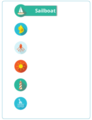
I usually keep all of my visuals (e.g. icons and free graphics I’ve paid for and/or downloaded for free along the way) on an external hard drive, which I don’t usually have on me at all times. However, I quickly found some lovely sea-themed icons, and got motivated!
For this challenge, I knew I wanted to have an icon, which when clicked or hovered over expanded the option name for that icon. In this case, I kept the names as simple descriptors of the icon, but I imagined having a cog that when clicked expanded to read "Preferences", so you can definitely use this concept in a more practical application.
Once I chose all of my icons, I added a Hover state to each icon which consisted of a rectangle with the descriptor. I used the eyedropper tool to outline and fill the rectangle and I applied a wipe animation.
The Result
You can view the full interaction by Clicking Here.
If you’re wondering how I did this, you can download the Storyline 2 file by Clicking Here.
Ashley Chiasson
.
Blog
.
<span class='date ' tip=''><i class='icon-time'></i> Jul 15, 2015 12:15pm</span>
|
|
A couple of years ago I submitted a sample interaction to an E-Learning Heroes Challenge related to Instructional Design Principles. The interaction sought to explain cognitive load theory. You can check out the full interaction by Clicking Here.
Within the university I see a ton of cognitive overload happening, albeit unintentional. When faculty members use their online course site as a repository, I look at it feeling very overwhelmed and set about organizing the content appropriately to ensure students don’t feel as overwhelmed as I do.
Cognitive Load Theory
In the early 80s, John Sweller coined the phrase ‘cognitive load theory’, which represents the total amount of brain power being used in a given task. Basically the exertion associated with working memory and how much effort is required to employ working memory.
In order to be most efficient with cognitive load, individuals must appropriately balance information presented to the audience in order to enhance overall information retention. There are three types of cognitive load:
Intrinsic - this represents the level of difficulty (e.g. complex math problem versus basic math problem).
Extraneous - this represents how the information is provided (e.g. is the information need to know or nice to know? If nice to know, you may want to leave it out to enhance retention).
Germane - this represents how easily a learner can process the information for which they’ve been provided.
Keeping these three types of cognitive load in mind will allow you to optimize your content and enhance the overall learning experience. As an educator, you want your students to succeed, and pummelling them with information to get a simple concept across is not always the best approach. You need to put yourself in the shoes of your learners and simplify concepts as much as possible to ensure student success.
Have you been overloaded with content? How did this shape your learning experience and academic achievement? Let me know in the comments!
Ashley Chiasson
.
Blog
.
<span class='date ' tip=''><i class='icon-time'></i> Jul 15, 2015 12:14pm</span>
|
|
Nowadays, there are numerous platforms, web tools and apps that can be utilized to engage students in the learning process. Although this can be a good problem to have, choosing the right device and corresponding resource to meet educational needs can sometimes be an overwhelming task.
But thanks to Clay Reisler, a technology integrator at the Pulaski Community School District in Wisconsin, teachers can easily locate a variety of tools for classroom use by referring to the infographic shown below.
This super cool visual provides 18 concepts such as Audio Recording, Book Creation and Interactive Posters as well as suggestions for which tools within each category can be utilized with the iPad or a Chromebook/Laptop.
The best part about this image is that it is interactive. Users can click on the icons of the recommendations for one click access to the tools’ site or the app’s iTunes Preview page for additional information. There is also a link to a Google doc with a detailed summary of each tool as well as a Google Presentation highlighting the resources. Good stuff!
Unfortunately, the image embedded below is static, but the super cool interactive version can be found here.
Classroom Connection:
Use the Top Tech Tool infographic to locate resources that best suit your students’ needs.
Edutech for Teachers team
.
Blog
.
<span class='date ' tip=''><i class='icon-time'></i> Jul 15, 2015 12:14pm</span>
|
|
I sat in on some training yesterday, and the trainer was discussing task analysis…I have a love/hate relationship with task analysis, because within the military, these are often very tedious to develop. However, they are important. I understand that.
Task Analysis
A task analysis involves breaking down a task into each step and sub-step required to complete the task. It seems simple enough, right? Task analysis are important when it comes to breaking down the components of a task to ensure effective training. Often times we take for granted things we already know how to do, but when we’re trying to teach someone else how to do a certain task, the learner needs to know each of the elements required to effectively complete the task.
For example, the task "Make a latte" involves more than just a cup, espresso, and milk. It may require:
- Selecting the appropriate sized cup
- Selecting a steaming pitcher
- Remove milk from fridge
- Pour milk into steaming pitcher
- Steam milk
- Brew espresso into cup
- Remove cup once espresso has finished brewing
- Pour steamed milk on top of espresso
Now, these are just some of the steps, but within these steps, there are sub-steps. For example:
- Steam milk
- Place steaming wand in milk
- Place thermometer in pitcher of milk
- Activate/turn on steaming wand
- Begin aerating milk
- Steam to a temperature of X
- Remove pitcher of milk
- Wipe steaming wand down
- Turn on steaming wand to clear milk residue
- Turn off steaming wand
And within these sub-steps, there may be even more sub-steps. When conducting a task analysis, you really want to break down the original task into the most painful of details (and sub-tasks).
Within the military, this often involved extremely lengthy Job Task Analysis spreadsheets, that would further break down whether each task and sub-task was considered a knowledge, skill, or attitude. These further breakdowns will allow you to better refine the way in which you train the user how to do the task/sub-task.
Ensure you’re concise with your task analysis and that you’re only including one task or sub-task per item. Nothing should piggyback on top of one another…that’s just lazy and will become ineffective when you move on to develop training.
Task analysis are also useful when working with other developers (e.g. programmers or media developers). You can use a task analysis to describe the breakdown of media or programmatic (or both) elements, and then you have a detailed account of what should happen and when so that these developers have a greater understanding of how to develop the content they’re developing.
Stay tuned for a time-lapse demo and freebie of a task analysis template!
Resources
Task Analysis in Instructional Design by Donald Clark
How to Do a Task Analysis Like a Pro by Articulate
Task Analysis: An Individual and Population Approach, 3rd Edition by S. Wilson and G. Landry
Ashley Chiasson
.
Blog
.
<span class='date ' tip=''><i class='icon-time'></i> Jul 15, 2015 12:13pm</span>
|
|
The fabulous engineering team at Litmos recently released some significant feature updates. Besides the usual bug fixes and optimizations, customer input had a significant influence on these new features...as it always does. Here's the quick list.
WebEx Training Center Integration
Enhanced Module Content Conversion to HTML
WordPress & Drupal Plugins
Learning Path Enhancements
Bulk User Admin: 1) bulk unasign users from course, 2) bulk deactivation, 3) bulk import
Single Sign On Integration with CallidusCloud Lead to Money Suite
And you can also watch the webinar.
The post New Litmos Features: WebEx, Drupal, and WordPress Integration, Improved Document Conversion, and more appeared first on Litmos.
Litmos Blogging Team
.
Blog
.
<span class='date ' tip=''><i class='icon-time'></i> Jul 15, 2015 12:13pm</span>
|
|
You're a training professional in a SMB and you have few resources to achieve high expectations. The product team needs you to help train the sales channel, and the customer service team needs regular training sessions as well. There is new hire orientation to manage and annual compliance training requirements that need to be met. Not to mention the occasional random training session that is required due to an incident, or other issue within the business.
When you look at these expectations through the lens of a traditional instructional designer they seem impossible. But they're all doable. And with the right mindset and a few technologies, like an LMS, you can manage them all with very few resources devoted to training full time. The key to success is understanding that most employees have the motivation to learn on their own when they have a need, and are given access to content. And many employees already make a habit of creating content. Or are required to create documentation content for other purposes. You're not in this alone.
What is Raw Content
My definition of raw content is any content that has not been filtered through an instructional design process. The content you get from Subject Matter Experts(SME) is often very raw. This doesn't mean the content is bad or lacking in polish. We simply need to differentiate between course content that has been designed with an instructional purpose, and content that was created as reference material. Raw content might be Technical Specification Documents, marketing collateral, engineering drawings, flowcharts, or presentation slide decks. These are the classic instructional designers raw materials from which the training masterpiece is built.
The Truth About Raw Content
Raw content is valuable. In many cases it's more valuable than the final course product you end up creating based on that content. And here's why.
How many times have you lived the following story? You've spend weeks creating a course. You met with stakeholders. You met with SMEs. You learned the job and the work that needs to be done after the course is complete. You wrote precise and specific objectives. You either planned all of the logistics for face-to-face events, or spent a lot of time and money creating a self-paced eLearning module. Either way it doesn't matter. The story still ends the same. After all of that hard work and effort, you are quite proud of your final masterpiece. And some people praise you for your efforts and appreciate what you've done. But inevitably someone asks, "I don't have time for the training. Can you just send me the materials?"
After living that story over and over again, it didn't take me very long to understand the limited value of instructional design. Significant business value is in raw materials. And access to those raw materials. It's all the stuff made by those who have the knowledge for those who will need the knowledge. It's not uncommon for online courses to provide links to the reference material used to create the course. This has become fairly standard. But more often than not, the course was requested and created because most people couldn't find or access the content on their own.
The Most Important Question to All Stakeholders
Is there any existing content? If you are inquiring because there has been a training request made, then you will most likely get different answers. The SMEs will tell you triumphantly that there are many documents on the subject. Those requesting the training, or have the need, will sadly tell you they can't find anything on the subject. At this point we need to take into consideration employees' ability and motivation to search for and find the content they need. Maybe the workers have limited access to a computer, or simply don't understand how to search for digital content. Solve these problems first and you eliminate their reliance on others, including the training department.
Frictionless access to content provides major business value. Your LMS gives you the power to make this happen. You don't need the IT department to solve the problem of access to content. And you don't need a different system just for content. Besides, your company most likely has several digital storage systems including email, shared drives, social networks, etc, and yet you're still in this mess. So, lean on your LMS and feed it with raw content as your first step.
Much of the raw content you find will be surprisingly good. Use it as is. Don't worry about it so much. Use the LMS to create a course. Load the raw content into that course. Be sure to add a short disclaimer at the beginning to explain what content is in the course. And most importantly ask questions at the end of the course and request feedback. Their feedback will drive how you refine and polish that content into something with instructional integrity. And it's okay to involve your learners in the creation process. As the previous story highlights, many employees already own their own learning. Other employees just need to be given permission.
The post The Value of Raw Content in Your Training Strategy appeared first on Litmos.
Litmos Blogging Team
.
Blog
.
<span class='date ' tip=''><i class='icon-time'></i> Jul 15, 2015 12:12pm</span>
|
|
Hey, Edutech for Teachers fans! The nominations have been tallied and voting is now open for the 2014 Edublog Awards. But the good news doesn’t end there! And that’s because I’m beyond psyched to announce that Edutech for Teachers is a finalist in three categories: Best Teacher Blog, Best Ed Tech/Resource Sharing Blog and Lifetime Achievement! Boom!
But even more super cool than any shout out I can personally receive, I am most proud of the fact that one of my most favorite Tech Club peops, author of Simply Aubree, has been nominated for Best Student Blog—one of her most desired goals. Now that really rocks!
But here it is: Before we can crack open the root beer and celebrate, we need your support. Help both of us win some digital bling by casting your votes for our respective blogs below.
Here’s how it works:
After accessing the link(s) shown below, find the name of the blog in the nomination page. Then click on the gray "thumbs up" icon in the bottom left-hand corner. You will be prompted to sign into the Listly web tool using your Facebook, Twitter, Google+ (Gmail) or Linkedin account. Once you give Listly permission to access your account, the screen will disappear, and you will be redirected back to the voting page. (Don’t worry—no personal info, pictures, etc. is revealed by doing so.) Then click on the "thumbs up" icon again to officially cast your vote. Following a "Thanks for voting" message, the icon will turn blue indicating your vote has been received. Lastly, you can click on the numbers next to the "thumbs up" icon to check out your voting record!
Once you have completed this process on one nomination page, you can vote on the other remaining categories without repeating the process.
» Best Teacher Blog
» Best Ed Tech/Resource Sharing Blog
» Lifetime Achievement
» Best Student Blog
Voting is open until 11:59 p.m. EST on Monday, December 15th.
Thanks in advance for your support to recognize Edutech for Teachers and Simply Aubree as two of the best edtech blogs on the web! ♥
Edutech for Teachers team
.
Blog
.
<span class='date ' tip=''><i class='icon-time'></i> Jul 15, 2015 12:12pm</span>
|
|
Time to reveal Tech Treasure #2—a cool bike racing game in which Santa competes against the naughty elves to collect candy all the way to the finish line.
Check out the Santa Fun Bike Ride on The Twelve Digital Days of Christmas Thinglink image located here.
Edutech for Teachers team
.
Blog
.
<span class='date ' tip=''><i class='icon-time'></i> Jul 15, 2015 12:11pm</span>
|