Blogs
|
In my life prior to becoming a full-time geeky girl, I was a sixth grade teacher. Throughout those 17 years, my favorite subject to teach was social studies. Within this content area, I loved, loved to share the knowledge (and excitement) I have about the ancient Egyptians. I was—and still am—particularly fascinated with the mummification process and even more so, the Pyramids of Giza.
That said, imagine my delight when I opened my browser to "Google" something, and I got a load of the latest tech gem my favorite search engine has to offer.
Yep, get up close and personal with the Age of Pyramids via a totally interactive Google Street View mashup highlighting the last standing wonders of the ancient world contained in one super cool site. Seriously, the awe and wonder is just a few clicks away! And let me tell you—it’s all that and then some!
Not only can users check out a variety of aerial perspectives of Giza from a world, continent, country and/or street view by using the zoom tools, but they can take a self-guided virtual tour of the pyramid complex as well.
This resource—packed with images and facts about one of the most famous landmarks on Earth—is beyond way cool (and very informative) so you should definitely check it out! And when you do—which I know you will—be sure to click around on the maps, pins and images because there are all kinds of hidden gems just waiting to be discovered!
Classroom Connection:
Use the modern technology of Google Street View to take your students on a 360-degree tour of ancient technology by traveling back in time to explore the most prolific monuments of all time—the ancient Egyptian pyramids.
A shout out to Pixabay for the cool image!
Edutech for Teachers team
.
Blog
.
<span class='date ' tip=''><i class='icon-time'></i> Jul 15, 2015 01:25pm</span>
|
|
In an increasingly competitive job-market, using social media effectively can really help our students stand out from the crowd.
What is social media?
Social media refers to websites and applications where users create and share content, networking across like-minded communities. The most popular in the UK are Facebook, Twitter and LinkedIn.
Why should my students use it?
Networking is crucial when you’re searching for work. Most companies advertise vacancies online and your networks can inform you about positions as soon as they appear, as well as keep you up to date with the latest industry news. They can be used to find out about a particular career, what it’s really like to work for a company or to find inspiration from someone’s career progression route. Alternatively, students might be interested in working for themselves…
Social media provides a platform for students to showcase their talents to a worldwide audience, often for no money. They can get feedback on ideas, develop skills and even sell work. Employers increasingly ‘google’ candidates to find out more about them. It is therefore advantageous to create a positive ‘digital identity’, promoting work, hobbies and other experiences.
Finally, being confident in using social media is a skill in itself, essential for self-employment and valued by employers.
LinkedIn, Twitter and Facebook
LinkedIn describes itself as the "World’s Largest Professional Network" with over 200 million users. It includes job-searching and recruitment tools, and you can join groups to share news and network. LinkedIn works through users creating connections with others, sharing news and projects through ‘status updates’. Your profile page can include recommendations from people you’ve worked with, as well as links to other social media sites, letting you demonstrate a range of skills.
Twitter is a quick ‘chat’ service, organising subjects through ‘hashtags’, often used for TV programmes, eg. #bbcqt. You ‘follow’ people who share your interests, who might follow you back - it’s not compulsory! Messages are limited to 140 characters but can include links and photos. Twitter is great for breaking news and discussions …and being alerted to vacancies!
Facebook is primarily designed for sharing news with friends through ‘status updates’, photos, videos and links. Because of this, employers check Facebook Profiles the most so it is essential that students manage their privacy settings to ensure they are not sharing anything that might cause a problem!
The Facebook Timeline could be used as an effective ‘living’ online CV - sharing life events such as passing a driving test, links that promote work and updates about experiences such as travel or voluntary work.
How can I find out more?
For more details please see ‘eGo: make the web work for You!’, a presentation, created in collaboration with Careers Advisers. You can also contact your local Careers Adviser and/ or Learning Technologist.
www.linkedin.com
www.facebook.com
www.twitter.com
* Adapted from an article which originally appeared in the University’s ‘Graduate’ newsletter
Technology Enhanced Learning
.
Blog
.
<span class='date ' tip=''><i class='icon-time'></i> Jul 15, 2015 01:25pm</span>
|
|
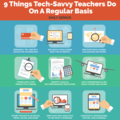
9 Things Tech-Savvy Teachers Do On A Regular Basis Infographic
There are a few key things that tech-savvy teachers do on a regular basis to stay ahead. The 9 Things Tech-Savvy Teachers Do On A Regular Basis shows how edtech teachers are looking for new ways to innovate, refine, and deploy new learning strategies and goals.
Research, try, and buy education technology
See which tools work best for students
Discover what global colleagues are doing
Thoroughly test products and trends
Identify goals and key performance indicators
Visit conferences and see what others are saying
Share thoughts on social media, blogs, and more
Deep-dive into analytics to see what’s working
Constantly researching, testing, and learning
View also: 10 Signs You Are a Tech-Savvy Teacher Infographic
Via: dailygenius.comThe post 9 Things Tech-Savvy Teachers Do On A Regular Basis Infographic appeared first on e-Learning Infographics.
eLearning Infographics
.
Blog
.
<span class='date ' tip=''><i class='icon-time'></i> Jul 15, 2015 01:25pm</span>
|
|
As Quincy Jones once remarked, "I’ve always thought that a big laugh is a really loud noise from the soul saying, "Ain’t that the truth."
That said, Edu-fun Friday is a series devoted to adding some humor to the lives of teachers who visit this blog. After all, there’s nothing better than ending the week on a positive note! Plus, do we have the best topics to provide us with some comic relief or what?
I’m not sure why I was so amused by this comic, but I was. I guess it’s been one of those weeks! "Orange" you glad it’s Friday?
A shout out to the Awkward Yeti for this week’s edu laugh!
Edutech for Teachers team
.
Blog
.
<span class='date ' tip=''><i class='icon-time'></i> Jul 15, 2015 01:24pm</span>
|
|
What is the Flipped Classroom?
To define what the flipped classroom is first let’s consider traditional teaching methods where the teacher gives a student a task, for example, reading a chapter of a book. This would then be discussed the next day in class and then the student would be given an assignment based on the knowledge that they had gained.
The flipped classroom simply changes the order of how things are done, putting the emphasis on student centred learning. For example, initially the student is given access to learning material, such as bite size video clips. In the next classroom / lecture session, the student would then be given tasks based on what they had learned by studying the videos. The tutor would spend the time facilitating and giving support when needed. The idea behind the flipped classroom is to encourage peer to peer learning, problem based learning and the discussions that ensue between students during the lesson that are thought to contribute to deeper learning.
Professor Eric Mazur was thought to be one of the pioneers of the flipped classroom in the work he did at Harvard during the 1990s. Mazur felt that by using computer aided teaching artefacts, he could concentrate on being more of a guide or coach as opposed to someone just standing in front of students talking at them.
Benefits of the flipped classroom:
By using video, or other media accessible via a computer (be it on a CD or USB drive) the students have full control over the media. They can watch key parts over and over, and can fast forward any parts they don’t feel the need to dwell on.
Using contact time to discuss and apply ideas and concepts gives teachers more opportunities to detect if any students are misunderstanding, allowing them to provide coaching and guidance as needed.
Using classroom time to discuss ideas can encourage collaboration among students which forms the basis of peer to peer learning and problem based learning. The students with higher levels of understanding can teach those who are struggling and the tutor can be on hand to ensure that the right information is being imparted.
Disadvantages of the flipped classroom:
Although it sounds like it might be an easy option, flipping the classroom needs careful thought and good preparation. Time must be devoted to the planning and recording of any video materials to ensure they are of good quality and get the message across to the students clearly and concisely. This could mean the teacher having to learn these new skills, which again, would take time.
Students need to be fully aware of the model, how it works, what is expected of them and what they can expect from their teacher.
If you would like to find out more about the flipped classroom here are a couple of good resources to give you some insight.
Educause learning Initiative document, 7 things you should know about flipped classrooms. http://www.educause.edu/library/resources/7-things-you-should-know-about-flipped-classrooms
You tube video showing Professor Eric Mazur using electronic voting systems during lectures http://www.youtube.com/watch?v=wont2v_LZ1E
Pearson has recently bought out a system called Learning Catalytics which helps anyone new to the notion of the flipped classroom to create suitable materials. There is a cost to using the software, but you can sign up for free for 30 days and give it a go. https://learningcatalytics.com/
Flea has also created an excellent blog post on the flipped classroom with a cool infographic and case study from UCL.
Technology Enhanced Learning
.
Blog
.
<span class='date ' tip=''><i class='icon-time'></i> Jul 15, 2015 01:24pm</span>
|
|
How to Organize Your Workplace for Better Productivity Infographic
One of key skills every student gets in college is writing. Young people do homework, write essays, do academic research, create papers, theses and dissertations; so, it’s clear they need some… place to do that. A writing cabinet copes with this task with an excellent mark. To spend so much time writing, students need a comfortable workplace that could inspire them, make their work effective and themselves productive. The How to Organize Your Workplace for Better Productivity Infographic presents some tricks to help you organize your writing cabinet for better education. Essay writing will never be a problem for you again!
Organize Your Writing Desk
Make sure you have the following items on your desk to make your writing more effective:
a desk lamp with good light;
live plants to clean the air;
stickers to make notes;
a digital highlighter to translate or transfer info to computer or smartphone;
a computer itself (All-in-One PC would be the best variant, as it combines the advantages of both PC and laptop);
green tea to improve brain functions and boost your productivity.
Certainly, it’s up to you to decide what else you could add to your writing desk for improving your work. However, the above mentioned things are must-haves for those students who want to get the most out of their academic writing.
Organize Your Writing Cabinet
Don’t think it’s not important to care about your room organization. Your inspiration and productivity will depend on what you have around while writing. So, organizing your writing cabinet, don’t forget to:
care about separate zones for work and relax;
care about a color of walls (yes, it can influence your mood and productivity, too);
care about illumination (daylight is a perfect variant for effective work);
care about sources of inspiration, health and comfort.
Add Some Comfort and Health
Seated activity doesn’t impact your health positively, that is why you should care about your health even when you sit and write essays. Ergonomic chair for lower back, mini elliptical trainers, and sitting/standing desk will help you stay healthy and have clear mind for new ideas, research, writing, and completing all tasks they give you in college.
Good writing cabinet organization has a huge impact on your productivity and desire to do your best to achieve academic goals. So, don’t forget about it if you want to succeed.
Via: omnipapers.comThe post How to Organize Your Workplace for Better Productivity Infographic appeared first on e-Learning Infographics.
eLearning Infographics
.
Blog
.
<span class='date ' tip=''><i class='icon-time'></i> Jul 15, 2015 01:24pm</span>
|
|
At the VC’s conference ASTI team members Daniel Metcalfe, Edd Bolton, Sarah Barnes, and Ed Bremner ran a workshop entitled: Working towards any time, any place, any device - research into delivering online teaching using webinar software. This reviewed experiences of piloting the use of webinar software to enhance student learning at Plymouth University. Rather than using normal presentations, this session was delivered online with GoToWebinar, which they had been testing over the last 6 months. Attendees of the session were welcomed to the room and after introductions the team left the room to present their sections online from the neighbouring room, via GoToWebinar. This delivery style was employed to give the audience the authentic feel of the webinar experience, encouraged by the presenters to interact by means of the software.
The workshop looked at four key areas:
introduction and familiarisation with the software
tools and features
research finding from software use and recommendations
case studies with academics
The aim of the workshop was to raise awareness of how webinars can enhance student learning and the student experience. Academics were made aware that this technology, as well as others, could be considered as part of the curriculum enrichment project and it is expected that webinars will be part of the way that future modules will be delivered.
The remit of the current project is to evaluate the product "Citrix GoToWebinar" to facilitate teaching in the faculty of Health, Education and Society. The product and process are still in pilot and this will continue for the academic year 2013-2014.
If you are interested in incorporating webinars as part of your teaching, please register your interest by completing this form.
A full report and of the finding as well as the recording of the whole workshop can be found here
Technology Enhanced Learning
.
Blog
.
<span class='date ' tip=''><i class='icon-time'></i> Jul 15, 2015 01:24pm</span>
|
|
Jenny introduced participants to a system she uses with her students for summative assessment, based on resources developed by Larry Michaelson.
Individuals are initially tested to check their understanding of core concepts. This is a closed book test using multiple-choice questions (MCQs) - known as the ‘readiness assurance’ process.
Teams, consisting of about 6 or 7 students and which will work together throughout the year, are formed by the academic lead to ensure diversity. This can be particularly useful for tackling cultural issues, such as Chinese students not liking being involved with discussions. These groups are tested using the same questions as in the individual test, this time via scratchcards. Answers are discussed and submitted with immediate feedback. Teams then have the opportunity to appeal against the feedback out of class. Appeals must be submitted with evidence and a point is awarded if it is deemed to be successful. Scratch cards are not only a fun way to submit answers but also effectively control dominant participants, especially if they are seen to get an answer wrong!
Further problems are presented to teams through scenarios. In this workshop Jenny gave us a scenario centred around getting shipwrecked and identifying the most useful items arranged in lists. There is only one solution to these ‘application activities’ and teams are probed as to why they chose a certain answer.
Jenny doesn’t use technology at all for this exercise but, if you wanted to, it could be facilitated using PebblePad, which supports both individual testing and peer-learning.
If you are interested in learning more about this approach see http://www.teambasedlearning.org/starting
Technology Enhanced Learning
.
Blog
.
<span class='date ' tip=''><i class='icon-time'></i> Jul 15, 2015 01:24pm</span>
|
|
There are all kinds of really neat sites on the web where font addicts (like me) can fulfill their next typeface fix. One of these places is Fontmeme, a resource in which users can generate text images utilizing fonts of different styles including those found in logos, movie posters, TV shows, album covers and much more.
Of all of the really cool feature within Fontmeme, the one that most interested me is the social media icon maker. Why? Because even though these symbols are displayed all over the Internet to promote such things as Facebook fan pages, Twitter profiles and RSS feeds to name a few, it is sometimes difficult to find the ideal icon with the right size and/or color for a blog, website or app.
Well, that is until now! Fontmeme provides users with a tool to generate customized icons representing the most popular social networking sites on the net with the exact size and color needed to rock out your web space.
Begin by choosing the desired icon(s) from the handy character reference chart provided. For example, the letter F signifies the icon for Facebook while the letter w represents WordPress. Once your text is determined, enter it into the tool, select the size and color then hit the "Generate" button. The image that is created can be downloaded for later use in both digital and print projects and/or an embed code can be snagged for use on the web.
Is it as simple as it sounds? You bet! And it’s pretty cool too! Check out a few examples I created!
This one represents my online presence.
This one—representing my first name—was just for fun!
Classroom Connection:
If you’re an educator with a classroom and/or professional blog, wiki or web site that wants to connect readers to your social media networks, then the Fontmeme icon generator is the perfect tool for you! This resource can be utilized by students in the same manner.
In addition, since fonts play such a huge role in creating classroom materials, the Fontmeme site can also be used to add just the right touch to these documents and presentations.
Another activity that came to mind is one that involves writing an essay or poem on the topic of social media—advantages vs. disadvantages, whether or not these networks should be utilized in the classroom, etc. In this case, the Fontmeme icon generator can be used create a graphic that adds some eye candy to one of these assignments.
Edutech for Teachers team
.
Blog
.
<span class='date ' tip=''><i class='icon-time'></i> Jul 15, 2015 01:24pm</span>
|
|
Using Facebook & Twitter to connect with students from Technology Enhanced Learning
Technology Enhanced Learning
.
Blog
.
<span class='date ' tip=''><i class='icon-time'></i> Jul 15, 2015 01:24pm</span>
|