Blogs
|
The Best Free Educational Websites for Kids Infographic
The Best Free Educational Websites for Kids Infographic presents the top website where kids can have fun and learn all at the same time!
PBS Kids - This is a great site for kids of all ages featuring all of your kids favorite characters from PBS!
Random House Kids - Featuring Books, Activities, Games and more all surrounding your favorite Characters from Random House Books! This is a great way to make books come alive for little ones!
Starfall - This is a great website for learning to read. Starfall takes your kids all the way from ABC’s to Learning to Read! There are some fun games and more that surround Phonics, Sounds and putting sounds together in words! This is great for preschoolers learning to read!
The Magic School Bus - There are tons of Great Videos and Games about the Environment & Science. This is a great website for older children who want to learn about weather, geography and more.
Brain Pop - This popular Subscription service also has a Free Content section where you can get learn for Free! This is a great way to give Brain Pop a try and see if you like the format, Again this is great for older children!
Highlights for Kids - My kids LOVE Highlights Magazines, and the website is just as great! There are games, books, crafts and of course Hidden Pictures.
ABCYa - This is another great learning site for kids. There is everything from Counting Games, to Graphing, Patterns and more. Great for learning early math skills. This is one of my Son’s Favorite Free Websites!
National Geographic Kids - This is a great site for exploring our world and learning all you can about the Ocean, Animals, Geography and more! There is a TON of information on this site and also some great videos, Puzzles and quizzes!
Wonderopolis - Similar to the National Geographic Website, this provides fun facts about our world and the animals in our land. So many fun facts to explore!
Fun Brain - Reading, Math, Tic Tac Toe and more are all a part of FunBrain.com! Explor tons of new games for kids and learn as you go. They even have fun Mad Libs to help with reading!
Via: www.passionforsavings.comThe post The Best Free Educational Websites for Kids Infographic appeared first on e-Learning Infographics.
eLearning Infographics
.
Blog
.
<span class='date ' tip=''><i class='icon-time'></i> Jul 15, 2015 03:18pm</span>
|
|
Student Mobile Workspaces Infographic
Having a powerful mobile workspace has become a crucial component in higher education. The Student Mobile Workspaces Infographic gathers mobile device statistics from 2013-2014, showing how the challenges of the mobile campus can be transformed into new opportunities for learning!
The wide variety of smartphones, tablets, laptops and other mobile devices used on campus by students and faculty create a significant opportunity for anytime, anywhere learning.
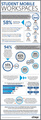
58% of students own three or more mobile devices.
89% of students own a laptop
43% of students own a desktop computer
31% of students own a tablet
76% of students own a smartphone
16% of students own an e-reader
Students say they value technology because it helps them:
achieve academic outcomes 76%,
prepare for future educational plans 76%, and
prepare for the workplace 61%.
Students also say that technology makes them feel more connected to:
their institution 64%,
their professors 60%, and
other students 53%.
But despite owning and valuing these devices, 74% of students say the use of smartphones in class is banned or discouraged at their institution.
The challenge for colleges and universities is to bridge the gap between the expectations of campus users and the capabilities of the institution. 94% of higher ed leaders agree that students today should be able to remotely access all the information, data and software they need, on any device, at any time, and with a consistent user experience. But 55% said their institution 55% does not provide remote access to students.
Why?
61% no budget or staff to provide this level of service
38% some software simply cannot be used remotely
12% too difficult to adopt new major technology
34% we don’t have the network infrastructure
21% we don’t have the expertise
At most schools, a significant portion of students and faculty require access to resource-intensive software applications for cad, statistical analysis, art, photography, etc.
Institution-owned computers in labs, libraries, etc. 89%
Personal computers in certain campus locations 54%
Personal computers anywhere 52%
Tablets via wifi 42%
Smartphones via wifi or cellular data network 36%
What percentage of your students and faculty require access to resource-intensive, on-campus-only software?
less than 50 percent: 39%
50 to 60 percent: 15%
60 to 80 percent: 9%
more than 80 percent: 6%
The inability to easily access all software, including resource-intensive applications, from any personal computing device is frustrating to higher ed leaders, 97% of whom said it would be helpful to be able to provide all students and faculty with secure, seamless access to these applications anytime, anywhere and from any device or operating system.
The rapid evolution of technology is changing the way we learn, work and educate. Students want the freedom to learn and study using the latest software or applications on any device, in the location where they feel most productive and inspired. As the leader in mobile workspaces, citrix provides students, faculty and staff with on-demand, secure access to the apps, data and services they require, expanding beyond traditional methods to promote independent and exploratory learning - without compromising security or compliance. For more information on citrix solutions for education, please visit citrix.com/education.
Via: www.citrix.comThe post Student Mobile Workspaces Infographic appeared first on e-Learning Infographics.
eLearning Infographics
.
Blog
.
<span class='date ' tip=''><i class='icon-time'></i> Jul 15, 2015 03:18pm</span>
|
|
10 Inspiring Quotations To Help You Differentiate Instruction Infographic
When it comes to differentiated instruction, one of the most common questions asked by busy teachers is "How can I find the time?"
In her newly revised book The Differentiated Classroom: Responding to the Needs of All Learners. 2nd Edition. Carol Ann Tomlinson offers valuable insight into the power of differentiated instruction in today’s classroom. In this updated second edition of her best-selling classic work, Carol Ann Tomlinson offers teachers a powerful and practical way to meet a challenge that is both very modern and completely timeless: how to divide their time, resources, and efforts to effectively instruct so many students of various backgrounds, readiness and skill levels, and interests.
Whether you need motivation to implement differentiated instruction in the classroom or simply need reassurance that it’s working you’ll find inspiration in these words of wisdom from Tomlinson:
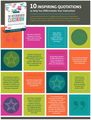
Every child is entitled to the promise of a teacher’s optimism, enthusiasm, time, and energy.
Educators should be champions of every student who enters
Teachers in the most exciting and effective differentiated classrooms don ’t have all the answers. What they do have is optimism and determination.
It is a human birthright to be a learner. There is little we do that is more important.
Like students, teachers grow best when they are moderately challenged. Waiting until conditions are ideal or until you are sure of yourself yields lethargy, not growth.
Teachers change either because they see the light or because they feel the heat.
A great coach never achieves greatness for himself or his team by working to make all his players alike.
Becoming an expert at differentiation is a career-long goal. One step at a time. You will get there.
Don’t feel compelled to grade everything. There’s a time for students to figure things out and a time for judging whether they did, but the two shouldn’t always be the same.
If curriculum and instruction are the heart and limbs of sound teaching. Then classroom management is the central nervous system. Without the heart, there is no life but without the nervous system there is no function.
Today more than ever, The Differentiated Classroom is a must-have staple for every teacher’s shelf and every school’s professional development collection. See the book’s table of contents and read excerpts.
Via: www.ascd.orgThe post 10 Inspiring Quotations To Help You Differentiate Instruction Infographic appeared first on e-Learning Infographics.
eLearning Infographics
.
Blog
.
<span class='date ' tip=''><i class='icon-time'></i> Jul 15, 2015 03:18pm</span>
|
|
26 Effective Ways to use Twitter for Teachers and Educators Infographic
Teachers and educators in the present fast-paced, ever evolving world of communication are presented with a plethora of options which might sometimes be overwhelming. To reduce the efforts of teachers in learning a new form of communication, we give you some of the most effective ways of using the most modern form of communication, Twitter. The 26 Effective Ways to use Twitter for Teachers and Educators Infographic is aimed at educators interested in utilizing Twitter as a communication and collaborative tool, for educators who like telling a story and effectively reaching out to an audience who they normally can’t! Check out the 26 effective ways to do that.
1. Account
Your account or as the twitter-verse would call it, your handle, is what defines you on twitter. Many Teachers use Twitter for professional reasons. To help you get started on your mobile devices, try Plume for android and Ubersocial for iOS or you could download the native app as well.
2. Big No nos
Twitter isn‘t about you. Don’t SPAM. Don’t take credit for other’s intellectual property or any property that isn’t yours. If you aren’t getting followers, improve the content you share, don‘t buy your followers.
3. Collaborate
Some of the easiest ways of collaborating on twitter is to co-author blogs, share your ideas, practice, resources.
4. DM
Direct Messages help in reaching out to you’re a followers or your influencers in a very private and personal way to build relationships online.
5. EdChat - #edchat
One of the first educational chats and most popular. #edchat is held on Tuesdays from 12 to 1 and 7 to 8 pm EST, #edtechchat takes place on Mondays from 8 to 9 pm EST. What are you waiting for, Join the conversation!
6. Favorite
Favorite-ing a tweet helps you archive tweets which share information or links you might be interested in or you might just simply like what they say.
7. Grammarly
Twitter allows you to share your magic with only 140 characters and while adhering to that rule, your grammar might really get tested. Try installing the Grammarly Plugin on your web browser to help keep your language on point.
8. HashTags
Themes, common words, trending topics are often covered in just a few or single words. Some of the most used HashTags among Teachers are #EdChat, #EdTech, #Elearning, BYOD (Bring Your Own Device). These should help you get in on the conversation.
9. Images
Add flavor to your stories and conversations by adding vibrant, informative Images (Like this Infographic!) to engage your followers at a visual level.
10. Journal
Use twitter as your personal micro journal, for your classroom adventures, experiments. Use your account to share stories.
11. Knowledge
Knowledge is Power. Practice it by sharing it with the world. Learn from other Teachers & Educators, develop a PLN - Personal Learning Network.
12. Lists
One of the most underused tools of Twitter and yet one of the most useful ones. Use lists to group and sort people/handles based on your customized filters.
13. Muted Accounts
Helpful when you want to avoid handles and users who are a nuisance to conversations and learning. Just head over to your settings, enter the Handle and enjoy twitter without ever hearing from them again.
14. Notifications
The notifications tab is a good way to keep track of how well you are doing with your followers and influencers. It lets you know who followed you, favorite-ed your tweet, retweeted you. Keep an eye out maybe someone famous follows you!
15. One Hundred and Forty
Twitter only allows you to type in 140 characters. Be smart, concise and creative.
16. Protected Accounts/ Private Accounts
These are accounts of people who would like to approve who can see their content. These accounts are privacy protected and you will have to ask for permission to follow them.
17. Quotes
Sometimes users like to quote other tweets in their tweets rather than retweeting them directly. This is mostly done to comment along with the tweet, try quoting to see how it helps you engage in a conversation or maybe even start one! Quote one of our Tweets!
18. Retweet
Retweeting is as essential as tweeting on Twitter. It shows the kind of articles people you follow like to read. Retweets also help in giving authorship to intellectual properties which don’t belong to you.
19. Story
Craft an interesting story for your followers. Use Storify to craft a creative story using a series of tweets and keep your followers engaged!
20. Tweet
A tweet helps you interact with your PLN, your followers, your influencers and with the web in general. So keep tweeting as much as you can.
21. Unlearn
As an educator and teacher, you have embarked on a journey of learning and teaching. But sometimes, to learn something new, you have to unlearn what you know to get the best out of what’s new!
22. Verified Accounts
The identities of these accounts have been verified by Twitter personally. Mostly companies and Celebrities get it done, so take caution while engaging with verified accounts.
23. Wikispaces
Missed out on one of the EdChat or EdtechChat, no worries, edtechchat.wikispaces.com archives all the chats and even has a podcast which discusses all the topics from the week.
24. Xavier!
Sometimes it helps making pop culture references to your conversations to connect with people, like we just did here, X- Men fan anyone?
25. Yes
Start by saying yes to all the ideas and conversation which make you feel uncomfortable, decide only after you have practiced or taken part in an in-depth discussion with the user(s).
26. Zest
Tweet with all the zest you can, talk to other teachers and pump up your PLN with all the zest you can muster. It’s important that your influencers and followers know how dedicated you are to teaching!
Via: www.fedena.comThe post 26 Effective Ways to use Twitter for Teachers and Educators Infographic appeared first on e-Learning Infographics.
eLearning Infographics
.
Blog
.
<span class='date ' tip=''><i class='icon-time'></i> Jul 15, 2015 03:18pm</span>
|
|
Why Teens Forget Infographic
The Why Teens Forget Infographic explores teen’s forgetfulness which may be due to major changes in their brain. These changes can last into the college years. While there is research that demonstrates the increased forgetfulness of "teens," research also suggests this time period is an awesome explosion of learning and discovery that takes them into adulthood.
Changes Occur in These 3 Structure
Prefrontal Cortex
Function:
alertness
attention
planning
working memory
regulates social behaviour
Cerebellum
Function:
balance
motor coordination
recognizes social cues
Limbic Cortex
Function:
emotion
attention
memory
emotional component
These changes are referred to as:
Blossoming from 11-14
Pruning from 14-24
Why Teens Are So Forgetful
The use it or lose it age. Synaptic pruning.
The teen brain is being pruned, developed, and reorganized.
The changing limbic cortex impacts memory.
The changing prefrontal cortex impacts working memory and attention.
The reorganization is complex and adds extra strain on teen’s brain.
Teen brains are losing 30,000 brain connects per second
The teen brain needs to reconnect with info it once found easy to locate.
The circadian shift impacts sleep and information retention.
Helpful Tips
Love, forgive, encourage
Experiment: What works for your teen? Each one is unique.
Reminders: Help to create systems and routines that work foe your teen.
Risk: Let them take healthy risks.
Create order
Engage: Be actively involved in your teen’s life. Make decisions with them when they find it hard.
Sleep: Teens need at least 9.5 hours of sleep per night.
Reward: Acknowledge wins. Build on losses. Allow natural consequences.
Minimize busyness: Let them be emotional
Encourage less stress
Read also:
Forgetfulness in Teens
Forgetful Teens
Via: anethicalisland.wordpress.comThe post Why Teens Forget Infographic appeared first on e-Learning Infographics.
eLearning Infographics
.
Blog
.
<span class='date ' tip=''><i class='icon-time'></i> Jul 15, 2015 03:17pm</span>
|
|
Online Education and the Developing World Infographic
It is widely acknowledged that education plays a leading role in improving individuals’ and entire countries’ quality of life. Lacking access and financial resources, the developing world is an educational desert, languishing in illiteracy and poverty while the developed world is drinking deeply from the wells of information and knowledge. Bridging the educational divide across the world is now easier than ever thanks to the Internet and online learning. But are options like MOOCs (massive open online courses) the silver bullet the world has been waiting for, or will a lack of infrastructure and language barriers prove online education to be just another way the haves educate themselves and the have-nots continue to get left behind? The Online Education and the Developing World Infographic presents how effective online education is currently, and its potential for growth.
Why Education Matters
According to the World Bank, education is a powerful driver of development and one of the strongest instruments for:
Reducing poverty
Improving health
Gender equality
Peace
Stability
University-level enrollment, select countries, most recent years available
Niger: 2%
Central African Republic: 3%
Cote d’Ivoire: 4%
Pakistan: 10%
Liberia: 12%
Qatar: 12%
India: 25%
China: 27%
Colombia: 45%
Saudi Arabia: 51%
Japan: 61%
United Kingdom: 62%
Russia: 76%
United States: 94%
South Korea: 98%
The Big Idea — Massive Open Online Courses
Top-notch university education is available to more students around the world through lecture videos and interactive course work online. Many courses are free, and all are available to anyone with Internet access. And students in the developing world comprise a great and growing proportion of the largest providers’ users.
Coursera:
11 million students
Classes are free.
Students can purchase "verified certificates" for a single class or mini-degrees in entrepreneurship or cloud computing.
1 in 3 users from developing world
edX:
3 million students
Classes are free.
9% of edX’s students came from Africa in 2014.
12% of edX’s students came from India in 2014.
Others:
Khan Academy: 30% of visitors are non-Americans.
Udacity: 60% of students are international.
Hurdles to Education
In addition to the traditional hurdles facing students in the developing world, access to online education presents unique challenges.
Reliable high-speed Internet access capable of streaming course lecture videos is hard to come by in the world’s poorest regions.
31% of households in developing countries have Internet access.
81% of edX students view material on desktop computers.
12% of edX students use a mobile phone.
7% of edX students use a tablet.
Basic literacy is a major problem in the areas of the world where education is needed most.
Most U.S. universities only offer higher-level courses aimed at the middle class.
Major challenge to tailor content of courses to a diverse worldwide audience.
May not fit different learning styles in different nations.
Relying on other organizations to address basic literacy and foundational learning.
Minor Tweaks, Major Impact
Changes in MOOC platforms show promise for increasing access to the developing world, including:
Ability to download course videos rather than only streaming.
edX’s plan to start open-sourcing its platform to allow more universities to post online courses and software programmers to experiment with customized interfaces.
Providing real-world certifications, regardless of location.
Blend of online courses and traditional college work.
While MOOCs have real issues (digital divide and literacy) that must be addressed in order to fully meet their missions of bringing education to the people that need it most, there are wonderful opportunities for customized education by blending online and traditional learning. Once content is created in languages other than English, infrastructures are improved, and digital mobile hardware catches up, online education has the potential to change lives.
Via: www.onlinecoursereport.comThe post Online Education and the Developing World Infographic appeared first on e-Learning Infographics.
eLearning Infographics
.
Blog
.
<span class='date ' tip=''><i class='icon-time'></i> Jul 15, 2015 03:17pm</span>
|
|
Learn Moodle by the Numbers Infographic
Learn Moodle by the Numbers Infographic present the open online activity-based learning course for teachers new to Moodle. Learn Moodle, the Massive Open Online Course (MOOC), designed for beginners to provide educators with a good foundation and context to Moodle was held earlier this year with a total of 5116 registered users signing up for the course.
Course highlights included live tutorials, activity based learning, creating and using quizzes, wikis, forums, chats and the opportunity to earn badges. Moodle HQ are proud to present the numbers from the course, highlighting the activity over the 4 weeks.
Our next Learn Moodle MOOC will be starting 9th August 2015. Registrations will be open soon for anyone to join for free via learn.moodle.net. This free course is designed for anybody who wants to use the Moodle learning platform for teaching, whether it be in a school, a university, a company or just personal interest! The four-week course is also a great opportunity to connect with the vibrant Moodle community dedicated to sharing resources, ideas and anything that could help inspire better teaching practices everywhere.
View also MoodleMoot 2015.
Via: moodle.comThe post Learn Moodle by the Numbers Infographic appeared first on e-Learning Infographics.
eLearning Infographics
.
Blog
.
<span class='date ' tip=''><i class='icon-time'></i> Jul 15, 2015 03:17pm</span>
|
|
Elearning Superstars is a curated list of inspiring elearning examples, published every Tuesday. Subscribe to get weekly updates via email.
This week we have some great elearning by Nobel Media (The Nobel Prize), TalkTalk and McDonald’s.
Showcase your elearning: Have you created a great piece of elearning that you’re really proud of? Showcase your elearning here to win awards and get published on Elearning Superstars.
1. Elearning Laboratory: Periodic Table
2. Mike Enders: Psyched in 10
3. City Witness: Medieval Swansea
The post Elearning Inspiration: Elearning Laboratory, Mike Enders, City Witness appeared first on Elucidat Blog.
Elucidat Blog
.
Blog
.
<span class='date ' tip=''><i class='icon-time'></i> Jul 15, 2015 03:16pm</span>
|
|
We’re all feeling the pressure to reduce elearning costs while maintain elearning quality.
What can you do to reduce costs? If you’re looking for ideas, take a read of these six articles I’ve curated from a variety elearning industry experts.
1. Three ways to reduce elearning development costs (Elucidat latest article)
Under pressure to deliver more for less? Time-poor but creatively rich? Modern eLearning tools help managers of eLearning teams deliver great courses while saving development costs.
Li Whybrow shows you how to reduce eLearning development costs by using pre-built themes, Master courses, and responsive designs.
3 ways to reduce elearning development costs
2. How to cut costs with cloud-based training
Cloud-based training has become so popular thanks to its ability to deliver real-world training at a fraction of the cost of conventional training methods.
In this article, Moran Shayovitch discusses the factors that make cloud-based training cost effective.
Moran’s tips on how to cut costs with cloud-based training
3. Seven tips for cost-effective elearning localization
Elearning allows global companies and organizations to reach learners all over the world in the most efficient and cost-effective way possible.
Caitlin Nicholson explains that elearning localization is a lengthy process, but it doesn’t have to be that bad. "With ample planning time and preparation, eLearning developers can save time and cut costs…"
Discover Caitlin’s seven tips to help you stay organized when developing elearning for learners all over the world
4. 75 tips to reduce elearning costs
eLearning Guild members reveal imaginative ways to cut eLearning costs, and clearly show that cost savings is a mindset and being cost conscious makes good sense (and cents).
Download eLearning Guild’s book and learn how to reduce costs
5. How to Reduce Costs in E-Learning and Corporate Training
Our clients want to accomplish as much as possible with their e-learning budgets: we all want more bangs for our bucks. Fact is, you can do more for less and reduce costs in e-learning and corporate training.
Here are tips from an experienced solution architect, who frames projects and budgets for clients every day. Get the most from your e-learning project budget!
5 tips to reduce costs in elearning and corporate training
6. Five ways to save time and money on elearning translation
Elearning is a great solution for global organisations who want their workplace training to reach all their employees, no matter where in the world they work. But costs can spiral if elearning translation and localisation is not planned properly.
Here are five factors to bear in mind when planning your next elearning translation and localisation project
The post Five ideas to help you reduce elearning costs appeared first on Elucidat Blog.
Elucidat Blog
.
Blog
.
<span class='date ' tip=''><i class='icon-time'></i> Jul 15, 2015 03:15pm</span>
|
|
For those working in the franchise space, it’s no doubt training is one of, if not the most important foundations of success. It’s probably the most important type of support headquarters can provide to franchisees.
But what happens when the training program isn’t working? What do we mean by not working? It depends on the definition of success, but generally we’re looking at overall performance. Is the store meeting goals? Is the franchisee following company directives correctly and on time? Are employees following point-of-sale protocols?
Whether you have data telling you something is amiss or simply anecdotal evidence, here are five possible culprits:
It’s boring. This seems like such an obvious answer, doesn’t it? So obvious, it can’t possibly be the case! Here’s the thing. It’s a lot easier to make training the audience finds boring. That’s a tough code to crack. We often find, too, what the folks creating the training find boring rarely lines up with what the learners find boring. How to fix it: Collect a lot of feedback. Ask those completing your courses whether they liked it and why or why not.
It’s out of date. It’s amazing how quickly this can happen, but it only takes a small piece of misinformation to discredit an entire training program in the minds of the audience members. How to fix it: Easy one! Update it! Make sure you’re gathering the correct information from the right SMEs. Don’t fall into the trap of thinking "Well, a few things are a little out of date, but it gets the general idea across." Employees are usually held to a higher standard; so, too, should the training they are given.
It fails to connect with the target audience. Again, ask the audience. If they tell you the training doesn’t apply to them or will help them do their job better, you’re failing to connect. The content might be off, or you’re striking the wrong notes in tone and style. How to fix it: Make sure you deeply understand your audience. Create an audience profile and update training to appeal to their unique interests and needs.
It’s too long. We all know how attention spans are these days and how easily we’re distracted. How to fix it: Breaking up training content into small, consumable chunks increases retention and relieves what’s often perceived as a burden.
It doesn’t work with the latest technology. Imagine you need to complete a training module, and you try to do so on your tablet. However, neither the training itself or the site where it’s stored are mobile-friendly. It’s clunky and hard to use. Who wants to deal with that? How to fix it: eLearning software and content should be fully responsive to it adapts seamlessly to different screen sizes. It should work the same on all browsers and operating systems. The training team must stay on top of the latest technology and software releases and constantly test and upgrade to ward off downtime or technical issues.
After taking a close look at your training program, you may feel it’s time for an overhaul. Tell us about your current program and what you’d like to achieve, and we’ll give you a content and technology recommendation for free. Let’s get started.
photo credit:
Portrait of a watchmaker
Expand Interactive Team
.
Blog
.
<span class='date ' tip=''><i class='icon-time'></i> Jul 15, 2015 03:15pm</span>
|