Blogs
|
Discovery Education will host another virtual field trip free for students of all ages although the resources and virtual field trip will feature 6th-8th grade students. This field trip will show middle schoolers getting a personal tour of a working copper mine live from Arizona.
According to Discovery Education,
During this live event, students will get a behind the scenes look into the copper industry and meet with a local Geologist and Mine Planning Engineer as they reinforce STEM and core math and science concepts within real world careers.
The event will take place November 13, 2014 from 1-2pm EST and the registration page can be found here: http://www.eventbrite.com/e/metals-in-your-everyday-life-virtual-field-trip-registration-13623473175. Check out the teacher resources on this page: http://www.digintomining.com/teacher-resources.
Teachers can submit questions prior to the event so the questions can be answered during the live event on this page: http://www.digintomining.com/virtualfieldtrips.
Photo Credit: Discovery Education
Kim Caise
.
Blog
.
<span class='date ' tip=''><i class='icon-time'></i> Jul 16, 2015 12:08pm</span>
|
|
Today I’m sharing 5 crystallized silica textures I shot close to the Blue Lagoon in Iceland a while back. This is a crystallized form of the silica mud people use to treat their skin and has a beautiful deep blue and white color. I hope you can find good use for them
Download all textures as ZIP from copy.com (15.5Mb)
Did you like these textures?
Let us know by leaving a comment, and you can even post a link if you used them in your artwork.
Related Posts
Free Texture Friday - Smoke
Free Texture Friday - Abstract Grunge 4
Free Texture Friday - Worn Concrete
Free Texture Friday - Black Leather
Free Texture Friday - Vintage Stone Wall 2
Stockvault Blog
.
Blog
.
<span class='date ' tip=''><i class='icon-time'></i> Jul 16, 2015 12:08pm</span>
|
|
Ever searched for a great SAT prep app in iTunes? There are hundreds of apps and it is extremely time-consuming to read the descriptions and decide if the app is valuable, offers tips or information that will be beneficial to the user and aid in actually preparing for the college entrance exam.
What is unique is that most of the apps have game like features as there is an abundance of current research that shows many students learn more when games, challenges and levels are involved, especially with gamification becoming a large trend in education.
Below are six apps that will benefit any student preparing for the SAT/ACT that are free to download with a few offering in-app purchases for additional features or content.
SAT Up Score Beyond - This is a free app that does off in-app purchases for additional preparation content. This app offers over 3,000 prep questions and users can personalize the content based on strengths and weaknesses. The app tracks progress and compiles performance data from the app for you. The app is free but there is a $4.99 monthly fee that can be cancelled at any time. Looks like a great app if you don’t mind the subscription fee.
Ace the SAT - This app focuses on mathematics questions. You can use the app without an Internet connection and there are no in-app or subscription fees like some of the other apps. Each quiz you take will feature new questions and incorrect questions show the correct answer with some explaining how to solve the question correctly. The test section tracks progress as well as allows you to take a screenshot to share with someone if you need additional assistance or clarification on the solution.
Play2Prep - This app customizes training and is in a game format. You can practice with tough test questions and improve your time on each section with this app. You can create customized practice tests and track your progress, simulate real world tests and track strengths and weaknesses for future improvement. Additionally, you can play games against other or individually to practice test questions.
College Passport - SAT Edition This is more than just an SAT prep app. You can get information about colleges and track your applications all in one place. This is the only app that is similar to a flipped classroom with practice questions and video tutorials with online office hours to ensure that students receive assistance when needed. The instructors that provide assistance are trained in the same proven methodologies that the app is based. This features can be great advantages over some of the other apps.
Kaplan’s SAT Quiz U - This app gives you free practice SAT questions in timed mini quizzes, helping you study the most valuable, score-raising topics in each area tested on the SAT. You get access to 450 questions with the option for in-app purchases to gain access to more questions. Receive immediate feedback on your progress as you work through the features of the app with the ability to submit discussion questions to Kaplan SAT teachers and get a response within 24 hours.
SAT Prep TestBank 2400 - The app is free but there are in-app purchases that are required to gain full access but there is a great deal here for free and a minimal cost. The authors of the app supposedly earned perfect scores on the SAT so the quality is high. The app re-calibrates based on your responses and avoids repeat questions. The app contains tips and strategies to achieve a high score on the SAT in addition to the practice elements.
All of the above apps offer great features that will greatly help any teen studying for one of the college entrance exams even though the apps are focused on the SAT. The features, questions and tips are applicable to all kinds of tests in and out of the classroom that students will encounter so take some time to explore the apps and find out which best fits your needs. If you find a great SAT prep app that isn’t listed above or find the ones shared above valuable, I invite you to leave a comment and let me know!
Cross posted at: http://elearningindustry.com/6-great-sat-prep-apps
Kim Caise
.
Blog
.
<span class='date ' tip=''><i class='icon-time'></i> Jul 16, 2015 12:08pm</span>
|
|
The Center for Distributed Learning at the University of Central Florida has launched the Teaching Online Podcast (TOPcast) hosted by Dr. Thomas Cavanagh and Dr. Kelvin Thompson, a monthly podcast for online and blended learning professionals. Tom and Kelvin are rockstars of the online and blended learning world with decades of experience growing and learning blended and online programs. In their podcast they discuss current issues in online and blended learning relevant to leaders and practitioners. Any online instructor, instructional designer, or aspiring online learning leader will find benefit from the insights shared. You might also learn something new about different coffee blends in the process
You can share with the hosts your thoughts on past episodes or ideas for new episodes via email (topcast@ucf.edu), follow on Twitter at @topcastnow, or join the conversation on Twitter with the hashtag #topcastnow. Subscribe (via iTunes or RSS) to never miss an episode.
Jason Rhode
.
Blog
.
<span class='date ' tip=''><i class='icon-time'></i> Jul 16, 2015 12:08pm</span>
|
|
Volcanoes are openings in the Earth’s crust, caused by the pressure of magma underneath the surface, usually from the collisions of tectonic plates in Earth’s crust.
Volcanoes are very powerful, with two types, those causing red eruptions, with liquid magma (lava) oozing from the volcanic opening, or those causing gray eruptions, which are powerful explosions of ash and pumice into the atmosphere.
Photographing active volcanoes can be quite dangerous, with hot lava, noxious gases, and sudden eruptions that can kill almost instantly. However, the results are beautiful when they are photographed:
Etna, nocturnal awakening #1 by Claudio Carpinato Ph.
Dancing with the Devil by Skarphedinn Thrainsson
Startrails on Mount Etna’s eruption by Angelo T. La Spina
1-CATERS-Lightning-Volcano-Eruption-03-JPG 184136 by Colonelengle
Evil Eye by Boris Behncke
Opera of Fire by Karsten Wrobel
Etna 2014! by Pietro Giannitti
Flaming Seashell 5 by RGDart
Alaska’s Pavlof Volcano: NASA’s View from Space by NASA Goddard space
Eruption of Semeru volcano in early m. by Adrian Rohnfelder
The crater Baugur by Tómas Freyr Kristjánsson
Camp on the volcano Etna by Marco Calandra
Lava Falls by Bragi Ingibersson-BRIN
Etna: smoke ring on first 2014 paroxy by Fabio Caltabiano
Volcano Arenal by fortuna1
Lava boat by Cory
Stromboli Island by Rudolf E.Thomi
Colours of iceland by Kerstin Langenberger
Rolling Heat by Adam Goldberg
Icelandic volcano by schwartzschildradius
Lava Field of the Pu’u O’o vent by Wayne Pinkston
Mount Semeru Explosion by Jasnl Muda
Ocean Entry and surface lava at Kilau by Adrian Rohnfelder
Hawaii Lava Rope Closeup by Eric Schaer
Oozing Lava by hitokirivader
Apríl 2010 Valcano Fimmvörðuháls by Agnar Hermannsson
Edge of Creation by Andrew J.Lee
Firefall by Wendy Hudnall
Lava Lake Break by Tom Kualii
Pahoehoe Tongue by Grant Kaye
Related Posts
Powerful Examples of Volcano Photography
30 Marvelous Underwater Photographs
30 Majestic Photographs of Horses
Rocks, Stones and Pebbles in Photography
30 Photographs of Bicycles
Stockvault Blog
.
Blog
.
<span class='date ' tip=''><i class='icon-time'></i> Jul 16, 2015 12:08pm</span>
|
|
Research shows that October is a difficult time for new teachers. The excitement of a new school year, pristinely decorated and organized, ready to greet your crew of new students wanes around this time. For some, this school job poses as a new job, first time being on your own in your own classroom and reality is starting to set in that things are not as you were taught (in some cases). Unfortunately this phenomenon is not related to new teachers only. It happens to all teachers.
In a way, the honeymoon period is over and it becomes apparent that you are now responsible and accountable for a group of 25 to 40ish students per class. You are responsible for preparing your students for either the CCSS assessments or state standardized testing. The pressure can be daunting. But there is good news!
1. This too shall pass. This rut or wane of energy will pass and you will resume your confidence and continue to demonstrate your expertise whether you are a first year teacher or experienced teacher. Start an exercise regimen if you don’t already have one to release stress. Start a blog so you can reflect upon your teaching or keep a journal of your daily adventures so you can express your feelings.
2. Find apps on a smartphone, tablet, or mobile device of some kind to help you be more productive. Whether you use Nearpod for interactive PowerPoint presentations, Dropbox or Evernote to have immediate access to your files or student work on any device - find what works for you. There is a complete educator’s section in iTunes to help you identify great productivity apps. Use them to ease some of the teaching responsibilities that you feel are looming over your head. Use the apps to help make tasks that you dislike more interesting or fun to do instead of dreading them.
3. Find a quality mentor. Find someone that has their act together, and is well respected for their classroom management and teaching strategies. Find a colleague that uses technology to integrate innovative learning activities into the curriculum. Find someone that has a positive attitude and is realistic about the expectations and responsibilities you face every day as a teacher on your campus. You will be surprised how much talking with someone who can relate and offer you advice that will benefit you will be a great relief and motivator.
You can be re-energized again and have that same excitement that you started the year with if you take certain steps to ‘protect’ that special feeling when the new school year starts. Remember, every educator has been at this point at some time in their academic career and feeling frustrated and tense is commonplace. Talk with your mentor on ways you can relieve those negative feelings and ways you can stay on track on focused on your campus vision.
4. Be positive and share your heart. Let your students know you care about them and want them to be successful. Let them know you believe in them and they won’t let you down. Don’t be fake or phoney though as kids can see right through that. One campus started giving bucks for behaving, following rules, being prepared for class, completing homework, etc. and discipline referrals declined by 75%. Being positive and caring for your students is catching and you will see that your students will want to please you and will work to the best of their abilities and beyond.
5. Involve your parents. Send home positive notes for even the smallest thing. I have had parents say that my phone call home was the first time a teacher called or sent a note for something positive. With parents on your side, your classroom will run smoother as you have the support and backing of your parents and your students know you are in close communication with their parents. This will alleviate and present discipline problems from exacerbating and becoming huge problems for you while you are teaching. Trust me on this. I have been in education for over 20 years and the students I had the most trouble with I made extra efforts to contact parents at the onset of a concern and continued that line of communication. Parents appreciate knowing what their children are doing in your class and that is why a blog or website for your classroom is so helpful.
There are many more things that I could share with you to help make the school year a success but I will finish with this. Teach your heart out and make a difference in the lives of your students. It will be challenging to not lose your temper and to be positive but the effort will pay off in dividends and you too will receive many paychecks of the heart as I have over the past 20 some odd years. Never give up and remember, this too shall pass!
Kim Caise
.
Blog
.
<span class='date ' tip=''><i class='icon-time'></i> Jul 16, 2015 12:08pm</span>
|
|
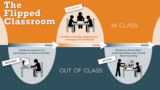
The Center for Teaching and Learning at the University of Texas at Austin has developed some outstanding resources for faculty interesting in "flipping" their classroom instruction.
What is a flipped class?
This 1 minute video introduces the flipped classroom model of instruction.
What is a flipped class? from UT Austin CTL on Vimeo.
A flipped class is one that inverts the typical cycle of content acquisition and application so that
students gain necessary knowledge before class, and
instructors guide students to actively and interactively clarify and apply that knowledge during class.
Flipped Classroom Quick Start Guide
How to Flip a Class
The videos and recommendations with guiding questions on the UTAustin CTL website, walk you through the steps of flipping a single class; the process is scalable for flipping portions of each unit or an entire course.
Thank you to the UT Austin CTL for developing and sharing such a comprehensive set of flipped classroom resources!
Jason Rhode
.
Blog
.
<span class='date ' tip=''><i class='icon-time'></i> Jul 16, 2015 12:08pm</span>
|
|
Brushes are very useful in graphic design, for applying effects, layer masks, textures, patterns and more.
While in their simplest form, brushes simply paint colors onto a canvas, in Photoshop, brushes can have all sorts of textures, effects and controls to achieve nearly any effect imaginable. Most designers have a few favorite brushes they go to, and some have a whole arsenal to choose from.
There are tons of great free brushes to download and use, and here’s some examples:
Grunge Brush
Clouds Brush
Watercolor Brush
Ornamental Corners Brush
HUD Brush Pack
Paint Splats Brush
Watercolor Brush
Paint Trails Brush
2D Tech Brush Set
Smoke Brush Set
Related Posts
Photoshop Brushes - Fractals by ekamanganese
Free Texture Friday - Grunge Borders
April design goodies, tips and tricks
250 Splatter, Spray & Watercolor Brushes
10 Awesome Photo Retouching Tutorials
Stockvault Blog
.
Blog
.
<span class='date ' tip=''><i class='icon-time'></i> Jul 16, 2015 12:07pm</span>
|
|
I don’t usually endorse paid educational services but Brainzy changed my mind. Brainzy is a website created by Education.com and contains over 300 games, stories, songs and videos for children aged 3-7 years old.
There is an annual or monthly cost associated with using the site but I have 10 codes that can be used for a home membership or in the classroom with up to 35 students. Just leave a comment below I will send you a code for a one year membership. For early childhood educators or homeschool parents this is very exciting news!
The press release stated the following about this new educational website:
San Francisco, CA, September 25, 2014 - Education.com, the nation’s leading destination for parents and teachers seeking supplemental learning materials, today announced the launch of Brainzy, a new kind of online learning program designed to build reading and math skills in children ages 3-7. Developed using rich data gathered from the 20 million worksheets downloaded each year at Education.com, Brainzy features hundreds of interactive games and activities that captivate young minds and delight parents weary of filling screen time with so-called education apps. Brainzy’s comprehensive program follows a methodical, building-block path created to spark curiosity, giggles, and grins while building more than 30 critical reading and math skills.
The systematic approach of the new program sets it apart from the thousands of learning apps that take a one-off, episodic approach. Brainzy covers the essential skills teachers consider most important for early learning success while deeply engaging kids in a world rich with exploration. Guided by a lovable cast of original characters, kids cover a year’s worth of learning as they play through more than 300 fun games, videos, and read-along stories.
Brainzy takes kids to a pretend land and is full of educational games. Education.com takes the data of what the students to understand what types of supplemental resources educators are looking for when using educational games and websites. It gathers real-time data from the games, videos and items accessed at the site to create quality supplementary resources for educators.
Education.com’s website has five million members with millions more visiting the website for blog posts and educational articles every month. Education.com serves as one resource for motivation, inspiration, advice and materials to use with students.
Knowing this, you can rest assured Brainzy is a quality site aligned with the Common Core State Standards and is filled with fun, fantastic resources to teach young children skills they will need to be successful in school.
Brainzy is kid safe and does not contain advertisements so you don’t have to worry about pop up banners or banner ads that are questionable or inappropriate.
Check it out and don’t forget to leave a comment below and I will contact you for a code for a FREE one year membership!
Kim Caise
.
Blog
.
<span class='date ' tip=''><i class='icon-time'></i> Jul 16, 2015 12:07pm</span>
|
|
The Faculty Development Center at the University of St. Thomas shares this great explanation by Francine Glazer in her book Blended Learning: Across the Disciplines, Across the Academy of the differences between flipped and blended learning that I wanted to share in its entirety:
"A flipped or inverted class is a form of blended learning. Whereas a flipped course doesn’t reduce the number of face-to-face classes or the amount of time the class meets in person, a blended course typically has fewer in person classes. In a blended course more of the course is taught online and students often have more control over the pace and time as they work though the course. The differentiating aspect of blended learning is that a significant portion of the course occurs in two areas: online and in person. Blended course design involves re-thinking the course activities so that there is a "seamless" transition between the online and in person classes — the blending of the in person and online activities reinforce each other to create a single, cohesive course."
Jason Rhode
.
Blog
.
<span class='date ' tip=''><i class='icon-time'></i> Jul 16, 2015 12:07pm</span>
|