Blogs
|
Part 1:
Watch the video on the hardware contained within a computer. After you have completed the video proceed to part 2.
Computer Basics- Hardware from Mr. Kirsch on Vimeo.
Part 2:
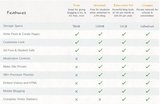
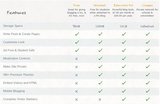
Below is a thinglink demonstrating what the "inside of a computer" looks like, along with the terms for each.
Mr Kirsch's ICT Class Blog
.
Blog
.
<span class='date ' tip=''><i class='icon-time'></i> Jul 23, 2015 10:13am</span>
|
|
When John and I started writing Headway we had certain beliefs about ELT borne out of our experience as teachers and teacher trainers. And, like many teachers, we weren’t always entirely happy with the courses we used. However, we decided to stop whinging and have a go at creating a course of our own. We never imagined that Headway would become the chosen course of countless ELT classes round the world. We were flattered that so many teachers seemed to find our approach complemented and assisted their teaching.
Over the years we have hugely valued the many trips we’ve made to schools round the world, meeting up with teachers and students, and learning of their experiences and needs. Their stories - your stories - have influenced our writing. Nothing has given John and me greater satisfaction than teachers telling us how they felt that their students have made real progress using Headway.
As Headway became increasingly successful, we wanted to give something back to the ELT community to show our appreciation of all those students and teachers who were our inspiration and motivation. We decided to create the Headway Scholarship, sponsoring two students and two teachers from a country where Headway is widely used, to come to study in Oxford for a fortnight in the summer. We wanted to select students and teachers for whom such an opportunity wouldn’t otherwise be possible.
The first year of the Headway Scholarship was 2004, and the first country selected was Hungary - a country which has shown huge enthusiasm for Headway from the start. Over the following years, John and I discussed the country selection with the Headway team at OUP. Other countries in Europe were selected, then we extended the opportunity to the Middle East, Latin America, and most recently Ukraine and Turkey. The selection process has varied country to country, but each Headway Scholar has been a worthy recipient, having demonstrated their commitment - often via a competition - to English Language Teaching.
Liz and John Soars with four Headway Scholars at Exeter College in 2010
Although in the early years the Headway Scholarship was awarded to both students and teachers, it became apparent that the people who most benefited were the teachers. They attended the two-week English Language Teachers’ Summer Seminar, held at Exeter College, Oxford. These teachers have all been very enthusiastic about this course. Whenever we were able to, John and I met up with them. Many of them have written to tell us about what had been for them an opportunity of a lifetime, how much they’d developed as teachers, how they valued exchanging ideas with so many other ELT professionals from round the world, and how they would pass on what they’d learned to the wider ELT community back home. This is why we decided to dedicate the Headway Scholarship to four teachers.
And now there is an exciting new development to tell you about! The country selection has always been hard, and we hate to deprive any teacher of this opportunity just because of where they live. So to mark ten years since the first Headway Scholarship, this year we are making the Scholarship global! Wherever you are in the world, as a Headway teacher, you will be eligible to enter the Headway Scholarship competition to win a place at the 2014 Summer Seminar in Oxford.
The Headway Scholarship is very important for me, as it was for John, and I’m delighted it’s expanding in scope. As you’ll see from the competition entry information, it’s all about ‘Making a difference’, which is exactly what John and I set out to do all those years ago when we started writing Headway.
Good luck to everyone!
Warm wishes,
Liz Soars
You can find the application form and terms and conditions to enter the competition on the Headway Fourth Edition page.Filed under: Adults / Young Adults, OUP ELT News Tagged: Adult courses, American Headway, Competition, English Language Learners, Headway, Scholarship
Oxford University Press ELT blog
.
Blog
.
<span class='date ' tip=''><i class='icon-time'></i> Jul 23, 2015 10:12am</span>
|
|
As online learning becomes more ubiquitous, standards for exchanging data and information between LMSs and conventional educational institutions are becoming necessary. Right now the primary vehicle for that data exchange is the Tin Can API.
What is the Tin Can API? First, an API (Application Program Interface) is software for sharing stored information between institutions, businesses and other entities. For eLearning, the Tin Can API is the application that most providers currently use. It allows various LRSs (Learning Record Stores) to connect and share data. Up to now our LMScast programs have talked about LMS systems like our lifterLMS. Today we are discussing how to interconnect those LMS systems to exchange vital educational records and other data as students continue their education through different providers, both online and traditional.
Each LMS has a LRS that collects and stores data used for tracking and reporting student records, program information and other data. The Tin Can API connects the LMS to the LRS for information storage, and then makes it possible for multiple remote LRSs to exchange that data. It was built upon an earlier API system called SCORM, which had limitations that the Tin Can API has resolved.
The process begins with a learning event such as a completed test, course, program, or other significant interactions between people or content. The event result is recorded by the API and stored in the LRS. From there this data can be shared with other LRSs. Having the standardized API is like sharing a common language: it makes communication possible between most entities. Tin Can API also has the capability to store data from devices such as mobile phones, simulations, games, and training models. All this data can be used to verify a student’s qualification for certifications and diplomas.
The precedent for the possibilities for connection and expansion in eLearning through APIs has already been set and proven in online business applications, such as Infusionsoft, which allow for marketing, online sales, tracking and reporting, and sharing of product and sales information.
When choosing your LMS you will want to be sure it is compatible with Tin Can API, as our lifterLMS platform is, so that you can share vital data with other LRSs seamlessly. This capability is necessary for your online integrated learning programs to expand into their full potential for universal access and accreditation. The possibilities for the future of eLearning are very exciting, and LMScast will continue to report on new trends and standards from our positions inside the industry so you can stay ahead of the curve.
Remember that you can post comments and also subscribe to our newsletter at LMScast.com for updates, developments, and future episodes of LMScast. Thank you for joining us.
Joshua: All right. Hello everyone. We’re back with another episode of LMScast. I’m Joshua Millage and I’m here with Christopher Badgett and today we’re talking about a hot topic within the Learning Management Space and that is the Tin Can API. Today we’re just going to keep it basic.
We’re going to let you know what it is and why it’s important and why you should know about it because there a revolution that’s happening, I think, in the online learning space and this is a standard. This is becoming a standard. It is a standard but I think it’s going to be the standard in the next few years for transferring information.
Chris, I’ll let you take it away. Give us the high-level definition of what the Tin Can API is.
Christopher: All right. Let’s take a look back behind us first. Ninety-five percent of these podcast episodes have been about learning management systems, specifically built on WordPress. That’s about delivering courses and organizing your course material and content and so on.
Joshua: Mm-hmm.
Christopher: In the last episode we talked about a LRS, which is a learning record store. It’s a place where you can collect and gather data that other reporting and tracking tools can tap into so that you can pull information about a student or a program from various different environments and consolidate that in your learning record store.
The Tin Can API, sometimes known as the Experience API or the XAPI, is the pipe that connects the learning management system to the learning record store. It’s a consistent standard where it can record certain types of statements to pass information to say that Johnny completed this lesson and that’s a recordable event that goes into the learning record store via the Tin Can API.
Joshua: Right. Is this different or similar to what they … Is it the SCORM API?
Christopher: I’m still … The Tin Can API, I’m still getting up to speed on the technology, and this question here is more about the history. The SCORM came before the Tin Can API, and the Tin Can API is designed to improve upon and build upon it. It does … It lifts … The SCORM system had some restrictions that the Tin Can API was able to get around.
Joshua: Got it.
Christopher: I’d like to point out a great informational resource which is just the TinCanAPI.com. There’s a lot of great information there and I can read off some of the main bullet points about how that works.
Joshua: Let’s do it. Yeah.
Christopher: All right. This is from TinCanAPI.com and … How does a Tin Can API work? People learn from interactions with other people, content and more. These actions can happen anywhere and signal an event where learning could occur. All of these could be recorded with the Tin Can API. When an activity needs to be recorded the application sends secure statements in the form of noun, verb, object, or I did this to a learning record store. That’s what we were talking about, the pipe there.
Joshua: Mm-hmm.
Christopher: Then the LRS records all the statements made, and it can share those statements with other learning record stores and so on. What the Tin Can API does is it gives you the freedom to have that standard language and it allows different learning record stores to talk to each other.
Joshua: Mm-hmm.
Christopher: It’s like a common language. It also has device freedom where it can be pulling data from a mobile phone, simulations, games, even a CPR dummy. The list goes on.
Joshua: Wow, that’s awesome.
Christopher: Yeah. You can think about it in a more complex online learning situation like CPR or medical stuff where …
Joshua: Right.
Christopher: You may be pulling data from an online course on an LMS, maybe some field exercises even with a CPR dummy, and so on. There’s so many different places …
Joshua: Right.
Christopher: That that data could come from and then maybe that LRS needs to talk to another one that has to do with that student’s diploma or certification.
Joshua: Right. It’s a way of connecting all the dots. I think it’s really exciting to see where we’re headed with the lifterLMS plugin, because this is something that I know in some point in 2015 we’re going to be releasing compatibility with this so that people who build courses on our platform are able to share the data with these other platforms really, these other LRSs and all the applications that go along with that. The possibilities are endless.
It’s really exciting to me to see how this can really take someone’s information and distribute it in an exponential fashion. That’s cool. It’s cool to be a part of this new wave of technology in eLearning. I mentioned it in the last episode but I’ll reiterate it again here, which is I’ve looked at APIs from the beginning as a telephone connection for one application or piece of software or even piece of hardware to talk to another.
Like you mentioned, it’s a standardized way of doing that. My background is in Infusionsoft, and we’ve used the Infusionsoft API to say talk to QuickBooks, so if a sale is made on Infusionsoft then it can make a record or something in QuickBooks so that connection is through the Infusionsoft API.
To apply that here, a grade is posted in someone’s LMS, and it shows up like you said in maybe a school or a certification institution’s LRS to say yes, they completed that course, they’ve received credit, here’s their grade, here’s their name. It’s a way of organizing things. It sounds kind of dry maybe to some of the listeners, but it’s really something to wrap your head around and go okay, when I hear Tin Can API that means that this piece of software, whatever I’m looking at, has the ability to talk to others.
I think that’s how I would sum it up for people. That’s going to be incredibly important as education, I think, is democratized more and more, and we see more and more online learning happen. I’m excited about it. I think it’s cool to see these standards at the foundational level and see them mature and keep an eye out for new players and new standards. Of course, that’s what we’re going to be talking about here at LMScast is what that looks like and what we’re seeing being in the trenches.
I think in a nutshell, I’m glad we’ve defined it and as we learn more, and hopefully there’re some Tin Can experts listening who we can interview. If you are an expert in Tin Can API and want to be on the show with us, just go to LMScast.com and find our contact button there. It should be in the footer. We would love to talk you about what you know about this and share it with the community.
Chris, do you have any final thoughts on this crazy API connection?
Christopher: Sure. I just draw a metaphor about the power of the internet itself. At first for me it was, "Oh my gosh, I have access to all this different information." That was great but over time I realized that it’s really the web or the connections that is really the most amazing to me. When we think about this in the eLearning environment, you can get access to all these courses and everything and that’s great.
You can be the entrepreneur behind that and build these things or share your message and share your vision and that sort of thing but the connections that are possible with things like the Tin Can API and what we do with data these days is really profound and you can see it in places where it’s really advanced where there was a capitalist motive.
For example, in advertising you can get all kinds of data about what article someone looked at and they they looked at these shoes on Zappos and that pair of shoes shows up on the blog they read every night. There’s so much opportunity that if we can see what has already happened with this connectivity in other spaces like advertising or other advanced API systems, there’s just a lot of opportunity for connection and integrated learning.
Joshua: Right. It’s extremely powerful, yeah. I would love to hear the listeners’ thoughts on this and you can leave a comment on this podcast blog post at LMScast.com. Check it out and don’t forget to sign up for our newsletter over at LMScast.com. We’re going to be releasing a bunch of great content this year. I know we’ve got some exciting things in the works that I think people will want to know about.
Go over to LMScast.com. You’ll see a sign-up button on the right-hand side of your screen. Yeah. Thank you for listening and until next time, we’ll talk to you then.
The post What Is The Tin Can API? How Does It Relate To eLearning? appeared first on LMScast.
Joshua Millage & Chris Badgett
.
Blog
.
<span class='date ' tip=''><i class='icon-time'></i> Jul 23, 2015 10:12am</span>
|
|
Edublogs is a blogging platform aimed at education but interestingly it is powered by WordPress. Is Edublogs a good alternative to WordPress for you?
Source: torquemag.io
See on Scoop.it - InformationCommunication (ICT)
Mr Kirsch's ICT Class Blog
.
Blog
.
<span class='date ' tip=''><i class='icon-time'></i> Jul 23, 2015 10:11am</span>
|
|
Michael Man, an Online Platforms Trainer at Oxford University Press, shows you how to use messaging, discussions and chats effectively with the new Online Practice and Online Workbooks.
You can take part in his webinar ‘Messages, Discussions and Chat: improving communication skills with the new Online Practice and Online Workbooks’ on 26th November from 15:00 - 16:00 GMT or on 27th November from 10:00 - 11:00 GMT.
Communication and collaboration tools
How can we give our students more individualised instruction and feedback? How can we extend communication outside the classroom? Teachers can struggle with these issues especially when large classes and teaching demands get in the way.
Individualised instruction and feedback
All the courses with new Online Practice and Online Workbooks (listed below) have integrated communication and collaboration tools. By using the Messages tool, teachers can contact the entire class with updates or announcements. This is a useful tool for reminding students of deadlines or other classroom management issues, and is also useful for relaying information about upcoming aims and learning objectives. As well as reaching the class as a whole, teachers can contact groups of students. This is not only useful for differentiating instruction, but also during stages of project work. For example, teachers can give each group targeted guidance or further instruction. The Messages tool also allows for individual messaging so that teachers can personalise feedback. In this way teachers can direct students to exercises which would benefit them, set targets to work on and send reminders related to those targets.
Extending communication outside the classroom
Learners often struggle with finding ways to use English outside the classroom. The Discussion tool provides a way for students to do this in a non-threatening environment. Teachers can assign a discussion task as part of assessed coursework or to continue a class discussion that students may not have had time to complete. These discussions can be monitored or viewed later by the teacher who can then use them to help students build language strategies for better interaction. The discussions are also a useful resource for assessing in which language areas students may need revision or follow-up work. The Discussion tool can also be set up for use by groups so that they can meet in a virtual space to discuss project work.
The live Chat function is another way to increase contact time with English, and many students will already be familiar with if they use social media. These can be whole class chats or set up as groups. Ideas for using the chat include setting up reading circle discussions or doing role plays. Roles can be assigned to individual students within the chat - a moderator, for example, could ensure that all the students participate by inviting comments from less ‘chatty’ participants.
These tools are suitable for students at any level and are available on all the courses which use the new Online Practice and Online workbooks:
— Aim High
— American English File, second edition
— Business Result DVD edition
— English File, third edition
— English Plus
— Headway Academic Skills
— insight
— Network
— New Headway, fourth edition
— New Headway Plus, special edition
— Q: Skills for Success, special edition
— Solutions, 2nd edition (International, Nederlands and Maturita)
— Speak Now
Find out more at: www.oup.com/elt/learnonlineFiled under: Adults / Young Adults, Multimedia & Digital, Teenagers Tagged: Collaboration, Communication, Digital, Online Chat, Online Discussions, Online learning, Online Messages, Online Practice, Online teaching, Online Tools, Online Workbooks
Oxford University Press ELT blog
.
Blog
.
<span class='date ' tip=''><i class='icon-time'></i> Jul 23, 2015 10:11am</span>
|
|
Researchers at Purdue University have some bad news for the 40 million people worldwide who deliver "standard" PowerPoint presentations each and every day.
When PowerPoint is used, the researchers concluded, the audience retains nearly 30 per cent less than if presenters eliminate PowerPoint and simply talk to their audience.
In other words, by simply turning off your projector and using your slides as notes, you can significantly enhance your communication effectiveness.
Source: www.presentwithease.com
See on Scoop.it - InformationCommunication (ICT)
Mr Kirsch's ICT Class Blog
.
Blog
.
<span class='date ' tip=''><i class='icon-time'></i> Jul 23, 2015 10:10am</span>
|
|
Karen Frazier, co-author of Let’s Go, shares her top tips for helping children with learning disorders in the English classroom.
Every ELT teacher has experienced a moment when he or she wonders what else can be done to help a student who seems to be struggling in class. Trying new activities and methods may work, but sometimes the student continues to have problems. This may suggest the student has some underlying disability. It could also mean that the student is struggling primarily because the language is different from the student’s first language or because of issues related to acculturation.
In either case, what can a teacher do in class to help this student?
1. Get to know your student.
He or she wants to be just like the other students, not thought of as only a student with differences. Find out what the student really likes to do (favorite activities, books, music, games, etc.), and what the student wants to do (at school, outside, dreams, etc.). Then include those likes and wants in the class activities and lesson themes.
2. Find out about your student’s life experience (family, language and school experience).
A student who has had a positive school experience and who is confident in his or her first language (L1) will have better success when learning the second language (L2). He or she actually relies on knowledge from the first language to help in learning the second language.
If you are teaching students in an ESL environment, where everything in the school and the community is in English, you may have students who behave like they have learning disorders; however, we must keep in mind that a student who has just moved to a new community may be experiencing culture shock. This can have a significant effect on how the child deals with learning a new language. Feelings of being overwhelmed by sights and sounds that are different can cause the child to withdraw and/or experience ‘response fatigue’, the inability to respond because they cannot handle any more new and different stimuli. So it’s important to get to know more about your student to help you determine the best way to teach that student.
3. Create an atmosphere of acceptance and encouragement where all students feel supported and can learn in different ways.
Every student should feel welcome and valued. To help a student with special needs, seat the student near your desk so you can easily give assistance as needed. When individual speaking is necessary, have that student stand near you for support. Also, encourage all your students to get to know each other through in-class activities and projects they do together. Have your class work in small groups and pairs, playing language games, creating stories and role-plays, etc. This is good for students with learning disorders as well as for culturally and linguistically diverse (CLD) students. Working together with a supportive group or partner, that can share ideas, can make a significant difference for these students. Positive pairing helps the student with a difference or disorder feel productive and confident. It minimizes that feeling of being different.
4. Use plenty of visuals in your class.
Teacher and student cards with a picture and written word for vocabulary words are ideal. This is especially important for students who have hearing disabilities. Since they do not hear well, they need to focus on the written words to help them learn right from the beginning. Have students play games, in pairs or small groups, using small cards, each with a picture and a word to build knowledge in a playful way. Place pictures around your room with words that students can refer to as needed for support.
5. Introduce and practice new language using a multi-sensory/multi-modal approach.
Students with learning disorders, and all students learning a second language, need to have visual, auditory, and kinesthetic input. This multi-modal approach can help the student practice and reinforce the new language in a variety of ways. Dialogues and songs and chants, with repetitive lyrics, that focus on the rhythm of the language are also beneficial. Students with speaking disorders tend to have fewer problems with language when they are singing or speaking rhythmically (with a chant). Students more easily learn to say new words and language in songs because most of them generally enjoy music and focus on learning the song. Clapping the rhythm also helps both those with speaking as well as hearing disorders.
6. Half-class drills are very useful when practicing new language.
As a large group of students are talking together, no one feels as if they stand out. Have half of the class ask the questions and the other half answer. Practicing like this, without having any student feel singled out, reduces stress and allows time for all students to develop muscle memory and confidence, before having to speak alone. This is especially important for students with learning disorders or disabilities.
7. Use fun materials, based on students’ likes and experience.
To encourage students who are struggling, find or create short stories about famous people who have overcome disabilities and setbacks. Inspire your students to believe that they can also triumph in spite of challenges they face. Use magazine pictures of strong and inspiring characters to make popsicle-stick figures. Then place sight words on the figures and have students make sentences with them. Do projects where students create simple stories using their favorite TV or game characters. Always encourage your students to share their experience and viewpoint in what they are doing so that they link their learning to what they already know.
8. Use assistive technology to help provide differentiated learning opportunities for your students.
Digital resources for students often contain stories, which a student can listen to and read over and over, at their own pace. This gives students a chance to practice words and language that they might not be able to completely absorb during the in-class activities. Online practice also provides the students with a way to practice listening and new language on their own, in the privacy of their homes.
English Language Learners (ELLs), like the general student population, may have any one of many learning disorders, including visual impairment, hearing impairment, dyslexia or delayed language development. If they face these challenges, it will be evident in both L1 and L2. So it is important for us to carefully understand and evaluate a student’s complete language and life experience when one is struggling with learning English and provide extra support for that student when needed. As we work with our students, we must also be aware that students who are newcomers to our area, or students who did not choose to be in English classes, go through an adjustment period. During this time, they may actually exhibit behaviors that are similar to those found in a student with a learning disorder, such as distractibility, lack of focus and concentration in learning, rejection of and a distance from the new language and community. Given time and plenty of encouraging support from us, and their classmates, students with special needs will be able to learn English.
Register now for Karen’s free webinar on 12 December, 11h30 GMT to get more tips and strategies you can use when teaching students who have language learning disorders in speaking, hearing and reading.
Want more free articles, videos and lesson plans from Karen and her Let’s Go co-authors?Filed under: Professional Development, Young Learners Tagged: Children, disabilities, Disability, Dyslexia, English, English as a second or foreign language, hearing, learning difficulties, Speaking, special needs, Writing
Oxford University Press ELT blog
.
Blog
.
<span class='date ' tip=''><i class='icon-time'></i> Jul 23, 2015 10:10am</span>
|
|
If you are a blogger you naturally have information that you want to share, but at some point you may also want to realize some income from it. Today’s LMScast focuses on how to monetize your blog with online courses.
You are already creating content for your blog regularly and consistently. Offering your content for free is admirable and indicates that you have expertise and passion for your subject. But maintaining a quality blog takes time, energy, research, resources, and commitment. Realizing some payback from your investment is reasonable and attainable.
An online course is an effective way to present your information in depth and to enhance retention and understanding through interactive devices like exercises, quizzes, and gamification. Plus it allows you to monetize your content by charging for your courses. If your blog is successful then you are already doing content marketing and maintaining a publishing schedule, so you have already demonstrated proof of your worth.
The next logical step is to benefit from your efforts and monetization is the best way to achieve that. There are many options for doing this, and deciding what you want to do and how to approach it can feel overwhelming. Fortunately there are simple systems for building your course modules and making them accessible to your audience. A WordPress plugin LMS system like our lifterLMS makes it easy to create and sell online courses through your blog site. The challenge is to design your courses to be inviting and compelling for your users.
Because you have enough interest in your subject to always be learning, researching, and keeping current on advances, you may have lost sight that many of your followers are new to the subject and need to start from the beginning and progress in steps. Your task, then, is to create introductory material for them to get started with, followed by intermediate, and eventually advanced course offerings. Your beginner’s market is actually your biggest customer base, so you want to make sure you have information that is accessible and understandable at their level. You do have the option of focusing on an advanced audience, but that is likely a smaller niche market.
No doubt you have seen membership sites that charge a subscription fee to access specialized content, but the success of online course offerings is rapidly replacing the membership approach. ELearning offers an interactive experience for structured learning and evidence of achievement that mere access to stores of information cannot match in terms of motivation and engagement. And the more courses you build, the better they will become.
You are involved in your subject area and you want others to feel that same excitement and interest. This is the reason you put so much of yourself into your blogging. Providing stimulating, integrated online courses that present your subject in step-by-step increments while allowing users to clearly see their progress gets your audience involved with your content in a personal way. ELearning delivers a satisfying experience on a level that your audience will be willing to pay for, and they will keep coming back for the progressive courses that follow.
Remember that you can post comments, and also subscribe to our newsletter at LMScast.com for updates, developments, and future episodes of LMScast. Thank you for joining us.
joshua millage: Hello, everyone. We’re back with another LMScast episode. I’m Joshua Millage and I’m joined with Christopher Badgett. Today we’re talking about how to monetize a blog using online courses. Chris, how do I do this, man? I create content all the time over at infusioncast.co and it’s a community-driven blog. I don’t have a monetization idea, so help me out here. How do I take what I’m doing and monetize it?
chris badgett: The first thing I want to do is congratulate you for creating free content - that’s a big roadblock - and any education entrepreneur out there who has taken the step to give away information for free. Maybe it’s a passion, but I know sometimes creating a blog post is a lot of hard work and really polishing it and researching it can take time. First off, congratulations. You’re already far beyond a lot of entrepreneurs out there looking to market and do content marketing because you’ve actually done it.
joshua millage: Thank you.
chris badgett: That’s awesome. Hot tip: whenever I see somebody who’s been blogging consistently for a while there’s a huge celebration in congratulations do. What ends up happening is after you get into that cycle where you’ve built good habits of content creation, whether you have a weekly publishing schedule once, twice, three times a week, daily, whatever it is, you get in this cycle of free content and you almost forget about monetization or you overcomplicate monetization by just having one offer.
If you’ve been blogging consistently for a long time, then either you’re the subject matter expert or you’re researching and you’re getting that expertise across from others and that sort of thing. You’re curating the best stuff on the web. You’re developing this expertise that you could totally monetize in an online course. You just have to get going on that.
joshua millage: Yeah, you’re right. I do have a lot of information that I want to monetize. What do you do? What system do you use? How do you do that? There’s so much noise I feel like right now around creating online courses. There’s so many options. How do I think about my course and then how do I think about building it?
chris badgett: Of course we created the lifterLMS plugin which makes it easy to create and sell online courses, but before we even get into how to create it, I think there’s a couple psychological roadblocks we have to get through first. I think the number one thing that happens I noticed is people who do write all this great content and are constantly researching their industry and evolving themselves, they get caught up in always being on the cutting edge, cutting edge, cutting edge, when there’s all these people back at step one who just need to get to step two.
joshua millage: That’s good.
chris badgett: That beginners’ market is often the huge, big market. For creating an online course, I recommend go super advanced or go after that beginners’ market. Don’t get caught in the middle. If you’re always improving yourself, you forget about those beginner people. I think it’s important to celebrate what you’ve learned as an entrepreneur and a subject matter expert and then turn around and go back to the people who are at step one and just need to get to step two and step three. They’re not trying to go from one to ten, that kind of thing.
joshua millage: I love that. That’s really good. That helps me think about the content. What do you look for when you’re choosing a system? I know we’ve developed lifterLMS so we’re more on the LMS side of things, but is there any reason for people to be looking at the membership sites anymore if they want to sell courses, or do you think that the time is gone?
chris badgett: I think we’re seeing the death of the membership site for online courses, because a true online course takes somebody through a series of learning engagements and also motivates them along the way, as opposed to a membership site which is just like a pay wall and you put stuff behind it, which of course people organize. But you can do so much better with a true learning management system.
joshua millage: Totally.
chris badgett: We have a post coming out soon, and by the time this post goes live it might not be out just yet but it’s going to be out very shortly. This is being recorded in January of 2015. We’re doing a roundup post with thought leaders all over the internet about the biggest mistakes that people make when making an online course and what to avoid. These are from seasoned online course pros. One of the trends I’m seeing in people’s comments is not focusing on really the content. They get caught up in the system like the membership site plugin or the LMS without focusing in on the content.
If you’re looking to monetize your blog, you’re asking yourself how to monetize a blog with an online course, you want to really be thinking about taking somebody through that journey. We have another episode about the curse of knowledge where as you become an expert you start internalizing all these things and taking the step by step stuff for granted. You need to bring that stuff back up to your consciousness and really create that flow of taking someone from wanting to either achieve a desired outcome or escape some kind of pain, and take them step by step by step through that course.
One way I like to tell people to help conceptualize it is start thinking about, if you are going to use video, to teach bite size chunks, so less than ten minute videos. Create an outline and then think about if it can’t be broken down into ten minute video chunks, you need to probably break it down again.
joshua millage: I think that’s great. The average attention span is so short. People want to also feel progress. There’s something about checking things off a list and going through courses bit by bit that motivates people to get momentum and complete the course and get through your content, which has a number of great benefits. One, they might come back and hopefully will come back for the second course or the 2.0 or whatever you want to call it. And it also creates a better relationship, and that’s what this is all about is creating relationships with students and people who buy into your knowledge.
That’s awesome, Chris. I think this has been a great episode. This is just the start of these types of episodes. I know we’re going to go more advanced here in the future with this sort of topic. Do you have any closing thoughts for the people who are listening at home?
chris badgett: Yeah, I would just say if you want to monetize a blog and you’re going to create a course, you don’t have to get it perfect the first time. Once you get students in there and you see people are maybe struggling with a particular lesson the way you’re teaching it, you can change it later. Let go of that perfection. Take all this awesome knowledge you have from blogging and mastering your subject and go create an online course.
joshua millage: That’s awesome. Until next time we’ll see you later.
The post How to Monetize your Blog with Online Courses appeared first on LMScast.
Joshua Millage & Chris Badgett
.
Blog
.
<span class='date ' tip=''><i class='icon-time'></i> Jul 23, 2015 10:09am</span>
|
|
Julie Moore, co-author of the recently launched Oxford EAP Advanced / C1 level, looks at ways of teaching writing skills more effectively. Julie will be hosting a webinar on the same topic on 26th and 27th November.
In ELT, we often talk about teaching the four skills; reading, writing, listening, and speaking. But how much class time do we actually devote to teaching writing skills?
I know that for many years in my own teaching career, my ‘teaching’ of writing skills amounted to little more than five minutes going through a homework task at the end of the lesson. The task might be linked to the topic of the lesson and there might be a bit of useful vocabulary, a few key words or phrases in a nice shaded box, but otherwise, I think my students were pretty much left to their own devices.
I’d then collect in their writing to ‘mark’, largely on the basis of their language, or more to the point, their language errors. I’d use this collected language - much more convenient than the ephemeral spoken language in class - to help decide what areas I might need to revisit in future lessons and to give students individual feedback that there wasn’t always time for in class.
On reflection, I realise that my aim in setting these writing tasks was not really about teaching writing skills, because it involved very little actual teaching and no work on any specific skills. It was really just a chance for me to capture samples of my students’ language in a form that allowed me time for analysis and reflection. Now that’s a perfectly legitimate aim, but I don’t think it really qualifies as "teaching writing skills".
It was only when I moved into teaching English for Academic Purposes (EAP) to students preparing to study at university, who need to do lots of writing, that I really came across materials and activities that focused on teaching the skills needed to write effectively.
Some of these activities were specific to academic writing, but many are actually about skills that are applicable much more widely to writing in everyday contexts. We do activities around summarising, conveying key information clearly and concisely. There are tasks aimed at structuring more complex information in a logical way (coherence), using language that flows well to make it easy for your reader to follow (cohesion). We look at how to express evaluation, being appropriately confident or tentative (hedging), how to be persuasive, to argue your case, and to engage your reader.
We analyse texts from different genres by expert writers to see what lessons we can learn about their style and approach. I also spend time in class addressing editing and proofreading skills, because in real life, we don’t just hand in a piece of writing to be marked and graded, we use tools and techniques to check and redraft until we’re happy with the final result.
In my webinar, we’ll look at some of these practical techniques and activities that you can use to help your students become more effective writers - whatever their writing aims.
Register now to take part.Filed under: Business & English for Specific Purposes, Professional Development, Skills Tagged: Academic writing, EAP, English for Academic Purposes, English Language Teaching, Julie Moore, Oxford EAP, Teaching EAP, Webinar, Writing skills, Writing tasks
Oxford University Press ELT blog
.
Blog
.
<span class='date ' tip=''><i class='icon-time'></i> Jul 23, 2015 10:09am</span>
|
|
If you create and sell online courses, it’s very likely that you’ll need to include videos in your course materials. Video is the closest thing we have in the online learning environment to a real human interaction, because you get both audio and visual connection with your students. But there are some pitfalls to be aware of when choosing how to host videos for your online courses.
In this LMScast podcast episode Joshua Millage and Chris Badgett discuss hosting your LMS videos on Wistia or Vimeo versus using YouTube. While you can post videos on YouTube for free, it is possible for people to share the links to your YouTube videos, even if you lock the videos. And it’s even possible for people to embed your videos on other websites.
If you want to be a pro with your LMS courses and be able to charge premium pricing, you should consider using a premium video hosting service. It’s important to keep in mind the speed of your website, protecting your video content, and the mobile responsiveness of your videos.
Joshua and Chris also explain how to embed video in your WordPress LMS using oEmbed and video foam if you’re using Wistia for video hosting.
Most people have a fear of being on camera when they first start recording videos for their online course. They think they need to have the perfect lighting and the perfect video. But if you just get over the fear and go for it, the connections you can have with your community can be profound.
With the lifterLMS WordPress learning management system plugin, it’s easy to use videos to enhance your online course lessons so you can build a better connection with your users.
You can post comments and also subscribe to our newsletter at LMScast.com for updates, developments, and future episodes of LMScast. Thank you for joining us!
Joshua Millage: Hello everyone. We’re back with another LMScast episode, and today we’re talking about video hosting and specifically how you use video hosting in your WordPress LMS. I am Joshua Millage. I’m joined with Christopher Badgett and Chris, help me answer this question, Man. How do we host video in our LMS systems?
Chris Badgett: It’s a great question. There’s so many options out there and there’s a couple landmines you want to avoid when you start working with video on a website. To go directly to the answer of how to use video in your WordPress LMS system, I would say the best thing you can do is use a Vimeo or Wistia paid video hosting account. Those usually work out to something like a couple hundred bucks a year and with a certain amount of terabyte of videos or whatever.
Joshua Millage: Why? I don’t understand. Why can’t I just use YouTube?
Chris Badgett: That’s a great question. When people started out they first started trying to do it YouTube, and you think you’re kind of clever when you’re like, "Oh, I’m going to unlist it on YouTube so people can’t find it. Then I’ll invent a new site," which you can do and I do recommend that if you’re going for that absolute, cheapest possible way to do it. But what ends up happening is people can share your videos. If somebody gets ahold of a link, they can put it somewhere else and embed it somewhere else and so on.
Joshua Millage: Right.
Chris Badgett: It’s really … if you want to be pro and you want to charge premium pricing, you need to have premium video hosting. If you don’t want your site to slow down or have to spend a crazy amount of money on your web hosting plan or on a development team to create a responsive mobile-friendly video player for your lessons …
Joshua Millage: Um-hmm. (affirmative)
Chris Badgett: … you just want to use one of the premium video hosting services. You can embed the videos right in your lessons. You can also restrict it and say, "Only allow these videos to be played on my website." Now you’re protected. They’re fast, they’re mobile responsive and they work great.
Joshua Millage: That’s awesome. When you grab the video, you’ve uploaded it to the system, how do I get it into the LMS system? What do I do?
Chris Badgett: There’s different ways to do it. With lifterLMS the WordPress learning management system plugin that we created, we actually have a featured media box where you can drop in a Vimeo or Wistia or YouTube embed code, and it’ll automatically put that video at the top of the lesson. But you can also just put it at the top of the lesson. When I say put it, what you’re doing is you’re embedding it. When you go to one of these hosts like Vimeo or Wistia or YouTube, they have a share button and you can grab it. What you’re going for is the embed code.
There’s a nuance there. With certain really popular services like YouTube and even Vimeo, even Vimeo PRO, there’s a new thing that’s happening inside of WordPress itself called oEmbed where all you have to do is put the video link, the URL, and it’ll take care of all of it for you. Put it in there, put it inside the container you put it in or the column or whatever, and then it’ll compress nicely on mobile devices and so on.
That’s not available for Wistia so if you go to Wistia, you just want to grab the Wistia embed code, and they actually give you all these different types of embed code options from Wistia like iframe and this other thing called video foam. What you actually need if you are a Wistia user, is you want the iframe embed code and you want the video foam option turned on, which helps with the mobile responsiveness.
Joshua Millage: Wow! That’s helpful, Man. Cool! Well, this is like kind of a punchy, quick hit video because I think this is a question that a lot of people ask and you just kind of dialed that all in for me. I’ve learned a lot. Is there anything in closing that you’d want people to understand about video?
Chris Badgett: Sure. Two final points is that video is the closest thing we have in on-line learning environment to like a real human interaction because you get the audio and visual elements.
Joshua Millage: Right.
Chris Badgett: You could charge more for it. Your people build rapport and trust quicker with it so that’s one thing I encourage people to use video in their LMS. The other thing is there’s always, especially if you’re a first time getting used to being on camera, there’s often this fear of being on video that’s important just to get over and get past. That fear sometimes gets assigned to, "Oh, I’ve got to have the perfect video setup with perfect lighting and so on, or perfect sound." Just get started. It’s just natural. Everybody goes through it. "Oh, I’m going to put my face on there and all this stuff." But once you get through it and you open the door to what’s possible with video, the connections you can have with your community can be profound.
Joshua Millage: That’s awesome!. Great tips for today, Chris. Thank you so much, Man, and until next episode, we’ll talk to y’all soon.
The post How to Embed Video in Your WordPress LMS appeared first on LMScast.
Joshua Millage & Chris Badgett
.
Blog
.
<span class='date ' tip=''><i class='icon-time'></i> Jul 23, 2015 10:09am</span>
|