Blogs
|
Though I won’t have time until this summer to deeply explore the 2014 Horizon Report which I alluded to in an earlier post, I wanted to share some initial reactions here:
I concur with the Report’s assertion of the growing ubiquity of social media. The challenge for me is to find the right balance between the kinds of deep thinking which I believe "more traditional teaching methods" correctly implemented can foster and an ability to capitalize on the enabling capabilities of social media for producing, communicating,creating, and collaborating. I don’t find that my present institution has the appropriate classroom infra-structure for leveraging these social media tools within the physical classroom and traditional class-room meeting time.
I agree with the Report’s suggestion that that it is inevitable that higher education must allow and facilitate an integration of online, hybrid, and collaborative learning.
Though I have always been interested in "adaptive" learning and personalizing the learning environment, I find the promises of "an emerging science of learning analytics" overblown, premature, and creepy in terms of degrees of invasion of privacy.
I applaud and embrace the identified trend of students as creators rather than merely as consumers though I would urge that one not lose sight of the importance of quality control of their products.
I concur that the time is ripe for university programs to support aggressively "agile, lean startup models" that promote a culture of innovation in a more wide-spread, cost-effective way as long as there are built in assessment procedures which validly document the weaknesses and strengths of these (maybe) new approaches. Too often I have seen institutions chase after the latest educational fad and fail to benefit from organizational memory of prior, similar failed ventures.
For me, online learning is a useful complement rather than a viable alternative to most forms of face-to-face learning. As I’ve written earlier, I regularly and increasingly use "nontraditional" learning tools to supplement my personal professional development and my digital literacy. I am still sorting out, however, how to embed and assess that literacy among my students. In what venues I should foster those kinds of skills and intrude them to top learning tools. I am increasing wary of a "digital divide" that ironically exists between K-12 and higher education instructors with the latter—and their students—being the more deficient!
What do you think? I’m also interested in readers’ suggestions about what I should write:
Take Our PollFiled under: Apps, Blogging, Carroll University USA, Controlling Technology, Curious David, Global Education, Jane Hart's Top 100 Learning Tools, technology tools Tagged: Education, Higher Education, Technology Learning Tools
David Simpson
.
Blog
.
<span class='date ' tip=''><i class='icon-time'></i> Jul 23, 2015 11:20am</span>
|
|
(2013). The Effects of Text Messaging and Instant Messaging on Literacy. English Studies: Vol. 94, No. 5, pp. 582-602. doi: 10.1080/0013838X.2013.795737
Source: www.tandfonline.com
See on Scoop.it - InformationCommunication (ICT)
Mr Kirsch's ICT Class Blog
.
Blog
.
<span class='date ' tip=''><i class='icon-time'></i> Jul 23, 2015 11:19am</span>
|
|
The VMPass project is developing a framework for the accreditation of informal and non-formal learning, a topical issue, which is generating a lot of interest at the moment, particularly because of the implications of learning through free resources and course, such as OER and MOOCs. A related project, OpenCred, has carried out a detailed review of accreditation of informal and non-formal learning, which is complementary to VMPass.
A key feature of VMPass is the concept of a learning passport. This consists of three parts: information from the OER provider, the learner and the accrediting institutions. We are currently validating the learning passport and are looking for volunteers to look at the learning passport and complete a short survey on their views on it. If you are able to complete this please email me at gconole@gmail.com. Thanks in advance!
e4Innovation
.
Blog
.
<span class='date ' tip=''><i class='icon-time'></i> Jul 23, 2015 11:19am</span>
|
|
You do not have sufficient freedom levels to view this video.
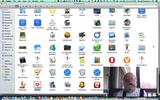
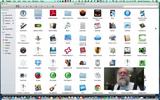
Today I explored the Apps on my Mac that begin with the letter "A."One of my favorite (but underused) apps( that I am glad I use since the advent of Heartbleed ) is 1Password. It allows me to quickly and securely access my myriad accounts and quickly find things, like this Animoto video of a year ago that I had forgotten I had made to celebrate the wonderful creative work of some of my students.
Another app I take for granted (behind the scenes but there when I need it) is Adobe Reader. But do I really need AlarmClock Pro any more?—Perhaps, if I remembered that it has a time-zone converter and an uptime recorder that can embarrass me with a record of how long I’ve been sitting at my machine!
"How many different music players do I need," I ask myself as I rediscover my AmazonCloudPlayer? How many flashcard makers are necessary (which one best suits my needs or those of my students) as I find Anki again, untouched, and with a new version:). And, heaven forbid, there is always the temptation to visit the MAC App store especially since it is built into the Mac Mavericks Operating System.
I REALLY should learn how to use AUTOMATOR and its distant cousin, TextExpander—and their incredible capabilities for improving the efficiencies of my work flow and my commenting on student papers. To achieve that mastery I most likely shall first seek out the sage guidance of David Sparks and his incredibly well-written books, ebooks, and screencasts. Hmm, I see that he uses Vimeo for his screencasts. I’ll have to revisit it when I get to my "V’"‘s.How about—oh, the audacity of suggesting it, Audacity? I have several times attempted to master it because of an interest in creating podcasts and wanting to support open source software endeavors, but alas, because it just crashed my machine, it has been banished to the trash. Besides, if i ever reach the "W’s" among my apps, I suspect that "Wiretap Studio" will serve the same function—and better.
Enough, even though I hear the buzz of "B’s."
Filed under: Apps, Carroll University USA, Curious David, Humor Tagged: Carroll University USA, Education, Screencasting, Technology Learning Tools, Top 100 Learning Tools
David Simpson
.
Blog
.
<span class='date ' tip=''><i class='icon-time'></i> Jul 23, 2015 11:19am</span>
|
|
Thrasymachus:Awesome write up! Thanks so much for putting this out there…
Originally posted on Digitally Enhanced by Janetta Garton:
A teacher recently asked me, "How can I easily distribute a digital template to students that they can then edit?"
gClassFolders for Google Drive is the answer. Not only will it provide an easy way to distribute files to students, it also generates assignment folders for individual students organized by period and course, to be used by students to submit work. A big thank you to Bjorn Behrendt and Andrew Stillman for their work in developing and updating this script!
Teacher View
This script creates these folders in the teacher’s account:
Class View: This is one folder for the course to house files that are only VIEWABLE by everyone in the class. So anything you place in this folder will be viewable by all students enrolled in this course, regardless of what period they are attending. Example: Syllabus, worksheet templates
Class Edit: This is one folder for the…
View original 157 more wordsFiled under: In The Classroom
Thrasymakos
.
Blog
.
<span class='date ' tip=''><i class='icon-time'></i> Jul 23, 2015 11:19am</span>
|
|
Internet addiction? Check out this infographic on how internet access ranks in our lives.
Source: www.broadbandexpert.com
See on Scoop.it - InformationCommunication (ICT)
Mr Kirsch's ICT Class Blog
.
Blog
.
<span class='date ' tip=''><i class='icon-time'></i> Jul 23, 2015 11:19am</span>
|
|
Someone asked me today about how to run a 7Cs Learning Design workshop. Here are my suggestions.
An ideal number for the workshop is 25 - 30, with participants working in teams of five. At the beginning of the workshop, they need to agree a course or module to work on.
Give each participant a handout with the outline of the workshop and associated resources.
Give an overview of the 7Cs of Learning Design framework.
Get the groups to work through the activities, get feedback from each group after each activity.
Carry out an evaluation at the end: what did they like about the workshop? Room for improvement? Three words to describe the workshop. Action plan as a result of attending the workshop.
e4Innovation
.
Blog
.
<span class='date ' tip=''><i class='icon-time'></i> Jul 23, 2015 11:19am</span>
|
|
This is that interesting time of the academic year when I am trying to bring the semester to a soft-landing and concomitantly prepare for the fall semester. This summer I hope to revisit several books that have especially informed me about uses of digital tools for teaching—especially Michelle Pacansky-Brock’s Best Practices for Teaching with Emerging Technologies, Susan Manning and Kevin E. Johnson’s The Technology Toolbelt for Teaching, Steve Johnson’s Digital Tools for Teaching, and Julie Lindsay and Vicki A. Davis’ inspirational Flattening Classrooms, Engaging Minds: Move to Global Collaboration One Step at a Time.
The writings of Alec Couros through his informative Becoming a Networked Learner and Curtis J. Bonk have impacted how I teach, how I learn, and how I "reach out" to others via social media. The challenge continues how to find balance between tool use and being controlled or constrained rather than enabled by the tool.
I see that Jane Hart has opened nominations for her 8th annual Top-Tools-for-Learning List. I think I’ll withhold my vote until early this fall so that I have more time to better answer the following critical questions:
Which of these tools will enhance my research and my communication capabilities?
Which of these tools do I want all my students to know how to use? (Which, on the other hand, are better suited for my advanced research assistants?)
Which of these tools will be around in four years?
Which of these tools serve me best when I am engaged in my role as partner of Schneider Consulting?
Among subsets of tool types, which best serve my needs?
How much learning time do I or my students need to invest to use these tools?
How portable are these tools across the browsers I most frequently use?
How portable are these tools across the hardware and different operating systems I most frequently use?
How much of the attractiveness of these tools to me is simply due to their "wow factor" and the fun they engender?
Will mastering this tool increase the likelihood of my becoming a more effective teacher or enhance my ability to learn.
You do not have sufficient freedom levels to view this video.
Filed under: Blogging, Controlling Technology, Curious David, Jane Hart's Top 100 Learning Tools, Personal Learning Environments, Personal Learning Tools, technology tools Tagged: Technology Teaching Tools
David Simpson
.
Blog
.
<span class='date ' tip=''><i class='icon-time'></i> Jul 23, 2015 11:19am</span>
|
|
Thrasymachus:Great post. I think this is one of the many reasons I love education as well as baseball. Realistically or not, there is a chance at ‘rebirth': correcting old wrongs, strengthening what we do right, & throwing in a little innovation where appropriate. I think hope, if translated as rebirth, is such a strong stabilizer in education. When we internalize this and pass it on to our students (ie. Keep trying & few things are ever final) then they get a second or third wind during the school year.
Originally posted on STAAR Techers:
FIND YOUR SPARK! Be a firecracker for your students!
It has been a great summer so far! It is amazing to have time to spend with family and friends. It is also time to reflect on the past school year. I have been thinking about the the wonderful things that transpired last year. What can I do differently that will impact my students on whole new level? As teachers we should adapt, change, or modify lessons from year to year. Do not stay stagnant!
I was given the opportunity to attend Ipadpalooza 2014. It was beyond amazing. It is refreshing to learn from different perspectives. I met many amazing educators that I have been collaborating with on Twitter. I think making personal connections with our virtual connections enhances our collaboration. They had such great sessions to bring back home. What I love about this type of PD is that you…
View original 280 more wordsFiled under: In The Classroom
Thrasymakos
.
Blog
.
<span class='date ' tip=''><i class='icon-time'></i> Jul 23, 2015 11:19am</span>
|
|
Image source
As part of the VMPass project we are writing a set of guidelines for completing the VMPass learning passport. A draft of these is described here, along with an example of a completed learning passport. Comments welcome!
VMPass Learning Passport Guidelines
The VMPass project is developing an accreditation framework for informal and non-formal learning through resources such as Open Educational Resources (OER) and Massive Open Online Courses (MOOC). The accreditation is achieved through completion of a learning passport. This consists of information from: the institution that provided the open learning material, the learner, and the accrediting institution. This document provides guidelines on how to complete the learning passport.
Section 1 needs to be completed by the institution providing the open learning offering. It begins with information about the institution and the offering, such as the type of institution the nature of the course, level, estimated number of hours required and the number of credits possible. Information is also needed on any quality assurance processes applied. Learning outcomes are then listed in terms of knowledge, skills and attitudes. A detailed description is provided of the learning activities, what the learner is required to do and the percentage of time spent on each learning activity. An indication is provided of how pedagogically open the course is, from low (i.e. a linear didactic approach) through to high (i.e. there is a significant amount of freedom in terms of how the learner can work through the material). An indication is given of how the credit can be used.
Section 2 needs to be completed by the learner; this includes their name and contact details, as well as an indication of how they plan to use the credit. The learning activities that the learner has completed are listed, along with evidence of achievement of these. It is preferable if the evidence is available online and a URL provided to link to this.
Section 3 needs to be completed by the assessing/certifying institution. This is includes information on what type of institution along with a contact person. Information is then provided about the assessment and the learning outcomes assessed. Any quality assurance procedures for the assessment are described. The name of the certification awarded and the grade is given, along with an indication of what it is equivalent to. Also this certification is mapped to the qualification framework used in the institution. The level and descriptions of the grading scheme is described.
An example of a completed learning passport can be found here.
e4Innovation
.
Blog
.
<span class='date ' tip=''><i class='icon-time'></i> Jul 23, 2015 11:19am</span>
|