Blogs
|
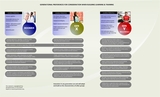
When we last visited this topic about a week back I promised to create a visual—a chart of sorts—to encourage learning and instructional designers to consider how generational bias in training delivery. Just looking to start a conversation.
A Quick Review
You might want to pop back to the original article: http://tiny.cc/qpsrax
We know we’re engaging three distinct groups in today’s workplace, Baby Boomers, Generation X, and Generation Y (Millenials). Each has specific preferences for general communication and they carry over in training as well. Whether creating a training program when all three groups are in the room or accessing courses online demands the learning designer incorporate specific ways of delivering information with the appropriate assets, techniques, and technologies. Initially, we would hope learners, right from the first word or screen, slide or handout, would buy-in and see value; a predisposition that his will be a good experience. During the training, we build formative experiences to keep all groups interested and motivated to continue, committed that the investment in time is worthwhile. Finally we would want participants to exit the training experience appreciating it was translatable into their work life. If this is accomplished, the next training experience will be viewed much more favorably and meet with less resistance.
Acknowledging their generational age, and considering their technological age (how savvy are they to tech) as well as comfort with social media, influences how they will respond to courseware. Though there are three distinct groups, many learners exhibit the preferences for learning outside the generational ‘norm’. These people are to be commended for either learning new technology, appreciating other ways of ‘seeing’ learning or just curious enough to drop a toe in the fast flowing stream of change. We need to depend on these folks to help convert those who tend to be inflexible.
Caveats abound:
This is not a fully scientific approach nor based on academic, androgogical research
It is the product of crowdsourcing, anecdotal research and discussion with hundreds of learning/instructional designers and clients not to mention intuition
My professional experience over thousands of hours of course building across more than twenty verticals and five geos and over 25 years of design have informed these findings, too
I am fully prepared to hear from all quarters. It’s a living document—a work in progress— so send your ideas to rshadrin@wonderfulbrain.com. I’m hoping criticism will help improve this instrument not merely tell me where to get off or how narrow-minded, oblique or stupid this exercise is.Anyway, someone had to put a stake in the ground. Apparently me. I hope it doesn’t end up in my heart.
Ultimately, the learning designer has to make everyone happy if information transfer is to take place. Elements that ‘favor’ one group more than another will always be necessary. If knowledge, skills and behaviors are to be transmitted, absorbed and used than instructional design should seek balance. Occasionally this compromise is not appreciated nor well tolerated across the generations. Nevertheless, it is absolutely necessary to honor each aspect of the generation’s learning preferences and mitigate those that irritate others. Skillful designers know how to navigate these choppy waters and subtle mixtures of learning preferences can always be developed. Can the design ever be perfect. Well, no. But reasonable learners in all generations can recognize when attempts are made to entice them into a learning experience. And the organization expects each generation, besides tolerance, adapt as necessary to improve performance and solve problems through learning and training experiences.
Wonderful Brain
.
Blog
.
<span class='date ' tip=''><i class='icon-time'></i> Jul 23, 2015 12:08pm</span>
|
|
More so than in other efforts learning demands a careful balance of content and context. Many courses or projects chock a block with great information never quite achieve the results intended because of the way the information is delivered. Still too many learners won’t or cannot stay engaged. And it’s not for lack of effort by designers. Neither dynamic media, nor learner engagement exercises, even all the bells and whistles designers build on can always keep the learner riveted. Moreover, it’s not the pacing nor structure of events nor even the implied threat the learning or training is a job requirement. When learners are asked about courses a range of answers emerge, from I liked it but it meant little to me in my job, it was just not interesting, it was isolating, dull, the same old thing. So, if you believe, as do I, there is a missing element, hang on, I may have some insights.
Firstly, it’s important to clear off the Kirkpatrick levels. Not dismiss, just set them aside. Traditional learning and development is about pushing out information. What I suggest is a different way of thinking about the learner perhaps reflected in Kirkpatrick but not aligned to its grid like way of organizing learner uptake. Rather the lens through which we should start is Charles Jennings’s 70:20:10 approach.
Looking back to the original premise, that courses even with great content are bashed on the shore of rocks of delivery and contextual modes, than Jennings realization about how learning works is even more in line with my premise. And not to hold you in suspense, I am advocating we begin to think of learners as customers and every aspect of the learning experience as a customer experience. In the customer experience (Cx), world companies look at their service by way of touchpoints.
Touchpoints are every interaction taking place between the company, product or information—the content—the user or customer of that information and the context or channel used to communicate. Calling your cable company, speaking with a representative offers many touchpoints. For instance, how many rings did it take to get through, did the customer service representative understand the problem, how did she speak to you, could he resolve the problem, how long did it take, or perhaps you got better service using the website. The media, in this case the phone, is referred to as the channel. Companies measure each touchpoint in each channel against criteria in order to examine their process, develop standards and measures to improve customer service and contain their costs.
As learning people, we might take a lesson from touchpoints in Cx. In business, every time a touchpoint is observed, measured, and found lacking, it is improved—called touchpoint renewal. Now think of learning experiences whether virtual or face-to-face. Every interaction with content is naturally in a context (channel). So working online, the UI/UX channel might have been designed with minimal cognitive overhead in a handsome interface so information can be actuated easily. The more interactions, more touchpoints, and more reflective thought by the designer is required. Or in a classroom, instructors who focus on critical content and presents interactively have touchpoints relevant to that context or channel.
Learning designers can think in touchpoints when they build instruction or training. If we begin to think like this courses will improve simply because each action is viewed as an individual, measurable touchpoint. There are two elements, the content and the quality or style with which it is delivered (no matter the context or channel) and the learner (or customer). The smoother, faster, clearer the touchpoint, the easier it would be for learners to navigate and perhaps benefit from the experience. Customer experience thinking does not require a major pivot in the way courses are developed. Instead, it’s a mindset and reminder that learners need to be serviced as customers or even as buyers with a choice. Knowing your learner needs, your customers, and what they must achieve at the conclusion of the experience can help shape designers decisions about what to insert into a learning experience, the style, and the channel.
Jennings research clearly says most learning, over 80%, takes place in the workplace not the classroom (and I assume not the screen either). He has demoted formal learning to the ’10’. This diminishes the role of the learning designer or at least, as far as I can tell reshapes it. Experiential learning through contact and information with others yields—according to Jennings—better development and business outcomes. A conversation with a colleague in the pursuit of a solution or the sharing of an incident that leads to an A-Ha moment is planned. Keep in mind, these interactions all have touchpoints, too. That ‘20’ doesn’t mean we can easily measure the import of every utterance and seek to improve coaching or mentoring conversations by observing or eavesdropping continuously. However, it’s worth considering just how powerful informal, professional language is and how worthy it might be to bring to daylight the concept that everything one says or does has a value that is measurable in terms of utility and effect. This would include sharing via social media as well. As we know, a useful point made in Twitter, evinces a piling on of like-minded comments. These touchpoints will have extraordinary reach and thus value if the sources are trusted and adds to the validity of the single point under review. Most importantly both Cx and 70:20:10 are performance and productivity focused.
It would seem terribly logical for learning designers, ID’s, courseware, and content builders to become aware of the customer experience. If our product is the transmission of knowledge, skills and behaviors—and we expect change to result from each learning event, than designing with care and scrutinizing each touchpoint is another valuable way to look at and improve learning outcomes. Perhaps the designer’s role will change toward one of director; scripting a full 100% development experience—composed of 70:20:10 where every action or activity plays a role in the education of a learner and the idea of the total customer experience is viewed via touchpoints ensuring all actions are focused on results.
Wonderful Brain
.
Blog
.
<span class='date ' tip=''><i class='icon-time'></i> Jul 23, 2015 12:08pm</span>
|
|
This could be a story about buggy whips. You might know the classic management tale of the craftsman who was proud of building the most handsome and useful whips to spur on carriage horses at the turn of the last century. Unfortunately, as you you probably know the tale, carriages once replaced by the automobile rendered his lovely product useless.
I have watched from the trenches and sidelines as classes of learning professionals are now being divided —again by technology into two camps; those who know how learning should be constructed and craft it and those who can manufacture, at time and cost savings, the actual product.
Learning designers strategize how to solve problems to achieve performance improvement applying theory to fact and constructing course elements, flows and production processes. They gain agreement with stakeholders about content, audience, time on learning and assessment and the larger components of an experience. They scaffold the project so each step falls into place in a logical progression. In some cases, the learning designer will offer a narrative reflecting the content back to the stakeholders to ensure the critical content is captured. Additionally they might also write the actual storyboard incorporating the elements including the interactive and experiential (as well as social) elements that will make the course interesting if not compelling. The best and greatest courseware, the most inventive and exciting depends on a designer who can sculpt content into a story, then work with an interactive and/or graphic designer to sharpen the user experience across multiple platforms finally passing the work to a developer to program—as designed—for implementation.
Developers are those folks who know how to use the tools chosen by the enterprise to express content online in an effective and dynamic format. For the past number of years, while learning theory and ideas about making courses exciting have evolved growing with the speed and bandwidth available for elements like video, developer tools have been refined exponentially. Think of the industrial model—build an assembly line, now improve the assembly line and the tools—then make better products. However, this works well only when everything being made is a replica set to standardized requirements. Learning is not like that. Even when producing multiple courses with similar content, the opportunity to breathe excitement into each one is more present when designers do what they do best and developers express it. No template, no matter how sophisticated can allow for all the shadings required by great learning. Instead developers take the tools and either use them out of the box or, as I saw in a number of organizations, create, and in most cases struggle to build work-arounds expressing the designers intent while trying for hours to keep within the constraints of the software. An entire industry has been built around PowerPoint (by example) as the foundation for programs like Articulate. And the tide is with them since money flows downhill from big corporate enterprises and their subordinate constituencies. Better, faster, cheaper. And good enough.
The precedent for this was the explosive improvement in desktop publishing more than a decade back; once an associate learned the software they could generate print materials. The problem—and the connection to the current argument, is simply that these folks were not trained as graphic designers. The results spoke for themselves; a lot of bad design, quickly produced and reproduced. Moreover, when it was accepted by many managers as ‘good enough’ the die was cast for the attitudes we see now in learning design and development.
Here lies the collision and connection: In the hopes that ‘rapid’ eLearning cannot only reduce the time to create courseware the tools, ever more nuanced, allow developers to become designers as well. It’s seductive; managers cut down head count, more work can be pushed out the door by learning groups under pressure to deliver fast changing content, and costs drop when the designer, a more highly trained, often senior and knowledgeable resource can be set aside or redeployed. I don’t believe there has been a study conducted on performance improvement or even a Kirkpatrick view of which types of courses yield intended results. But I do know anecdotally that learning designed courses, where each professional works to their strength always seem to have an A-ha factor. Most other courses—those of the template kind—are utilitarian and though they might satisfy the requirements or outcomes, learner satisfaction cannot compare. This is dangerous and grows more so every day as multi-generational learners want different kinds of learning experiences.
The facts are there is room at the learning table for both types of development. However, there is no real lobbying group or organized industry to support the learning designer model. My fear is that learning and instructional design preparation will move even further towards the industrial model, templatized learning produced by individuals whose preparation has introduced them to a fair amount about learning…and the skillsets demanded to operate the tools. Unfortunately, there is too much complexity and uniqueness in learning to allow for excellence when this mashup becomes the status quo.
Those of us who have grown up in the era of learning design are more than ever segregated from access to development. Even with HTML5 used by great developers who can customize components to meet learning design objectives with wonderful precision, I see a rending of the system that will soon go the way of the buggy whip. So much of life today, from the professional sphere to just everyday life seems to be populated by people who figure that good enough is just that. Time is precious, financial strains are everywhere, the speed of life is overtaking the human ability to sustain its own sense of equilibrium in a world of instant everything. So let it go and accept the outlier will be the customization of learning only when absolutely defended by insistent clients with the budget and care to desire excellence. Otherwise, wait for tools to exhibit their next iteration, artificial intelligence.
Wonderful Brain
.
Blog
.
<span class='date ' tip=''><i class='icon-time'></i> Jul 23, 2015 12:08pm</span>
|
|
Reblogged from Augmented Reality Blog:
[Part I: Innovative Product Catalog has Augmented Reality]
It's been a little more than a year, and the 2013 IKEA Catalog App, the most downloaded app of 2012, is back for 2014 with first-of-its-kind augmented reality features. The 2014 IKEA Catalog app for Android and iOS will let you actually place furniture in 3-D directly from your phone into your home or office.
Read more… 291 more words
Today furniture, tomorrow try on clothing from home? Plastic surgery? AR sonograms!?
Thrasymakos
.
Blog
.
<span class='date ' tip=''><i class='icon-time'></i> Jul 23, 2015 12:08pm</span>
|
|
Creativity on the Run: 18 Apps that Support the Creative Process | Edutopia.
Filed under: In The Classroom, Technology
Thrasymakos
.
Blog
.
<span class='date ' tip=''><i class='icon-time'></i> Jul 23, 2015 12:08pm</span>
|
|
The Intro
*Update-Looks like my links will only open in Chrome or Safari for the time being. Just download the dang app and you won’t have to worry about this.*
Let me get to the point with this so called TouchCast app. Download it, now! If you are planning on flipping your classroom or having students present collaborative and interactive videos, this iPad app really caters to you. (Here’s my TouchCast Channel)
The only draw back with TouchCast is that you’ll really need to plan out your videos. But once you do a little planning, it’s simply a matter of tapping tabs and special features which you’ll find plenty of in the vApps section. On the completely opposite end of the Vine app, which you sort of point and taps for six seconds of unplanned and, usually, uninteresting video, TouchCast requires that you sit down and have some sort of inkling as to what your intention is during your video session. I downloaded this app a few weeks ago and, because I was intimidated by the taps and all of the video options, I backed away. I shouldn’t have.
Unlike EVERYTHING ELSE OUT THERE (and I’m including iMovie, most screen casts websites and apps, and Videoliscious), Touchcast allows your videos to be interactive…what?! Yes, while anyone views your videos in TouchCast, even weeks later, they can tap the Twitter feeds or webpages you post and interact with them in real time. If you upload a TouchCast to YouTube, however, this ability will not be available. To see the real magic, your viewers should have this app downloaded.
You get five minutes to do or say nearly anything you want. There are so many bells and whistles that there is not exaggeration when I use the phrase "anything".
The two biggest lessons I’ve learned using this wonderful video app is (1) plan, plan, plan and (2) don’t be afraid to call a time out (ie. pause the video to gather your thoughts).
The Details: Camera Tab
Are you jealous at how many times Presidents Obama and Bush got to use their teleprompters to give speeches, meanwhile, you have to address your classes, day in and day out, off the top of your noggin?! Among many other bells and whistles, TouchCast, like a public speaking Prometheus, has bestowed to the common man a teleprompter!
Other features (from left to right): Teleprompter Speed, Teleprompter Toggle, Overlay Opacity (making an image "see-through" to varying degrees), Mic Monitor Toggles Mic On/Off, Camera Toggle, Guides, Lock Brightness (so your iPad doesn’t adjust abruptly), and Swap Camera to show stuff in front of you.
Details: Effects Tab
Under the Effects tab you can change the video filter much like you can in Instagram and every other app out there that takes videos or pics. You can take advantage of the "greenscreen" ability…but I don’t know how yet. The sad part is that a couple elementary age school girls in England (The Minecraft Girls) totally rocked the "green screen" effect. I’m sure I’ll rise to their level one day. Finally, sound effects are my favorite toy under this tab. You can add applause, laughter, crying, "ohhs" and "ahhs". I only wish I could embed a laugh track in my real life. I think I’d be more content with how things have turned out.
Details: Whiteboard Tab
In TouchCast you also get your standard whiteboard, text tools, eraser, clear board, and hide board options. This is reminiscent of the "explain everything" app. You have a pallette of eight colors with your marker option. Your surface option allows for whiteboard, chalkboard (finally!), and glass. With glass, as I’m sure you can guess, you can pull up an image and mark all over it.
Details: Titles Tab
Under the titles tab there really isn’t much to see here…or is there!? If you’re using your full 5 minutes that TouchCast allots you, you can use titles to show transition between topics that you’re covering. Above you can see that I made a separate title for each of the tabs so viewers, if confused by my mumbling, could see which tab I was reviewing. Add to this ability the fact that you can place a timer on the title (2 -30 seconds or "stay on"), and you can host a real live news cast!
Details: vApps Tab
Here it is. The best part, for my money.
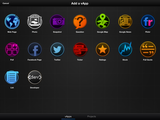
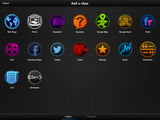
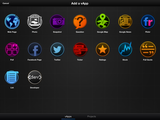
vApps allow you to pull in quite nearly any media from the internet and KEEP IT INTERACTIVE weeks or months after you’ve posted your video. This means that if you pull up a website into your video, viewers of your video can tap on links hosted on that website and interact with your video! The limiation, of course, is that this only works through the TouchCast app. If you post your video to YouTube the magical interaction won’t work.
After you’ve added a vApp, you can choose to enlarge it to full screen, half screen or quarter screen. You can see all four orientations here.
TIPS
Plan, plan, plan…in other words, for a quality video you will need to choreograph. Please understand that I’m not saying that I’m there, but I’m working on it. It can get complicated. You’ll need to decide when to turn your camera on or when to turn it off and feature a screen wide image instead of your mug, you’ll need to plan the use of your effects, you’ll need to decide when you will need to tab "whiteboard" to mark on your screen and when to tap on another tab to switch features, you’ll need to time your titles, and know when a vApp needs to be enabled or disabled. Once you do all this, my son, you’ll be a man.
Along with this planning, know when to call a time-out. Dont try to video the entire 5 minutes in one sitting. You call time out by simply tapping the record button to pause the video. Course correction is always important the longer your video will be. In the two videos (intro and aurasma) I’ve done so far I pressed pause about every 30 seconds or so, just to make sure I stuck to my poorly written script. The teleprompter makes this easy and should be utilized.
Finally, uploading YouTube videos doesn’t work at this point. You’ll just see a blank screen. However, this is the iOs’s fault and not the app’s. Apple will be coming out with iOs 7 in early September, I’ve read, which will take care of this problem.
Conclusion
Love may be too strong a word…but I don’t care. I love this app (especially when the YouTube thing gets fixed)!
Filed under: In The Classroom, Technology Tagged: App Store (iOS), classroom technology, edtech, education, education technology, in the classroom, instructional technology, iPad, pbl, pbl app, pbl apps, project based learning app, project based learning apps, teacher technology, technology, TouchCast, Twitter, video app, YouTube
Thrasymakos
.
Blog
.
<span class='date ' tip=''><i class='icon-time'></i> Jul 23, 2015 12:08pm</span>
|
|
Aurasma Resources - A Dialog
Characters:
You
Me
Our Conversation
Me: TouchCast is an iPad app that allows you to make virtually ANY kind of interactive video your artistic mind can put together.
You: "Interactive"?
Me: Yup, you can post Twitter feeds, webpages, blogs, tickers, and more within your video. Each of these stay "live" while the video is playing so you can interact with them or, in the case of twitter, you can add your tweets to the conversation in real time (even though the video was posted weeks ago).
You: That’s cool, bro. Do you have an example?
Me: Yes, fake interlocutor, I do. Below you’ll find a TouchCast Video that focuses on Aurasma. It would be best to view the video in either the Chrome or Safari Browsers.
You: "Fake"? You mean, I don’t exist?
Me: Well, in a sense. You see this is just me typing your comments and pretending like we’re separate people. As a matter of fact, you’re really just a weird looking green pepper I’m about to eat.
You: OMG !!!
Me: Yeah, sorry…
Click on this link to view the interactive Aurasma Resources Video via TouchCast (Google Chrome or Safari Browsers Work Best!).Filed under: In The Classroom
Thrasymakos
.
Blog
.
<span class='date ' tip=''><i class='icon-time'></i> Jul 23, 2015 12:08pm</span>
|
|
Guiding students to answer their own questions: Plato’s Meno
Introduction
Plato’s curriculum could be summarized as "Education as Constructive Frustration".
On the surface many of Plato’s dialogs seem either frustratingly heavy or seemingly simplistic. Plato, at any rate, was a teacher. However, he was an ironic teacher. Teachers want to reveal, but ironic teachers compel students to learn via struggle. For example, they may reveal by veiling a lesson behind obvious contradictions within a project, reading, or conversation. The contradictions are obvious, but the solutions may not be. Like lifting weights, the growth happens in the struggle.
In the same sense that we expect a topic to be covered to different depths in first grade versus twelfth grade, Plato tries to do the same in his writings. His teachings are revealed only to certain readers and only when they are ready. Plato is a teacher who want to teach, but knows that he will not always be there for his students. Plato, then, has to write in a manner that will reveal the proper lesson to the proper pupil at the proper time even if he is no longer there to guide that student. He was one of the first teachers to scaffold for different learners .
The interlocutors: Meno, Anytus, and the Slave Boy
Plato’s Meno opens up with a pupil asking Socrates to teach him virtue. Meno, the adult student, wants to lead a good life or at least know how to recognize good action. It can be assumed that one who asks a question either does not know the answer to the question or has doubts about his answer or doubts the teacher. By conversing with Socrates, Meno is implicitly admitting that Socrates has something he wants: some sort of answer…a road to completion.
Like a good teacher, Socrates almost immediate turns the conversation around so that Meno is talking. Again, Meno wants to be told an answer and very quickly Socrates convinces Meno that Meno knows more (ie. Meno holds the key to his own answers)! Meno then starts to tell Socrates what virtue is. The trap is set & the growth begins.
Socrates shows Meno that Meno can answer his own question with the right guidance (and the reader, by extension is being taken on the same ride). The absence of an overt answer puts us in Meno’s position. We are now Socrates’ student as well. (Plato is our teacher even though he’s not here.)
Socrates, the wisest man in Athens according to the Oracle of Delphi, is claiming to be confused about the nature of wisdom. We should pay some attention to the fact that the expert is listening to a lesser soul answer his own question. A god (or at least the Oracle…the god’s mouthpiece) has told Socrates that he is the wisest man in Athens. What does the wisest man in Athens do when he is asked by a less wise person? He listens to the less wise person as he (Meno) answers Socrates’ questions which are really Meno’s own questions reformulated.
Socrates is leading Meno to wisdom while Socrates claims (on the surface) he doesn’t know what wisdom is and Meno doesn’t even catch it! The teacher is letting the student lead himself, but the teacher is also a more advanced student guiding a less advance student. Meno wants to be told what wisdom is, but Socrates leads Meno to wisdom instead (ie. Having knowledge about medicine not make one healthy just as having knowledge concerning wisdom does not make one wise). The danger here is that if Meno doesn’t realize what is happening then he will not know that he is being lead to a higher ground. If Meno doesn’t realize what is happening, then maybe he’s not ready for the answer!
Here, Plato reveals a central problem of education and educating. How does a wise person lead an unwise person to wisdom? Wisdom is not a material thing that is physically passed from one person to another. Wisdom is an immaterial thing. This problem can be expanded to teaching nearly any subject at the highest levels.
Maybe the transfer of wisdom can be done via demonstration?
Socrates calls Meno’s slave boy over to "teach him" geometry in order to further instruct Meno. Meno is taken aback. How can a slave know high level math? Eventually, via questioning, Socrates gets the boy to demonstrate some basic geometry and algebra. The uneducated slave draws lines and shapes in the dirt with a stick according to Socrates’ questions. Meno is astounded!
If geometry can quickly be taugh to a slave-boy, then why can’t wisdom or virtue be taught to a superior thinker like Meno?
Another demonstration is in order.
Enter Meno’s pal, the emotional Anytus. Socrates tries to lead him like he did the slave boy, but Anytus is too resistant to learning. Anytus is an emotional being who gets offended by Socrates’ questions. To question is to admit an emptiness, but Anytus is too full of himself to admit any lacking. How can a teacher teach if the student is unwilling to listen?
Socrates turns the conversation to identifying the teacher of virtue. Anytus misunderstands Socrates over and over and gets more and more irritated. Anytus cannot be lead to demonstrate anything near what the open minded slave boy did. This student wants to be told the answers, but the teacher is unwilling. Education is uncomfortable for this student. Anytus wants propaganda.
I will stop here, but please read the rest of the Meno on your own when you can…
A Further Look
Plato likes to write on multiple levels at the same time. Yes, this dialog can be a stand alone story. Plato, however, likes to employ reflections of his "tripartite soul" analogy in many of his writings.
Plato divides "souls" into three sections: the logos (or thinking part), the thumos (or passionate/spirited part) and the epithumae (lower urges…sex, hunger, animal drives).
In the Meno, Anytus is incarnation of the lower bodily urges. He reacts emotionally to what Socrates has to say (later on he is one of the principal accusers at Socrate’s trial who eventually gets Socrates put to death!). Not only does he not understand what our wise man is saying, but he wants to hurt Socrates for confusing him so much. Meno is the incarnation of thumos. Meno wants to learn and is really dedicated, but just can’t get up to Socrates’ level. He’s the good soldier. He’ll stick to the plan even if he doesn’t understand it. Finally (I hope you’ve figured it out), the slave boy is the incarnation of the logos!!! That’s why he was the only one who could be lead by Socrates to achieve any progress in this dialog. But, that begs, why is the logos enslaved?!
Anytus, Meno, and the slave boy encapsulate the tripartite soul of a single human type!
This person is very close to his animal urges, realizes that they lead him into trouble, and wants to get away from them. Since his logos is enslaved to his spirit (the slave boy works for Meno), this tripartite person cannot overcome his lower urges because his logos is weak. And his logos is weak because his will (thumos) is so strong. He is ego driven and hard headed.
Socrates (who represents a right thinking teacher) can strengthen the slave boy (enslaved logos) and inspire him to act, but as soon as Socrates leaves the enslaved logos will go back to being enslaved to the spirit/heart. What Meno needs is a culture or tradition of education that will support and guide him from the outside when his ego is pushing him in the wrong direction from the inside.
If Meno was taught to answer his own questions when he was young then maybe the slave boy could be his guide instead of blindly relying on his more carnal instincts. Meno likes Anytus because Anytus inflames his passions, while the slave boy is too weak by now to show him the way to a more balanced life. With Socrates in the picture, the slave boy (again, logos) instructs Meno. Socrates, however, will soon be dead.
Education As Constructive Frustration
Socrates can show the spirited part of a student that education is the way out of the rut, but without Socrates constantly around, the spirited person falls back into his old habits.
This is why uniformly applied policies are needed in education. Whether it is a tardy policy, late work policy, uniform policy, etc. those with impressionable logos will need a good culture to reinforce the virtue that a it is attempting to obtain. The kids Meno/spirit is strong, but too influenced by their Anytus/emotions. Our job as educators is to strengthen that little enslaved logos. Parade it in front of Meno and Anytus. Demonstrate in front of them the need and usefulness of a strong logos/slave boy. We do this with open ended questions that inflame and frustrate our student’s egos, but work-out and strengthen their logos.
Children’s emotions are already strong and we should not emphasize a curriculum that seeks to teach the logos via emotion. It should be the other way around, the logos should instruct emotion. Meno and the slave boy should teach Anytus to calm down and fall in line. Too often though, it is Meno and Anytus that re enslave the boy after our kids leave the classroom.
Once students strengthen their logos, then you’ll see more of this around…Filed under: In The Classroom, Political Philosophy Tagged: civics, education, government, meno, plato, political philosophy, socrates
Thrasymakos
.
Blog
.
<span class='date ' tip=''><i class='icon-time'></i> Jul 23, 2015 12:07pm</span>
|
|
The US Constitution doesn’t know what it’s defending. It claims to protect individual rights, but that term is never defined within the four corners of the document. Rights are, however, more closely addressed in the Declaration of Independence. Here’s a video exploring that issue…
This video is best viewed in either the TouchCast App, Chrome, or Safari.
http://www.touchcast.com/thrasymachus/What-Is-A-Right-The-Declarations-TeleologyFiled under: Government/Civics, In The Classroom, Political Philosophy Tagged: #edchat, #histchat, #historychat, #HSchat, #ntchat, #sschat, #txed
Thrasymakos
.
Blog
.
<span class='date ' tip=''><i class='icon-time'></i> Jul 23, 2015 12:07pm</span>
|
|
"Don’t reinvent the wheel" seems to apply here. I’ll continue to blog about really fantastic individual apps and sites, but there is so much technology out there that an exhaustive list is impossible. My project here, then, is to compile a list of other people’s lists. I’ll try to categorize them as closely as possible by discipline (ie. science related curated sites). Obviously, I’ll update this as I come across great resources. If you have any in mind (or if you host a curated site specific to a discipline), shoot me an email and I’ll include it! Thanks.
General Resource Sites - These sites have plenty of resources, but they aren’t organized to cater to any one specific discipline. If you have lots of time, this is the place to be.
Box of Tricks - A very large list of web tools organized alphabetically.
The 3 Tech Ninjas - 3 Well traveled ninjas disseminating tech to their clans.
Common Craft - A large site full of videos that explain nearly every technology out there. Great for beginners or experts who want to brush up on tech they are not familiar with.
This site focusses mainly on tricking up digital photos, but other cool sites and apps can be found as well.
E.L.A. Sites -
Math -
Science -
http://www.symbaloo.com/mix/Physics
Social Studies -
Fine Arts -Filed under: In The Classroom, Technology
Thrasymakos
.
Blog
.
<span class='date ' tip=''><i class='icon-time'></i> Jul 23, 2015 12:07pm</span>
|