Blogs
|
10 Back-To-School Tips For Teachers Using Google Docs
by Google
Collaborate with colleagues
Use Docs to collaborate with your colleagues on joint lesson plans or training materials in real-time, and to create shared calendars for cross-classroom activities.
Keep a running record of staff meeting notes
Take meeting notes in a Google Doc and share the notes with your fellow staff. Staff members can access the notes from any device at any time, as well as add comments or suggestions to the notes.
Improve your students’ writing skills
For group assignments, you can have students work collaboratively on a writing project, and give them ongoing and simultaneous feedback. Need visibility into which student did what? Use revision history to hold students accountable for their work.
Set up a peer review system
Give students responsibility for providing feedback on another student’s work by "Suggesting" changes and leaving comments in Docs. Students can also easily tag each other in comments to notify peers, or use the chat feature to communicate with other people who are viewing the same document in real time.
Share or publish student work
Multiple sharing settings allow you to publish student work by sharing it within your class, within your school or district, or by making it public on the web. You can even share a student’s work with their parents to showcase their accomplishments.
Translate letters home to parents
For convenience, you can use docs to translate letters, permission slips, and newsletters home to parents and guardians. Access Google Translate right from Docs and make translating a breeze.
Gift your students easy reference tools
Teach your students how to easily utilize reference tools with Google Docs’ built-in access to a dictionary, thesaurus and encyclopedia.
Liven up your assignments with visuals and graphics
You can search Google Images, Time Magazine, and stock photos directly from within Docs to add images and gifs to your assignments.
As an added bonus, you can make the text in images and PDFs editable by simply opening them within Google Docs. (YouTube example)
Work with any file type
We know that sometimes your students and colleagues use Office files, but don’t worry because Google Docs is compatible with other document software, making it easy to work with any file type regardless of which is used.
Work on the go or offline
Work on the go: Download and use the Google Docs mobile app to make last minute tweaks when away from your desktop or laptop.
Work offline: Google Docs offers offline creation and editing, too. Enable offline syncing in order to download files to your device and edit them offline. When an internet connection is reestablished, Docs will automatically sync and update your files to the cloud.
10 Back-To-School Tips For Teachers Using Google Docs
The post 10 Back-To-School Tips For Teachers Using Google Docs appeared first on TeachThought.
TeachThought Blog
.
Blog
.
<span class='date ' tip=''><i class='icon-time'></i> Aug 17, 2015 02:02pm</span>
|
|
21 Grab-And-Go Teaching Tools For Your Classroom
by Lynn Usrey
Every teacher wants to be able to make his or her classroom environment the optimum place for learning, interacting and engaging. Today, there is a wide assortment of free technology options available to enhance your instruction. The tools are changing… quickly. So making the best choices, based on the resources available in your school, or through your board, is critical. Here are some top sure-fire picks to ensure your goal has real purpose, not just an introduction of technology for the sake of looking tech-savvy. These are easy to use teaching tools-about as grab-and-go as it gets.
How about starting with lesson creation?
1. Officemix - This allows you to go further with your Powerpoint presentations to include questions, video, polls and more. Your presentations will be more engaging. With this add-on you will find everything easily to create and share interactive online lessons. Some users, educators, find that they can record their own videos without feeling like the person on stage in front of the class. The imperfection of their "performances" makes for entertaining, yet engaging, delivery to their students.
2. Nearpod - You can start from scratch at creating your own presentations, or use the already created presentation available with this product. You can keep your students on the same digital "page" which allows for more interaction. Whether you choose to download CCSS approved lessons or turn your own Powerpoint, Google slides or PDFs into interactive lessons, the multimedia content harnesses students’ attention. By keeping them focused teachers minimize offtask behaviours in their students.
Need something for instant polling?
3. Kahoot is a big hit with students because it’s fun, quick and feels like a game. For a deeper pedagogical impact, the learning style of Kahoot engages the mind, hand and heart for better-connected learning. Teachers and students can create their own Kahoots in minutes, or because of its online global community, choices can be made from its millions of public ones.
4. Socrative - If you are looking for great opportunities for quick testing through multiple choice, true or false or short answer strategies, this is a great tech tool. The popular "Space Race" allows your group to be split into two teams that compete head to head for the quickest answers.
5. Unplag - This well renowned plagiarism checker with percentage that helps teachers and students deal with plagiarism and its issues. Also Unplag is launching a survey to create a better teacher lead LMS (assignment management system, actually). Using educators’ needs as their driving force, the app will integrate lesson planning and building, assessment management and portfolio content, and better means of connecting with home learning.
Connecting with home learning?
6. Remind - With this application, parents can easily sign up for text alerts for any or all class and school related information. No phone numbers are involved. Reminders can be scheduled in advance and as customized as you like. You can save time by sending one-way announcements or by starting a chat.
7. Edmodo - create a more interactive online community around the school and within individual classrooms. Edmodo lets teachers create their own space to share with students and parents. It allows for discussion boards, polling, subject content, quizzes and "snapshot" which assess student’s competencies.
8. Seesaw - To make the managing of a student’s portfolio of work easier, and to keep the experiences consistent between home and school, this tool is exceptional. When introduced, the Seesaw app allows for a group of ipads integrating instantly which means teachers and parents do not have to deal with embedded codes and file from other products. It is a game changer for many teachers in primary classrooms.
9. Funbrain - There can never be enough said about the value of reinforcing skills and content with the playing of games. The curriculum guide at Funbrain provides the right enhancement to your lessons at every grade and across a wide range of subjects. Assign specific games or allow your students roaming to the heart’s content.
Current Events and Video Sourcing - There are great well-known resources at YouTube and CNN Student News, but have a look at:
10. Newsela - This tool provides a wide assortment of current events stories geared to the many reading levels and interests of students. Perfect for ESL or slower readers, as it provides an unlimited access to hundreds of levelled news articles and Common Core-aligned quizzes, with new articles every day.
11. Zaption - Using videos that are easily available on YouTube and Vimeo, here you will find content questions embedded for students to answer as they watch. The platform ranges from K to Grade 12 and allows for educators to customize and share the content and what they build with it.
12. Edshelf —A web-based portfolio to create your own app collections, and see what other teachers tools are using in their classroom.
The Less-Is-More Approach (And Tools 13-21)
Since technology is always changing, don’t hesitate to explore new tools and ideas. That said, using fewer tools more effectively isn’t a bad approach either-even if they’re less "grab-and-go" than the ones above. Those "core" apps-Skype, Facebook, Twitter and Pinterest-have educator applications can do more than the personal uses you may be using them for now. Also, consider cloud-based storage services (Google Drive, OneDrive and Dropbox) to make access to shared content and data available on any device, from anywhere.
For later grade levels, there are tools such as Hippocampus and Vocareum with a emphasis on secondary education. Teachers know best what they want from digital instructional tools, what works and which ones support student collaboration and the best of interactive experiences. Learn from other educators who support 21st century skills such as communication and creativity and with your limited budget…make your classroom setting the most dynamic, and affordable, it can be!
Lynn Usrey, a newbie essayist, educator and content creator. Also she runs writing course in Orlando, Florida. Visit her LinkedIn page.
The post 21 Grab-And-Go Teaching Tools For Your Classroom appeared first on TeachThought.
TeachThought Blog
.
Blog
.
<span class='date ' tip=''><i class='icon-time'></i> Aug 17, 2015 02:02pm</span>
|
|
Do personal devices support learning? That's what I was asked by "The Signal" blog which facilitates a conversation about communication, safety and making families work.The question was prompted after a recent study that found students performed better on exams under a cellphone ban which has been used to cast doubt on city's like New York who have lifted the ban. Of course studies such as these are highly flawed for numerous reasons. For example they assess students as though they live in a disconnected world where the tools we need for success outside of school are considered devices of cheating. Additionally, they look at environments where teachers look at student devices as weapons of mass distraction, rather than those where educators are knowledgeable about using devices as tools of engagement. I shared my ideas about how cell phones become learning tools when they are a part of, rather than apart from learning by following a five step plan and incorporating strategic building blocks to success. Find out how by checking out the article here.
Lisa Nielsen
.
Blog
.
<span class='date ' tip=''><i class='icon-time'></i> Aug 17, 2015 01:59pm</span>
|
|
Traditionally as students come back to school, it is important to establish a positive classroom culture. Today, more and more districts are following the lead of places like New York City where schools are empowered to support students in the responsible use of cell phones and social media. That means that not only must we support the establishment of a positive classroom and school culture, but we must also ensure our students are engaging positively and responsibly as digital citizens. While students are all familiar with the "social" aspect of social media, teachers have an important new role. That is to help students consider the "power" of social media for academic and career success. If our students want to run for office, run a business, or change the way things are run where you live, work, or play they must be savvy in the use of social media. Not only is effective and responsible use of social media important in our student's day to-day-lives, but it is especially important for students pursuing college, internships, or careers. Social media is the public identity that our students are sharing with the world and the world of college recruiters and human resource personnel are watching closely. That's why as we head back to school this year, it is important that teachers ensure that what students are sharing will get them positive results.I want more »
Lisa Nielsen
.
Blog
.
<span class='date ' tip=''><i class='icon-time'></i> Aug 17, 2015 01:58pm</span>
|
|
While the leaves haven't started to change their colors yet, fall is right around the corner. And with it, the start of a new school year! Although my guess is, a few of you have probably already started...I wanted to put together a list of 7 great and free apps I have discovered over the past few months, and hopefully there is a little something here for everyone. If you've got other favorites that you've found, please share them in the comments! 1 | Otus: The Complete Learning Management Systems for the K-12 Classroom If you're not familiar with Learning Management Systems, they are basically an online environment where a teacher can manage all their course needs. From creating and assigning tasks, to providing feedback and grades, LMS are designed to take care of it all. Otus is awesome because not only is it completely free for teachers and students, but it is jam-packed with features.From standards-aligned assignments, to blogs, and even to seating charts, Otus everything you could need. Plus, it works on all web-enabled devices, so regardless of the technology you have at your school, you'll be good to go. You can read our complete review of the service on the review's page. 2 | Answer Pad: The Free Student Response System I think most teachers are familiar with the classic "clickers" response system, where teachers show a question on their projector, and students use a remote-like device to punch in their answer. Well The Answer Pad takes that idea to an entirely new and awesome level. Teachers can send out all sorts of templates and questions to any web-enabled device that students may have.Then students can answer/draw on/or interact with those questions and send them back in to the teacher for feedback or sharing. There are tons of other possibilities with this app, and it has become one of my favorites. Despite the seemingly simple idea behind it all, The Answer Pad has an enormous number of excellent features for creating engaging and data-driven content. Check out our full review for a complete exploration of all the possibilities. 3 | Bloomz: Community Begins in the Classroom If you work in a K-8 environment and you're looking for a way to quickly and easily connect with parents and PTA members, Bloomz is the app for you. It is an excellent tool for helping create connections and can even be used to help find classroom volunteers and schedule conferences! The app can be used on any web-enabled device and it's incredibly user friendly.Bloomz is set up similarly to most modern social media applications, so the interface will immediately be familiar. Parents and teachers can share photos, post updates, and keep every stakeholder in the loop of what is happening in the classroom. Check out more details in our review! 4 | Chalkup: Learning Together, Learning Better Chalkup is another LMS (like Otus) and is also completely free for teachers and students. The goal of Chalkup is to help create a collaborative online environment where students can not only receive and turn in assignments, but where they can interact with each other and engage in discussions. Chalkup easily integrates with Google Drive and has a simple, intuitive interface.On top of that, teachers can embed any type of HTML app or activity within an assignment or post. This way, if you're using 3rd party applications to design resources, you can still share them within Chalkup. You can explore all the features of this LMS on our reviews page. 5 | Remind: Reach Students and Parents A lot of teachers (1 in 5 actually) are already familiar with Remind (formerly Remind 101). For the other 80%, this service is absolutely worth trying. Remind offers an easy, free, and safe way for teachers to keep in touch with students and parents. You can send out polls, announcements, files, voice clips, or just chat with individual students as needed.In short, it is a perfect application for keeping in touch with the people that matter the most when they are not in the classroom, and you can easily send SMSs (without giving out your phone number) to anyone who has registered for the service. For complete details, check out review. 6 | OfficeMix: PowerPoint Gets Interactive A quick caveat for Office Mix, while it is completely free, you do have to have PowerPoint (which isn't free), so as long as you've got that, you're good to go. Anyway, Office Mix is an absolutely wonderful plugin for PowerPoint that lets you create interactive presentations by adding audio and video recordings and incorporating interactive elements.With Office Mix you can add polls, quizzes, animations, screen recordings, and a whole lot more to your PowerPoints. The best part is, it's built into to an interface (PowerPoint) that most teachers are already familiar with! Check out all the details in our review. 7 | GoConqr: Create, Organize, and Study for Free Finally, if you're looking for an app that lets teachers and students create, save, share, and embed mind maps, quizzes, flashcards, and notes, then GoConqr is exactly what you need. It's incredibly simple not only to use, but to share the resources you create with other teachers or students. For teachers, you can also create classes and subjects to better stay organized.This app is also one of my favorites because it combines so many useful tools into one. So many online services focus on just one of these tools (Quizzes OR mind maps. Flashcards OR note taking) but GoConqr does it all! Read our full review to see all the details. And just in case you're still hungry for more, check out last year's post, which cover 8 additional apps to check out for the classroom.Well, that's it for this post! Again, if anyone has additional apps and services they've discovered, please share them in the comments! I hope everyone has an absolutely wonderful school year!-Mike
Michael Karlin
.
Blog
.
<span class='date ' tip=''><i class='icon-time'></i> Aug 17, 2015 01:57pm</span>
|
|
5 Physical Benefits of Reading
http://www.scholastic.com/parents/resources/article/parent-child/5-physical-benefits-reading
"Books are great for your mind, but they also do the body good, too. Here are 5 ways reading affects your body.
They help kids "see"
Kids play out the story in their heads, consciously and unconsciously— and that can boost their imaginations. Ask questions about what things look like so your child can visualize in greater detail.
Books sharpen the senses
Reading words like garlic can trigger smells while metaphors like aslimy person can call up textures — often at the same time. Experts think reading may give kids a richer, deeper experience of the story and possibly even the world.
They get kids moving
Just as we see a story in our mind’s eye, we also automatically play out the action in our heads when we read "Harry kicked the ball." Running through actions in your mind improves your ability to do the same thing. (It’s why athletes can bump up their game by imagining themselves, say, making a free throw.)
Books grow brain cells
Struggling readers have fewer cells in some regions. But a study found that after six months of daily reading, the weak spots beefed up so much that the kids’ brains looked the same as those of kids with stronger reading skills.
They make the heart bigger
Preschoolers who hear more stories get a head start on becoming more empathetic. That’s because kids’ books are packed with characters who air their feelings —
and because parents tend to talk about the characters’ emotions.
Sources: Benjamin Bergen, University of California, San Diego; Raymond Mar, York University, Toronto; Krish Sathian, Emory University, Atlanta"
Stephen
Stephen Abram
.
Blog
.
<span class='date ' tip=''><i class='icon-time'></i> Aug 17, 2015 01:57pm</span>
|
|
"The New Media Consortium was recently awarded a planning grant from the Institute of Museum and Library Services (IMLS), under the Laura Bush 21st Century Librarian Program. For this Collaborative Planning Grant, the NMC is partnering with CNI (Coalition for Networked Information) to assess the need for online professional development for academic and research library professionals. The goal is to identify sector-wide needs for in-service training for academic and research libraries that could be met with with high-quality online offerings. If the need is clear, the next steps are to develop a plan to deliver such training, and seek funding to design curricula and approaches that can be delivered to participants in any US academic or research library for free.
We hope that you will lend your perspectives to this survey and give us feedback about your professional development needs. If you would prefer to review the survey questions in a separate document before diving into the official survey here online, please view this link: http://go.nmc.org/arlquestions.
We estimate that it will take about 20-25 minutes to complete this survey.
https://www.surveymonkey.com/s/arlsurvey1
Thank you for participating!
_______________
Sandra Hirsh
Professor and Director
School of Information
San Jose State University
One Washington Square
San Jose, CA 95192 - 0029
(408) 924 - 2491; fax: (408) 924 - 2476
Sandy.hirsh@sjsu.edu
http://ischool.sjsu.edu"
Stephen
Stephen Abram
.
Blog
.
<span class='date ' tip=''><i class='icon-time'></i> Aug 17, 2015 01:57pm</span>
|
|
Ask A Reader: How do teens find new reads?
http://www.booknetcanada.ca/blog/2015/7/23/ask-a-reader-how-do-teens-find-new-reads.html
"Q: How do teenagers discover new books?
Back in 2013, we asked children and teens about their book-buying and reading habits and published the results in our Measuring Attitudes and Adoption of Digital Content for Kids and Teens study.
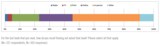
Teens are often influenced by multiple factors when choosing a book to read. Most of the time (45%), discovery of new books comes in the form of in-person interactions, usually a recommendation from a friend or relative (26%). Teens also find out about books they read through school (33%), the library (15%), and receiving them as gifts (13%).
Click to view larger.
It’s interesting to note that results for teens deviate from what we found in an earlier consumer research study on adult buying behaviour. With adults, we found that most in-person discoveries occur in stores, usually by seeing a book on a shelf/display (22%) or interacting with a sales clerk (18%). Recommendations from friends and relatives only came into play 12% of the time among adults.1 That being said, teens in this study were only asked about the book they most recently read, which would account for some of the difference.
Online and print media also play a part in how teenagers discover their next book. Online awareness is generated in a number of ways, the top three being: reading an excerpt (9%); receiving a recommendation through a social network (8%); and seeing a banner ad on a website (6%). For print media, 11% of teens saw their book on a bestseller list, while 10% read a teaser chapter from an upcoming book and 6% saw an ad in a magazine.
Radio (2%) and television (3%) play an extremely small part in influencing awareness.
Q: How do awareness factors rank with teens?
To get a little more in-depth with how specific awareness factors rank with teens, we asked them to think about a book they had recently read and try to remember how they heard about it. As we saw above, personal recommendations rank high among teens, and we see this here as well: almost 70% said they had "definitely" or "possibly" received a recommendation from a friend or relative. The second most popular discovery factor was having read another book by the same author.
Click to view larger.
Q: How frequently do teens recommend books to each other?
Just over 50% of teens surveyed said they "often" or "sometimes" recommend books to their friends. 22% claimed that they don’t discuss books with other people.
Click to view larger.
Q: What influences teens to purchase a book?
When asked more generally about what influences them to purchase a book, having enjoyed an author’s previous books (36%) was identified as the most important influence among teens. Other major influences are bookstores, libraries, and social networking sites such as Twitter and Facebook. Online sources that ranked low with teens include publisher websites, reading sites such as Goodreads, author websites, and blogs.
Click to view larger.
Q: Where do teens find book trailers?
Only 13% of teens surveyed had ever seen a book trailer. Of those who had, 35% had found the trailer through a basic web search, and 28% found it on YouTube. Links found within a book (10%), shared links on Facebook (7%), and Amazon (7%) also played a role in book trailer discovery.
Click to view larger.
While teens do tend to seek out additional works from their favourite authors, only about a quarter of them (28%) spend time visiting authors’ websites on a regular or occasional basis. Interestingly, though, 33% of respondents say they’ve never visited a website of their favourite author but think they would like to do so in the future."
Stephen
Stephen Abram
.
Blog
.
<span class='date ' tip=''><i class='icon-time'></i> Aug 17, 2015 01:57pm</span>
|
|
Unusual Jobs of Writers: INFOGRAPHIC
http://www.adweek.com/galleycat/unusual-jobs-of-writers-infographic/107581
https://unplag.com/blog/writers-weird-jobs/
Stephen
Stephen Abram
.
Blog
.
<span class='date ' tip=''><i class='icon-time'></i> Aug 17, 2015 01:56pm</span>
|
|
Infographic: A Cheat Sheet For Creating A Workspace That Promotes Creativity
Read more: http://designtaxi.com/news/377775/Infographic-A-Cheat-Sheet-For-Creating-A-Workspace-That-Promotes-Creativity/#ixzz3hfGT6WaY
Stephen
Stephen Abram
.
Blog
.
<span class='date ' tip=''><i class='icon-time'></i> Aug 17, 2015 01:56pm</span>
|