Blogs
|
Your people and your data are your organization’s greatest assets. With Office 365, we continuously strive to provide you with more control over how your data is managed and accessed.
At Ignite in May, we announced the ability to assign workload-specific service administrator roles to your organizations IT administrators for Exchange Online, SharePoint Online and Skype for Business Online. We’re pleased to announce that this capability is rolling out starting today.
The ability to assign workload-specific admin roles provides your organization more control over how your Office 365 administrators access your data. An admin assigned to a workload-specific admin role would only have access to the relevant controls and settings associated with that workload. For example, the SharePoint Online administrator role provides that admin access to only SharePoint related controls and settings in the Office 365 Admin Center. The SharePoint Online admin can manage SharePoint site collections, configure SharePoint settings such as the organizations external sharing policy and access SharePoint Admin Center for additional SharePoint capabilities. However, the SharePoint Online admin will not have access to other Office 365 service controls and settings such as mailbox configuration, transport rules and other non-SharePoint related settings.
In addition, to better align the permissions to how your administrators are organized, there is more flexibility in assigning roles. If your Office IT administrators have multiple responsibilities and require permissions that are greater than what is offered in one administrator role, such as within SharePoint Online and Skype for Business Online responsibilities, then you can assign both those roles to that administrator. Your organization is no longer limited to only one admin role assignment per administrator.
To configure an admin role, the global administrator selects the user from the active user list, then selects edit user roles > Limited Admin Role to display the list of all the Office 365 admin roles. Simply select the applicable admin role(s) and you’re done.
With the new workload-specific admin roles and the ability to select multiple admin roles, your organization now has more options to set the right level of permissions to your Office 365 IT administrators. Ultimately, this means you now have more control over who has access to your organization’s data.
The post More control over data access with workload-specific admin roles appeared first on Office Blogs.
Office Blogs
.
Blog
.
<span class='date ' tip=''><i class='icon-time'></i> Aug 23, 2015 08:48pm</span>
|
|
Today’s post was written by Keith Carvalho, vice president of sales for Vitalyst.
For more than 125 years, Southern California Edison (SCE) has delivered electricity to 14 million Californians in homes, businesses and communities in Southern and Central California. Although SCE is one of the nation’s top 20 electric utilities and is among the leaders in its percentage of sustained renewable resources (over 19.9 percent in 2012), SCE was the last large electric public utility to use Lotus Notes.
With the aim of becoming a more modern public utility with enhanced internal capabilities and increasing productivity, SCE engaged in a partnership with Vitalyst and Microsoft Services to migrate its enterprise platform from Lotus Notes to Office 365. Organization Change Management (OCM) was identified as the most significant success factor, while the key business drivers were:
Synchronizing and modernizing the desktop office experience
Reducing investment and operational costs
Supporting the company’s long-term mobile technology strategy
Integrating workforce productivity tools for access anywhere, anytime and on any device
The challenge
The Office 365 enterprise migration project scope involved:
Moving 16,500 individual user accounts
Integrating 1,500 shared programs or collaboration mailboxes
Migrating 1,500 document libraries to SharePoint sites
Migrating the enterprise SharePoint portal from 2010 to 2013
Implementing Office 2013 from Office 2010 and incorporating OneDrive
Moving from Internet Explorer 8 to Internet Explorer 10
Adopting Yammer, Microsoft’s social collaboration tool
The Vitalyst solution
Recognized as having a user community that was "high-touch" in comparison to other organizations, SCE needed to leverage Vitalyst’s unique capabilities and experience in maximizing end-user readiness and OCM. Together with SCE and Microsoft, Vitalyst launched a 600-person network of business transition managers with the goal of training the trainers and developing the appropriate internal knowledge necessary to facilitate change throughout the organization.
Vitalyst collaborated with SCE to create customized educational materials, which were posted on the enterprise portal designed to share critical information and training on Office 365. This included, onsite training, webinar training and Just-in-Time training or live support that provided 24/7 access to consultants for answers to how-to questions.
For the migration initiative, Vitalyst provided:
High visibility, turn-key solution
Full spectrum of learning resources, giving users just the right resource at just the right time
Expanded utilization of productivity enhancements within Office 365
Program utilization data providing window into SCE operations and IT training needs
Program content customized by job role/user type
SCE effectively integrated Vitalyst’s live support services into its IT Call Center for Office 365. For example, by pressing a designated number, callers can indicate whether they have a problem or whether they have a how-to question about Office 365. Those who select "How-to" are linked directly to the Vitalyst live support network. By driving calls from its Tier One services to a customized live support service, SCE realized:
Elevated user experience and extended internal capabilities, including:
An avenue for SCE to assume a consulting role, helping users better utilize software apps
High customer satisfaction and experience working directly with SCE’s workforce
The ability to stay ahead of the latest Microsoft functionality releases
Increased internal resources and operations efficiency, including:
Expanded IT capabilities by offering expanded how-to support functions
A best practice approach to support
Guaranteed training and education content consistency throughout the enterprise
Realizing the value of Vitalyst service
Vitalyst’s service complements and adds capacity to the IT service desk. According to SCE IT leaders, customer feedback was overwhelmingly positive. Thirty-five percent of key users called in for support. Top user communities included administrative and executive assistants.
The service yielded strong service metrics and an end-user satisfaction rating of 9.3 out of 10.0. In addition, Vitalyst service has helped improve perceptions of the IT organization through delivery of a 7.3 second response time, 96.1 percent first call resolution rate and expert product knowledge.
SCE employees have reported that the service provides tips and techniques that help save time and increase productivity levels, resulting in an estimated $1.1 million in productivity, and higher ROI on end-user technologies (average 10 percent).
Program metrics
Nearly 10,000 support calls
24,000 how-to solutions
Averaged 2.4 solutions per call for more than 39 different applications
5,000 unique callers out of 16,000+ migrated
Approximately 5,500 videos viewed via the self-help video portal
Moving forward
As a result of its Office 365 initiative, SCE documented lessons learned in seven key categories, which included OCM and Operational Readiness—both supported through the Vitalyst partnership and training. SCE’s IT Call Center realized tremendous value in Vitalyst’s live support network and the integration of a system that solely handles the Just-in-Time" learning component. The program garnered overwhelmingly positive feedback from the client community and significant business value from an adoption perspective, ultimately leading SCE to extend the program out to its operations division.
In addition, SCE’s Office 365 migration program success has been presented as a best practice example to the UNITE CIO Symposium—an industry Benchmarking Consortium. SCE’s ability to move future investments from IT to other capital investments aimed at making SCE a more modern public utility is a paradigm shift that has potential to translate to other industries and Fortune 500 companies.
The post Increasing user satisfaction, adoption, production and ROI appeared first on Office Blogs.
Office Blogs
.
Blog
.
<span class='date ' tip=''><i class='icon-time'></i> Aug 23, 2015 08:48pm</span>
|
|
Today’s post was written by Matthew Boyd, public relations and communications executive for BrightStarr.
At BrightStarr we work with the Microsoft enterprise technology stack, focusing on SharePoint, Office 365 and Yammer. We take great pride in our knowledge of these technologies and our ability to build great solutions for our clients.
We have always had a SharePoint intranet for unifying our global business and making sharing and collaborating easier and faster. As Microsoft’s cloud platforms have continued to mature, we wanted to help our clients take full advantage of everything it had to offer so we developed Unily. Unily is our cloud Intranet as a Service built on Office 365, SharePoint Online and Yammer that delivers a cloud, mobile, social intranet all within a consumer quality user experience. Once we developed this solution for our customers we adopted it within our business. Just like Microsoft, we drink our own wine.
Our Office 365 intranet has surfaced a raft of Office 365 capabilities within a unified portal, allowing us to be as productive as possible from a single digital location. Within the main navigation we have surfaced our various SharePoint sub sites for quick access to our own projects and workspaces. For example, the marketing department accesses all of its assets and information from within Unily, whether it is press releases written in Word, budgets created in Excel, or artwork files stored with previews. We use Skype for Business for project calls between locations. Within Unily we have a marketing calendar that features a list of all upcoming marketing events. This is really important for increasing exposure of marketing activities internally, allowing our colleagues to remain up to date at a glance.
By having all of our marketing documents in Office 365, we have eliminated the hassle of sending emails with document attachments for collaborating on content. SharePoint search allows us to find everything we need in a matter of seconds, and using Office Apps we are able to edit documents directly within the intranet at the click of a button.
With our Office 365 subscription, we also get access to Yammer, which we love! We have integrated Yammer comprehensively with the Unily solution so we can utilize our enterprise social functionality within our Office 365 intranet and across a variety of forms of content. Yammer is allowing us to start quick and insightful conversation around documents, videos, blogs and news articles. We use Yammer’s robust functionality to @ mention and tag people to quickly bring them into important discussions. We also monitor all of this social activity through our all company feed so we never miss a discussion that is important to us. And if enterprise social isn’t instant enough for us, we can always turn to Skype for Business for a quick catch-up or meeting.
Also, as a part of our marketing work, we do attend and sponsor events (such as Microsoft Ignite). With the power of the Microsoft cloud and Unily’s inclusive native mobile applications for Windows Phone, iOS and Android, we are able to access our intranet when we are out of the office.
While it might sound like we have it all, we have a lot more to look forward to in the very near future, thanks to the combination of the Office 365 roadmap and Unily’s own customer-led roadmap. The imminent launch of Unily’s spring update is a perfect example of the evolving nature of the platform. Aside from the amazing new user experiences you can see in these images the spring update is Delve ready. Once the Delve API is released from beta, our document and people experiences will be surfacing the content most relevant to the current user. It will also be used to populate the new dynamic smart feed on the solution homepage, which will target news and blogs for individual users.
These are just a few ways that BrightStarr’s marketing teams are capitalizing on the amazing Office 365 feature set as an integrated intranet solution. I hope you found a marketer’s perspective on how the full Office 365 suite had made our working day much more efficient of interest.
—Matthew Boyd
The post BrightStarr integrates Office 365 into intranet appeared first on Office Blogs.
Office Blogs
.
Blog
.
<span class='date ' tip=''><i class='icon-time'></i> Aug 23, 2015 08:47pm</span>
|
|
Germany’s CIO of the Year: With Office 365 ‘we’re not following, we’re leading’
At BASF, the world’s leading chemical company, Wiebe van der Horst is Senior Vice President Global Process & Enterprise Architecture. But given his philosophy, colleagues might also call him "captain" or "coach." Van der Horst runs IT at BASF in an optimistic, collaborative, "all-aboard" way, which is probably why he was named Germany’s CIO of the Year last year.
Jurors for the German CIO award, which is presented by Computerwoche and CIO magazine, were pleased by van der Horst’s leadership in creating "a uniform, global workplace infrastructure using the latest technologies," such as social networking, online document collaboration and exchange, and web conferencing.
Van der Horst recently talked with Microsoft about leadership, the importance of human-centered change and business-centered technology, his company’s leap to Microsoft Office 365, and the power of a "glass-half-full" outlook in modern IT.
What was the IT environment like at BASF when you decided to bet on Office 365?
I think this has not been a bet, first of all. Before we took this decision, we did a thorough analysis of the pros and cons of various vendors. Generally speaking, the tradition here was to play it safe. In doing so, I think in a certain way we were surprised by a few developments in the market. We had been thinking about a new approach to collaboration for a long time. With our well-established platform connect. BASF, we had a very successful business network for internal exchange. Nevertheless, we needed to broaden our scope. We knew we wanted to engage people internally more strongly, but also as a partner to our suppliers, to our customers, in our research—but we were lacking the occasion to make this happen. It was basically the right technology coming together on the one side, and a certain pressure to do something on the other side.
You describe the company’s IT journey as going from follower to leader. How did you do that?
We have a history reaching back 150 years and you can only manage that by embracing change. Of course, adopting Office 365 is a paradigm shift in technology and in how we work. I think one of the most daunting elements has been convincing people a cloud solution was secure enough. I think the important point there is to bring everybody along and make sure people understand the types of security built into Microsoft products, and that Microsoft has established first class security in their data centers.
Have you noticed any dramatic changes since adoption?
I would say it’s too early to declare we’ve succeeded, but we did win support. We attribute this in part to the people who have participated in the pilots of Office 365 and implementation of video conferencing. It’s important to do very thorough change management. You may have current tools, but it doesn’t help much if people don’t change the way they work. When we show what Outlook and SharePoint and other new tools can do, people grasp how our way of working is changing. There are many people who say, "You know what? This is really making sense—this is really making my life easier. This is making a difference to how we do business."
How would you describe your leadership style?
I think I have a very collaborative and empowering style. I’m trying to give people the freedom they need to be able to shape and move things. Am I the best enterprise architect of the company? Definitely not. But I do ask the right questions, and I understand what is important, how technology fits with process and organization and how to reduce complexity.
I see myself as a coach that challenges people to be their best.
Is there some piece of advice you typically offer business and IT colleagues?
The advice that I typically offer others is that IT is not about technology, it’s about generating business value. It’s not like being the electricity company in the background that delivers the juice, and everybody’s depending on you—that is necessary and important. The conversation you need to have is about how you can improve the business with what you’re doing, how IT can help make a difference for the business.
Do you have a personal philosophy or motto?
I want to enjoy myself when I work, and I want to enjoy my life. I’m definitely somebody who always tries to see the positive side of things, and then deal with what I need to when things are not right. I think this is very much also an American attitude. What would you call that? "The glass is half full", "Just fix it" and "Move on and get traction," you know? In school, many of us are trained to immediately find a hole or an inconsistency, but in doing so we forget about the 95 percent of things going well and focus on the 5 percent that are wrong only. This produces great, great cars. But it might not be the best thing for an industry like IT, where you have such short lifecycles.
What do you love most about your job?
Most people in a position like mine have eight meetings a day and go home and think, "What did I do today, and what did I achieve today?" And it’s hard to pinpoint. However, if you look at things from a certain distance, and look at how things have evolved, you can see that the change you pushed for has occurred and how it has benefitted BASF and its people. So that gives me a lot of pride. In the case of the CIO award, it is very motivational for me, but also for our employees to see and think, "Wow, we’re on the right track, we’re doing something not everybody has done. We’re not following, we’re leading."
The post IT leader of world’s no. 1 chemical company talks ‘business-centered technology’ appeared first on Office Blogs.
Office Blogs
.
Blog
.
<span class='date ' tip=''><i class='icon-time'></i> Aug 23, 2015 08:47pm</span>
|
|
Jumping into any new software program can be a taxing chore even when the potential benefits are known to be great. With our new Office Mix first run experience, we bring a sense of welcoming and enlightenment to the basics.
When you first download and install the Office Mix add-in and then open PowerPoint for the first time, an interactive panel opens on the right-hand side of the screen where you’re presented with three buttons that each play a Quick Start Video tutorial. Additionally, you’re offered an option to "Create Your First Mix," which opens the Getting Started template. As you’ll discover, the interactive panel is resizable and can be undocked, which permits you to move to split-screen mode and follow in-step with the tutorial’s instructions.
The tutorials include "What is Office Mix," "Screen Recording" and "Publish and Share." We’ve also included an easy way for you to "Create Your First Mix." In the coming months, we’ll be adding more tutorials.
Let’s break down each tutorial individually here:
What is Office Mix?—An overview of what you can do with Office Mix, such as inking, recording, editing and sharing. It also instructs you on how to set up video and audio, narrate using the Slide Notes feature and how to use our Ink marker to put notes on your presentation. You can also learn how to use the analytics to tell who is watching your mixes.
In addition, you’ll see how easy it is to insert quizzes, polls and screenshots, as well as add video and audio files that really make your presentations come to life. You’ll also learn how to preview, edit and securely upload your mix to the cloud. It closes with a look at My Mixes, the place where you can view, manage and share your presentations.
Screen Recording—Step-by-step video showing you how to take full advantage of the power and simplicity of screen recording. You’ll see a how-to covering the ins and outs of embedding video into your Mix. For example, it showcases how you can extract clips from a YouTube video and use the playback controls to get the perfect video experience, and then directly insert it into your Mix. We’ll soon be adding a deeper-dive tutorial on all screen recording features including audio, area selection and trimming.
Publish and Share—Runs through a simple workflow on how to securely upload, publish and share your mixes. This includes how to upload mixes to the cloud and choose different options so your mixes can be played back on any mobile device or web browser. It also details how to set privacy levels for selective sharing with friends/colleagues.
Quick Start Video Tutorials currently launches in a separate browser window to play and soon you will be able to watch them directly within PowerPoint as well.
The experience for IT install users is slightly different from individual installs. At start, IT installs see the normal Home, but the Interactive Office Mix panel is also open, giving users their first glimpse of Office Mix. Individual installs see the open Mix Ribbon, the Welcome to Office Mix template and the open interactive Office Mix panel.
While these three tutorials are essential jumping off points for Office Mix beginners and pros alike, the Office Mix team is hard at work to bring you many more instructional videos and templates.
We think you’ll love having a stack of notes and discoverable features at your fingertips. The tutorials, produced by our Office Mix team, are as quick and enlightening as they are entertaining. Use them to optimize the flash and engagement of every PowerPoint presentation you create.
Until next time,
Happy mixing!
The post Office Mix interactive panel tutorials helps you put your best face on appeared first on Office Blogs.
Office Blogs
.
Blog
.
<span class='date ' tip=''><i class='icon-time'></i> Aug 23, 2015 08:47pm</span>
|
|
Since launching and developing our OneNoteInEducation.com (formerly known as OneNoteForTeachers.com) site, we have seen teachers clamor for ways to not only learn to use OneNote but also prove their mastery. Now, Certiport provides teachers with this support by offering their Microsoft Office Specialist (MOS) OneNote certification.
According the blog by Certiport last week, "Microsoft certifications are valuable credentials to increase competence, productivity and credibility, while preparing teachers for success in the classroom."
OneNote training and certification at ISTE 2015
The OneNote team is dedicated to furthering these goals of your OneNote training and building credibility within your communities and are pleased to offer Microsoft Innovative Educator (MIE) Teacher Academy (1-day) training, a "Prepare for Microsoft OneNote Certification" class, and the OneNote certification exam itself at the ISTE 2015 conference later this month. All are complimentary for ISTE attendees and more information can be found in the "Microsoft at ISTE 2015" blog post. We hope to see you there as you learn and prove your mastery of OneNote!
To learn more about MOS OneNote certification and other Office certifications, visit www.certiport.com/MOS.
The post Microsoft OneNote certifications—a valuable credential for teachers, available at ISTE 2015 appeared first on Office Blogs.
Office Blogs
.
Blog
.
<span class='date ' tip=''><i class='icon-time'></i> Aug 23, 2015 08:46pm</span>
|
|
We are always looking for new ways to provide our customers with more flexibility and choice. Opening up Office to customers and partners allows users to customize Office to meet their needs. Today, we are pleased that Box is announcing new integrations with Office Online that will help our joint customers more easily collaborate with documents and digital content. These new features enable users to easily browse, open and edit files with Office Online from Box, create new files in Office Online and save them back to Box.
Earlier this year we announced a new Office 365 Cloud Storage Partner Program to make it easier for other cloud services to integrate Office Online into their applications. Box is part of the program and already offers integration with Office for iPad, iPhone and Outlook for iPhone and iPad applications. By working together, we can help people boost their overall productivity.
For more information about the Office 365 Cloud Storage Partner Program, please visit here.
The post Box announces integration with Office Online for enterprise collaboration appeared first on Office Blogs.
Office Blogs
.
Blog
.
<span class='date ' tip=''><i class='icon-time'></i> Aug 23, 2015 08:46pm</span>
|
|
We’re pleased to announce the availability of Learning Tool Interoperability (LTI) support for Office Mix and the addition of Microsoft to the IMS Global Learning Consortium as a Contributing Member. In this role, Microsoft represents the needs of our users as we participate in future standards development work.
Office Mix is a free add-in for PowerPoint that makes it easy to author and share interactive online lessons. Educators can easily add audio and video narration, real-time inking, screen recordings, quizzes and polls within PowerPoint. Lessons can be viewed in practically any browser on any device.
Through support of LTI, we have made it easy for educators to embed mixes into all major Learning Management Systems (LMSs), including Canvas, Engrade, Blackboard, Haiku, Moodle, Brightspace, EDUonGo and Schoology. Additionally, the LTI adoption enables McGraw-Hill Education (MHE) to utilize Office Mix to provide a custom teaching experience for adopters of the next generation of MHE products. Cengage Learning will be releasing an Introductory Computing MindTap pilot integrating Office Mix for fall 2015 classes.
After Office Mix has been set up to work with an LMS via LTI, educators can easily embed interactive mixes, created by themselves or the community, within their LMS as assignments or assessments. LTI also seamlessly authenticates students, and their grades are automatically passed back to the LMS grade book.
Educator Racquel Nedden in the Irvine Unified School District recently created 35 math lessons with Office Mix and embedded them within Instructure Canvas, a popular LMS. "Office Mix is an outstanding program for creating online course content. The program is especially well-suited for math," said Nedden. "Teachers can use the inking feature to write math symbols and equations directly on the presentation. The in-video quizzes provide checkpoints for students to assess their knowledge and increase engagement with the content. Office Mix is compatible with Canvas, our LMS, and creates a professional look to our courses."
"LTI support ensures that we can deliver great Office Mix experiences across a wide range of LMSs so educators can more easily produce and deliver media-rich, highly interactive lessons," said Jim Federico, product manager for Office Mix. "With the help of our users, we have tested our LTI integration across a wide variety of LMSs and we’re excited about the value this new capability will bring to teachers and students."
To integrate Office Mix with an LMS, educators can follow the steps outlined in the EduAppCenter or go to mix.office.com/LTI to learn how to set up Office Mix within specific LMSs. Stay tuned for future Office Mix enhancements and follow @OfficeMixTeam on Twitter to stay in touch!
Until next time,
Happy mixing!
The post Office Mix delivers LTI support and integration with major LMS providers appeared first on Office Blogs.
Office Blogs
.
Blog
.
<span class='date ' tip=''><i class='icon-time'></i> Aug 23, 2015 08:46pm</span>
|
|
On this week’s show, we catch up again with Mark Russinovich to explain the how security components in cloud services are managed. Mark discusses the shared responsibility from the IT and service provider perspectives. We cover real customer examples of Microsoft working with customers to detect tenant breach, correct issues and patch any security vulnerabilities. We also discuss the upcoming customer lockbox process and how machine learning and data analytics can be used to detect anomalous patterns.
We’ve invited Mark Russinovich in the past to discuss to assess the top security risks of moving to the cloud and had Matt Swann explain how COSMOS uses the power of the cloud to detect anomalies in the cloud. On this show we walk through some real examples and explain the shared responsibility of moving to the cloud. It spans everything from monitoring activity and restricting access with secure logons to ensuring the latest software updates are available and applied. If you are assessing cloud services for infrastructure as a service, looking to lock down your existing cloud services or simply wanting to learn from real cases, this week’s show provides an inside look.
If you want to learn more, watch the show and check out the Trust Center—trust.office365.com.
See you next week!
—Jeremy Chapman
The post An inside look at Cloud service provider security with Mark Russinovich appeared first on Office Blogs.
Office Blogs
.
Blog
.
<span class='date ' tip=''><i class='icon-time'></i> Aug 23, 2015 08:45pm</span>
|
|
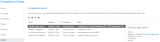
We’re excited to announce a faster and more lightweight way of searching within your organization’s data in Office 365. Compliance Search is a new capability in the Office 365 Compliance Center, designed for times when the full-fledged search case management of eDiscovery search isn’t required. Compliance Search is ideal for quick searches across content in Office 365, such as searching for specific credit card numbers in SharePoint as part of a Data Loss Prevention (DLP) project. Compliance Search lets you:
Search all your Office 365 data without limits on number of mailboxes or documents
Use Keyword Query Language for advanced search
Preview search results with hit highlighting
Use fine-grained permissions to control what can be searched
Like our existing eDiscovery Search, Compliance Search is done in-place, using the existing search system of Office 365 so you’re always searching recent, up-to-date data. See Compliance Search in the Office 365 Compliance Center to learn more.
To get started with Compliance Search, go to the Office 365 Admin Center, click Compliance to launch the Compliance Center, click Permissions and then grant the appropriate people the eDiscovery Manager permission. These users will now have the Search tab available in the Compliance Center and can create new Compliance Searches.
Search all your Office 365 data without limits
You can use Compliance Search to find data in individual Exchange mailboxes, SharePoint sites, OneDrive for Business locations, and Skype for Business data that has been placed on hold in Exchange mailboxes. There are no limits on the scale of these searches. You can run multiple searches simultaneously, and you can search one or hundreds of thousands of sites and mailboxes. With Compliance Search you can select all mailboxes and sites, distribution groups, or specific people and sites.
Use Keyword Query Language for advanced search
You can also enter search terms using Keyword Query Language and get an estimate of the results so you can get insights about your data. The Keyword Query Language allows you to use keywords, Boolean logic, wildcards and searchable properties. Recent improvements in the search system now make it possible to analyze interesting new scenarios. Learn more by visiting keyword queries for Compliance Search.
Here are some examples:
Scenario
Search statement
Assess the risk of data that’s been shared externally in SharePoint and OneDrive for Business.
ViewableByExternalUsers=TRUE
Identify highly sensitive content that has more than 100 credit card or bank account numbers.
SensitiveType:"Credit Card Number|100.." OR SensitiveType:"U.S. Bank Account Number|100.."
Investigate if anyone sent email containing confidential information to a particular person outside the organization.
Recipients:"jared@adatum.com"
Identify a phishing message that was sent by a specific email address and has a specific subject.
Sender:"jared@adatum.com" AND subject:"You are a winner, read me to learn more"
Fine-grained permissions make it easy to control what can be searched
The ability to search across data is controlled by the Compliance Center permissions. No additional permissions need to be configured in Exchange, SharePoint or OneDrive for Business. By default, Compliance Center eDiscovery Managers can search all Exchange mailboxes, SharePoint sites, and OneDrive for Business locations. You can also configure fine-grained permissions using PowerShell to control the scope of what a user can search. For example, you can specify specific SharePoint URLs or mailboxes that can be searched based on Active Directory properties, location, or distribution group membership. Learn how to configure Compliance Search permission filtering.
Preview search results with hit highlighting
You can preview the results of a Compliance Search to analyze the data and check that your query is working as expected. The preview list of items and preview is in pane and the search terms are highlighted so you can see why an item was returned for your search.
Compliance Search is available now in Office 365. In the next several months, additional capabilities will be rolling out including:
Export search results
Case Management and Hold
Please watch the Office 365 Roadmap for updates on the availability of additional Compliance Search functionality.
—Quentin Christensen, senior program manager lead for Office 365 Information Protection
The post Introducing Compliance Search in Office 365 appeared first on Office Blogs.
Office Blogs
.
Blog
.
<span class='date ' tip=''><i class='icon-time'></i> Aug 23, 2015 08:44pm</span>
|