Blogs
|
Buckman is a specialty chemical company based in Memphis, TN, which produces chemistries for water treatment and for the paper and leather industries. With people, factories and customers all over the world, Buckman communicates across geographies, teams and time zones all the time. It recently swapped a complex multi-vendor communications and collaboration toolset for Microsoft Office 365. The result has been smoother, more effective collaboration among the company’s 1,700 associates, higher reliability, lower costs and tighter control over email and data. We recently sat down with Tim Meek, vice president of Global Information Technology at Buckman, and Paul Grassel, director of Global IT Computer Services, to learn more about why Buckman switched to Office 365.
Q: Give us a brief history of your communications and collaboration landscape.
Meek: Microsoft Outlook has been our standard for a long time. Even as our email systems evolved, Outlook has been the constant.
Q: Why Outlook?
Grassel: Because our associates have always used the entire Office suite, and Outlook is part of that. They rely heavily on Outlook and consider it the go-to "workhorse" application that they use on a daily basis. In 2011, however, we adopted popular cloud-based products for email and file-sharing. We liked the idea of not having to maintain email servers and software around the world. We had also been using PlumTree Portal since 2005 for collaboration and several document management systems.
Q: Sounds like things were getting complicated.
Meek: They were. We ended up with a complex, multi-vendor environment that was expensive and difficult to support and maintain.
Q: Was there a point at which cracks began to appear?
Meek: After providing great integration with Outlook for several years, our cloud vendor seemed to back off its Outlook support. We were experiencing problems with their Outlook syncing tool; calendar syncing became unreliable. We didn’t feel we were receiving full support from them for new versions of Outlook.
Grassel: Plus, there were other problems. We were experiencing email delivery delays of several days in China, which cost us business. That drove some of our people in China to use alternative communication systems—not good for security and compliance.
Q: So there were some trust issues?
Meek: Yes. Also, around then, it was time to upgrade or replace PlumTree. With the collaboration capabilities included in Office 365, we saw an opportunity to reduce complexity and consolidate vendors. Simplicity, speed and reliability are our IT themes at Buckman, and Microsoft is one of our primary vendors.
Grassel: We also saw a constant flow of new capabilities in Office 365, and capabilities that made sense. The acquisition of Yammer is one example; Yammer integrates well with the other Office 365 tools.
Meek: Our previous cloud products were easy to use but designed with more of a consumer mindset. Microsoft products are full-featured and getting easier to use all the time, especially the Office 365 mobile apps. We felt that Office 365 had the reliability, transparency and control required for our global organization.
Q: Give me a sense of how Office 365 has changed the way people work at Buckman.
Meek: Office 365 has given us a platform to better perform as teams. We have people working across geographies in every area of the company (sales, manufacturing, R&D, customer service), and with Office 365, they can collaborate more easily.
Meek: I get on Office 365 a couple times a day to lead our global IT workgroup. We’re sharing documents, booking dates in our shared calendar and using Lync Online presence to quickly see if team members are available for a chat or phone conversation. Our CEO uses Lync to discuss progress on strategic initiatives with Buckman global leadership located around the world. He’s a big advocate for its use to improve Buckman’s ability to connect and collaborate.
Grassel: PlumTree was so complex that it required IT to manage sites and content for business areas. But associates are able to manage sites and information in Office 365 on their own.
Q: Has it made your jobs easier?
Grassel: For sure. We no longer have to keep up with licenses purchased through different channels or keep up with media for each version of Office, much less who is licensed for each. Major transitions to new versions of Office are a thing of the past with Office 365 Click-to-Run.
Grassel: I can manage Office 365 licenses from one master console and lock down individual mailboxes and files if someone leaves the company. This really helps with security and compliance.
Q: What kind of savings have you seen?
Meek: We’ve been able to pull the plug on PlumTree and the document management systems. We save on servers, licensing and support. We have achieved a greater level of simplicy, speed and reliability with the integrated platform of Office 365 that keeps all of our associates’ software up-to-date with a consistent set of productivity tools.
Q: Sounds like a win all the way around.
Meek: It has been. A big win for Buckman, its associates and its customers.
For the full story read the Buckman case study.
The post Buckman finds the right communications chemistry by switching to Office 365 appeared first on Office Blogs.
Office Blogs
.
Blog
.
<span class='date ' tip=''><i class='icon-time'></i> Aug 23, 2015 09:52pm</span>
|
|
Today, we are pleased to announce the general availability of Microsoft Office 365 and Dynamics CRM Online from Australian datacenters. In addition, Microsoft Office 365 has just completed a formal security assessment for Unclassified Sensitive government data via Australian Government’s Independent Registered Assessors Program (IRAP). These announcements will help ensure that customer data will be protected, easily managed and compliant—all from trusted foundations in private clouds, hybrid clouds and public clouds.
Microsoft Office 365 is the first cloud productivity service to provide IRAP assurance in Australia, with Dynamics CRM Online currently under a similar IRAP assessment. Our comprehensive approach to global and local certifications provides the gold standard in security to federal government agencies, state government, education, healthcare, and commercial enterprises in Australia—all verified by third parties.
These new local services will provide even faster performance, offer geo-redundant back-up and help customers address data residency considerations. We’re thrilled to be able to provide these technologies locally to help Australian businesses and organizations innovate and compete globally.
To hear from some of our customers and learn more about Office 365 and Dynamics CRM Online in Australia, take a look at our local announcement.
The post Office 365 and Dynamics CRM Online now available from datacenters in Australia appeared first on Office Blogs.
Office Blogs
.
Blog
.
<span class='date ' tip=''><i class='icon-time'></i> Aug 23, 2015 09:52pm</span>
|
|
With April’s Office update, Lync will become Skype for Business, with a new user interface (UI) in the Windows desktop application. On today’s show, we take a look the new Skype for Business desktop application for Windows. BJ Haberkorn joins Jeremy Chapman to demonstrate what’s new and explain what’s coming. With April’s update from Lync to Skype for Business around the corner, Jeremy also demonstrates how you can control what your users will see.
On March 16th we announced how you can get ready for Skype for Business and get started with the Skype for Business technical preview. The updated experience will be familiar to both Lync and Skype users, with notable requested updates to improve discoverability of the dial pad, easier access to controls and device selection interfaces. The new Skype for Business also integrates people search with the entire Skype network.
Skype for Business will roll out as an update to Lync on April 14th as part of Office monthly updates. If you are using Lync Online today with Office 365 ProPlus, Office 365 Business Premium or Office 2013, the updated Skype for Business client—inspired by the look and feel of Skype—will be the default user experience and replace the Lync user experience. If you are using Lync Server today, the Lync UI will be the default experience.
The good news is that regardless of whether you are using Lync Online or Lync Server, you have the ability to control when the updated experience is rolled out to your users. There are two ways to do this. First, Office 365 ProPlus and Office 2013 allow you to control when monthly updates are delivered to your users. Second, both the online service and the server now have policy settings to control the user experience using PowerShell. While the settings are slightly different for online and server customers, both are straightforward, and allow you to manage the UI centrally.
Controlling the UI in Lync Online and Skype for Business Online
We demonstrate how this is performed for the online service on the show; once you’re logged into the online service via PowerShell, you can use Grant-CsClientPolicy Cmdlet as shown below, to control the experience:
Disable Skype user interface (UI) for all users:
Grant-CsClientPolicy -PolicyName ClientPolicyDisableSkypeUI
Enable Skype UI for all users:
Grant-CsClientPolicy -PolicyName ClientPolicyEnableSkypeUI
These Cmdlets will control the UI presented to all users in your Office 365 or Lync Online tenant. There are more options for controlling the experience at an individual user or group level on TechNet.
Controlling the UI in Lync Server and Skype for Business Server
If you’re running Lync Server and want to roll out the updated Skype for Business UI to your organization, you can use the Set-CsClientPolicy Cmdlet:
Enable Skype UI for all users:
Set-CsClientPolicy -Identity Global -EnableSkypeUI $true
Disable Skype user interface (UI) for all users:
Set-CsClientPolicy -Identity Global -EnableSkypeUI $false
In addition to the options above for selecting between the Skype for Business UI and the Lync UI, we’ve created a number of resources to help with awareness, readiness and adoption. These resources, along with the ability to switch the UI between the two interfaces, will give users the resources they need to be prepared for this change.
What’s next?
In the show we also discuss changes coming to the online experience for users and administrators, upcoming Skype for Business Servers, planned support for enterprise voice and calling in Office 365, new hardware from Polycom and Surface Hub, plus updates coming from Azure ExpressRoute to enhance Skype for Business even further. Watch the show to see Skype for Business in action and hear all the news about what’s coming for administrators.
The post What’s new in Skype for Business and how you can take control of updates appeared first on Office Blogs.
Office Blogs
.
Blog
.
<span class='date ' tip=''><i class='icon-time'></i> Aug 23, 2015 09:51pm</span>
|
|
Today’s post about Office 365 was written by Lise Fournel, senior vice president and chief information officer for Air Canada.
Air Canada has been voted Best Carrier in North America for five straight years in the Skytrax World Airline Awards, and we’re now focused on aggressive international expansion with our new 787 aircraft. The smart use of technology will be instrumental in achieving our goals.
We have spent billions of dollars modernizing our fleet, upgrading airport lounges and enhancing the customer experience. This includes offering the latest digital services for customers, such as mobile travel apps, online reservations and check-in, and flight status verification.
We also needed to give our 27,000 employees the latest technology tools if we wanted to create a new culture of employee collaboration.
Many of our employees, including pilots, flight attendants and ground crew, don’t sit at desks in front of PCs but work throughout the world on a 24/7 basis, so we needed non-traditional ways to deliver IT services. We decided to go to the cloud—specifically Microsoft Office 365—because it provides an accessible and scalable collaborative platform across multiple device platforms. By using Office 365, our employees stay connected to the company and to one another all of the time.
We use Office 365 to support our employee portal called ACaeronet, which presents information to employees customized to their job roles; for example, pilots see different information than mechanics or flight attendants. It gives them access to the powerful search capability of SharePoint Online (part of Office 365), which enables them to quickly find the information they need.
ACaeronet is a key source of information for Air Canada employees. It provides access to more than 100 tools, applications and data repositories that our folks access with simple search commands. It includes access to online reference guides that contain vital operational information related to Air Canada’s products, policies, and procedures so employees can readily find up-to-date answers for themselves and to assist customers. It simplifies administrative functions, such as filling out timesheets or obtaining forms, and it also contains a comprehensive directory and organizational charts to make it easy to locate colleagues for needed assistance. Moreover, it serves as a channel to the latest company news and employee publications.
ACaeronet also gives our teams access to Yammer, the social networking service available with Office 365. Our flight attendants, maintenance crews, pilots and other mobile employees jump on Yammer from ACaeronet using their smartphones to make comments, ask questions, share ideas and problem-solve.
For example, cabin crew members post notes to colleagues with tips to expedite boarding or handle unusual situations. Many use it to offer kudos to fellow employees or share their excitement about new aircraft. They even post pictures. And because our employees are a community of like-minded travelers, they also share travel tips, hotel recommendations and even restaurant suggestions for cities all over the world.
Yammer has turned into a great forum for management and employee dialog. Keeping these lines of communication open is critical, because our workforce is dispersed around the world. Ours is also a complex business, and employees often need quick answers to questions about policies and procedures.
The Millennial Generation coming into our workforce is fluent in social and mobile communications tools. They use them in their personal lives, and they expect them at work. Our Cargo Team is experimenting with Office 365 conferencing and texting tools to determine which aircraft have cargo room. This helps us fly all our planes at greater capacity for maximum profitability.
With these versatile tools at their fingertips and available from smartphones, tablets or PCs, our employees can find the information they need, wherever they are, to solve problems and help ensure a smooth, efficient operation.
We’re also saving money by moving to the cloud. We get a steady stream of new capabilities for a reasonable monthly subscription with no expensive upgrades. As an example, the OneDrive for Business service in Office 365 has advanced tremendously in one year. Employees each get 1 terabyte of personal storage space in the cloud. It’s the same with email; our employees went from 50-megabyte mailboxes to 50-gigabyte mailboxes—1,000 times larger.
Our own IT staff would be hard-pressed to roll out these kinds of service improvements at the pace that Microsoft does. Relieved of maintaining and upgrading a massive communications infrastructure, IT now has more time to develop new services that help us compete even more effectively.
—Lise Fournel
The post Air Canada employees use the cloud to learn, share, develop ideas and collaborate appeared first on Office Blogs.
Office Blogs
.
Blog
.
<span class='date ' tip=''><i class='icon-time'></i> Aug 23, 2015 09:49pm</span>
|
|
We’ve just opened the Call for Content for community-presented sessions at Microsoft Ignite in Chicago, IL, May 4-8 2015. These sessions are a great opportunity to share your hard-won expertise and best practices with other attendees at the event. The 20-minute sessions will be delivered by community members to attendees in the Lounge theaters located in the Expo Hall during lunchtime Tuesday, Wednesday and Thursday, May 5-7 2015.
To submit a session proposal, go to the Call for Content (RSVP code = Ign!t3) and provide:
Twitter handle
Blog URL
Title and abstract (Note: No third-party pitches)
List program membership if any: MVP, RD, MCT, user group lead
Note, you must be a registered attendee to speak at or attend a session
For these community sessions, we will supply the following logistical support:
Theater for 25+ people in the Expo Hall Lounge
MC and tech support
Podium with AV outlet and three microphones
Submission timeline:
April 1, 2015—Session submissions open
April 7, 2015—Session submissions closed
April 14, 2015—Selected sessions announced
The post Take the stage at Microsoft Ignite! appeared first on Office Blogs.
Office Blogs
.
Blog
.
<span class='date ' tip=''><i class='icon-time'></i> Aug 23, 2015 09:48pm</span>
|
|
Today’s post was written by Allen Filush, product manager on the Outlook team.
Since the launch of Outlook for iOS and Android in January, we’ve been hard at work rolling out updates every few weeks. Today, we are happy to share more details about recent improvements to our People and Calendar experiences, plus a bit more information on what’s next.
Revised People section
Outlook’s People section now is a complete address book. We’ve replaced our previous, lightweight "top contacts" view with a unified view or your contacts from all your email accounts. Selecting a contact lets you view their contact information, launch a new email, start a phone call or map your way to their location with a single click. But we didn’t stop there. Outlook also provides quick-clicks to easily find all the emails, meetings and files shared with the contact.
People is now an alphabetical contact list. Selecting a contact lets you view the contact’s information as well as recent emails, meetings and files you’ve worked on together.
The unique controls provided by Android allow us to take this a step farther. Outlook for Android pulls in the contacts stored locally on the phone to create a unified address book for all your contacts, even if they are not stored in one of your email accounts.
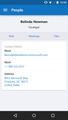
Contact details in Outlook for Android.
Directory search
Sometimes you need contact details for someone in your company or school who’s not saved as a contact. Outlook now integrates your full organizational directory (also known as the Global Address List or GAL) in the People section. Just type in the name of the person you’re looking for in the search bar and then select Search Directory. We’ve also integrated this same capability into the email compose experience so email within your organization is easier than ever.
Directory search is now available in the People section and in the email compose experience.
The directory search feature works for customers using commercial Office 365 or Exchange Server email. In addition to contacts, you can also search for other items in your directory, including conference rooms, distribution lists and Groups.
Three-day view in Calendar
The Calendar section now provides a Three-day view when in landscape. This complements the existing Agenda and Day views to show more of your calendar at once. This is especially useful on larger devices like the iPhone 6 Plus and the Samsung Galaxy Note 4.
New Three-day landscape calendar view.
We’ve also delivered other improvements in the Calendar, including support for zero-length meetings, a ‘remove from calendar’ action for cancelled meetings and an improved calendar day picker when creating and editing meetings.
Search highlighting
We’re all struggling with email overload. Inboxes of a thousand or more messages can often bury important emails we need to find quickly. To help make searching on your mobile device more effective, we now highlight your search term in the message list, creating a quick visual cue for finding that key email. We also show you the number of results so that you can decide if you need to refine your query for a more targeted search.
Search results now highlight your search term.
This feature is currently available on iOS and will be coming in an update to Outlook for Android soon.
Fit and finish
Our recent updates have also tackled several other key areas in direct response to your feedback:
Select all—You can now "select all" to perform bulk operations on messages in a folder (available on iOS, coming soon to Android).
Undo of bulk actions—Undo now works on bulk operations like delete and archive.
Empty trash/deleted items folders—You can now permanently delete items from your deleted items folder.
Localization—Improvements to localization across our 30 languages.
Accessibility—Improvements on the message list and compose screen.
Permanently delete messages from the Trash folder.
Looking ahead
Over the coming weeks and months, we will continue to deliver user-focused features to help you get even more done on the go, as well additional security and management features that matter to IT.
On the top of our list is mobile device management support. This is a must-have capability at many businesses today and we are making quick progress on this work. We are committed to delivering support for the new built-in MDM features for Office 365 and for Microsoft Intune later this quarter.
Also high on the Outlook priority list is enabling the ability to read and reply to Information Rights Management (IRM) protected email and delivering OAuth support for Office 365 and Yahoo! accounts. Today, we already support OAuth for Outlook.com, OneDrive, Dropbox, Box and Gmail.
Have a feature request? Let us know right from Outlook by navigating to Settings > Help > Contact Support. Your feedback is how we prioritize new features and updates.
Thanks for using Outlook!
—Allen Filush
The post More updates for Outlook for iOS and Android appeared first on Office Blogs.
Office Blogs
.
Blog
.
<span class='date ' tip=''><i class='icon-time'></i> Aug 23, 2015 09:48pm</span>
|
|
With 34.5 million workers employed worldwide by U.S. multinational companies, today’s workplace is truly borderless. Organizations are competing for top talent on a global scale and employees need to collaborate effectively across multiple cultures, languages and time zones.
Register now to watch Modern Workplace live on April 7th, and hear directly from two global leadership experts about how to span geographical and cultural boundaries to create a culture of collaboration that makes your business more efficient and agile—no matter where employees are located. We’ll also look at how Office 365 tools can be used to bring teams together, drive innovation and improve efficiency across the global enterprise.
Globalization of the workforce
April 7th | 8:00 a.m. PDT / 3:00 p.m. GMT
Special guests
Kathleen Matthews—Executive vice president and chief Global Communications and Public Affairs officer for Marriott International, will outline the processes and technologies her organization uses to create a thriving global businesses with 4,000 properties in more than 70 countries.
Maya Hu-Chan—Global leadership expert, international management consultant, and co-author of the book Global Leadership: The Next Generation, will explain what steps organizations can take to bridge the leadership and management challenges that stem from multi-national operations.
Tune in to the live broadcast for a chance to ask questions of studio guests and Microsoft Office 365 product managers both during and after the show. For more information, visit www.modernworkplace.com.
Register today!
The post Next on Modern Workplace—globalization of the workforce appeared first on Office Blogs.
Office Blogs
.
Blog
.
<span class='date ' tip=''><i class='icon-time'></i> Aug 23, 2015 09:48pm</span>
|
|
Just over a year ago, we introduced Office Lens for Windows Phone—and over that time the app has become one of the most popular free apps on Windows Phone, with an average rating of 4.6 stars (out of 5) from more than 18,500 reviews.
Today, we’re releasing Office Lens for iPhone and Android phones.
Office Lens is a handy capture app that turns your smartphone into a pocket scanner and it works with OneNote so you’ll never lose a thing. Use it to take pictures of receipts, business cards, menus, whiteboards or sticky notes—then let Office Lens crop, enhance and save to OneNote. Just like that—all the scanned images you capture from Office Lens are accessible on all your devices.
Office Lens for iPhone is available for free at the Apple App Store. Here’s a quick look at some of the more significant features and capabilities that Office Lens for iPhone supports:
Recognizes the corners of a document and automatically crops, enhances and cleans up the image.
Before-and-after look at pictures of a receipt and a paper document captured and processed by Office Lens for iPhone.
Identifies printed text with optical character recognition (OCR) so that you can search by key word for the image in OneNote or OneDrive.
Converts images of paper documents and whiteboard notes into Word documents, PowerPoint presentations and PDF files for easy editing and reformatting (see more details here).
Captures business cards and generates contacts you can add to your phone.
Inserts images to OneNote or OneDrive (as DOCX, PPTX, JPG or PDF format) and gives you options to save, export and share the image.
Before-and-after look at a picture of a whiteboard, captured and processed by Office Lens for iPhone, as well as the options you have to save, export or share with others.
Additionally, a preview of Office Lens for Android phones is available today, with features similar to Office Lens for iPhone. To get the Office Lens for Android phone, follow these three easy steps:
Go to Office Lens Android Preview in the Google+ community.
Click Join community in the upper right-hand corner.
Under About this community, click the Become a Tester link and then follow instructions on the page.
Bringing Office Lens to iPhone and Android is a significant step for extending OneNote capture capabilities to more devices and endpoints. Get it for your iPhone, Android phone or Windows Phone today—start scanning documents and whiteboards from the convenience of your phone, and let us know what you think in the comments below and at app store feedback.
The post Office Lens comes to iPhone and Android appeared first on Office Blogs.
Office Blogs
.
Blog
.
<span class='date ' tip=''><i class='icon-time'></i> Aug 23, 2015 09:47pm</span>
|
|
Imagine an analyst who can quickly analyze and present data to help you see if you are meeting your business objectives such as increase profits, reduce costs or decrease patient length of stay. The analyst then repeatedly queries your data to select the best ten or so graphs that you should see based on your business objective. Your analyst conducts multiple statistical tests to rule out graphs that could mislead you because the visual pattern is driven by outliers. Finally the output is a Word or PowerPoint report that walks you through each graph and explains how to accurately interpret each. And your analyst can do all this work in seconds; all you need is to know how to use Microsoft Office. Sounds like a fantasy? Well the Excel team is helping BeyondCore, a recognized leader in Smart Pattern Discovery, to bring this to reality right inside of Excel and the rest of the Office apps.
The U.S. faces a shortage of 140,000 to 190,000 people with deep analytical skills, as well as 1.5 million managers and analysts to analyze big data and make decisions based on their findings, according to the McKinsey Global Institute in "Big data: The next frontier for innovation, competition and productivity." At the same time, a need for analytics pervades modern business, as organizations move from gut-driven to data-driven business processes. BeyondCore delivers technology that extends the powerful analytics features of Excel and the familiar storytelling environments of Word and PowerPoint to help bridge this gap for business users.
The BeyondCore App for Excel will extend Excel’s capabilities by helping users discover the right questions to ask of their data and how to interpret insights accurately. The app, being integrated into the Excel desktop experience, will automatically evaluate data in an Excel workbook and provide curated graphs and narrative explanations that point out the statistically significant insights of the data. These insights can be exported to a PowerPoint presentation or Word document, making it ready to share and present.
You can further customize reports using the BeyondCore App for Word and App for PowerPoint. Once the app is made available to the public, organizations can give their employees access via the Apps for Office store or directly within Excel, Word or PowerPoint. This solution works with Office 2013 and will be coming soon to other Office versions.
BeyondCore’s technology is based on eight years of research. Twenty-one of the Fortune 100 already use the product, and Gartner Research recently highlighted BeyondCore in its Smart Pattern Discovery category. The company was also called a disruptive technology in Harvard Business Review by Clay Christensen and in The Economist.
BeyondCore Apps for Office is available now. To sign up, visit www.beyondcore.com/invitation.
The post BeyondCore’s new apps for Office helps find insights in your data automatically appeared first on Office Blogs.
Office Blogs
.
Blog
.
<span class='date ' tip=''><i class='icon-time'></i> Aug 23, 2015 09:47pm</span>
|
|
The OneNote team can proudly say that the power of the collective has resonated throughout the country.
Shortly after our first event that honored University of Central Florida engineering student Albert Manero, The Collective Project and Robert Downey Jr. collaborated to surprise Alex—a child in need of a bionic arm—with his own Iron Man arm. We were all blown away by the power that story had as it circulated the Internet immediately after Robert Downey Jr. released the video on March 12th. The touching video brought tears to viewers everywhere, and thanks to the generous people involved, we all discovered the stunning impact that one action has when people selflessly come together to create something for the greater good.
After making a huge splash, it was time to give a new group of students the opportunity to make an impact in the lives of others. The OneNote Collective Project team landed on the Penn State campus on March 16th to rally students around inspiring student Neha Gupta and her cause—Empower Orphans. Recent winner of the International Children’s Peace Prize, Neha started her charity at the age of nine with a simple, local garage sale. She has since helped over 25,000 orphans around the world through her fundraising efforts. She is a powerful example of how one person can make a big difference. She believes strongly in the power of the ripple effect, where one person’s small action can ripple out to create big change.
The Collective Project wanted other students to feel that even if you might not be able to devote all your free time to helping others, you can still start a ripple of change. Armed with gift cards and purple notecards detailing small acts of kindness, The Collective Project brand ambassadors spread throughout the Penn State campus. Touched with a ripple of kindness, students were encouraged to visit the "Empathy In Action" wall and complete their own small action—from holding the door for their fellow classmate to volunteering to tutor at nearby elementary schools. Over 500 acts of kindness were completed from the "Empathy in Action" wall. The impact of the event will have lasting effects as well. Over 50 students volunteered to become part of Empower Orphans, helping Neha continue to grow her organization.
In the wise words of Neha Gupta, "It is our time to be the igniters of change. Find a cause that touches your heart. Convert your empathy into action and let those actions ripple out."
We look forward to seeing the power that words can have when we highlight our next story, already live on OneNote.com/CollectiveProject.
Get OneNote | Follow OneNote
The post OneNote—a collective ripple appeared first on Office Blogs.
Office Blogs
.
Blog
.
<span class='date ' tip=''><i class='icon-time'></i> Aug 23, 2015 09:47pm</span>
|