Blogs
|
Faculty Innovations Videos: Academic Technology and the Liberal Arts
We are very excited to share the eighth video of the T.I.P. (Technology, Innovation, & Pedagogy) video series. The T.I.P. videos showcase creative ways that Haverford faculty members have been using technology to enhance liberal arts education. Heidi Jacob, Associate Professor of Music talks about how she uses our lecture capture system, Panopto, to record her students’ practices in order to improve their performance.
Instructional Technology Services
.
Blog
.
<span class='date ' tip=''><i class='icon-time'></i> Aug 23, 2015 09:56pm</span>
|
|
Faculty Innovations Videos: Academic Technology and the Liberal Arts
We are very excited to share the ninth video of the T.I.P. (Technology, Innovation, & Pedagogy) video series. The T.I.P. videos showcase creative ways that Haverford faculty members have been using technology to enhance liberal arts education. Lindsay Reckson, Assistant Professor of English describes her students’ use of BaiBoard and VoiceThread to create media-rich presentations that analyze, amplify, historicize, and critique the visual terrain of the photograph.
Here is a VoiceThread project "Bad Boy Family" by her students in "Realism, Race, and Photography" class, Ariane Giles and Sophia Forker.
Instructional Technology Services
.
Blog
.
<span class='date ' tip=''><i class='icon-time'></i> Aug 23, 2015 09:55pm</span>
|
|
Faculty Innovations Videos: Academic Technology and the Liberal Arts
We are very excited to share the tenth video of the T.I.P. (Technology, Innovation, & Pedagogy) video series. The T.I.P. videos showcase creative ways that Haverford faculty members have been using technology to enhance liberal arts education.
Ken Koltun-Fromm, Professor of Religion discusses what drives his use of technology in the classroom. He talks about his use of Skype, iPad, Prezi, TEI, and his future plans.
Up and Running with Skype for Windows on lynda
iPad use for teaching (iPad wireless projection & iPads to go program)
Prezi Essential Training on lynda
Text Encoding Initiative (TEI)
Instructional Technology Services
.
Blog
.
<span class='date ' tip=''><i class='icon-time'></i> Aug 23, 2015 09:55pm</span>
|
|
Adobe Creative Workshop Series: Spend Friday afternoons using the creative side of your brain!
The Instructional Technology Services team in IITS is offering three Adobe workshops this month: Photoshop, InDesign, and Premiere. All workshops will be led by Charles Woodard, Digital Media Specialist, IITS and will be held in the Instructional Technology Center (Stokes 205) from 4:00-5:00 pm (dates are listed below). These workshops are open to students, staff, and faculty.
Basic knowledge of each program will help you get more out of the workshop. If you have never used the software, we recommend you watch the respective lynda.com course listed below before attending the workshop. lynda.com is available to all students, faculty, and staff.
Photoshop on April 10th
By the end of the workshop, you should be able to use Photoshop to manipulate and touch up images.
Recommended lynda course: Photoshop CS6 Essential Training
InDesign on April 17th
By the end of the workshop, you should be able to understand the basics of document layout and design, and create a poster for an event.
Recommended lynda course: Getting Started with InDesign
Premiere on April 24th
By the end of the workshop, you should be able to use the basic tools within Premiere to edit a video and export a project for the web (YouTube, Vimeo, etc.)
Recommended lynda course; Premiere Pro CS6 Essential Training
Please send a message to Charles Woodard (cwoodard@haverford.edu) to register.
Instructional Technology Services
.
Blog
.
<span class='date ' tip=''><i class='icon-time'></i> Aug 23, 2015 09:54pm</span>
|
|
Faculty Innovations Videos: Academic Technology and the Liberal Arts
We are very excited to share the eleventh video of the T.I.P. (Technology, Innovation, & Pedagogy) video series. The T.I.P. videos showcase creative ways that Haverford faculty members have been using technology to enhance liberal arts education.
Jesse Shipley, Associate Professor of Anthropology Jesse Shipley, discusses incorporating different digital technologies into his classrooms.
Instructional Technology Services
.
Blog
.
<span class='date ' tip=''><i class='icon-time'></i> Aug 23, 2015 09:54pm</span>
|
|
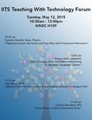
Instructional Technology Services in IITS would like to invite you to the semi-annual Teaching with Technology Forum on Tuesday, May 12th, 2015.
The forum includes presentations by faculty and discussion of pedagogical and technological issues. This is a great opportunity to share experiences and thoughts, and develop some new ideas for the next semester.
Event: Teaching with Technology Forum Spring 2015
Date: Tuesday, May 12, 2015
Time: 10:30am-12:00pm
Location: KINSC Hilles 109 at Haverford College
Program
http://iits.haverford.edu/instructional-technology/teaching-with-technology-forum/teaching-with-technology-forum-spring-2015/
10:35-10:45am
"Flipping Lectures the Quick and Easy Way with Powerpoint Narrations"
Suzanne Amador Kane, Associate Professor of Physics at Haverford College
Powerpoint has a little-known feature that allows one to record timed presentation including narration and a moving laser-pointer icon. The only thing you need to do this is a regular laptop or Mac and Powerpoint itself-no table and no other software or hardware! Recording the narrative is easy since you can redo it slide by slide if you need to correct anything. You can get good audio by simply using the microphone built into your computer.
10:55-11:05am
"Use of Google Docs and Videoconferencing in Japanese Language Classes"
Tetsuya Sato, Senior Lecturer and Director of the Japanese Language Program at Haverford College
In Japanese language classes, Google Doc is used to provide students with feedback on their compositions, such as group projects and individual writing assignments, and to facilitate collaborative work among students on editing scripts and creating the glossary for primary source materials in the target language.
Use of videoconferencing with a high school in Japan for tandem-language learning will be also discussed in this presentation.
11:15-11:25am
"Where’s Toto? Or, How to Use Video Editing Software to Analyze Film"
John Muse, Visiting Assistant Professor of Independent College Programs at Haverford College
In this presentation John Muse will share a few simple workshops that would help anyone teaching with film.
11:35-11:45am
"Using Twine to Tell an Interactive Story"
Charles Woodard, Digital Media Specialist, IITS at Haverford College
Twine is a new and fascinating program that allows students to write stories with various levels of interactivity through the use of an easy to understand programing language. Twine has the potential to bring together both art and sciences into one space to create a nicely blended project.
In this presentation, Charles Woodard will demonstrate how Twine could benefit you and your classroom, be it for a computer science or writing project.
Read a recent article "Making Story Games with Twine 2.0" in the Chronicle of Higher Education.
Instructional Technology Services
.
Blog
.
<span class='date ' tip=''><i class='icon-time'></i> Aug 23, 2015 09:54pm</span>
|
|
Faculty Innovations Videos: Academic Technology and the Liberal Arts
We are very excited to share the twelfth video of the T.I.P. (Technology, Innovation, & Pedagogy) video series. The T.I.P. videos showcase creative ways that Haverford faculty members have been using technology to enhance liberal arts education.
Suzanne Amador Kane, Associate Professor of Physics, discuss why and how she flipped the Physics instructional labs at the introductory and sophomore levels.
Instructional Technology Services
.
Blog
.
<span class='date ' tip=''><i class='icon-time'></i> Aug 23, 2015 09:53pm</span>
|
|
At the end of May, IITS launched a Moodle site for the 2015/2016 academic year. As you set up your Fall courses, you may find it helpful to get a refresher on what is new. Highlights include:
New Roster Report that makes it easier to learn student names
New blog and wiki that better integrate into Moodle
New Video uploads that work with Panopto lecture capture
Along with these new features, the new Moodle has many updates to the gradebook, a simplified quiz, and a number of new addons including an accessibility block and attendance activity. We recently updated our video showing new options for instructors. It will show you more about the features noted above, as well as a number of other changes to Moodle this year.
Watch video highlighting what is new
Try out features-old and new!
Take a look at many useful, but often lesser known features, and see how they look from a student perspective. Enroll in our new Using Moodle for Active Learning course. Join the conversation, while trying out activities that are new to you. Anyone from Haverford or Bryn Mawr is welcome to enroll.
Instructional Technology Services
.
Blog
.
<span class='date ' tip=''><i class='icon-time'></i> Aug 23, 2015 09:53pm</span>
|
|
Dear Faculty,
We would like to share some updates we made to our classroom technology this spring and summer.
Classroom AV:
All our classrooms have a built-in computer with updated software and an AV projection system. This spring and summer we upgraded the AV systems in Stokes 119, 206, and 301, Hall 6, 106, and 112, the Observatory classroom, and Chase 101. These classrooms now have high definition computer projectors, digital HDMI connections for your laptop, tablet or portable device, Blu-ray DVD players, and new AV control panels. Please check our updated classroom technology page on the IITS website for more details and operation instructions.
HDMI:
Most of our rooms now have HDMI ports to connect your laptop, tablet, or mobile device to the projector with an HDMI cable. For those of you still using the old VGA computer cables, you may find that HDMI gives you higher resolution and a clearer image. We can’t leave loose HDMI cables in the classrooms (they disappear) but we can provide you with your own HDMI cable. Please email avreq@haverford.edu to ask us for an HDMI cable (and the appropriate HDMI adapter dongle, if required, for your device.) For a list of all the rooms with HDMI capability please check our classroom technology page.
Fewer VHS players in classrooms:
As we update the AV projection systems in our classrooms, we are no longer able to install VHS videotape players. As a result, only 10 of our classrooms still have the capability to play and project VHS videotapes. If you have VHS tapes you need to play in your class, it’s time to upgrade to either a DVD or digital copy of the video. Please contact your library bibliographer or Norm Medeiros. The library will either try to purchase a DVD or streaming copy for you.
AV Staff:
Please welcome our new AV Support Specialist Robert Lukasik. Bob started in late May and works with Roger in the AV office in Stokes 025. He can be reached at rlukasik@haverford.edu or at 610-896-1193. You can reach us at the shared email address: avreq@haverford.edu.
Please feel free to contact us should you have any question or concerns.
Thank you,
Roger Hill, Director of AV Services
Bob Lukasik, AV Specialist
Instructional Technology Services
.
Blog
.
<span class='date ' tip=''><i class='icon-time'></i> Aug 23, 2015 09:53pm</span>
|
|
When we developed OneNoteforTeachers.com exclusively for educators, we didn’t know that OneNote would take off the way it has in education. Since launching the site in October 2014, we have seen interest from educators for getting "Ninja" trained on OneNote with the wealth of interactive guides on the site. Now, they are telling their principals and students about their new skills in OneNote sparking their interest in OneNote in education. To meet this need, we redesigned the site to include guides and pages for both students and administrators and gave it a more fitting name of OneNoteInEducation.com.
New guides for anyone in your school or district
The original OneNoteforTeachers.com website was on one page and served its purpose for teachers. However, with the momentum the OneNote Class Notebook—teachers inviting students into their notebooks and the release of OneNote Staff Notebook for Education—it was clear that students and administrators need some space and resources to themselves (since no one likes a jealous kid or a grumpy principal).
The new multi-tabbed site gives everyone what they want—with OneNoteForTeachers.com still directing to the Teacher tab of the site.
The interactive guides can be played and shared from any device. We hope you will share this great resource with everyone at your school or district who might benefit from some new world PD (professional development) on staying organized and efficient. Since these guides are like OneNote—free and bite-sized (5-7 minutes in length)—even an hour going through these will get you through them and on your way to new heights.
All for one, OneNote for all!
The post New OneNoteInEducation.com—designed for everyone in a school appeared first on Office Blogs.
Office Blogs
.
Blog
.
<span class='date ' tip=''><i class='icon-time'></i> Aug 23, 2015 09:52pm</span>
|