Blogs
|
It's easy to change the look and feel of Articulate courses using player skins. See my results.Post from: The eLearning CoachArticulate Presenter Skins: A Review
Connie Malamed
.
Blog
.
<span class='date ' tip=''><i class='icon-time'></i> Jul 15, 2015 06:39am</span>
|
|
Had an awesome day, perfect weather, amazing exhibits, talks and food - reflection post coming soon - for now, check out the pics!
Kevin Jarrett
.
Blog
.
<span class='date ' tip=''><i class='icon-time'></i> Jul 15, 2015 06:39am</span>
|
|
When we design an online learning programme one of the first things we do with clients during our Learning Design Day is to try and define the audience as accurately as possible. We try and identify who they are, what they already know and also what their motivation is for learning more. Sometimes we manage to identify a specific group that will particularly benefit from the learning but more often than not we end up trying to design something that works for everyone. I guess this is one of the downsides of e-learning - because it’s so easy to train so many the temptation is to push it out to as wide an audience as possible to justify the cost. BUT this is a flawed approach because instead of speaking directly to our key target audience we end up being bland and ineffectual. That’s why this article from B2B marketing agency Velocity caught my eye and makes a lot of sense for those involved in learning design too:
Marketers are instinctively inclusive. Our default is to set our crop-sprayer on the widest possible setting, covering the largest possible audience for everything we do. If a single piece of content can cover more than one target audience, why not go for it? It saves time and money and raises your Return on Content. Unfortunately, it’s not always a good idea to try to kill two birds with one content stone. In fact it’s rarely a good idea.
Here’s why:
Link: When Target Audiences Clash
John Curran
.
Blog
.
<span class='date ' tip=''><i class='icon-time'></i> Jul 15, 2015 06:39am</span>
|
|
Mrs. Sundra, Elementary Art Teacher
What do you get when you incorporate artistic design element(s) into a STEM project? Why, a STEAM project, of course! This year we are trying something new - seeking opportunities to integrate Art (taught by Mrs. Sundra, shown here) into various STEM projects. Mrs. Sundra and I see a lot of potential here!
We are starting with two third grade Engineering is Elementary STEM projects:
Catching the Wind: Designing Windmills
A Long Way Down: Designing Parachutes
In each case, Mrs. Sundra is going to work with her students (BEFORE they come to my class) on a project that will be combined with what we’re doing in the STEMLAB. Specifically, for the "Windmills" project, our plan is for the kids to create colorful, imaginative "wraps" which will be glued to the outside of the windmills they’ll be making out of OJ containers, wooden dowels, styrofoam balls and craft sticks:
For the "Parachutes" project, kids will be creating artistic designs on the gigantic commercial coffee filters we use for the chutes themselves:
I’m also super excited because this collaboration means EVERY STUDENT gets to MAKE AND KEEP their own project! (In the past kids have had to double up.) This is going to complicate things from a storage and organizational perspective, but, we’re resourceful, we’ll make it work somehow! And, very special thanks to the NCS PTO for funding the supplies we’ll need to get this done!
I have a feeling this is the start of a great collaboration between my classes and Mrs. Sundra’s! Stay tuned for more!
Mr. Jarrett
Kevin Jarrett
.
Blog
.
<span class='date ' tip=''><i class='icon-time'></i> Jul 15, 2015 06:39am</span>
|
|
There are lots of free assets and content on the web for the eLearning tribe. Here are some of the best.Post from: The eLearning Coach10 eLearning Freebies
Connie Malamed
.
Blog
.
<span class='date ' tip=''><i class='icon-time'></i> Jul 15, 2015 06:39am</span>
|
|
Hello and welcome! It’s been a while since I’ve posted - lots of changes to the blog this year - and with this entry, I’m introducing a new category of posts called "Quick Takes" - brief highlights of an activity, tool or instructional practice I think is worth sharing. To kick things off, I’d like to start with our experiences to date with Google Classroom, which is new this year.
Overall
I’m happy with Classroom’s initial release. In particular, I like:
how easy it is to assign, receive and return work;
that the site is fast, uncluttered and easy to navigate;
that the mostly text-based user interface (UI) is spartan (but that’s classic Google);
that it is free and integrates (obviously, duh) with Google Apps.
The students like Classroom. They have told me they enjoy:
using it to get assignments;
how it looks;
the "Turn In" button (as opposed to ‘Share’); and
the cool graphic at the top.
Let’s dive in a little deeper…
Building
Announcement/Assignment posts are in reverse chronological order, which is logical, I guess, but does induce a lot of scrolling. (Pro Tip: if you want a particular post to stay at the top of the page, post it LAST, until Google adds ‘sticky’ functionality.)
There’s no ability to import students. Ok, so, joining via code isn’t that big a deal, even for elementary students. But I’m a big believer in .CSV uploads and building rosters and saving other people time.
The sparse design is both a pro and a con. It’s what we expect with a 1.0 release from Google. It’ll improve with age.
The limited themes make things hard for elementary, and you can’t upload your own banner graphic yet.
Using
It seems like lots of clicks are needed to get students from assignments to the actual documents. I’d like to see direct document access with a single click.
The lack of "Mr., Mrs. or Ms." prefixes is a minor annoyance (the kids are dumbfounded when they realize I have a first name.)
Connection errors, which we have seen with some regularity, are (so far) easily overcome by refreshing the page.
Once the student starts working on an assigned document, the teacher has access and can comment in real time.
Students can create documents within Classroom and they will automatically be made available to the teacher.
Workflow
If a document, spreadsheet or slide deck is desired as part of the assignment, it has to be created prior to the announcement. It’s easy to then tell Classroom how to handle it (make individual copies, make a read-only original, etc.)
So far, students have:
Joined my Classroom
Accessed assignments
Turned in assignments
Up next: creating original documents, collaborating with peers on a single document
Conclusion
Again, overall, I’m happy (we’re happy) with Classroom. As we use it for more and more projects, our comfort level will only increase! We looked at Haiku Learning last year, and though we were seriously impressed, we simply didn’t have the budget for it. I doubt Classroom will challenge Haiky Learning, especially given its functionality for older students … at least, for now.
Best,
-kj-
Kevin Jarrett
.
Blog
.
<span class='date ' tip=''><i class='icon-time'></i> Jul 15, 2015 06:38am</span>
|
|
Like YouTube, the Slideshare website has had a makeover. It’s a definite improvement but I’m still not a big fan of Slideshare. For me what really brings a presentation to life is the presenter and without the presenter most presentations just don’t work. There are exceptions of course - where the story or the message is so well woven into the visuals the slides alone can sometimes get the job done and for graph heavy presentations the ability to scan through to see the data is useful. But if you want to put your presentation online I prefer slides plus voiceover. I use Articulate, Camtasia or Captivate to create a presentation complete with synchronised voiceover which can be uploaded to YouTube or Vimeo.
Other PowerPoint to Flash conversion tools can also be used (see below). Another low cost option is to use either Screenr or Jing - these will record a part of your screen while you talk into your microphone. The downside is that they aren’t very flexible and the maximum recording time is five minutes (so your presentation had better be short).
Slidecast or Screencast?
It appears that the most popular term to describe these online presentations is a slidecast. Don’t confuse this with a screencast which is normally used to walkthrough a software application on-screen. Most of the the tools listed below will produce slidecasts and screencasts. Slideshare also its own fairly rudimentary built-in a slidecasting option. Here’s how it works:
Creating Narrated Presentations with SlideShare (narrated)
View another webinar from Carolyn Kraut
Desktop Application Tools (relatively expensive)
Articulate
Captivate
Camtasia
Desktop PowerPoint to Flash Conversion Tools (slightly cheaper)
iSpring
Adobe Presenter
Zenler
Cloud Tools (free for basic service)
Screenr
Jing
If you know any more please add a link to the comments. I’ll be using some or all of these tools over the next few months just to see how they compare.
John Curran
.
Blog
.
<span class='date ' tip=''><i class='icon-time'></i> Jul 15, 2015 06:38am</span>
|
|
As learning experience designers move into the realm of social and informal learning, there’s a lot to be learned. This interview with Christopher Pappas, community manager of the Instructional Design and e-Learning Professionals’ Group at LinkedIn, offers insights into what it takes to be a community manager.
COACH: How long have you been a community manager?
CHRIS: I’ve been an online community manager since 2007. I always wanted to connect, interact and share knowledge with professionals that had similar interests with me. For example, in 2007, I created the Moodlers group at Ning. The Moodlers community was an extremely popular online community for sharing best practices and "moodle knowledge."
In May 2008, I created the Instructional Design and e-Learning Professionals’ Group at LinkedIn, which has 14K+ members all over the world.
Recently, I created the Freelance in Instructional Design and e-Learning Industry Group for professionals and organizations that are looking to hire instructional designers and eLearning professionals on a project or temporary basis.
COACH: What large organizations have their own managed internal communities?
CHRIS: Nowadays, companies of all sizes, from start-ups to multinational corporations, have created internal communities. For example, several large organizations that have their own internal communities are Adobe, Yahoo, Oracle, Virtual Trip Group, eLearning Guild and eFront.
COACH: What are the typical job tasks of an online community manager?
CHRIS: In my opinion, the primary role is to build an online community of professionals that are involved in the same field, have the same interests, and work in the same industry. My typical job tasks as an online community manager at the Instructional Design and e-Learning Professionals’ group include:
Helping instructional designers and (or) e-Learning professionals find a project or a temporary job
Sharing industry knowledge via blog posts, tweets, etc.
Being passionate about e-Learning community building
Being proactive, enthusiastic, organized and detail-oriented
Writing short-form content, editing, and communicating effectively with the e-Learning community members
COACH: What personal qualities are important for being an effective community manager?
CHRIS: My top 10 personal qualities that make an effective online community manager are:
Passion about the industry
Knowledge about the industry
Willingness to share and learn from the community
Strong communication skills
Multitasking
Dedication
Sense of ownership
Strong social skills
Supportive attitude
Flexibility
COACH: What are the rewards of managing an online community?
CHRIS: I am indeed a social person who loves to share knowledge, listen carefully, and learn (life long learner). Thus, my reward is the continuing every day communication and collaboration with professionals across the globe. My role as an online community manager has helped me to develop a global understanding of the eLearning industry, find new friends, new colleagues, and new partners.
COACH: What kinds of rules must a manager establish for an online community?
CHRIS: Excellent question! In order to make an online community effective, the community needs the following from its members:
Be a real human being: Encourage members to sign up with their email address and real name. Limiting membership to real participants keeps the conversations constructive and means no one has to deal with anonymous trolls.
Aim for respectful, constructive conversations: Without constructive feedback and debate, a community won’t be able to achieve its collective goal. Without respect and civility, constructive feedback and debate is impossible.
Be relevant: Ensure members keep posts on-topic and in the correct category of the group. Keep any other comments relevant to the content they’re attached to.
Here’s a list of behaviors I recommend that community members avoid. Do not:
Harass or insult other members: Making personal attacks, insulting other members, or discussing a specific member in a negative way is not ok. The two golden rules are: if you can’t say anything nice, don’t say anything at all; and treat others as you’d like them to treat you.
Post private information: Do not publicly reveal information like your email address, phone numbers or addresses.
Spam: Spam is posting the same message repeatedly across online community. Spam is sending the same message to multiple members or promoting or advertising external services, websites or other products.
COACH: What are common mistakes that new community managers make?
CHRIS: I have joined several online communities as a member. Based on my experience, the top 5 common mistakes that online community managers make are:
The aim(s) of the online community are not clear.
The online community manager does not obey community rules or even worse he/she has not developed any rules at all.
The online community manager promotes his/her company’s products or services.
The online community manager is not respectful to the community members.
The online community manager creates an unofficial community which eventually becomes an organization’s official community.
COACH: How do you think a person can best learn to become an online community manager?
CHRIS: My suggestions to a person that would like to become a community manager are:
Take relevant classes, such as marketing, public relations and international business.
Learn from the experts.
Volunteer as an assistant community manager.
Just jump in and create online community(ies) and start managing them.
Does your workplace have an internal online community? What do you think makes a good community manager? Respond in Comments below.
Post from: The eLearning CoachOnline Community Management: Interview with Christopher Pappas
Connie Malamed
.
Blog
.
<span class='date ' tip=''><i class='icon-time'></i> Jul 15, 2015 06:38am</span>
|
|
We just wrapped up our first full week with our new 14″ Hewlett-Packard Chromebooks ($299, direct). Thought I’d share some initial thoughts for those interested.
The Good
The screen is bright and huge compared to our 11.6″ Samsung Series 5 550s.
Performance is excellent. They are noticeably more responsive than our old Series 5’s.
Battery life seems superb but it’s too early to tell and we haven’t really used them in every class for the entire period yet.
The Bad (or not-so-good)
These screens are fingerprint MAGNETS! I guess the glossy screen helps clarity and readability but they are going to be a PITA to keep clean.
14″ screens = additional heft. Kids aren’t carrying these around (so much), but they are a lot heavier for me to move around and get into the charging cart.
The keyboard is … okay. I’m a keyboard snob, typing this moment on a Lenovo Thinkpad T420s, one of the last in the series to use a respectable, proper Thinkpad keyboard. The keys on the HP have minimal travel, no audible click, and seem fragile. We’ll see.
The Ugly
The ‘soft-touch’ white coating gets dirty fast. I first discovered this when stacking the HP’s in groups of five as I prepared to deliver them to the tables for the kids. The lids are now covered with black marks from the rubbery feet on the bottoms.
Overall, these seem to be great machines for the money (and we paid well under $299 per unit, if memory serves). If the white covering can be cleaned easily, they will be very popular and make HP a lot of money!
-kj-
Kevin Jarrett
.
Blog
.
<span class='date ' tip=''><i class='icon-time'></i> Jul 15, 2015 06:38am</span>
|
|
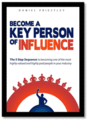
I’m working my way towards being a thought leader or a ‘key person of influence’ (KPI) as described in Daniel Priestley’s book ‘Become A Key Person Of Influence’.
Of course it’s not easy to decide when one actually achieves this exhalted though somewhat vague status. These days it appears to be driven mainly by the amount of blogging and tweeting one does - so I am on the case in both of those spheres of influence. However for me, quality trumps quantity, and from my perspective it’s the coherency of ideas that makes thought leaders stand out.
The premier league for e-learning in the UK (according to Bob Little PR) is as follows:
Donald H Taylor. The power behind the success of the Learning Technologies conference and Chairman of the Institute of Learning and Performance. (Position last year: 1)
Jane Hart. Founder and CEO of the Centre for Learning & Performance Technologies. (Position last year: 3)
Laura Overton. Managing Director of Towards Maturity, a not-for-profit community interest company that provides research and online resources to help organisations deliver effective learning interventions at work. (Position last year: 4)
Steve Rayson, of Kineo, who is making the UK’s most innovative production company into a worldwide player. (Position last year: 5)
Julie Wedgwood. A Towards Maturity advisor and an e-learning developer described, by some, as "the people’s favourite when you want to know ‘how-to-do-it’." (New entry for 2012)
Clive Shepherd. Still as shrewd a commentator on the e-learning scene as any. (Position last year: 7)
Piers Lea. A member of ELIG and CEO of LINE Communications. (Position last year: 2)
Martin Baker. Managing Director of LMMatters and the founder and Managing Director of the Charity Learning Consortium (CLC). (position last year: 10 equal)
Ben Betts. Managing Director of HT2 who is gaining an international reputation - and has introduced a highly original product in Curatr. (New entry for 2012)
Donald Clark. A long-established speaker and commentator on e-learning. (Position last year: 6)
I am aware of nearly all these people - the only exception is Julie Wedgewood - and have met nearly all of them at various e-learning conferences and events so I guess I’m making progress towards becoming a thought leader myself.
Daniel Priestly’s book is interesting because in it he identified five things that you need to do to become a KPI (they all begin with ‘P’):
Pitch - Be able to tell people what you do succinctly (think elevator)
Publish - Write and publish a book in your niche
Productise - Turn what you know into a product
Profile - Blog, tweet and speak
Partner - Forge partnerships and joint ventures
I’m on the case on all five of these fronts but there is still a lot of work to do. And if you need a partner get in touch. I’ll review progress again in January 2013!
Link: The 2011 E-Learning Movers and Shakers List
John Curran
.
Blog
.
<span class='date ' tip=''><i class='icon-time'></i> Jul 15, 2015 06:38am</span>
|