Blogs
|
Jason Learning will host a free live event where students can ask questions of hydrologist Kamini Singha. You can pre-submit questions by filling out the form on this page or submit the questions during the session. This is a great opportunity to expose your students to a free STEM event for your students to learn […]
Kim Caise
.
Blog
.
<span class='date ' tip=''><i class='icon-time'></i> Jul 16, 2015 12:29pm</span>
|
|
The first set of textures for 2015 is a pack of free grunge screen textures that have plenty of details, character and style. They are perfect for adding a grunge and vintage effect to your photos and designs.
Enjoy and Happy New Year!
Download all textures as ZIP from copy.com (32.2Mb)
Did you like these textures?
Let us know by leaving a comment, and you can even post a link if you used them in your artwork.
Related Posts
Free Texture Friday - Abstract Grunge 4
Free Texture Friday - Grunge Metal 2
Free Texture Friday - Color Stained Paper 4
Free Texture Friday - Grunge Overlays 2
Free Texture Friday - Gritty Wall
Stockvault Blog
.
Blog
.
<span class='date ' tip=''><i class='icon-time'></i> Jul 16, 2015 12:29pm</span>
|
|
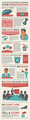
No Bullet Points. Bullet points ruin presentations. When you use bullet points, you take away from your talent as a speaker and reduce your meeting or presentation to a read-aloud session. Bullets work great in reports and documents, but keep them out of your presentations.
Start on Paper. PowerPoint is a great tool, but starting your presentations on the computer will only box you into the templates that Microsoft and your company has created. Instead, grab a couple pieces of paper and a stack of sticky notes. Treat each sticky note as a slide and write the overall idea on each slide needed on a sticky note. Then peel and place them on the paper until you have a solid presentation outline that tells your story.
The 30pt Rule. Your audience does not have super-human vision. When you use text on your slides, use a font size no smaller than 30pt. Any smaller, and your audience won’t be able to read the text on your slides.
No Starburst. What is a starburst? When you think about it, it’s really just a crazy circle that serves no purpose. When we refer to this rule, a better way to think about it is to make sure your slides are simple. Don’t use crazy shapes or clip art in an effort to "jazz up" your slides. Instead, think about what you can delete from your slide to make sure the message you are trying to communicate is clear.
Time-limits, Not Slide-limits. Does your company ask for "3 slides" for meetings? When you’re only allowed a set number of slides, it can lead you to break all our above rules. Ask your manager to change the slide limit to a time limit. In a three-minute presentation, some presenters may use 20 slides or even more. By setting a time limit and not a slide limit, organizations can empower employees to give better presentations.
1 Thought Per Slide. Presentations give you the opportunity to tell your story and sell your ideas. When a slide is packed with five different ideas, your story is lost. When you are looking through your slides, make sure they only communicate one idea per slide.
No Noise. Glance at a slide for a couple of seconds. Do you understand clearly what the slide is about? If you do not, then it likely has too much noise. Keeping slides simple is one of the most important steps you can take in making great presentations.
No Logo on Every Slide. If you are 20 minutes into a presentation and your audience doesn’t know who you are and what company you are with, then you have a major problem. The problem isn’t going to be solved by placing your company logo on every slide in your presentation. These logos add extra noise and distract from the story you are trying to tell.
No Chart Junk. Your presentation was likely not created for an academic class. Don’t fill it with complex charts that will take your audience a minute or more to determine the data point you are trying to emphasize. Make your data clear. If you are going to use a chart, make sure its takeaway is clear. Remember that, sometimes, posting a single stat on a slide can have more of an impact than an elaborate chart you plucked out of a pivot table./li>
Tell a Story. The first nine rules all support this one. As a presenter, your job is to tell a story. Make sure your presentations - both slides and speech - work together to tell a clear story. It should consist of essential story elements like conflict and humor. Tell a story!
via pinfographics
Jason Rhode
.
Blog
.
<span class='date ' tip=''><i class='icon-time'></i> Jul 16, 2015 12:29pm</span>
|
|
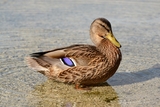
Ducks are aquatic birds that populate many of the fresh and saltwater bodies around the world. Distinct from other waterfowl, such as swans and geese, ducks are important around the world for eggs, feathers, meat and more.
Ducks are both able to float or swim on water, and also able to fly. Although most species of ducks are able to fly, a few are not, and other factors such as molting can affect the ability of a duck to be able to fly. Ducks are also important in human culture for a variety of reasons, including in jokes and humor, and in commonly used phrases like "sitting duck".
The variety of ducks and their behavior (and how adorable ducklings are) makes them a great subject for photography:
Duck by Thomas Riecken
Mallard Duck by Chris smith
Water Fun by Mark B Bartosik
DUCK by Bryan McGowan
Exotic Duck by el dave
Wood Duck - Male by SteveJnerChicago
The little white duck by Svein Volle
Painted Duck by WNPhotography
Woody Red-Eyes by Daniel
Duck by Mathew Lees
Mandarin Duck by Vollyy
Airborne by Richard P. Hoppe
Duck by Xemun
Another Odd Duck by Rob Rosenbaum
Wood Duck by Mircea Costina
Duck by iamisan
Little duck by Stefan Iliev
Here I Come by Axel hildebrandt
Touchdown by Leif Egil Hegdal
Duck by MYPeanutGallery
Duck mama by Maria Lipina
Duck by Maciej Zawiasa
Yellow duck by daantje87
Duck colour by Greg Sinclair
Red Head Duck by Joan M
Duck by Anna Guðmundsdóttir
Duck by Yuriy Sizov
DUCK by Radzikow
Landing mallard by Riccardo Trevisani
Mandarin Duck by Sheila Rogers
Related Posts
Rocks, Stones and Pebbles in Photography
30 Majestic Photographs of Horses
Out of this World Starry Photographs
30 Refreshing Swimming Photographs
30 Amazing Wildlife Photos
Stockvault Blog
.
Blog
.
<span class='date ' tip=''><i class='icon-time'></i> Jul 16, 2015 12:29pm</span>
|
|
Scholastic and Kellogg’s have joined forces to foster a love for reading and supplying families with free books. I received an email with a kid to get a free book and the first person to leave a comment below can have the free code to receive a complimentary book from Scholastic. You need three codes from inside the cereal boxes and then you can request a free book to keep or donate.
I applaud their efforts and hope an educator or parents receives the code the opportunity to get get a free book for a needy child who may not have many books of their own. I can remember when we would give away books that were no longer being used in the library and we would give every kid one book. For some students that was the only book they personally owned and many treasured the old book that was no longer in adoption, print, or whatever reason the book was being pulled from the shelf and replaced with a newer copy. I hope more libraries do that but with so many new schools being built the older books aren’t in circulation anymore.
We used to do the same with textbooks and as an aspiring teacher in elementary school I used to love to have old textbooks that were out of adoption. As a teacher I would keep a class set and have students do the old ‘drill n kill’ problems that I could fax over lesson plans when I was ill and needed a sub.
Regardless leave a comment below and I will send you the code. Everyone loves a crisp new book of their own!
Kim Caise
.
Blog
.
<span class='date ' tip=''><i class='icon-time'></i> Jul 16, 2015 12:29pm</span>
|
|
In this keynote session by Jason Rhode at the St. Mary’s University of Minnesota Fall Faculty Conference on 9/19/14, we considered how the flipped delivery model aligns to online and blended course designs. Jason Rhode shared tips and best practices for designing engaging and interactive online and blended courses that incorporate a flipped methodology. Additionally, we explored practical steps for embracing e-communications in developing a virtual learning community that facilitates active learning. Accompanying slides are available here and links included in slides shared below.
Resource Links
Warburton’s 3D Matrix
Increasing Pedagogical Richness
HLC’s Guidelines for the Effectiveness of Distance Learning
Blackboard Exemplary Course Program Info
Blackboard Exemplary Course Program Rubric
Sample Course Playlist on YouTube
Sample Captioned Course Welcome Video
Sample Screencast Course Tour
Sample Screencast Group Tour
Sample How-To Screencast for Video Discussion
Exemplary Course Tours
Exemplary Course Program Gallery on Coursesites.com
Self-enroll in the Sample ETT 510 Exemplary Course
Building Community and Creating Relevance in the Online Classroom (great tips shared by SMUMN faculty Amy Erickson and Catz Neset)
Jason Rhode
.
Blog
.
<span class='date ' tip=''><i class='icon-time'></i> Jul 16, 2015 12:28pm</span>
|
|
Because of the vibrant design community and the large number of design blogs on the internet, lots of tips, techniques, and tutorials are available to designers to achieve an effect or to improve their skills.
2014 was a great year for Photoshop tutorials, with lots of techniques being experimented with and tons of design results being available in PSD files.
Here’s 10 of the fun Photoshop tutorials that you should definitely try out:
Create the Abstract Photo Manipulation Imperfection
Photoshop tutorial: Create dynamic art using glows and lighting effects by Kervin Brisseaux
How To Create a Realistic Money Effect in Photoshop
Photoshop tutorial: Fuse photography and geometry by Simon Cook
The making of ‘Garrosh Hellscream’By Mike Hong
How to Draw a Cute Pirate Character in Photoshop By Mochtar Faqih
Create 3D type in 10 simple steps
Create a Fashion Mixed Media Portrait in Photoshop
Fantasy light effects in Photoshop by Murilo Maciel
Create a cube mosaic portrait by Fabio Sasso
Related Posts
Best Photoshop Tutorials from 2012
10 Fun Photoshop Text Effect Tutorials
Fun Text Effect Tutorials You Have to Try
Great Photoshop Art & Design Tutorials
Fresh and Instructional Photoshop Tutorials
Stockvault Blog
.
Blog
.
<span class='date ' tip=''><i class='icon-time'></i> Jul 16, 2015 12:28pm</span>
|
|
This week Steve Hargadon is hosting the ‘Gaming in Education’ virtual conference. There are great keynotes and general sessions throughout the week.
Whether you’re passionate about game-based learning or just getting your toes wet, Gaming in Ed celebrates the value that games offer in educational settings: a safe environment for taking on new roles, opportunities for creative problem solving and experimenting, and learning from failure. When done well, games can foster collaboration, strengthen critical and systems thinking, pose adaptive challenges, and spark inquiry. With guidance from educators, students aren’t just players, but critical evaluators of games and game designers themselves.
This conference offers a variety of perspectives, from educators and game developers to researchers and administrators. Our goal is to have you walk away with practical information and inspiration for furthering game-based learning in class and beyond.
To attend the sessions, visit this page to see the sessions in your time zone. I have become enamored with this topic and am so excited to see the conference sessions this week talking about gamification. Join the sessions and let me know what you think of the conference!
Kim Caise
.
Blog
.
<span class='date ' tip=''><i class='icon-time'></i> Jul 16, 2015 12:28pm</span>
|
|
Blackboard has been working on an iOS iPad app for instructors to use for grading submitted assignments in Blackboard. The app was briefly demo’d at BbWorld in July and Blackboard recently posted an archive of an online webinar offered this past week where more information about the app and a more extensive demonstration was offered by Trey Buck, Product Manager at Blackboard.
The presentation with an overview of the app, technical specifics, etc. begins at the 3:21 mark (see link below) with the demonstration beginning at about the 9:40 mark in the video.
Near the end of the presentation, Blackboard shared that they are in the final stages of QA testing and will be submitting the app to Apple to review in the next several days for App Store approval. It could be released as soon as a few weeks and Blackboard mentioned that the availability of this new app will be widely publicized once available. This new mobile grading functionality that is coming soon will certainly be welcomed by many instructors. I myself look forward to giving the app a try!
Jason Rhode
.
Blog
.
<span class='date ' tip=''><i class='icon-time'></i> Jul 16, 2015 12:28pm</span>
|
|
"We Give Books" is a new initiative that I came across that is dedicated to helping foster a love for reading and lifelong learning.
We Give Books is a new digital initiative that enables anyone with access to the Internet to put books in the hands of children who don’t have them, simply by reading online.
We Give Books combines the joy of reading with the power of helping others, providing a platform for caregivers and educators to inspire children to become lifelong readers and lifelong givers.
We Give Books also helps some of the world’s best, most inspiring, literacy organizations by spreading the word about their great work and by providing books to the young people these organizations support.
This initiatives helps identify quality books, helps put books in the hands of children and provides quality resources for educators to use in the classroom.
The Books
We are dedicated to delivering award-winning books empowering you to read and share beautiful stories with children in your life. With age-appropriate content for young readers, our goal is to create memories that will last a lifetime.
Books are right at the heart of this program—books for reading and books for giving!
All of the books available for online reading are children’s picture books appropriate for children through age ten. There is a mix of fiction and nonfiction, a range of authors, and an equal balance between read-alouds and books for independent readers. We’ll be adding news books every month, together with special seasonal offerings.
The We Give Books team works up front with each non-profit literacy partner to identify the kinds of children’s books that best fit their program needs. Some of the same great books you can read online will be donated to our charity partners through your reading efforts. We also donate others they request specifically for the young people they serve.
Check out the site and see how you can help this valiant effort to further the love of reading!
Kim Caise
.
Blog
.
<span class='date ' tip=''><i class='icon-time'></i> Jul 16, 2015 12:28pm</span>
|