Blogs
|
As I’ve previously shared, I was excited to learn that my online course, ETT 510: Instructional Media and Technology, has received the distinction as a Blackboard Catalyst Exemplary Course for 2013. Here’s a brief course tour I’ve prepared to be included with other Blackboard Exemplary Course Award-winning courses that showcases a few of the highlights of this course.
For those interested in getting a closer look at my course, I have also made the entire course available to self-enroll and/or download as OER package, available at http://jrho.de/ett510ecp.
More details about this course and the elements that the reviewers of my course agreed were exemplary are available here.
If you have questions about any aspects of the course design, feel free to leave a comment, drop me an email (jrhode@niu.edu), or tweet me (@jrhode)
Jason Rhode
.
Blog
.
<span class='date ' tip=''><i class='icon-time'></i> Jul 16, 2015 12:38pm</span>
|
|
As mLearning gets more and more popular, businesses are looking to ensure that they’re not just creating mLearning…they’re creating GREAT mLearning. Colleen Liley of Alaska Air joined us at the 2015 Lectora® User Conference to share some of her tips on creating a better a mobile learning experience.
Colleen explained why she enjoys working with Lectora, saying the "best thing about Lectora is that it generates consistent code. With consistent code, we can hook into it." It’s easy to tweak Lectora’s code and add your own custom code because Lectora generates a reliable div structure for all light box windows with consistent class names. So, you can alter the appearance of these divs with your own CSS (cascading style sheets).
Colleen showed attendees how to add "image zoom" code with Lectora HTML extension so that users on a tablet can pinch to zoom in on images in their training course. In the pilot training example below, the pilot could pinch to zoom in on the air approach diagram.
Here are two of the tips she shared about adding zoom functionality:
1. Make sure the image you insert is a little bigger than the space you’re putting it into so that when you pinch and zoom, the image doesn’t get pixelated.
2. Don’t let Lectora compress images when you export.
Colleen shared several other fantastic examples of adding HTML code to take a mobile course further with Lectora. Hopefully this one inspires you to try out your own HTML extensions!
Subscribe to the Everything eLearning Blog for more LUC recaps, helpful tips, and free resources.
The post LUC 2015 Recap: Creating a Better Mobile Experience appeared first on Trivantis e-Learning.
Trivantis
.
Blog
.
<span class='date ' tip=''><i class='icon-time'></i> Jul 16, 2015 12:38pm</span>
|
|
Wed, 7/16/14, 9:15-10:00amMurano 3301
What’s holding you back from growing your online presence? Based on research with hundreds of your peer institutions, this session will explore how the use of collaboration tools, mobility, and more will be changed by shifts in student demands and the fight to attract and retain students. During this session at BbWorld 2014 on July 16, 2014 led by a panel of academic technologists, learn how leading schools are thinking about online learning in the future and what you should be thinking about as part of your long term strategy. (This is based on a webinar held in April of 2014 that was very popular, archive available at http://www.jasonrhode.com/trends-in-online-learning-april-2014)
Accompanying slides are available here.
Jason Rhode
.
Blog
.
<span class='date ' tip=''><i class='icon-time'></i> Jul 16, 2015 12:37pm</span>
|
|
At this year’s Lectora® User Conference in Nashville, Marlon Oneid (YouAchieve) and Richard Sikes (Text&Form) talked about using multimedia localization to address the global world that we live in.
Take a look at a few highlights from this awesome breakout session:
Multimedia localization is the adaption of digital multimedia content, such as image films, product videos, or eLearning content, to the needs and requirements of different target cultures and markets.
Improving access to information not only equips employees with the skills they need to achieve personal goals, but it also fosters an open global culture with a shared sense of purpose. Marlon and Richard explained that 80% of YouTube traffic comes from outside the United States, and YouTube itself is localized for 61 countries and across 61 languages.
Multilingual multimedia localization operates in four different dimensions:
1. Assets
2. Quality
3. Time and space
4. Cultural considerations
For example, here’s a cultural consideration you might not have realized. In some cultures, a female’s voice would not be the best choice, which means that localizing eLearning would need to include adapting video voiceover to be a male voice.
For more eLearning tips and the latest info about what’s happening at Trivantis, subscribe to the Everything eLearning Blog.
The post LUC Recap: Multimedia Localization for eLearning Content appeared first on Trivantis e-Learning.
Trivantis
.
Blog
.
<span class='date ' tip=''><i class='icon-time'></i> Jul 16, 2015 12:37pm</span>
|
|
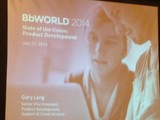
Presenter: Gary Lang (@garylang), Blackboard
Date/Time: Thu, July 17, 2014, 9:15 AM - 10:00 AM
Location: San Polo 3403
Description: Following Blackboard’s corporate keynote, this session will provide more specific information about Blackboard’s long term vision for product development
Notes
Trends Driving Changes in Education
Education is truly global
Non-traditional learners
Consumer preferences/alternative models
Learner centric education
Big-data in the mainstream
Online and mobile everywhere
Moving from a little "t" to a big "T"
Technology culture, developed product technology affinities
World-class foundation teams formed
Architecture Team
Core Mobile Services
Engineering Services
Integration Services
User Experience
Jason Rhode
.
Blog
.
<span class='date ' tip=''><i class='icon-time'></i> Jul 16, 2015 12:36pm</span>
|
|
Need to create a scenario in your Lectora® eLearning course? The Trivantis Team is here to help! Wendy Miller created a character dialogue interaction with two characters that you can download to use in your own course. In this scenario, the learner must choose the correct response to each situation his coworker addresses.
Download this character dialogue interaction in the Trivantis Community now.
Download Interaction
The Trivantis Community is your place to connect with Lectora and CourseMill® users across the globe, share and showcase the content you’ve built in Lectora and Lectora® Online, or browse the Knowledge Base for resources like webinars, articles, and video tutorials. Join the community today!
Subscribe to the Everything eLearning Blog for all the latest eLearning posts.
The post Free Download: Lectora Interaction appeared first on Trivantis e-Learning.
Trivantis
.
Blog
.
<span class='date ' tip=''><i class='icon-time'></i> Jul 16, 2015 12:36pm</span>
|
|
See the highlights from day 1 of BbWorld 2014.
Jason Rhode
.
Blog
.
<span class='date ' tip=''><i class='icon-time'></i> Jul 16, 2015 12:36pm</span>
|
|
Last month, we decided to switch up our Inspiration Wednesday webinars a bit and show you how to make the most of CourseMill®, the learning management system from Trivantis. Lectora® authoring tool and CourseMill are pretty much a match made in heaven, and we recently added on a feature called CourseMill Advanced Reports that lets you make the most of the data from your courses.
For this webinar, John Laws, Director of Learning Management Systems at Trivantis, showed how to access reports from the perspective of a manager, or "reporter" in CourseMill. Most managers are used to getting reports emailed to them from their company’s learning management system. But with CourseMill Advanced Reports, managers can now create live links, straight from their desktops, to all their reports and dashboards.
This is done with Live Excel, a real-time interactive reporting feature. You can create shortcut icons on your desktop to this report; all you need is an internet connection, and you can get straight to your data with one click!
John likes to keep things organized in folders on his desktop, and here he shows you all the reports and Live Excel shortcuts he has in his "CourseMill Reports" folder on his desktop:
You can also export this data in a variety of file types to share with other members on your team.
The ability to create live desktop shortcuts to your reporting dashboard allows reporters to access the information they want without having to log into CourseMill, making it much easier to quickly get information. Here are two examples of the dashboards and reports that you can access straight from your desktop:
Did I mention how easy it is to customize your reports and charts with drag and drop functionality? It just gets better and better!
John and Debbie Giffin, another CourseMill mastermind at Trivantis, showed many other reporting tips and tricks in the webinar "Custom Reports Made Easy." Watch it on the Trivantis Community now!
Subscribe to the Everything eLearning Blog for more Lectora and CourseMill how-tos, free eLearning resources, and all the latest product updates.
The post eLearning Lesson: Custom Reports Made Easy appeared first on Trivantis e-Learning.
Trivantis
.
Blog
.
<span class='date ' tip=''><i class='icon-time'></i> Jul 16, 2015 12:36pm</span>
|
|
Here’s a first look shared during a breakout session at BbWorld 2014 of the completely redesigned Blackboard Collaborate that will be entirely browser-based - no Java needed! Thanks to Ryan Gravette for capturing this and sharing.
Jason Rhode
.
Blog
.
<span class='date ' tip=''><i class='icon-time'></i> Jul 16, 2015 12:35pm</span>
|
|
See the highlights from day 2 of BbWorld 2014.
Jason Rhode
.
Blog
.
<span class='date ' tip=''><i class='icon-time'></i> Jul 16, 2015 12:34pm</span>
|