Blogs
|
Presenter: Paul Beaudoin, Online Learning Specialist, Fitchburg State University
Date/Time: Tue, July 15, 2014, 1:45 PM - 2:30 PM
Location: Murano 3304
Description: It doesn’t take long to discover that teaching in the blended or online learning environment is not a direct transfer of the traditional face-to-face class. The challenges of online learning often require a different set of skills and there is no single sure-shot way of solving those challenges. In this presentation, Exemplary Course award winner Dr. Paul Beaudoin shares five key class room tested strategies. Whether you are looking to flip your classroom or are ready to launch your MOOC, these five tips will improve your teaching efficacy and enhance the classroom experience for your learners.
5 Key Classroom Tested Strategies
1. Maximize Your Digital Savy
Know your LMS - find out what is in your Blackboard platform. Your institution may have other products like Respondus LockDown Browser or TurnItIn
Know what your text editor can do - Inserting links, images, tables, etc. into your content you add
Going outside the LMS - examples: Timetoast, Voki, Jing, Go2Web20.net
2. Be an Active and Engaged Participant
Use learner’s name in your text responses to students
Use discussions and group wiki activities to
Check learners’ activity in content areas in Blackboard
3. Reinvent Your Wheel
Try using Wordle for students to help focus vocabulary building in your class
Try role-playing online
Try using Toondoo to creating visual story on concepts
Try using Twitter
4. Include Your Learners in the Process
Have learners make a commitments to themselves and the course. Paul recommends having students post their commitment publicly to a discussion board.
Have learners create study material to share with each other. Example: study blue.com
Survey students during the course to gain information on how you can improve the course, during the course
5. Reassess Assessment
Low stakes activities are great for building learner confidence (example: jigsaw puzzle)
Add images and audio to assessment questions
Consider mind mapping tools like mind-mup
Have learners create info graphics using tools like Glogster
Allow learners to create a digital story as an alternative to traditional paper
Remember - it’s ok to fail! Failure is an integral part of success. More resources from Paul available here.
Jason Rhode
.
Blog
.
<span class='date ' tip=''><i class='icon-time'></i> Jul 16, 2015 12:40pm</span>
|
|
It’s been one hot month here at the Trivantis Headquarters in Cincinnati, Ohio. I am definitely envying our partners over at ITC Learning in Australia for the cool weather they are experiencing right now. But as hot as it’s been in Cincinnati, the eLearning articles on the web have been even hotter. I took shelter in my air-conditioned office and rounded up ten of my favorites from this month for you. Enjoy!
1. Instructional Design Needs A New Name!
Connie Malamed proposed that we start calling ourselves "Learning Experience Designers," and it’s causing quite a buzz.
2. 3 Camtasia Scenarios for Corporate eLearning
The eLearning Brothers just added Camtasia templates to their library! These work great with Lectora® Inspire, hint hint.
3. 2015 Lectora User Conference Recap by Donald H Taylor
Donald H Taylor, chairman of the Learning and Performance Institute, shares his "Lessons from Nashville" in his conference recap article.
4. 5 Places To Get Answers To Your eLearning Questions
These are some of the best places to get information from eLearning pros. Have your eLearning questions answered, join a discussion, and view webinars.
5. Before The Build: Working With Subject Matter Experts and Asking the Right Questions
From difficult Subject Matter Experts (SMEs) to cranky coworkers, there can be challenges when you’re working with a group. Take a look at these tips for working smoothly with others.
6. Preparing for 2020
Harold Jarche theorizes on what the workplace might look like in the year 2020. I think this commenter’s reaction says it all: "As usual the depth of Harold’s thinking astonishes and stimulate one’s mind."
7. xAPI and Analytics: Measuring Your Way to Success
You can use the xAPI to track any type of user/system interaction and then use analytics tools to compile and interpret xAPI data. Take a look at this fictional case study for more info.
8. eLearning Graphic Design: Balancing Creativity and Effective Learning
One of the biggest struggles an instructional designer faces is balancing those creative, innovative graphics with what’s going to be most effective for teaching the concepts of the course. Learn how to balance that in this blog.
9. Employee engagement: the greatest story ever told
It’s time to look for inspiration from film and TV for improving employee engagement. HRZone explores lessons we can learn from Hollywood in this article.
10. Keep Calm and Retain On
Millennial mobility has made retention, not attraction, into the worry of the day. So what is the secret to employee retention? Find out in this article from Training Magazine.
I hope you enjoyed this month’s Best of eLearning. Come back next month for more of the hottest articles around! And as always, subscribe to the Everything eLearning Blog, so you don’t miss out on these great eLearning resources.
The post The Best of eLearning in June 2015 appeared first on Trivantis e-Learning.
Trivantis
.
Blog
.
<span class='date ' tip=''><i class='icon-time'></i> Jul 16, 2015 12:40pm</span>
|
|
Tue, 7/15/14, 2:45-3:30pmMurano 3304
During this session at the BbWorld 2014, Learn about one instructor’s use of YouTube’s free and easy-to-use features incorporated in Blackboard for recording, editing, captioning, and embedding video into his online course. An overview of the steps for recording, editing, captioning, video in YouTube will be provided as well as examples shared for various approaches for seamlessly incorporating video into any online course. A summary of feedback survey results from students regarding their experiences with video in the course will be shared as well as lessons learned by the instructor for those wishing to follow the same suggested steps for incorporating video in their own course. Participants will have the opportunity to ask questions throughout the session and see first-hand a demo by the instructor of how the video was seamlessly incorporated into Blackboard Learn. Accompanying slides are available here and links included in slides shared below.
Resource Links
Blackboad Learn Quick Hit: Video Everywhere Building Block
Sample YouTube Account Profile
Verify Your YouTube Account
Sample Course Playlist on YouTube
Sample Captioned Course Welcome Video
Sample Screencast Course Tour
Sample Screencast Group Tour
Sample How-To Screencast for Video Discussion
Self-enroll in the Sample ETT 510 Exemplary Course
Jason Rhode
.
Blog
.
<span class='date ' tip=''><i class='icon-time'></i> Jul 16, 2015 12:39pm</span>
|
|
I’m a big fan of all things sparkly, so when I saw the title of presenter John Mortenson’s Lectora® User Conference session, I knew I had to attend. He did not disappoint—look at those sparkles!
John is the mastermind behind Fresh Market University, a beautifully customized CourseMill® experience for The Fresh Market’s employees. Take a look at this login page he shared with attendees:
During the presentation, John shared his reasons for why you would want to customize the student experience in CourseMill. Customization helps confirm your users’ expectations. Seeing a login page with their company logo lets learners know they are in the right place.
John also shared some tips into his customization process, including the ones below:
You can create your own logo graphics for CourseMill, as John did above, or you can contact Trivantis for graphic design assistance. Learn more about different customization options in this post: Spicing Up the CourseMill Interface.
Subscribe to the Everything eLearning Blog for more LUC 2015 recaps, free eLearning resources, and great articles.
The post LUC 2015 Recap: Going Beyond Bling with CourseMill appeared first on Trivantis e-Learning.
Trivantis
.
Blog
.
<span class='date ' tip=''><i class='icon-time'></i> Jul 16, 2015 12:39pm</span>
|
|
What were you doing five, ten, or sixty minutes ago? There’s a good possibility that you got a notification on your phone, accessed it on your computer, or used an app on your tablet. The average American checks their Facebook account 14 times per day*, every second 6,000 tweets are sent**, and an average of 70 million photos are posted onto Instagram daily***. Social media is here, and it’s time to use it to your advantage.
If you feel that incorporating social media could boost communication, collaboration, and create a community, then you’re interested for the right reasons. The first step of adding social media to your learning campaigns is management approval. Social media comes with IT concerns, possible branding restraints, and man hours not only to build up the platform but to monitor and improve on the process.
Once management is on board, the next step is to determine what platform matches your needs. Each comes with its own aspects to consider. So, let’s take a look at the pros and cons of using Facebook, Twitter, and Instagram:
Facebook
Pros
Cons
Easily accessible
Content can get lost
Private groups
Easily distracted
Peer-to-peer
Detracts from human interest
Possible reach
Cyber bullying
Bit-sized posts
Spam
Polls
Analytics
Free
Twitter
Pros
Cons
Quick
Hard to follow
Easy to setup
Public
Accessible
140 character limit
Hard to moderate
Easily distracted
Detracts from human interest
Cyber bullying
Spam
Instagram
Pros
Cons
Multiple types of content
No groups
Easy
Public
Hashtags
Easily distracted
Detracts from human interest
Cyber bullying
Spam
Once you’ve determined the platform to use, the next step is incorporating it in a creative way. Let’s take a look at some possible scenarios and how to develop them into your course.
You’ve decided to start a Facebook group where you can capture the peer-to-peer interaction for a company. The group will post questions weekly that pertain to their particular topic, and any new users are required to introduce themselves and comment on one question.
Your company has started a health initiative. Part of the training is to post a tweet using the Hashtag GetHealthywithXYZ that shows one of the ways you’re getting healthy.
It’s homework time for your online students. You’re currently teaching about the rule of thirds and want to test the user’s knowledge. As a homework assignment, the students are required to post a photo to an account. The following week, the class will review the accuracy of the principle by peer critiquing their work.
To promote a professional environment, consider providing employees and students with the following guidelines:
• Offer supplemental instructions on how to create an account
• Always prompt users to introduce themselves when possible
• Keep comments and contributions professional; supply examples when relevant
• Promote proper grammar and full sentences
• Deter cyber bullying
• Promote sharing, following, liking, and other positive opportunities within the platforms
• Offer the opportunity to opt out
Visit the Trivantis Community to view the social media example course I created to go along with this blog.
Editor’s note: Special thanks to our guest author, Jennifer Valley!
Jennifer Valley is an Instructional Designer with five years of experience in learning. She loves sharing and conversing on social media, blogging, and spending time with her family. You can read her blog here, as well as follow her on Facebook and Twitter.
Subscribe to the Everything eLearning Blog for more guest posts from industry insiders, free resources, and eLearning tips.
Sources:
*http://www.nbcnews.com/technology/smartphone-users-check-facebook-14-times-day-study-says-1C9125315
** http://www.internetlivestats.com/twitter-statistics/
*** https://instagram.com/press/
The post Getting Social with Lectora Development appeared first on Trivantis e-Learning.
Trivantis
.
Blog
.
<span class='date ' tip=''><i class='icon-time'></i> Jul 16, 2015 12:39pm</span>
|
|
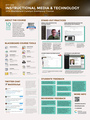
As a 2014 Blackboard Catalyst Exemplary Course Award Winner, I’ve prepared this poster presentation to share at BbWorld14 on Tuesday, July 17th from 5:00pm-7:00pm in the Exhibit Hall. Stop by then and/or feel free to tweet me any questions you might have.
To enlarge, click poster image above
For more details about my award-winning course, see the 6-minute course tour as well as detailed overview I previously shared. I have also made the entire course available to self-enroll and/or download as OER package, available at http://coursesites.com/s/_ett510ecp.
For more details about Blackboard’s Exemplary Course Program, visit blackboard.com/ecp
Jason Rhode
.
Blog
.
<span class='date ' tip=''><i class='icon-time'></i> Jul 16, 2015 12:39pm</span>
|
|
Joe Ganci—known in our industry as eLearning Joe—joined us at the 2015 Lectora® User Conference in Nashville this year. In his session for Lectora newbies, Joe shared his favorite tips and tricks for using Lectora based on a recent Lectora® Publisher project he did, including ways to make the development process easier and more efficient.
Joe used an engaging Cities of Italy theme, which added some fun personality to the course he used to demonstrate his timesaving tips for Lectora.
Joe Ganci, eLearning Joe, shares timesaving Lectora Publisher tips
Want to read about Joe’s breakout session from the LUC 2014 in LA last year? Check out this blog post: Create Engaging e-Learning Courses!
Sign up for a free 30-day trial of Lectora Publisher and see how easy it is to create your own project!
For more session highlights and e-Learning tips, subscribe to the Everything eLearning Blog.
The post Lectora Tips from eLearning Expert Joe Ganci appeared first on Trivantis e-Learning.
Trivantis
.
Blog
.
<span class='date ' tip=''><i class='icon-time'></i> Jul 16, 2015 12:39pm</span>
|
|
Problem: You have classroom training that you’ve been asked to turn into an online course—and make it just as engaging as that face-to-face training.
Solution: The benefit of eLearning is that you can create interactive online training that’s MORE engaging than that outdated, boring classroom course. eLearning allows you to add interactions like quizzes and games, plus videos and images that support your training.
Mikki Teneyuca, from Tasbo, shared great tips for how to create an engaging online course in her session at the 2015 Lectora® User Conference, "Rocking Your Face-to-Face Content in an Online Format." Here are a few of her suggestions for developers who’ve been given this task:
• Follow up with your training instructions to make sure the interactions and quizzes you created are working.
• Support images with text.
• Make videos between 1 and 3 minutes long.
• When outsourcing, make sure you get quotes, understand what hours mean to them, and know what they are billing you.
• Create a blueprint for your courses with your SME. Make sure you plan your questions before meeting with your SME so that you don’t overwhelm him or her.
• Take advantage of the awesome eLearning Brothers assets!
• Connect with other developers in an eLearning community.
Want to easily turn your classroom training into interactive, engaging eLearning? Sign up for a free 30-day trial of Lectora® Inspire, now with eLearning Brothers Lectora Template Library, Cutout People Library, and Interaction Builder inside the software.
For more eLearning how tos and helpful tips from developers, subscribe to the Everything eLearning Blog.
The post How to Turn Classroom Training into an Engaging Online Course appeared first on Trivantis e-Learning.
Trivantis
.
Blog
.
<span class='date ' tip=''><i class='icon-time'></i> Jul 16, 2015 12:38pm</span>
|
|
Presenter: Joi Ito (@Joi), Director of the MIT Media Lab
Date/Time: Tue, July 15, 2014, 3:45 PM - 5:00 PM
Location: Venetian Ballroom
Description: Using his exceptional practical experience and unmatched bird’s eye view of technology, Joi will provide his perspective on what new technologies are just over the horizon and how that they will affect the way education is delivered and received.
Welcoming comments from Jay Bhatt
This is the biggest physical and virtual attendance at any BbWorld (over 2,500 people in person, over 2,000+ teachers and administrators streaming during K-12 live experience)
Over 200 sessions offered during the conference
Notes from Joi Ito
"Learning is what you do to yourself, education is what others do to you"
"You can learn without a formal system of education"
When you can communicate at nearly no cost, it opens the door for incredibly communication and collaboration
It costs almost 0 to try something new
Creative Learning is About…
Projects
Peers
Passions
Play
The Principles Shared by Ito:
Resilience over strength
Systems over objects
Disobedience over compliance
Pull over push
Compasses over maps
Emergence over authority
Risk over safety
Practice over theory
Learning over education
Jason Rhode
.
Blog
.
<span class='date ' tip=''><i class='icon-time'></i> Jul 16, 2015 12:38pm</span>
|
|
Tanya Seidel, VP of Strategic Development at Artisan e-Learning gave a fantastic presentation on status indicators at the 2015 Lectora® User Conference in Nashville. Status indicators are a fairly new addiction to Lectora; they save eLearning developers a ton of time by automatically tracking completion status.
The team at Artisan e-Learning likes status indicators and uses them in many creative ways.
The team at Artisan e-Learning likes status indicators and uses them in many creative ways.
Tanya went through several examples of how Artisan e-Learning uses status indicators in their projects.
Below is an example of the game she created—with a Nashville theme in honor of the conference location.
Who knew you could do all that with status indicators! Thanks for the great presentation, Tanya.
Subscribe to the Everything eLearning Blog for more insider tips from the 2015 Lectora User Conference, free resources, and fun articles.
The post LUC 2015 Recap: Status Indicators Can Do That? appeared first on Trivantis e-Learning.
Trivantis
.
Blog
.
<span class='date ' tip=''><i class='icon-time'></i> Jul 16, 2015 12:38pm</span>
|