Blogs
|
Guest post by Jacob GunickiFor a long time software companies have offered a number of applications that allegedly support student-writing skills. These offerings include Inspiration, Don Johnston Software, Clicker, Write on Line, Dragon Software, as well as some web based options. Unfortunately, these applications have had limited success with helping students who struggle with writing. This has happened for several reasons, which are as follows;The interface for specialized software often has a clunky non-user friendly look. Subsequently, teachers servicing high need students are reluctant to learn how to use this software. Additionally, the targeted students find the interface non-appealing and are less likely to want to use this software.Specialized software is often expensive. This limits the ability for cash strapped schools to invest their limited funds in the software applications noted above.Specialized software only targets the needs of a narrow audience. This makes the software impractical unless your needs happen to fit the expressed purpose of the software developer.I want more »
Lisa Nielsen
.
Blog
.
<span class='date ' tip=''><i class='icon-time'></i> Jul 23, 2015 05:34am</span>
|
|
Streamline the e-learning production process with this Project Checklist
Starting a new eLearning project? You can minimize stress and maximize efficiency by clearly spelling out the details of the program before production begins. The following Project Checklist will serve as a handy guide to the key steps, benchmarks and sign-offs needed for most e-learning projects.
This checklist will help:
Organize your project
Ensure you have proper approvals
Serve as a project blueprint for your production team
How do you use this checklist? It’s simple. Keeping the end goal in mind, envision your course step by step thorough production. Keep in mind the needs of both your client and your production team.
The process has been simplified by breaking it down into 4 key components: the Plan, the Resources, the Assets and the Technology.
The Plan - The following documents will serve as a blueprint to help drive the project
Task Analysis - Determine if a task analysis is necessary and if so, assign responsibility
Budget - Clearly define the line items to be included in the budget
Objectives - Make sure course objectives are identified and agreed upon
Timeline/time period for completion - identify major benchmark phases in the project and how long it will take for each
Content outline - Outline the main and sub-sections of the course
Storyboard/script - Develop a detailed storyboard for client approval and to assist the production team
Assessment plan - Describe the type of assessment and grading structure, if any
Functional requirements list - develop a list of all functionality to be included in the program such as SCORM compatibility, bookmarking, printing, etc.
The Resources - Define and recruit the following personnel and tools
Subject Matter Experts - Identify SMEs that may be needed and are able to assist
Authoring tool - Determine the authoring tool to be used
Team roster- Identify the key members of the team: Instructional designer, writer, project manager, e-learning authors/developers, graphic designer
Quality assurance/testing - Define how the program will be tested and by whom
The Assets - Procure and/or create the needed resources
Style guide - Be sure you are complying with the latest company standards
Graphics - Good resolution, relevant graphics (icons, tables, charts, logos, photos, etc.)
Video and audio files - Schedule the production of new video and audio well in advance and produce in the highest quality possible
Additional content - Identify and round-up any additional resource material that your course may include, i.e. presentations, reference materials, links, etc.
Screen captures - Free of extraneous data and up-to-date
The Technology - Define the platforms you are delivering to
Hardware - Identify the hardware platforms to be supported
Software - Identify the software to be supported
LMS - Identify the LMS if applicable
Developing an e-learning program is a complicated undertaking. Streamline the process as much as possible by using the Project Checklist to grease the production wheels. Good planning upfront minimizes re-work and revisions down the road.
Ron Trilling
.
Blog
.
<span class='date ' tip=''><i class='icon-time'></i> Jul 22, 2015 03:34pm</span>
|
|
(As previously published in Training Industry magazine, June 24, 2015). Laying the groundwork for corporate success begins with training and developing your employees. But, those that want to catapult their market share to another sphere, invest in external enterprise training. By maximizing underutilized software like SharePoint, your business profitability can go from ordinary to outstanding in a flash.
ShareKnowledge Blog
.
Blog
.
<span class='date ' tip=''><i class='icon-time'></i> Jul 21, 2015 04:06pm</span>
|
|
Press Release 2015‐07‐21
Sycor mbs and the US company ShareKnowledge, Inc. - provider of the learning management system of the same name - are entering into a strategic partnership. This makes the Göttingen company the first partner for German‐speaking regions.
ShareKnowledge Blog
.
Blog
.
<span class='date ' tip=''><i class='icon-time'></i> Jul 21, 2015 02:06pm</span>
|
|
Getting it right on a video shoot will save re-work and editing time
It’s the day of the video shoot. You’re at the manufacturing facility, shot list and script in hand. A client representative has been assigned to work with you and your crew during the production shoot. You’re ready to go.
Follow these 4 best practices for a more successful shoot.
Be prepared to make changes to the script
It’s not unusual to make some script changes during a manufacturing shoot, so don’t record the narration for the e-Learning script until after the video shoot. E-learning scripts for manufacturing training programs can be very detailed and specific.The SME who worked with you on the script may have provided information from memory or from notes. It’s easy to miss something that should have been included or get something out of order. That’s why it’s important to reference the video script for every shot.
Check that what’s being videotaped matches the script. If it doesn’t, talk with the client representative and see where the problem lies. You may need to tweak a procedure, add a manufacturing step, or clarify a production process in the script. In some cases, you may even find that the employee being videotaped does things in a way that differs from the preferred method and may need to be corrected.
Make sure a technical expert is watching the video monitor
The technical expert is responsible for approving what is being videotaped. The two of you will work together to get the required shots. For every shot ask:
Is what is shown being done right?
Is the correct PPE being worn?
Is there anything in the shot that shouldn’t be? For instance: a piece of proprietary equipment or process, a missing safety guard, or holiday decorations that distract from the training.
It’s important that the client watch the monitor. If you’re framed for a wide shot but the client is concentrating on watching the employee directly, they might not notice the piece of equipment missing a safety guard that is visible in the shot. Or if you’re on a close up shot, the camera might pick up a defect on a product that isn’t visible from a distance.
Be vigilant about personal protective equipment (PPE).
Multiple shots or an entire video shoot can be ruined if an employee is not wearing the proper PPE. Before hitting the record button, make sure everyone in the scene is wearing the correct personal protective equipment. It’s good practice to check in periodically with the technical expert to confirm that employees are wearing the right PPE. If you have any doubts, ask.Also look out too for what employees should NOT be wearing. For instance, jewelry such as watches and conductive clothing like large belt buckles may be banned in areas with exposed energized conductors or circuit parts. Different areas of the manufacturing facility can also have different requirements. Every time you change a shooting location, be attentive to Personal Protective Equipment.
Watch for continuity.
Employee schedules, material availability, down productions lines, and production processes that can’t be stopped can play havoc on continuity. When you’re working in a manufacturing facility, you have to be comfortable shooting the script out of order and on the fly. Because of these extra challenges, you need to be especially aware of continuity.Here are some continuity tips that you can apply to different types of manufacturing situations:
If you’re videotaping a product assembly, use the same model, color and size product for each shot.
Be aware of who is featured in the video. If you need to shoot out of order or return to a location to pick up a shot, check that you’re videotaping the same employee.
Pay attention to which hands an employee uses to perform different tasks. Make sure there is consistency for the shots you are getting.
Get wide, medium, and close ups shots so that you have plenty of options to choose from during the edit.
Edit in your mind as you are watching each video shot.
Manufacturing facilities present their own unique challenges on a video shoot. Take control with these best practices and both your shoot and edit will go more smoothly.
Ron Trilling
.
Blog
.
<span class='date ' tip=''><i class='icon-time'></i> Jul 21, 2015 07:34am</span>
|
|
Virtually any eLearning course can be improved. Before you go into full production, review this list to find opportunities to take your course up a notch.
Developing and using a repeatable format for your courses is a good practice to follow, both for the development team and the learners. It simplifies development and familiarity makes a learner more comfortable with the experience.
But, it’s important to make sure that the course structure and approach that is being replicated is a good model. It needs to ultimately result in courses that are engaging while meeting the expectations and needs of our learners.
If your courses aren’t completely quite up to those standards or could use a bit of freshening up, here are 8 simple methods to consider.
Add a scenario or convert to one
A scenario is a great way to engage adult learners and present real world benefits of the training. It’s pretty simple to re-write straight-forward instructions into an actual manufacturing scenario that the user might encounter.
Add interactivity
Adding interactivity keeps the learner engaged and gives them control of their learning experience. Offer them choices such as: decision making scenarios, interactive knowledge checks, More Information buttons and sliders that let them see varying results based on their input.
Add video
Where appropriate and in short clips, video can be a very engaging format to demonstrate procedures, show a case study or hear form an expert.
Graphic makeover
Anything from simple background changes, addition or freshening up of custom graphic icons to a full interface re-design can give your courses a fresh new look and make the experience more appealing to your audience.
Shorten the course
Continually check your content against the stated goals and objectives of the lesson. If the content is not advancing the learner toward the goal of the course, perhaps it can be eliminated. Adult learners want their content to be on-point and don’t have the time for extraneous material.
Add a key graphic illustration or infographic
Graphics allow users to engage with the content beyond reading text. They help organize and illustrate key points. Look for opportunities to develop key graphics for your course that can be used throughout, such as safety icons that reinforce what type of PPE to wear, an engine diagram that highlights the part of the engine being discussed or an infographic that highlights the entire manufacturing process.
Write a more engaging Intro
Course Intros set the tone for the module. Write the Intro to be more appealing by including a story that is relevant to the learner, add a thought-provoking headline, include a short motivational video clip from a peer or present a job-related scenario.
Appeal to emotions
Adult learners respond to stories, especially ones that appeal to their emotions. Try to intersperse short scenarios that present a real-world example, such as the need for safety, impact of poor quality or the positive career effects of skills development training
Ron Trilling
.
Blog
.
<span class='date ' tip=''><i class='icon-time'></i> Jul 21, 2015 07:33am</span>
|
|
Save time and money by streamlining the animation process.
In manufacturing environments, there are some learning objectives that can best be achieved through animation. Animations are time-consuming and expensive to produce, so be sure that animation is the best method to convey the message.
Animations serve a variety of useful purposes, such as:
Showing processes that can’t be seen or videotaped - how a lawn mower cuts and disperses grass or how a heating systems distributes heat throughout a building
Showing interconnectivity
Demonstrating human motor skills
Demonstrating abstract concepts that can’t be depicted through video or photography
Detailing the assembly of an engine by having it disassemble or reveal "under the hood" parts and processes
There are several types of animations such as 2D, animated line drawings, animated .gif’s and 3D. Since most manufacturing facilities are developing training for physical items, the focus of this article is on 3D animation. Why? Because manufacturers are often concerned with 360 views of products or processes and this is best achieved by 3D which is based on actual object models that can be rotated in space.
Once you determine that an animation is the best communication method, you will need to develop or provide the following for your animator:
CAD files
The key parts or materials that appear in your animation will need to be ‘modeled’ or built. Rather than building from scratch, provide your animator with CAD files, if possible. This will save a significant amount of time.
Good reference material
You need to show what the key components in the animation are made of and how they work. The more detail you can provide on what the piece of equipment looks like and how it works, the better. Video is a great way, but you can also use still photos, illustrations or simple hand drawings.
Storyboard
You will need to storyboard the animation. They don’t have to be elaborate designs, but they do need to have a lot of descriptive detail so the animator will know what to animate. Have a technical expert or subject matter expert review your storyboard to make sure it is accurate and on-point with the learning objective.
Script
It’s common to have narration describe the animation. That way your viewer has multiple senses involved in the learning. Once the script has been reviewed and approved, record the narration and provide the final edited narration to the animator so he can time the animation sequences to the narration.
Timing
What is the timing and speed needed for each element of the animation? Some things can simply be timed to audio, but if there isn’t audio, let your animator know how the timing should work.
TIP
Keep it simple. Concentrate only on what is necessary. Don’t animate the assembly line or the pistons firing if that’s not crucial to the learning. Keep in mind that non-essential items are taking time and money and will also distract the learner.
Animation can be a very effective instructional tool for e-learning in the manufacturing environment. To keep costs under control, focus the animation only on what is necessary and provide the right materials to your animator.
Ron Trilling
.
Blog
.
<span class='date ' tip=''><i class='icon-time'></i> Jul 21, 2015 07:32am</span>
|
|
Add value and engagement to your course through inclusion of video interviews
Video interviews add variety to a voice-over soundtrack and personalize training. A good, informative interview connects with your audience and reinforces learning. It can motivate learners and link new information to real manufacturing experiences.
Here are these three ways to use employee interviews to add value and engagement to an eLearning script.
Reinforce an idea or concept.
Employee interviews are great ways to reinforce ideas and concepts so that they are better understood and remembered. When used in this way interviews act as testimonials. They offer the opportunity for learners to see and hear directly from co-workers.
Seeing a peer or supervisor talk about the importance of job safety is more memorable and believable than hearing a voice over narrator tell you the company values safety. Including testimonials in an eLearning program adds a personal touch that helps learners connect with and understand what you want to communicate. It improves employee buy-in by helping them see how an idea or concept benefits both the company and them directly.
Consider using employee testimonials to support the ideas and concepts behind these in demand eLearning training topics:
Workplace Health and Safety
Quality Management
LEAN Manufacturing
Supply Chain Management
Share a tip or best manufacturing practice.
Having employees share tips and best practices are meaningful ways of presenting information in an eLearning course. This type of peer learning is especially effective when training employees to use or maintain machinery, follow a procedure, or perform a manufacturing operation. It allows learners to hear from workers who speak the same language as them and experience situations that they will encounter on the manufacturing floor.
Featuring actual workers sharing tips and best practices brings context and meaning to important information by immersing learners in real-life working situations.
Connect learning with a real-life story.
Stories hook and connect with learners. People like telling and listening to them. Stories help convert dry, technical content into engaging learning experiences. They provide a link between the information you want to deliver and actual real-life work situations. The best stories are both informative and entertaining.
Here are examples of stories told by employees that I’ve included in my eLearning courses.
Supply Chain Management (SCM) success story. How the company’s automated replenishment system saves time and money by allowing product to be ordered from the customer’s shop floor directly to the manufacturing facility’s inventory system.
Quality improvement story. How a team of employees used Six Sigma principles to analyze a metal fabrication process that reduced defects in parts per million (DPPM) by 20 percent a year.
Safety training stories. How disregarding safety rules resulted in work place accidents, followed up by insights into what could have been done to prevent them.
Productivity improvement story. How $25,000 was saved on an order of electrical wire by making a few adjustments to a re-spooling machine.
LEAN manufacturing case study. How applying LEAN principles resulted in a 25% reduction in the lead-time to manufacture a line of gear drives.
Use employee interviews to produce engaging eLearning content that supports your learning objectives. This one tip will go a long way in adding value to your next eLearning script.
Ron Trilling
.
Blog
.
<span class='date ' tip=''><i class='icon-time'></i> Jul 21, 2015 07:30am</span>
|
|
Now that the Flash bandwagon crashed, here’s how to transition to mobile eLearning delivery
The late nineties through 2010 were great years for the brand new idea of moving training to the digital world. With software like Flash and beautiful MPEG video, we threw our paper courses away and broke new ground with CD-ROMS for assemblers, inspectors, installers and distributors.
Then we moved online. Everyone had the latest Flash player in their desktop browsers and Flash even upped the ante with its .flv video format. Now videos were high-quality AND had small file sizes ideal for our brand new high-speed internet connections. I was quite busy producing CD based eLearning courses for manufacturers.
And then came the iPod, the iPhone and finally the iPad. And iFreaked. None of the courses that I had produced previously would work on these devices. My clients started to use iPads, but that meant their libraries of material were suddenly obsolete.
Apple decided that their devices would not use the Flash player or be Flash enabled in any way. Steve Jobs declared, "Flash is dead." And, except in the world of animation and gaming, his declaration was fortuitous.
In the past few years I have been making the transition to multiple platform delivery, including iOS.
If you’re finding yourself in the same situation, here are a few tips to get your old programs up to speed for today’s technologies:
HTML coding
Choose an eLearning software platform that outputs HTML, or custom develop in HTML. There are several leading software platforms that are tailored for eLearning and output to HTML and/or HTML5. Examples of these are Adobe Captivate, Lectora, Storyline and Presenter.
Videos
This is almost the easy one. Update your videos to MP4s, which are good quality and universally acceptable
Images
Get ready for hi-retina. This can actually be tricky if you have trouble tracking down the original high resolution graphics or images you used many years ago. What you want is at least two (and now three is best) sizes of each image, doubling and tripling in dimension.
Animated effects
Ahh, this is the disappointing one, but will improve with time. Flash excelled at simple animations. Replacement options consist of converting animation to video using javascript, CSS and canvas, all web technologies. They are getting better, but are not near the Flash level of sophistication. There is some software, such as Adobe Edge Animate that will give you a Flash-like interface and convert what you create to web technologies. Believe it or not, if your old program contained animated gif files, those are still usable.
Interactivity
Like animation, interactive elements will have to be converted to javascript. If you choose eLearning authoring program, some of these capabilities are built-in and well-done.
Audio
Your old wav or aiff files are best converted to mp3. As with interactivity, most eLearning software will convert your wav files for you so you are still able to use them if you wish.
So get out your dust rag, dig up those archived programs and polish them up with new technologies.
Ron Trilling
.
Blog
.
<span class='date ' tip=''><i class='icon-time'></i> Jul 21, 2015 07:29am</span>
|
|
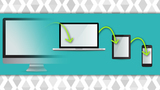
A handy interactive tool for helping you decide if you need to consider the iPad or other tablets when developing your next course
Mobile learning is gaining ground at a fast pace. A great number of people have access to a tablet at home or at work.
But development for multiple platforms is time consuming and costly. Before jumping on the mlearning bandwagon, be certain that you need to include tablets as a deliverable platform.
The following interactive tool will help guide you in your decision if iPads or other tablets need to be considered to best meet your goals and reach your audience when creating your next eLearning course.
Select the correct column that matches your use case.
Portability
I want my users to be able to access this training on their mobile devices wherever they are.
I only need the users to access this training on a desktop computer from their workstation, home or office.
Platform
I need this training available to only one specific corporate-approved platform.
This training needs to be accessible on many platforms and I don’t know what those might be.
On-site Use
This training is to be viewed on-site and does not need to be accessible otherwise.
This training should be accessible to users whether on-site or off-site.
Cost of Production
I have a substantial budget and can push the envelope when designing the interface and other interactions.
I have a tight budget and need to be cost conscious about what interactions are created and how the interface looks.
Future Proof
This course will have a relatively long shelf life and will need to be easily accessible and viewable in the future.
This course will not be available very long and will not need to be updated or adapted down the road.
Existing Content
This course will be using existing content from previously created courses such as Flash files and MPEG videos.
The content from the course will be newly created or can be upgraded or converted from existing content.
Audio
There will be extensive use of audio or the audio is a very important part of the training.
There will be little or no audio in this course and any audio used is only for ancillary use.
Screen Size
The course has a lot of content and I would like to have as large of a screen size as possible.
The course has minimal content or I can limit content that does show on the screen.
Text Entry
There will be very little/no text entry in this course.
Text entry is a very important part of this course and may be used extensively.
Duration of Training
This course is relatively short in duration or can be taken in multiple short chunks of time.
This course is relatively long or it requires users to take the entire course in one viewing.
CLICK HERE to view your results.
Note:The tool is just a guide to help with your decision making process. There are many points to consider when deciding if tablets should be considered as a delivery platform. The decision should not be taken lightly as it will necessitate additional time and resources to deliver to tablet devices. Hopefully this tool will help in the deliberative process of coming to a well thought out decision.
What other points do you think would be beneficial to add to this tool?
Ron Trilling
.
Blog
.
<span class='date ' tip=''><i class='icon-time'></i> Jul 21, 2015 07:29am</span>
|