Blogs
|
Jeff sits down with Steven Anderson and Eric Sheninger to discuss how they are educating a generation of digital learners.
Topics Covered:
What are we looking forward to as the new school year approaches?
How are we getting ready for school differently this year as opposed to in years past?
Suggestions for starting our students on the right track this year?
Empowering Integration
How should technology be introduced into our classrooms?
How can we help our teachers learn about these technologies?
What types of PD should we be giving our teachers.
What types of technology should be introduced into our classrooms? (Facebook, Twitter, Google+, Blogs, Wiki’s, Podcasts, iPads, iPhones, internet devices)
What types of accounts should we be asking our students to have? (twitter, dropbox, google…etc..)
Internet Safety and Security…. Keeping students, teachers and school districts safe
Should teachers use more Google in the classroom?
How should we be inviting our students to share files between home and school?
Having phones in school vs having iPads in schools (both students and teachers)
Encouraging our students to help teachers prepare for lessons…. (finding topics online and submitting them for research materials…. livebinder activities)
Are we as teachers preparing our students for the current future or the future yet to come?
How are schools using and managing table devices and app purchases
Websites and Apps Discussed:
Poll Everywhere
Text Message (SMS) Polls and Voting, Audience Response System
Edmodo
Secure Social Learning Network for Teachers and Students
Wordle
Beautiful Word Clouds
Blogger
Moodle
open-source community-based tools for learning
Ning
Create a Social Networking Site with Ning, the Best Social Site Platform
Twitter
PD 360
The world’s first and largest online, on-demand professional development platform for educators.
SimpleK12
Educational Technology Made Simple
Atomic Learning
Education: Professional Development, Technology Integration and Software Training and Support Solutions - Atomic Learning
Teachscape: K12
Effective Teaching | Teaching Strategies | School Performance | School Improvement | Student Achievement
Groupboard
Evernote
Remember Everything
Dropbox
Cloudbased File Storage
Diigo
Web Highlighter and Sticky Notes, Online Bookmarking and Annotation, Personal Learning Network.
Delicious
Online Bookmarks
http://twitterrific.com/
Twitter Client
Feeddler
RSS Reader for iPad and iPhone
Documents To Go®
Office Suite
About our Guests:
Steven Anderson holds a Bachelors of Science in Middle Grades Mathematics and Science Education from Western Carolina Universityand aMaster ofArts In Education In Instructional TechnologyfromEast Carolina University. He is currently persuing an Add-On Licsenure in Administration fromAppalachian State University. Steven began teaching in 2003 theGateway Prep. Academyat theKennedy Learning Centerin theWinston-Salem/Forsyth County Schoolsin Winston-Salem, NC. There he worked with 7th and 8th grade students who were more than 2 years off of grade level in the hopes they could return to their regular school to be successful. He then moved to Clemmons Middle Schoolin the Winston-Salem/Forsyth County Schools where he taught 7th and 8th grade Science for 5 years. He was part of a pilot program that "looped" his 7th and 8th grade students. While at Clemmons he served as Team Leader, Grade-Level Chairman, Department Chairman, School Improvement Team Member and School Improvement Team Chairman. He left Clemmons Middle to serve as the District Instructional Technologist forStokes County Schools. There, he was responsible for all technology professional development programs in the district. In January, 2010, he returned to Clemmons Middle School as the Instructional Technologist, working with teachers and students on technology integration. Currently he is a District Instructional Technologist, working with district and school administrators on how to harness the power of technology to enhance learning.
He has been a presenter at several area technology conferences and meetings including NCTIES, North Carolina’s largest educational technology conference. Most recently he was selected to be a panelist at the#140 Conferencein Los Angeles, organized by Vonage founder,Jeff Pulver, where he discussed the impact of Twitter and other social media on education. As part of the conference he was one of the first recipient of the NOW Award, recognizing the "Movers and Shakers" in the world of Social Media. He returned to the #140 Conference in 2010 as a featured speaker, this time in New York City. Also in 2009 Steven was voted the Most Influential Tweeter as part of the Annual Edublog awards and was a co-recipent of the Most Influential Series of Tweets for his part in helping to create #edchat, a weekly education discussion on Twitter that boosts over 500 weekly participants.
Twitter: Web20Classroom
Blog: http://web20classroom.blogspot.com/p/about-me.html
Eric Sheninger is the Principal at New Milford High School located in Bergen County, NJ. He is passionate about establishing and fostering learning environments that are student-centered, collaborative, flexible, and prepare all learners to succeed in the 21st Century.
As an educational administrator he firmly believes that effective communication, listening, support, shared decision making, and the integration of technology are essential elements necessary for the transformation of school cultures. Eric has emerged as an innovative leader in the use of social media and web 2.0 technology as tools to engage students, improve communications with stakeholders, and help educators grow professionally. Eric is a Google Certified Teacher, ASCD 2011 Conference Scholar, co-author of "Communicating and Connecting With Social Media: Essentials for Principals", writer for the Huffington Post, and was named to the NSBA "20 to Watch" list in 2010 for technology leadership. He now presents and speaks nationally to assist other school leaders embrace and effectively utilize technology. His blog, A Principal’s Reflections, earned first runner up in the Best Administrator Blog category in 2010 from Edublogs.
Eric began his career in education as a Science Teacher at Watchung Hills Regional High School where he taught a variety of subjects (Biology, Chemistry, Marine Biology, Ecology) and coached several sports (ice hockey, football, lacrosse). He then transitioned into the field of educational administration as an Athletic Director/Supervisor of Physical Education & Health and Vice Principal in the New Milford School District. During his administrative career he has served as District Affirmative Action Officer and is the current president of the New Milford Administrator’s Association. For more information on Eric visit http://ericsheninger.com
http://edupln.ning.com/profile/EricSheninger
http://ericsheninger.com/esheninger?sid=28
The post Boosting Student Productivity with Technology | A TeacherCast Classic Podcast appeared first on TeacherCast.net: Educational Blogs, Podcasts, App Reviews and more.
… Read more
Jeffrey Bradbury
.
Blog
.
<span class='date ' tip=''><i class='icon-time'></i> Jul 23, 2015 07:13am</span>
|
|
The Tech Educator Podcast is a weekly round table discussion about current topics in educational technology. For more information, please visit www.techeducatorpodcast.com.
Many great ways to participate in the TechEducator Podcast.
TechEducatorPodcast.com
Follow us Live on Video: http://www.TeacherCast.tv
Leave a Voice Mail: http://www.TeacherCast.net/voicemail
Email: feedback@Teachercast.net
Twitter: @TechEdShow (http://www.twitter.com/techedshow)
Hashtag: #TechEducator
Hosts:
Jeff Bradbury - TeacherCast.net - @TeacherCast
Jeff Herb - InstructionalTechTalk.com - @InstTechTalk
Sam Patterson - MyPaperlessClassroom.com - @SamPatue
Chris Nesi - Education the Nesi Way - @MrNesi
David Saunders @DesignSaunders -designsaunders.com
Josh Gauthier @mrgfactoftheday -Mr Gauthier’s Tech Chat
Yosemite Features mentioned in this show
Quicktime
Record Audio
Record Video
Screen Capture your iOS Device
iTunes
Add Podcasts
iTunes Match
Yosemite Spotlight
Please join the TechEducator Podcast LIVE every Sunday night at 7:00 P.M. EST on http://www.TeacherCast.tv
Please contact TeacherCast with any Questions or to become a guest on the show
Host: Jeff Bradbury @TeacherCast
Email: info@teachercast.net
Voice Mail: http://www.TeacherCast.net/voicemail
YouTube: http://www.TeacherCast.net/YouTube
iTunes: http://www.TeacherCast.net/iTunes
Watch LIVE: http://www.TeacherCast.tv | Broadcasting Schedule (http://www.teachercast.net/showcal)TeacherCast Broadcasting Community: http://www.TeacherCast.net/broadcastingcommunity
Interested in starting your own podcast? Check out our Educators Guide to Podcasting today! | Video | Slideshare Presentation
Hire TeacherCast to Speak or Broadcast at your conference
Jeff Bradbury (@TeacherCast) is available as a Keynote Speaker, Presenter, or to Broadcast your conference LIVE! Contact Jeff Today!
Check out more TeacherCast Educational Broadcasting Network Shows
TeacherCast Podcast (http://www.teachercast.net/education/teachercast-broadcasting/)
TeacherCast App Spotlight (http://www.teachercast.net/education/teachercast-broadcasting/the-teachercast-app-spotlight/)
The TechEducator Podcast (http://www.techeducatorpodcast.com)
The post 10 FREE Features of #Apple #Yosemite for the Classroom Teacher | #TechEducator 73 appeared first on TeacherCast.net: Educational Blogs, Podcasts, App Reviews and more.
… Read more
Jeffrey Bradbury
.
Blog
.
<span class='date ' tip=''><i class='icon-time'></i> Jul 23, 2015 07:12am</span>
|
|
Jeff sits down with Jason Glass, the Director of Education from Iowa to discuss the state of education and how teachers can prepare students for their futures.
Topics Covered:
The State of Education
Describe our countries educational system today
What are some of your favorite things to do as Director of the Department of Education
Are teachers, schools, school districts ready to embrace todays technology?
Working within a shrinking budget
How schools are meeting the needs of our students today
What technologies should we be embracing? Leaning away from?
Should Technology be driven by the students, or by the teachers? (or by the community?)
At what age should students be learning social technologies… and how?
Should we be teaching "basic skills" in school? (long division, cursive, etc…)
Websites and Apps Discussed:
Twitter
Evernote
About our Guests:
Governor Terry Branstad appointed Dr. Jason Glass as the director of the Iowa Department of Education on December 29, 2010. He was confirmed by the Iowa Senate on April 11, 2011.
Director Glass has pledged that the Department of Education will focus on the values of demonstrating courageous leadership, promoting innovation in education, and acting as a servant to schools and communities in Iowa.
As Director, he works with the Governor, legislators, the State Board of Education, and people across the state in supporting efforts and initiatives to restore Iowa’s tradition as a national leader in education and to lead transformative change.
Born and raised in a family of educators, and married to a teacher, Director Glass’s career in education spans more than 15 years where he has worked in a variety of roles and diverse settings.
After teaching at the high school and university levels in Kentucky, Director Glass worked for the Colorado Department of Education in ensuring a quality education for students with disabilities. Director Glass served as vice president of Qualistar Early Learning in Denver, Colorado where he helped develop an early childhood education quality rating system and raised funds to help providers make needed improvements. He was the Director of Human Resources for Eagle County Schools in Colorado, a pioneering district in innovative human resources strategies including performance-based compensation.
In 2010, Director Glass joined Battelle for Kids as Senior Director of Human Capital, providing states and districts counsel in implementing transformational change as part of the federal Race to the Top program in Tennessee and Ohio.
Director Glass is a graduate of the University of Kentucky, where he received a Bachelor’s degree and two Master’s degrees, and holds a Doctorate in Education from Seton Hall University.
The post How do I become the Director of Education of an entire state? | A TeacherCast Classic Podcast appeared first on TeacherCast.net: Educational Blogs, Podcasts, App Reviews and more.
… Read more
Jeffrey Bradbury
.
Blog
.
<span class='date ' tip=''><i class='icon-time'></i> Jul 23, 2015 07:11am</span>
|
|
Have you ever wanted to download a creative commons video from YouTube to work with your students on a great project? Here’s a great way to do it. Select a creative commons video you wish to use (or even a video that you already posted to your own YouTube Channel) and simply type "ss" before the "Y" in YouTube. This will then transport you to a downloading site called SaveFrom.net where you can download the creative commons video to your hard drive.
The post Download Creative Commons Videos from YouTube for Class Projects | #GoogleDriveInUnder5 appeared first on TeacherCast.net: Educational Blogs, Podcasts, App Reviews and more.
… Read more
Jeffrey Bradbury
.
Blog
.
<span class='date ' tip=''><i class='icon-time'></i> Jul 23, 2015 07:10am</span>
|
|
Jeff sits down with Dr. Bill Brennan to discueshis views on education, social media, parent involvement and much more. For more information, please visit www.TeacherCast.net.
About Dr. Brennan
Dr. Bill Brennan (@DrBillBrennan) is Lead Innovator in Farmingdale Public Schools. A graduate of Fordham University’s Doctoral program in Educational Leadership, Bill led a National Study of School Principals, Knowledge Management and Organizational Learning. Dr. Brennan continues to teach, write and speak on building digital age learning organizations. He challenges school leaders to re-design organizations to better cultivate human and social capital in the Digital Age.
Topics Covered
Farmingdale School District
What is a Lead Innovator?
Growing a Social Media Presence in your School District and Community
How do you Unlearn something?
Public Speaking: Keynotes / TEDx etc
Professional Development Opportunities in the NYC area
Long Island
Links of Interest
@DrBillBrennan
BrennanLearning.com
Please contact TeacherCast with any Questions or to become a guest on the show
* Host: Jeff Bradbury@TeacherCast
* Email: info@teachercast.net
* Voice Mail: http://www.TeacherCast.net/voicemail
* YouTube: http://www.TeacherCast.net/YouTube
* iTunes: http://www.TeacherCast.net/iTunes
Watch LIVE: http://www.TeacherCast.tv | Broadcasting Schedule (http://www.teachercast.net/showcal)TeacherCast Broadcasting Community: http://www.TeacherCast.net/broadcastingcommunity
Interested in starting your own podcast? Check out our Educators Guide to Podcasting today! | Video | Slideshare Presentation
Hire TeacherCast to Speak or Broadcast at your conference
Jeff Bradbury (@TeacherCast) is available as a Keynote Speaker, Presenter, or to Broadcast your conference LIVE! Contact Jeff Today!
Check out more TeacherCast Educational Broadcasting Network Shows
TeacherCast Podcast (http://www.teachercast.net/education/teachercast-broadcasting/)
TeacherCast App Spotlight (http://www.teachercast.net/education/teachercast-broadcasting/the-teachercast-app-spotlight/)
The TechEducator Podcast (http://www.techeducatorpodcast.com)
The post A Conversation with Dr. Bill Brennan (@DrBillBrennan) appeared first on TeacherCast.net: Educational Blogs, Podcasts, App Reviews and more.
… Read more
Jeffrey Bradbury
.
Blog
.
<span class='date ' tip=''><i class='icon-time'></i> Jul 23, 2015 07:09am</span>
|
|
In this presentation, we will take a look at what a 21st Century Classroom might look like. We will discuss and demonstrate: Website Creation, Audio/Video creation and distribution, Teaching in a Mobile Environment, Student Content Creation and more.
Learn how to create a website and add dynamic Web 2.0 content to enrich your classroom and engage your students.
Website Creation
WordPress
Weebly
Blogger
Kidblog
Wikispaces
Google Sites
Photography Services
Flickr
Photobucket
Photoshelter
Picasa
Video Creation
YouTube Editor
WeVideo
JayCut
Apps
Audio
VC Audio Pro
BossJock Studio
Dropvox
Quick Voice to Text
Mixlr
Garageband
Podcasts
PodCruncher
Video
iMovie
Tout
UStream
YouTube
Vimeo
Pinnacle
Videolicious
Splice
ReelDirector
Super 8TM
Viddy
Magisto
Udemy
Blogging
WordPress
Kidblog
Blogger
Blogpress
Creative Apps
Scan (QR Code Reader)
Genius Scan (Create PDF’s of Documents)
360 (Take 360 Degree Photos)
Story Creator Pro
eBook Creator
Digital Storage
Dropbox
Box
Memory Stick
Educator Productivity
Keynote
Pages
Bento
Skype
GooglePlus
Dragon Dictation
Team Viewer
Teachers Assistant Pro
Google Maps
iFiles
MindNode
TinyVox
RGB/HSB/HEX
GV Connect
Tango
Google Voice
Google Earth
Google Search
GoDocs
Google Drive
CardMunch
Google Chrome
Remind101
TeacherKit
Attendance
Schoology
Student Content Creation Websites
LiveBinders
SchoolTube
Links of Interest
Why should students watch videos?
Using SchoolTube in the Classroom
Ladue Broadcast Technology
The post Creating a Paperless Classroom | A @TeacherCast Workshop Presentation appeared first on TeacherCast.net: Educational Blogs, Podcasts, App Reviews and more.
… Read more
Jeffrey Bradbury
.
Blog
.
<span class='date ' tip=''><i class='icon-time'></i> Jul 23, 2015 07:09am</span>
|
|
Are you interested in video editing? Are you looking to take control of your imagination? In this workshop, we will examine Apple’s Final Cut Pro X, Motion, and Compressor applications and teach you how to take your video projects to a whole new level!
Workshop Objectives
In this workshop, we will explore Final Cut Pro from a classroom perspective. We will learn how to use this simple, but powerful video editing tool to it’s fullest potential with your students and share some classroom activities you can do in almost any grade level.
Topics Covered
Capturing Video on a mobile device
Capturing Video on a desktop or laptop
Importing Video from a mobile device
Importing Video from your desktop
Organizing video in your FCPX Libraries
A Tour of FCPX
Simple Editing
Adding Titles and Transitions
Working with Photos
What are Metadata and Keywords?
Creating Motion Graphics the easy way
Working with Audio
Hidden Features of FCPX
Apple Motion and Compressor
Exporting your project
Archiving your projects when finished
Teachercast Created Resources
TeacherCast Final Cut Pro X Online Learning Center
Learn how to use Final Cut Pro X in 30 minutes or less (FCPX)
20+ Effective ways to use Final Cut Pro X in the classroom | #TechEducator Podcast #47 FCPx
Learn How to use Apple Final Cut Pro X in YOUR Classroom! (FCPX)
Podcast: Learn how to teach your students about video production in #apple #motion from @deysonortiz | #TechEducator 61
Websites of Interest
Final Cut Pro Homepage: https://www.apple.com/final-cut-pro/
Video Series | Final Cut Pro X in under 5 minutes: http://www.rippletraining.com/categories/macbreak/under-5-series.html
http://www.fcp.co
The post Is Final Cut Pro X the right tool for my classroom video projects? | A @TeacherCast Workshop #FCPX appeared first on TeacherCast.net: Educational Blogs, Podcasts, App Reviews and more.
… Read more
Jeffrey Bradbury
.
Blog
.
<span class='date ' tip=''><i class='icon-time'></i> Jul 23, 2015 07:09am</span>
|
|
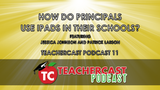
Jeff sits down with Patrick Larkin from Burlington High School and Jessica Johnson to discuss how they use iPads and technology in their schools.
Topics Covered:
Starting the school year off with a bang… How to prepare for the new semester
What are todays expectations for our students? Graduates? Teachers? Schools? Administrators?
Using Social Media in our schools and classrooms
Should Teachers blog/tweet?, Should Schools blog/tweet?
How can schools develop safe methods for using Social Media in the classroom
How to use todays technology to communicate with parents
How to teach todays parents about what their kids are learning
Safe ways to continue educating after the bell has rung
How to make the most use of our iPad….. How to use the iPad to maximize productivity in yourself… and in your staff
How to run a class… or school using an iPad and what apps to choose
Personal Learning Networks
Creating a 1:1 environment for our schools
Websites and Apps Discussed:
Splashtop Remote
ScreenChomp
Evernote
Google Apps
Flipboard
Blogger
About our Guests:
Jessica Johnson is the Elementary Principal for the Dodgeland School District in Juneau, Wisconsin. She has previously served as a teacher, instructional coach, and Assistant Principal in Minnesota and Arizona. When she made the move from a large urban Phoenix school district to rural Wisconsin she found the isolation of the administrative role to be like an island. She was fortunate enough to discover twitter and continue to learn from others in her Professional Learning Network, which continues to grow each day. She has begun presenting the power of twitter to educators/administrators at conferences in Wisconsin (along with other Wisconsin principals she found on twitter).
In addition she is a co-moderator for the #educoach chat on twitter. You can find her on twitter as @PrincipalJ or follow her blog at www.PrincipalJ.blogspot.com.
Patrick Larkin is the Principal of Burlington High School in Massachusetts where he is in his 14th year as a high school administrator and seventh as a building Principal. Prior to serving as a school administrator, Patrick was a high school English teacher. As an Assistant Principal, Patrick was named Assistant Principal of the Year in the state of Massachusetts. He also is a former Executive Board member in the Massachusetts Secondary Schools Administrators Association (MSSAA) and he recently completed a two year term as a member of the New England Association of Schools and Colleges Commission on Public Secondary Schools.
Patrick’s school will be making the transition to a 1:1 environment for the 2011-2012 school year. He is active presenting to colleagues on the power of social media for administrators, teachers, and students. In addition, he is an avid blogger and a proponent of social media to better engage teachers, students, and parents in the education process. Patrick is one of the founders of theConnected Principals Blog and #cpchat on Twitter. He is one of the authors of the Super Book of Web Tools for Educators, an avid blogger and a proponent of social media to better engage teachers, students, and parents in the education process.
Both Burlington High School and Patrick have been highlighted in national and regional publications during Patrick’s tenure at BHS.
T.H.E. Journal - When Students Run The Help Desk
Fox 25 Boston Checks Out Our iPad Deployment
USA Today - Students Cast Wide Net For Mentoring With PLN’s
Edutopia - How My School Is Transitioning to Digital Textbooks (Organizing: Step 1 of 5)
Edutopia - A Web 2.0 Class: Students Learn 21st Century Skills, Collaboration, Digital Citizenship
Converge Magazine - Principals Learn Through Social Media
Converge Magazine - Four Ways To Transform Your School Culture
T.H.E. Journal - Tweets For Teachers
Boston Globe - Laptop Learning
"I have learned more from my Personal Learning Network (PLN) in less than two years than I did in my previous decade in education," says Larkin. "This is the most exciting time in history to be involved in education and I am enjoying every minute of it!
Patrick is a graduate of Assumption College and he received his Master’s Degree in Educational Leadership from Framingham State College.
You can find Patrick’s blog here.
The post How do principals use iPads in their school? | A TeacherCast Classic Podcast appeared first on TeacherCast.net: Educational Blogs, Podcasts, App Reviews and more.
… Read more
Jeffrey Bradbury
.
Blog
.
<span class='date ' tip=''><i class='icon-time'></i> Jul 23, 2015 07:09am</span>
|
|
Saying that college paper writing could be made easy is a little pretentious. There are many problems you encounter when you need to write on a boring topic and the deadline is pressuring you. Maybe you don’t have enough ideas, you don’t understand what the topic of the paper calls for, you cannot find the right resources or you simply cannot construct a properly-structured academic paper. Regardless of the challenges you are facing, these tools will help you find a solution:
Notesy
You may think that academic writing is the most complicated thing in the world, but you’ll understand that it’s easier than it first appears as soon as you go back to simplicity. Notesy is a simple text editor that will help you take important notes and stay away from distractions while working on that paper. The app enables you to preview files, search for information, view links, and do much more than the usual note-taking apps allow you to.
NinjaEssays
When all attempts fail and you are certain that you cannot complete that project all on your own, it’s time to bring out the big guns. NinjaEssays enables you to hire professional writing and editing assistance and rely on a real expert from the niche. There is no better way to complete a well-researched, authoritative paper no matter how short the deadline is.
TED
If the particular topic doesn’t spark any ideas, then TED is the perfect place to start looking for them. Today’s college students can hardly imagine their lives without this website that holds an immense amount of resources provided by experts in various fields.
Encyclopedia.com
Since your professors do not consider Wikipedia to be a relevant academic resource (who could blame them?), you need to find another place that holds information on any topic you need to research. That’s Encyclopedia.com. At this website, you will find valuable links to authoritative reference books that you can feel free to rely on.
HippoCampus
If you missed few classes or you simply don’t understand the course material properly, then you’ll appreciate this website. HippoCampus offers lectures from the fields of sociology, economics, psychology, biology, algebra, earth science, history and government, and other niches.
Google Docs
This is where you write the actual content. Google Docs enables you to create and save all your papers, calendars, spreadsheets, and other types of documents. The best part is that you can use it for your team projects and collaborate with your teammates in the quickest, easiest manner.
Evernote
Academic writing calls for some serious note-taking. Evernote is the best resource you could use during the brainstorming and research phases. You can organize your notes and access them at any time.Writing Kit
This iPad app is unbelievably helpful during the research and writing stage. It syncs your documents to Dropbox and enables you to work on the paper whenever you get inspired. Tablets are not that comfortable and reliable when it comes to writing academic content, but Writing Kit changes that.
Outliner
Skipping the outlining stage of academic writing is not a smart thing to do. The outline will keep your paper organized and your arguments connected to the main thesis. Instead of outlining the paper in your usual word processor, you can use Outliner - an app that enables you to create a clean outline and rearrange the different parts with the easy-to-use drag-and-drop feature.
Dictionary.com
When an academic term confuses you, Dictionary.com is the right place to turn to. This website provides you with more than simple definitions of terms; it links you to other useful tools and can serve as a reliable style guide.
Now that you have the right tools, it’s time to write that paper!
You might not be aware of the importance of academic writing, but practice will improve your communication skills regardless of the career you are going to pursue. You won’t complain when you start getting higher grades, so use the above-listed tools and start writing better papers.
The post Tools That Make College Paper Writing Easy appeared first on TeacherCast.net: Educational Blogs, Podcasts, App Reviews and more.
… Read more
Jeffrey Bradbury
.
Blog
.
<span class='date ' tip=''><i class='icon-time'></i> Jul 23, 2015 07:09am</span>
|
|
There’s an old business saying along the lines of "Never annoy anyone on your way to the top, because you may need their help when you are on the way down". Basically, I take that to mean try and treat everyone right, and they will treat you right when you need them, (even if you are still on the way up).
Earlier this week I got a call from a very influential/well-known UK Institute. They had a problem. They had contacted me because I have 2 specific skills - #Articulate #Storyline and #Sparkol #Videoscribe - two products that are essential for their project rollout.
They need nearly 100 short, 10/12-slide, 10-minute courses produced - originally the deadline was sometime early in 2015, it is now late August 2014. It is almost the end-June now. There will be around 30-40 standalone Videoscribes to produce after that.
I went to see them, to see what I could do to help, if anything. To cut a long story short, after the meeting I placed a call to a Storyline colleague, to see if he could help, because there is no way I can do this on my own. He told me that he had diversified from Storyline, and had entered the Video Marketing world too using a new product - had I heard of a product called "Sparkol Videoscribe"?
He also knows of another resource who can help us with these skills. Sometimes - the planets just align perfectly.
In the meeting, both the client and I accepted the project dates were bordering on insanity, however, after a couple of hours, some laying down of the production "rules", and some networking, this project has become completely realistic. I’m not saying it will be easy, but 1 person has become 3, and the light at the end of the tunnel is certainly brighter than it was. In contacting this colleague, and giving some work AWAY, a project is now more likely to happen, with me at the middle, managing it, and client panic (hopefully) turning to client delight and future repeat business.
I believe that effective Freelancer networks are ESSENTIAL, especially in my own eLearning business world . There are so many products and tools, no-one can be effective in them all. Work with REAL people, contact REAL people, and do not just be "Social Media Friends". Be REAL friends and REAL colleagues. I am totally sick and tired of social media contacts to "Like" and "Friend" and so on - where they just ask, but offer no explanation WHY they want me to like, friend, buddy, connect and generally add to my Inbox.
That way, a massive piece of business, crazy to look at on paper MIGHT just become a workable reality with one phonecall. Freelancers often on PC/mobile tools to be effective, but do not, ever forget the value of ongoing contacts, and the occasional social call just in case you need their help.
Bruce M Graham
.
Blog
.
<span class='date ' tip=''><i class='icon-time'></i> Jul 23, 2015 07:09am</span>
|